Choosing the right motherboard has always involved striking a delicate balance, but that’s particularly the case when we’re enduring a RAM and SSD pricing crisis. While most people really don’t need to spend the big bucks required for a high-end board packed with bells and whistles, going too far the other way can land you with disappointment.
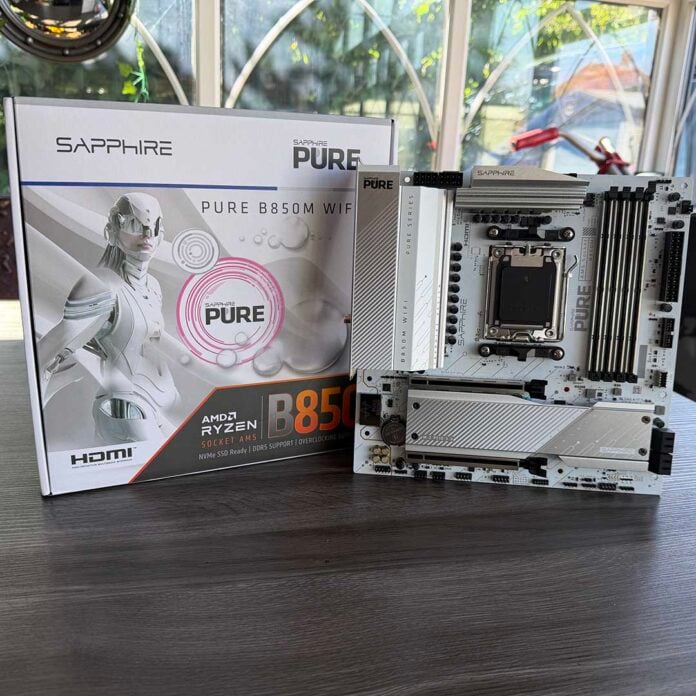
There’s a temptation to skimp on the motherboard and buy an uber-cheap model based on AMD’s bottom-end A620 chipset, and that’s a fallacy. This got me thinking about what I’d need to spend to get everything I need, and after a bit of research I’ve landed on Sapphire’s Pure B850M WiFi.
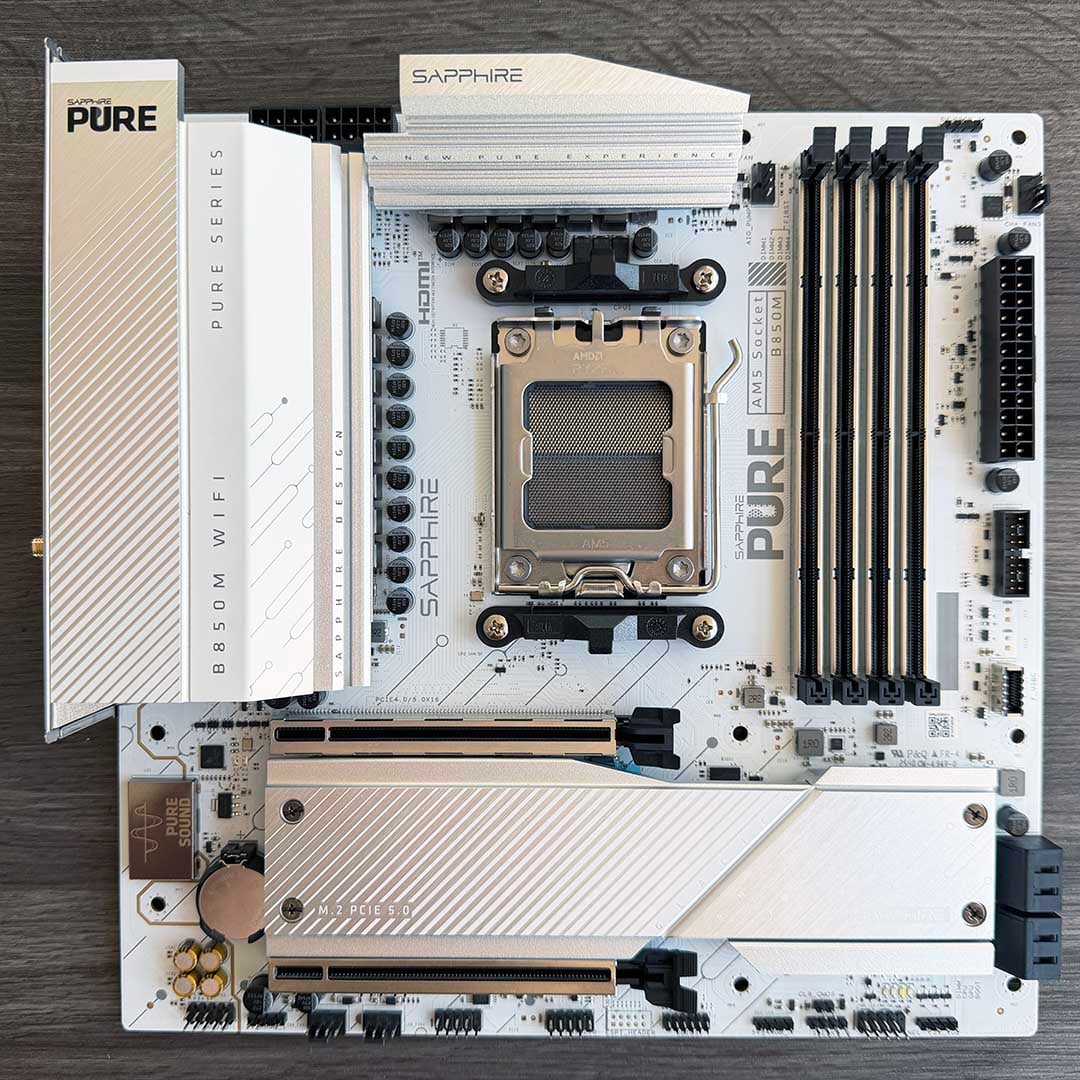
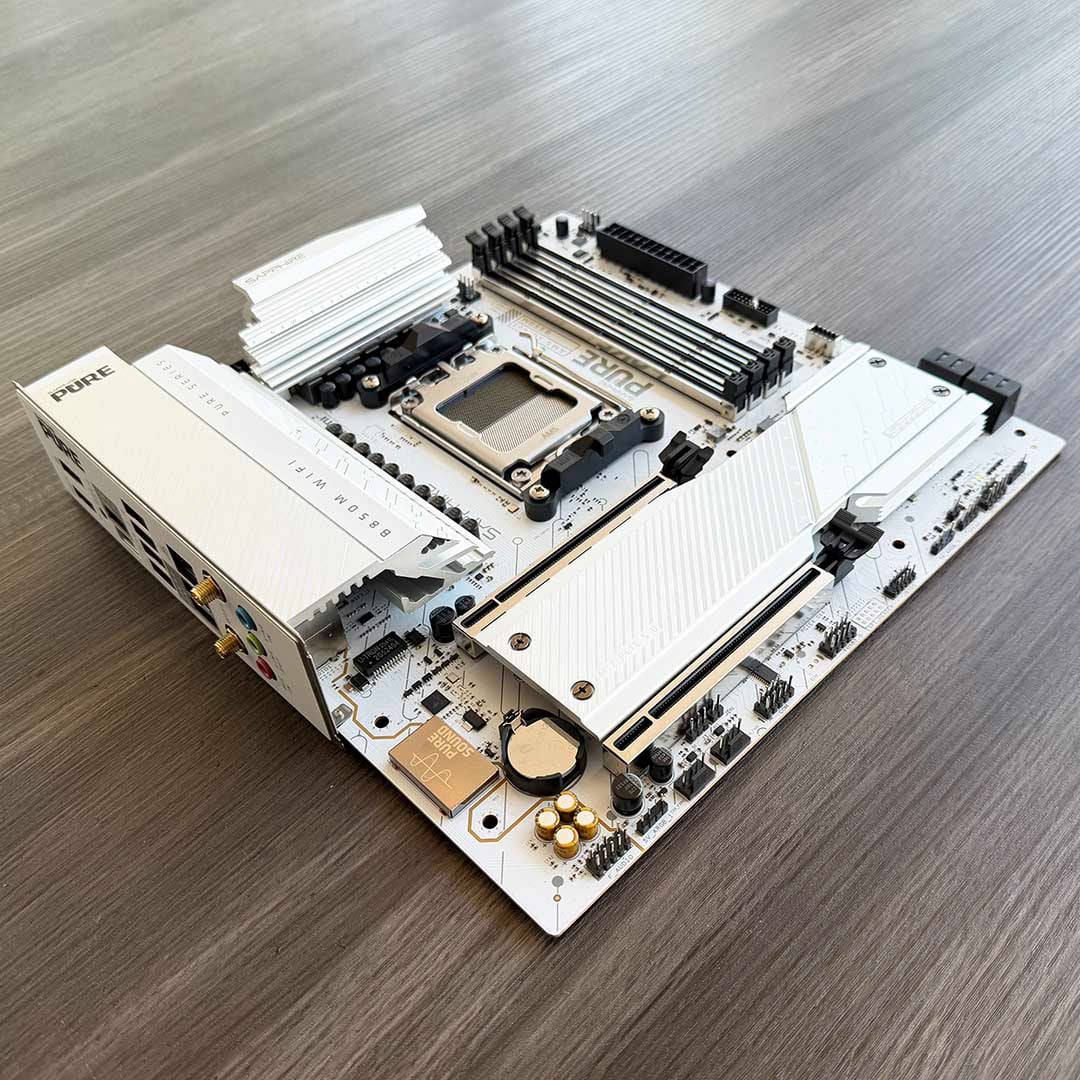
There are no superfluous frills, such as flashy screens or RGB lighting, but it does give you a decent chipset with support for the latest components, plus PCIe 5.0 for both storage and your GPU, all for £127 right now. Despite its lack of bling, it also looks the business, with its crisp white PCB, gold touches and chunky heatsinks giving it some minimalist chic – it will look great in all-white build. After taking a look at the spec online, and seeing that it ticked all the boxes on my list of essentials, I asked Sapphire to send one in to see how it holds up.
The first factor in this board’s favour is its use of AMD’s B850 chipset. That’s a part of AMD’s latest 800-series lineup, which accompanied the launch of its current Zen 5 CPUs. It doesn’t offer the USB4 ports and Wi-Fi 7 support of X870 boards, but it covers the essentials while giving you some future proofing. Equipped with AMD’s long-lasting AM5 socket, it will happily run the latest Ryzen chips, and it’s likely to accommodate Zen 6 and Zen 7 CPUs in future as well.
Specifications
| Sapphire Pure B850M WiFi | |
|---|---|
| Chipset | AMD B850 |
| VRM | 12+2+1, 55A per phase |
| RAM support | Slots: 4 Max capacity: 256GB (4x64GB) Max OC speed: 8,000+MT/s |
| Onboard graphics | HDMI (x1) DisplayPort (x1) |
| PCIe expansion slots | PCIe 5.0 x16 (x1) PCIe 4.0 x4 (x1) |
| Audio | Realtek ALC897 |
| Storage | PCIe 5.0 x4 (x1) PCIe 4.0 x4 (x1) SATA 6Gb (x4) |
| Rear USB | USB 3.2 Gen 2 Type-C (10Gb) (x1) USB 3.2 Gen 2 Type-A (10Gb) (x3) USB 2.0 Type-A (480Mb) (x4) |
| Front USB | USB-C 3.2 Gen 1 (5Gb) (x1) USB-A 3.2 Gen 1 (5Gb) (x1) USB-A 2.0 (480Mb) (x1) |
| LAN | Realtek 2.5Gb (x1) |
| Wireless | Bluetooth 5.3 Wi-Fi 6 |
| Price | £127 |
PCIe Gen 5.0 SSD support
Importantly, the B850 chipset guarantees at least one PCIe Gen 5.0 M.2 slot for storage, which was only optional for boards based on the previous B650 chipset. That means you can run the latest PCIe Gen 5.0 SSDs at full speed.
Just to check how well it worked, I popped the Sandisk Optimus GX Pro 8100 from our test rig into the Sapphire’s Pure B850M WiFi (while also using all the other parts of our test setup, except the motherboard), and watched it return some amazing benchmark results. Running CrystalDiskMark, it hit an awesome sequential read speed of 14,929MB/s, which is a good 29MB/s above the 14,900MB/s claimed by Sandisk. Likewise, the peak sequential write speed of 14,146MB/s is well above the 14,000MB/s in Sandisk’s marketing.
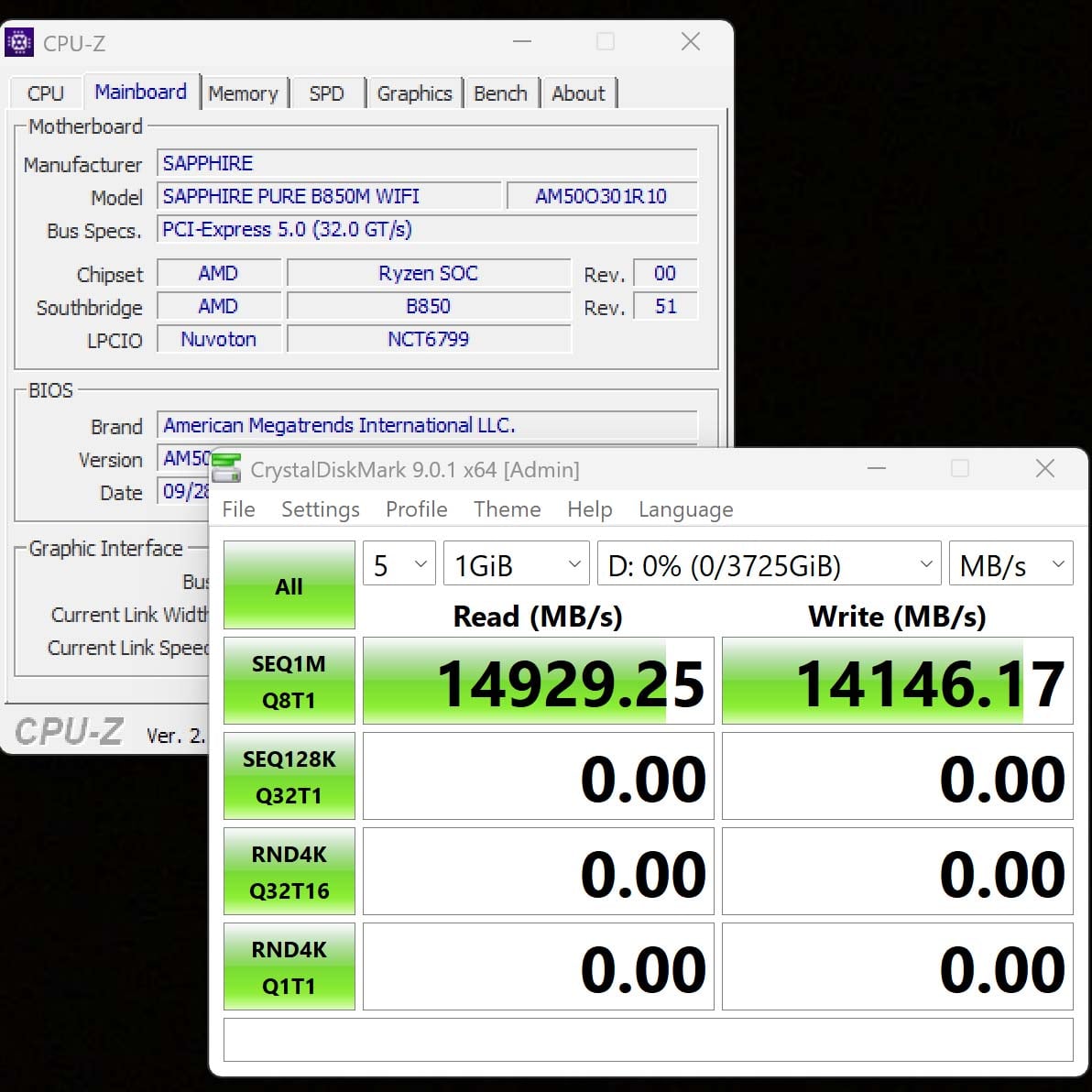
It might be a low-cost board, but its use of the PCIe Gen 5.0 interface for storage means you won’t be bottlenecked when it comes to the latest SSDs. Unlike Intel Arrow Lake motherboards, which reduce PCIe Gen 5.0 SSD performance, this budget-friendly AMD board runs at full pelt.
Sadly, these flagship drives command silly prices at the moment, but that won’t always be the case. By opting for this board, rather than a cheaper one based on AMD’s A620 chipset, you can be sure that you’ll be able to get the maximum speed out of the latest drives if you buy one in the future.
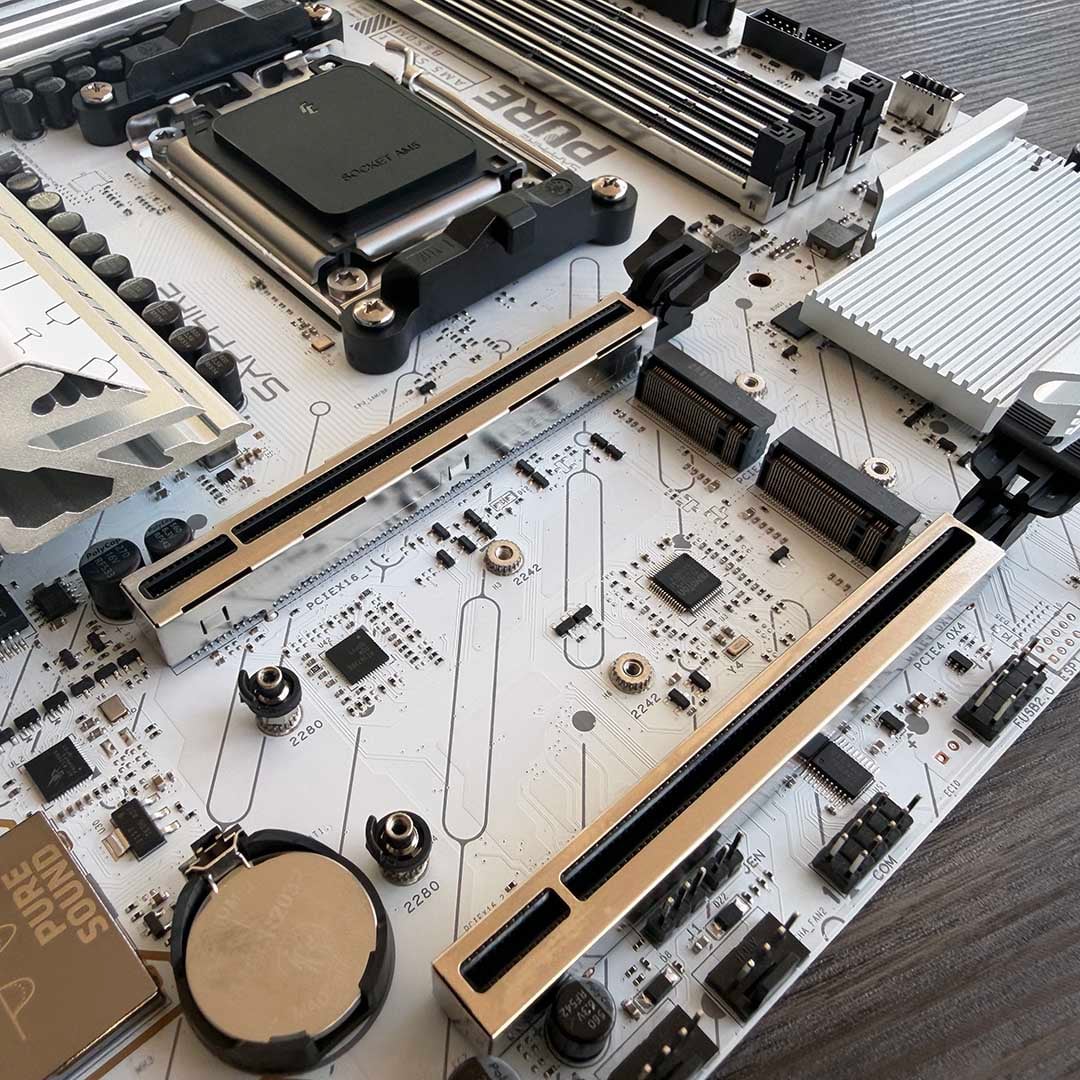
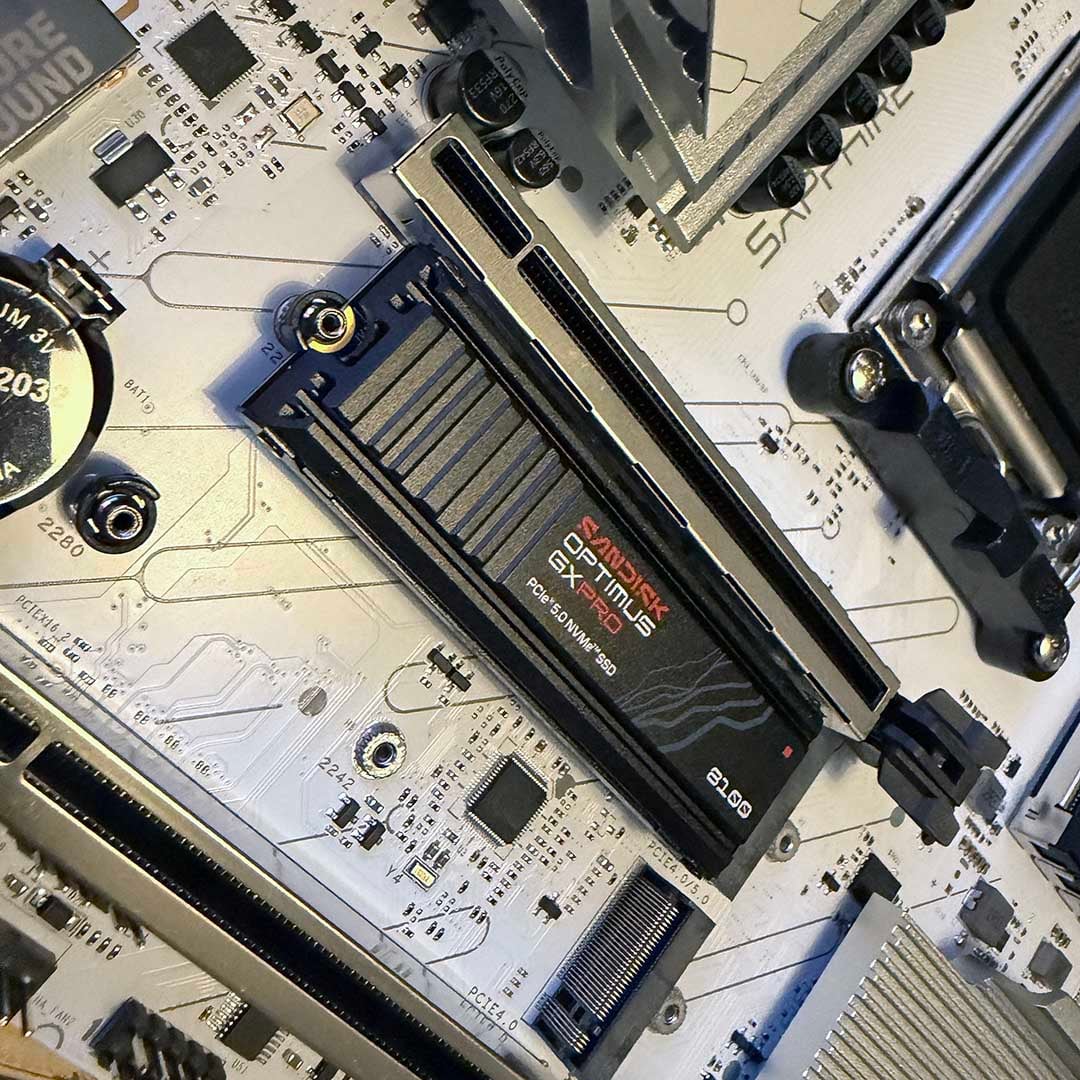
Comparatively, A620 boards only support the PCIe Gen 4.0 interface for M.2 SSDs, and you often only get one slot too. That’s fine if you’re looking to save as much money as possible, but I’d rather spend a little bit extra and get that future proofing. What’s more, the Sapphire Pure B850M WiFi has two M.2 slots – one PCIe 5.0 and one PCIe Gen 4.0, so you can install two drives.
If there’s one complaint, it’s that the PCIe 5.0 slot is under the graphics card, rather than on top of it, which limits airflow over your drive. You also need to remove the one-piece heatsink to access both the SSD slots, and this won’t fit back in place if you install a heatsink-equipped PCIe 5.0 drive such as ours in the top slot. On the plus side, however, both the M.2 slots have little plastic latches that you just need to turn to lock your SSD in place, so you don’t have to fiddle around with tiny screws.
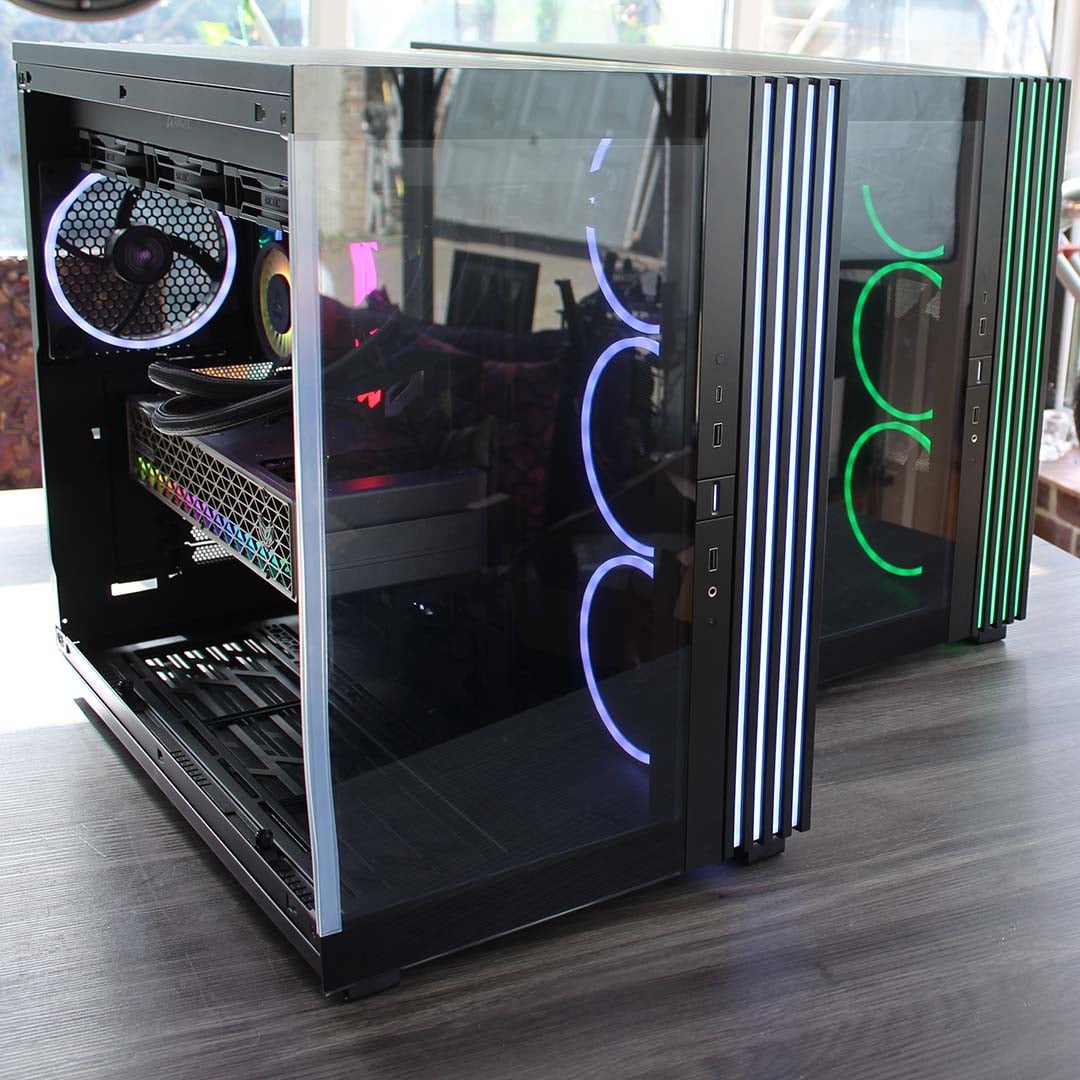
Our 9950X3D Test PCs
Club386 carefully chooses each component in a test bench to best suit the review at hand. When you view our benchmarks, you’re not just getting an opinion, but the results of rigorous testing carried out using hardware we trust.
Shop Club386 test platform components:
CPU: AMD Ryzen 9 9950X3D
Motherboard: MSI MEG X870E Ace Max
Cooler: Arctic Liquid Freezer III 420 Pro ARGB
GPU: Sapphire Nitro+ Radeon RX 9070 XT
Memory: 64GB Kingston Fury Renegade DDR5
Storage: 4TB Sandisk Optimus GX Pro 8100
PSU: be quiet! Dark Power 14 1,200W
Chassis: be quiet! Light Base 900 FX
PCIe 5.0 GPU slot
The same also goes for the top graphics slot, which again supports the PCIe Gen 5.0 16x interface. This is only an optional requirement for boards based on AMD’s B850 chipset, but Sapphire has run with it, and I’m very glad to see support for the latest component interface. While you can get away with a PCIe Gen 4.0 16x slot for most GPUs these days, with minimal performance impact, it’s always good to have future proofing on your side here.
In particular, having PCIe Gen 5.0 for this slot means you can run budget GPUs with their full bandwidth. In order to cut costs, some lower-price GPUs only use four or eight PCIe lanes. Eight PCIe Gen 5.0 lanes is plenty of bandwidth for these GPUs, of course, but put them in a PCIe Gen 4.0 slot and you’ll get half the bandwidth again. This isn’t a huge issue – PCIe Gen 4.0 is still solid for GPUs right now, but that won’t always be the case. When PCIe 6.0 graphics cards start landing, you’ll be glad of that PCIe Gen 5.0 slot.
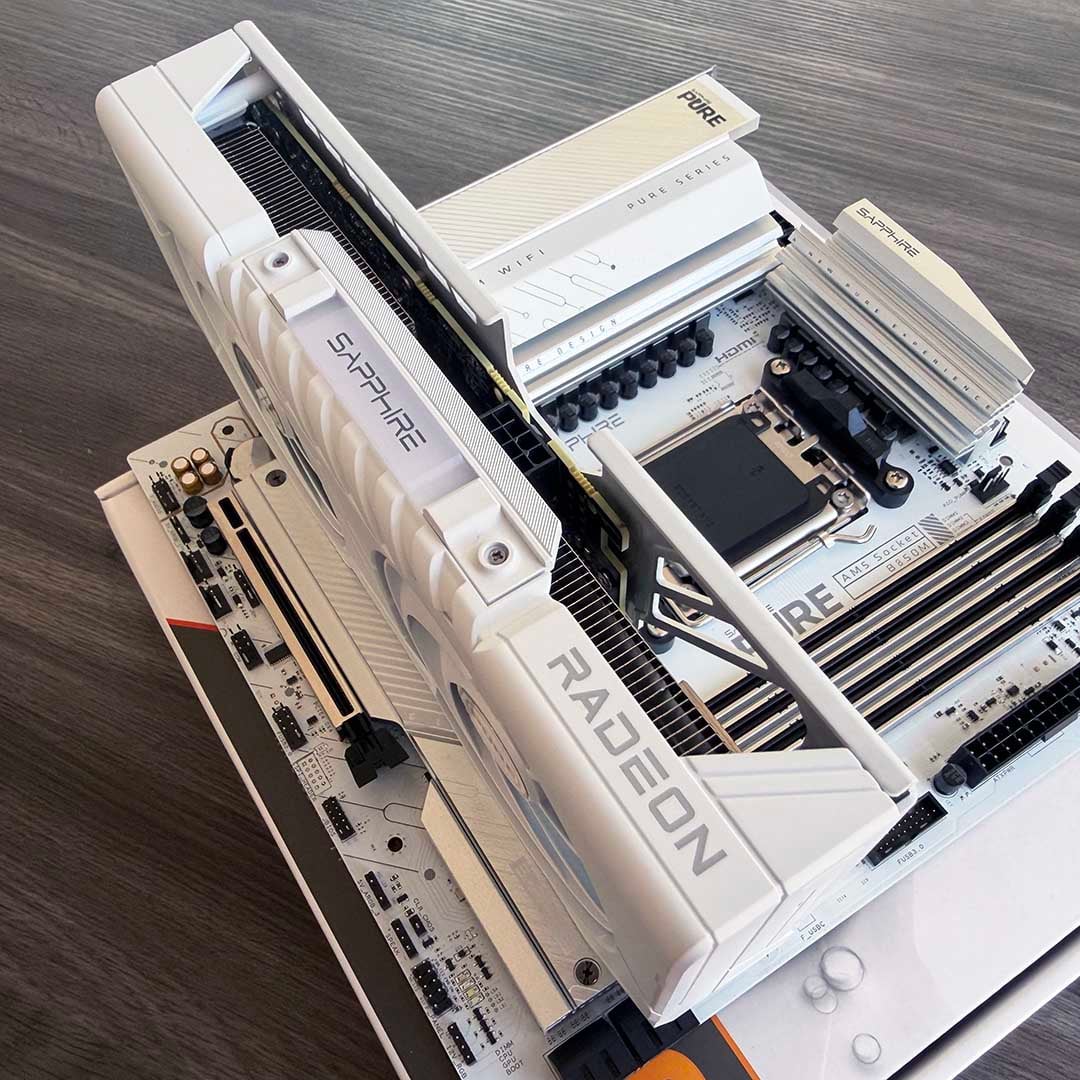
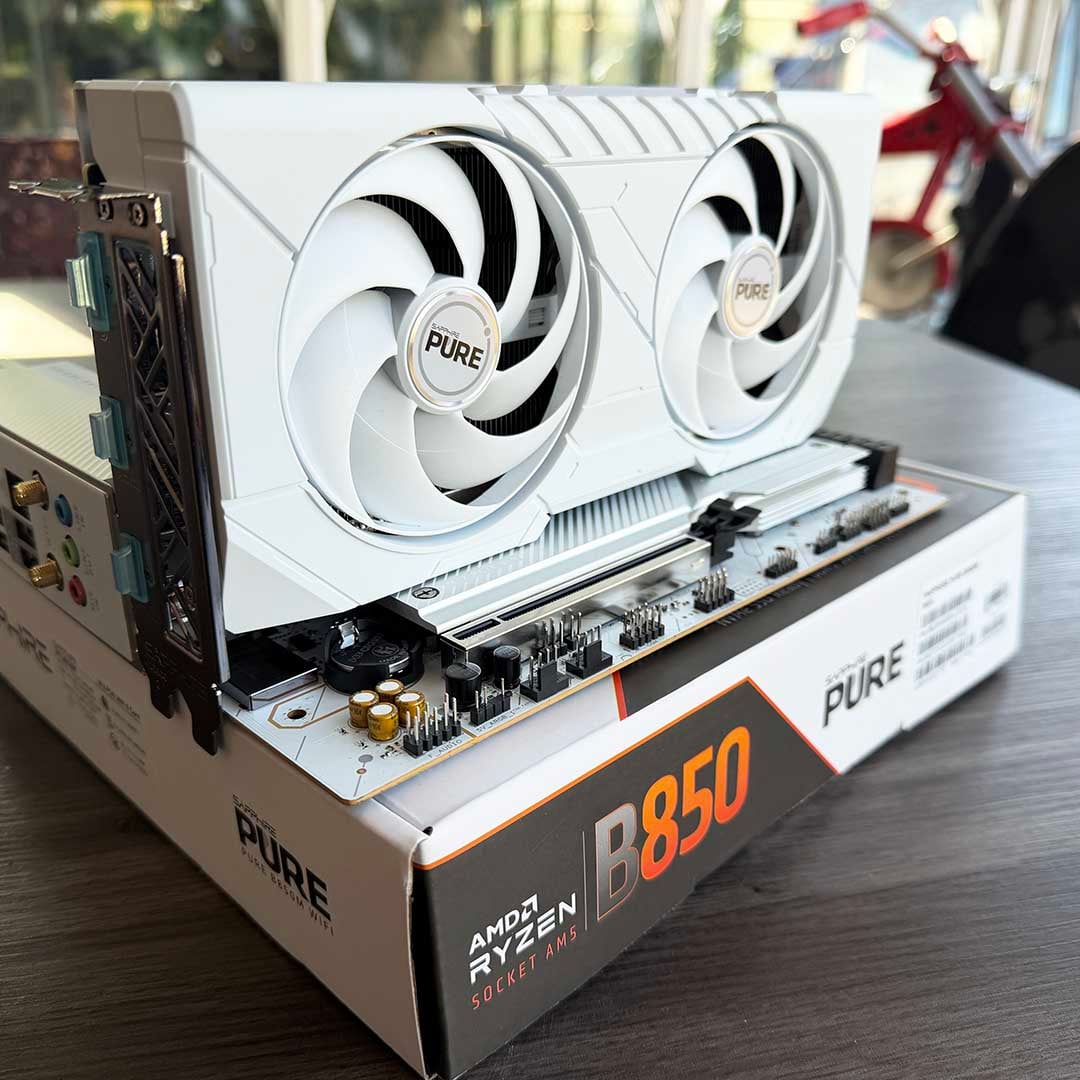
On a side note, Sapphire also provided a matching Pure Radeon RX 9060 XT 16GB graphics card to go with this board, which has the same crisp white colour scheme. As you can see, it really looks the part if you want to put together a white PC build. The 9060 XT is also a top choice, being our favourite mainstream option on our guide to buying the best GPU.
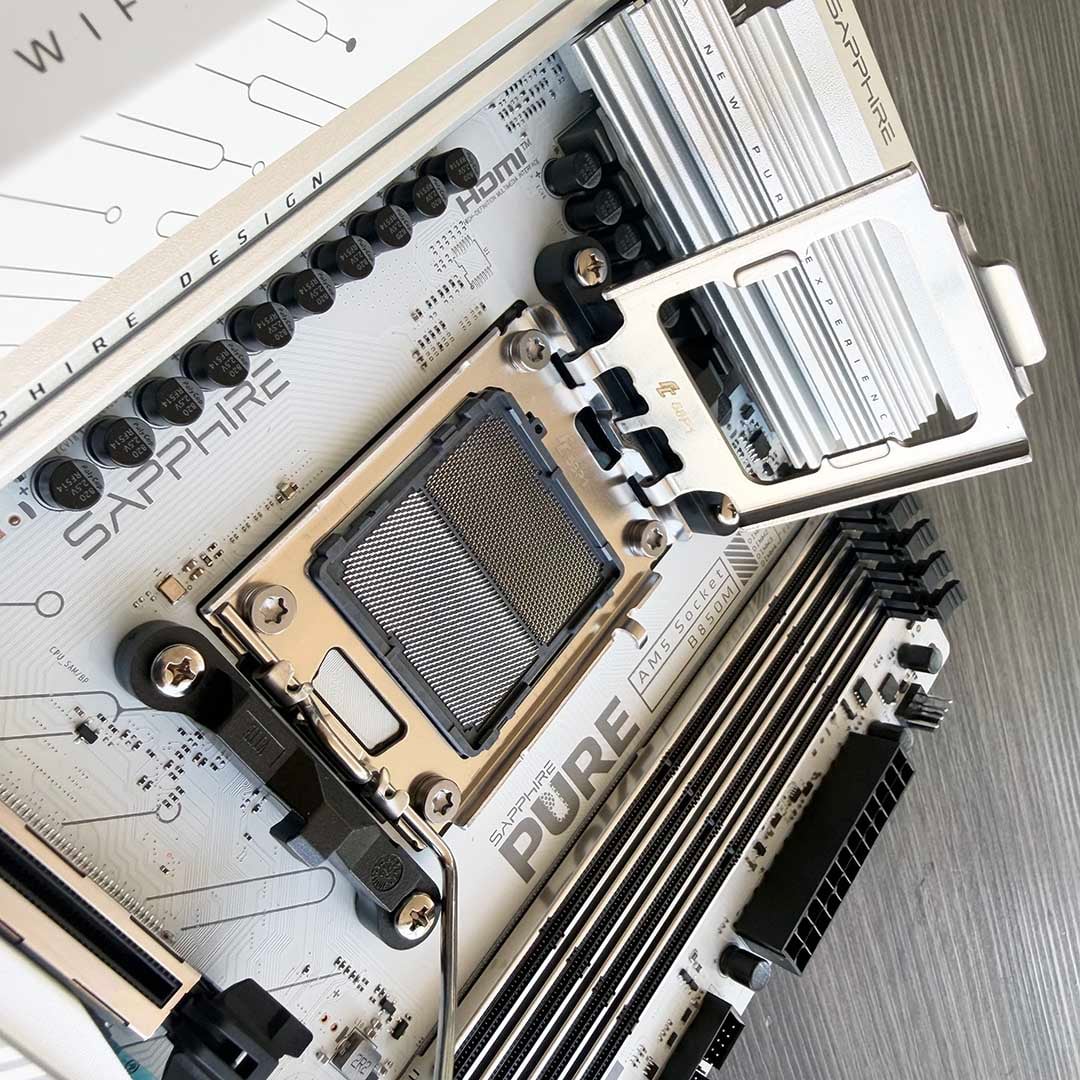
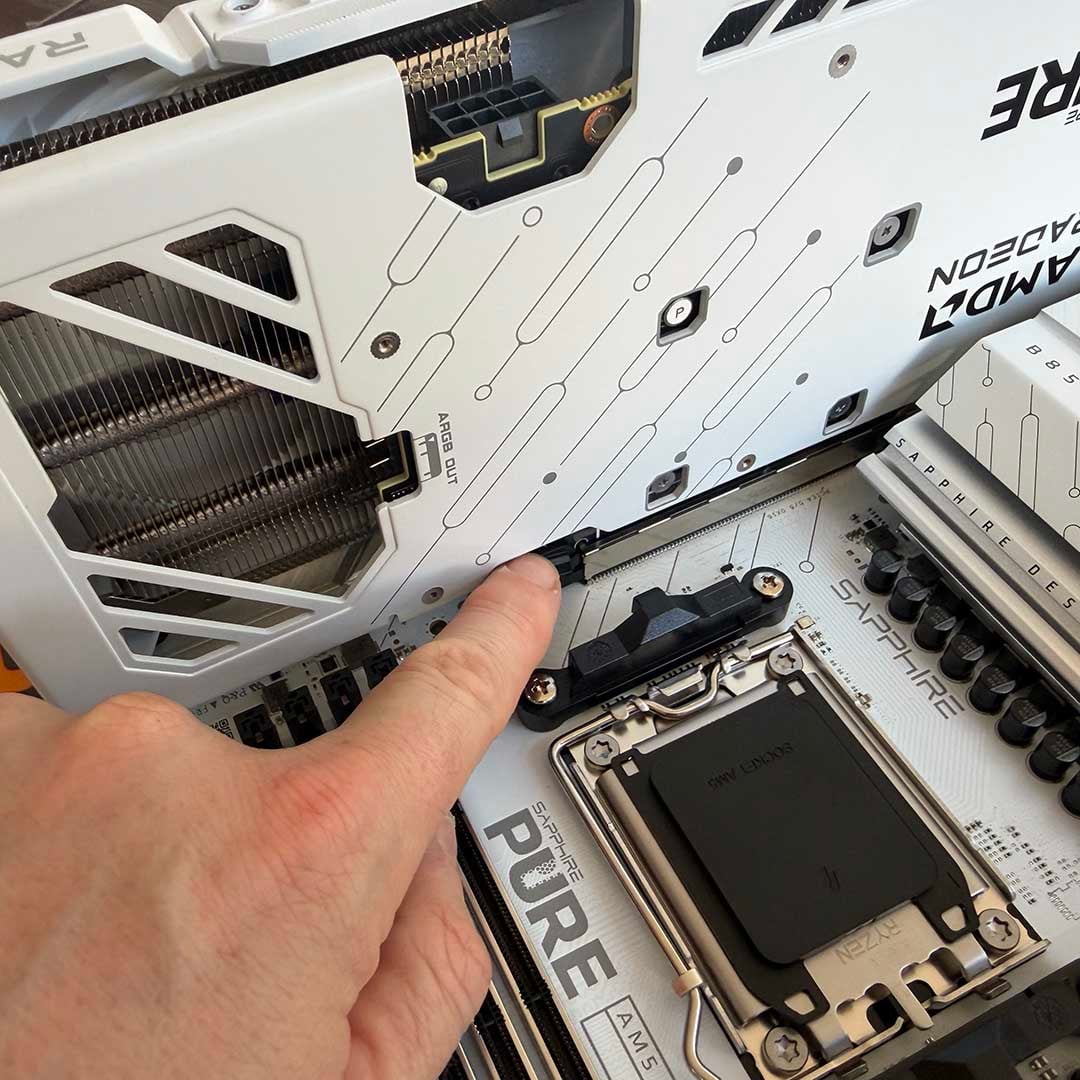
Making sure your top PCIe 16x slot supports the latest PCIe standard puts you in good stead for the future. Even better, both the PCIe expansion slots on this Sapphire board are reinforced with metal, strengthening them in the face of large graphics cards. If there’s one downer, it’s that there’s no easy-release system to eject your graphics card from its slot, as you usually find on more expensive boards now. Instead, you have to fiddle with the little lever next to the slot – just be careful if you ever need to remove your card, and you’ll be fine.
You certainly don’t need to worry about gaming performance on today’s GPUs. I fired up our Sapphire Nitro+ Radeon RX 9070 XT card in this board, and its 3DMark Speed Way result of 6,235 is bang on the money, and its Steel Nomad score of 7,278 even beat the 7,155 from the same card in our top-end, far dearer test rig motherboard.
Enough power for a Ryzen 9 9950X3D
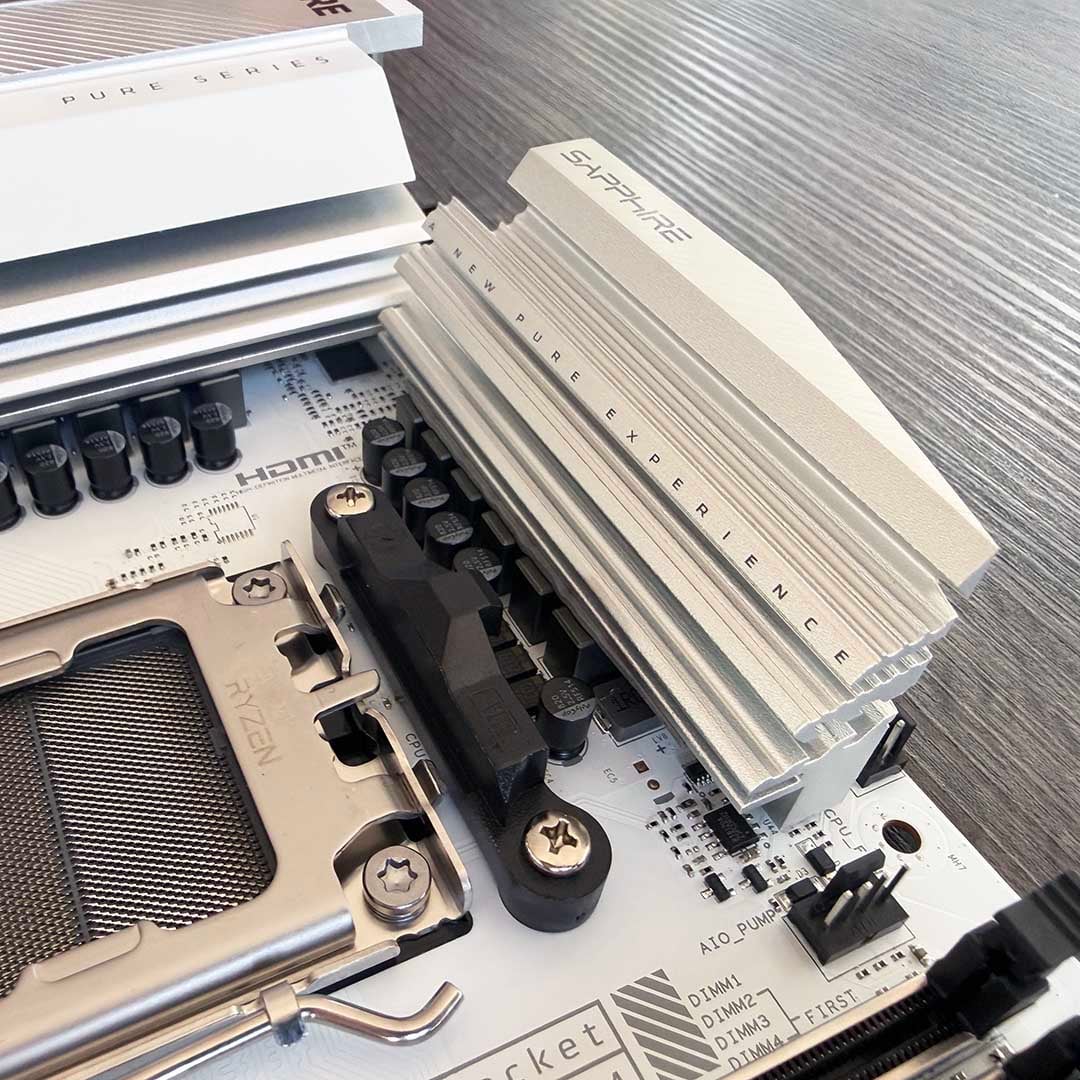
There’s a common misconception that you need to spend a lot of money on your motherboard if you want to run the fastest CPU in it, but that isn’t the case. In fact, Sapphire claims on its website that this budget-friendly board can push AMD’s flagship Ryzen 9 9950X3D “to its limit.” To that end, it has two 8-pin EPS12V power connectors above the CPU socket, just like more expensive boards, and it’s also equipped with a 12+2+1 VRM design, with 55A phases, with the VRMs all topped by chunky heatsinks.
Now, the latter looks comparatively weak on paper, especially when you put it next to the 18+2+1, 110A-phase setup of a top-end board like the MSI MEG X870E Ace Max costing £600+. However, while those extra power phases can technically stand you in good stead for pushing up your PBO settings, or overclocking your CPU, the Sapphire board’s setup is absolutely fine for running a Ryzen 9 9950X3D at its standard settings.
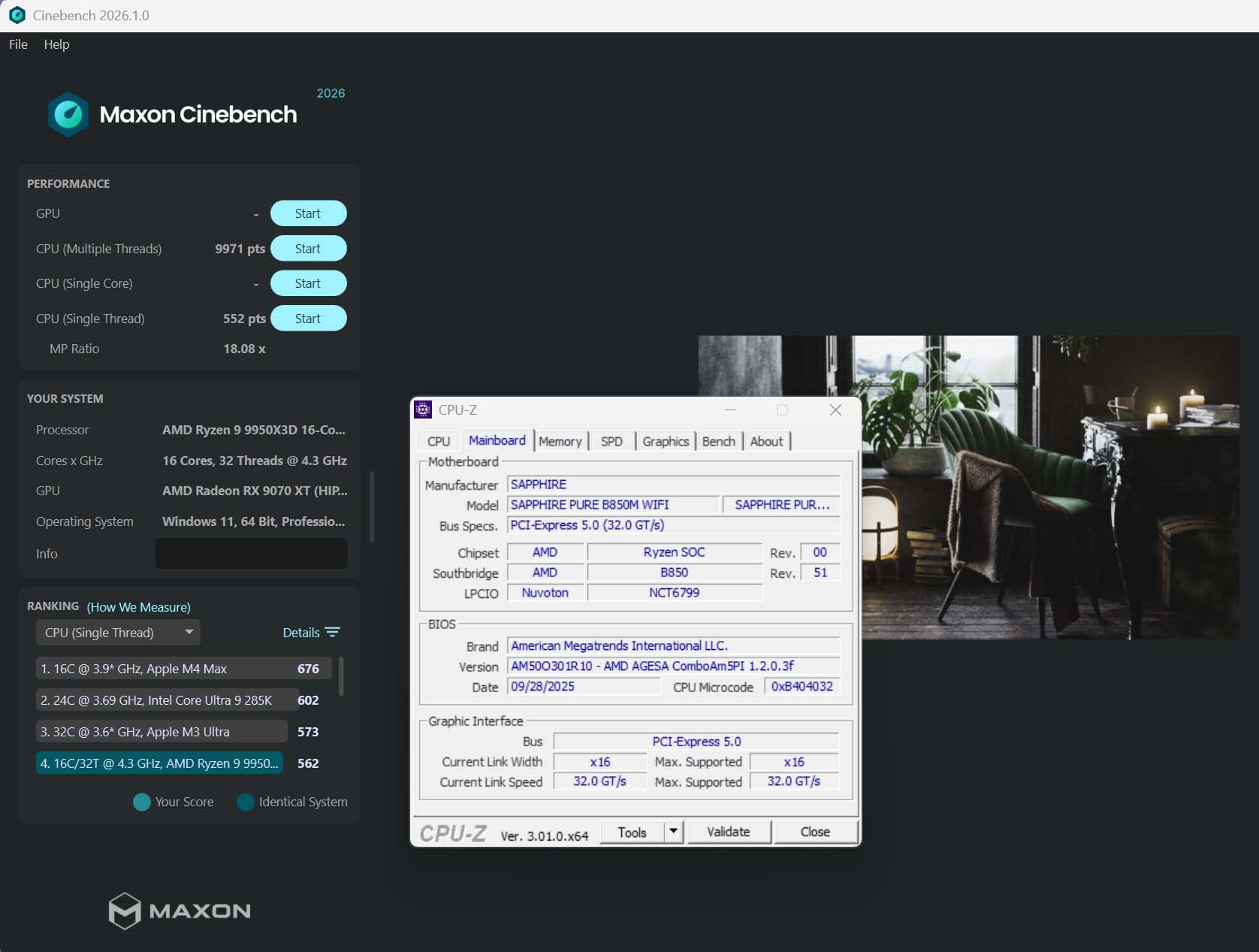
Just to prove this point, I put the Ryzen 9 9950X3D from our test rig in it, and stress tested it with Cinebench 26. As you can see in the screenshot above, this setup returned a fantastic multi-threaded score of 9,971. That’s not quite as fast as the 10,023 I got from the MSI X870E Ace Max, but we’re only talking about a 0.52% performance increase here, from a board that costs £500 more. The single-threaded result of 552 is also top notch, being only a smidgen behind the 564 from the much more expensive board.
While these tests were running, I also scanned the VRMs with an infrared thermometer, detecting a peak temperature of 40.3°C. Basically, those heatsinks are perfectly up to their job.
All the key features
You’re often confronted with a pretty sparse rear panel on budget motherboards, particularly at the cheaper end of the scale, but there’s none of that here. The Sapphire Pure B850M WiFi not only gives you a pre-installed metal I/O plate, so you don’t need to fit one in your case yourself, but it also has plenty of ports.
These include a pair of USB 3.2 Gen 2 USB-A ports that run at 10Gbps, which are ideal for hooking up external SSDs, and you also get a USB-C port with the same interface standard. Meanwhile, the four old-school 480Mbps USB 2.0 ports might not offer super-fast speeds, but they’re perfectly fine for hooking up peripherals such as a keyboard and printer.
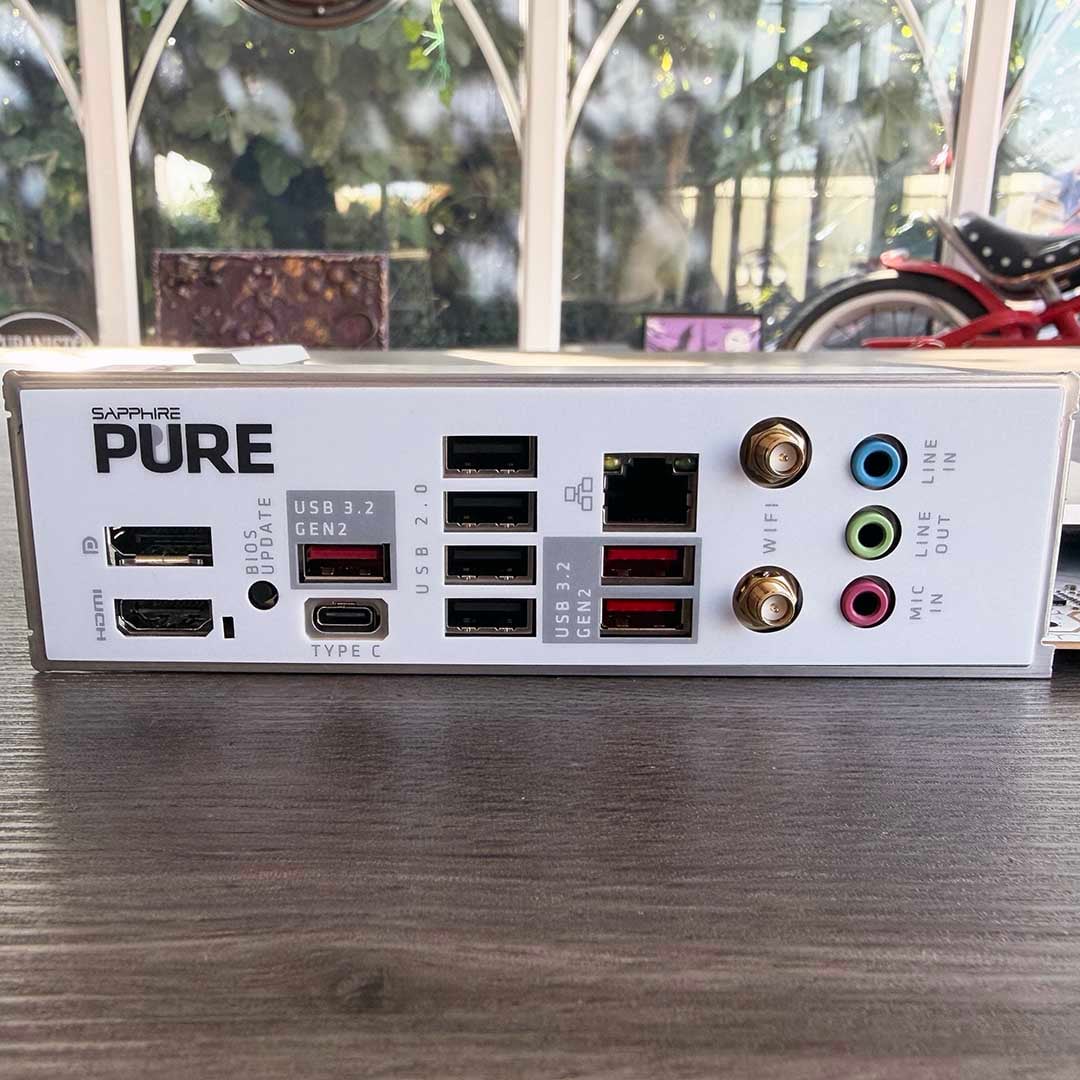
What you don’t get here are the latest super-fast ports you find on more expensive motherboards. There’s no USB4, for example, or even 20Gbps USB 3.2 Gen2x2 ports. That’s not an issue for everyone – personally, I don’t own any devices that use these standards – but if you were hoping to hook a Thunderbolt hub or high-speed external SSD to your system, you’ll be better off buying an X870 board. In fact, the Sapphire Pure X870A Plus is ideal here, with its support for the USB4 40Gbps standard.
Other features on the back include a BIOS flashback button, which enables you to install a brand new CPU, even if the motherboard’s BIOS is too old to recognise it. You also get antenna connectors for the onboard Wi-Fi 6 adaptor, which screw into a big, chunky pair of aerials in the box. While there’s no support for the latest Wi-Fi 7 standard, the benefits of this are minimal for most people – Wi-Fi 6 is generally plenty fast enough.
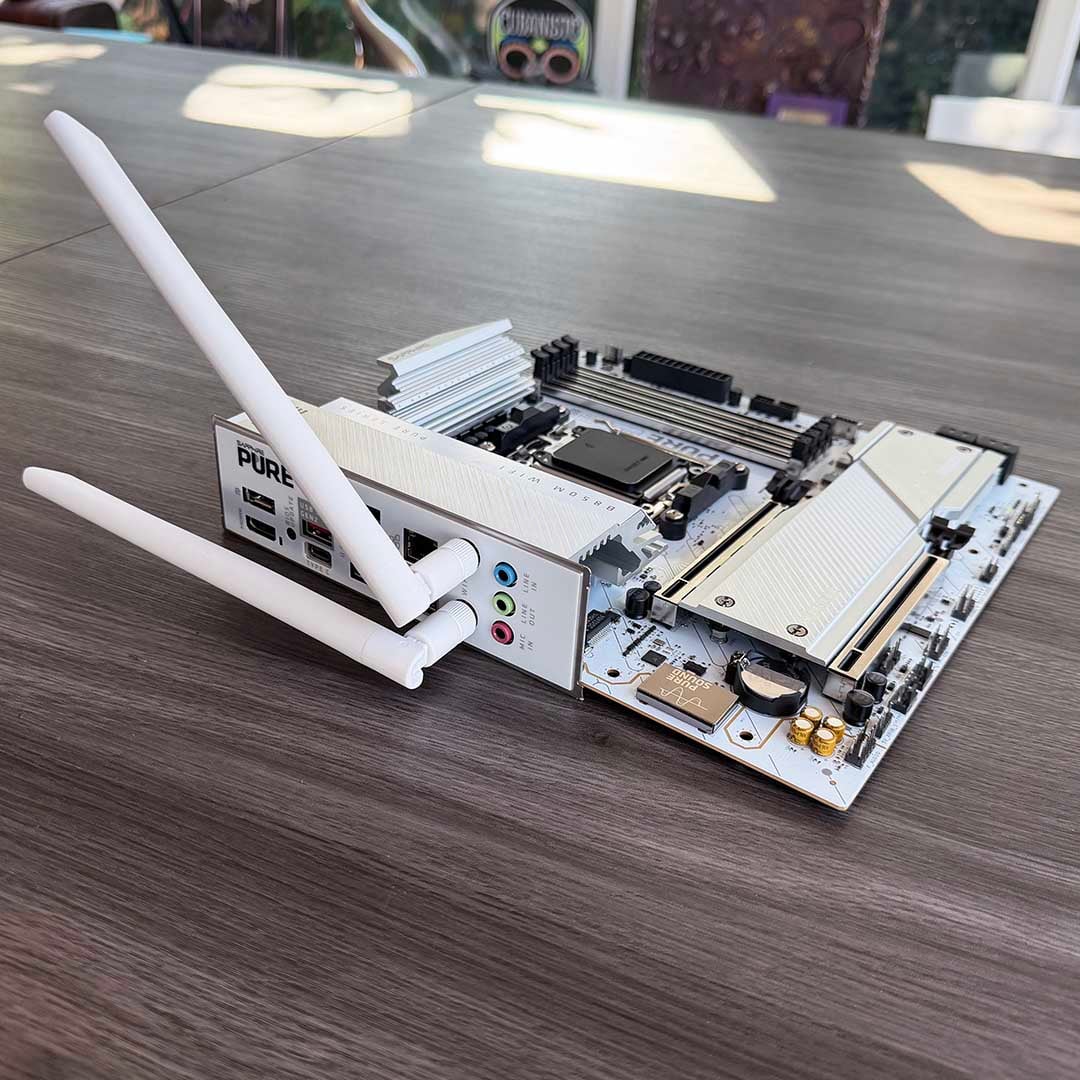
Meanwhile, solid networking bandwidth comes from a 2.5Gbps Ethernet connector on the back. Again, you can get 5Gbps and even 10Gbps ports on more expensive boards, but 2.5Gbps is still a good cut above the Gigabit ports you get on most A620 motherboards. Unless you’re using the very latest networking kit, this network adaptor will be fine.
Finally, you’ll also spot three audio jacks for the onboard audio system. This uses the standard Realtek ALC897 audio codec, which is again fine for most people’s needs. You can get a superior signal-to-noise ratio and dynamic range from more expensive codecs, such as ALC1220, but ALC897 is decent for gaming and listening to music while you work.
Finally, while there’s no POST code display to tell you precisely what’s gone wrong if your system doesn’t boot, there is still a handy LED-based debug system. If the light goes yellow, there’s a memory problem, while it goes red for a CPU issue, or white if something is up with the GPU. Naturally, if it’s all good, the light goes green and it boots.
Conclusion – all you need for £127
Striking the perfect balance between what most people do and don’t need, the Sapphire Pure B850M WiFi is a bargain for £127. Despite its low cost, there’s enough power on tap here to cope with a 16-core, 32-thread Ryzen 9 9950X3D running flat out. What’s more, you can run a PCI Gen 5.0 SSD at top speed, and you won’t need to worry about GPU bandwidth either. To top it all off, it even looks gorgeous, despite its lack of frills, thanks to its icy white finish and metal elements.
That ticks off all the essentials when it comes to core components, so it’s mainly features you lose by opting for a board such as this one. There are some notably missing niceties, such as an easy-release PCIe slot latch, a high-end audio code, and high-speed USB ports. However, you do still get a decent number of ports, including three 10Gbps USB 3.2 Gen2 sockets, one of which is USB-C. If you really need faster USB ports on an AMD system, then you’ll need to look at a more expensive X870 board.
Sapphire Pure B850M WiFi
Run the fastest components available at top speed, but without paying for superfluous frills. If you want to save some money on a new rig, this represents the AM5 motherboard sweet spot.
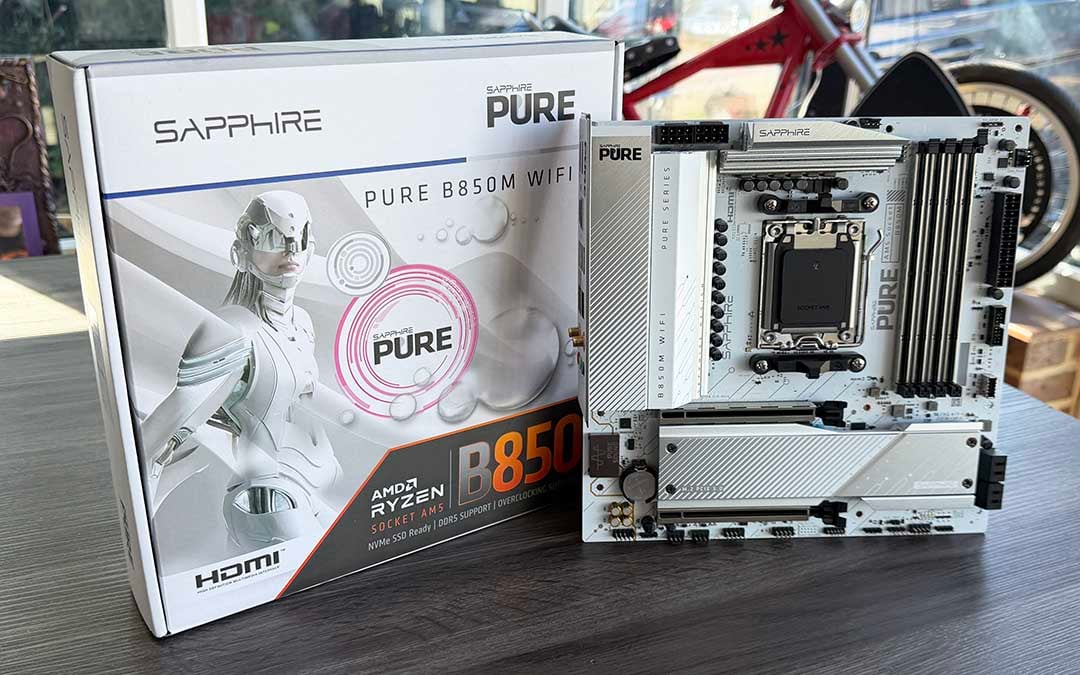
While we’re on that subject, I’m definitely not saying there’s no point in paying extra money for a more expensive board here. Yes, lots of high-end motherboards are loaded with arguably superfluous bling, but there’s nothing wrong with spending more money on a product that looks good if you can afford it. The point is that, for most people, this board absolutely nails the essentials, and for a very reasonable price. If you need to save some money on a new rig, the Sapphire Pure B850M WiFi represents the AM5 motherboard sweet spot.