

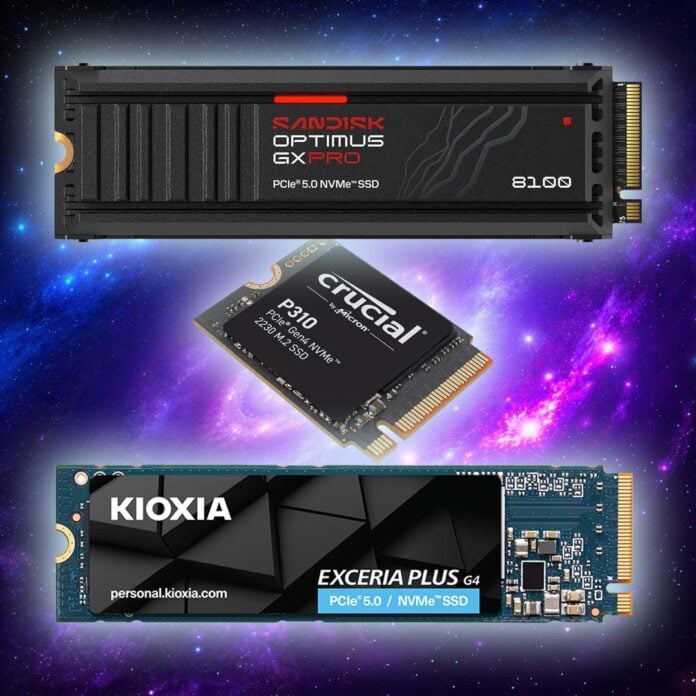
In this guide, we’ll help you find the best solid state drive for your requirements, all based on our extensive in-house testing, in-depth reviews, and many years of experience. There’s a dizzying array of SSDs available, and the current chaos surrounding RAM and storage prices is making a very confusing mess of the market. One day, a particular drive will offer the best value, then a week later it might have doubled in price.
As a result, we’ve gone back to basics with this guide, concentrating on what we do know. We can tell you that the fastest SSD is the SanDisk Optimus GX Pro 8100, for example, while also educating you which drives offer similar performance in the same entry. Likewise, we can tell you which drives generally offer a good balance of performance for the money, but we’ll give you some similar alternatives in the same listing to keep an eye on, in case of sudden price spikes.
We know it’s hard to buy an SSD at the moment. These are tough times, and that’s why we’re arming you with as much information as possible to help make your buying decision easier. We’ll tell you how the latest drives perform, and their strengths and weaknesses. We’ll tell you how hot they run at full load, and the thermal requirements you need to consider. Furthermore, we’ll tell you which brands and models are still currently available at reasonable prices, even if they’re not as generous as they were last year, while giving you alternatives to consider.
Anyway, enough of my yakking, let’s bring on the SSD parade.
Best SSD shortlist
Kioxia Exceria Plus G4
SanDisk Optimus GX Pro 8100
WD_Black SN850X
Crucial P310
Kingston XS2000
WD_Black P10 Game Drive
In detail
Best SSD overall
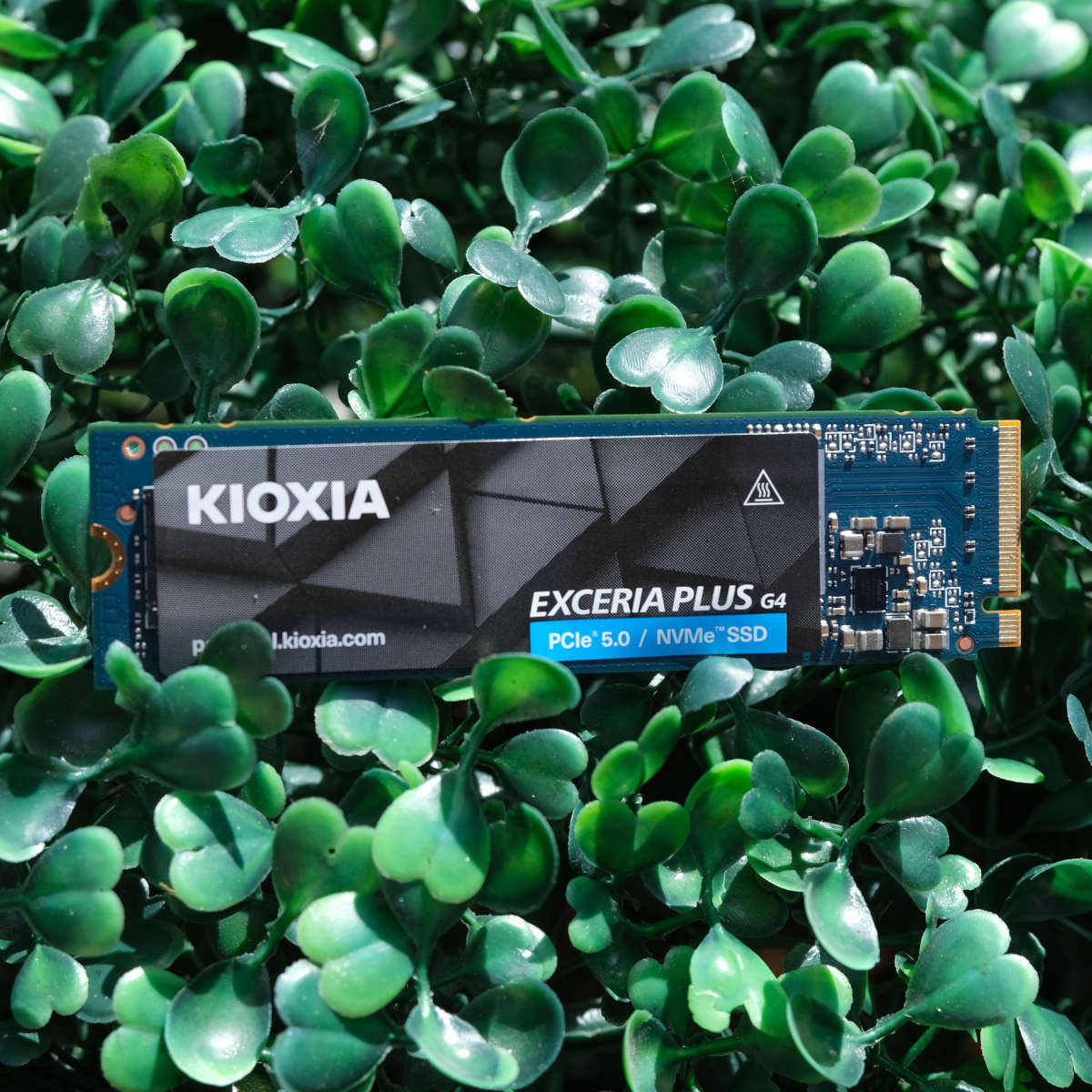
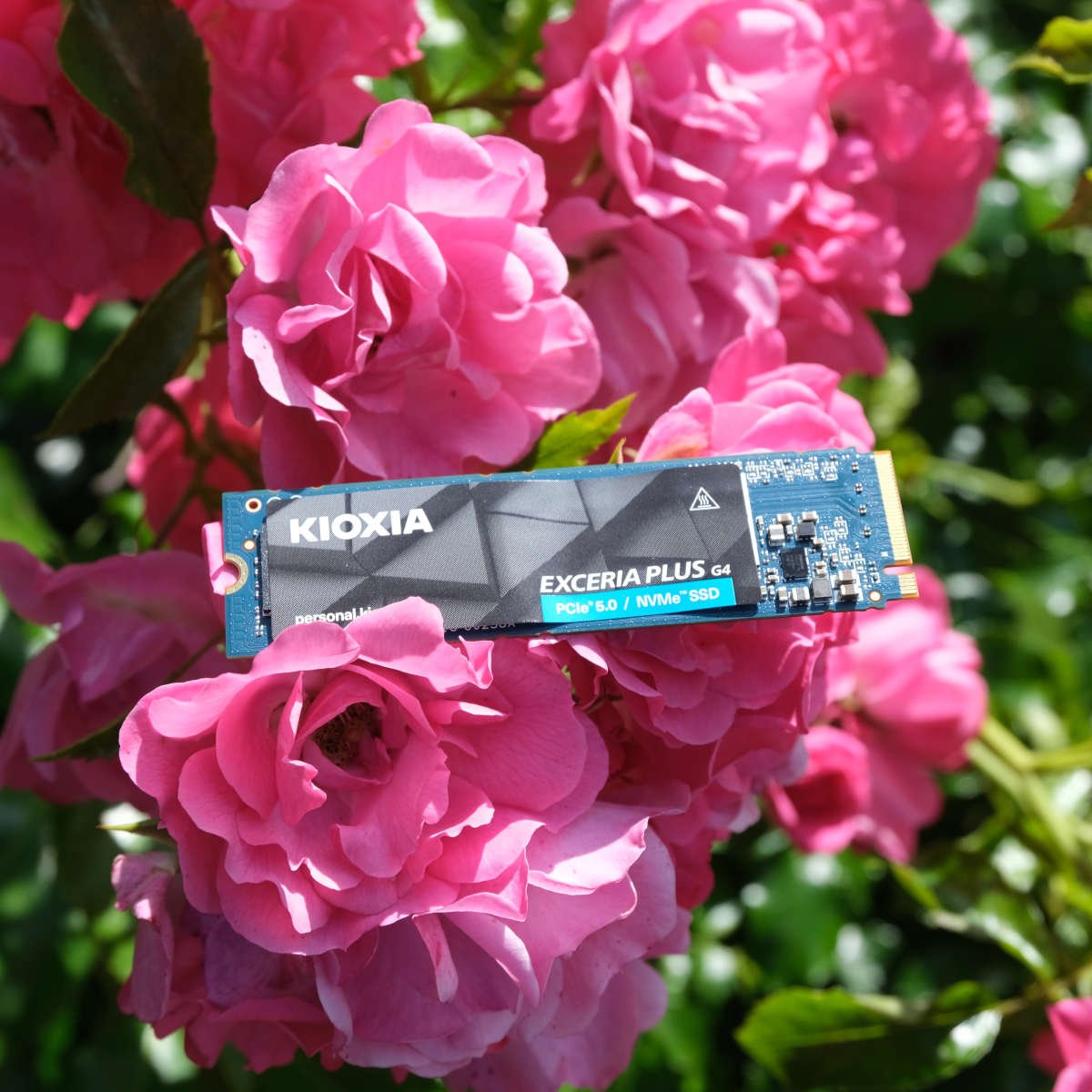
The best SSD overall is the Kioxia Exceria Plus G4, which still has a half-reasonable price tag attached to it at the moment, costing £209.99 from Scan for a 2TB drive in the UK. Considering the prices of some SSDs right now, that’s really not bad when you consider the speed you get from this PCIe Gen 5.0 drive. On the downside, however, it will set you back around $320 for the same capacity in the US.

Kioxia Exceria Plus G4
£210 / $320 (2TB)
Pros
- PCIe Gen 5.0 performance
- Low power draw
- Five-year warranty
Cons
- High price in US
- No heatsink-equipped model
Club386 may earn an affiliate commission when you purchase products through links on our site.
How we test and review products.
The G4 is ideal if you want a fast drive, but you can’t afford the big sum of money needed to buy one of SanDisk or Samsung’s flagship models, especially at today’s prices. There’s no DRAM buffer, and its speeds aren’t world-beating, but it offers a decent balance of performance for the price.
That’s not to say this drive is slow. Unlike a lot of cheaper SSDs, it uses the PCIe Gen 5.0 interface, enabling it to stretch its legs beyond the pace of even the fastest Gen 4.0 drives, such as the WD_Black SN850X and Samsung 990 Pro.
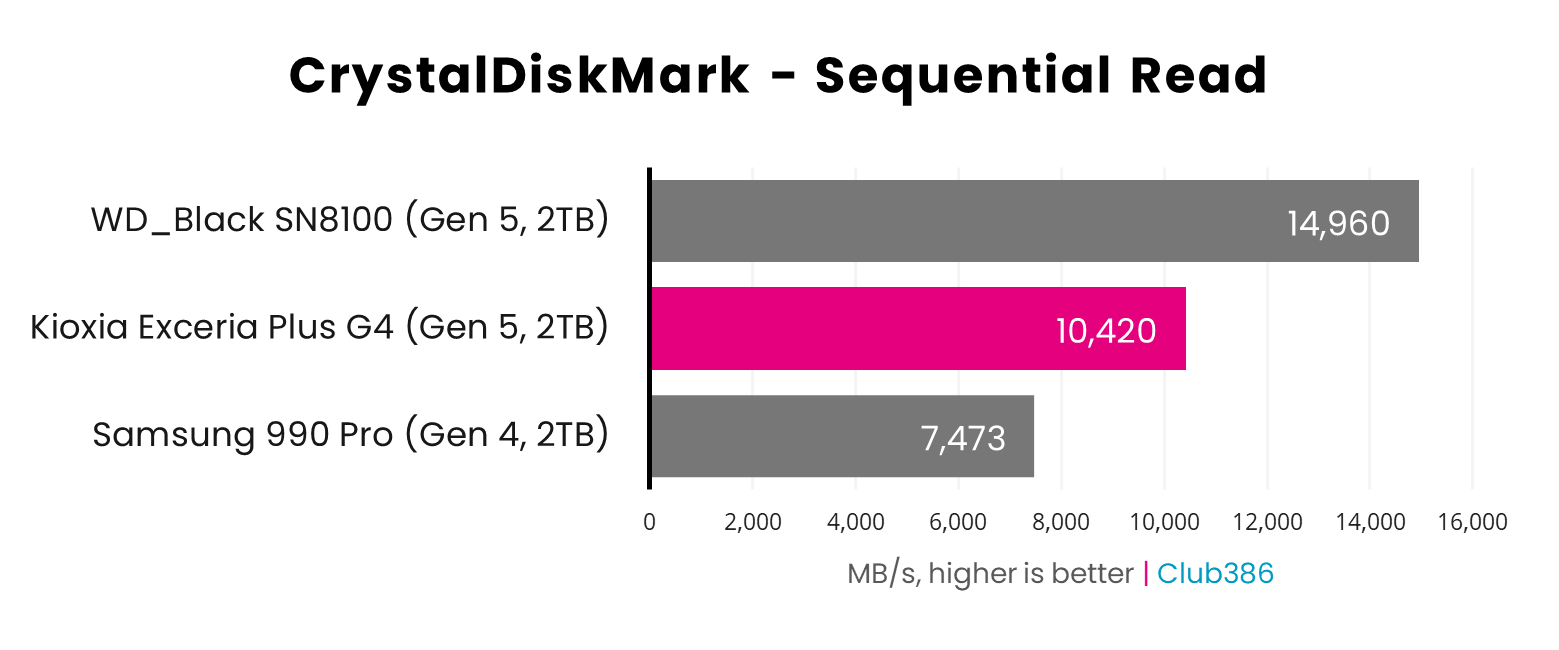
As you can see in the graph below, the Exceria Plus G4 acts as a bridge between Samsung’s 990 Pro and the current PCIe 5.0 performance king, the WD_Black SN8100 (now known as the SanDisk Optimus GX Pro 8100). Reading at 10,420MB/s in our tests, it’s plenty fast enough for most people’s needs.
There is a word of warning, though, which is that there isn’t a heatsink-equipped version of this drive, but you will need to attach one to it, as we found it got hot during our benchmarks. Assuming your motherboard has a PCIe Gen 5.0 x4 M.2 slot (which you’ll need to run this SSD at full speed), it should have a dedicated heatsink that can cope with these SSDs, usually on the top slot.
More detail, including all our performance benchmarks and thermal results, can be found in our full Kioxia Exceria Plus G4 review.
| Kioxia Exceria Plus G4 | Specs (2TB) |
|---|---|
| NAND | Kioxia 218-layer BiCS8 TLC |
| DRAM | No |
| Interface | PCIe 5.0 x4 |
| Seq. Read Speed | 10,000MB/s |
| Seq. Write Speed | 8,200MB/s |
| Random Read Speed | 1,300,000 IOPS |
| Random Write Speed | 1,400,000 IOPS |
| Form Factor | M.2 2280 |
| Endurance (TBW) | 1,200 |
| Hardware encryption | Yes |
| Heatsink version | No |
| Warranty | Five years |
Fastest SSD
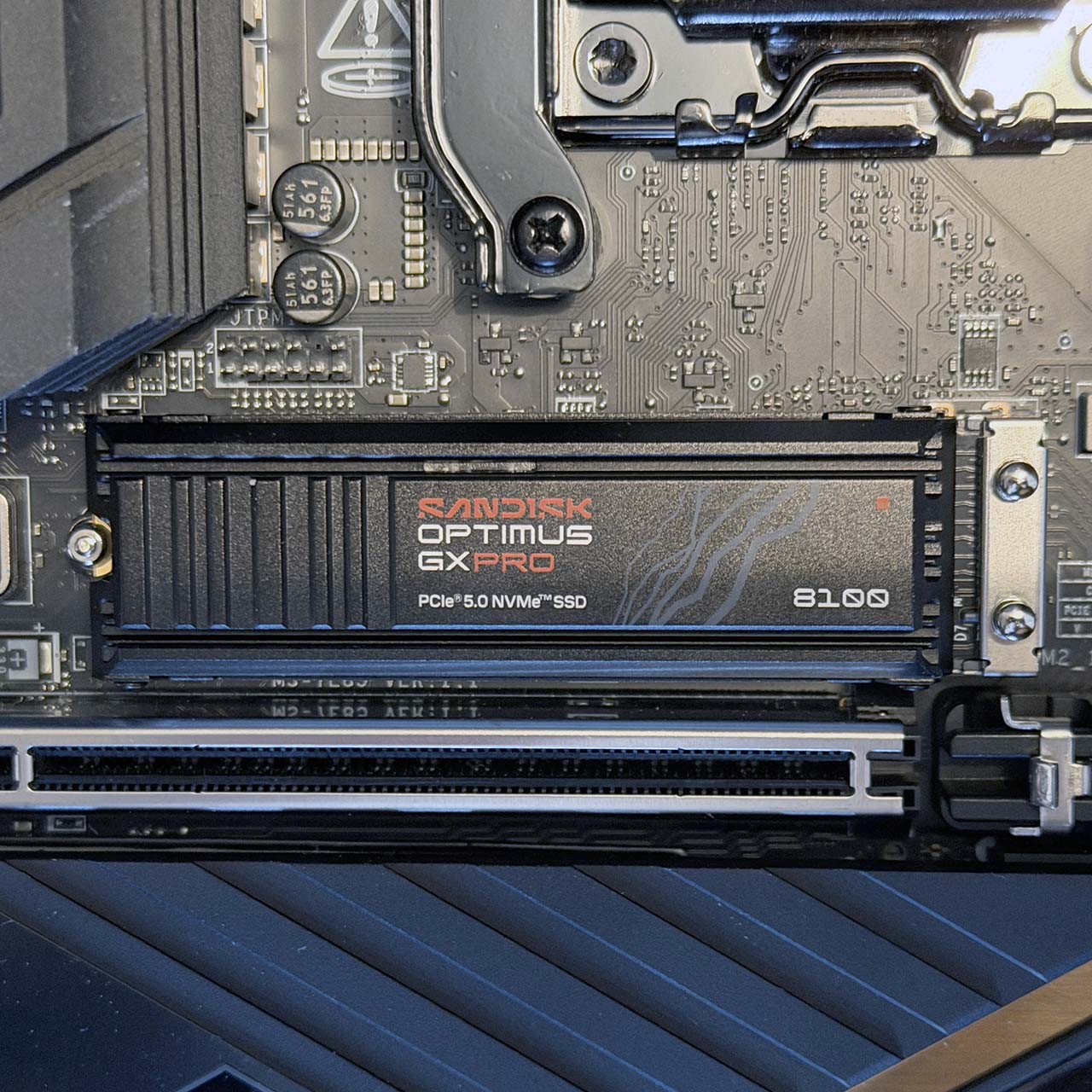
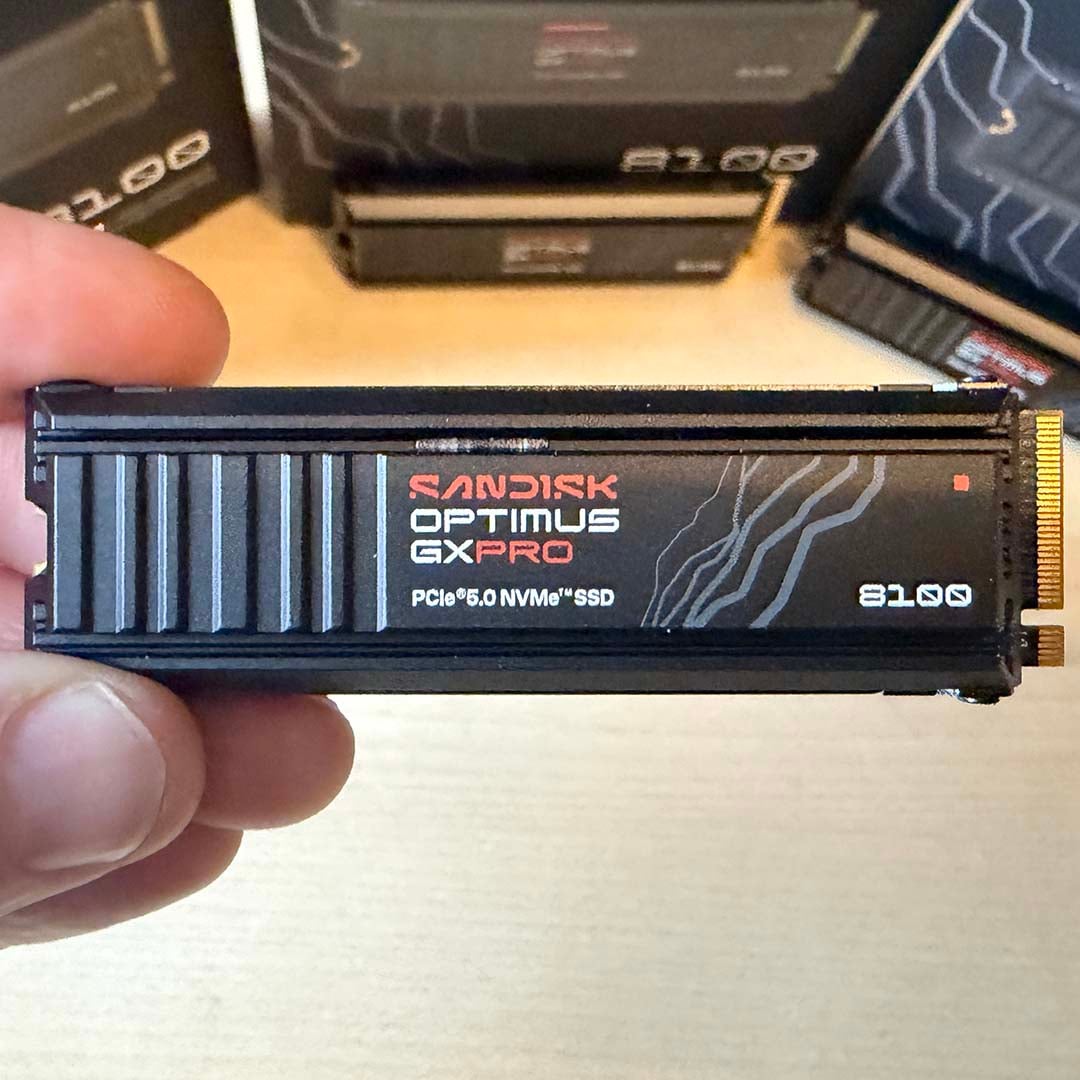
The fastest SSD is the SanDisk Optimus GX Pro 8100, previously known as the WD_Black SN8100. It’s worth taking note of both names here, especially in the current pricing crisis, as old stock of WD_Black SN8100 drives are often cheaper than incoming SanDisk Optimus-branded models, and both brands use exactly the same hardware. The prices listed in the box below are for the 2TB WD_Black SN8100.
SanDisk Optimus GX Pro 8100
£396 / $440 (2TB)
Pros
- Fastest SSD ever
- Cool running
- Heatsink option available
Cons
- Extremely expensive
- Random write speeds could be better
Club386 may earn an affiliate commission when you purchase products through links on our site.
How we test and review products.
Let’s not beat about the bush here, whichever brand you pick up, these drives are all extremely pricey at the moment. However, they’re also very, very fast. In fact, in our tests, they’re the quickest SSDs we’ve ever benchmarked, which is why we’re using them in our own Club386 test PCs. SanDisk quotes a maximum sequential read speed of 14,900MB/s for this drive, but the CrystalDiskMark result on our test rig is even higher at 14,957MB/s, as shown in the image below.
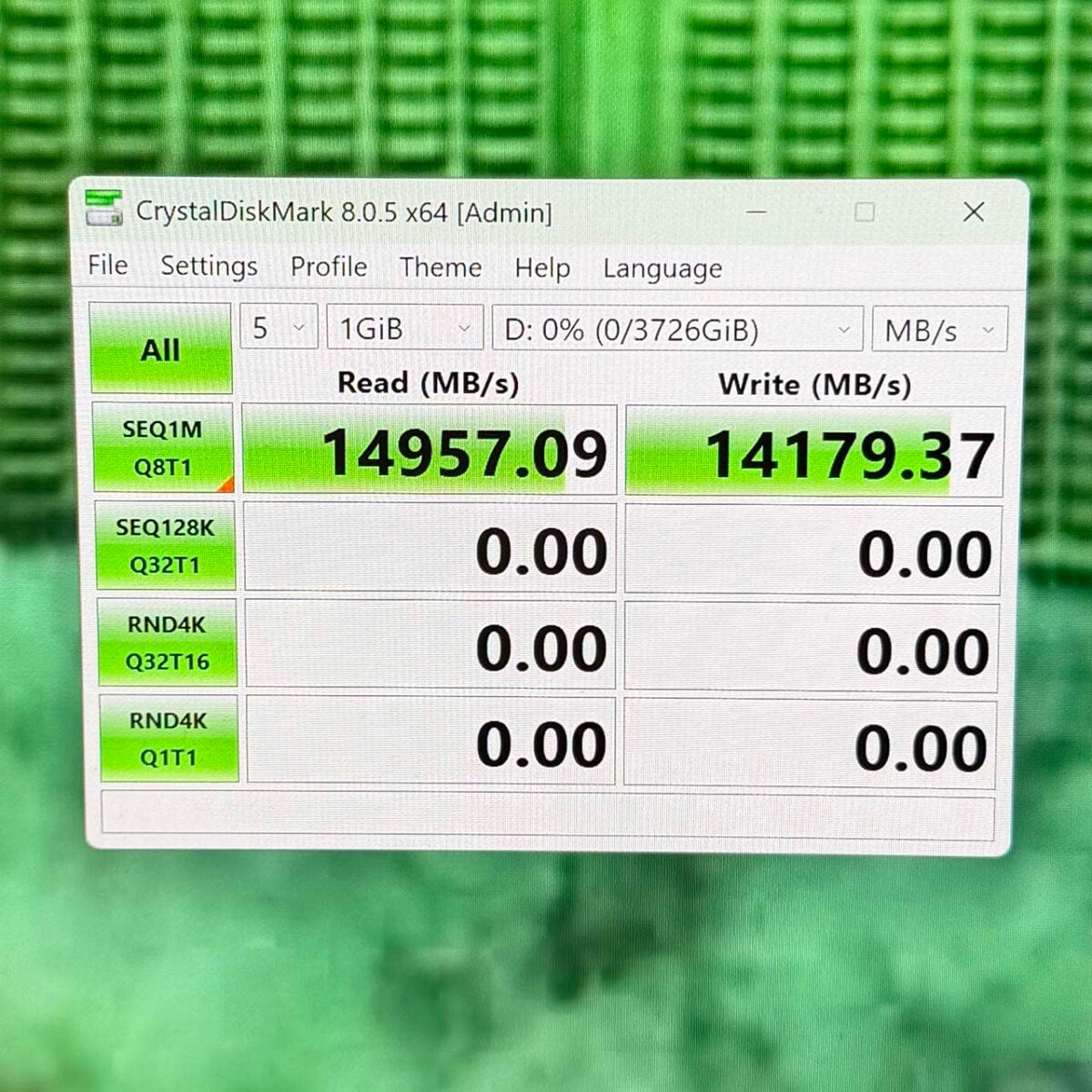
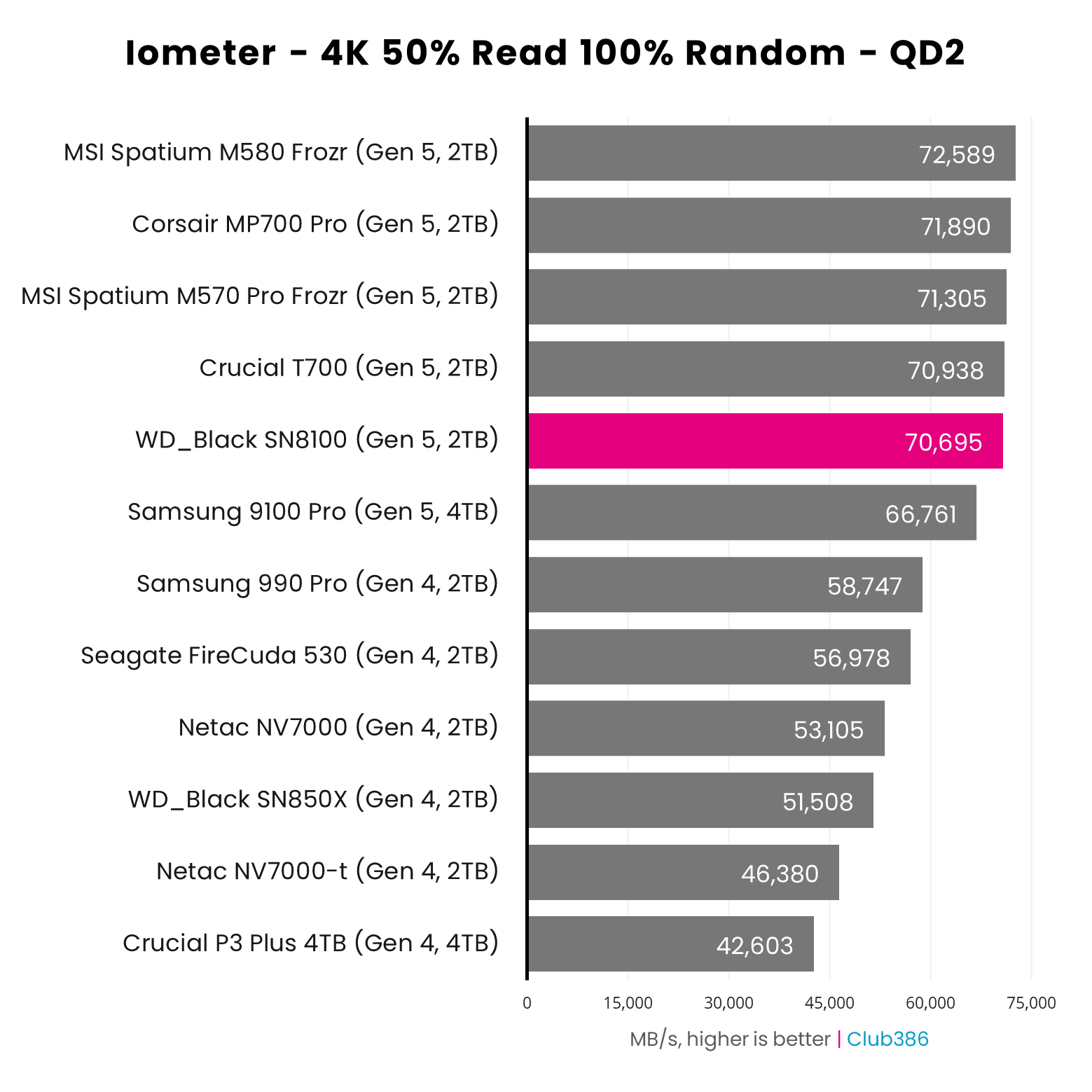
That really is tremendous pace, showing that these drives are knocking at the PCIe Gen 5.0 ceiling – you won’t find a faster M.2 drive for your desktop PC. That said, once you get away from peak sequential speeds, and look at random read and write transfers, the 8100 isn’t at the front of the pack any more, and the same goes for its all-round system performance in PCMark. It’s still faster than any PCIe Gen 4.0 drive, naturally, but other PCIe Gen 5.0 drives pull slightly ahead, as shown in the graph below.
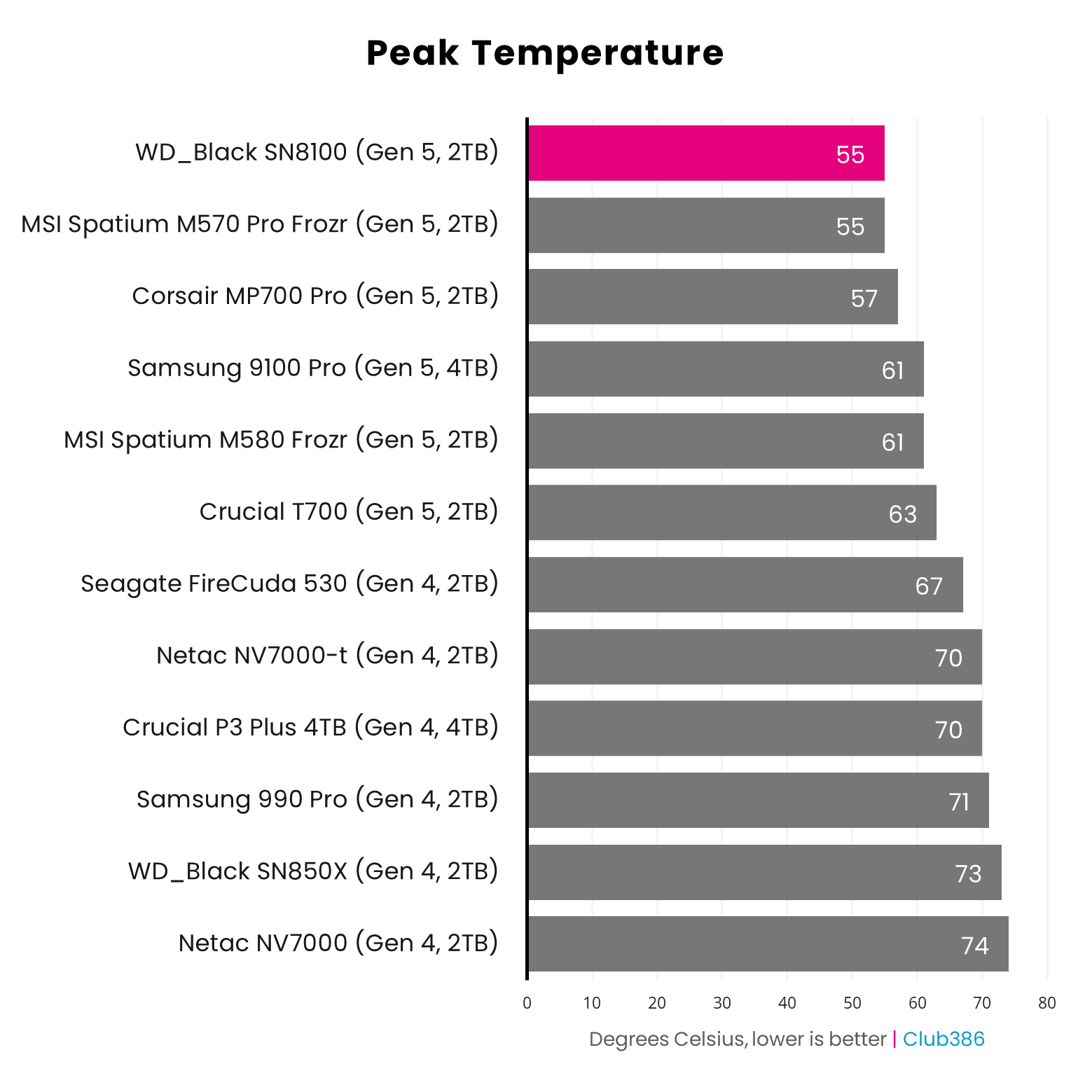
Nevertheless, this is still clearly an incredibly fast SSD, and it also churns out this performance without overheating. With our MSI motherboard heatsink mounted on top of it, the 2TB WD_Black SN8100 only hit a peak temperature of 55°C in our tests. That’s much cooler than the figures we’ve seen from previous PCIe Gen 5.0 drives, and a superb result considering the speed you’re getting.
The elephant in the room, of course, is this SSD’s price amid the current inflation crisis in storage. This drive might be wonderfully fast, but you only see that extra speed in large-scale sequential file transfers. In real-world use, such as game load times and general Windows snappiness, you’d be hard-pressed to notice the difference between this drive and a cheaper NVMe model. If you want the very best, this is the drive to buy, but you get seriously diminishing returns for paying the extra money at current prices.
For more information, including all our performance benchmarks, read our full WD_Black SN8100 review.
It’s also well worth keeping an eye on Samsung 9100 Pro prices if you can’t find the 8100 in stock without a silly cost attached to it. This drive is nearly as fast as the 8100, and sometimes cheaper, particularly when it’s discounted.
| SanDisk Optimus GX Pro 8100 | Specs (2TB) |
|---|---|
| NAND | BiCS8 TLC 3D CBA |
| DRAM | Yes |
| Interface | PCIe 5.0 x4 |
| Seq. Read Speed | 14,900MB/s |
| Seq. Write Speed | 14,000MB/s |
| Random Read Speed | 2,300,000 IOPS |
| Random Write Speed | 2,400,000 IOPS |
| Form Factor | M.2 2280 |
| Endurance (TBW) | 1,200 |
| Hardware encryption | Yes |
| Heatsink version | Yes |
| Warranty | Five years |
Best PCIe Gen 4 SSD
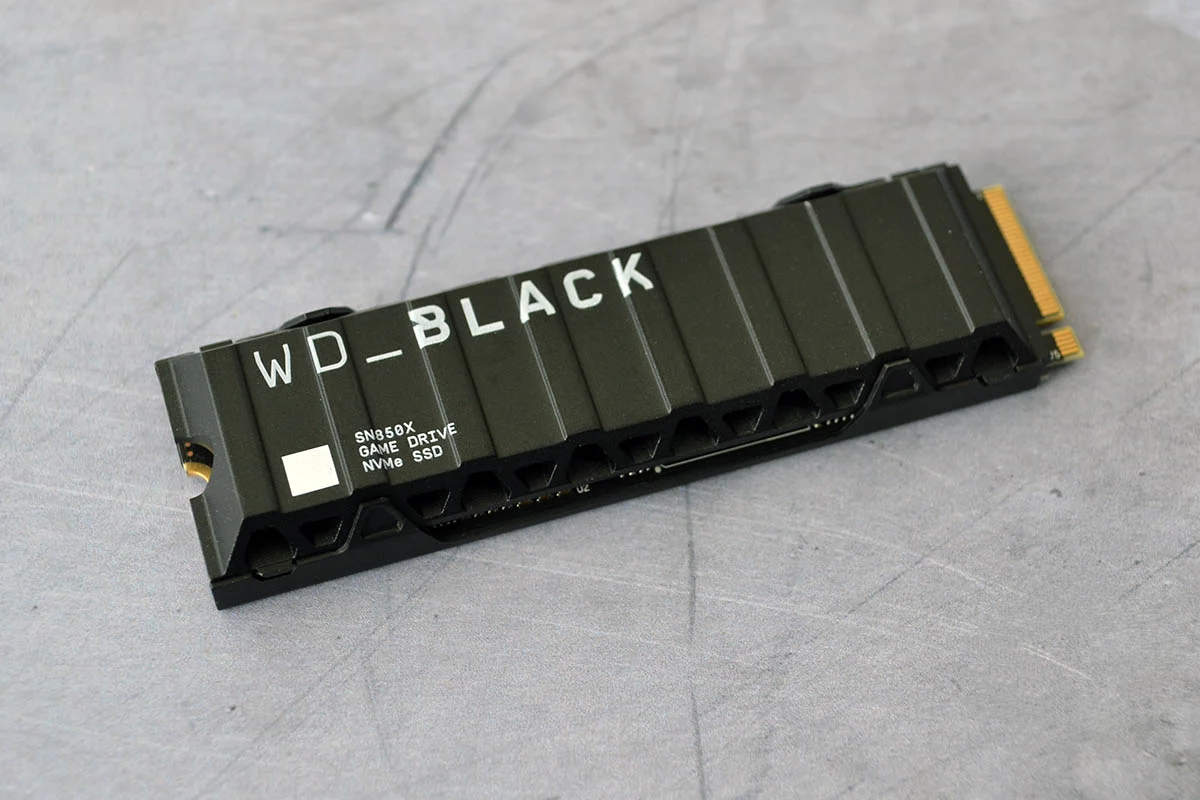
The best PCIe Gen 4.0 SSD is the WD_Black SN850X, although this recommendation comes with some caveats at current prices. Bizarrely, PCIe Gen 4.0 drives such as this one sometimes cost more than considerably faster PCIe Gen 5.0 SSDs, as new expensive stock replaces older drives that retailers had bought before all the pricing chaos kicked off.
WD_Black SN850X
£170 / $220 (1TB)
Pros
- Fantastic pace on PCIe Gen 4.0
- Heatsink option available
- Great for gaming
Cons
- Currently not far off PCIe Gen 5.0 prices
- SanDisk-branded model is extremely expensive
Club386 may earn an affiliate commission when you purchase products through links on our site.
How we test and review products.
At the time of writing, for example, a 2TB SN850X costs more than a 2TB Kioxia Exceria Plus G4 2TB, and the latter is clearly the faster drive. Drop down to 1TB capacities, though, and the SN850X is £30 cheaper (the 1TB prices are listed in the box above).
As such, it’s really worth having a detailed look at prices before you make a purchase, bearing in mind that you can still run a PCIe Gen 5.0 SSD in a Gen 4.0 motherboard slot – it just won’t run at full speed.
As with the WD_Black SN8100, there’s also a rebranded version of this drive called the SanDisk Optimus GX Pro 850X. However, given that the cost for a 1TB version of the latter is £295.99, we recommend looking for stock of the old WD-branded SSD if you can find it.
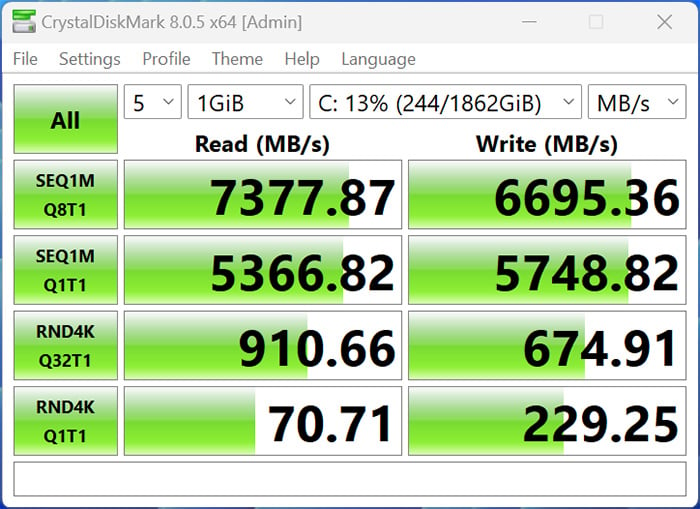
All the pricing chaos is a big shame, as this is a top PCIe Gen 4.0 drive, with the same peak 7,300MB/s sequential read speed touted across all its capacities. It’s more than capable of hitting this pace with the right hardware, too. In our 2024 test rigs, we recorded 7,377MB/s in CrystalDiskMark, as shown in the screenshot above.
Bear in mind that write pace is slightly reduced on the 1TB model at 6,300MB/s, compared to 6,600MB/s on the 2TB drive, but all the SSDs in this range are fast enough for most people’s needs.
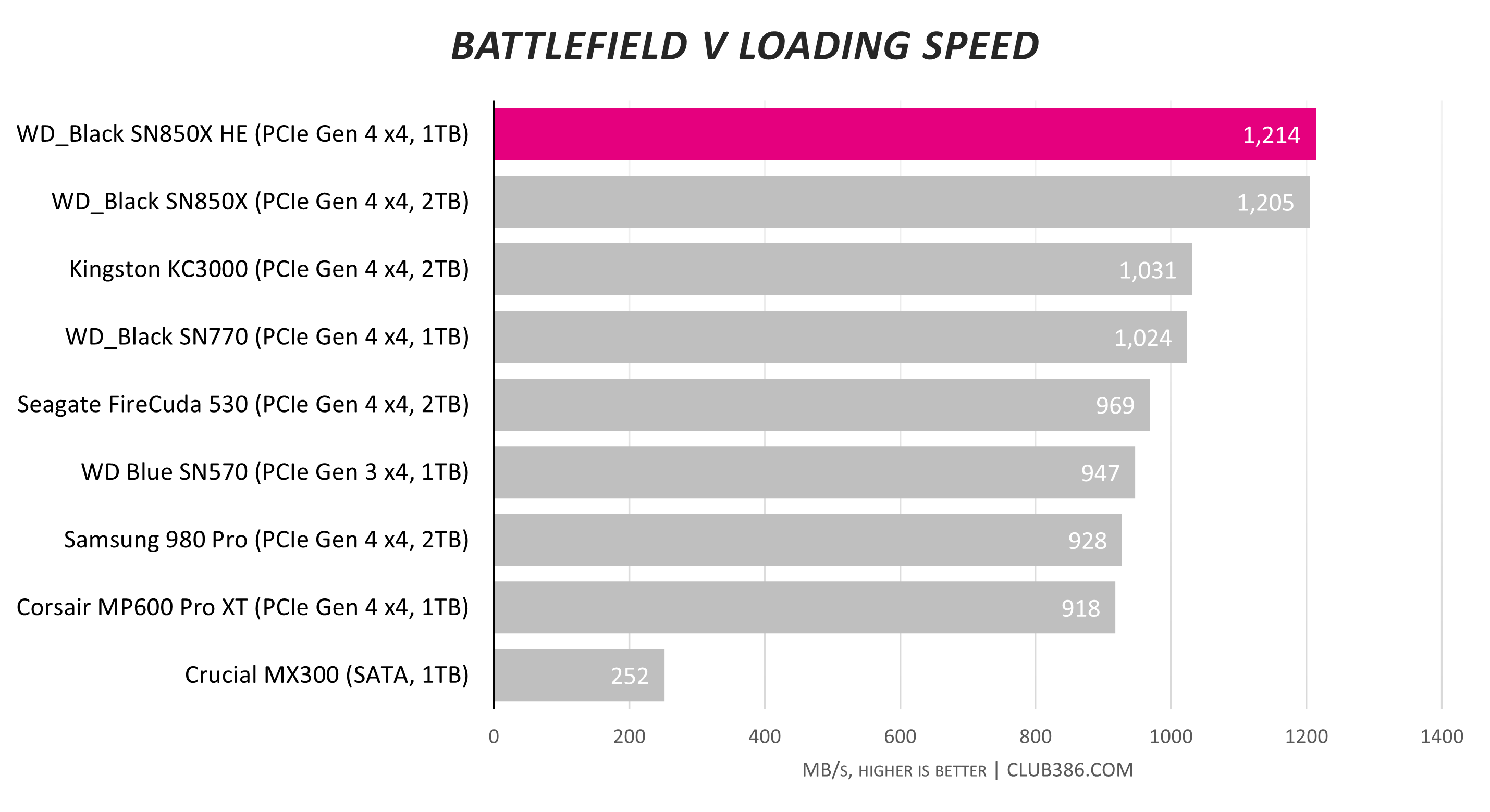
Game load times are also solid, as shown in the graph above from our original review. You’ll get even quicker results from a PCIe Gen 5.0 SSD, but the SN850X is a fantastic drive when it comes to booting up games quickly.
You can either buy the SN850X as a bare drive, to which you can fit your own heatsink, or readily kitted out with its own heatsink, complete with an RGB LED on the top.
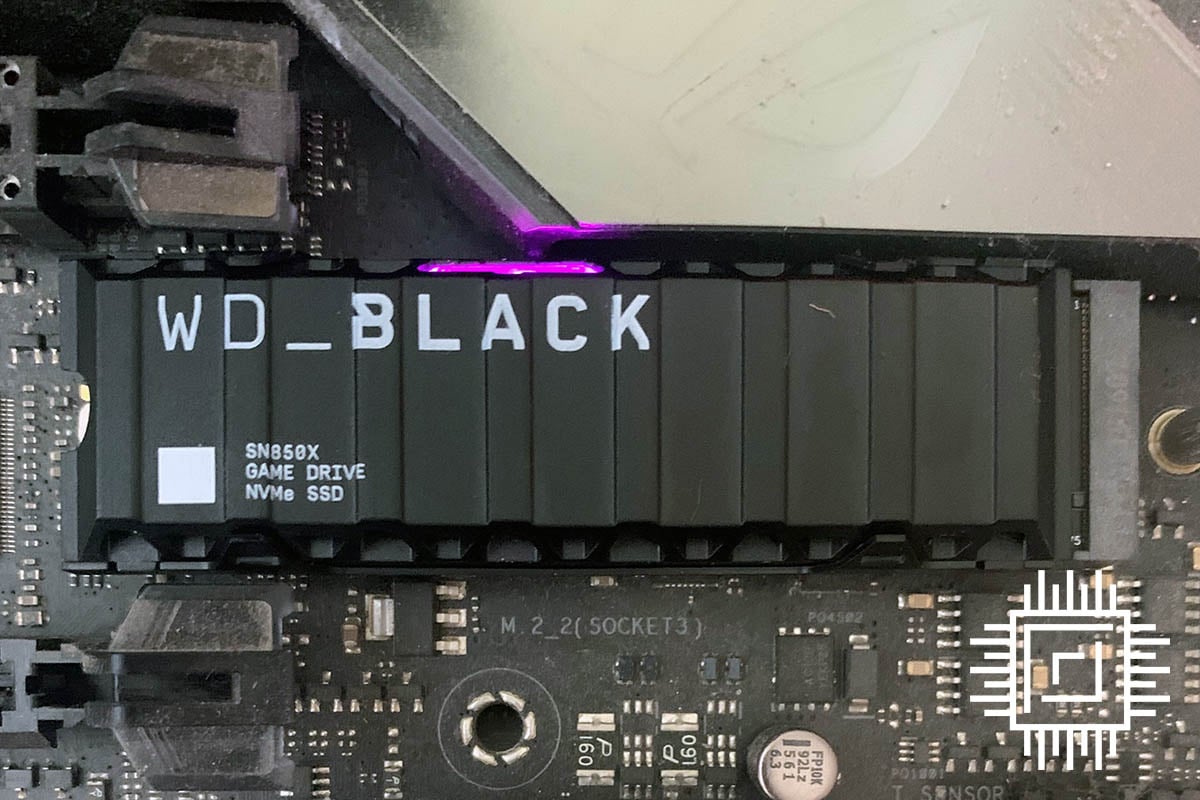
The main downer, of course, is the unpredictability of current SSD prices. At around £170 for a 1TB drive, the SN850X is far from being a bargain, but if that’s all you can afford, it gives you a decent combination of capacity and performance.
However, bear in mind that there’s high demand for this drive, partly due to its many glowing reviews when it was released. This means it sometimes demands a higher premium than PCIe Gen 5.0 SSDs that are actually quicker.
Read our full WD_Black SN850X review for more detail about this SSD, including all our performance benchmarks.
If you can’t find the SN850X in stock at a reasonable price, another great alternative is the Netac NV7000-t, which offers similarly fast speeds on the PCIe Gen 4.0 interface, but is often cheaper, particularly in the US. At the time of writing, you can pick one up a 1TB model for $144.97. The Samsung 990 Pro is also an excellent alternative if you can find it.
| WD_Black SN850X | Specs (1TB) |
|---|---|
| NAND | SanDisk TLC |
| DRAM | Yes |
| Interface | PCIe 4.0 x4 |
| Seq. Read Speed | 7,300MB/s |
| Seq. Write Speed | 6,300MB/s |
| Random Read Speed | 800,000 IOPS |
| Random Write Speed | 1,100,000 IOPS |
| Form Factor | M.2 2280 |
| Endurance (TBW) | 600 |
| Hardware encryption | No |
| Heatsink version | Yes |
| Warranty | Five years |
Best Steam Deck SSD
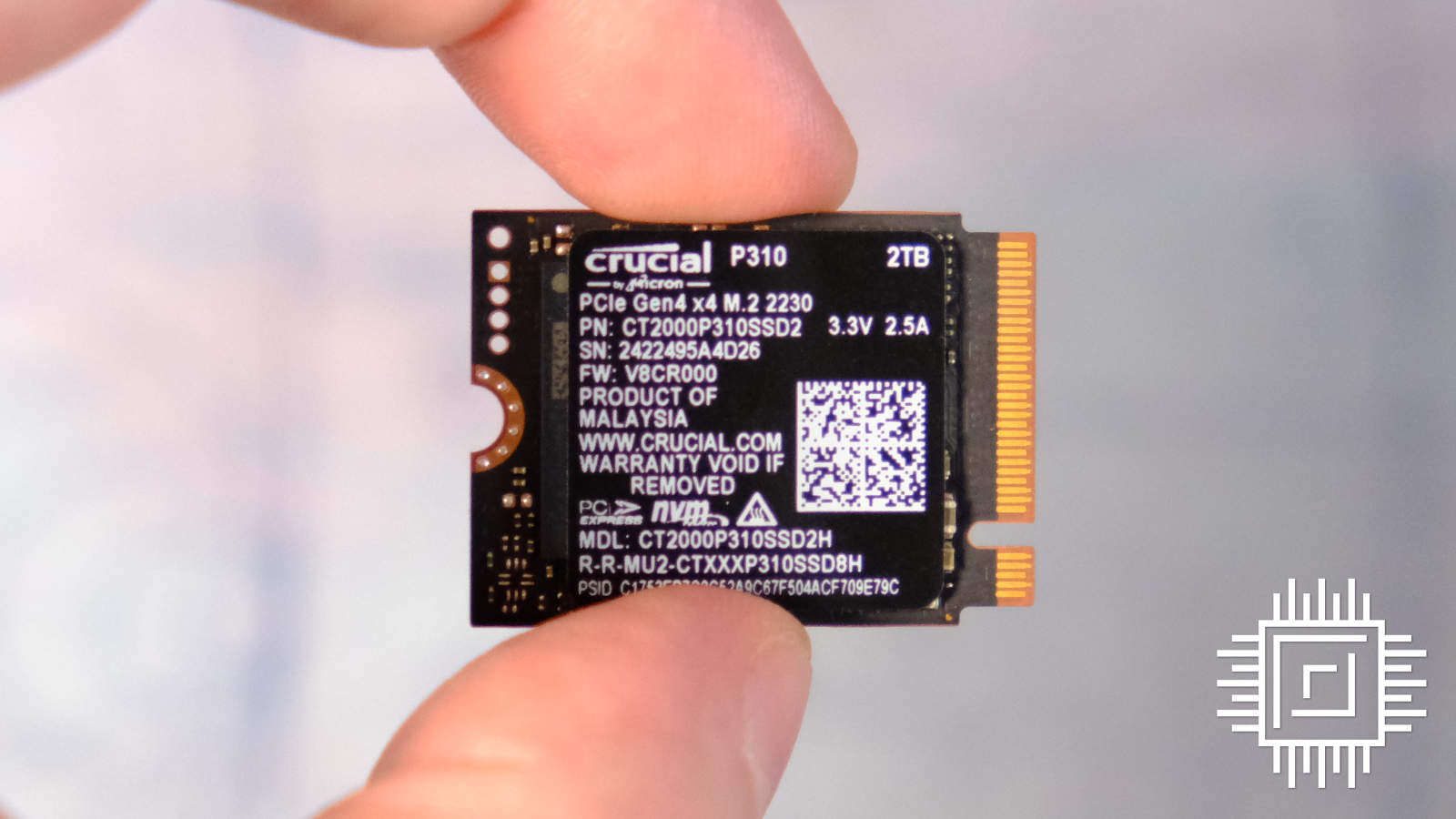
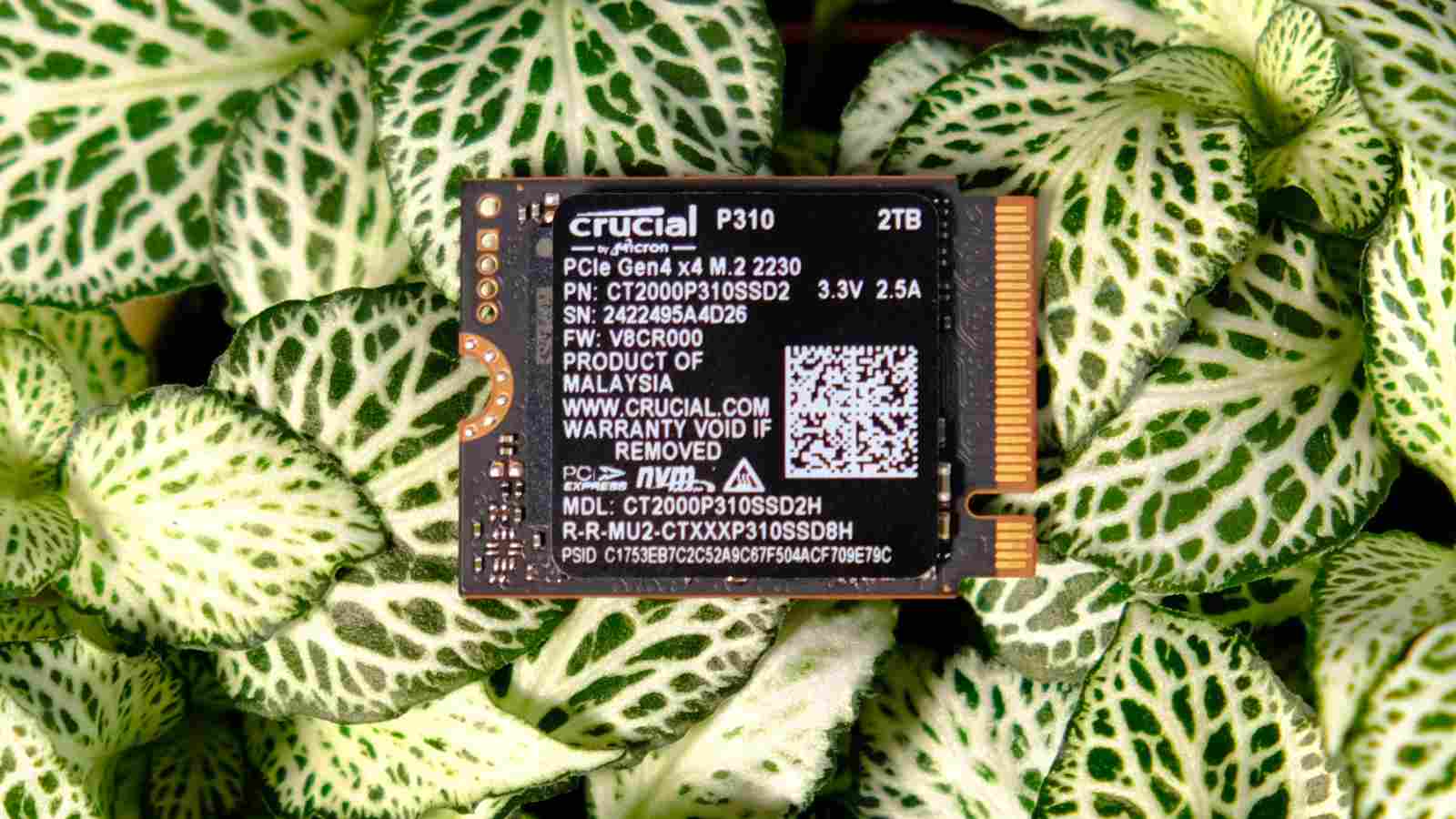
The best Steam Deck SSD is the Crucial P310. You’ll need to dismantle your deck if you want to fit this drive, but it’s well worth it, particularly if you buy the 2TB model. It’s way faster than a microSD card, and you get loads of storage space for your games as well.
Crucial P310
£230 / $328 (2TB)
Pros
- Loads of storage space
- Fast performance in latest handhelds
- Still has a fair price in the UK
Cons
- Expensive in the US
- Steam Deck can’t run it at full speed
Club386 may earn an affiliate commission when you purchase products through links on our site.
How we test and review products.
There is a caveat when it comes to discussions about performance, though, which is that the Steam Deck only has a PCIe Gen 3.0 x4 interface. This means that, whatever drive you put in it, you’ll be limited to a top speed of around 3,500MB/s.
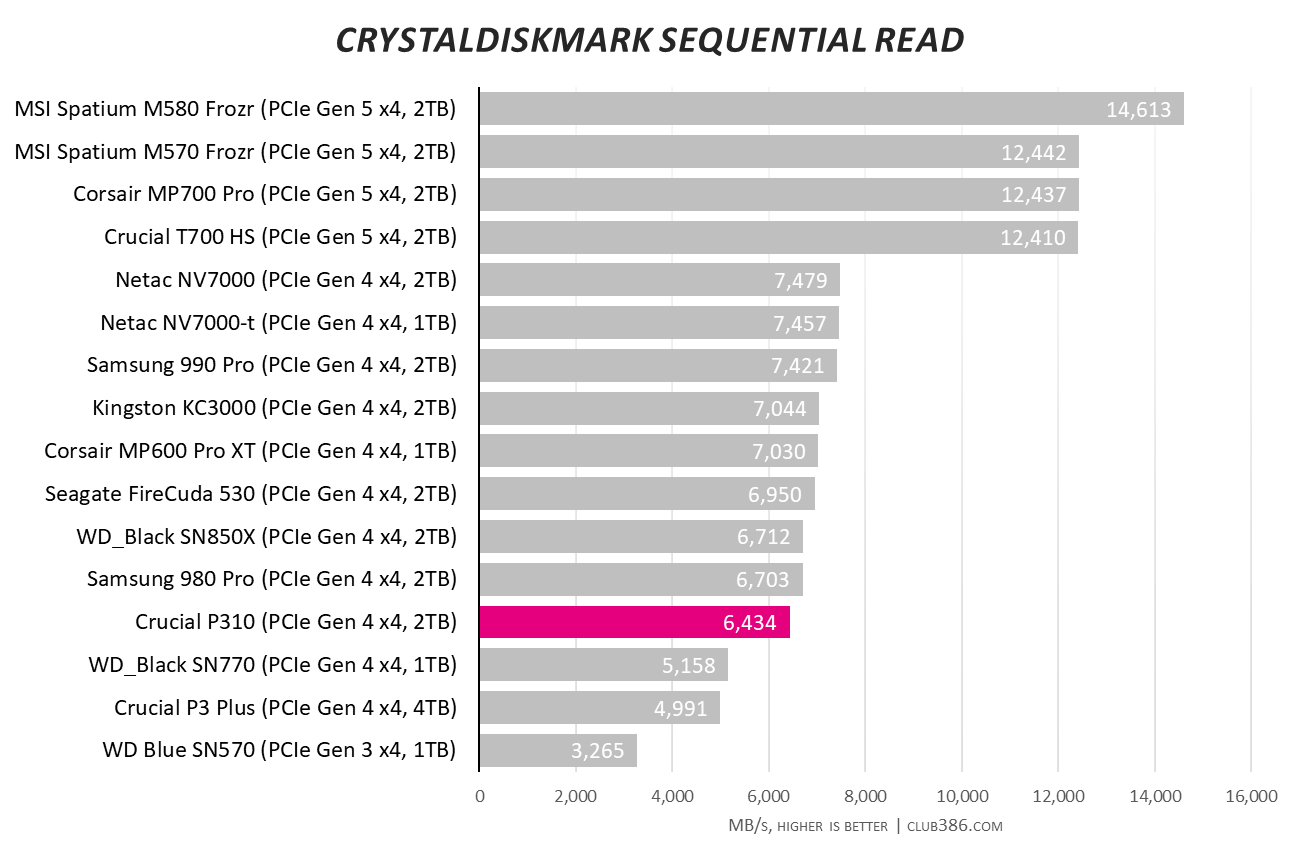
That’s a shame because, as you can see from the graph below, this drive can read at a fast rate of 6,434MB/s when it can stretch its legs into a PCIe Gen 4.0 drive. You can still put it in a Steam Deck and reap the capacity rewards, of course, just bear in mind you won’t be able to run it at full speed.
That’s well worth doing, because 2TB gives you a hell of a lot of room to install several of the latest games, and even a PCIe Gen 3.0 SSD is significantly faster than the peak ~100MB/s speed of a microSD card.
If you own a more recent handheld with a PCIe Gen 4.0 slot, such as the Asus ROG Ally X, then you’ll be in for a treat, though, with loads of storage space and fast speeds to boot.
Best of all, this M.2 2230 drive hasn’t yet fallen victim to the extreme pricing of other drives in the UK. It cost £200 for a 2TB model when we reviewed it in 2024, and you can still pick one up for £230. Sadly, it’s more expensive in the US, where a 2TB drive will set you back $328, but you can get the 1TB model for a $208.90 at the time of writing.
Read our full Crucial P310 review for more detail about this SSD for handhelds, including all our benchmark results.
| Crucial P310 | Specs (2TB) |
|---|---|
| NAND | 232L Micron TLC |
| DRAM | No |
| Interface | PCIe 4.0 x4 |
| Seq. Read Speed | 7,100MB/s |
| Seq. Write Speed | 6,000MB/s |
| Random Read Speed | 1,000,000 IOPS |
| Random Write Speed | 1,200,000 IOPS |
| Form Factor | M.2 2280 |
| Endurance (TBW) | 440 |
| Hardware encryption | Yes |
| Heatsink version | No |
| Warranty | Five years |
Best external SSD
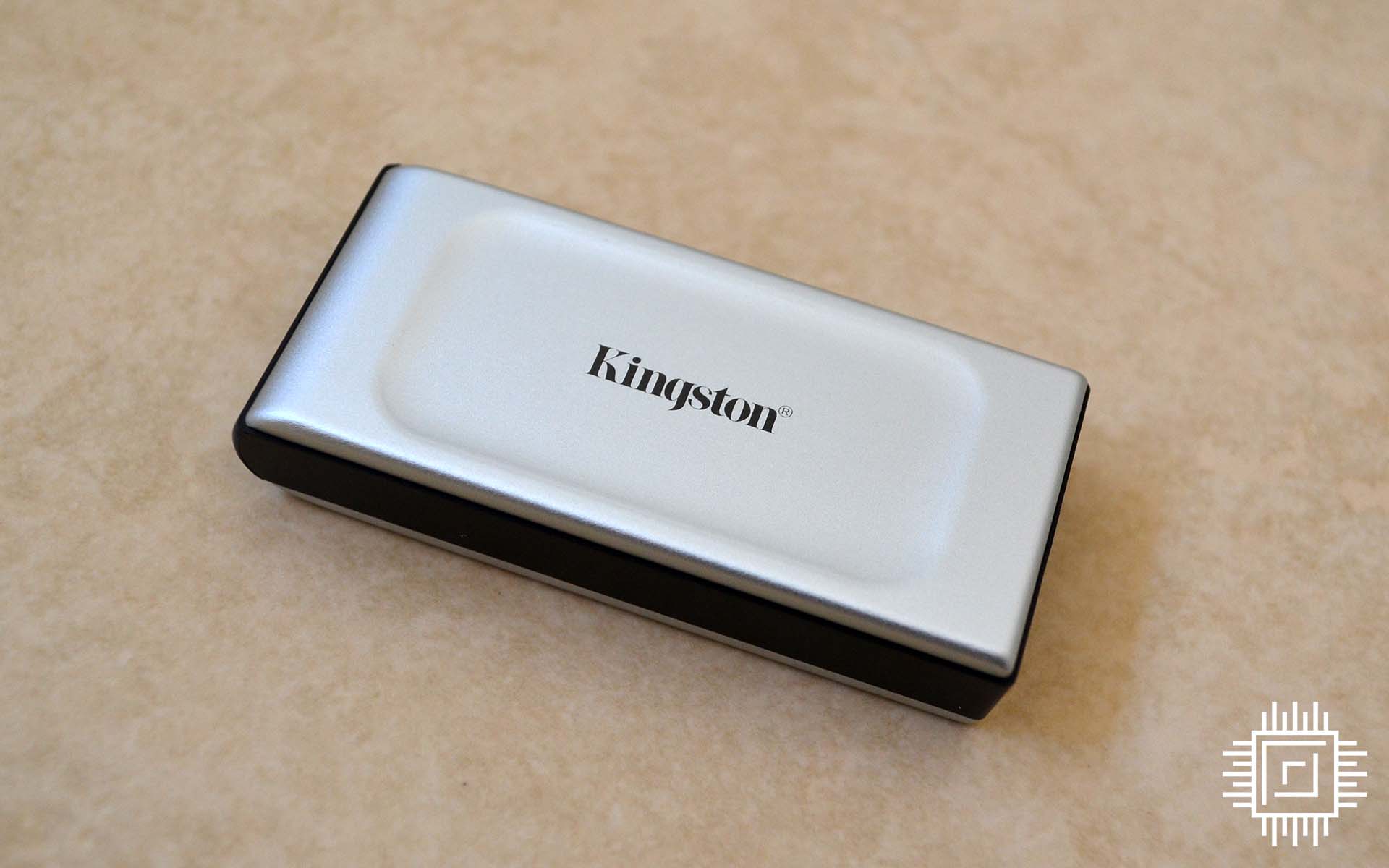
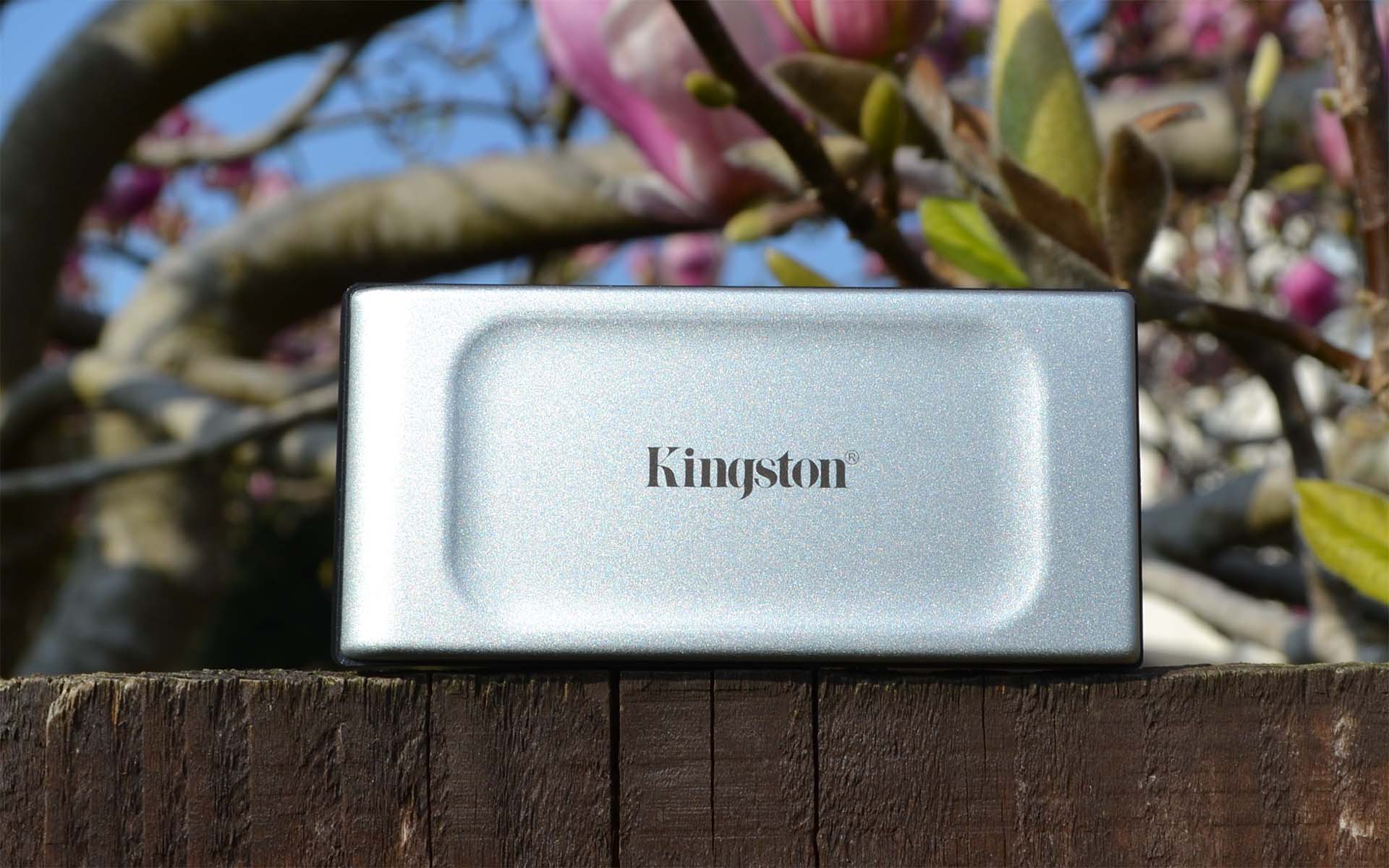
The best external SSD is the Kingston XS2000. With its slight, pocketable dimensions, classy looks, and fast speeds, this is a great drive for anyone who wants to take their data on the move. In fact, even if you don’t, it’s also a handy box that can help you upgrade your storage without dismantling your PC. Plus, you can plug it into systems with soldered storage drives and no M.2 ports. Apple MacBook owners, this one’s for you.
Kingston XS2000
£202 / $199 (1TB)
Pros
- Genuinely pocket-sized
- Fast speeds
- Attractive looks
Cons
- Needs 20Gbps USB port to get the most out of it
- Expensive at current prices
Club386 may earn an affiliate commission when you purchase products through links on our site.
How we test and review products.
Unlike previous USB 3.0 SSDs, which limited you to 5Gbps speeds (500MB/s at most), the Kingston XS2000 uses a USB-C 3.2 Gen 2×2 interface. For anyone who’s not up on the unholy, confusing mess of current USB standards, this opens up speeds of 20Gbps to external SSDs.
That’s why the Kingston XS2000 is able to read and write at 2,000MB/s, with our own read tests peaking at 2,031MB/s. That’s nearly four times the speed of the fastest internal SATA SSDs, and means you can use this drive to properly bolster your system storage, including installing software. And yes, that even means you could install games on it.
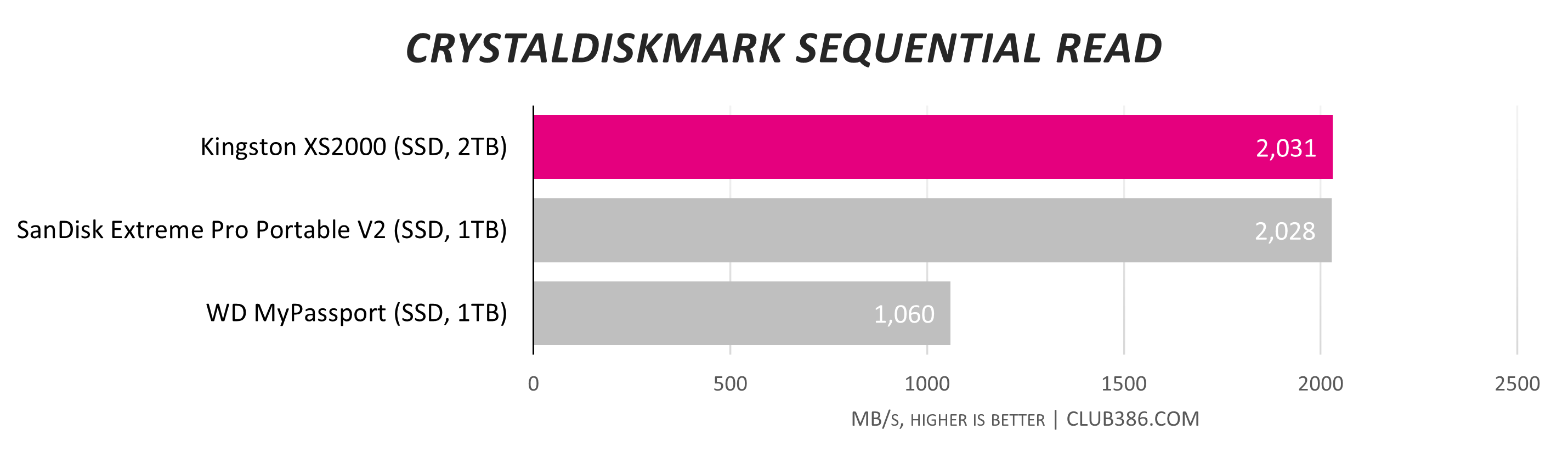
There are a couple of factors to note before you buy this drive. Firstly, in order to get the fastest speeds out of the XS2000, your PC or laptop will need a USB port that meets the 20Gbps USB 3.2 Gen 2×2 standard. You’ll be able to find this information in your motherboard manual or in the online specs list for your laptop. You can still use it on slower ports, but it will only run at half the speed on a USB 3.2 Gen 2 10Gbps port, or a quarter of its speed on a standard USB 3 port.
Since the XS2000 was first released, a few even faster external drives have been released with support for the 40Gbps USB 4 standard, such as the SanDisk Extreme Pro 2026 model. If you have USB 4 on your setup, then these drives are well worth a look too if you can find one you can afford. For everyone else, though, the Kingston XS2000 offers a genuinely portable, well-built external drive that’s fast enough to expand your PC or laptop’s storage.
Read our full Kingston XS2000 review for more detail about this USB SSD, including in-depth performance testing.
An excellent alternative to the XS2000 is the tiny MSI Datamag, which would have been our top pick on this list if it weren’t for the fact that it’s so difficult to find in stock at a reasonable price now.
| Kingston XS2000 | Specs (2TB) |
|---|---|
| NAND | Kingston-branded 3D TLC |
| Controller | Silicon Motion SM2320G |
| Interface | USB-C 3.2 Gen 2×2 (20Gbps) |
| Seq. Read Speed | 2,000MB/s |
| Seq. Write Speed | 2,000MB/s |
| Dimensions | 69.54 x 32.58 x 13.5mm |
| Weight | 28.9g |
| Extras | Rubber sleeve 12in USB-C to USB-C cable |
| Warranty | Five years |
Best external hard drive
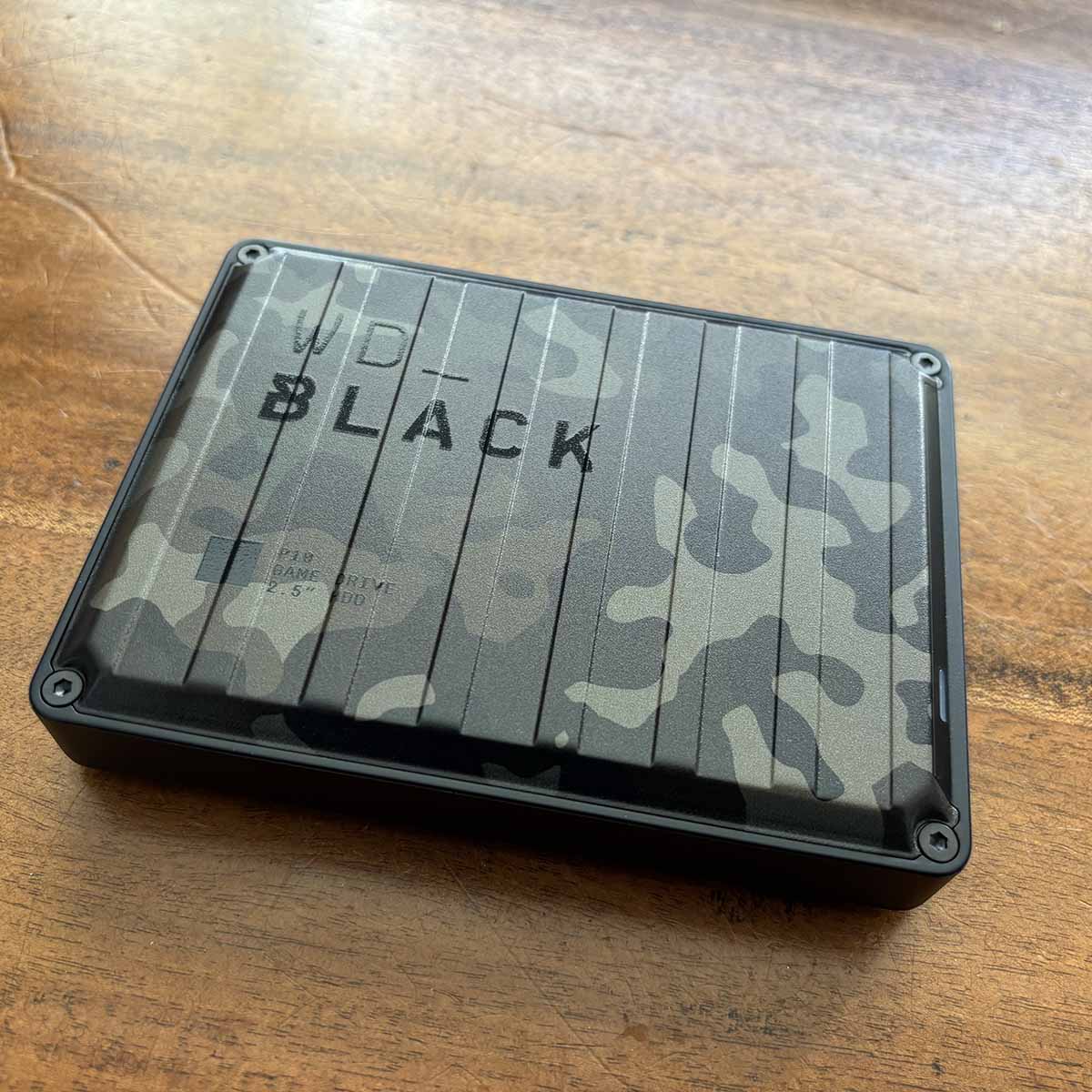
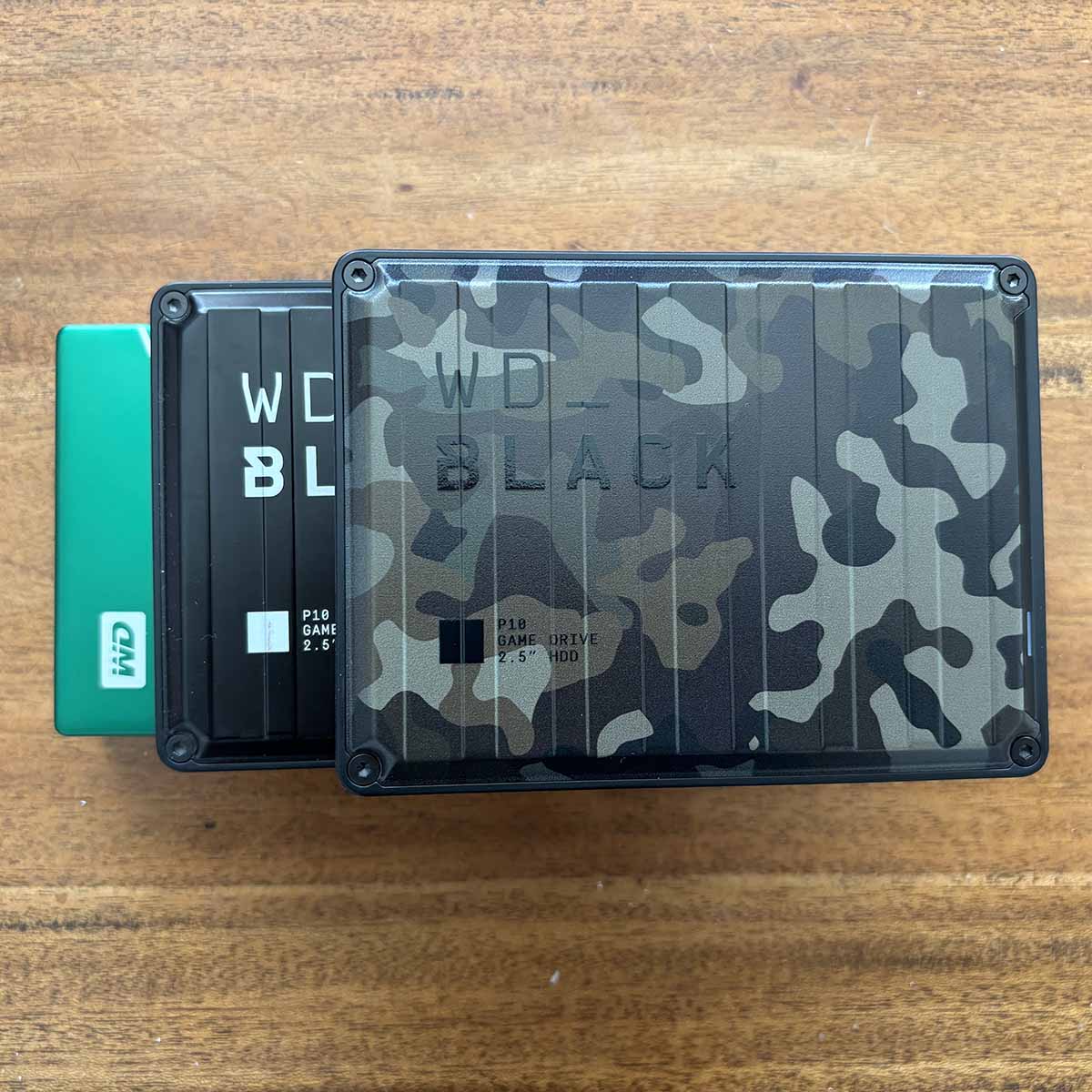
The best external hard drive is the WD_Black P10 Game Drive. Even good old-fashioned hard disks aren’t immune to the whims of the supply crisis, with steep price rises for these mechanical spinners. However, if maximising your portable capacity is your top priority, they still offer loads more storage per buck than SSDs, with the P10 currently giving you 6TB for £191.
WD_Black P10 Game Drive
£191 / $299 (6TB)
Pros
- Loads of storage space
- Quiet operation
- Solid build quality
Cons
- SSDs are much faster
- Uses micro-USB rather than USB-C
Club386 may earn an affiliate commission when you purchase products through links on our site.
How we test and review products.
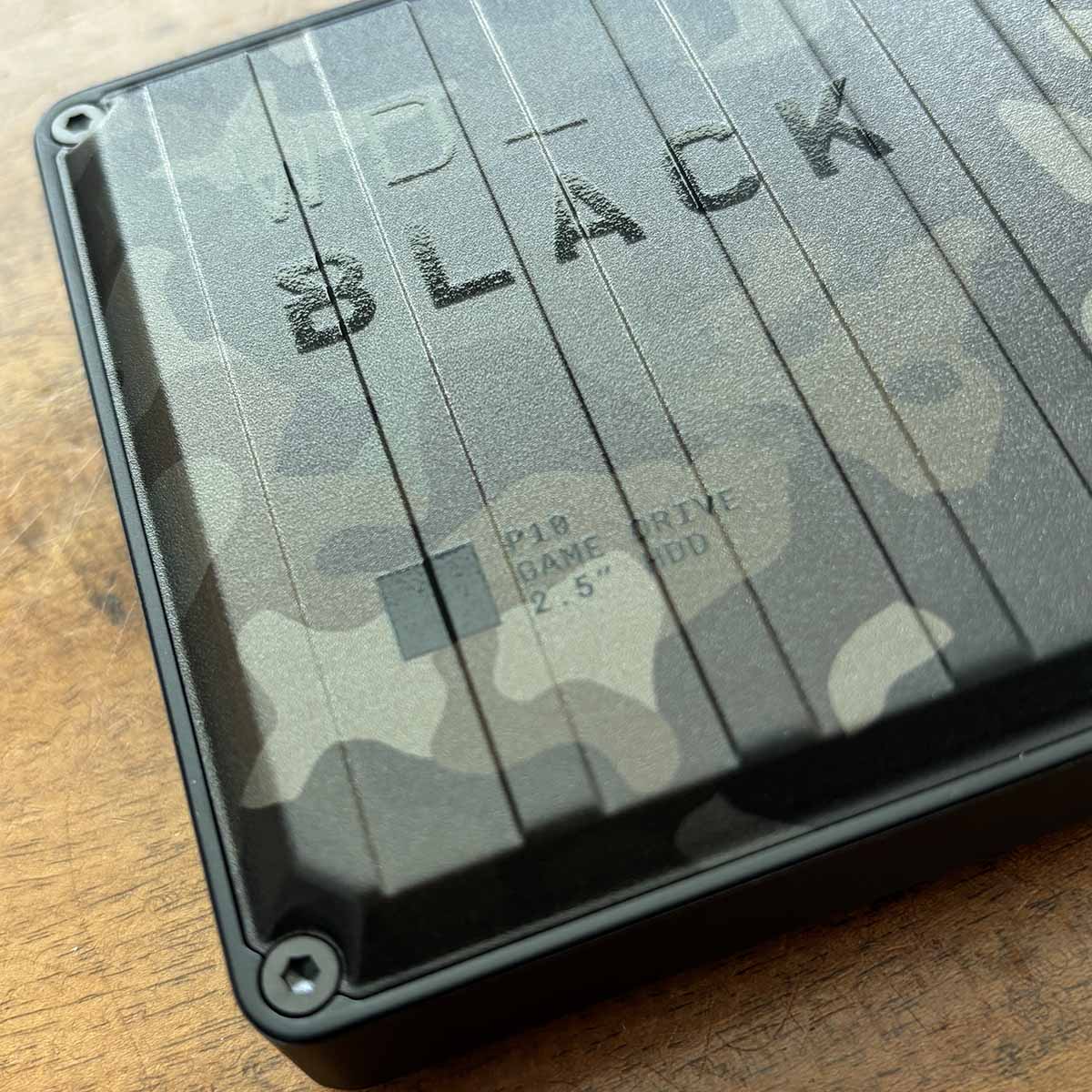
You don’t have to just get a standard black box here either – we liked the military-style camouflage finish on our review sample, which is still available to buy now, and it even comes in pink as well.
The shell itself is made from tough ABS plastic, rather than aluminium, but we didn’t experience any issues with overheating in our tests. The unit is also well built and feels solid in your hand.
It’s also easily portable, thanks to its modest 118 x 88mm dimensions, with height varying from 14.5mm on a 2TB drive, to 23.1mm on a 6TB model. There are two main sacrifices you make by going for a hard drive over an SSD here.
The first is weight, with the 250g 6TB drive being over 8x as heavy as the Kingston XS2000. It’s still not going to overly weigh you down, but it’s a factor to bear in mind. Secondly, read and write speeds are substantially reduced.
The top speed claim for this drive is 130MB/s, a 15th of the pace of the Kingston XS2000. In our own tests, we found that figure was about right, and it was consistent too, with the P10 averaging around 120MB/s in all our tests.
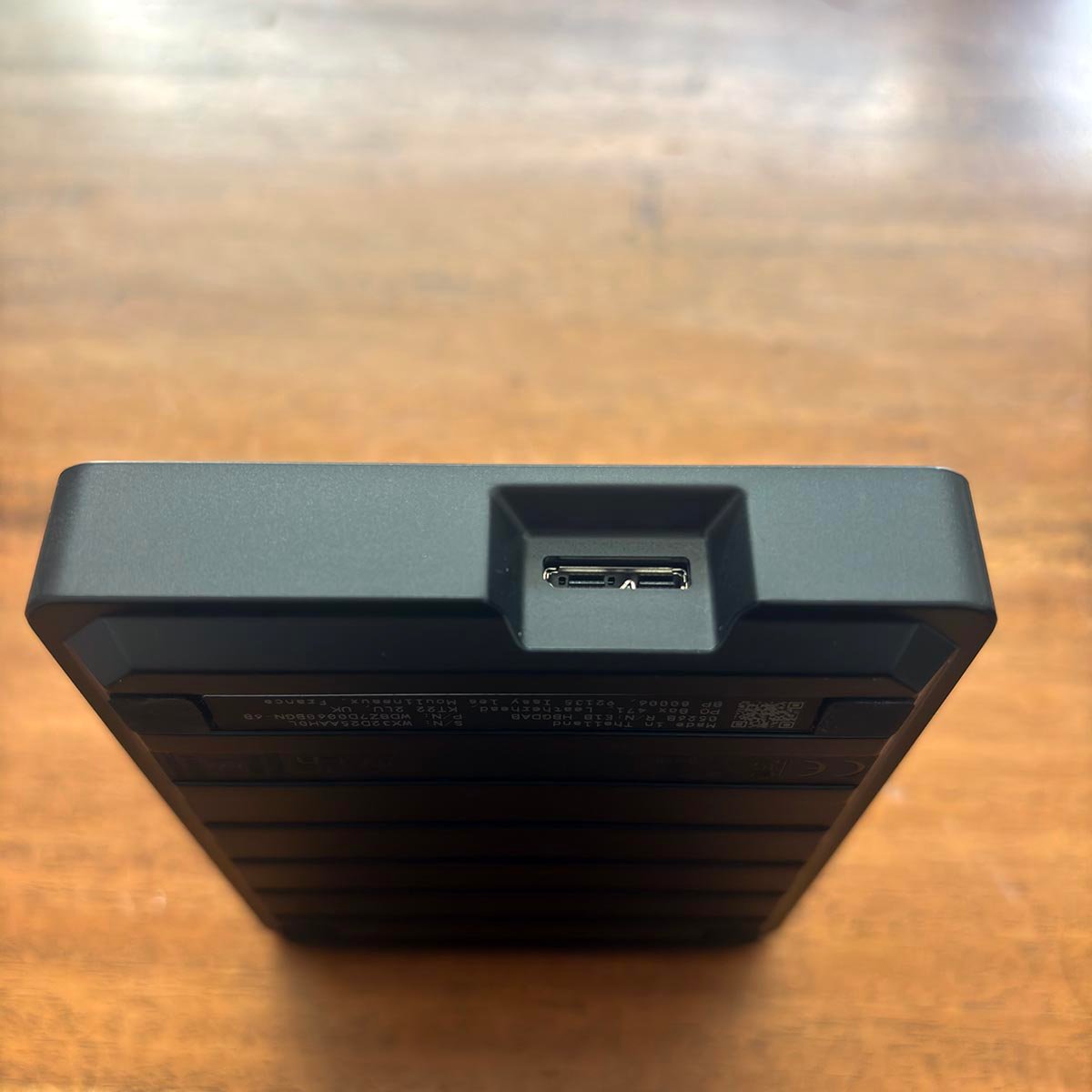
That’s not an issue if you just want a portable backup drive or data repository, but you wouldn’t want to install games on it. Weirdly, this drive also connects via an old-school micro-USB socket, rather than the newer USB-C, but a cable is at least included in the box.
If portable capacity is a bigger priority for you than speed, though, you get a decent chunk of storage for your money here, in a well-built, good-looking box.
For more information, read our full WD_Black P10 Game Drive review.
| WD_Black P10 Game Drive | Specs (2TB) |
|---|---|
| NAND | Kingston-branded 3D TLC |
| Interface | USB 3.2 Gen 1 (5Gbps) |
| Available capacities | 2TB, 4TB, 5TB, 6TB |
| Seq. Read Speed | 130MB/s |
| Seq. Write Speed | 130MB/s |
| Dimensions (L x W) | 118 x 88mm (L x W) |
| Height | 23.1mm (6TB and 4TB pink) 20.8mm (4TB and 5TB) 14.5mm (2TB) |
| Weight | 250g (6TB and 4TB pink) 230g (4TB and 5TB) 160g (2TB) |
| Extras | USB-A to micro-USB cable |
| Warranty | Three years |
FAQs
Can I install a PCIe Gen 5.0 M.2 SSD in a Gen 4 socket?
Yes, all M.2 NVMe 2280 sockets have the same physical connectors, and you can put a PCIe Gen 5.0 SSD in a Gen 4.0 or 3.0 socket, or vice versa. However, your SSD’s peak speeds will be limited by the interface you use.
PCIe Gen 4.0 x4 tops out at around 7,400MB/s in real-world use, for example, and PCIe Gen 3.0 x4 is half that again, and your SSD can only go as fast as its interface. As such, you could wipe a good deal of potential performance off your drive by putting a Gen 5.0 SSD in a Gen 4.0 slot, but not the other way round.
Do I need an M.2 heatsink?
Not all M.2 NVMe drives require a heatsink. Even the fastest PCIe Gen 3.0 x4 drives can get by without one, as can slower PCIe Gen 4.0 drives. However, once you get into high-speed Gen 4.0 drives, such as the Samsung 980 Pro and WD_Black SN850X, not having a heatsink can result in overheating and performance throttling.
If you’re using a PCIe Gen 5.0 SSD of any description, then it absolutely needs a heatsink, in our opinion, as all these drives get hot when they’re running at full speed. If your motherboard has a Gen 5.0 x4 M.2 slot, it should have an accompanying chunky heatsink to use with it.
