
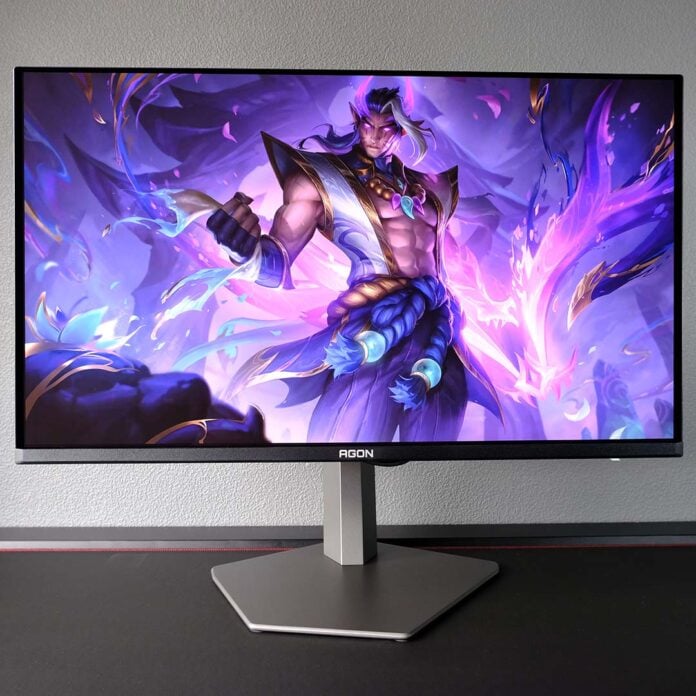
There’s a wealth of 4K QD-OLED screens hitting the market this year, but the AOC has struck a fine balance between image quality, features, and price with the Agon Pro AG326UZD2. Offering notably superior brightness compared to prior generation models, at a relatively low cost, there’s plenty to love about this screen.
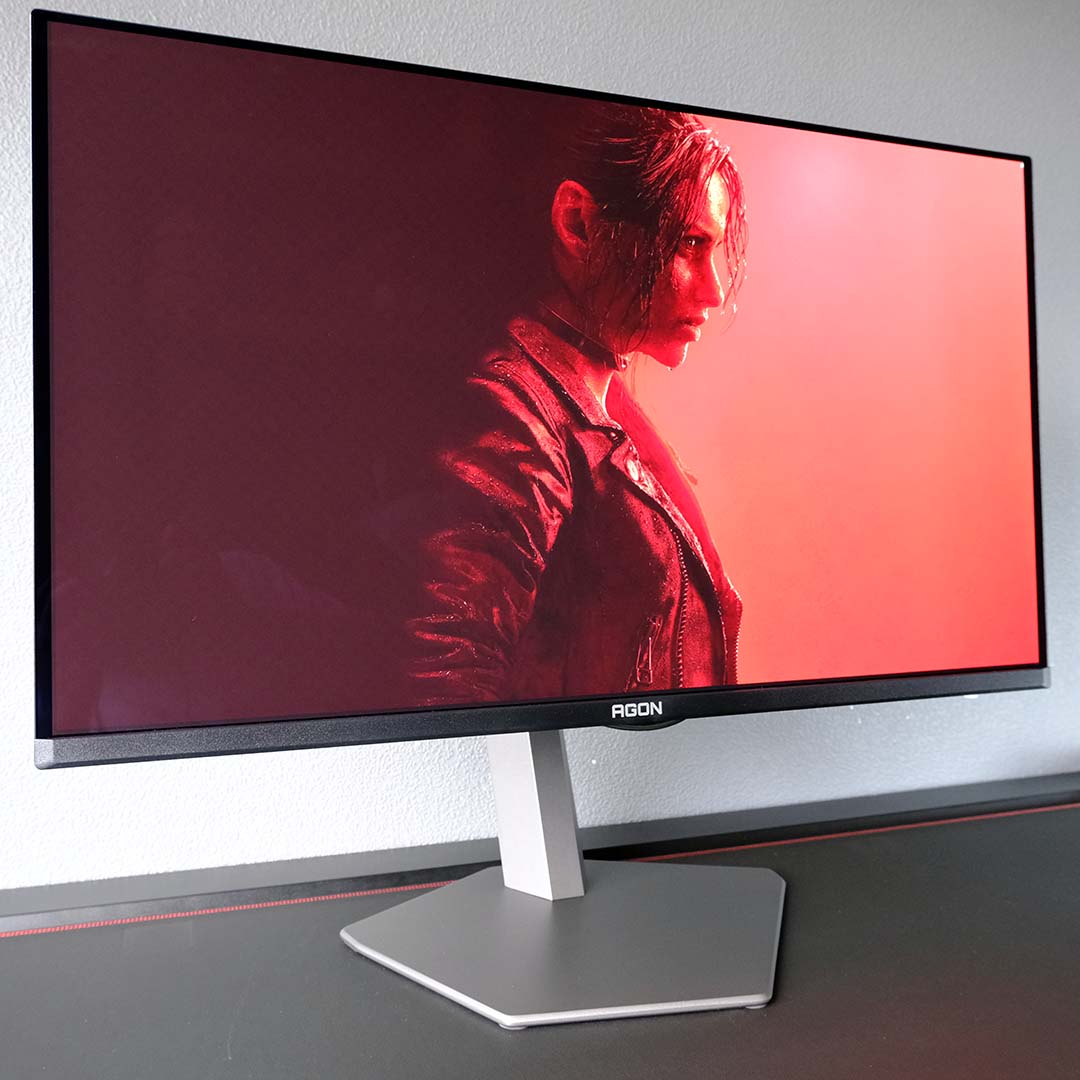

AOC Agon Pro AG326UZD2
£799
Pros
- Penta Tandem QD-OLED panel
- Solid colour accuracy
- Near-instant response times
- KVM switch
- Lower price than usual
Cons
- Power hungry
- Minor text fringing
Club386 may earn an affiliate commission when you purchase products through links on our site.
How we test and review products.
Retailing for £799, the AG326UZD2 positions itself as a more affordable modern 32in 4K QD-OLED monitor than other similar displays that cost around £850. Despite costing less than alternatives with the same panel, this display still offers an excellent gaming experience with a solid feature set to boot.
Specifications
Like other 32in 4K QD-OLED monitors launching this year, the AG326UZD2 arrives with a Samsung Penta Tandem QD-OLED panel. This technology improves light efficiency by up to 30% relative to older models, giving brightness a noticeable boost without requiring noticeably more power.
Additionally, AOC has equipped the AG326UZD2 with its new AntiReflection 3.0 coating. This is the company’s branding for Samsung Display’s QuantumBlack film, which improves reflection handling and deepens the depth of blacks in the face of ambient lighting.
| AOC Agon Pro AG326UZD2 | |
|---|---|
| Screen size | 32in |
| Resolution | UHD (3840×2160) |
| Refresh rate | 240Hz |
| Response time | 0.03ms (GtG) |
| Panel technology | QD-OLED (Penta Tandem) |
| Panel coating | Glossy |
| Variable refresh rate | Adaptive Sync Nvidia G-Sync compatible |
| HDR | VESA DisplayHDR True Black 500 |
| Ports | 3.5mm audio-out (x1) DisplayPort 2.1 (UHBR20) (x1) HDMI 2.1 (x2) USB 3.2 Type-A (x2) USB 3.2 Type-B (x1) USB Type-C, w/ 65W PD & DP Alt Mode (x1) |
| Speakers | Yes (8W) |
| Features | Console mode KVM switch |
| Warranty | Three years (includes burn-in) |
| Price | £799 |
While these features are welcome, there are no changes to core specifications nor subpixel layout on this panel, with those tweaks arriving in QD-OLED panels set for release in 2027. As such, the AG326UZD2 doesn’t push refresh rates higher, nor resolve text fringing. However, on the latter front, a high pixel density of 138PPI (pixels per inch) does make this shortcoming less noticeable compared to 27in QHD models.
While a 240Hz refresh rate is relatively low in the world of QD-OLED, with some monitors pushing 500Hz, this is as fast as refresh rates go for 4K models like the AG326UZD2. Naturally, hitting 240fps at such a high resolution is difficult for most GPUs anyway, but universally fast response times remove the danger of ghosting on this monitor regardless of your frame rate, unlike on backlit alternatives.
There’s no risk of screen tearing either, thanks to Adaptive Sync. This monitor is Nvidia G-Sync compatible, perfect for GeForce graphics cards, but it pairs nicely with Radeon GPUs too. As ever, just remember that this tech only works across a select range of refresh rates, namely 48-240Hz, so you’ll need to keep frame rates above 48fps to use it.
Design
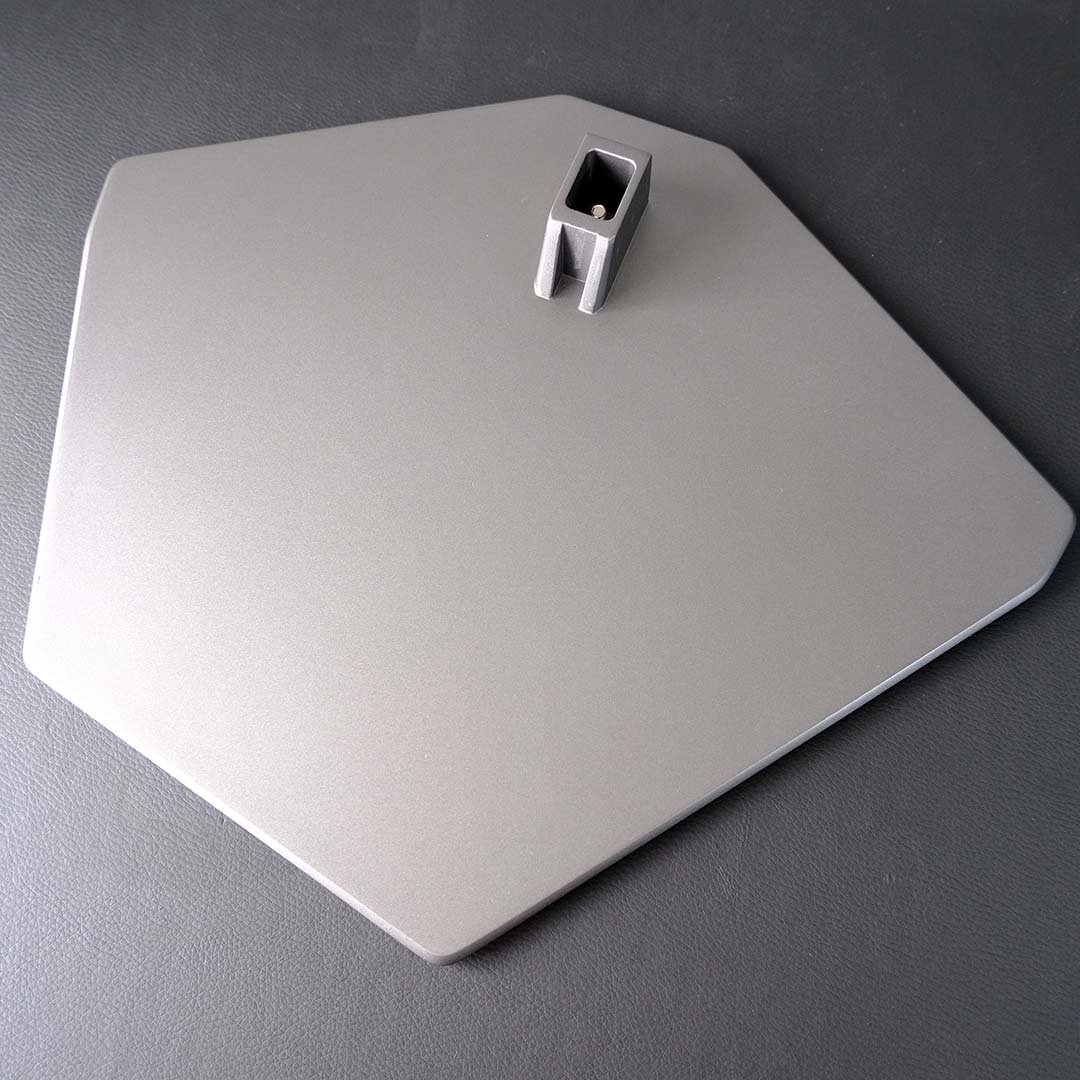
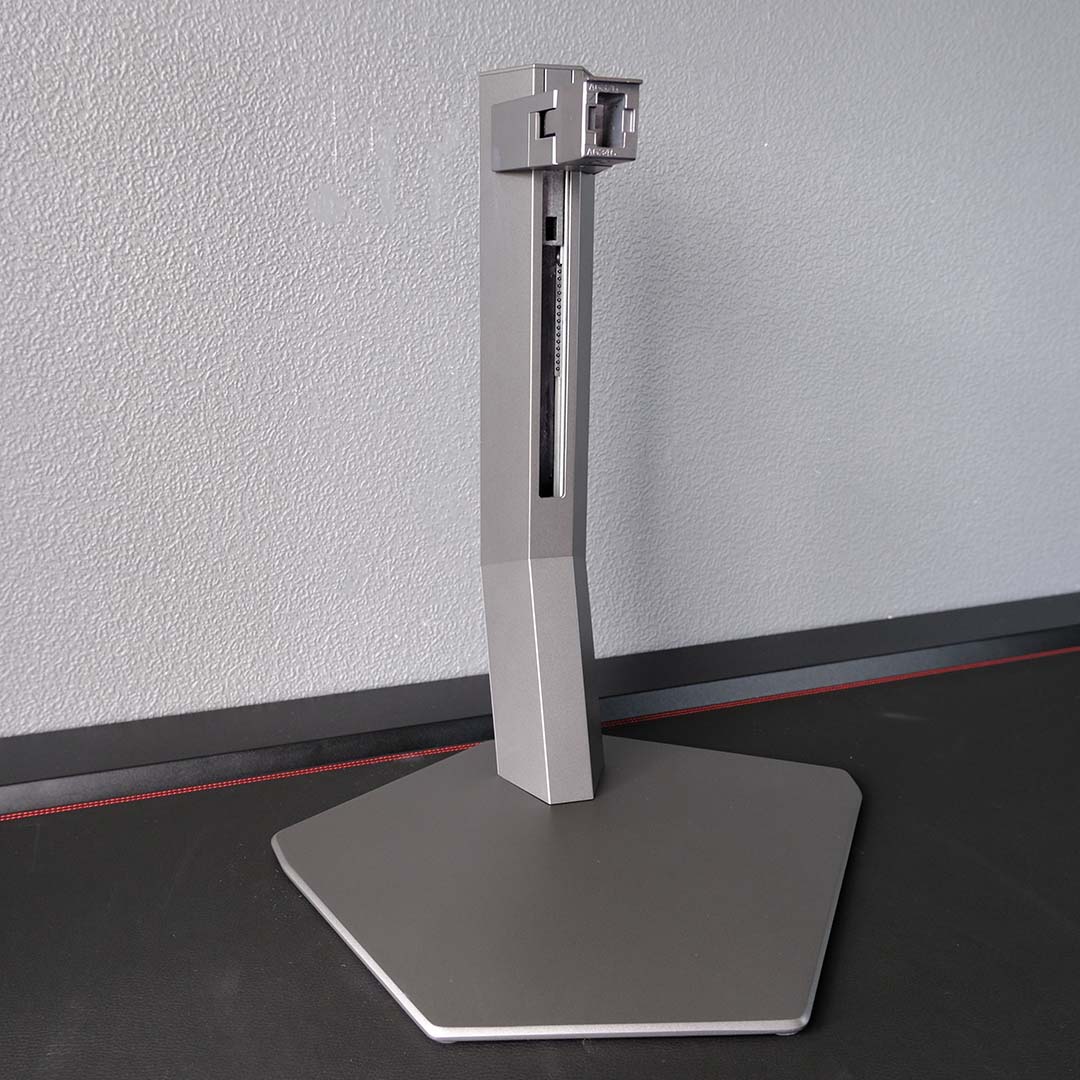
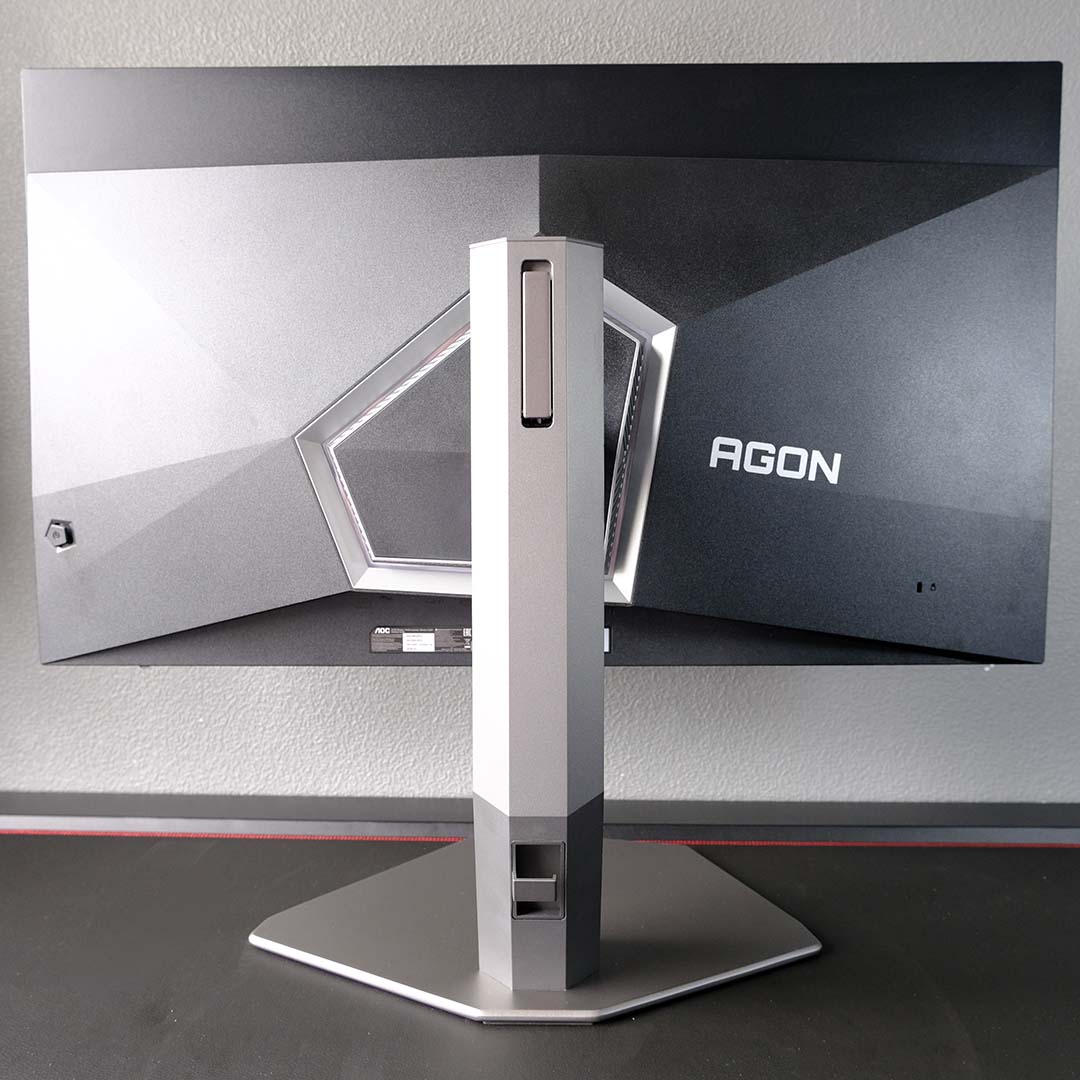
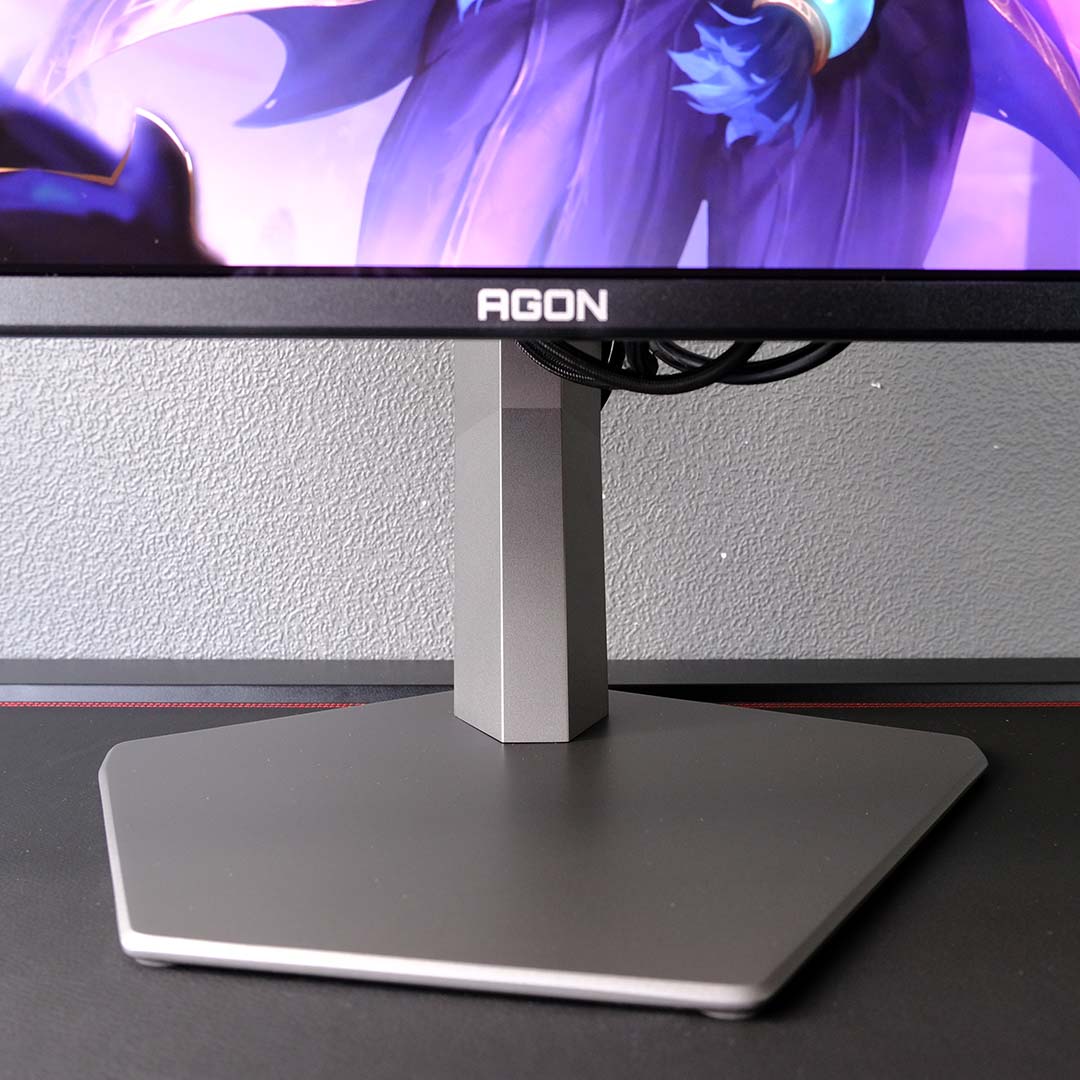
Building the stock stand for the AG326UZD2 is a simple and toolless process, with its base and neck pairing together via a captive screw, but you will need to fish two screws and a screwdriver out from the accessories box to marry the panel. This amounts to a minor inconvenience at most, but it’s curious to see AOC still rocking this antiquated approach when tool-free installation is now so ubiquitous across the monitor space.
With the monitor now fully-built, there’s a welcome amount of adjustability with which to play. The stand offers 150mm of height adjustment, 16° of swivel, as well as a 28° range of tilt, in addition to 90° of rotation both clockwise and anti-clockwise. Sure enough, getting the screen into the ideal position for your setup is straightforward. Of course, you can use the VESA mount and a monitor arm instead if you’d prefer.
Cable management on the AG326UZD2 is simple but surprisingly effective. A plastic clip sits on the stand’s spine, ready to snare any wires you plan on routing into the monitor, keeping them taut and out of sight. While my small collection of just a DisplayPort 2.1 plug and a C13 mains cable fit nicely, adding HDMI and USB cables is snug to the point where I’d welcome some extra room.
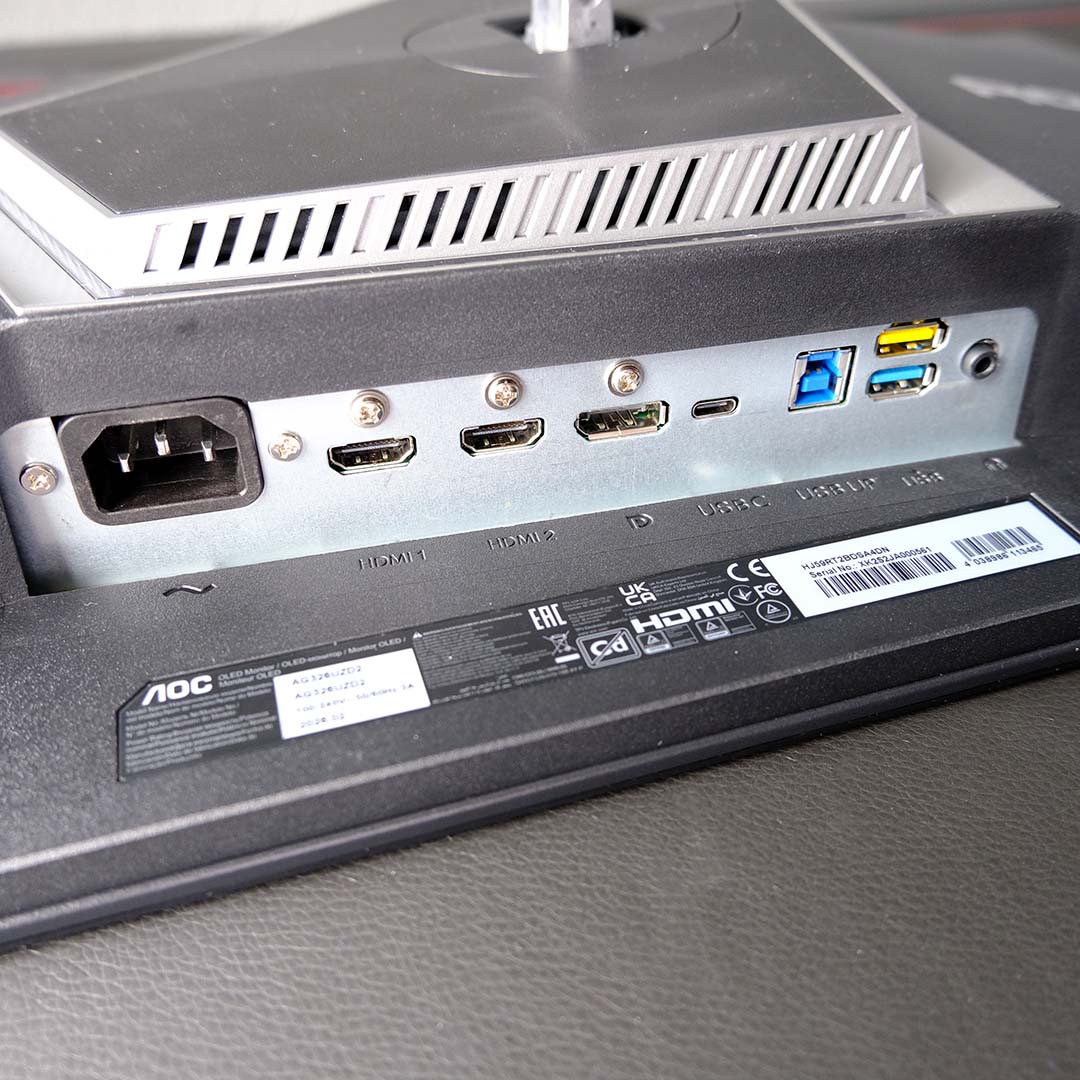
On the subject of cables and ports, the AG326UZD2 arrives with two HDMI 2.1 inputs and a lone DisplayPort 2.1 UHBR20 socket. Both HDMI ports are capable of outputting a 4K/240Hz signal, bringing out the full capabilities of the monitor. However, those with graphics cards featuring DP 2.1 output will want to stick that connection, given its higher bandwidth (48Gb/s vs. 80Gb/s), mitigating the potential for Display Stream Compression (DSC) artefacts.
In terms of peripheral connections, you’ll find two USB-A ports on the AG326UZD2’s underside. In typical AOC fashion, one is blue while the other is yellow, the latter denoting faster charging speeds. There’s also a USB-C port, which not only supports DP Alt Mode, but also arrives with 65W of power delivery, making it possible to run a single cable connection from some laptops. There are monitors that are more generous with wattage, reaching 98W, but these understandably come at a higher cost.
Sweetening this suite of ports all the more is a KVM switch, making it possible to share peripherals across two systems (via USB-B and USB-C). As someone who regularly swaps between a laptop and PC, this is a feature I thoroughly welcome.
Rounding off the port selection, there’s a 3.5mm output for headphones or speakers. That’s not the only audio offering in the AG326UZD2, though, as the monitor arrives with dual 8W speakers. They’re no replacement for a dedicated speaker setup, and are particularly lacking when it comes to lower frequencies, but they’re surprisingly loud and perfectly adequate for casual background listening, and for Windows notifications.
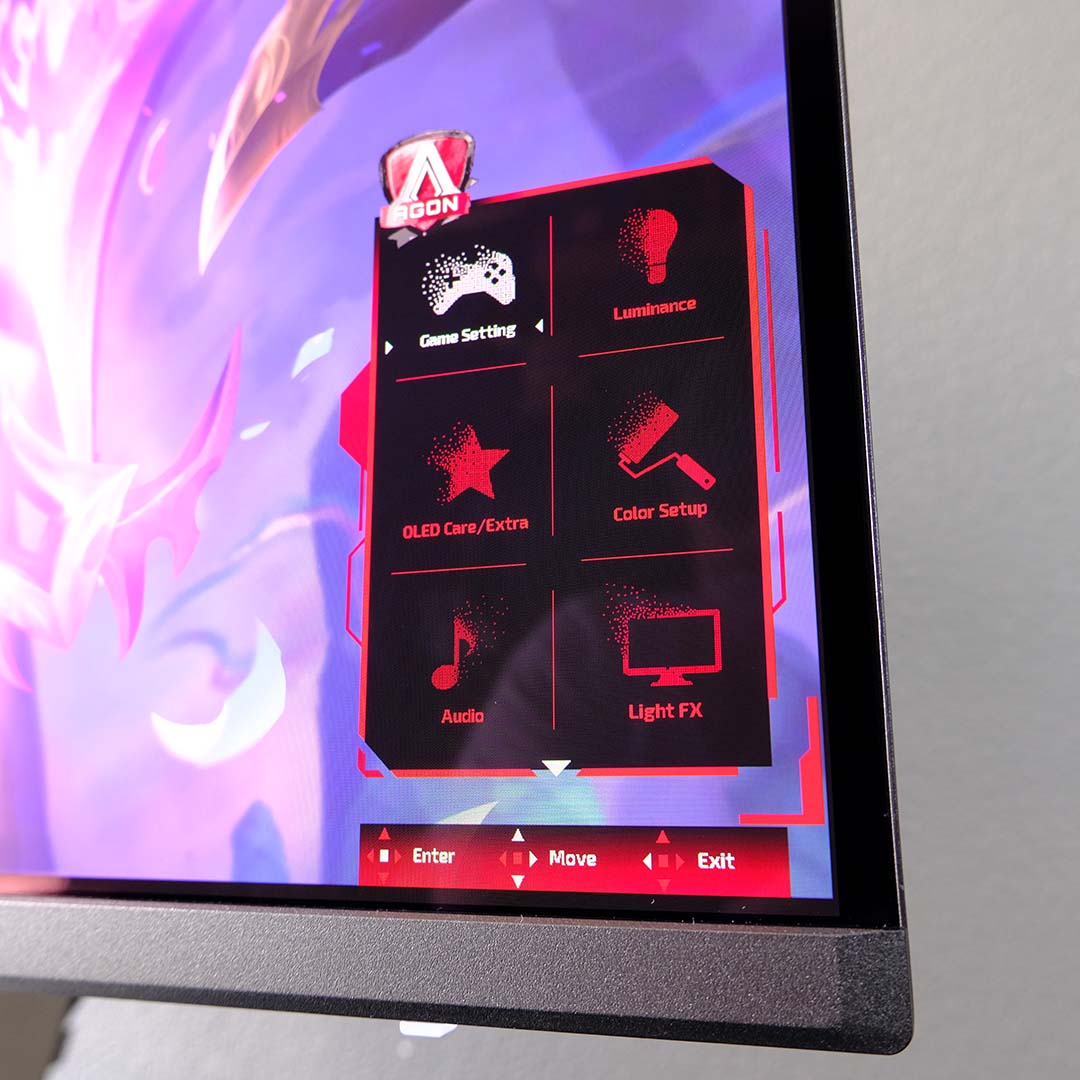
The Agon on-screen display OSD feels a touch behind the times, both in its aesthetics and size. AOC announced plans to give its monitor menus a facelift in the near future, and it’s a shame that work hasn’t materialised here. All that said, the firmware remains functional and feels solid in action, with controls and navigation achieved via the back-right-mounted joystick. Thankfully, you will find a more modern interface via AOC’s G-Menu software.
There’s a solid assortment of useful features within the OSD in addition to usual picture controls (brightness, contrast, and so on). I’m happy to see sRGB and DCI-P3 clamps, allowing for more accurate hue reproduction in either colour space. It’s here that you’ll also find controls for the HDMI ports, which arrived in their ‘Console/DVD’ mode by default, capping refresh rate to 120Hz to maximise compatibility with those devices. Meanwhile, picture-in-picture support is always welcome.
Given the AG326UZD2 is an OLED screen, there are naturally several burn-in protections built into the firmware. This includes an automatic pixel refresh system that engages while the monitor is in standby mode, alongside pixel shifting. There are more anti-burn-in features in the suite, such as logo protection, but AOC curiously disables them by default. In any case, I’d recommend leaving these settings at stock, although you’re free to tinker with these preventative measures as much as you like.
Performance
Driving a monitor like the AG326UZD2 requires serious hardware – we’re talking RX 9070 XT and RTX 5070 Ti territory at a minimum. However, if you’re capable of meeting such requirements, this marriage of 4K resolution, 32in panel size, and QD-OLED screen technology all come together for a marvellously sharp and colourful gaming experience.
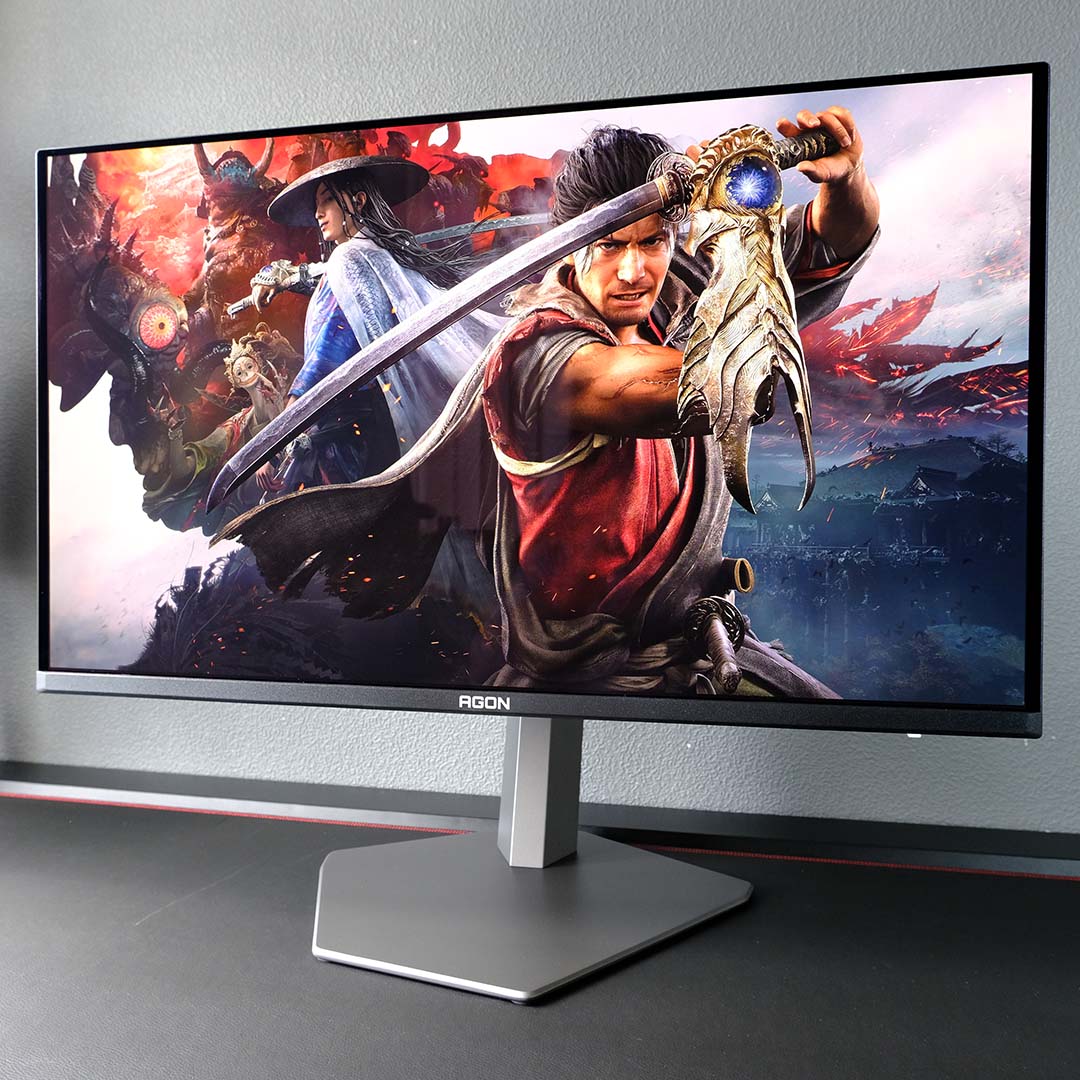
The AG326UZD2’s large screen size makes it a natural fit for cinematic single-player titles. In the wake of Summer Games Fest, I’ve been checking out the Onimusha: Way of the Sword demo, and this game looks and plays absolutely fantastic on this screen. All those 32 inches go a long way in selling the scale of environments and imposing nature of enemies, while texture detail pops all the more thanks to the pin-sharp resolution.
The yellow eyes and purple-pink flesh tones of the game’s demons stand out across SDR and HDR modes, and this action game’s colour palette is pleasingly vibrant on this monitor. Of course, as a self-emissive display, contrast is pleasingly rich and free of blooming, allowing the darker corners of the blighted Japanese countryside and dark feudal architecture to feel all the more menacing. It’s truly difficult to go back to backlit displays once you experience visual quality like this.
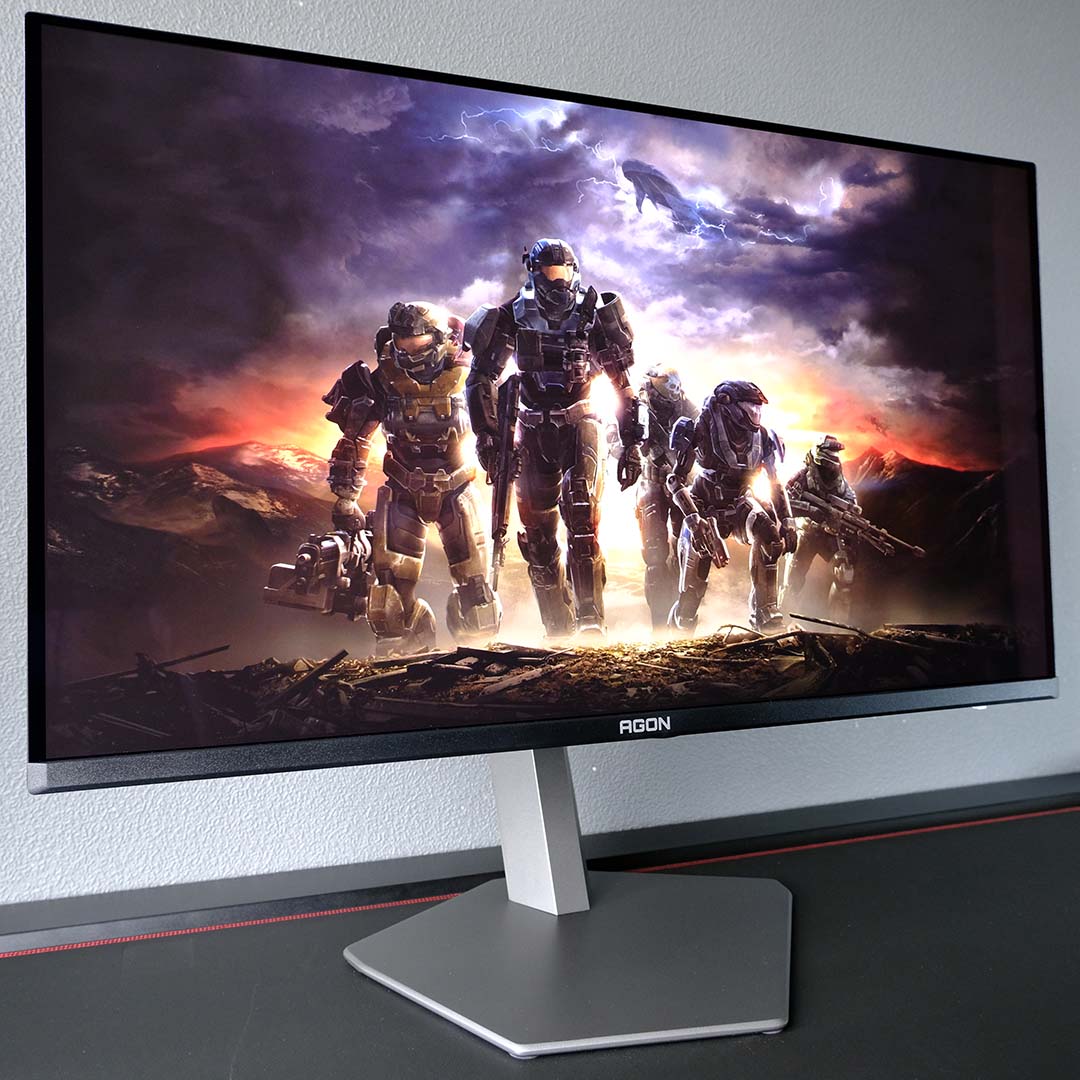
While we wait for Halo: Campaign Evolved to arrive, my friends and I have decided to run through Halo: Reach for the umpteenth time. As a less-demanding title, hitting 240fps consistently on my system isn’t too difficult even at 4K. While it’s not a competitive FPS, playing the game at such a high frame rate is sumptuously smooth, and the high motion clarity makes landing shots on fast-moving enemies of all shapes and sizes much easier.
All of the visual and motion perks I’ve described naturally extend to other genres, with both League of Legends and Forza Horizon 6 similarly playing and looking fantastic on the AG326UZD2. While there is some merit to considering ultrawide panels at this price, particularly if you primarily play single-player games (especially simulators), I much prefer the extra height that comes with sticking to a 16:9 model like this one.
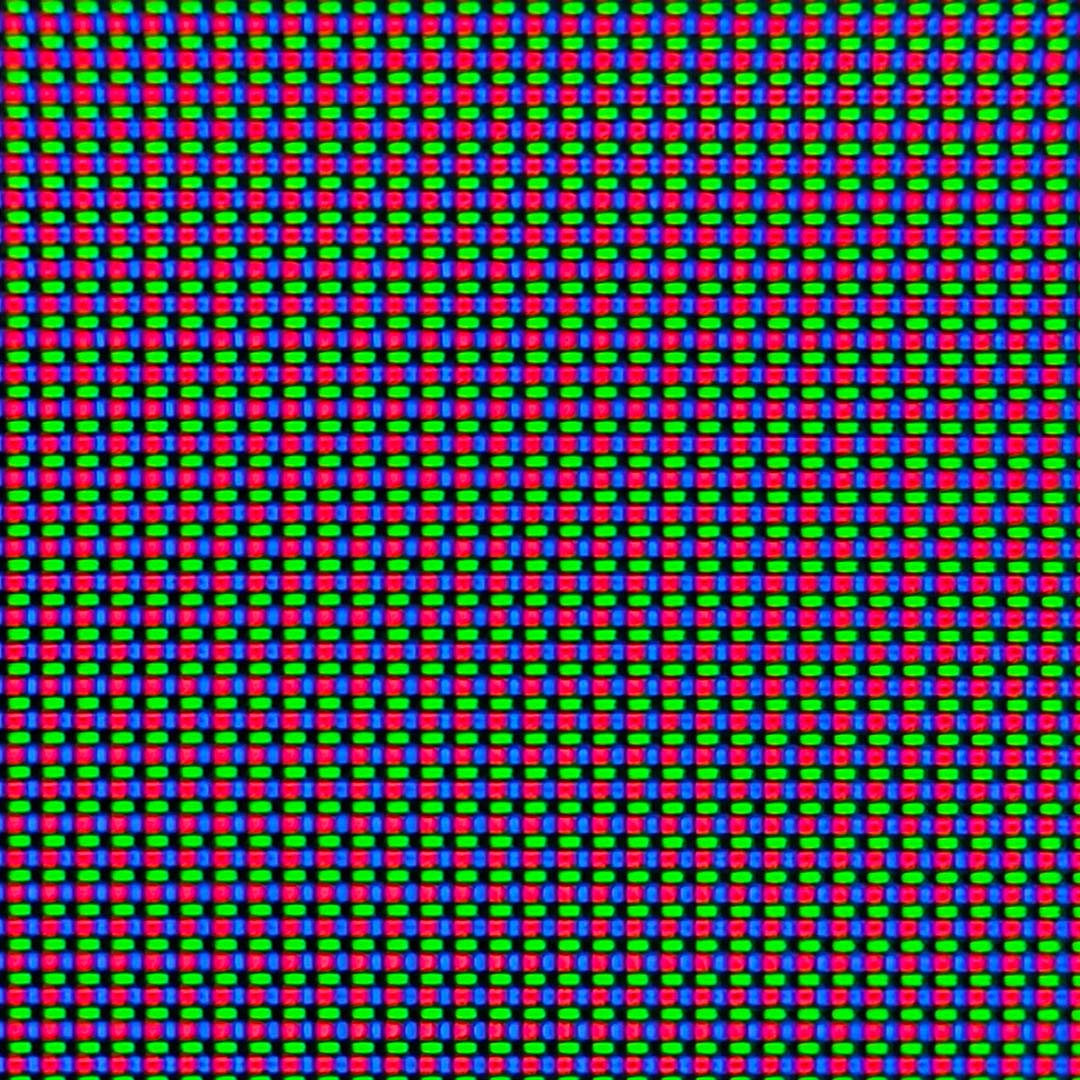
The only drawback to visual quality on the AG326UZD2 is minor text fringing. This problem stems from the panel’s triangular subpixel structure (pictured above), which manifests as purple-green artefacts that surround text elements, particularly when it comes to black text on a white background.
That said, this screen’s 4K resolution goes some way to hiding any fringing, as its pixel density is so high. Furthermore, the degree to which you’ll find this issue distracting will vary from person to person.
Colours
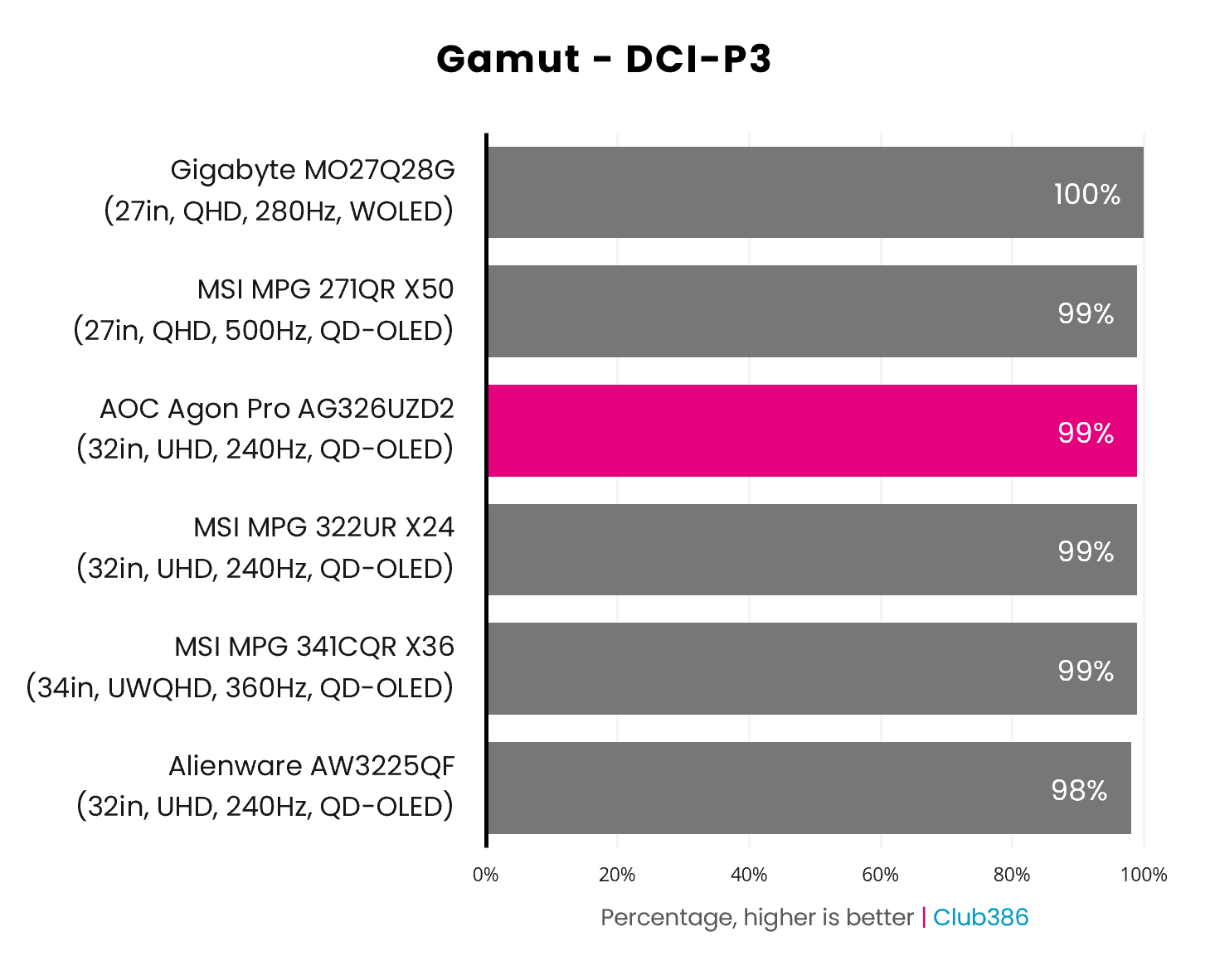
A wide gamut is par for the course with every recent self-emissive screen we’ve tested, and the AG326UZD2 is no exception, covering 99% of the DCI-P3 colour space. This result puts the AOC on par with other Penta Tandem QD-OLED displays, including the more-expensive MSI MPG 322UR X24. In real terms, this means the panel is capable of producing practically every hue you’ll find inside HDR media, benefiting games as well as multimedia content.
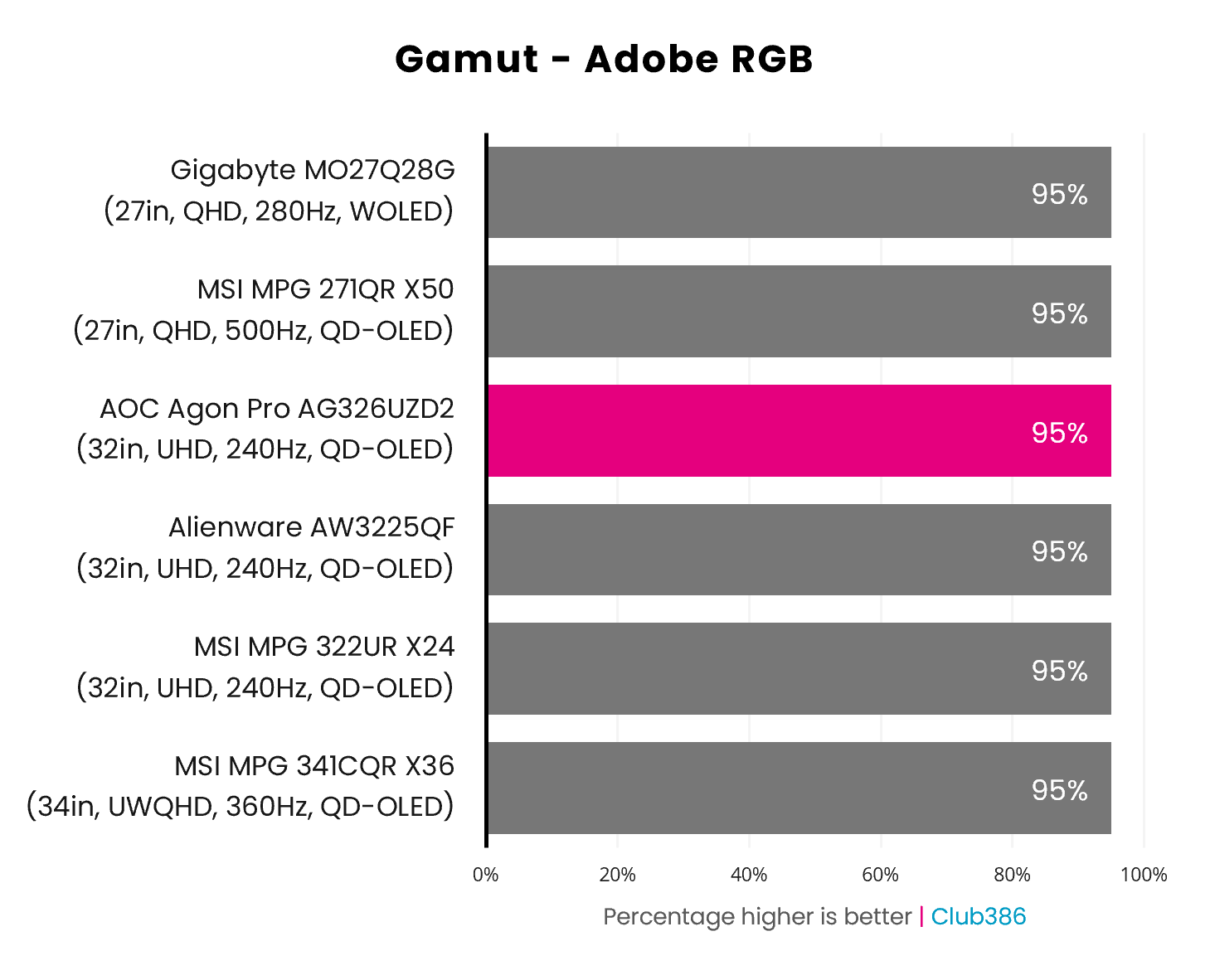
Switching to Adobe RGB, and the AG326UZD2 covers 95% of the colour space, mirroring all other monitors on the chart. This potentially makes the AOC a relatively strong candidate for colour-critical print work, as long as you can put up with minor fringing around text.
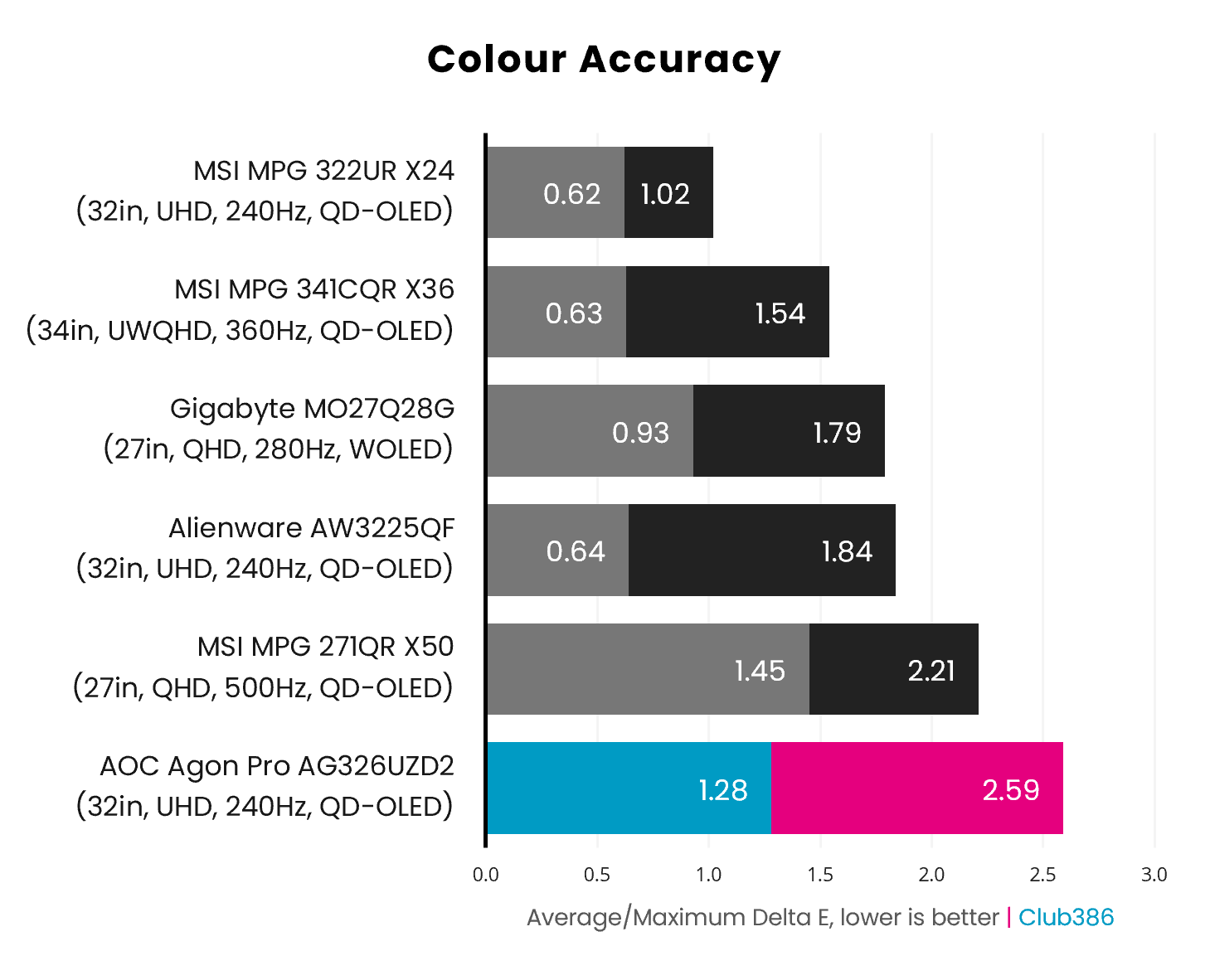
Out of the box, the AG326UZD2 turns in respectable colour accuracy credentials. While the monitor’s 1.28 average Delta E is on the higher side, this value still falls well below the perceptible threshold of ≤2. However, there are some near-black shades that push maximum Delta E up to 2.59. This is still a solid result, but it does put AOC’s contender on the back foot relative to rivals.
Brightness
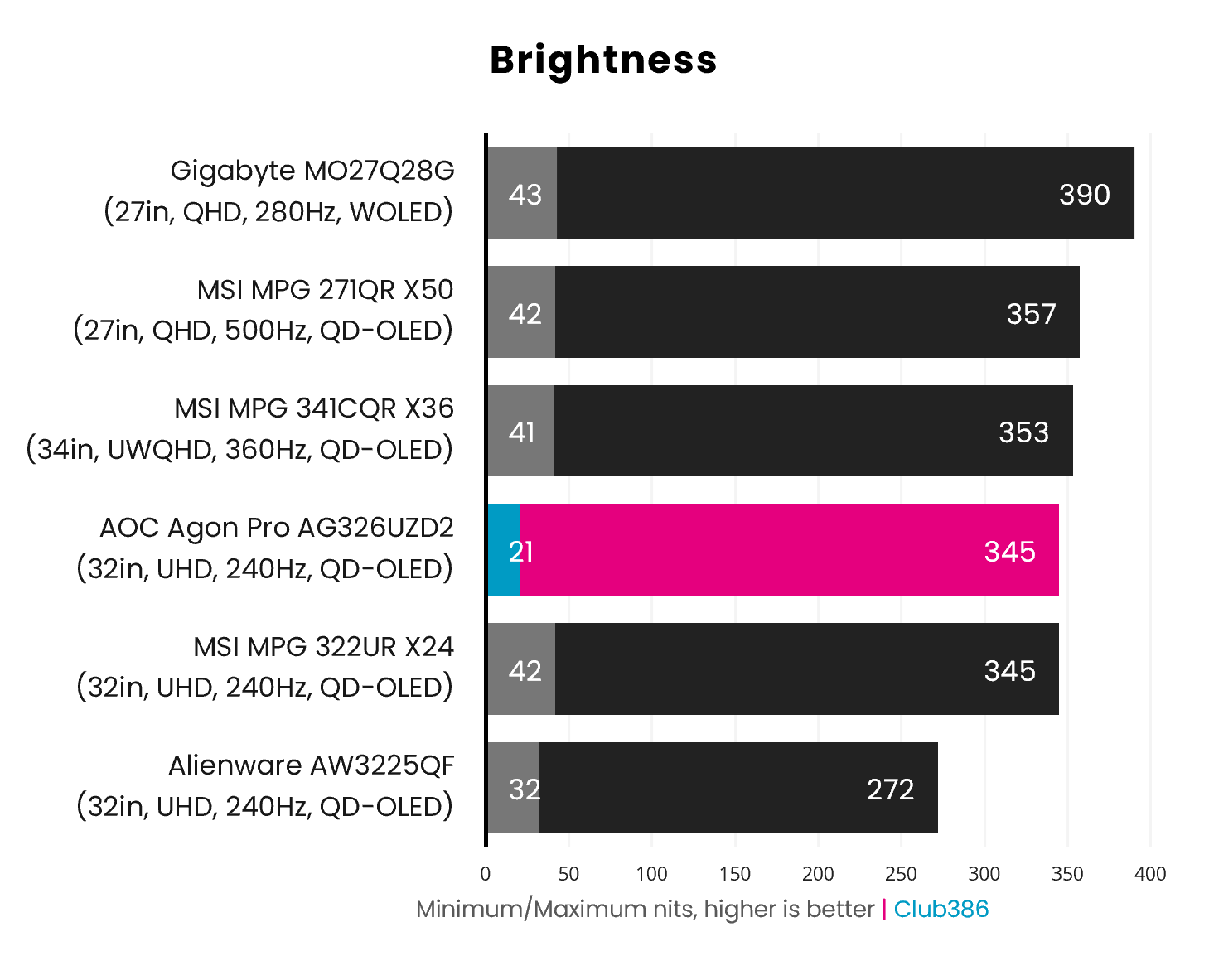
The advantages of Penta Tandem tech come to roost while measuring brightness, as the AG326UZD2 shines out at up to 345nits. This marks a welcome 27% improvement over prior 4K/240Hz QD-OLED panels, as comparisons to the Alienware AW3225QF show. However, new WOLED panels, such as the one used in the Gigabyte MO27Q28G, remain the brightest self-emissive screens for SDR content on the market.
Sporting VESA DisplayHDR True Black 500 certification, the AG326UZD2’s HDR brightness peaks at 500nits, with a full-screen flash outputting at a minimum of 300nits. This is as good as luminance gets on QD-OLED for the moment, but True Black 600 monitors will materialise towards the beginning of 2027.
Uniformity
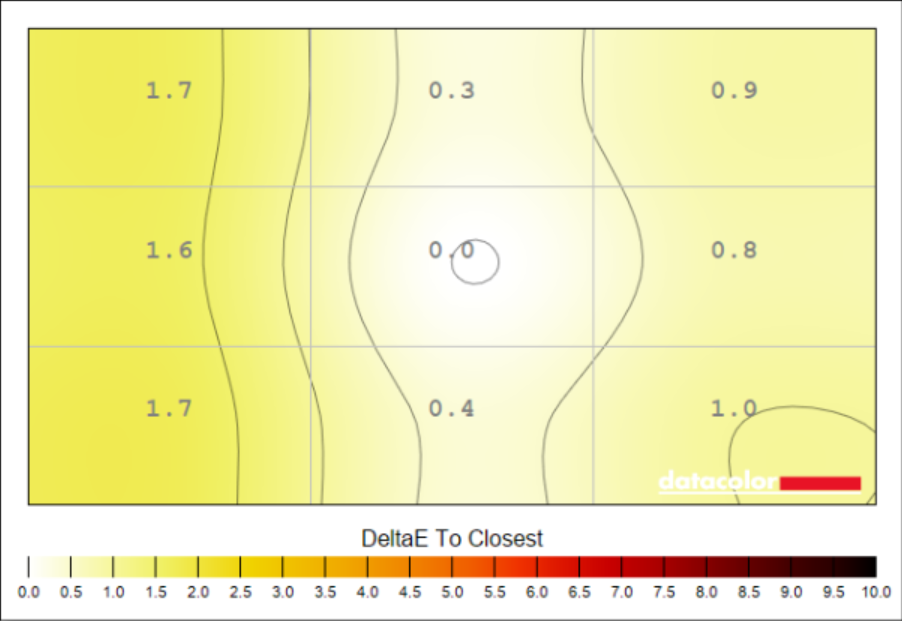
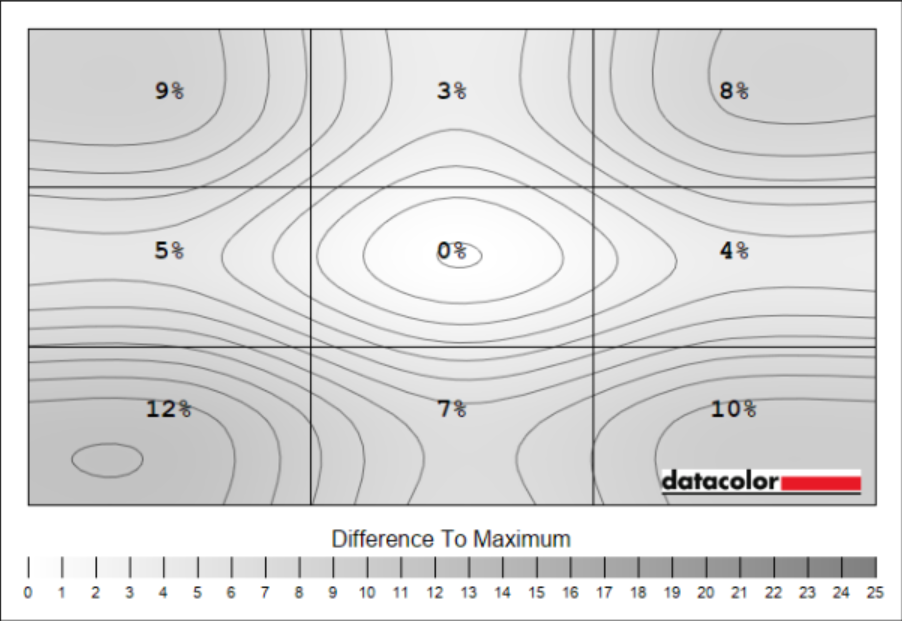
Colour uniformity is expectedly strong on the AG326UZD2, with Delta E variances ranging between 0.3 and 1.7. Those errors are practically imperceptible to the human eye, meaning you can expect consistent hues across the panel.
Luminance deviations are a touch higher than I’d expect from a QD-OLED panel, but nothing too concerning. At worst, we’re talking about variances of 37nits, which are difficult to discern in real-world usage.
Power
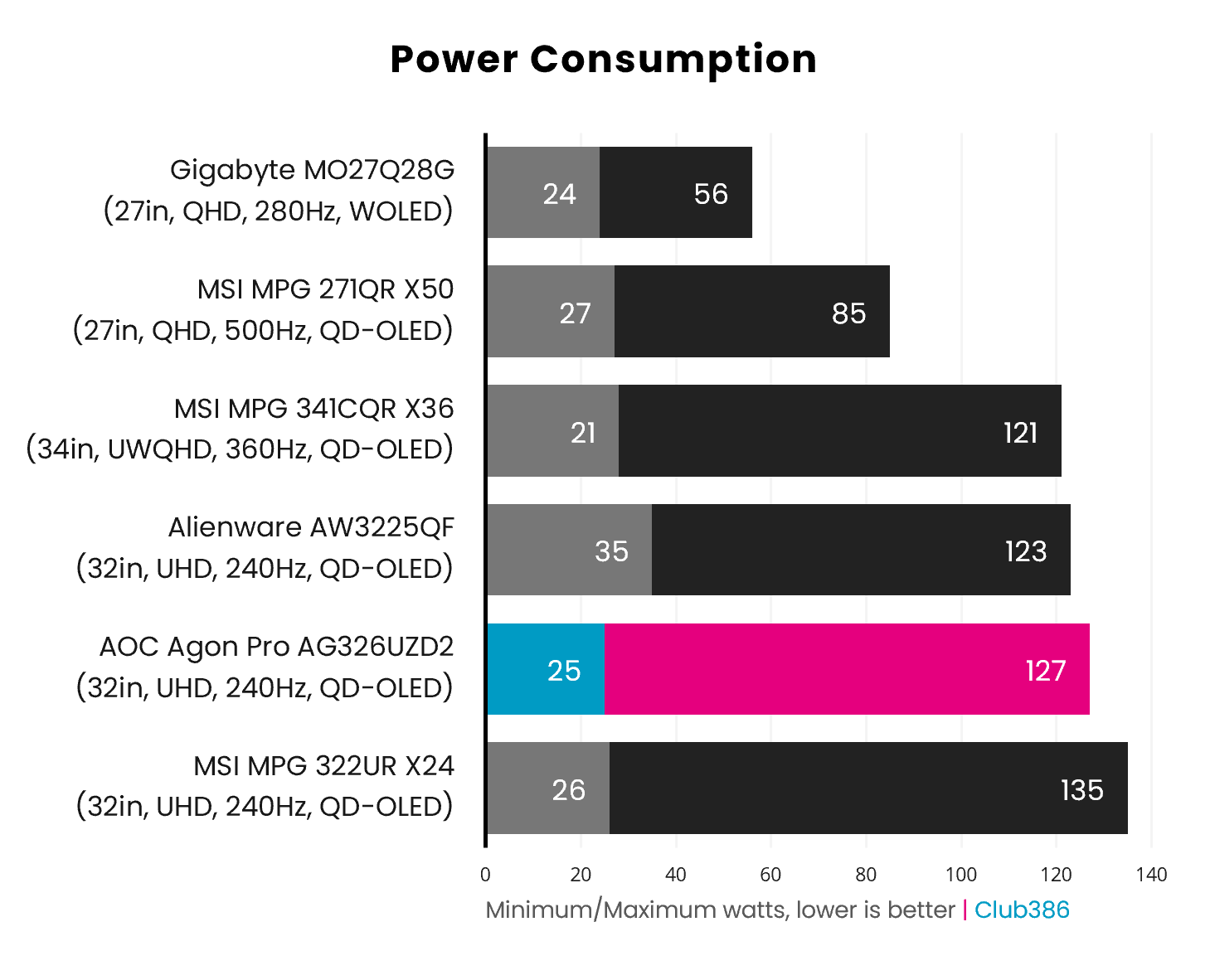
Adopting a large QD-OLED monitor with a high resolution and fast refresh rate unavoidably means tolerating a relatively high power draw. I measured power consumption in the range of 25-127W, which is right in line with the MSI MPG 322UR X24.
While these results are a smidge higher than those of older 4K/240Hz monitors, such as the AW3225QF, the likes of the AOC AG326UZD2 and other Penta Tandem QD-OLEDs are still more efficient, offering more nits per watt. All that said, WOLED remains king in this regard.
Conclusion
Joining the wave of new 32in 4K QD-OLED monitors hitting the market in 2026, the AOC AG326UZD2 holds its own and carves out a space for itself as a slightly more-affordable route to owning such a high-end display. This panel is practically as good as more-expensive options in terms of image quality, while proving notably brighter and more efficient than older models.
In terms of competition, the AG326UZD2 is the smarter choice over the similarly priced Gigabyte MO32U24, as the latter lacks a KVM and only offers 18W of power delivery via its USB-C port. The MO32U24 delivers marginally better colour accuracy and uniformity, but nothing that proves transformative in its favour.
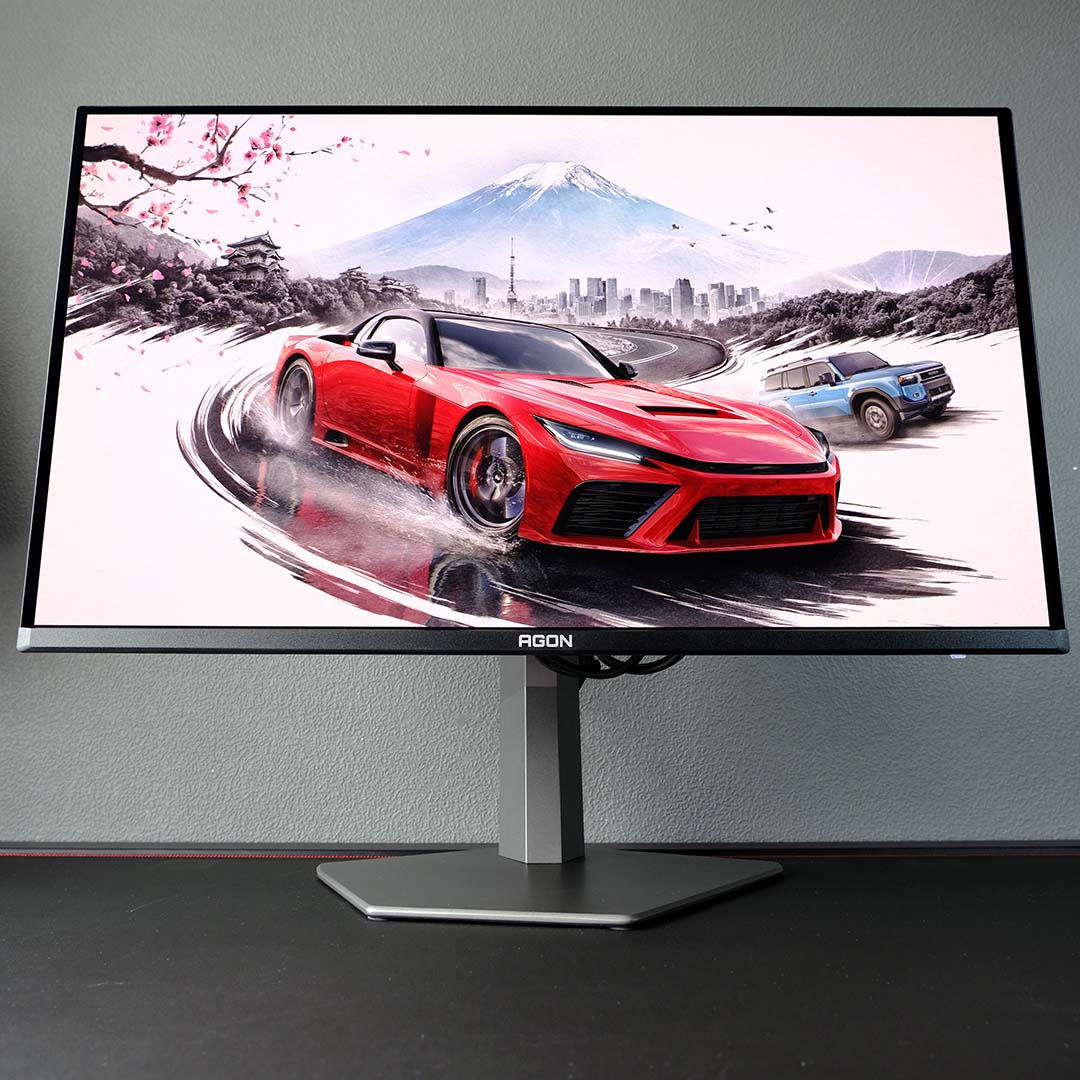
The real competition for the AG326UZD2 is the MSI MPG 322UR X24. This rival ups power delivery to 98W via USB-C and sports a unique AI Care Sensor, in addition to slightly better colour accuracy and uniformity. Spending an extra £50 for those advantages is reasonable if they hold appeal, but I’d describe all of them as nice-to-have features rather than absolute improvements over AOC’s offering. For those who want the lion’s share of the best a 4K QD-OLED monitor can offer in 2026, the AOC Agon Pro AG326UZD2 comes heartily recommended.
