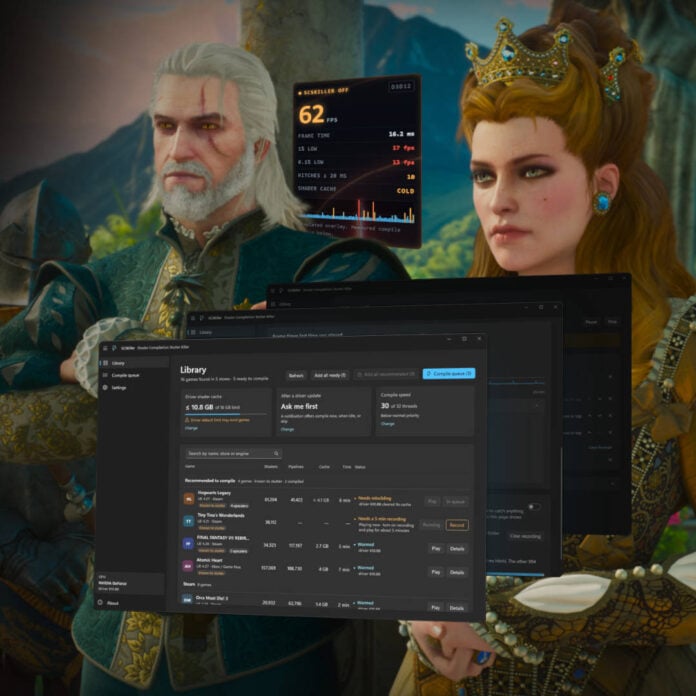
A new app called SCSKiller aims to fix shader compilation stutters in games, making for smoother play. It pre-compiles shaders before your game launches, running and storing them in the driver’s dedicated folders, so your GPU can access ready-to-go machine code instead of wasting valuable CPU resources during gameplay.
Shader compilation is the process of translating human-readable shader code into low-level, GPU-executable (machine code) instructions so your graphics card knows how to render visual elements like lighting, shadows, and textures. While some games run this process during the first launch, before letting you play, others do it as you progress and as new shaders are required. The issue is that compiling shaders requires a fair few compute resources, so doing it during gameplay causes annoying stutters/freezes that break the experience.

To avoid this situation, we’ve already seen Microsoft Advanced Shader Delivery as well as Intel Precompiled Shader Distribution, which allows the graphics driver to download ready-to-use shaders from the Cloud and skip the local compilation phase. Unfortunately, these solutions to the problem are still new, meaning only a handful of games support them.
Enter SCSKiller, a free and open-source tool that detects games installed on your PC and precompiles shaders before you even launch them. These are then stored inside your driver’s cache folder so your GPU can access them even when SCSKiller is closed. This way, you should get a smooth experience from the get-go, regardless of whether the game supports one of the aforementioned cloud-based shader delivery systems.

At the moment, SCSKiller works with Nvidia and AMD GPUs; no Intel support yet. Most notably, it even works with games where shader pipelines can’t be extracted. For these, SCSKiller uses an optional tool that detects related shaders during gameplay and compiles them afterwards.
Understandably, pre-compiling shaders will require some time to finish, as SCSKiller still relies on your system to do the calculations. On the plus side, once that wait time is out the way, you shouldn’t get any more shader-related stutters.
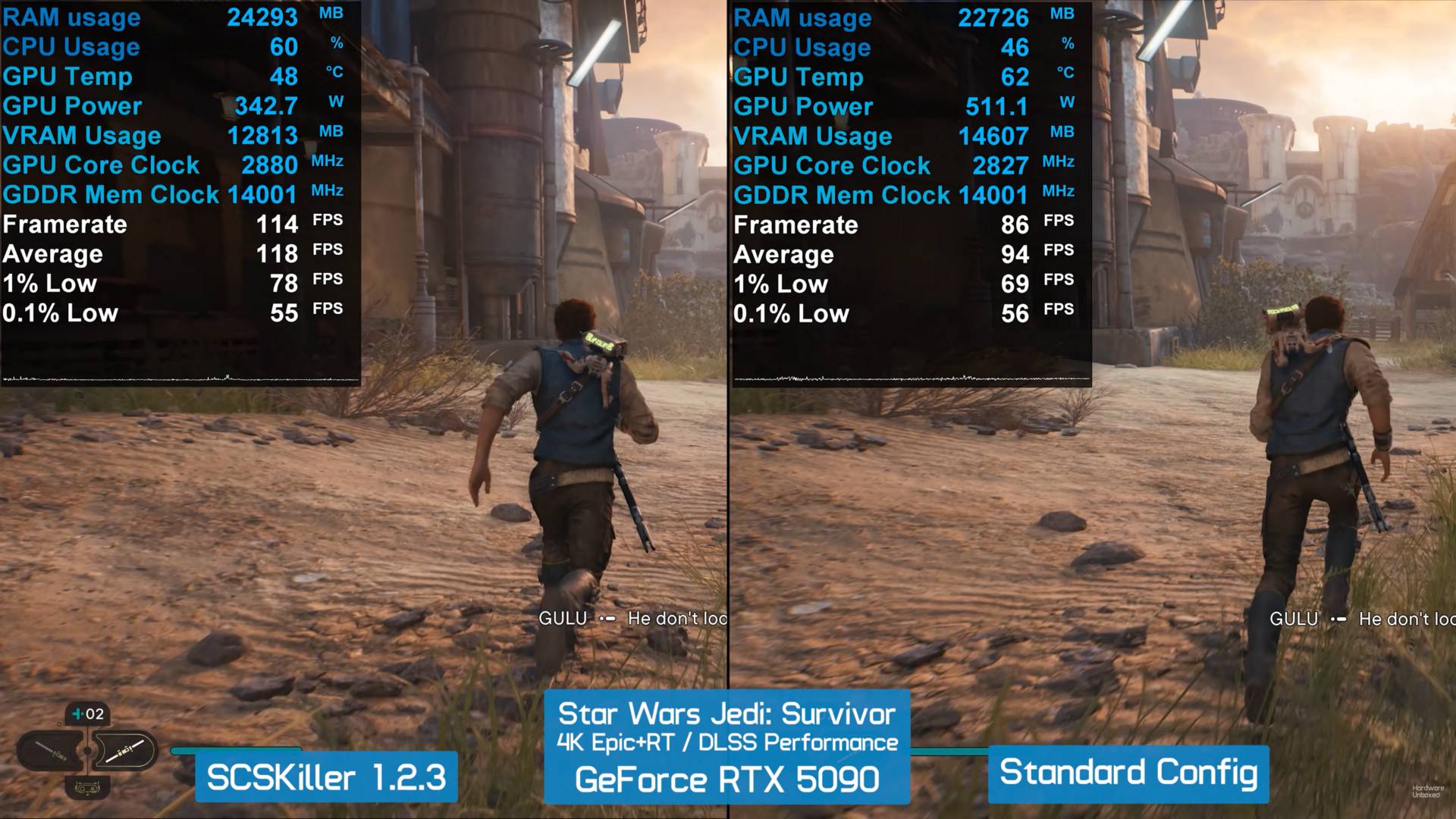
To test the developer’s claims, YouTube channel Hardware Unboxed took SCSKiller for a spin and tested it in multiple scenarios using a Ryzen 7 9800X3D system. Starting with Star Wars Jedi: Survivor, the game’s average and 1% low frame rates improved by about 25% using SCSKiller.
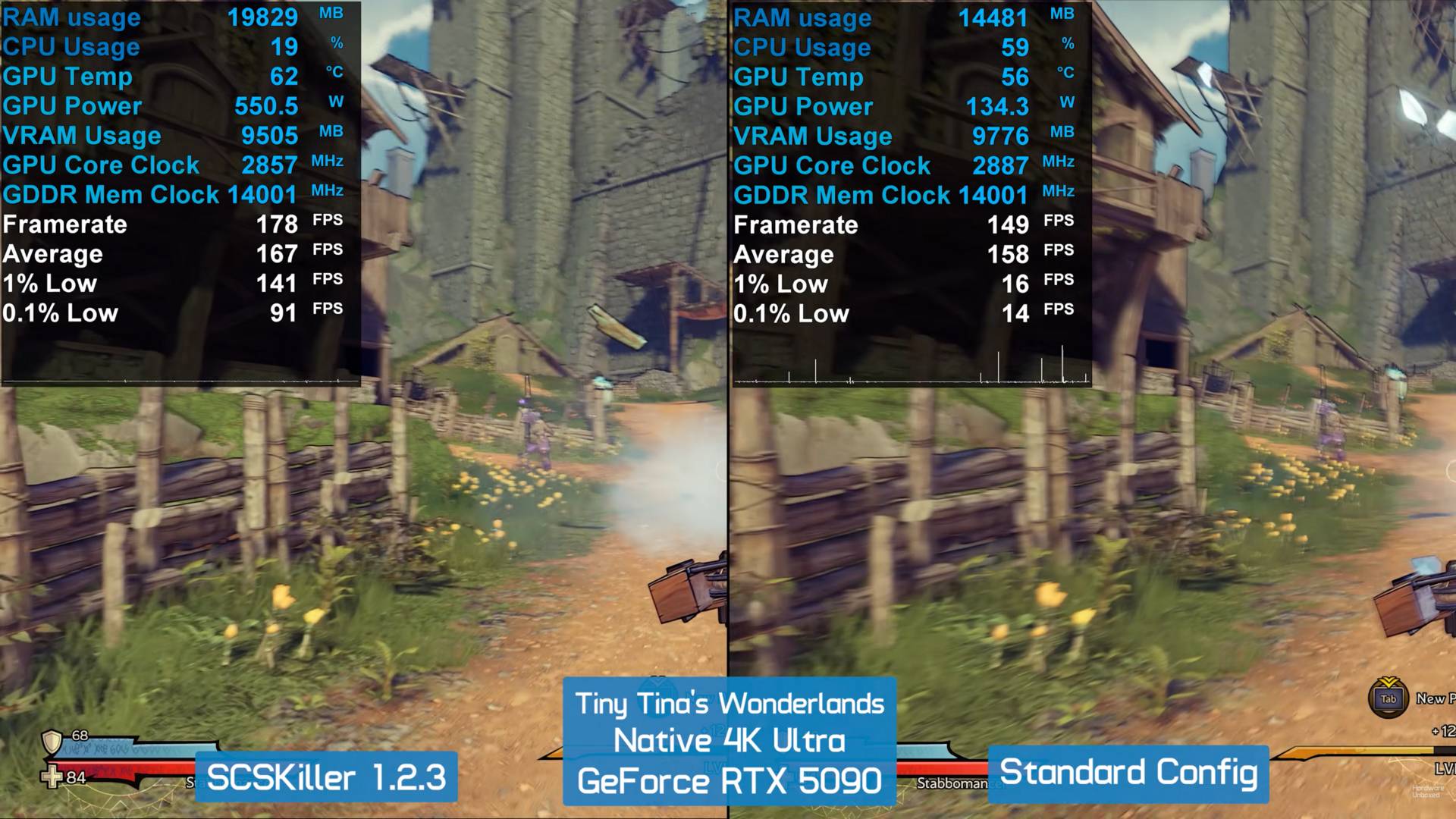
Most notably, in Tiny Tina’s Wonderlands, Hardware Unboxed measured a massive jump after using SCSKiller, boosting 1% lows going from a ~19fps slideshow to a smooth +140fps. That said, some games, such as Hogwarts Legacy and Grounded, didn’t see any benefit from SCSKiller, but results may differ on slower systems where the CPU can’t handle both game logic and shader compilation at the same time.
Note, however, that pre-compiling shaders requires storage and system memory. The former is used to store the pre-compiled shaders for future use, while the latter is used to hold them for quick access during gameplay. Also note that driver updates do remove previously compiled shaders, but SCSKiller is designed to rebuild them whenever it detects a change.
For example, in the case of Star Wars: Jedi Survivor, the game didn’t suffer from shader stutters in its standard configuration. Using SCSKiller improved performance, but at the cost of 7% higher RAM usage.
Interestingly, Hardware Unboxed found that AMD Radeon GPUs don’t need SCSKiller on many titles, including Unreal Engine 4 and 5 games, thanks to a built-in background shader compilation feature that ships with Adrenalin Edition 26.9.2 and newer drivers. SCSKiller can still help Radeon users in many other games, but it’s Nvidia GeForce users who benefits the most, especially as Nvidia lets you hold an unlimited-size shader cache, whereas AMD only lets you store 16GB of pre-compiled shaders.
To put it simply, it looks like a handy tool if you can spare some storage space and RAM. Here’s hoping future DirectX comes with a permanent and universal solution to shader compilation stutters