

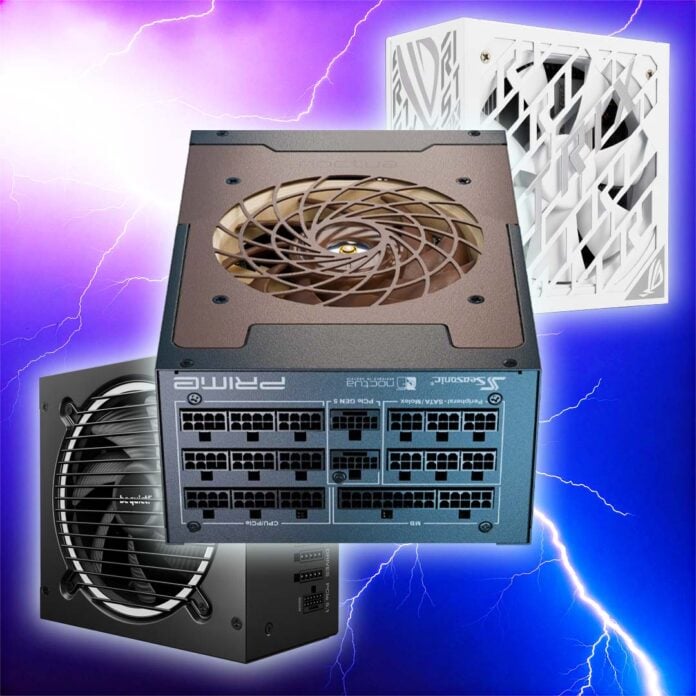
This guide will tell you the best PSU to buy for your needs and budget, all based on our detailed in-house testing, as well as our extensive knowledge and experience. Several members of the Club386 team have been testing PSUs for a long time, back to when flaky, unbranded PSUs genuinely exploded if you pumped their rated wattage through them. Thankfully, most PC PSUs are much more stable these days, but there are still a lot of factors to consider before you hand over your money.
That’s why we conduct our own in-depth testing when we review PSUs. We measure voltage stability on the 12V rail(s) to ensure your CPU and GPU are getting enough power. We also record efficiency at various loads to show how much of the electricity drawn from your mains socket is actually being converted into power for your components – higher efficiency means lower energy wastage, and lower bills, particularly on a high-end PC.
Noise is a big factor as well. We record the noise made by each PSU at a variety of loads to get the big picture. A lot of modern PSUs have semi-passive modes, where the fan doesn’t even spin up at low loads, which is handy for everyday working. However, some PSU fans make a nasty racket when they get going, particularly at high loads. We also measure the ripple of each PSU across several loads, to make sure there are no big, nasty fluctuations in voltage, resulting from imperfect conversion of current from the mains.
The other factors, of course, are features. Modular cabling, for example, makes for a tidier build than a bunch of captive wires that you need to hide away, and some PSUs come with neatly sleeved cables. If you’re powering up one of the latest GPUs with a 12V-2×6 power requirement, it’s also worth looking for a dedicated corresponding cable and output socket on your PSU. Anyway, if you’re here, who’s grooming the power supplies for the PSU parade?
Best PSU shortlist
be quiet! Dark Power 14 1,000W
Seasonic Prime TX-1600 Noctua Edition
be quiet! Pure Power 13 M 850W
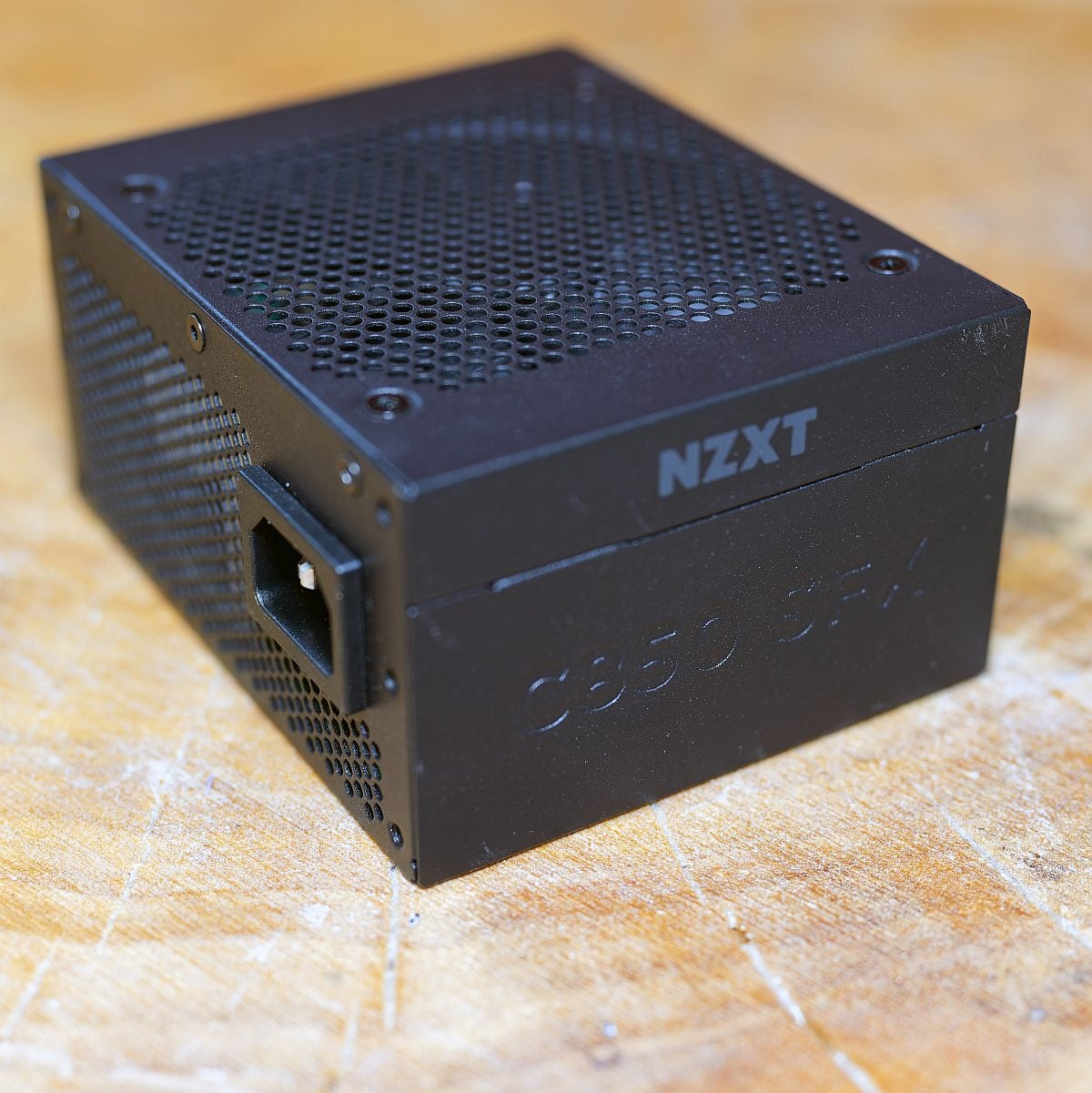
NZXT C850 SFX Gold
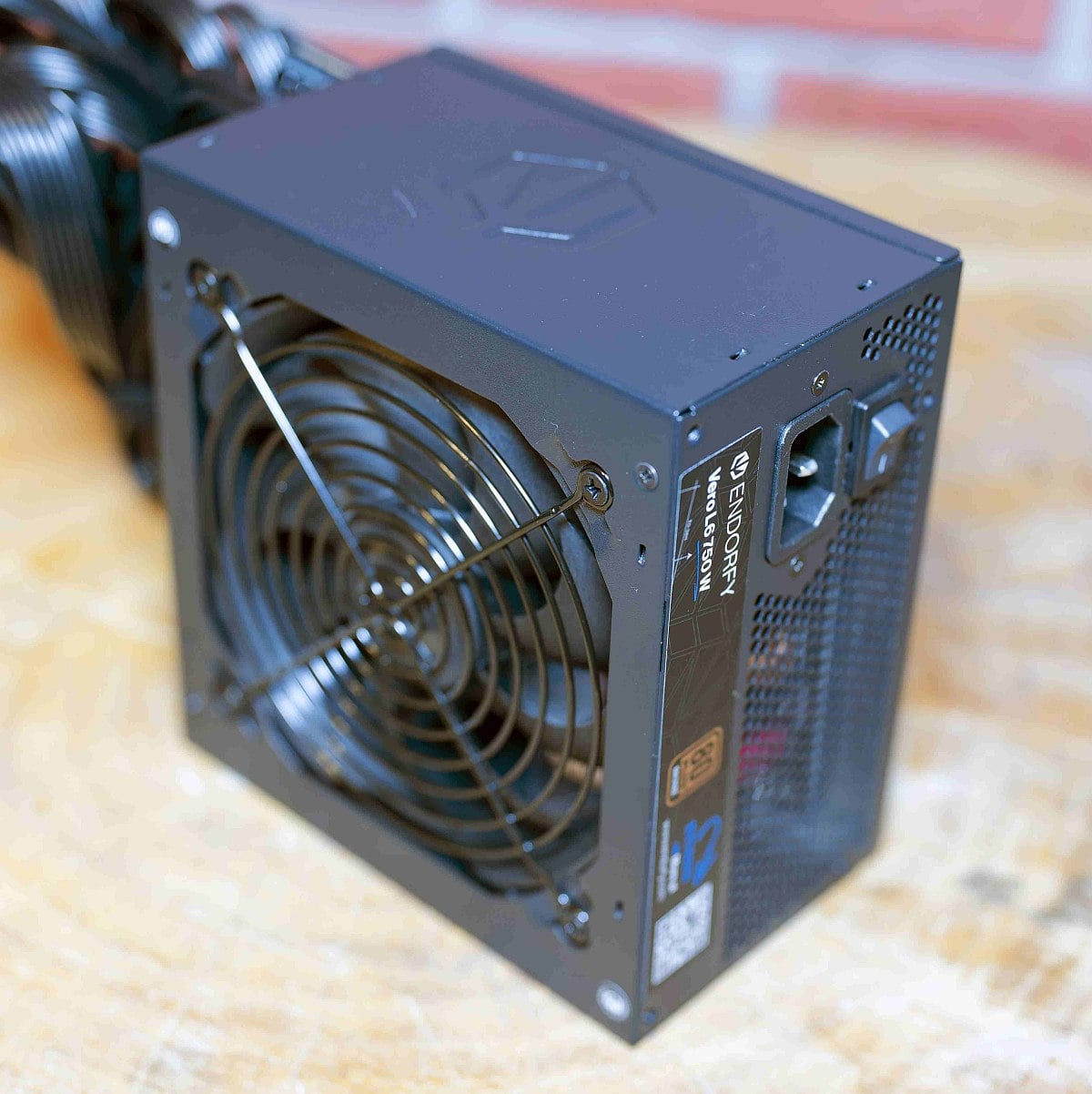
Endorfy Vero L6 750W
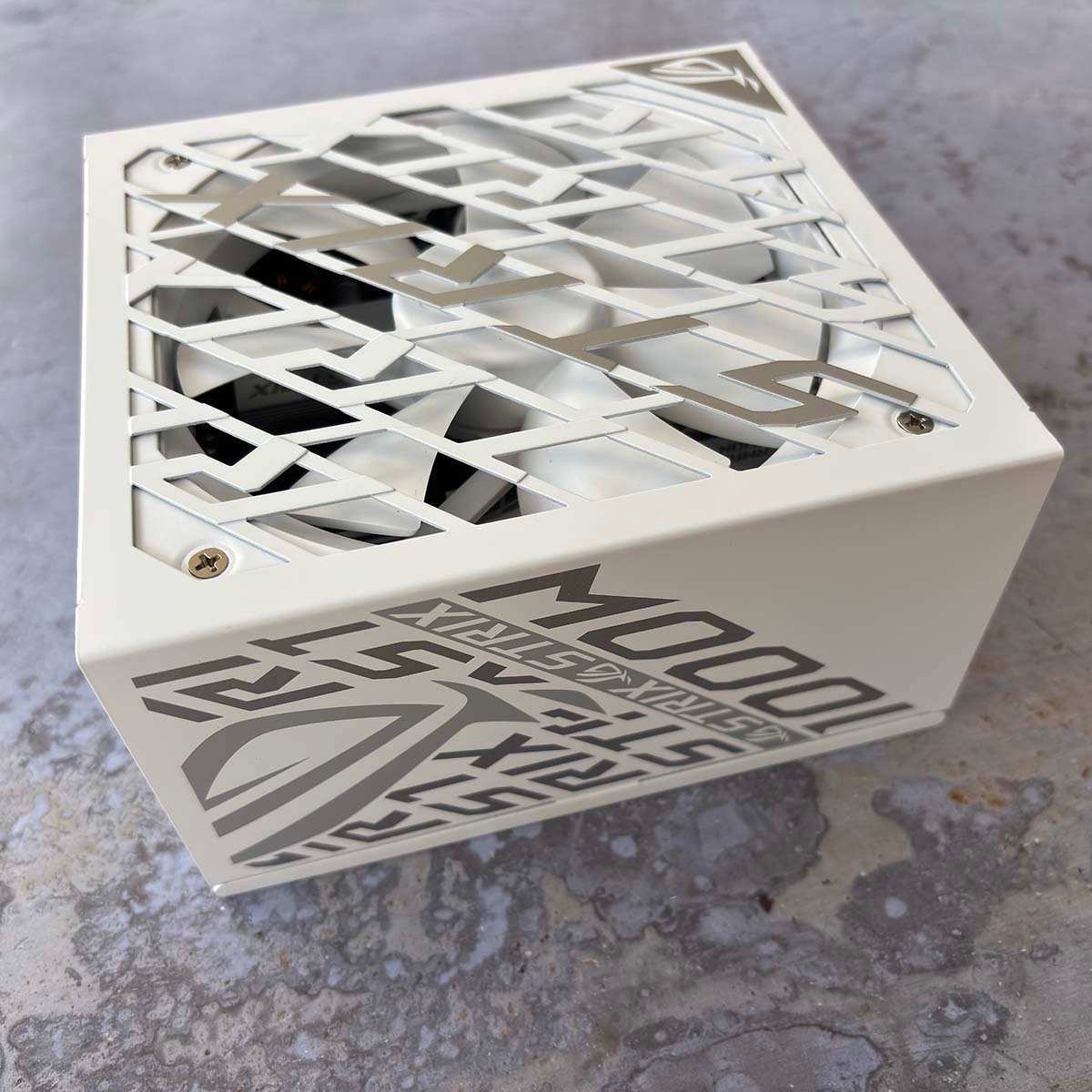
Asus ROG Strix Platinum 1,000W White Edition
In detail
Best PSU overall
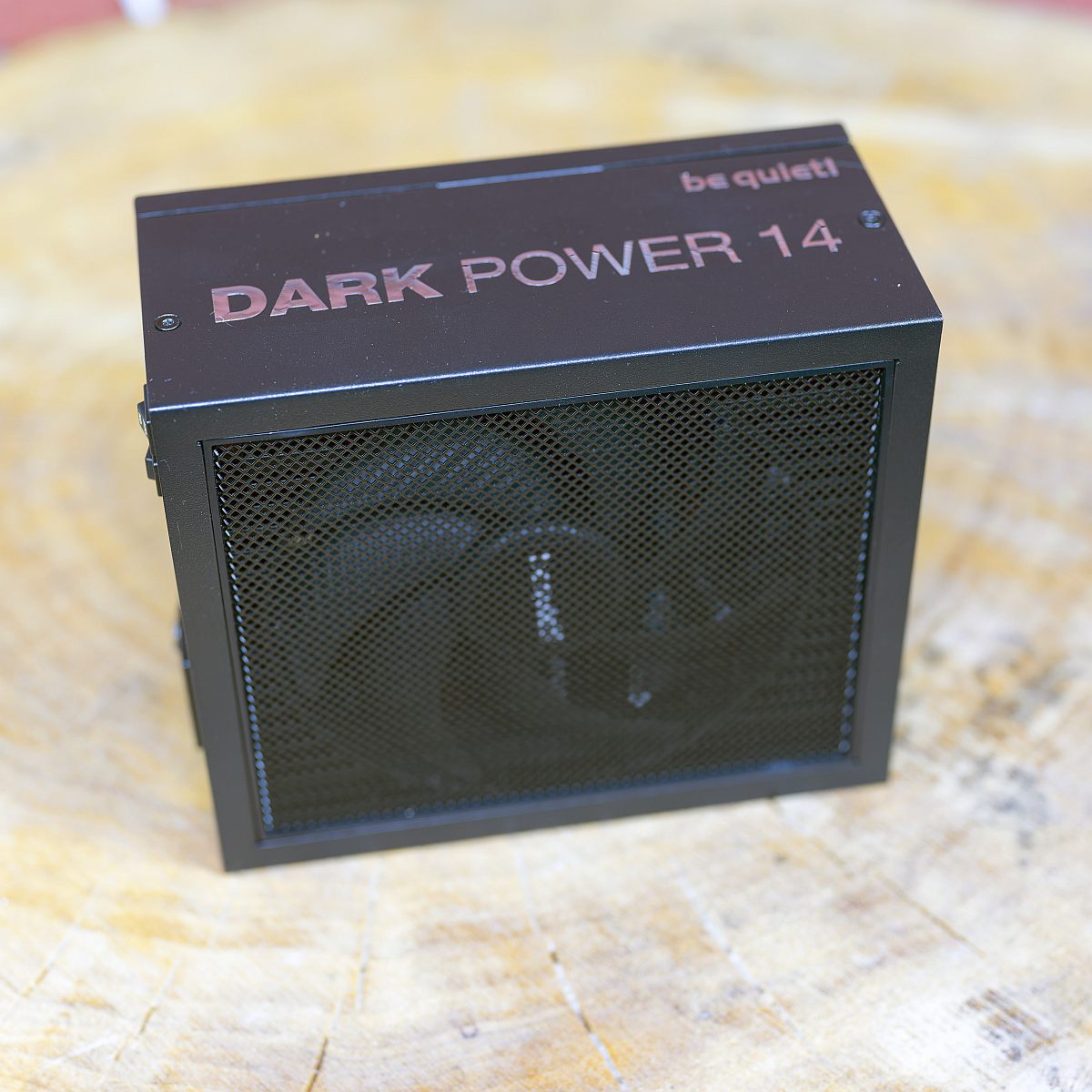
The best PSU overall is the be quiet! Dark Power 14 1,000W. We knew we had a top product in our hands when we were racking our brains trying to come up with at least one con to stick in the summary box at the top of our review. The only possible complaint is that it isn’t cheap, but the Dark Power 14 more than justifies its cost with the quality on offer.
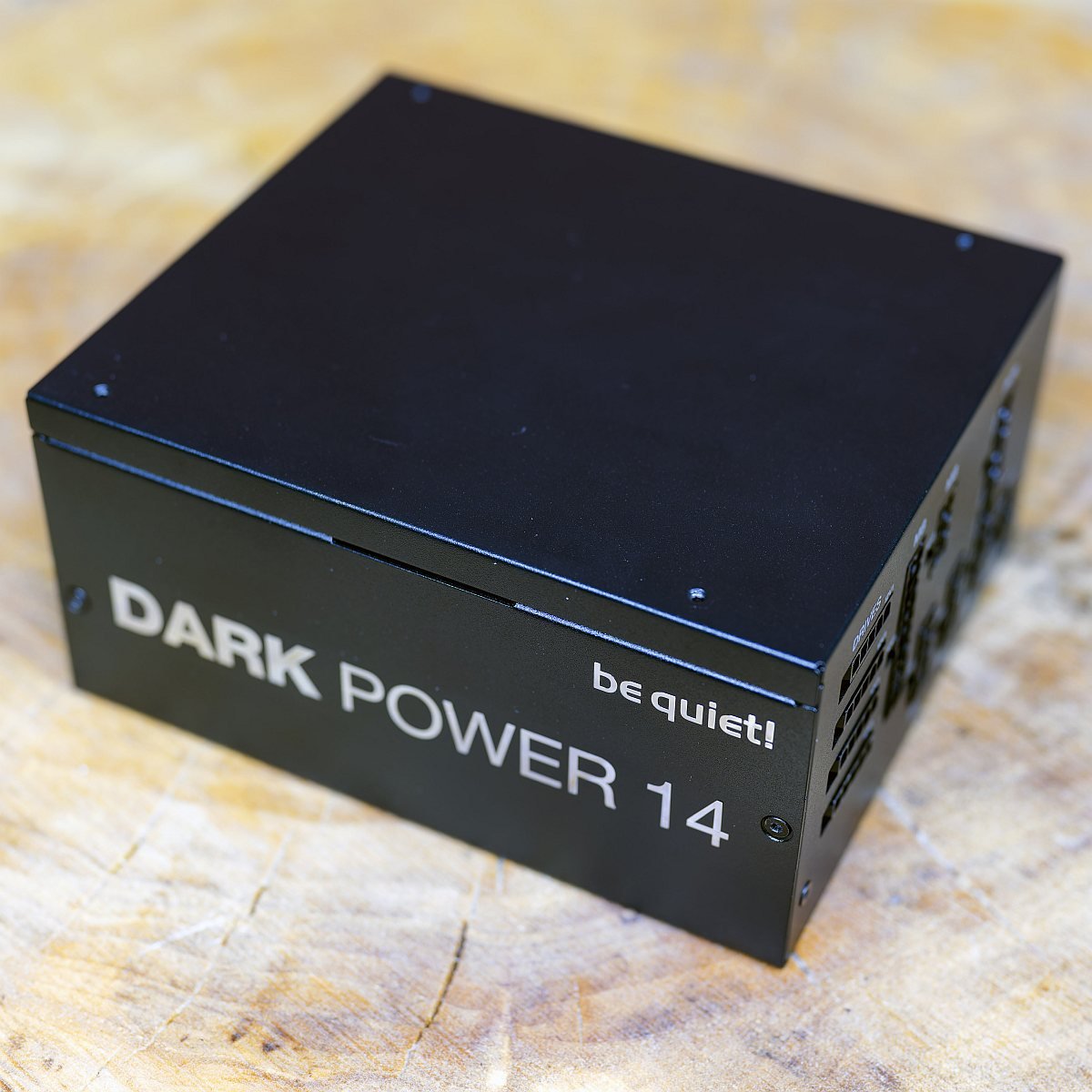

be quiet! Dark Power 14 1,000W
£199 / $265
Pros
- Fantastic performance
- Very low-noise operation
- Incredibly efficient
- 10-year warranty
Cons
- Nope, nothing.
Club386 may earn an affiliate commission when you purchase products through links on our site.
How we test and review products.
In fact, we liked this PSU so much that we decided to put the 1,200W version of it in our own heavy-duty Club386 test rigs. Designed for building a high-end rig using the latest gear, the Dark Power 14 is compliant with both PCIe 5.1 and ATX 3.1, so there’s some decent surge tolerance to account for power-hungry graphics cards.
You also get a dedicated 12V-2×6 output for the latest GPUs, as well as the corresponding cable to plug directly into your card. If you’re happy to tinker with your PSU setup, be quiet! even gives you the option to switch the rail structure. You can either have a massive single 12V rail, or four separate ones, with a total of 84A up for grabs.
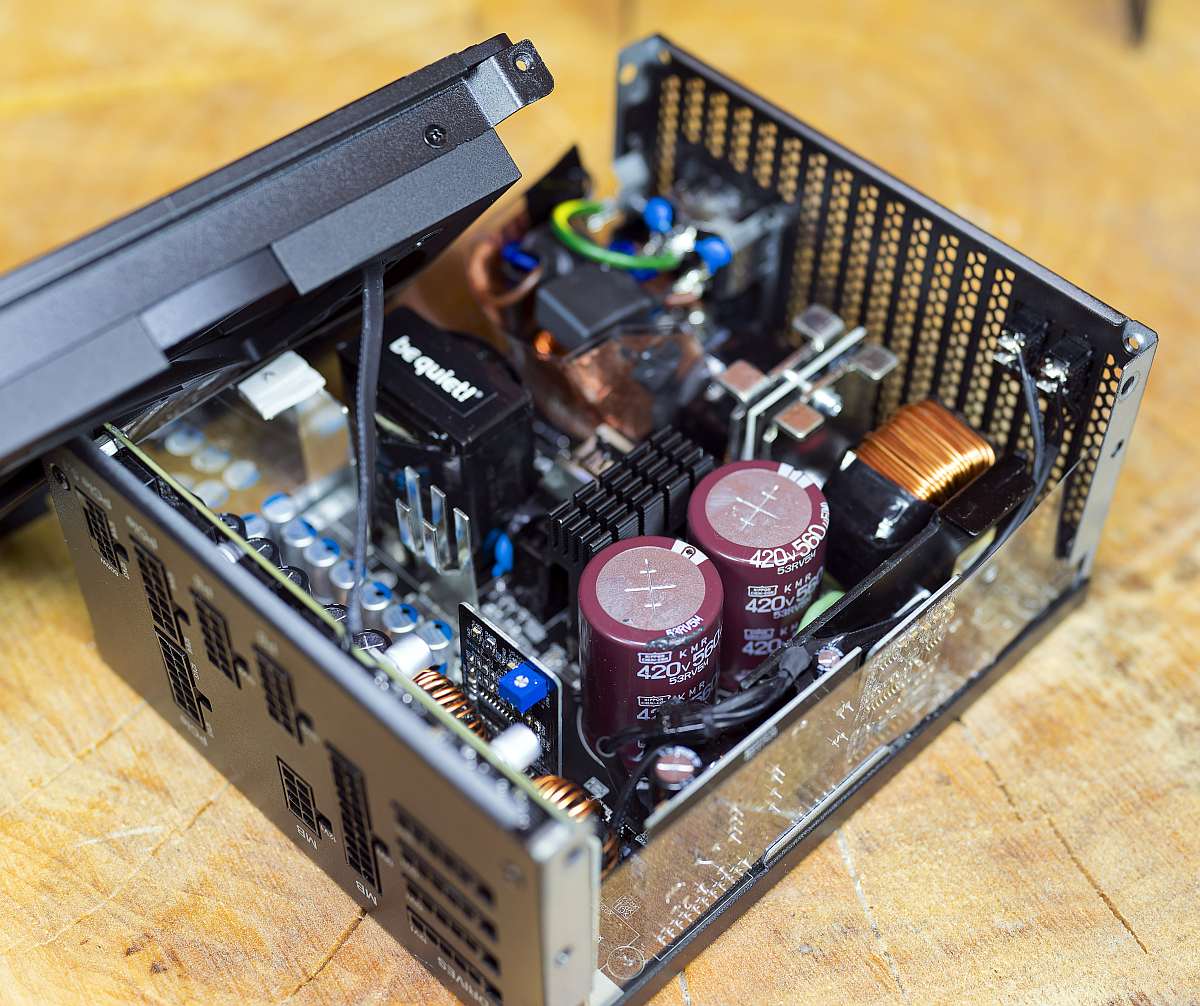
Efficiency is incredible, with the Dark Power 14 box proudly sporting both 80 Plus Titanium and Cybenetics Titanium badges. Indeed, in our testing, this PSU stayed above 90% efficiency in all our loads between 100W and 1,000W, dropping to 89.96% at 80W. That means most of the juice it pulls from the mains is going straight to your components, reducing wastage.
Performance is top-notch as well, with its 12V rails barely deviating from the ideal 12V at all across all our loads – this is a rock solid unit.
Of course, coming from a brand called be quiet!, you’ll hardly hear a peep from this PSU. Using its semi-passive mode, the 135mm fan didn’t spin up until it got to over 50% load in our tests, and even at 75% load (750W), it only ran at 520rpm. The fan only really spins up to its maximum speed when you hit the full 1,000W – you can hardly hear it in most workloads.
More detail, including all our stability and efficiency test results, can be found in our full be quiet! Dark Power 14 review.
| Dark Power 14 1,000W | Specification |
|---|---|
| Continuous power | 1,000W |
| Cable type | Modular |
| 12V rails | 2x 33A, 2x 34A, switchable to single rail (83A total) |
| Fan | 135mm be quiet! Silent Wings |
| Efficiency certifications | 80 Plus Titanium Cybenetics Titanium |
| 12V-2×6 cables | 1 |
| Warranty | 10 years |
| Dimensions | 175 x 150 x 86mm |
Best high-end PSU
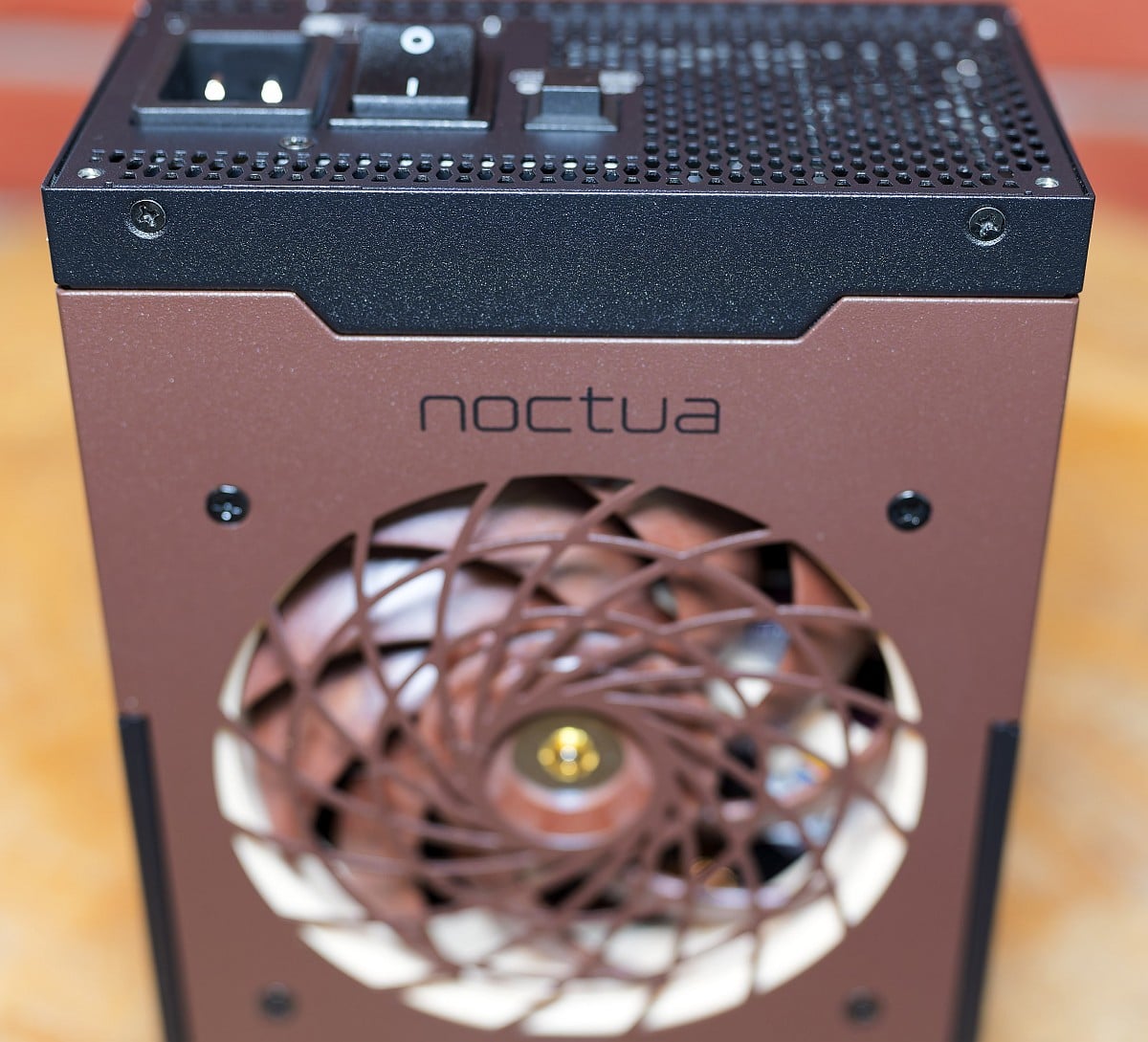
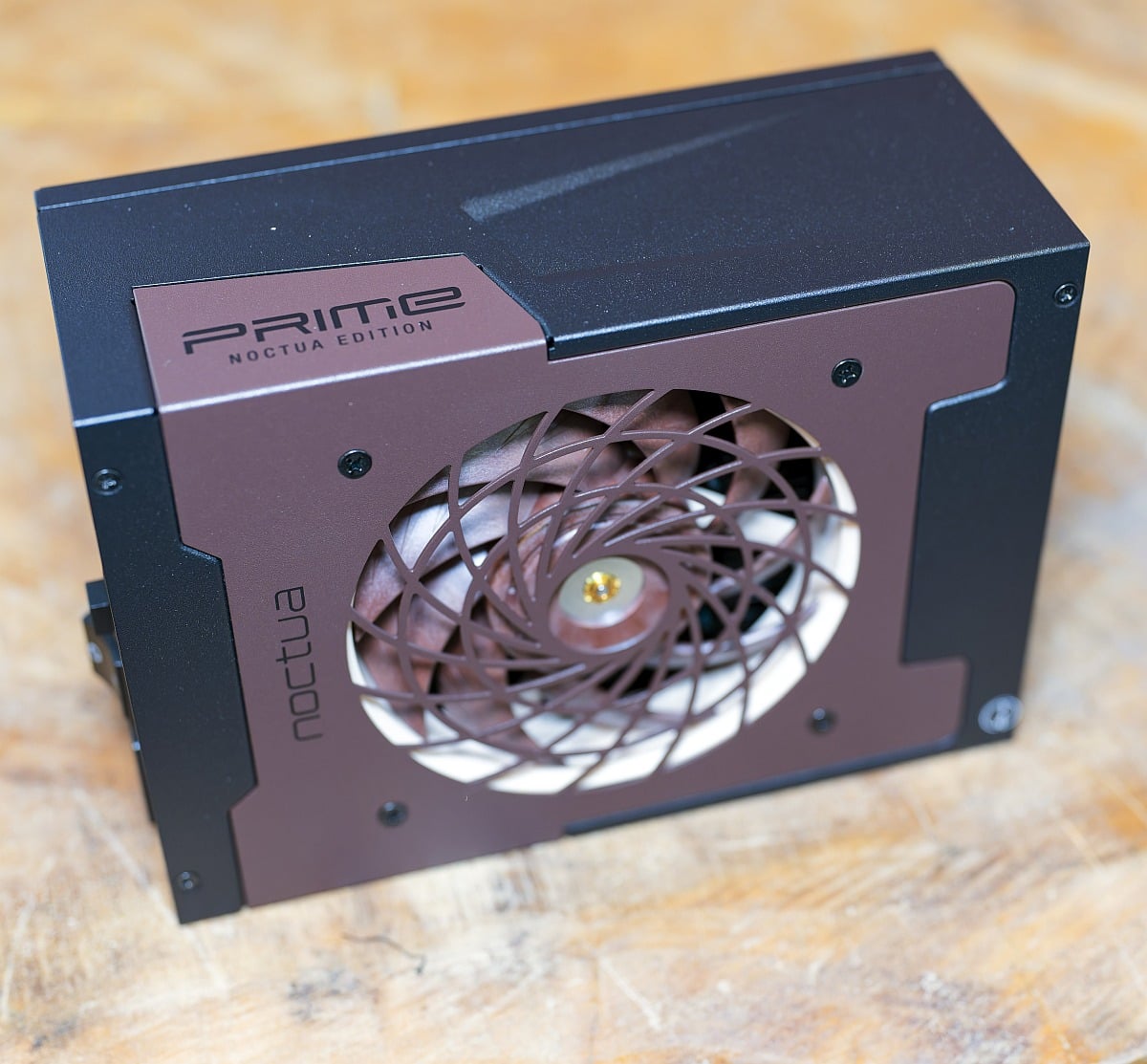
The best high-end PSU is the Seasonic Prime TX-1600 Noctua Edition. Noctua’s cooling kit may be on the pricey side, but you can always rely on it to give you top-notch build quality, low-noise operation, and excellent cooling. As such, it’s no surprise to see this collaboration with Seasonic result in an expensive, but stunningly awesome, PSU.
Seasonic Prime TX-1600 Noctua Edition
£429 / €499
Pros
- Excellent voltage regulation
- Hugely powerful
- Very quiet
- Superb efficiency
Cons
- Overkill for most people
Club386 may earn an affiliate commission when you purchase products through links on our site.
How we test and review products.
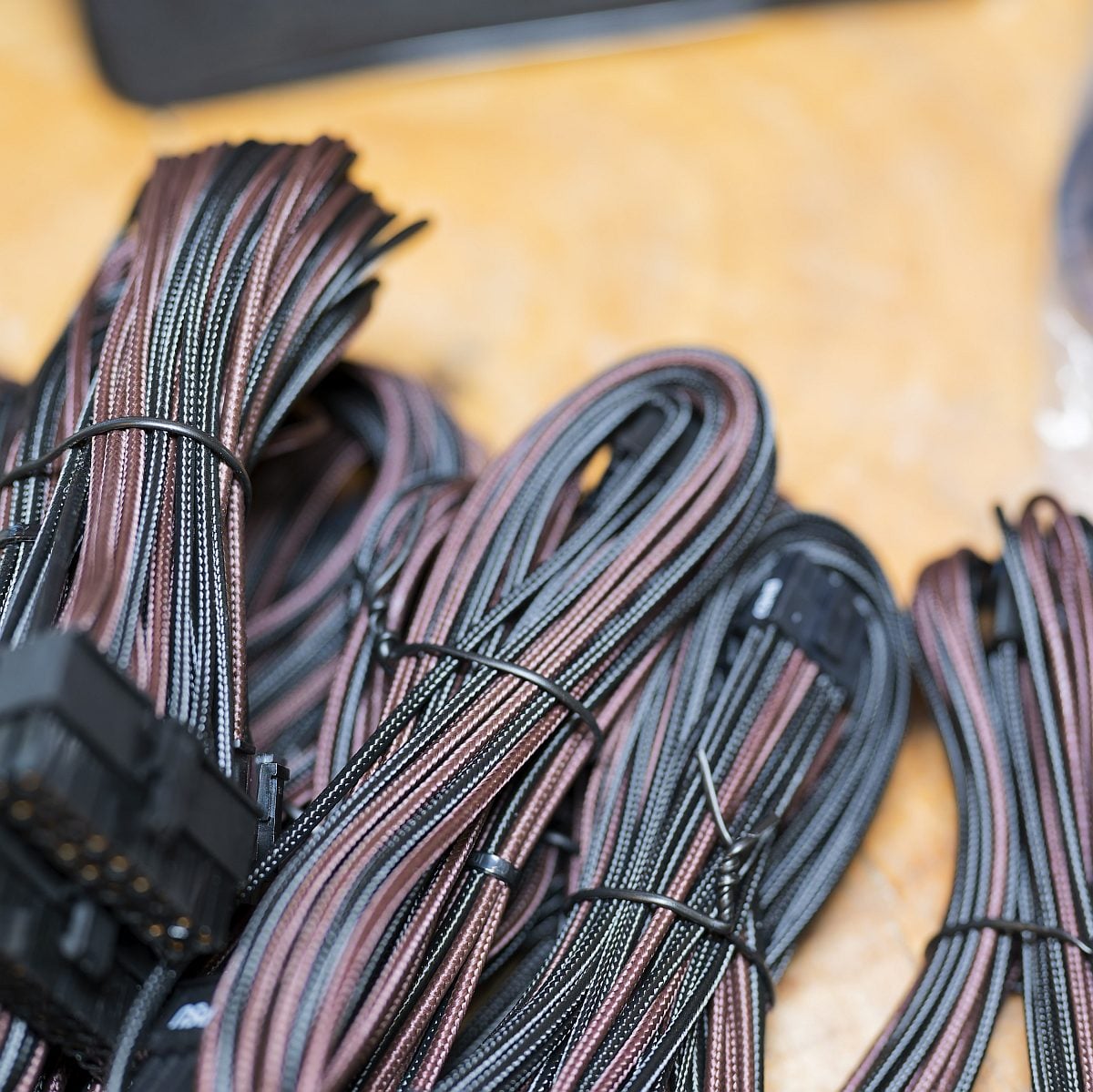
Clad in its distinctive brown hood, with Noctua’s trademark owl staring at you from the back panel, this unit wears its collaboration branding with pride. Even the supplied modular cables are individually sleeved in matching black and brown.
As you would expect, there’s a quality Noctua NF-A12x24 fan keeping this unit cool, with its semi-passive mode meaning it only spins up at 40% load. Impressively, though, our noise meter only went from an inaudible 30dBA to just 33.9dBA with this PSU running at its full 1,600W load. This is a supremely quiet PSU, even when it’s working hard.
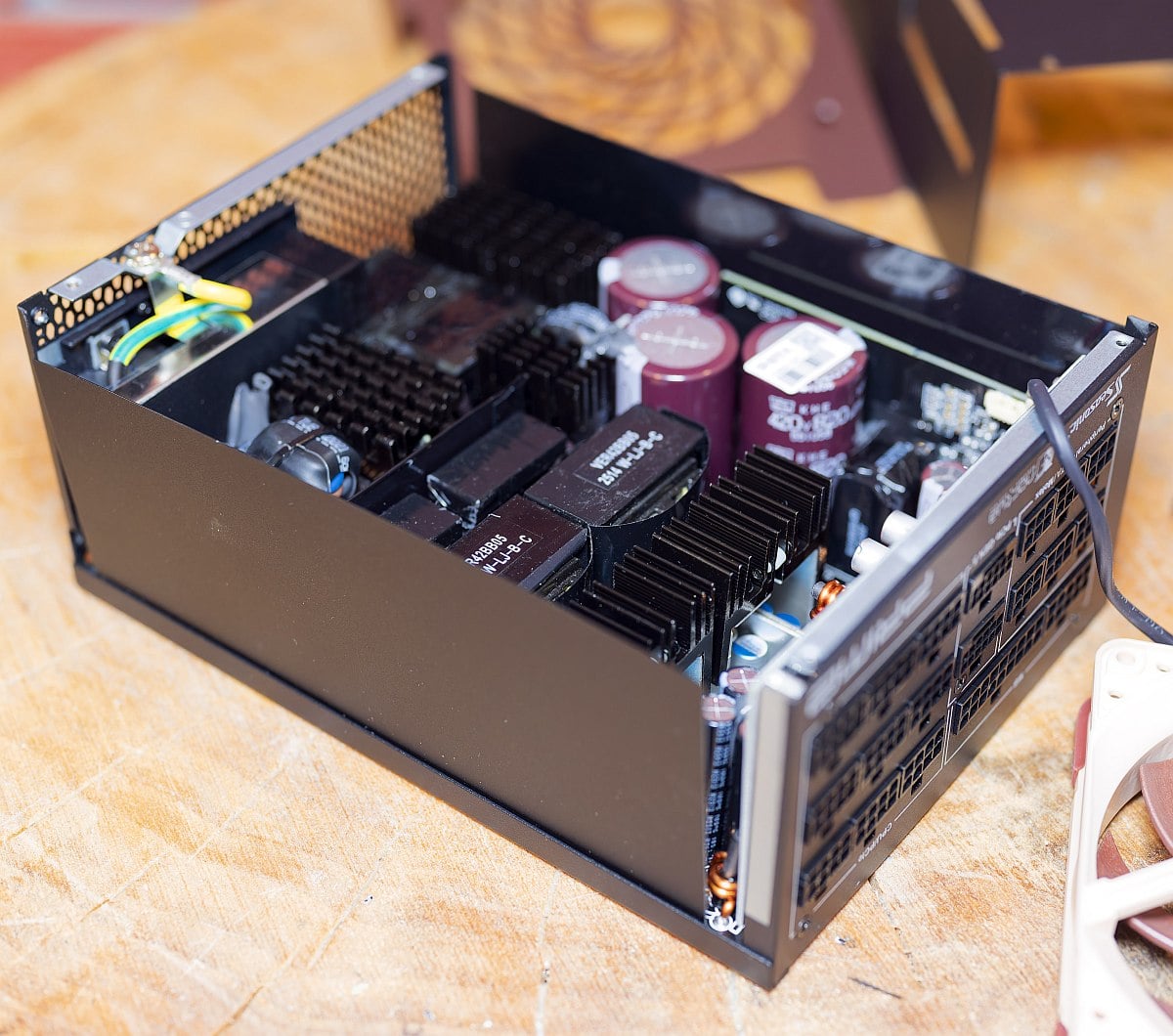
You get a top-notch PSU for your money, with our test equipment measuring a rock-solid 12.00V on the 12V rail at 1,200W and 1,600W loads, going up to just 12.02V at 160W. That’s the smallest variation we’ve seen in our testing, and there’s consistently hardly any ripple either. This is about as stable as it gets.
To top it all off, efficiency is absolutely superb. There’s naturally full Cybenetics Titanium and 80 Plus Titanium certification at this price, and our own testing showed this PSU never dipping below 93% on loads between 400W and 1,600W.
Yes, it’s expensive, and its 1,600W capacity is overkill for most people’s needs, but it’s also a brilliant piece of engineering. If you’re building a high-end, quiet PC with power-hungry components, this is the finest PSU you can buy right now.
For more detail, including all our stability test results, read our full Seasonic Prime TX-1600 Noctua Edition review.
| Prime TX-1600 Noctua | Specification |
|---|---|
| Continuous power | 1,600W |
| Cable type | Modular |
| 12V rails | 1x 133.3A |
| Fan | 120mm Noctua NF-A12x24 |
| Efficiency certifications | 80 Plus Titanium Cybenetics Titanium |
| 12V-2×6 cables | 2 |
| Warranty | 12 years |
| Dimensions | 210 x 150 x 86mm |
Best quiet PSU
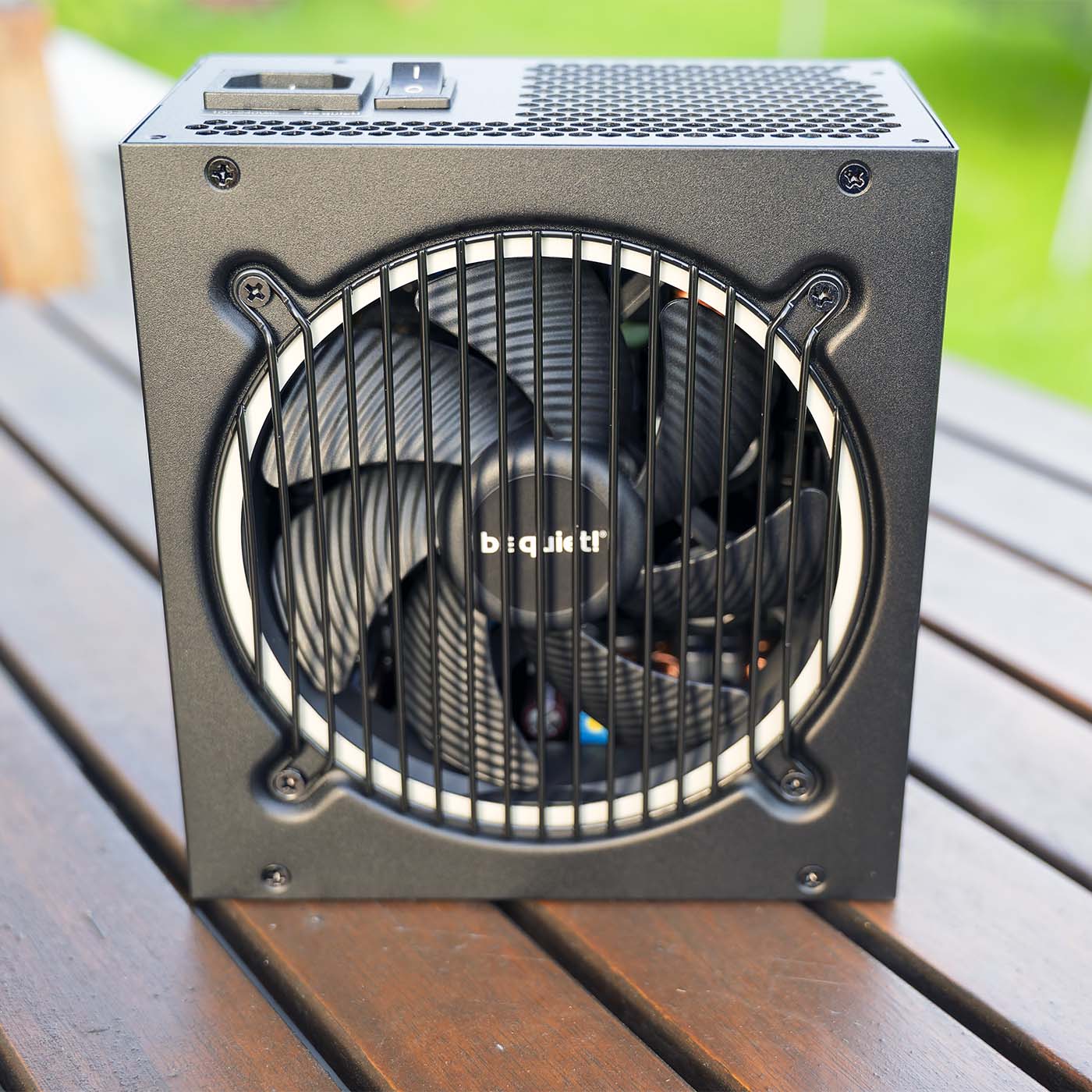
The best quiet PSU is the be quiet! Pure Power 13 M 850W. With 850W on tap, this unit is ideal for powering an upper mid-range gaming rig. That’s enough juice to keep an Nvidia GeForce RTX 5080 and AMD Ryzen 7 9800X3D fed and, as its brand name suggests, it’ll do it quietly as well.
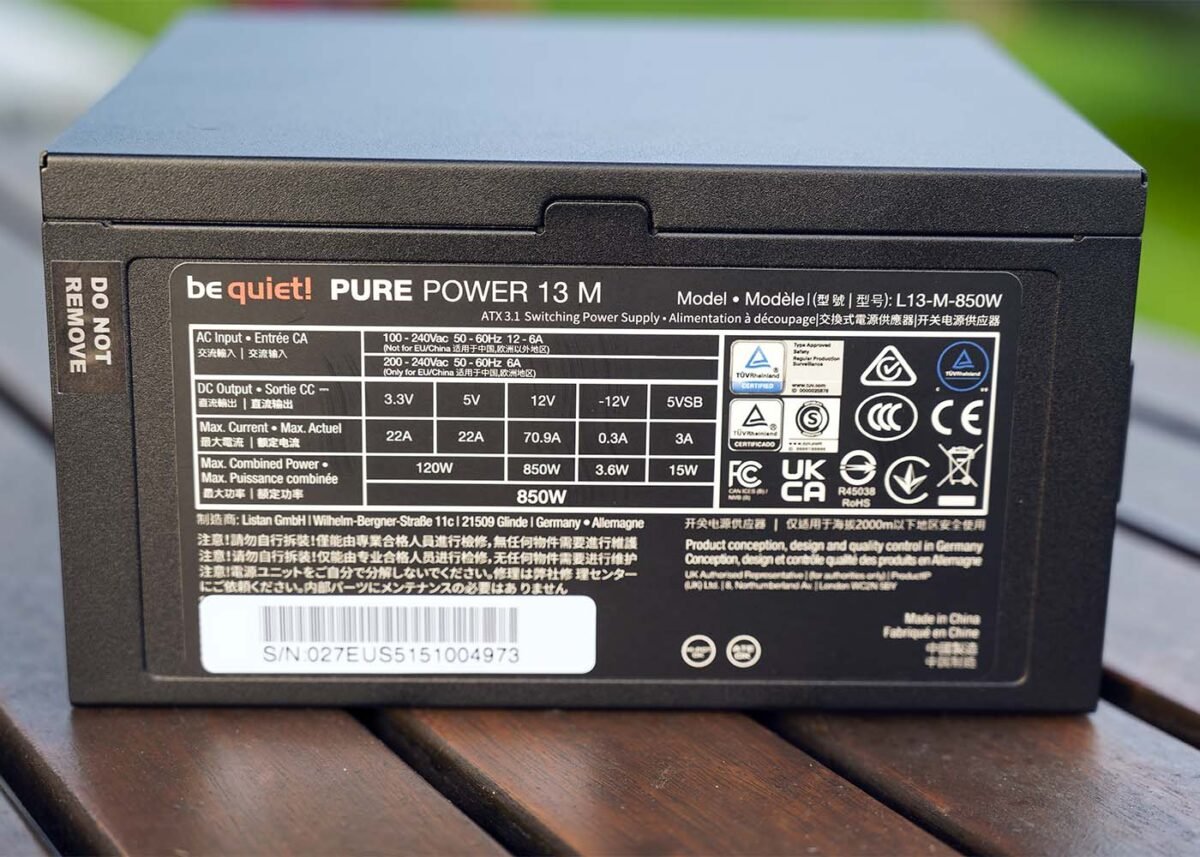

be quiet! Pure Power 13 M 850W
£110 / $115
Pros
- Low noise levels
- Great performance
- Affordable price
- Decent efficiency
Cons
- No complaints at this price
Club386 may earn an affiliate commission when you purchase products through links on our site.
How we test and review products.
There’s an acoustically-optimised 120mm be quiet! QF2-12025-HS fan with a rifle-bearing keeping this PSU cool, which we found made hardly any noise across all our tests.
Technically, this set of blades can spin at up to 2,000rpm, but we found it only rotated at 810rpm with the PSU running all out at 850W load. Even when outputting all this power, we registered a whisper-quiet noise level of 31.5dBA, just 1.5dBA above the 30dBA threshold of our noise meter. It’s practically inaudible, even when it’s working at full pelt.
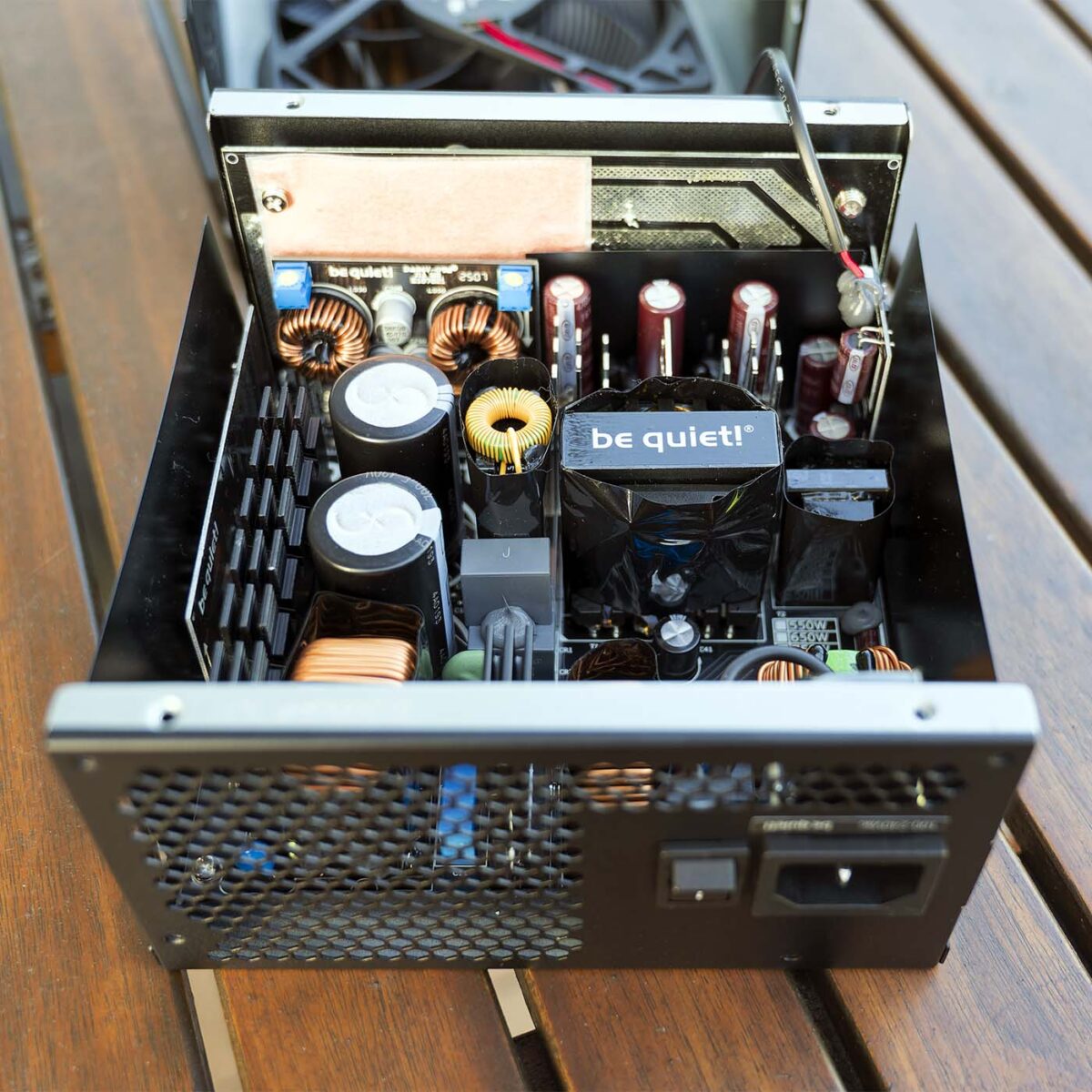
Efficiency is also grand. There’s 80 Plus Gold and Cybenetics Platinum certification, and we found this unit’s efficiency never dropped below 92% at 25-100% loads. It drops down to 88.64% at a 10% load (85W), but you’re looking at over 92% for anything over 212W. This is great stuff for a PSU that only costs £110.
Voltage regulation is also solid, and while there’s more variation than you’ll find on expensive PSUs, deviation from the ideal 12V figure is still minimal. If keeping down noise is a top priority for you, this is an exceptionally quiet PSU that also offers solid performance for a surprisingly low price.
Read our full be quiet! Pure Power 13 M 850W review for more detail about this PSU, including all our test results.
| Pure Power 13 M 850W | Specification |
|---|---|
| Continuous power | 850W |
| Cable type | Modular |
| 12V rails | 1x 70.9A |
| Fan | 120mm be quiet! QF2-12025-HS |
| Efficiency certifications | 80 Plus Gold Cybenetics Platinum |
| 12V-2×6 cables | 1 |
| Warranty | 10 years |
| Dimensions | 160 x 150 x 86mm |
Best SFX PSU
The best SFX PSU is the NZXT C850 SFX Gold. It’s amazing how much power you can cram into a tiny PSU now, and this 850W unit enables you to fill your mini gaming PC with super-fast components. That’s easily enough wattage to satisfy the demands of an AMD Radeon RX 9070 XT, or even an Nvidia GeForce RTX 5080, as well as a decent CPU.
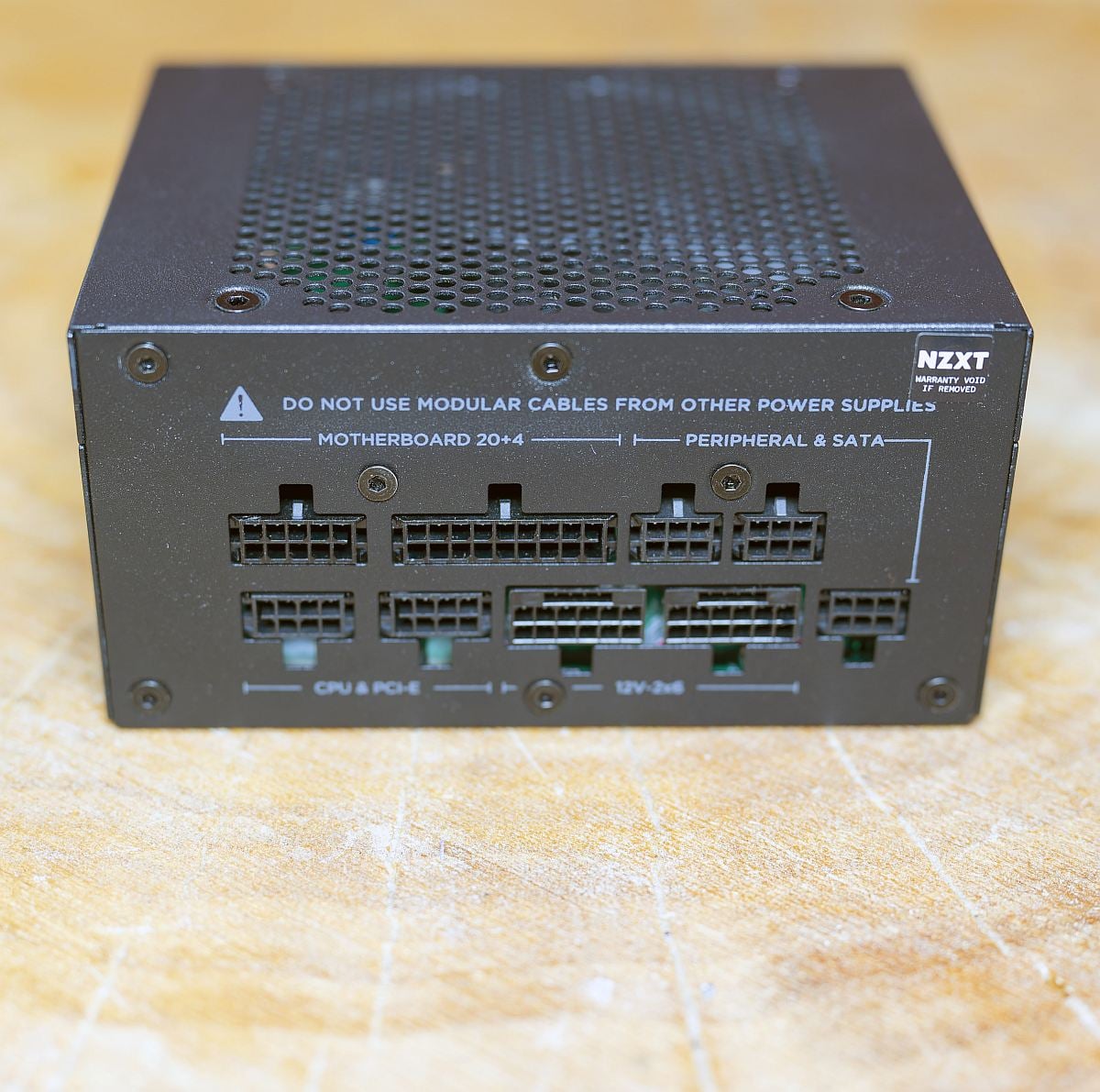
NZXT C850 SFX Gold
£139 / $169
Pros
- Decent efficiency
- Solid performance for its size
- Fair price
Cons
- No power off button
- Gets loud over 75% load
Club386 may earn an affiliate commission when you purchase products through links on our site.
How we test and review products.
Despite its modest dimensions, this is a pokey power supply. Voltage remained solid across all our test loads on its 12V rail, and efficiency is decent too. There’s 80 Plus Gold certification here, and this PSU’s efficiency peaks at 92.12% at 425W (50%) load in our tests. It’s less efficient when it’s going all out at 850W.
At full load, we measured efficiency at 86.55%, but that’s still a decent result, and a mini PC is rarely going to push it to that level anyway. For reference, our test rig only draws 475W from the mains with an RTX 5080 running at full load, so there’s plenty of headroom here.
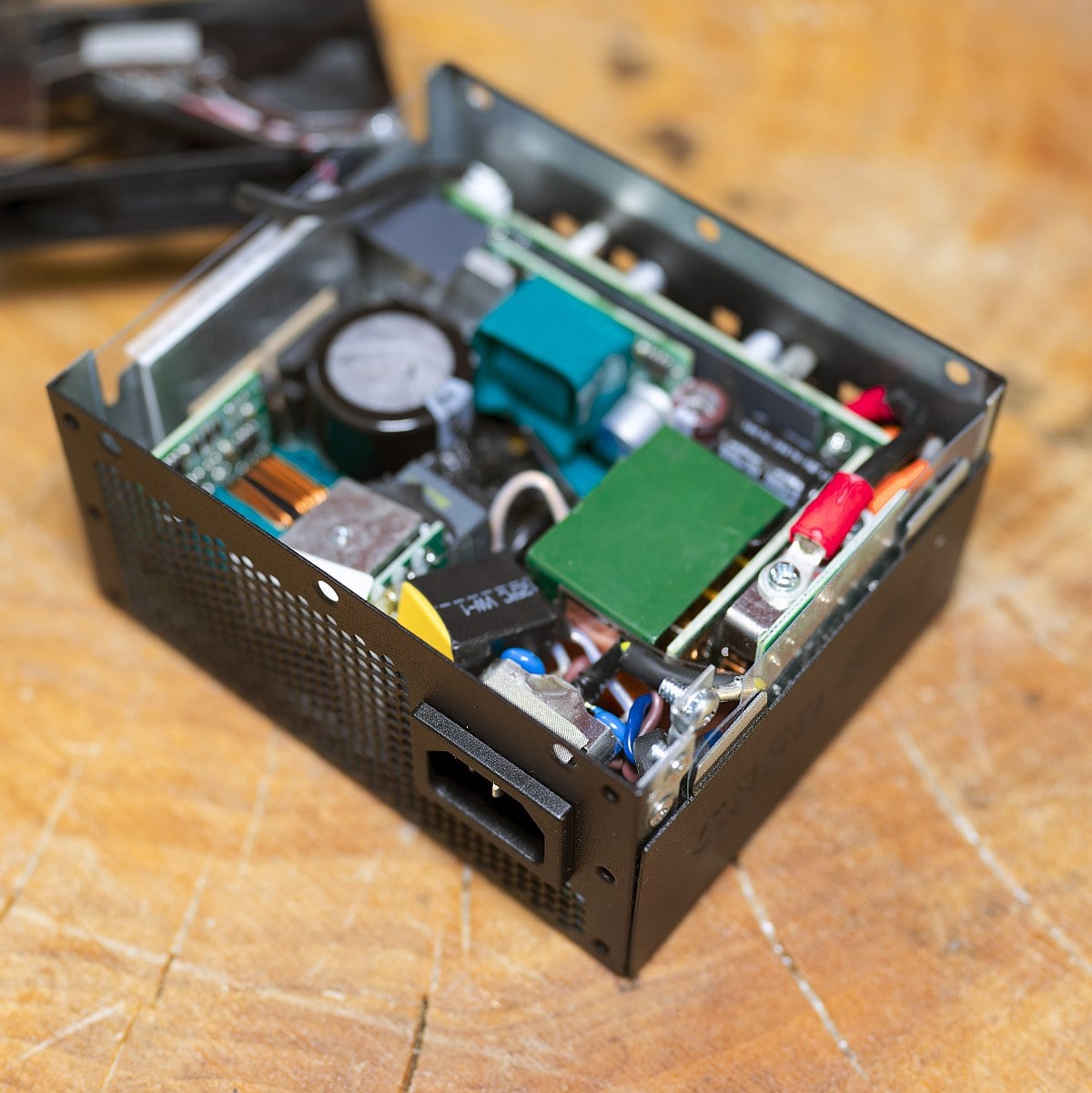
If there’s one complaint about this mini PSU, it’s the racket its fan makes when pushed hard. Using its semi-passive mode, it makes no noise at all up to 30% load. However, the 92mm fan inside it spins at 3,150rpm when it’s maxed out at 100% load, pushing up our noise meter’s reading to an unpleasant 41.6dBA. However, it’s fine at 50% load, with a much quieter reading of 33.7dBA.
Building a mini PC always involves a level of compromise, though, and what you do get here is a stable, efficient power supply in a small box, with plenty of power for the latest components. The individually-embossed modular cables also make for neat and tidy wiring, and a 12V-2×6 cable is included for the latest GPUs.
Read our full NZXT C850 SFX Gold review for more detail about this PSU for mini PCs, including all our stability and efficiency results.
| C850 SFX Gold | Specification |
|---|---|
| Continuous power | 850W |
| Cable type | Modular |
| 12V rails | 1x 70.8A |
| Fan | 92mm Hong Hua HA9215SH12FD-F00 |
| Efficiency certifications | 80 Plus Gold Cybenetics Platinum |
| 12V-2×6 cables | 1 |
| Warranty | 10 years |
| Dimensions | 125 x 63.5 x 100mm |
Best budget PSU
The best budget PSU is the Endorfy Vero L6 750W. If you’re building a PC on a tight budget, you can still power it up with a decent PSU. You’ll sacrifice neat modular cabling in the process, but you can save a lot of money by opting for a low-cost unit like the Vero L6, and still get an efficient, stable PSU with plenty of juice available.
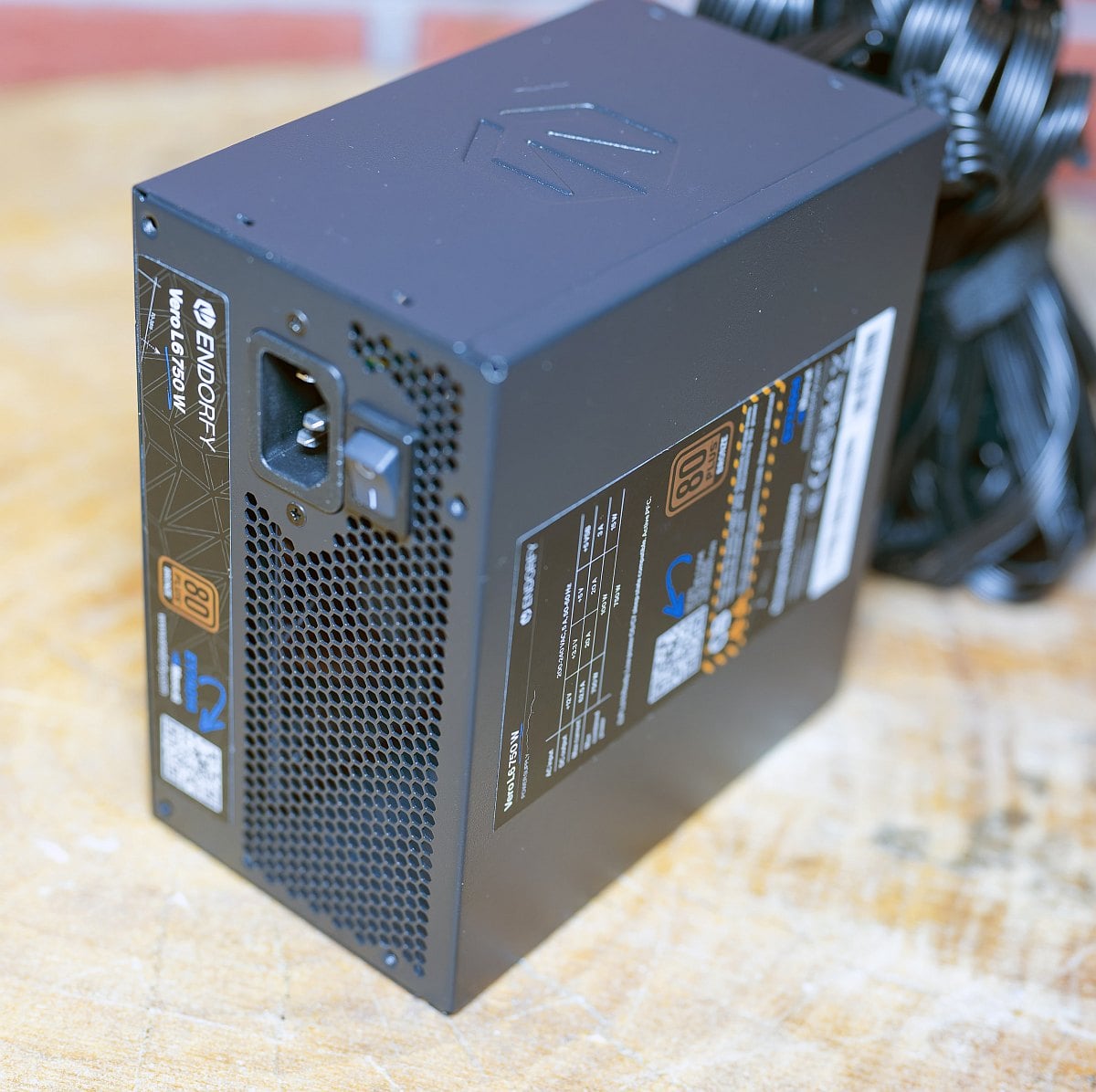

Endorfy Vero L6 750W
£83 / €69
Pros
- Great price
- Decent performance
- Plenty of power for the money
Cons
- Hard to find outside EU
- Gets loud at high loads
- Captive cables
Club386 may earn an affiliate commission when you purchase products through links on our site.
How we test and review products.
Despite its temptingly low price, this modest unit covers all the essentials for a mid-range PC. That includes meeting the ATX 3.1 and PCIe 5.1 spec, with a dedicated 12V-2×6 cable for the latest GPUs in its captive bunch of wires. With 750W available, you could easily power up an Nvidia GeForce RTX 5070 with a decent 8-core CPU, and still have headroom to spare.
Importantly, the Endorfy Vero L6 maintains solid voltage across all our 12V test loads, and there’s both 80 Plus Bronze and Cybenetics Silver certification. In our own tests, we found efficiency sits between 86.55% and 89.58% at 25-100% loads. You’ll get better efficiency from an 80 Plus Gold or Titanium unit, naturally, but that’s still a good result for a PSU at this price.
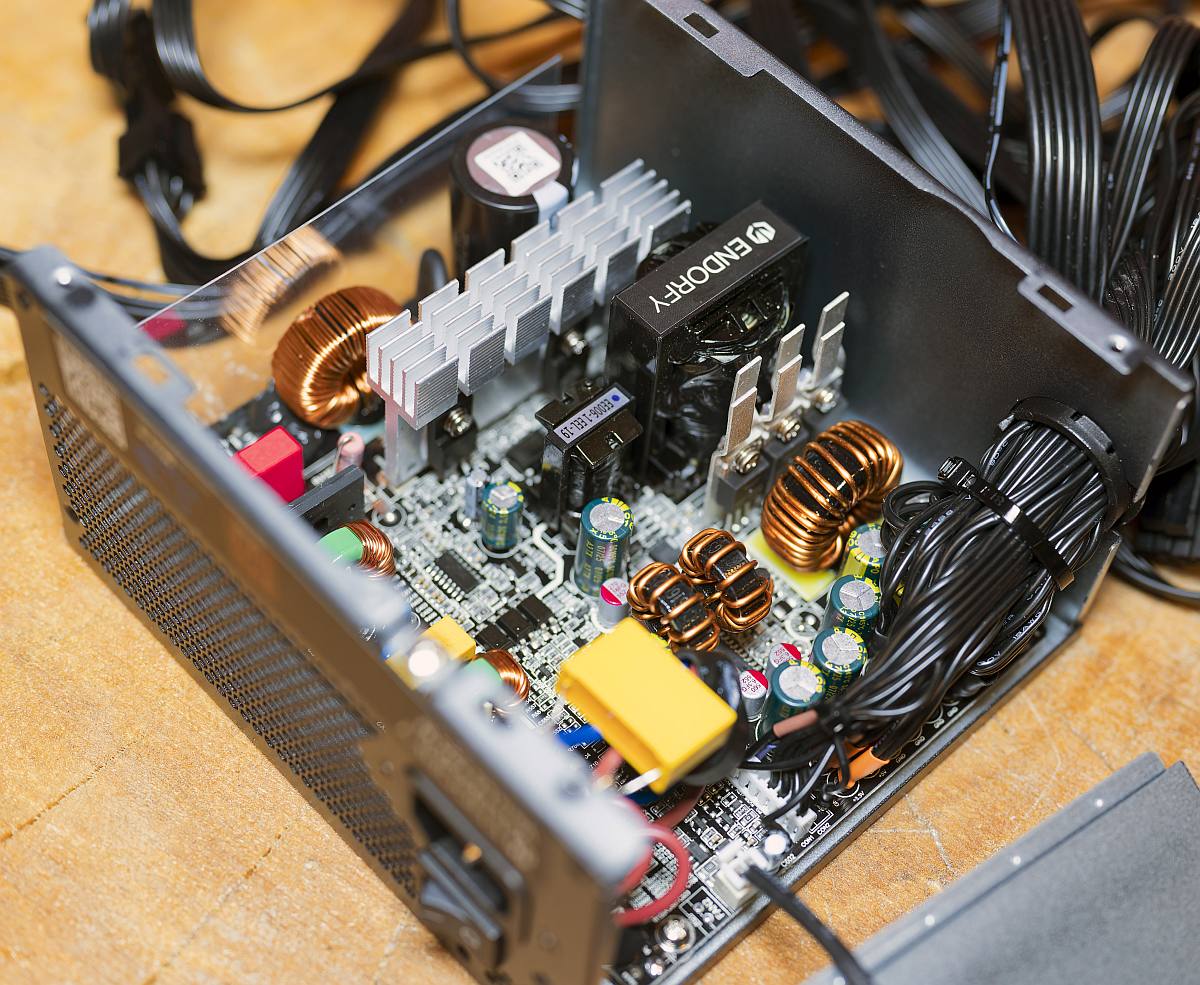
It’s not particularly quiet, though, especially when it’s working hard. Unlike pricier PSUs, there’s no semi-passive mode, so the fan is always spinning. The noise is fine in everyday workloads using 10-25% of its capacity. However, it really starts to get noisy once you get past a 50% (375W load), with our noise meter reading peaking at 42.2dBA during a 750W workload.
The only other issue is availability. This PSU is well priced in the EU at €69, but it’s hard to find in the US, and its current UK price of £83 is a bit much for a PSU of this spec. If you can find it under $80 / £70, though, this is a solid, basic power supply that gets the job done.
Read our full Endorfy Vero L6 750W review for more detail, including in-depth stability testing.
| Vero L6 750W | Specification |
|---|---|
| Continuous power | 750W |
| Cable type | Captive |
| 12V rails | 1x 62.5A |
| Fan | 120mm Endorfy Stratus |
| Efficiency certifications | 80 Plus Bronze Cybenetics Silver |
| 12V-2×6 cables | 1 |
| Warranty | Five years |
| Dimensions | 140 x 150 x 87mm |
Best white PSU
The best white PSU is the Asus ROG Strix Platinum 1,000W White Edition. In fact, this power supply isn’t just surprisingly good-looking for what’s basically a box of electronic components; it’s also a damn good unit in its own right. Its 80 Plus Platinum certification may not be quite as prestigious as the Titanium badge on the be quiet! Dark Power 14 1,000W, but this is still a fantastic high-end PSU.
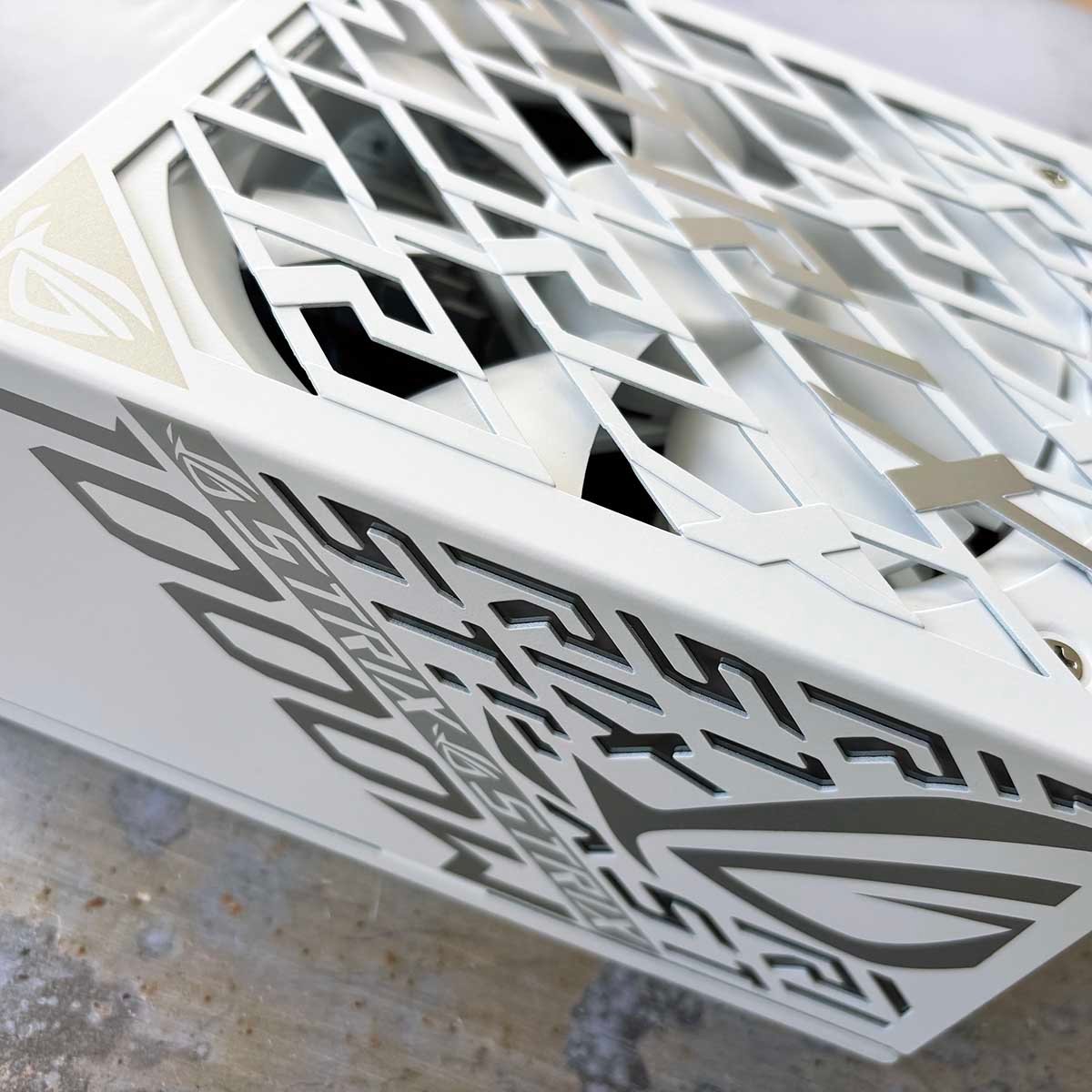
Asus ROG Strix Platinum 1,000W White Edition
£199 / $235
Pros
- Great looks and cabling
- Superb performance
- Low-noise operation
Cons
- Expensive
Club386 may earn an affiliate commission when you purchase products through links on our site.
How we test and review products.
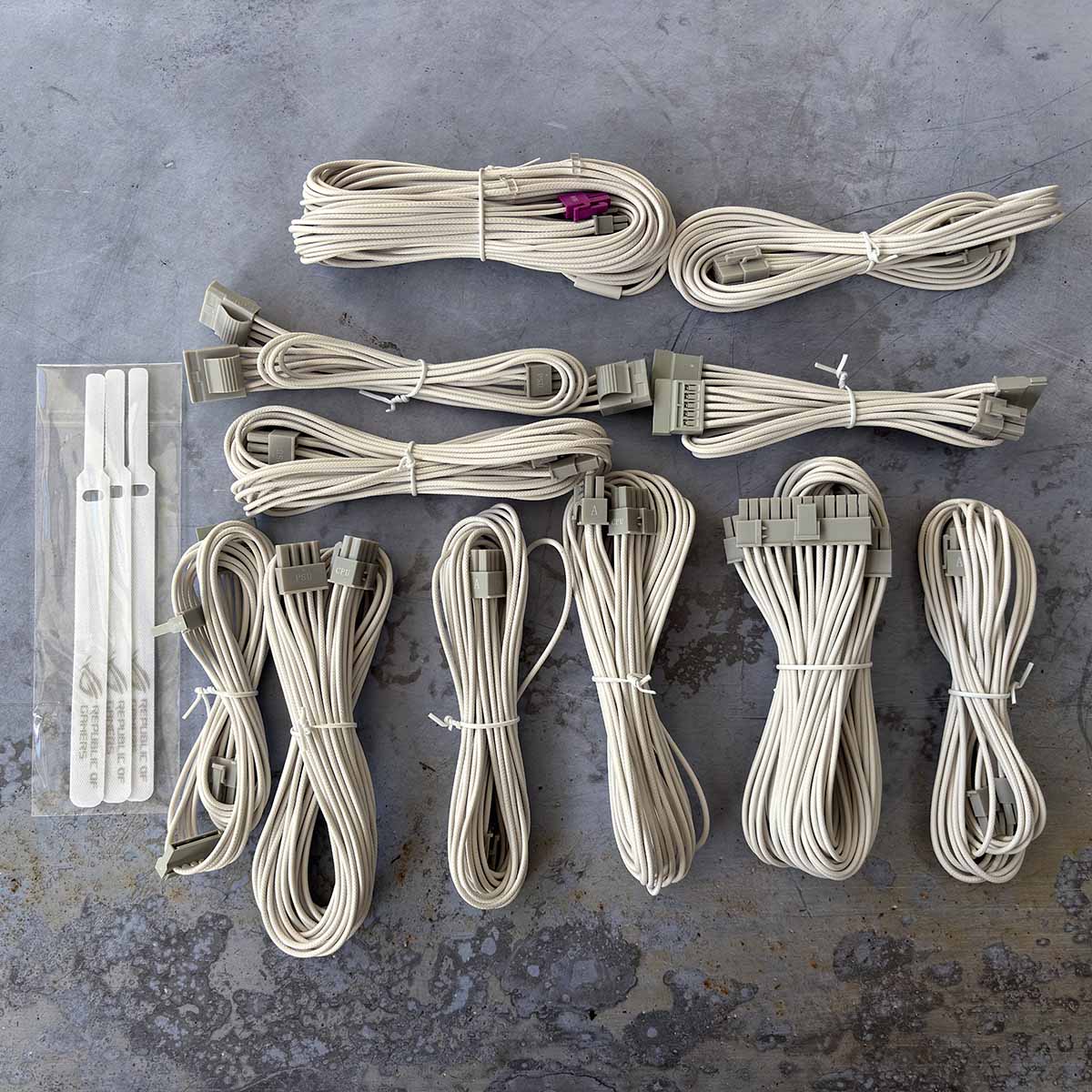
For starters, its white shell, precision-cut logos and two-tone grey and white colour scheme make for a genuinely good-looking PSU, and that’s not a phrase you can often say with any degree of sincerity.
It’s also supplied with a matching set of individually-sleeved cables. If you’re building a high-end white PC, then this unit delivers the goods without sticking out like, well, a big black power brick.
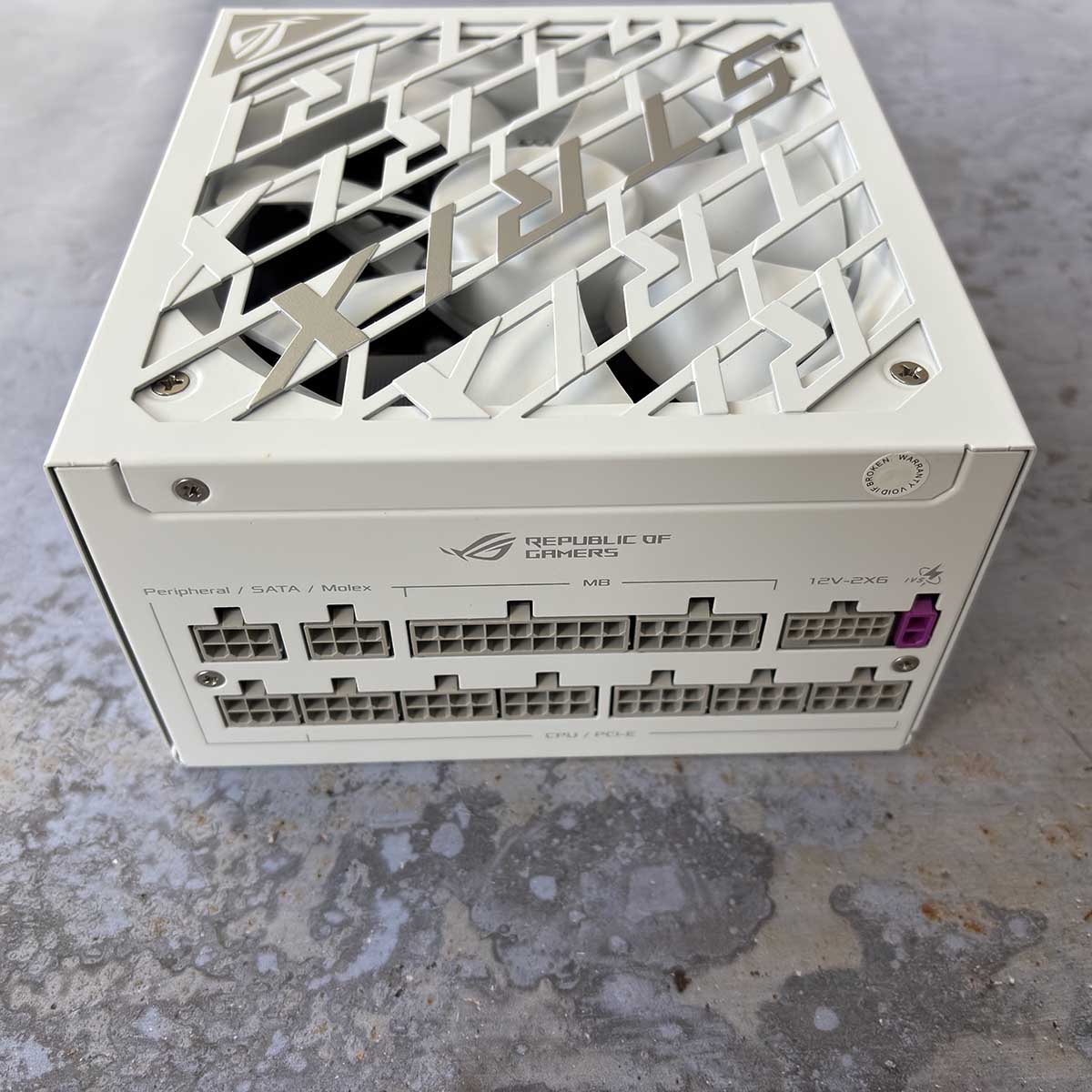
Performance is great, with solid 12V regulation across all our test loads, and we measured efficiency above 90% at every load between 100W and 1,000W, peaking at 94.6% at 400W.
Noise levels are also supremely quiet. Thanks to its semi-passive operation, the supplied 140mm fan doesn’t even spin up below 500W loads. Even when it does get going, the noise never gets beyond a low hum, with our noise meter topping out at 35.4dB at a full 1,000W load.
Good looks, solid stability, and low-noise running. What’s not to like? If you’re building a white PC, and want all your components to match, this is the PSU to buy.
For more information, read our full Asus ROG Strix Platinum 1,000W review, which includes details of our testing.
| ROG Strix Platinum 1,000W | Specification |
|---|---|
| Continuous power | 1,000W |
| Cable type | Modular |
| 12V rails | 1x 83.3A |
| Fan | 140mm Everflow F1214025BL |
| Efficiency certifications | 80 Plus Platinum Cybenetics Platinum |
| 12V-2×6 cables | 1 |
| Warranty | 10 years |
| Dimensions | 160 x 150 x 86mm |
FAQs
Thanks to quality-assurance schemes such as 80 Plus and Cybenetics, we’re now long past the time when dodgy PSUs went pop if you put their rated wattage through them. However, there are still some factors to bear in mind, particularly when it comes to capacity, features and cables.
What capacity do I need?
That all depends on which components you want to use in your PC. Before you buy a PSU, it’s worth creating a power budget, a bit like a shopping budget, to see how much electricity all your components will draw at full load. The main ones are the CPU and GPU, which will both stress the 12V rail when they’re fully loaded. You can check out the PSU budget calculator on the be quiet! website to get an idea.
Intel, AMD, and Nvidia all share power-draw figures for their components (look for the PPT figure for CPUs, rather than the TDP), but these aren’t always comparable. For example, Intel’s 270K Plus and AMD’s Radeon RX 9070 XT are more power-hungry than their official figures suggest in our tests. As such, it’s also well worth checking our reviews to see how this translates into total system power consumption. This is particularly true if you’re using an overclocked graphics card, as it will draw more power than a reference model.
Bear in mind that your PSU will usually be more efficient at 30-60% loads than at full load, and it will also make less noise at these settings. You also want to build in some headroom to account for surges, and to give yourself room to upgrade later. If your power budget comes out at 450W, for example, I’d still recommend using a 750W PSU, rather than a 500W model. To give you a basic idea, I’ve put in a few sample specs and the PSU capacity I would recommend for them in the table below.
| PSU capacity | Example CPUs | Example GPUs |
|---|---|---|
| 550W | AMD Ryzen 5 7500X3D (88W) AMD Ryzen 5 9600X (88W) | AMD Radeon RX 9060 XT (160W) Nvidia GeForce RTX 5060 (145W) |
| 650W | AMD Ryzen 5 7500X3D (88W) AMD Ryzen 5 9600X (88W) | Nvidia GeForce RTX 5070 (250W) AMD Radeon RX 9070 (220W) |
| 750W | AMD Ryzen 7 9800X3D (162W) Intel Core Ultra 5 250K Plus (159W) | Nvidia GeForce RTX 5070 Ti (300W) AMD Radeon RX 9070 (220W) |
| 850W | AMD Ryzen 7 9800X3D (162W) AMD Ryzen 7 9850X3D (162W) Intel Core Ultra 5 250K Plus (159W) | Nvidia GeForce RTX 5080 (360W) AMD Radeon RX 9070 XT (304W) |
| 1,000W | AMD Ryzen 9 9950X3D (230W) Intel Core Ultra 7 270K Plus (250W) | Nvidia GeForce RTX 5080 (360W) AMD Radeon RX 9070 XT (304W) |
| 1,200W | AMD Ryzen 9 9950X3D (230W) Intel Core Ultra 7 270K Plus (250W) | Nvidia GeForce RTX 5090 (575W) |
What are 80 Plus and Cybenetics?
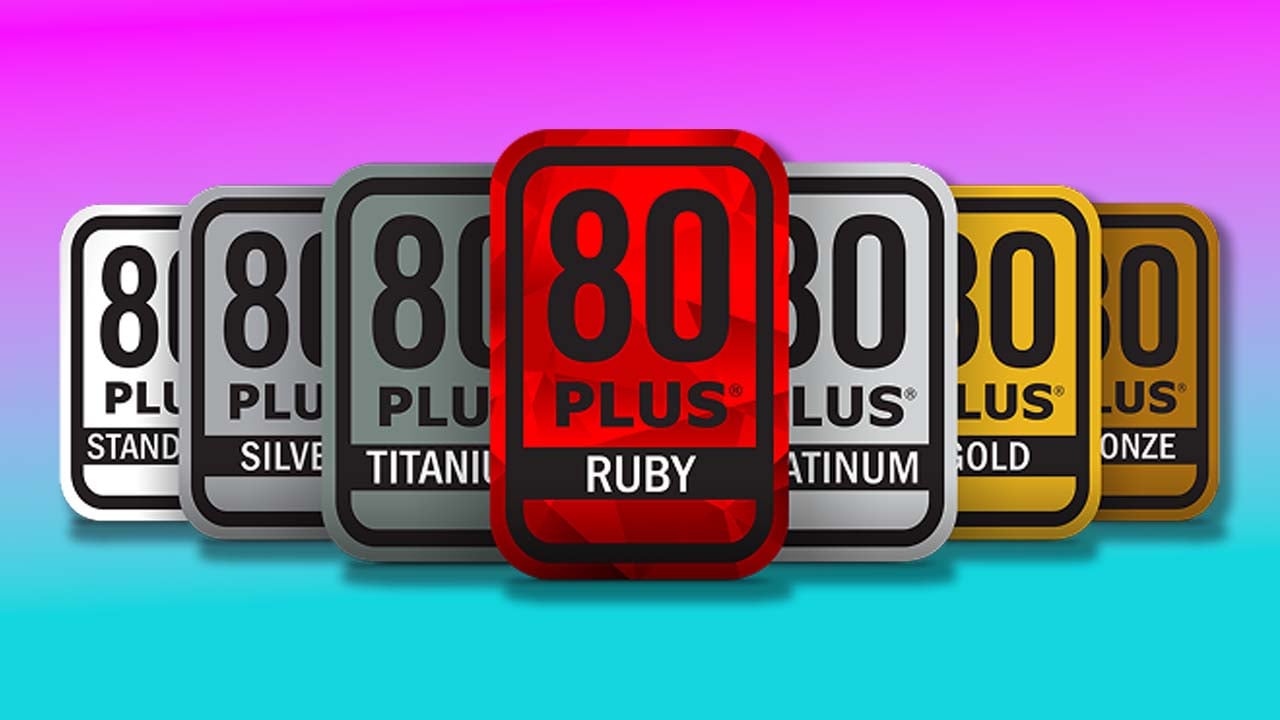
You may have seen these neat little badges on PSU boxes and manufacturers’ websites, and they verify that a unit has been independently verified to meet a certain spec. As its name suggests, the 80 Plus initiative was originally set up to certify power supplies that consistently provided an efficiency level of over 80%. Efficiency here refers to how much of the AC electricity drawn from the mains is converted into DC current that can be used for your PC components. Higher efficiency is better, as it means less power is being wasted, reducing your energy use.
In the early days of PC power supplies, there was a lot of dross out there, and this scheme meant you could be guaranteed at least 80% efficiency – it weeded out all the bad, inefficient PSUs. Since then, a number of tiers have been added for internal PC PSUs – Bronze, Silver, Gold, Platinum, and Titanium – all guaranteeing a certain level of efficiency. There’s also a Ruby tier for redundant PSUs, but this isn’t relevant for desktop PCs.
The efficiency needed to meet the spec depends on the load put on the PSU, and the figures quoted also depend on the voltage applied to it. There will be different efficiency figures specified for countries that use 115V as standard, rather than 230V, for example. You can see a summary of the efficiency specs for each tier in the tables below.
| 80 Plus 230V | 20% load efficiency | 50% load efficiency | 100% load efficiency |
|---|---|---|---|
| 80 Plus | 82% | 85% | 82% |
| Bronze | 85% | 88% | 85% |
| Silver | 87% | 90% | 87% |
| Gold | 90% | 92% | 89% |
| Platinum | 92% | 94% | 90% |
| Titanium | 94% | 96% | 91% |
| 80 Plus 115V | 20% load efficiency | 50% load efficiency | 100% load efficiency |
|---|---|---|---|
| 80 Plus | 80% | 80% | 80% |
| Bronze | 82% | 85% | 82% |
| Silver | 85% | 88% | 85% |
| Gold | 87% | 90% | 87% |
| Platinum | 90% | 92% | 89% |
| Titanium | 92% | 94% | 90% |
Not every PSU is submitted for 80 Plus verification. Some manufacturers, such as Corsair, now only use the alternative certification scheme Cybenetics for some of its units. A lot of PSUs also have certification from both schemes.
Cybenetics has a similar set of tiers – Bronze, Silver, Gold, Platinum, Titanium, and Diamond, and a PSU’s overall efficiency must slot into a specific range. For example, a Cybenetics Gold PSU’s overall efficiency must be more than 89% and less than 91% at 230V. This scheme also takes into account 5VSB efficiency, as well as vampire power (when power is drawn with no load on the 5VSB rail). You can check the full figures for each spec tier on the Cybenetics website.
Do I need a 12V-2×6 cable?
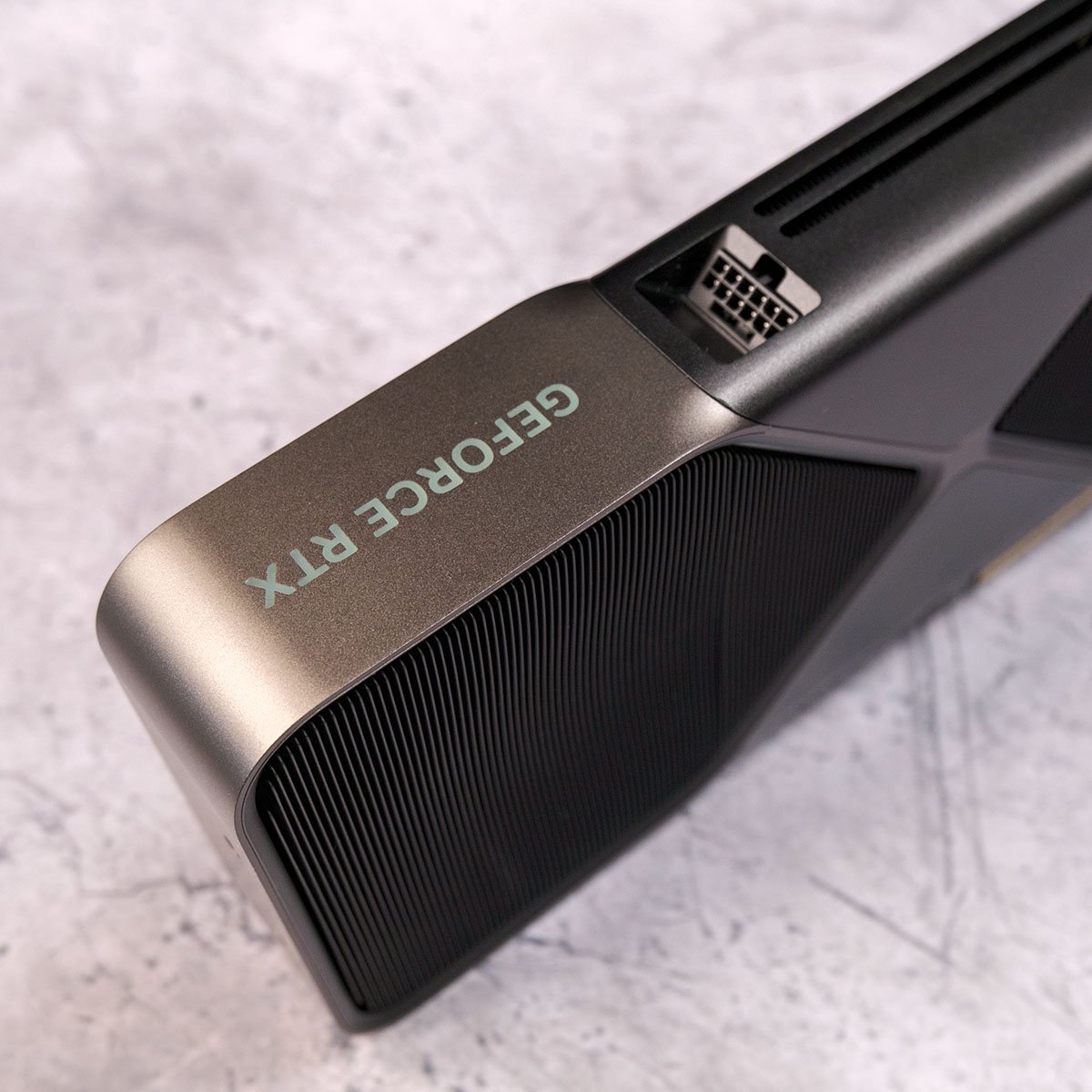
That depends on your graphics card. All the latest top-end Nvidia GPUs, from the RTX 5070 Ti to the 5090, require this 16-pin connector, and you’ll find it on some RTX 5070 cards and lower-tier models as well. Some cards based on the AMD Radeon RX 9070 XT also use it, such as the Sapphire Nitro+ range.
If your card uses old-school 6-pin and 8-pin PCIe connectors, then pretty much any PSU from the last ten years will be able to cope with it, providing it has the capacity and connectors to marry up to it.
Even if your PSU doesn’t have a 12V-2×6 cable, though, there are still ways to power it through traditional 6-pin and 8-pin plugs. Most cards with this 16-pin socket still come with an adaptor to convert one, two, three, or four 8-pin plugs into a single 16-pin one.
Some PSU manufacturers also make specific upgrade cables for their modular units, which plug into the corresponding sockets on the unit. You can also get extension cables that convert 8-pin plugs into a 16-pin one.
Most of the PSUs on this guide have a dedicated 12V-2×6 connection that only requires a single cable, and that’s what we recommend using if at all possible, mainly because of the answer to the next question.
Will my 12V-2×6 cable melt?
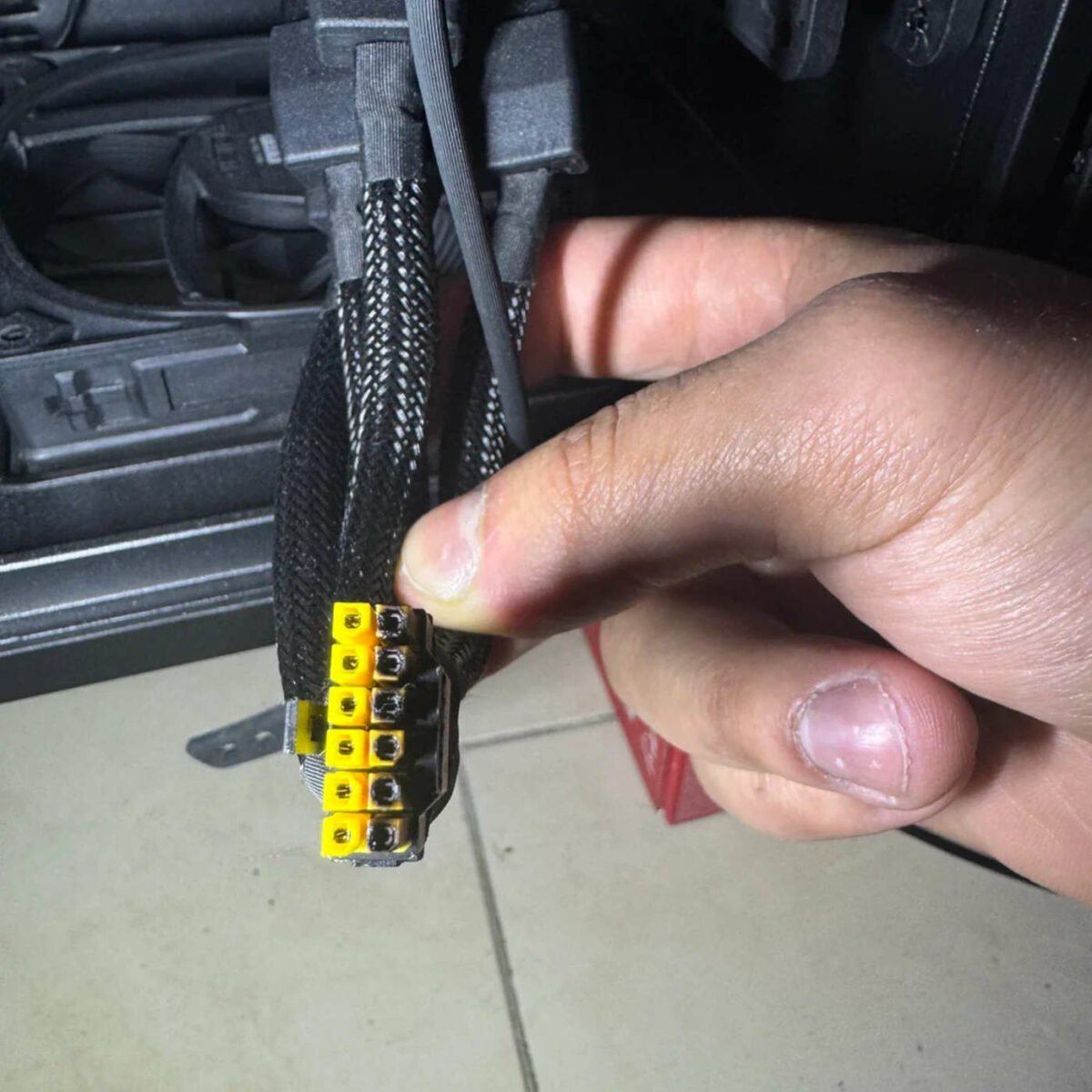
In the vast majority of cases, no, but in some cases, sadly, yes. We’ve even seen one melt on our own test equipment recently. There’s a hell of a lot of current being passed through this tight bundle of cables, particularly when it’s plugged into a power-hungry GPU such as the RTX 5090.
That means every connection needs to be absolutely secure, and small manufacturing defects at both ends of the cable (and indeed the sockets) can affect this situation, which puts it out of your control.
You can do your best to mitigate this risk by ensuring that your 16-pin plugs are firmly clicked into the sockets in your PSU and your graphics card. If in doubt, check, double-check, and triple-check that not a single bit of the inner plugs are still showing, and that they’re fully inserted.
