
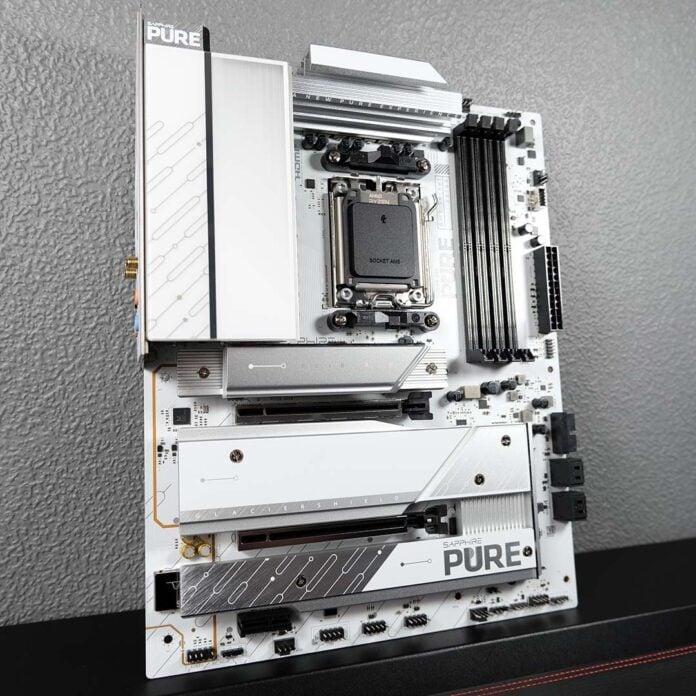
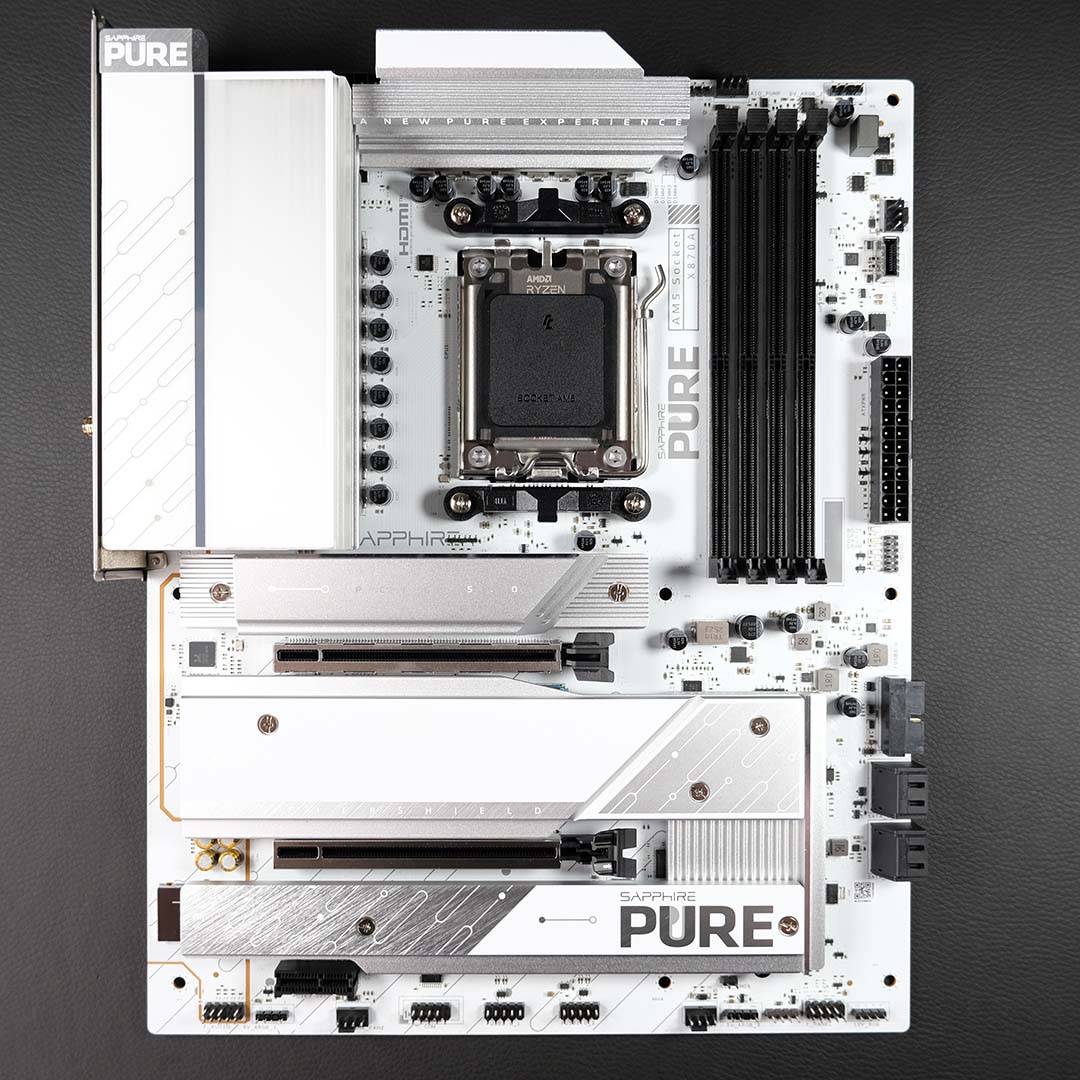
Following its barrage of B850 motherboards last year, Sapphire is now breaking worldwide ground with higher-end chipsets, beginning with the Pure X870A WiFi 7. Don’t let the snowy-white stylings of this board fool you, as there’s plenty of value and features here that’ll warm PC builders’ hearts.
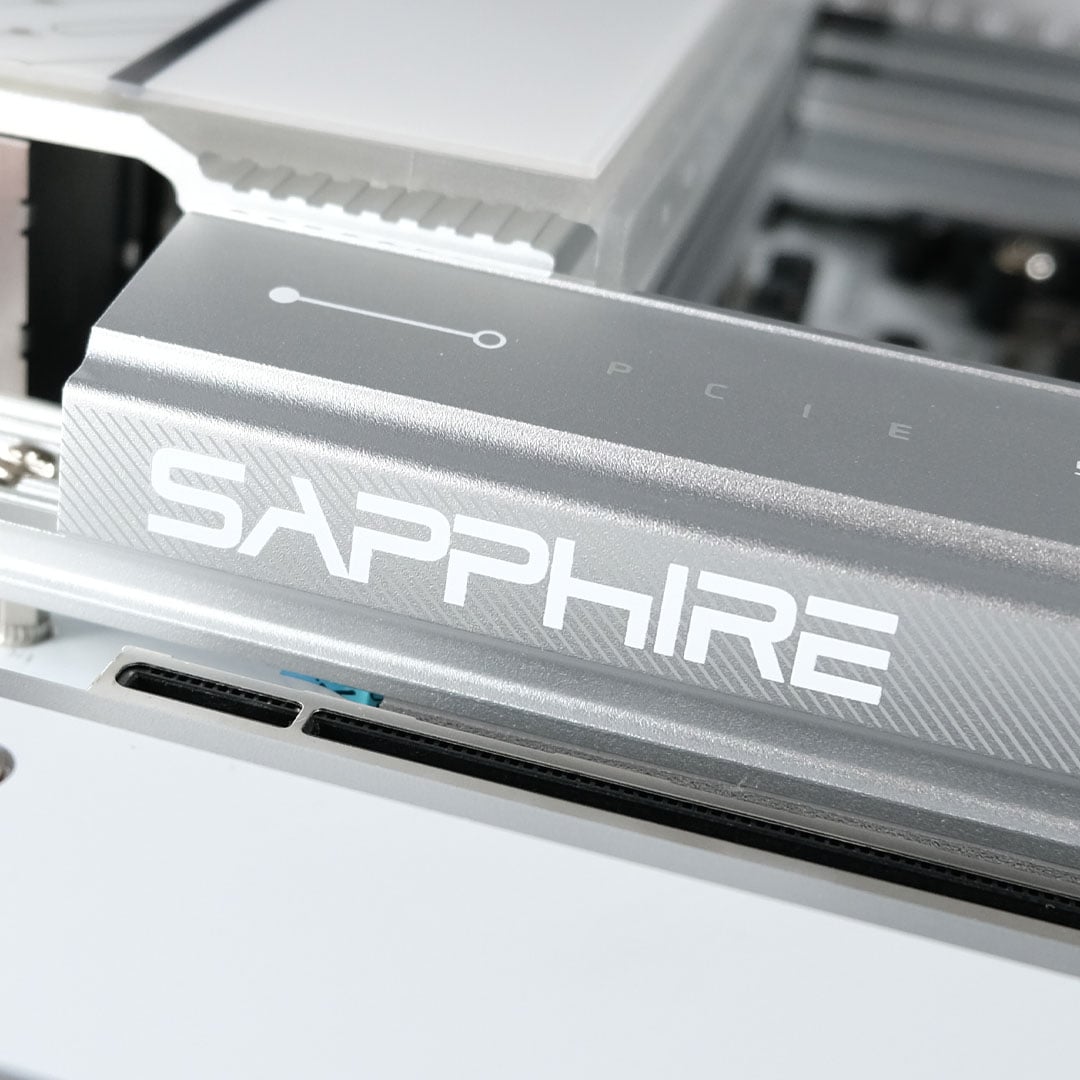

Sapphire Pure X870A WiFi 7
£210 / $249
Pros
- Great build quality
- Attractive design
- Low price point
- Intuitive BIOS
Cons
- Relatively trim feature set
- No toolless installation
Club386 may earn an affiliate commission when you purchase products through links on our site.
How we test and review products.
Debuting at £210 / $249, the Pure X870A ranks among the most affordable X870 motherboards on the market. Such a low cost naturally involves some limits, but Sapphire hasn’t compromised the board’s overall value in order to hit that price.
Specs
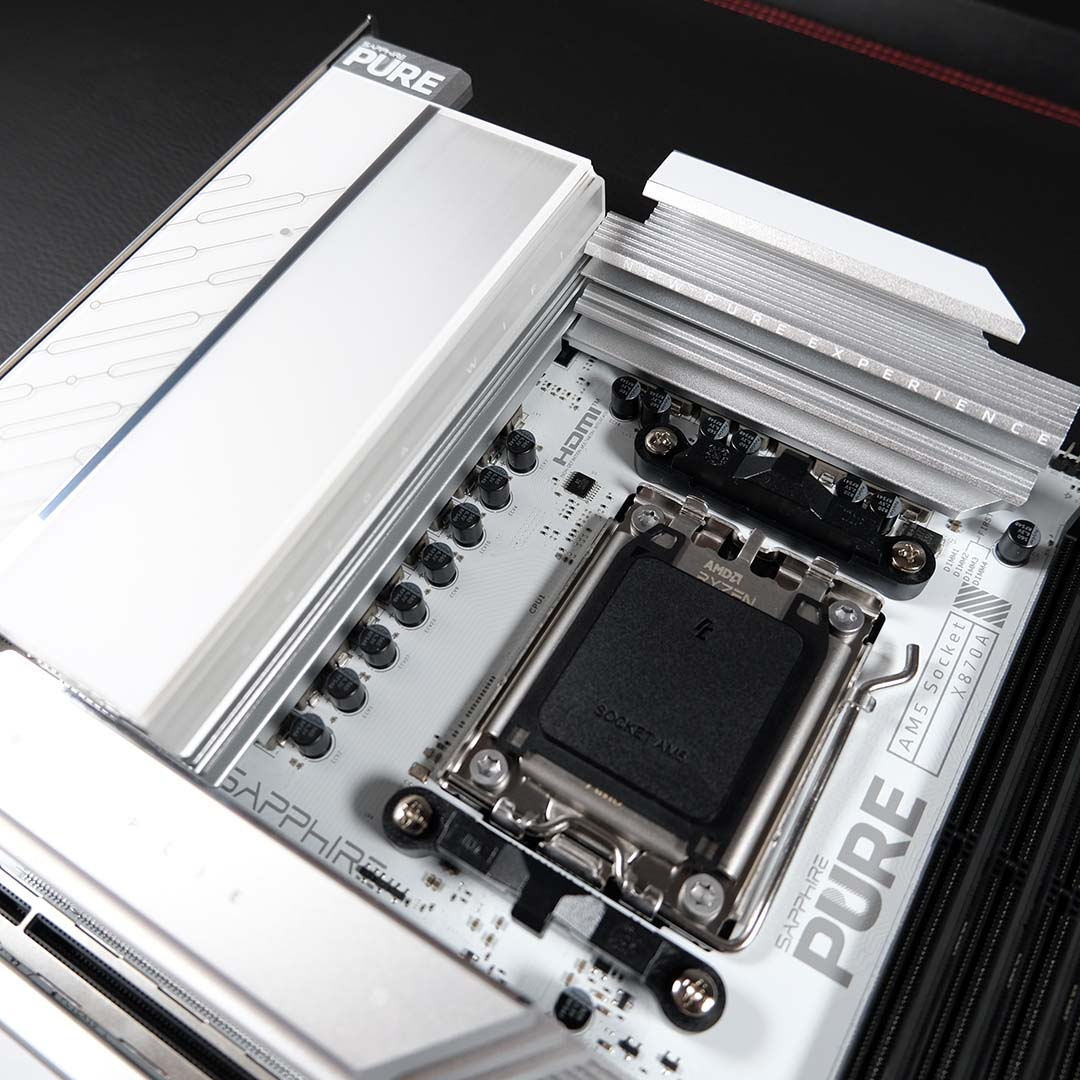
Sapphire equips the Pure X870A WiFi 7 with a 16+2+1 VRM design, complete with 55A phases. This setup is more than capable of handling any AMD Ryzen processor you’d want to throw at it, with enough headroom for a splash of overclocking too, but nothing too extreme.
The heatsinks atop the VRM look appropriately frosty, keeping peak temperatures in check to the tune of 42°C during my testing. Some will bemoan the lack of ARGB LEDs and other flashy elements, but I enjoy the clean, minimalist look here, which extends to the wider motherboard too.
| Sapphire Pure X870A WiFi 7 | |
|---|---|
| VRM | 16+2+1, 55A |
| RAM support | Slots: 4 Max. capacity: 256GB Max. OC speed: 8,400+MT/s |
| Onboard graphics | DisplayPort (x1) HDMI (x1) USB-C (x2) |
| PCIe expansion slots | PCIe 5.0 x16 (x1) PCIe 4.0 x4 (x1) PCIe 3.0 x1 (x1) |
| Audio | Realtek ALC897 |
| Storage | PCIe 5.0 x4 (x1) PCIe 4.0 x4 (x2) SATA 6Gb (x4) |
| Rear USB | USB 4 (40Gb) (x1) USB-A 3.2 Gen 2 (10Gb) (x1) USB-A 3.2 Gen 1 (5Gb) (x4) USB-A 2.0 (480Mb) (x2) |
| Front USB | USB-C 3.2 Gen 2 (10Gb) (x1) USB-A 3.2 Gen 1 (5Gb) (x2) USB-A 2.0 (480Mb) (x4) |
| LAN | Realtek 5Gb (x1) |
| Wireless | Bluetooth 5.4 Wi-Fi 7 |
| Price | £210 / $249 |
RAM support is expectedly solid on the Pure X870A WiFi 7. You’ll find four DIMM slots on the motherboard capable of supporting up to 256GB (4x64GB) of memory.
Sapphire rates maximum memory speeds of up to 8,400MT/s via overclocking. Realistically, though, you’ll want to target 6,000/6,400MT/s as a sweet spot for an AMD CPU, and the board had zero problems running my sticks at the latter speed.
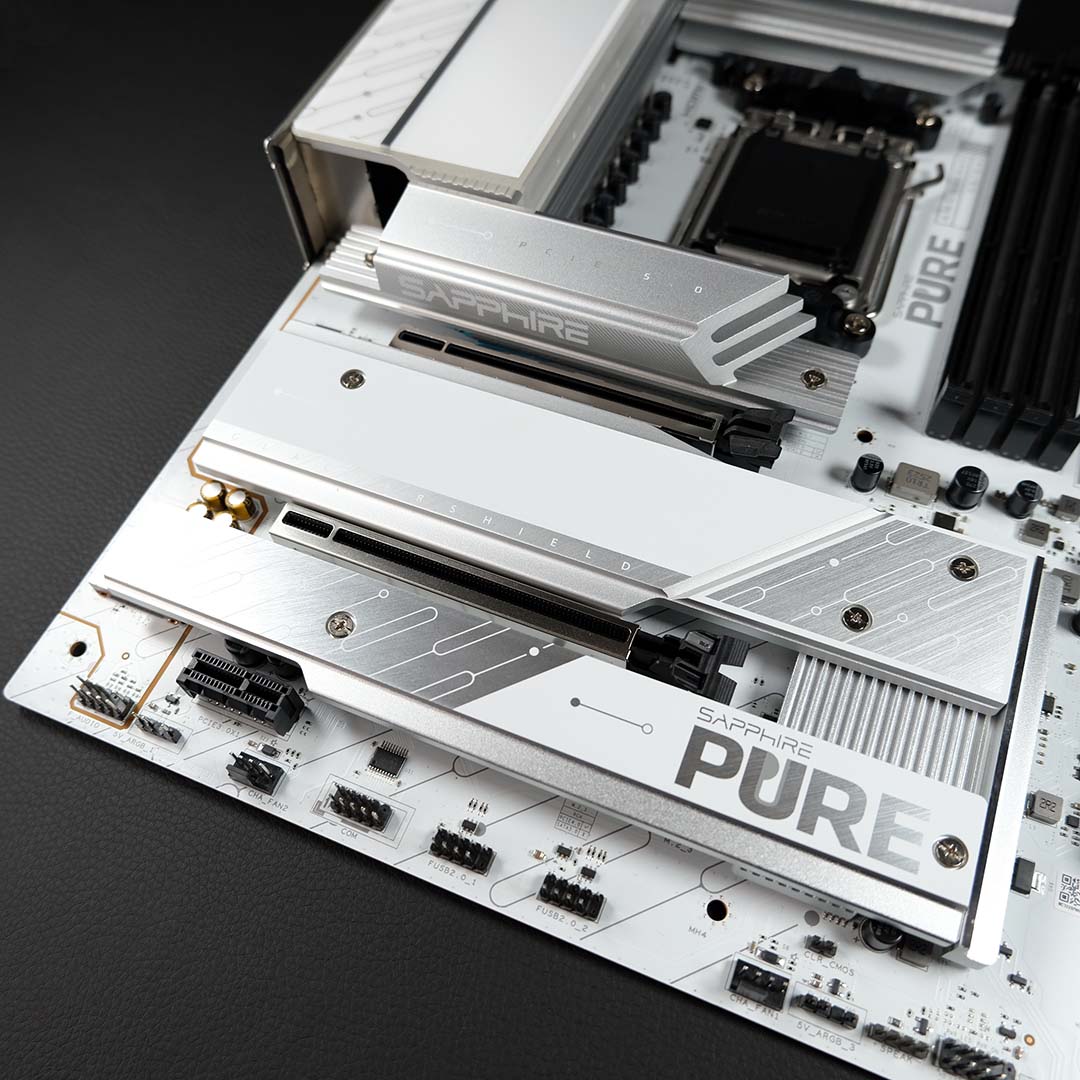
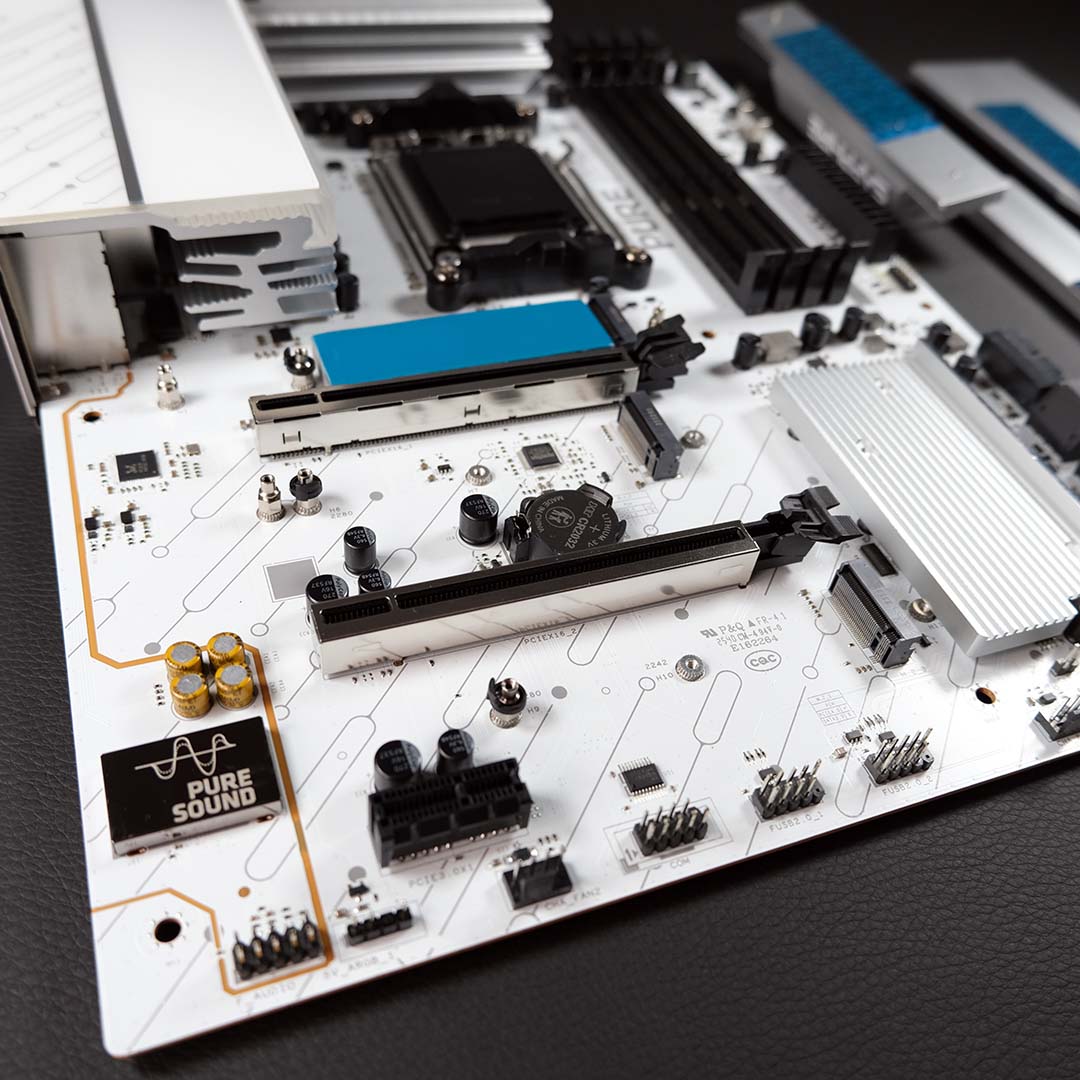
Each of the Pure X870A’s M.2 slots benefits from a passive heatsink, but you’ll need a screwdriver handy to access any of them. Annoyingly, that includes the primary PCIe Gen 5 x4 slot, which is typically toolless on other X870 motherboards.
There’s sadly no tool-free assistance for the PCIe Gen 5 x16 slot either. This can make removing your graphics card difficult, particularly as the primary M.2 heatsink is so large. Again, GPU release mechanisms are common on X870 motherboards, so the lack of one on the Pure X870A sticks out all the more.
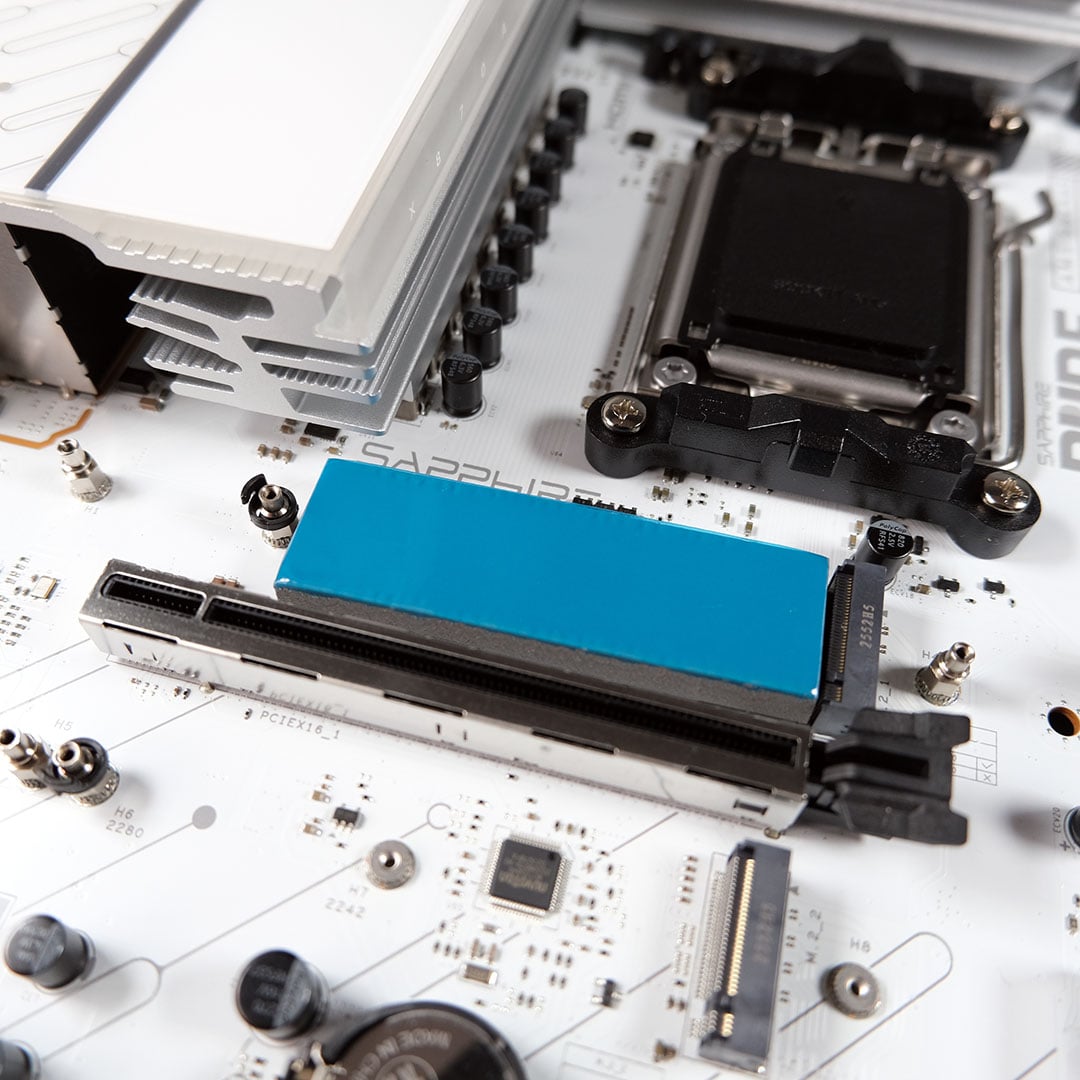
Old-school as Sapphire’s design feels in this respect, the build does feel high-quality. All the materials here, from the heatsinks to the PCIe shrouds, look and feel premium, with welcome weight.
I also can’t help but smile at the sheer size of the thermal pad under this board’s primary M.2 heatsink, as I did in my Nitro+ B850A WiFi 7 review. This large grey heat sponge kept my Gen 5 WD_Black SN8100 2TB SSD nice and cool, peaking at a solid 53°C.
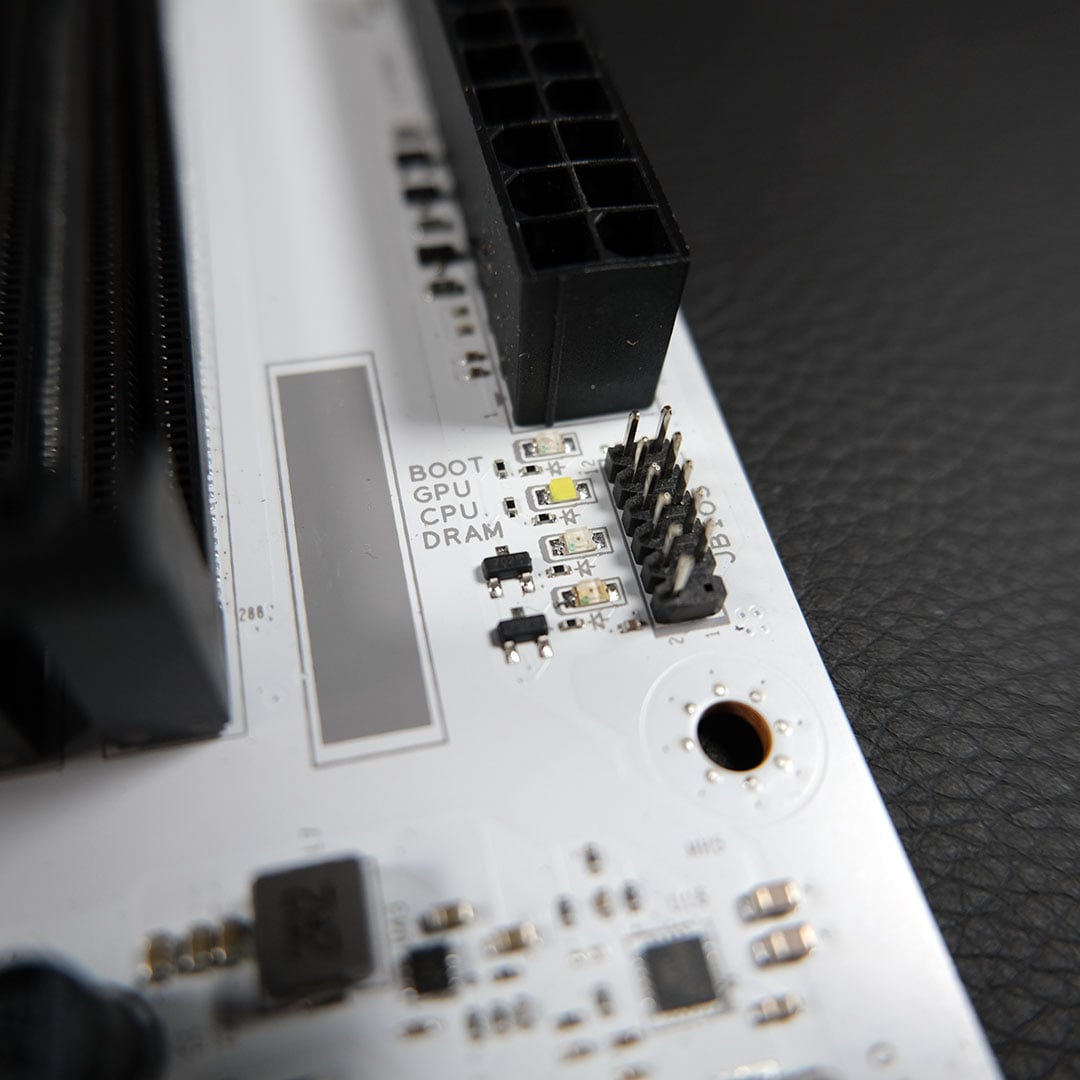
I’ll never miss an opportunity to celebrate the presence of debug LEDs. As far as I’m concerned, these invaluable troubleshooting lights should be on every motherboard, so I’m glad to see Sapphire include them on the Pure X870A. A code display would be even better, but this feature remains uncommon on boards at this price.
Outside of distinct connections for the CPU fan and/or AIO pump, you’ll find three chassis fan and ARGB headers across the board. While I’d prefer to see a connection towards the left of the PCB, to more easily accommodate exhaust airflow, the Pure X870A WiFi 7’s layout is similar to other motherboards and will prove suitable for most builds.
While not everybody uses onboard audio, if you do, bear in mind that you only get a Realtek ALC897 codec on this board. That does provide HD audio with up to 7.1 channels, but sound quality isn’t as good as you’ll get from a board with Realtek’s ALC1220 codec, which is found on some other motherboards in this price sector.
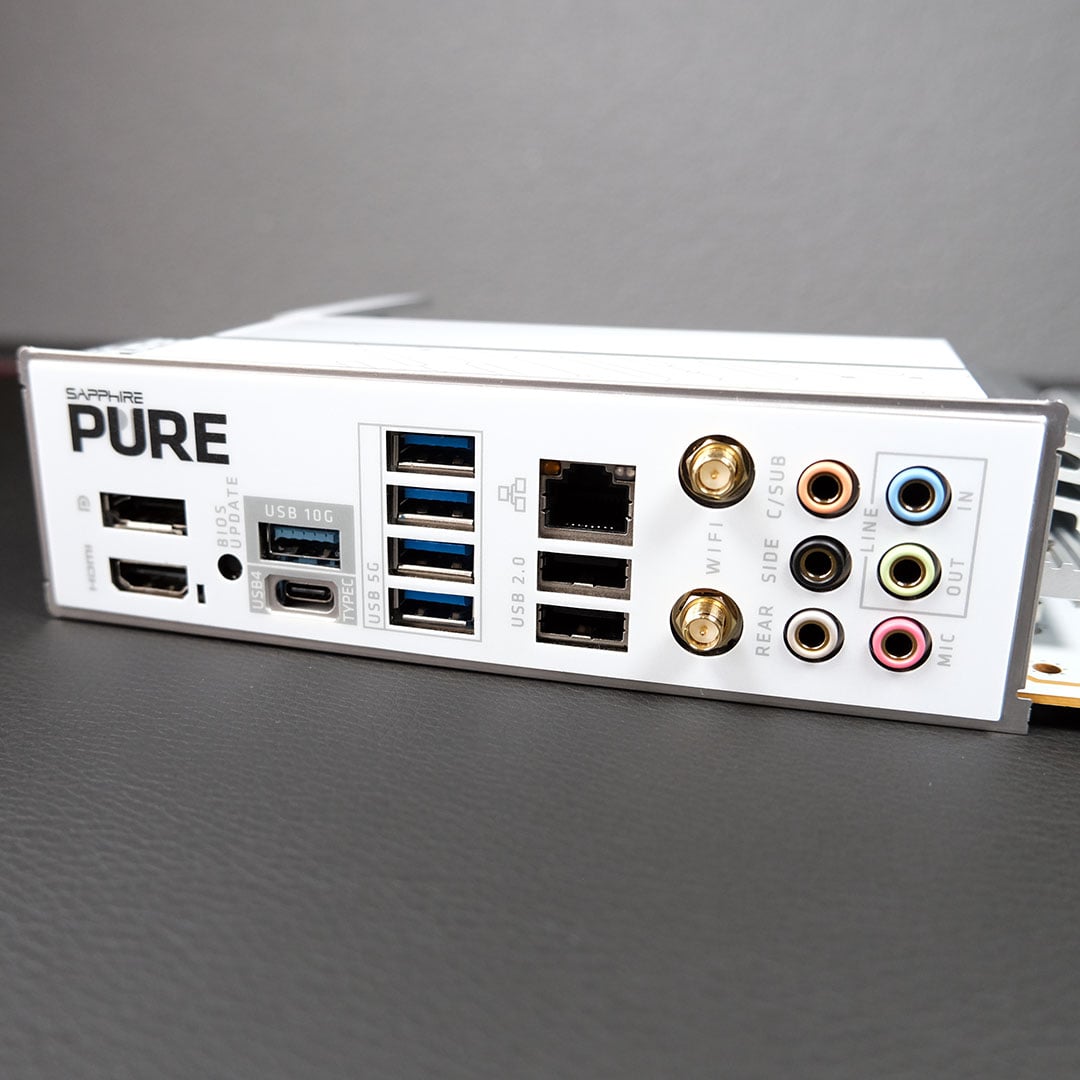
Round back, the USB selection is solid for the price. As per the X870 chipset, we have at least one 40Gb Type-C port but no more than that. Complementing the selection is a single 10Gb Type-A, alongside four 5Gb and two 480Mb inputs, all conveniently labelled and colour coded.
This collection is certainly enough to satiate the peripheral appetite of most builds. However, the number and speeds of the Pure X870A’s USB ports are relatively trim compared to other (slightly more expensive) motherboards with the same chipset.
Sapphire keeps pace with the latest networking standards, offering 5Gb Ethernet and Wi-Fi 7, giving you more than the usual 2.5Gb LAN port you get on boards at this price. Using both connections on my 1Gb home network, complete with Wi-Fi 6E, presented no issues in terms of speed or signal quality.
Firmware
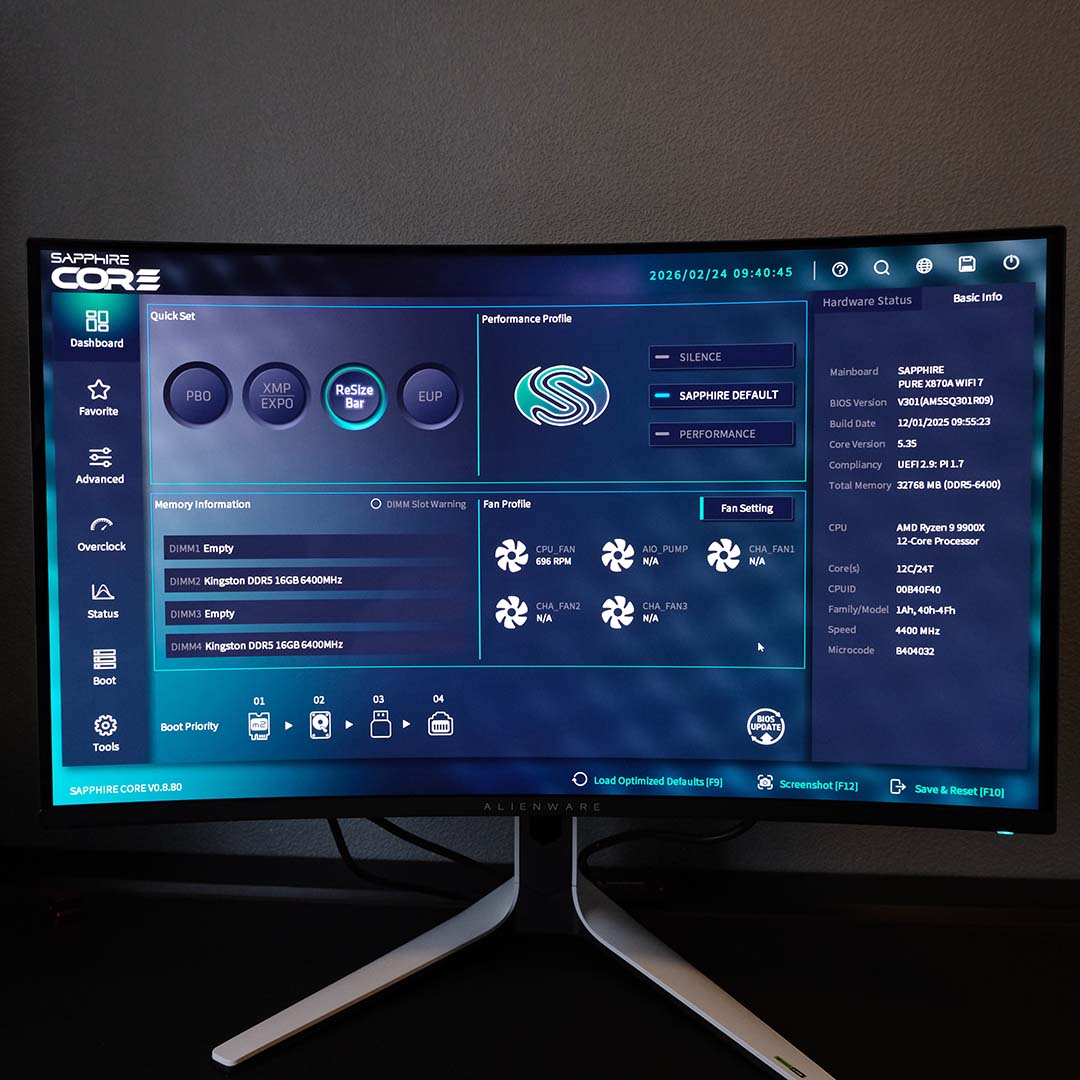
For those unfamiliar with Sapphire’s Core BIOS, you’ll soon find your feet thanks to the sharp and snappy FHD interface. Common settings such as XMP/EXPO for memory and PBO for your CPU are easily accessible, with clear indicators of their state, and more advanced options are quick to find through search and intuitive categories.
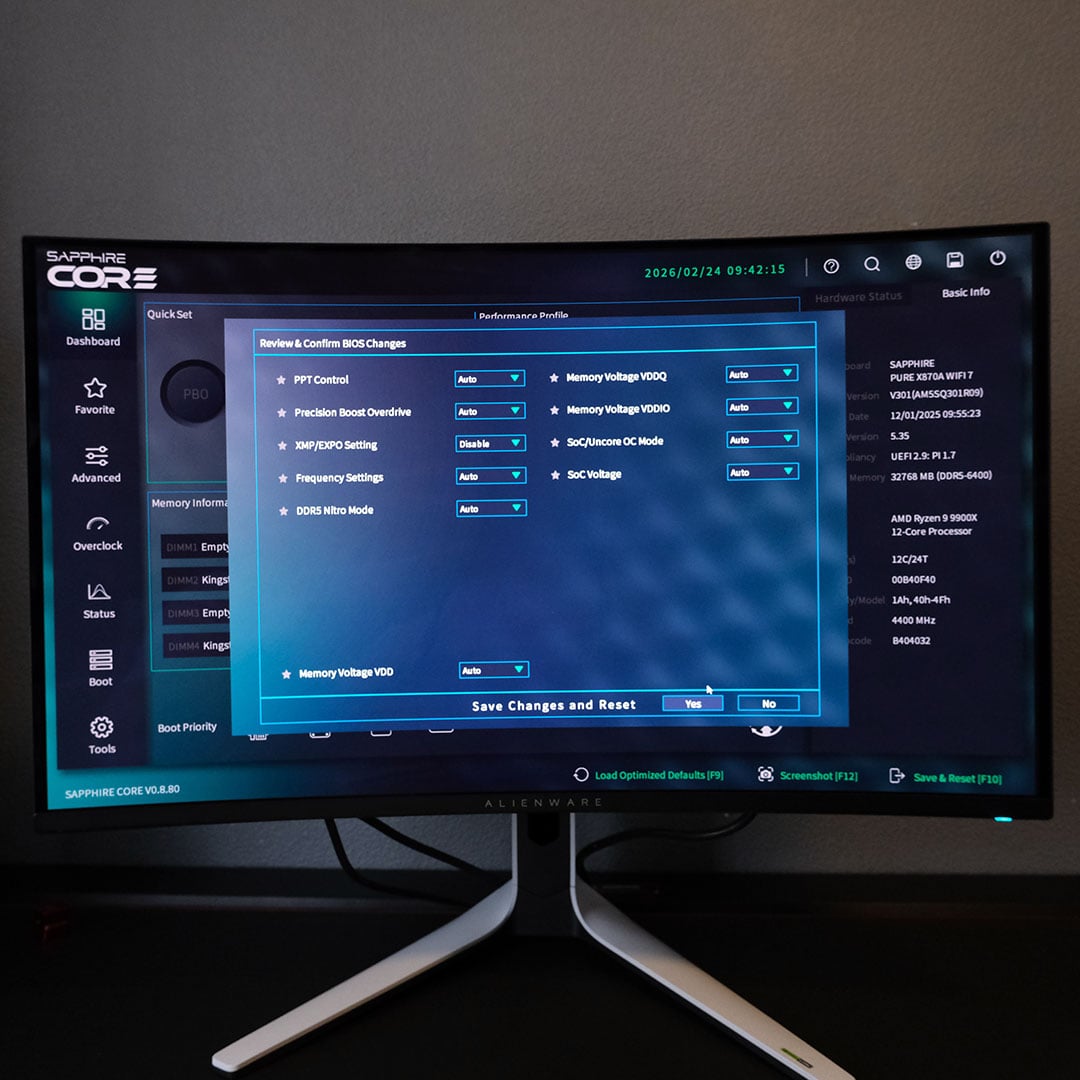
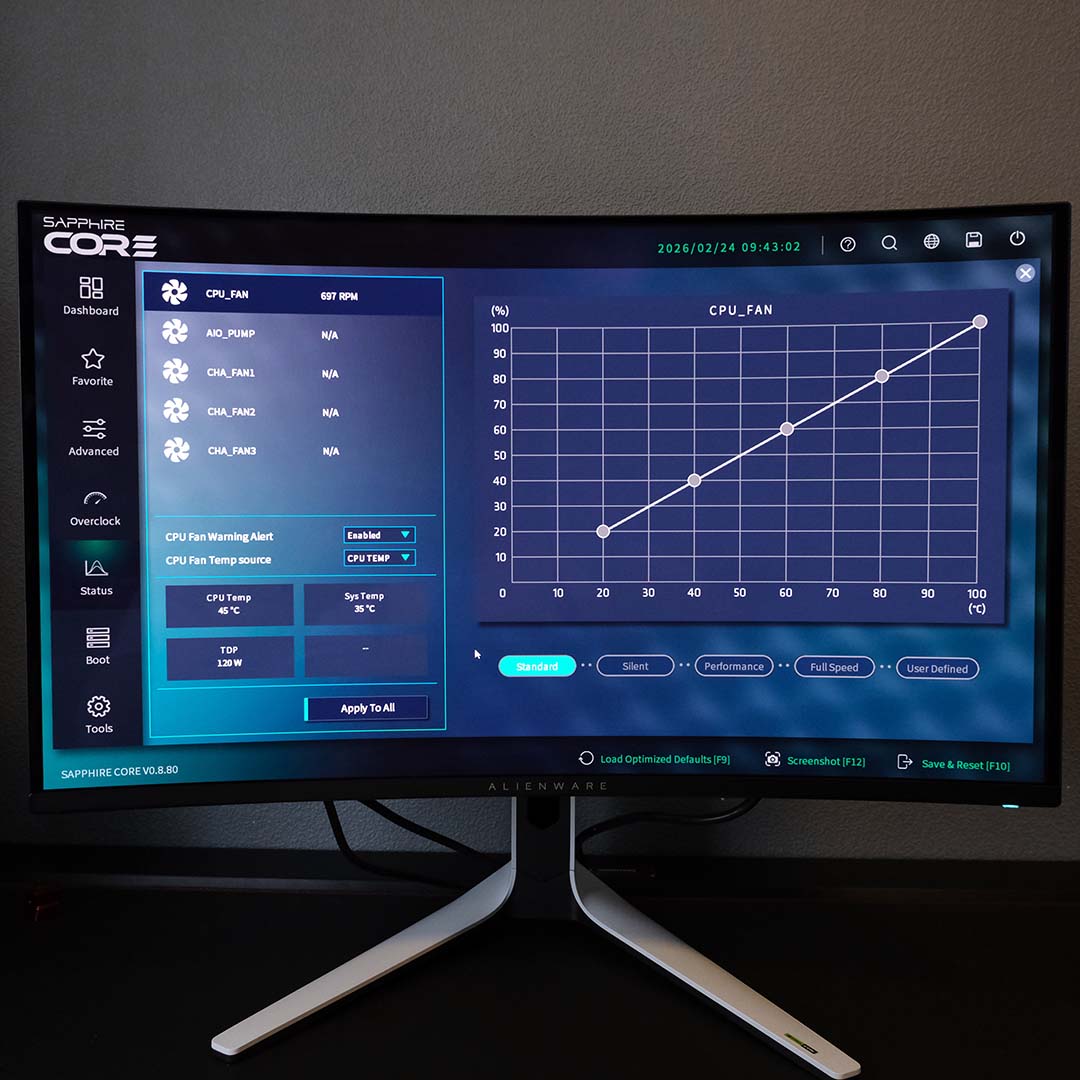
It’s been almost six months since I last looked at Sapphire’s Core BIOS, and it’s clear the firm has busied itself with improvements in that time. Small changes, such as the inclusion of a clear optimised defaults shortcut, are welcome, but there are further changes beneath the surface.
One of the glaring shortcomings of the previous Core BIOS was its lack of a change log. Thankfully, Sapphire has remedied this omission. However, there’s still no way to edit fan curves through numeric values, which would go a long way to creating a convenient cooling customisation experience.
Performance
To test the Pure X870A WiFi 7’s performance, I’m bringing my usual suite of components out of the cupboard. However, on account of my SSD giving up the ghost, I’ve had to swap out my Crucial T700 2TB for a WD_Black SN8100 2TB.
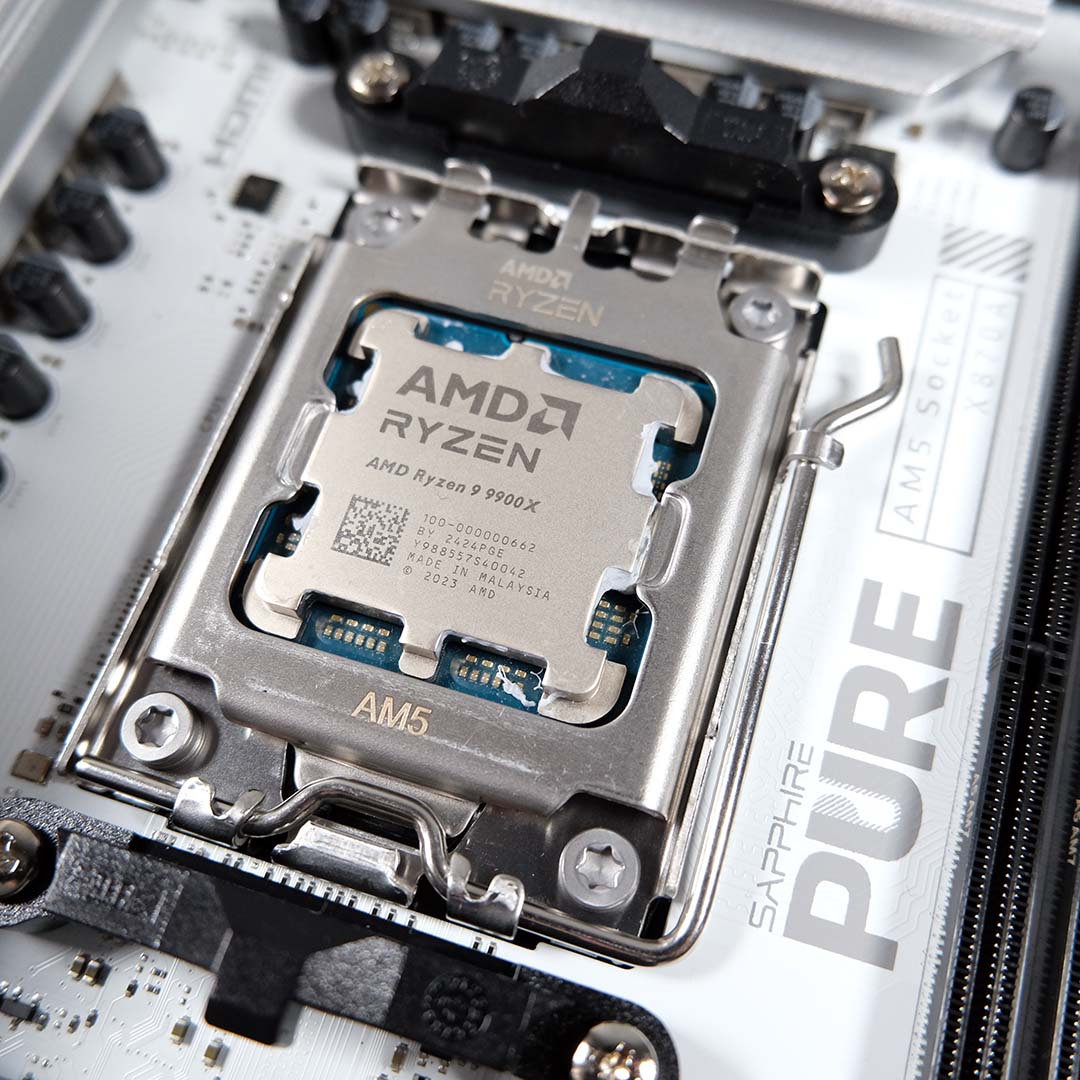
The rest of my test components include a Ryzen 9 9900X paired with 32GB (2x16GB) of Kingston Fury Renegade DDR5-6400 RAM, a Noctua NH-D16 chromax.black cooler, as well as a be quiet! Dark Power 13 1,000W PSU and Radeon RX 7800 XT graphics card.
| Sapphire Pure X870A WiFi 7 | MAG X870E Tomahawk Max WiFi | |
|---|---|---|
| AIDA Read | 75,413MB/s | 77,634MB/s |
| AID Write | 82,269MB/s | 83,146MB/s |
| AIDA Copy | 71,500MB/s | 71,716MB/s |
| AIDA Latency | 82.1ns | 80.0ns |
| Cinebench 2024 1T | 136pts | 138pts |
| Cinebench 2024 MT | 1,790pts | 1,826pts |
| PCMark 10 | 12,178pts | N/A |
| 3DMark Time Spy | 18,961pts | 18,864pts |
| 3DMark Steel Nomad | 4,126pts | 4,091pts |
| CrystalDiskMark seq. read | 14,341MB/s | N/A |
| CrystalDiskMark seq. write | 13,518MB/s | N/A |
| Cyberpunk 2077 (Min / Avg) | 72 / 85fps | 67 / 79fps |
| FFXIV: Dawntrail (Min / Avg) | 82 / 184fps | 84 / 186fps |
| VRM temperature | 42°C | 45.5°C |
| Power consumption (Idle / Load) | 79 / 250W | 129 / 303W |
Pitting my Pure X870A WiFi 7 results against the MSI MAG X870E Tomahawk Max WiFi, the boards perform similarly across the test suite. Notable differences are seen in CrystalDiskMark and PCMark, but these can be largely attributed to the different SSD we used for testing, which is why we’ve omitted those results from the MSI board’s column in the above table. Sapphire’s board expectedly holds its own against more premium alternatives too, as moving up the motherboard price scale will typically only unlock more features rather than increase performance.
I highlighted this earlier, but I’m particularly happy to see VRM temperatures as low as 42°C. Power consumption is similarly pleasing, reasonably ranging from 79W at idle to 250W under a Cinebench 2024 multi-core run.
You won’t find a one-click overclock in the X870A Pure’s firmware, but Sapphire does provide a ‘Performance’ toggle. This enables Precision Boost Overdrive (PBO) and lifts PPT (Package Power Tracking) limits, enabling more watts to go to your processor.
In practice, though, power consumption nominally rises to 259W under the duress of Cinebench 2024. There’s also no change to my multi-core score, either. Disappointing as this may seem, I’m glad Sapphire doesn’t promise overly lavish performance gains its marketing materials with this mode. As ever, most will be happy enough with the gains XMP/EXPO profiles bring.
Conclusion
The Pure X870A WiFi 7’s greatest strengths lie in its aesthetics and build quality. In typical Sapphire fashion, this hardware balances a sleek and stylish finish with sturdy components.
I’m also glad to see Sapphire continue to improve on its promising Core BIOS design. There are still a few parts that would benefit from some extra polish, but the current offering remains clean and intuitive.
The price is solid too, at £210 / $250. However, spending a little more can net a more feature-rich board. Take, Gigabyte’s X870 Gaming X Wi-Fi 7 for £220, which boasts two USB 4 ports, an ALC1220 audio codec, and toolless conveniences.
That said, it’s difficult to find a white motherboard with comparable specifications at this price. As such, if you’re looking to build a PC in this colour scheme, the Pure X870A is a solid choice.
