

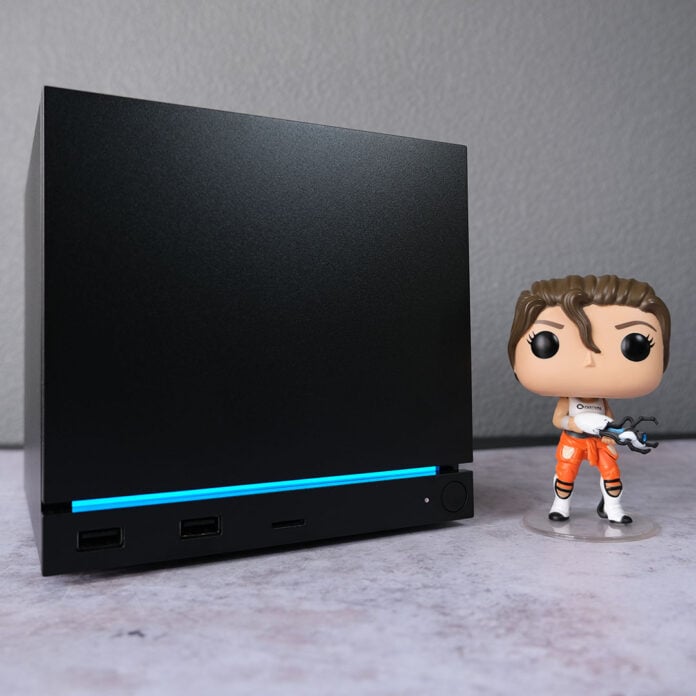
Taking longer than anyone wanted to arrive, Valve’s Steam Machine is finally hitting the streets. This adorable mini PC aims to provide a console-like experience alongside all the capabilities of a computer, without taking up an enormous amount of space in your living room. It largely succeeds in this goal, but it does so while being sadly saddled with questionable performance and a high price.

Steam Machine
£879 / $1,049
Pros
- Impressively compact design
- Whisper-quiet operation
- Solid thermals
- Convenient couch PC experience
Cons
- Disappointing performance
- High price
- Some SteamOS quirks
- Steam Controller costs extra
Club386 may earn an affiliate commission when you purchase products through links on our site.
How we test and review products.
Starting at £879 / $1,049, the Steam Machine is heartbreakingly expensive on account of the ongoing NAND and RAM crisis. We have AI business interests to thank for this situation, of course, with the system’s original launch price probably falling closer to $750. Alas, we don’t live in that happier timeline, so Valve’s machine faces challenges on all sides. That means it’s up against both consoles and prebuilt PCs, and it emerges from these battles with a decidedly bloodied stance.
Specifications
Both the Steam Machine’s CPU and GPU are semi custom in nature, but share much in common with AMD’s Hawk Point and RDNA 3 mobile hardware, each now several years old. These similarities extend beyond on-paper specifications, though, as Valve solders both components to the system’s PCB. This is par for the course with mini PCs, owing to the space limitations of their form factor, but this approach leaves this rig without any upgrade path for the CPU or GPU.
| Steam Machine | |
|---|---|
| CPU | Architecture: AMD Zen 4 Cores / threads: 6 / 12 Max clock: 4.8GHz TDP: 30W |
| GPU | Architecture: AMD RDNA 3 Compute Units: 28 Max clock: 2.45GHz VRAM: 8GB GDDR6 TDP: 110W |
| RAM | 16GB DDR5 5,600MT/s SODIMM (single-channel) |
| Storage | 512GB or 2TB PCIe Gen 4 NVMe SSD |
| Connections | 1.0Gb Ethernet 2.4GHz Steam Controller adapter Bluetooth 5.3 DisplayPort 1.4 HDMI 2.0 microSD card slot USB-A 2.0 (x2) USB-A 3.2 Gen 1 (x2) USB-C 3.2 Gen 2 (x1) Wi-Fi 6E |
| Operating system | SteamOS 3 |
| Dimensions (H x W x L) | 152 x 156 x 162mm |
| Weight | 2.6kg |
System analysis tools describe the six-core processor inside the Steam Machine as an ‘AMD Custom CPU 1772’. This chip features two full-fat Zen 4 cores alongside four lower-frequency Zen 4c cores, all of which support simultaneous multi-threading for a total of 12 threads. Valve doesn’t provide individual maximum frequencies for each type of core, but does list the highest potential boost clock as 4.8GHz, giving the chip a fair bit of single-threaded horsepower for gaming.
While AMD allows some Hawk Point processors to pull up to 54W, the Steam Machine’s CPU tops out at 30W. It’s unclear whether this is a hardware limitation set by AMD, but there’s no way to amend power limits via system firmware. As much as I would like to have more power at my disposal, this configuration doesn’t hamstring the chip in gaming, and it does play nicely with Valve’s cooling design.
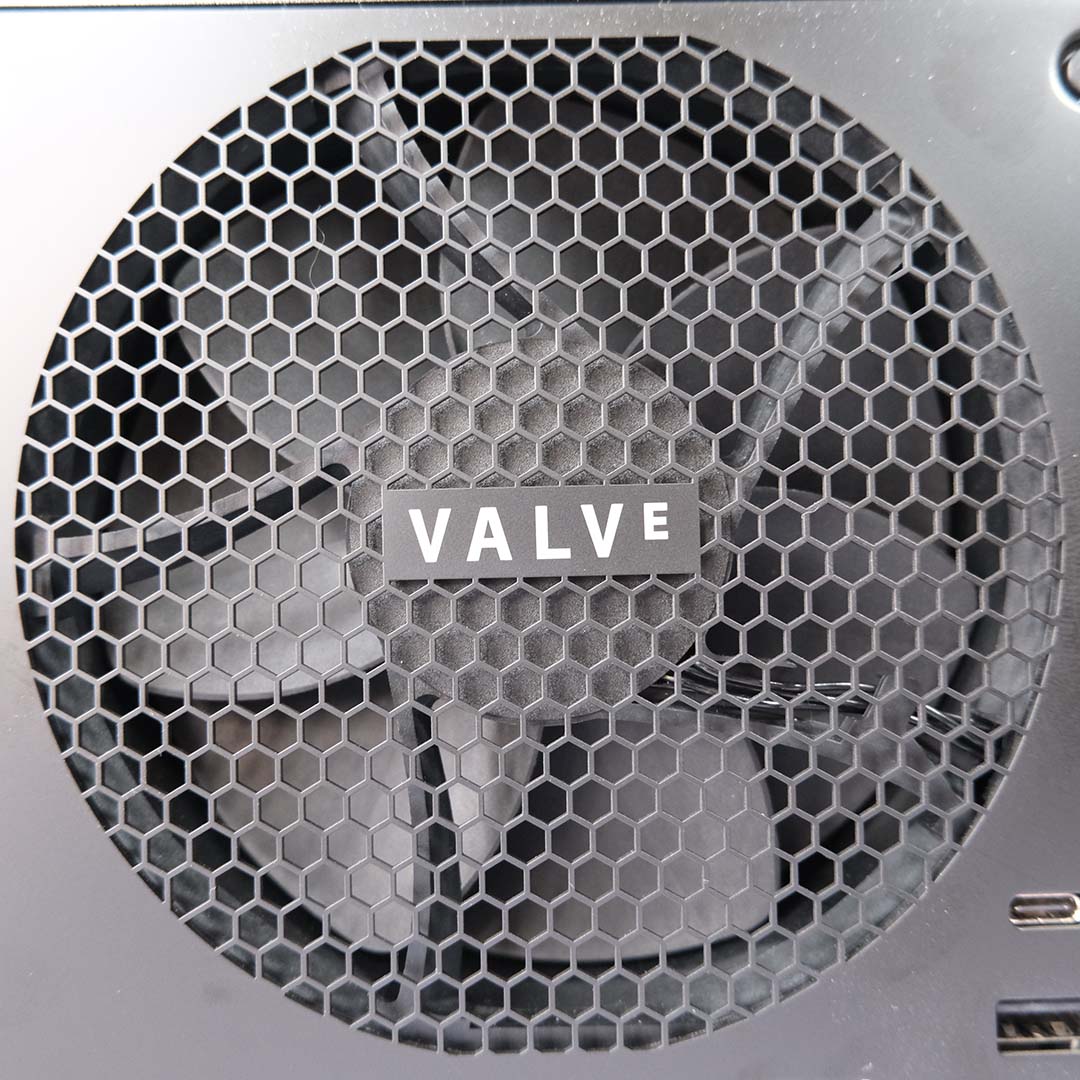
Speaking of which, the Steam Machine arrives with a beefy heatsink paired with a high-pressure 120mm fan, which together take up the majority of the system’s 3.8L volume. This setup keeps both CPU and GPU temperatures and other system components in check to great effect, providing near-silent noise levels under load without any sign of thermal throttling.
At first glance, the Steam Machine’s GPU is a dead ringer for the Radeon RX 7600M, albeit with slightly more kick. Both GPUs are derived from AMD’s Navi 33 die, mirroring one another with 1,792 stream processors, as well as 32 ray accelerators and 64 AI accelerators. The former differentiates itself with a higher TDP (110W vs. 90W) in addition to a slightly faster base clock (1,720MHz vs. 1,500MHz) and boost clock (2,450MHz vs. 2,410MHz).
Valve advertises the Steam Machine as a 4K-capable system with the helping hand of FSR upscaling, but that’s more the exception than the rule as far as the capabilities of this GPU are concerned. With just 8GB of GDDR6 VRAM in play, and a limited core spec, it’s often difficult for this system to meet the requirements necessary for gaming at resolutions beyond 1080p/1440p.
FSR 4.1 upscaling can alleviate these constraints and boost performance to a degree, but the technology is by no means a silver bullet. In any case, recent support for the tech on Steam Machine, and other RDNA 3 GPUs, is very welcome. It offers a massive improvement in terms of image quality over FSR 3, even if it’s not as fast.
All Steam Machines arrive with a single 16GB DDR5 5,600MT/s SODIMM. In an ideal world, with ample consumer memory supply, this system would instead sport two 8GB sticks in a dual-channel configuration for maximum performance. Unfortunately, given the current RAM crisis, this was the only configuration Valve could acquire in sufficient quantities ahead of the system’s launch.
Valve claims to have validated the performance delta between single and dual-channel operations, concluding that there’s little, if any, notable difference between the two in games. However, the company rightly highlights that some memory-sensitive workloads will benefit more from two sticks. It’s possible to install your own SODIMMs, but accessing the RAM slots isn’t a simple process, and requires disassembly of the unit – I wouldn’t recommend most people bother.
While the performance purist in me would absolutely have preferred the Steam Machine arrive with two 8GB sticks at the expense of production volume, I completely understand why the company has taken this route, given the circumstances. Valve has said it’s possible that the Steam Machine will eventually ship with a more optimal dual-channel configuration, but the plan is to stick with single-channel for the foreseeable future.
In terms of storage, the Steam Machine arrives with either a 512GB or 2TB PCIe Gen 4 NVMe SSD. Valve ships it with an M.2 2230 drive, but it’s possible to replace this SSD with a 2260 or 2280 model by adjusting the included mounting screw. Our 2TB review unit’s storage delivers sequential read and write speeds of 7,000MB/s and 6,500MB/s, respectively.
There are no additional M.2 slots available to populate, but you can expand your storage through the built-in microSD card slot, and yes, you can install games on a microSD card. This slot only supports UHS-I speeds (up to 104MB/s), but it does unlock a convenient way to share files and games between your Steam Deck and Machine. You just need to take the card from one device and pop it into the other, with no tweaking necessary.
Design
No matter how much time I spend with the Steam Machine, I can’t help but smile whenever I look over at the little black box. Valve’s design is infectiously charming, fitting right into any gaming or living room setup with ease, without compromising on noise levels and thermals.
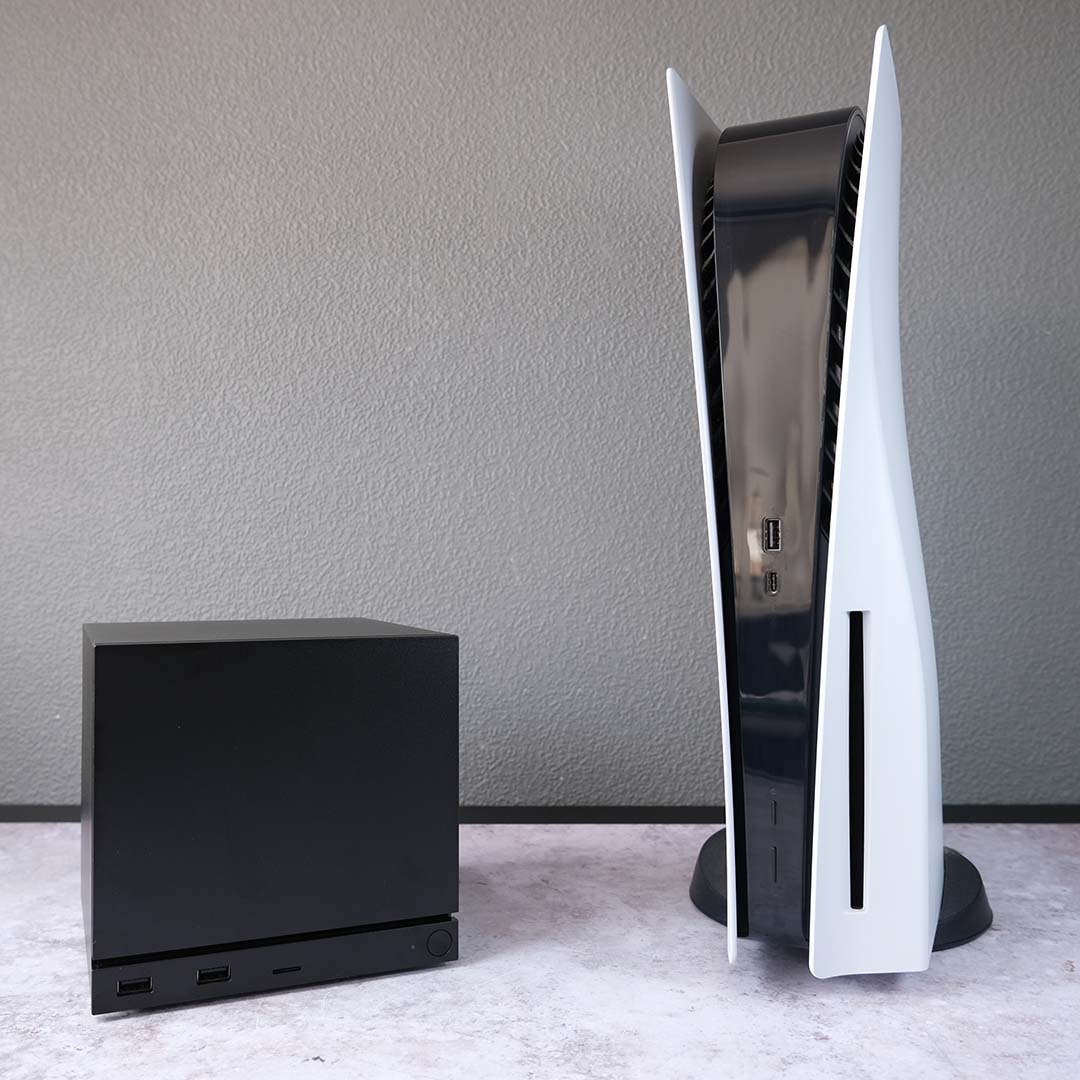
Measuring 152 x 156 x 162mm (H x W x L), it’s the smallest gaming PC I’ve had the pleasure of using. The Steam Machine’s affectionate ‘GabeCube’ nickname proves surprisingly appropriate for those familiar with the Nintendo GameCube, as Valve’s system is just as wide, and long, albeit slightly taller. All that’s missing is a built-in carry handle.
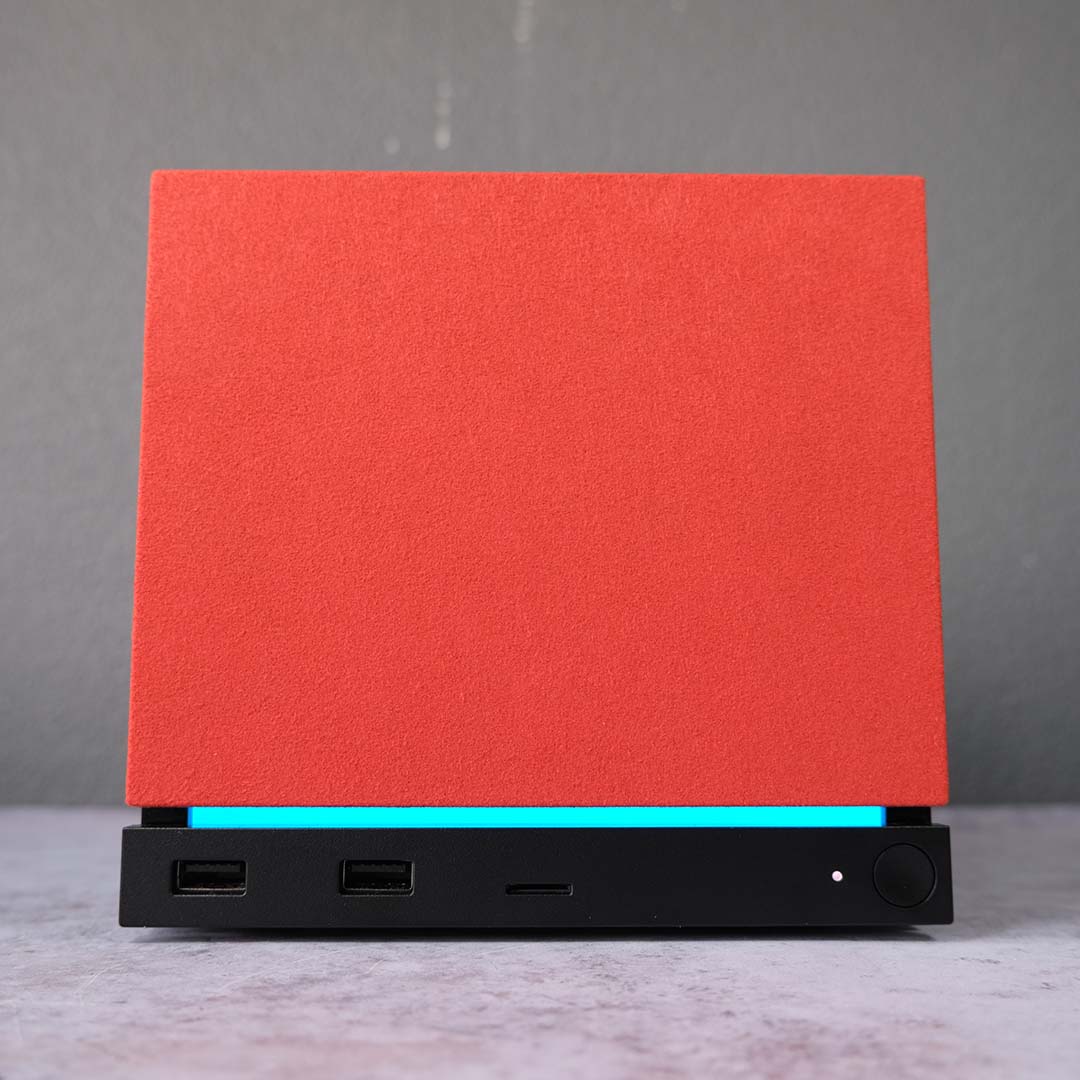
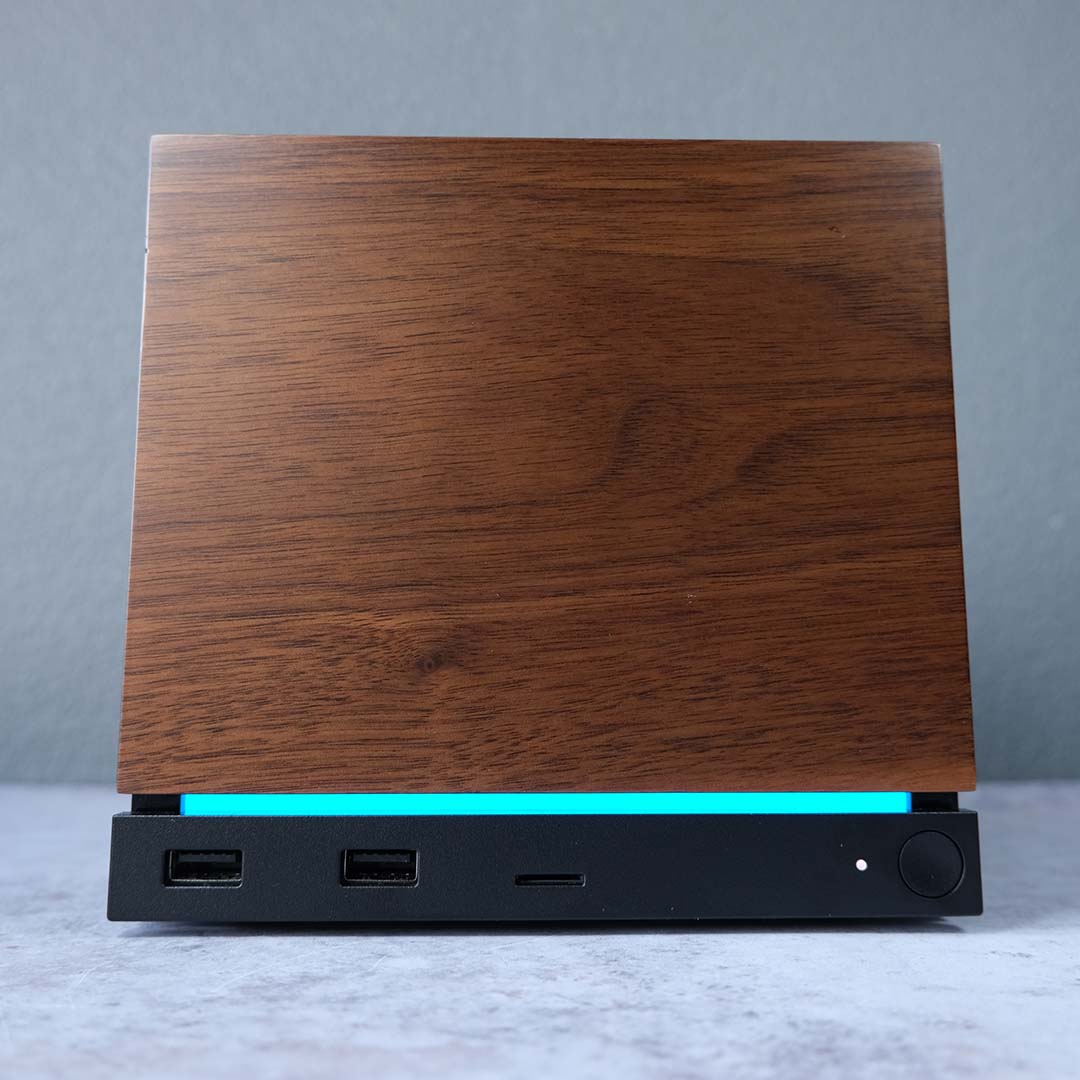
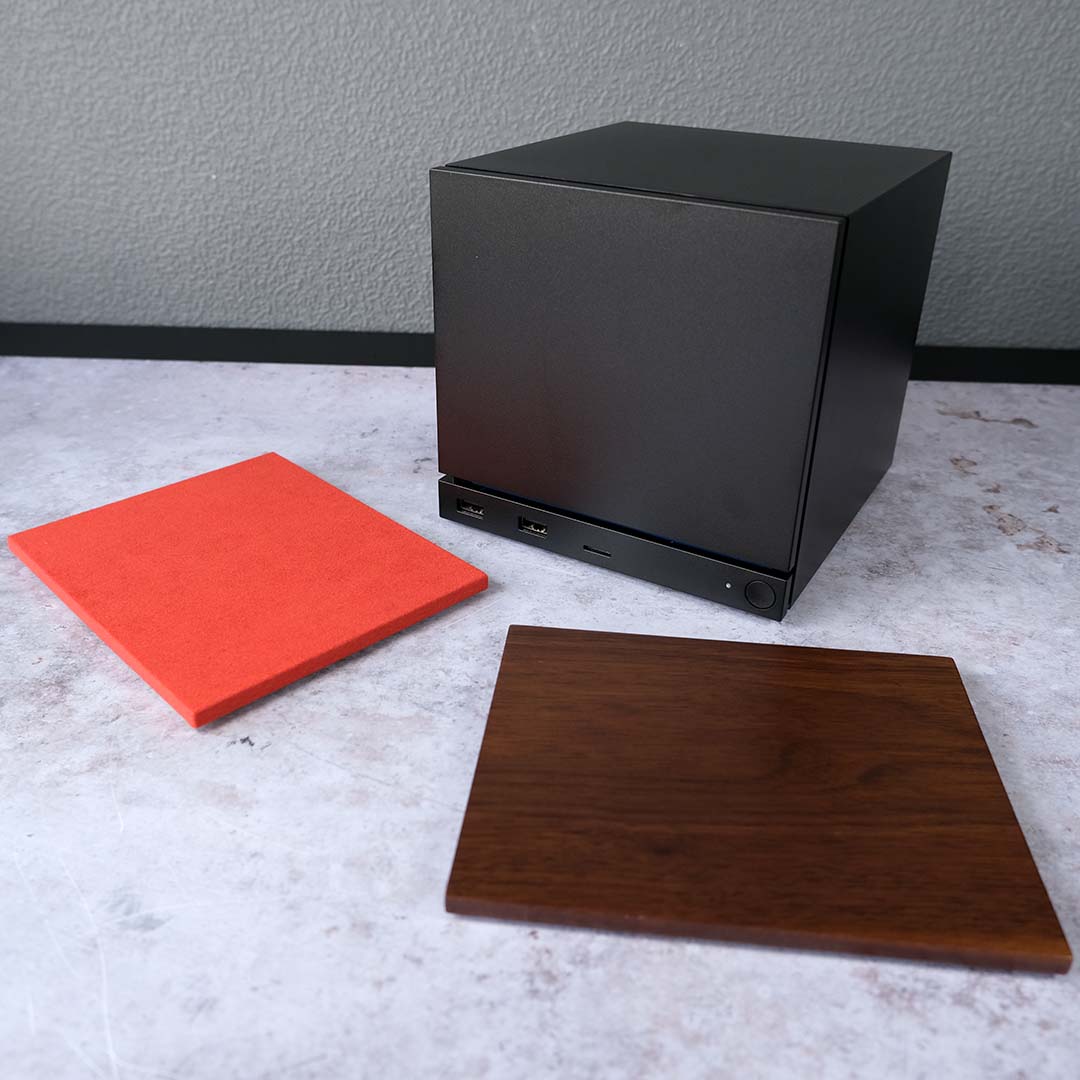
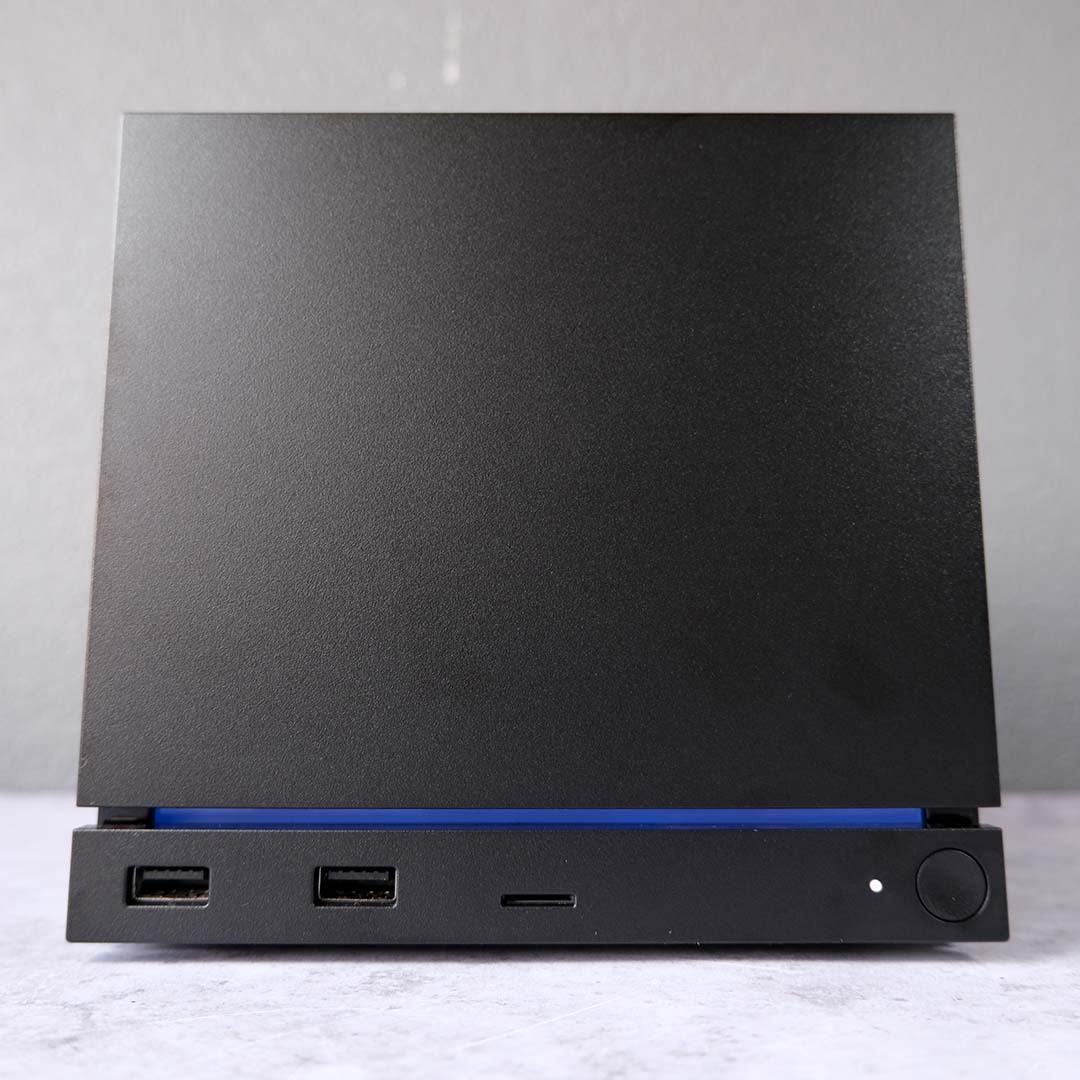
As someone who prefers their tech with a minimalist air, I appreciate the Steam Machine’s simple default all-black aesthetic. That said, it’s possible to remove the stock magnetic faceplate with alternative designs if you fancy some additional flair. The 2TB model comes with two additional panels, swapping metal for red fabric and walnut. Expect to see additional plates hit the market in the near future once the CAD files become public. Come on Valve, give us that Companion Cube.
While I normally bemoan RGB LEDs, the light strip below the Steam Machine’s faceplate has won me over both for its form and function. While the static blue bar looks tasteful, I love how the light also functions as a progress indicator for downloads. I see little reason to tweak these stock settings, but you can customise the bar with additional colours and modes if you like, or turn it off altogether.
Connections
There isn’t a massive wealth of connections on the Steam Machine, but there’s enough here for essential peripherals with some bandwidth to spare. On the front, there are two 5Gb USB-A ports, perfect for wiring up controllers, or a gaming keyboard and mouse.
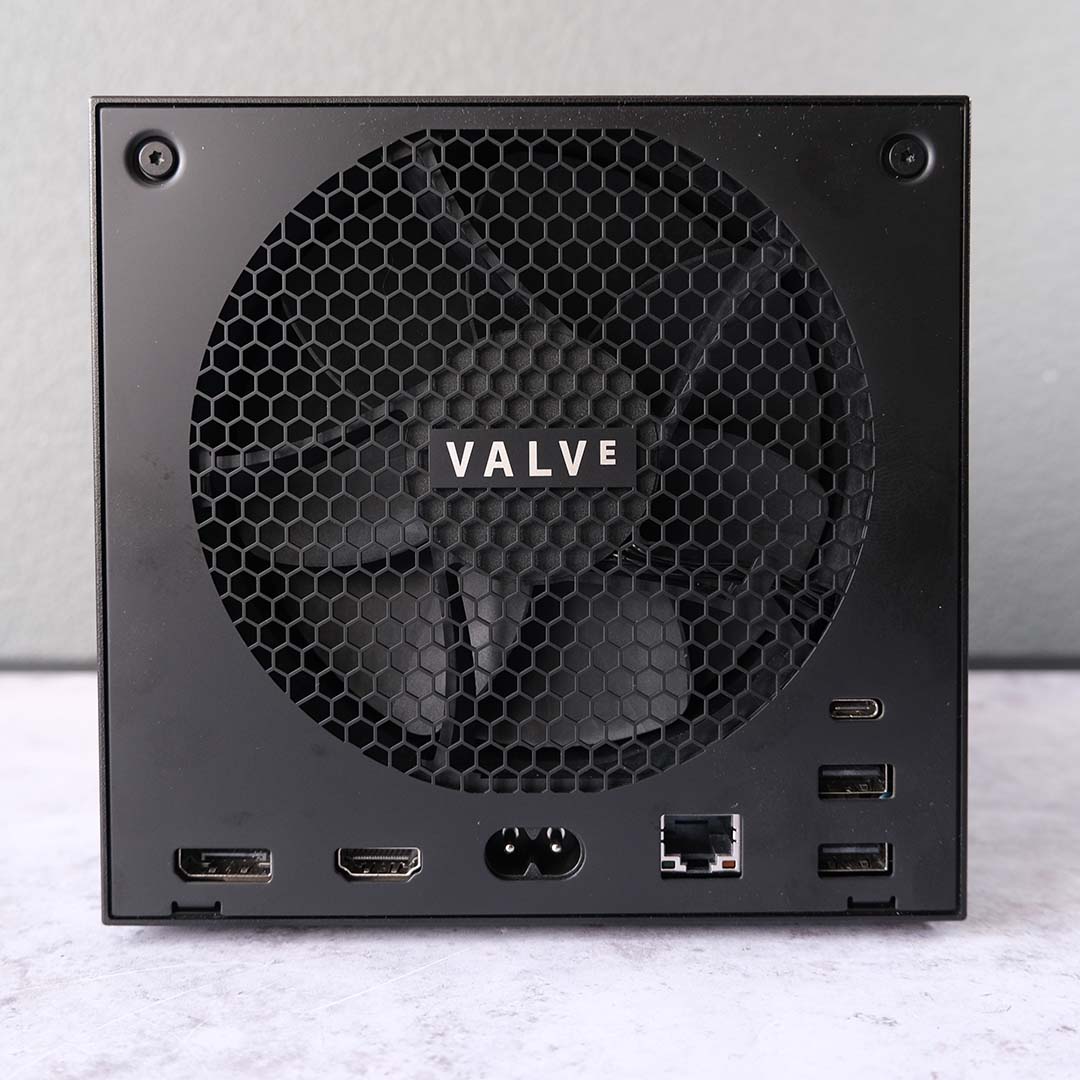
Meanwhile, on the rear of the system, there’s a 10Gb USB-C port in addition to two 480Mb USB-A ports. While the former connection is a welcome inclusion, I’d much prefer to see 5Gb Type-A ports across the board. That said, these slower ports remain adequate for most gaming peripherals, and you can also use them to conveniently charge Steam Controller pucks.
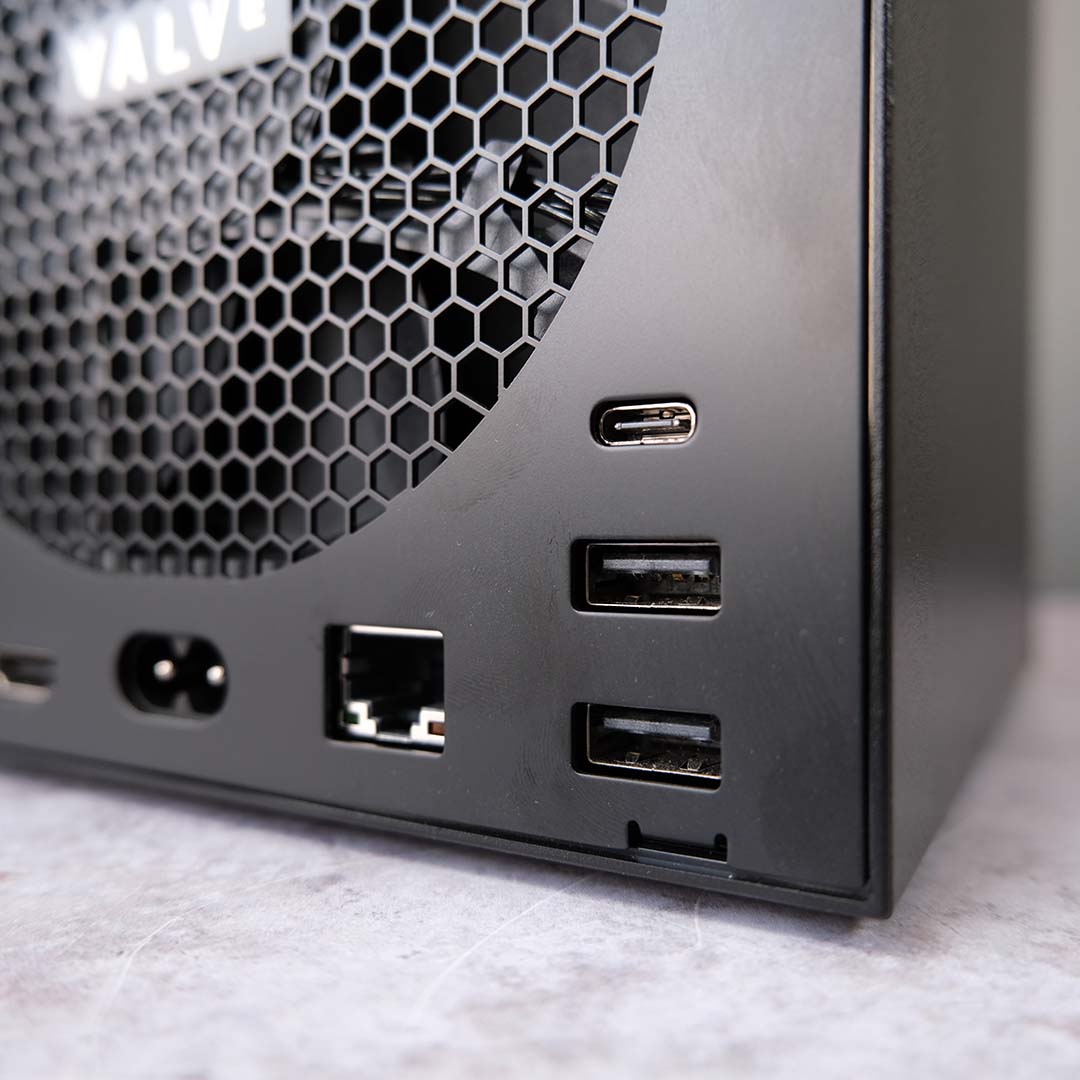
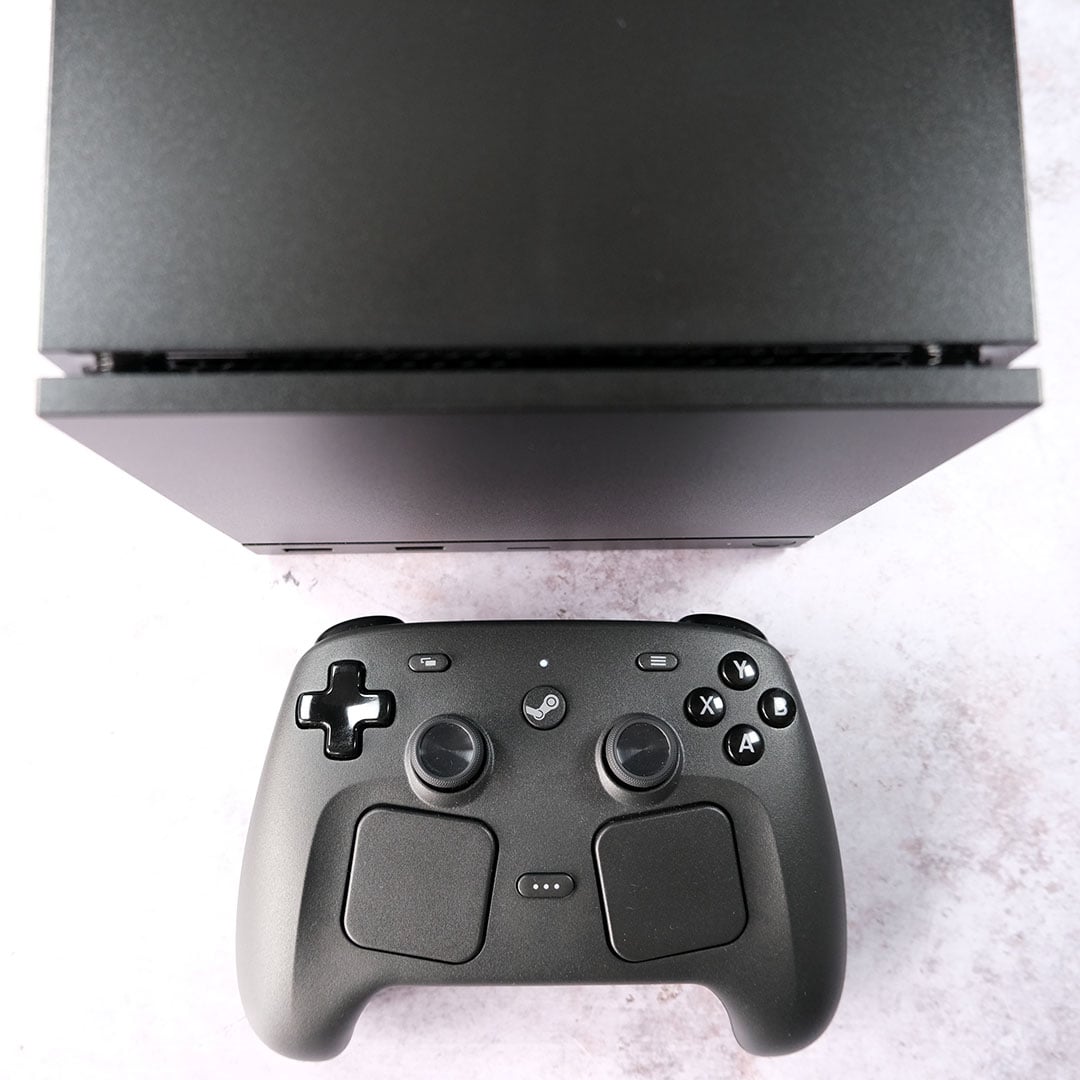
Speaking of which, the Steam Machine also features built-in 2.4GHz adapters for seamless wireless connections. I’ve been using the system with two Steam Controllers simultaneously with no issue, and there’s room to add two more should the need arise.
Aerials for Bluetooth 5.3 and Wi-Fi 6E also sit inside the Steam Machine. While they’re not the latest standards for either wireless technology, they remain reliable and speedy. Connecting my PlayStation DualSense and Xbox controllers to the system is a breeze, while my wireless network hasn’t skipped a beat. For those who can’t cut the cord, though, there’s a Gigabit Ethernet input ready to serve.
When it comes to display outputs, the Steam Machine has both DisplayPort 1.4 and HDMI 2.0 sockets. The former provides greater bandwidth and is naturally the superior choice for PC monitors, capable of outputting uncompressed 4K/144Hz signals and stretching to 240Hz with the assistance of Display Stream Compression (DSC).
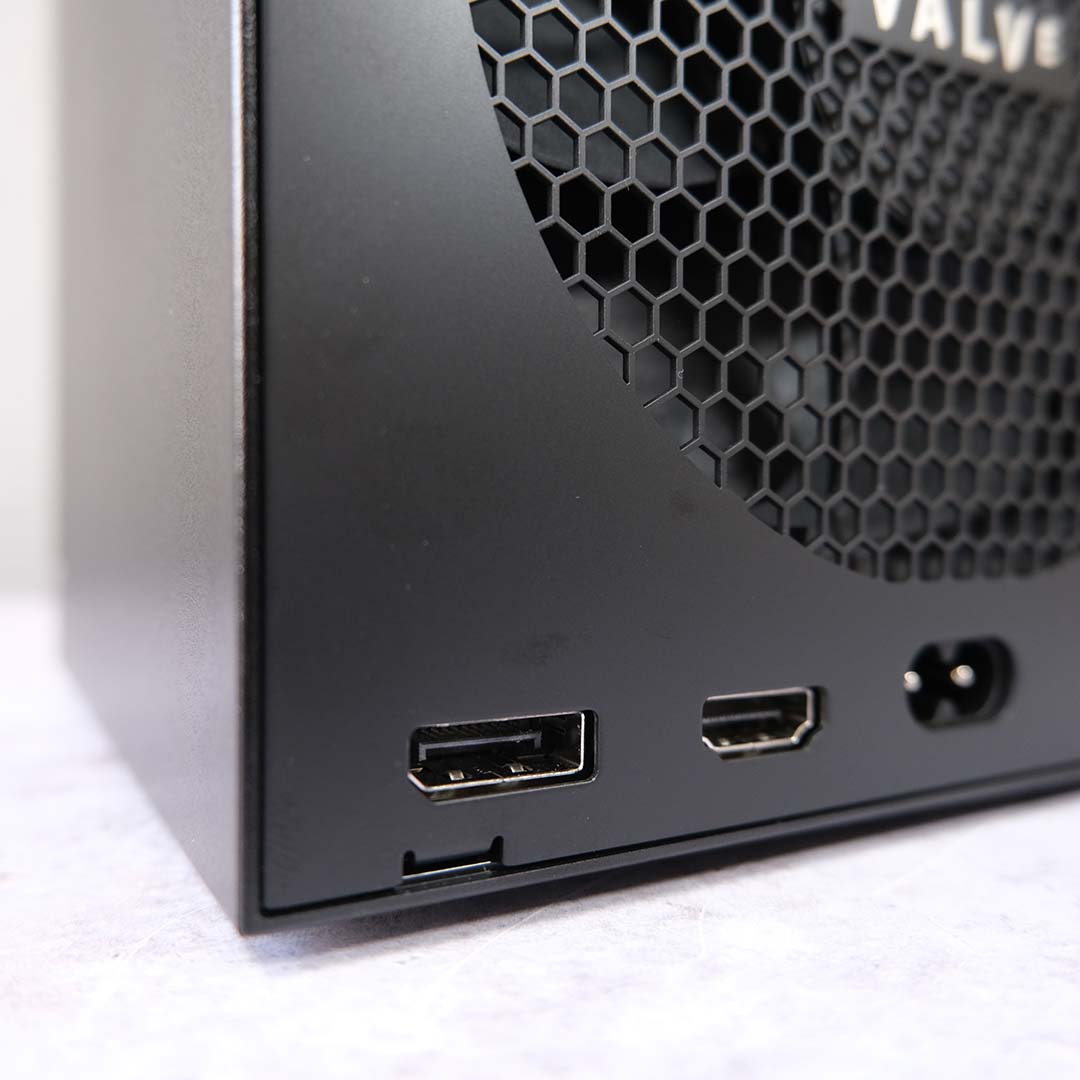
Of course, most TVs only feature HDMI. The Steam Machine makes full use of my LG CX, running at 4K/120Hz, albeit with DSC. That said, Valve is working on an HDMI 2.1 FRL patch for the system, which will bring output capabilities in line with the DisplayPort output. There’s no exact delivery date for this patch, but I hope it will materialise sooner rather than later.
Opting for HDMI also comes with unique benefits, such as Consumer Electronics Control (CEC). This feature allows you to simultaneously control the power states of other HDMI CEC devices. In my case, this means turning on my Steam Machine, TV, and soundbar with the single press of a controller. This is a massive convenience that I use all the time on my consoles, and I wish more PCs supported this tech.
Thermals
While the Steam Machine’s thermal design isn’t immediately obvious at first glance, it uses several cutouts in its bottom panel as cool air intakes, before exhausting hot air out the back. As such, it’s important not to place the system on a carpet, or within an enclosed space, as doing so will negatively impact thermals and noise.
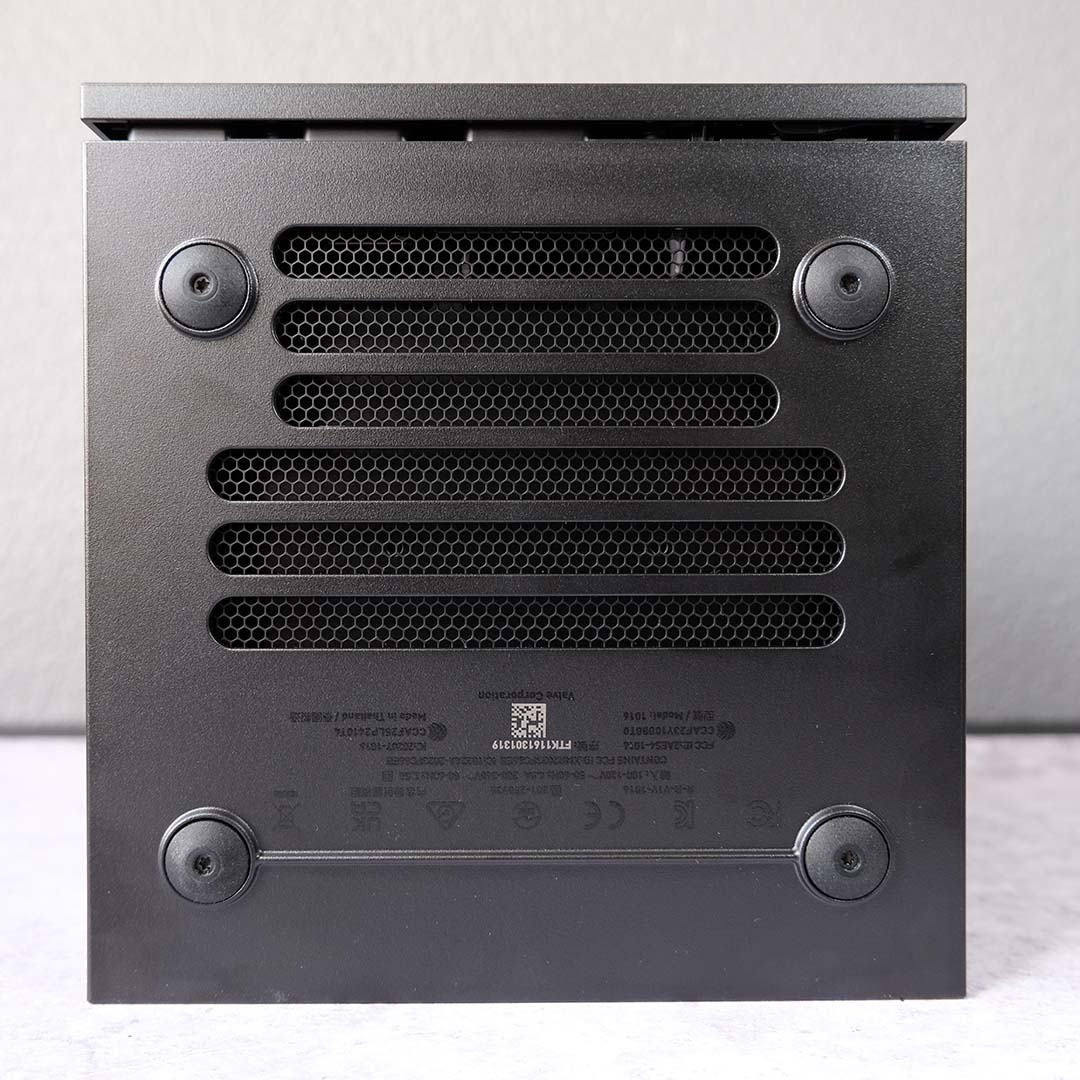
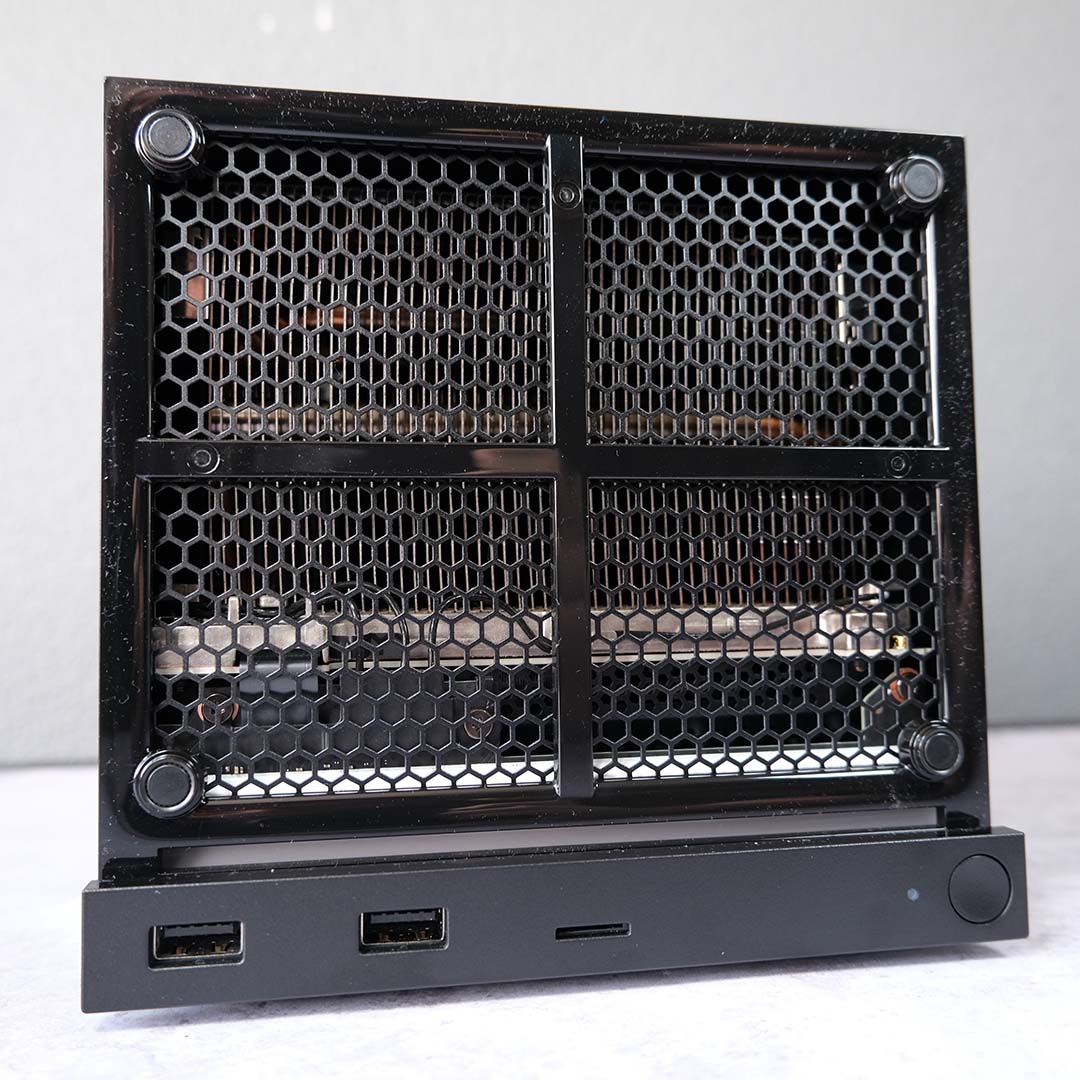
On the subject of noise, the Steam Machine is wonderfully silent while idle. During normal desktop use, as well as browsing in its Gaming mode (like Big Picture mode in Windows), it was difficult to hear the PC at all, with noise levels falling below the ≤30dBA threshold of my sound meter. Results were impressive under load too, peaking at a mere 34dBA in an open-air environment.
My 26°C office proved more than palatable to the Steam Machine’s cooling apparatus. In the face of a Cyberpunk 2077 benchmark, pushing this PC’s CPU and GPU hard, the latter peaked at a solid 69°C, with the former not much warmer at 74°C. These results would be solid in an ATX system with fans aplenty, so they’re really impressive considering the size and low noise levels of this PC.
Software
Like the Steam Deck, the Steam Machine uses SteamOS 3 for its operating system. As such, anyone familiar with Valve’s handheld, or Big Picture Mode, will feel right at home with this interface. The Arch Linux distro is generally welcoming in Gaming mode, despite a few quirks, but making full use of desktop mode comes with a steeper learning curve.
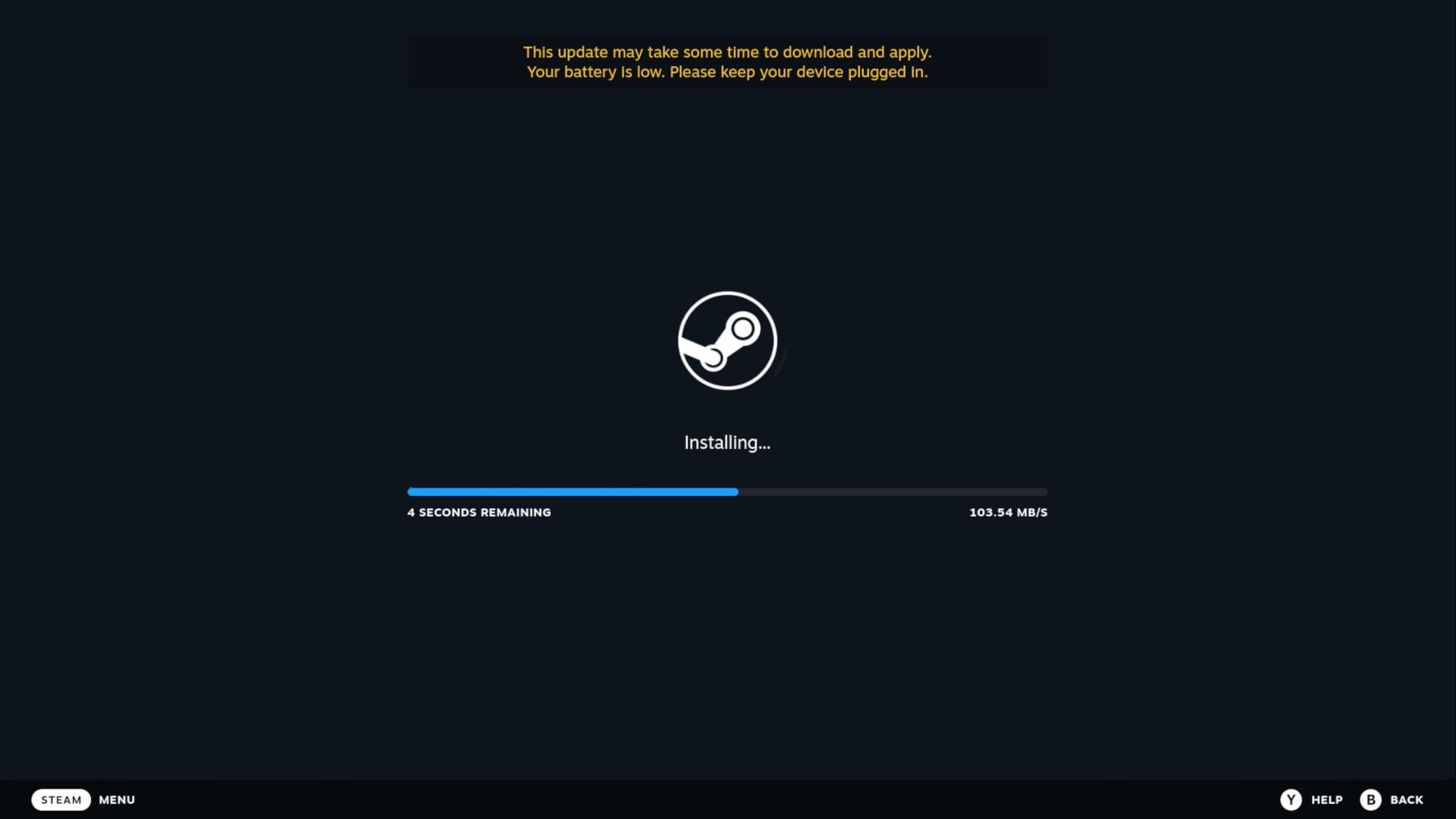
Speaking as someone who regularly endures the suffering that is the Windows 11 setup experience, getting SteamOS up and running on the Steam Machine is a refreshingly straightforward experience. In under ten minutes, I went from plugging in the system to downloading my first game.
You can set up the Steam Machine with any controller, or a mouse and keyboard, although the UI leans more comfortably toward the former. After connecting to the Internet, the system will search for and apply any necessary firmware updates before requesting you to log into your Steam account. There are no requests for data, no bothersome upselling of services, just the necessary steps.
I would like to see Valve offer an offline setup for the Steam Machine and SteamOS more broadly in future, for the sake of convenience and troubleshooting. That said, I understand that such a request comes with particular difficulties, considering that Steam is core to the operating system.
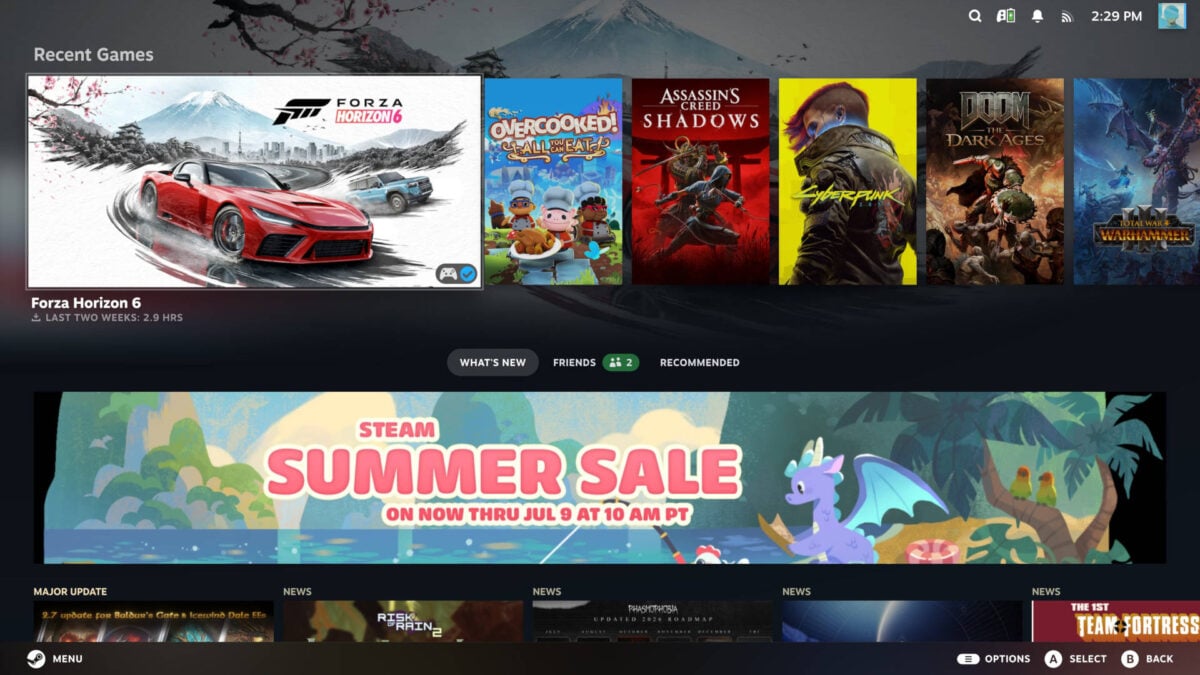
Navigating SteamOS with a Steam Controller feels and looks appreciably slick. The convenience and responsiveness of this interface is miles ahead of Windows 11’s Xbox Mode, with games and features all feeling like they’re only a few simple button presses away. This intuitive approach should come as no surprise given that Valve has had years to refine this operating system, but it’s very welcome nonetheless.
While it’s clear that Valve has put some effort into moulding SteamOS to the Steam Machine, given the presence of unique options, such as settings for the light bar, there are a surprising number of Steam Deck hangovers that leave the operating system feeling unpolished. These oddities range from the system folders falling under ‘deck’ descriptions to inapplicable settings, such as the adaptive brightness toggle.
More pressingly, the mouse and keyboard experience in Gaming mode is in need of a serious refresh. Navigating this interface with a clicker in hand feels sluggish, and the continuous presence of controller glyphs over keyboard shortcuts makes accessing particular menus unnecessarily confusing. While support for PC peripherals in this interface is welcome, there’s sizeable room for improvement here.
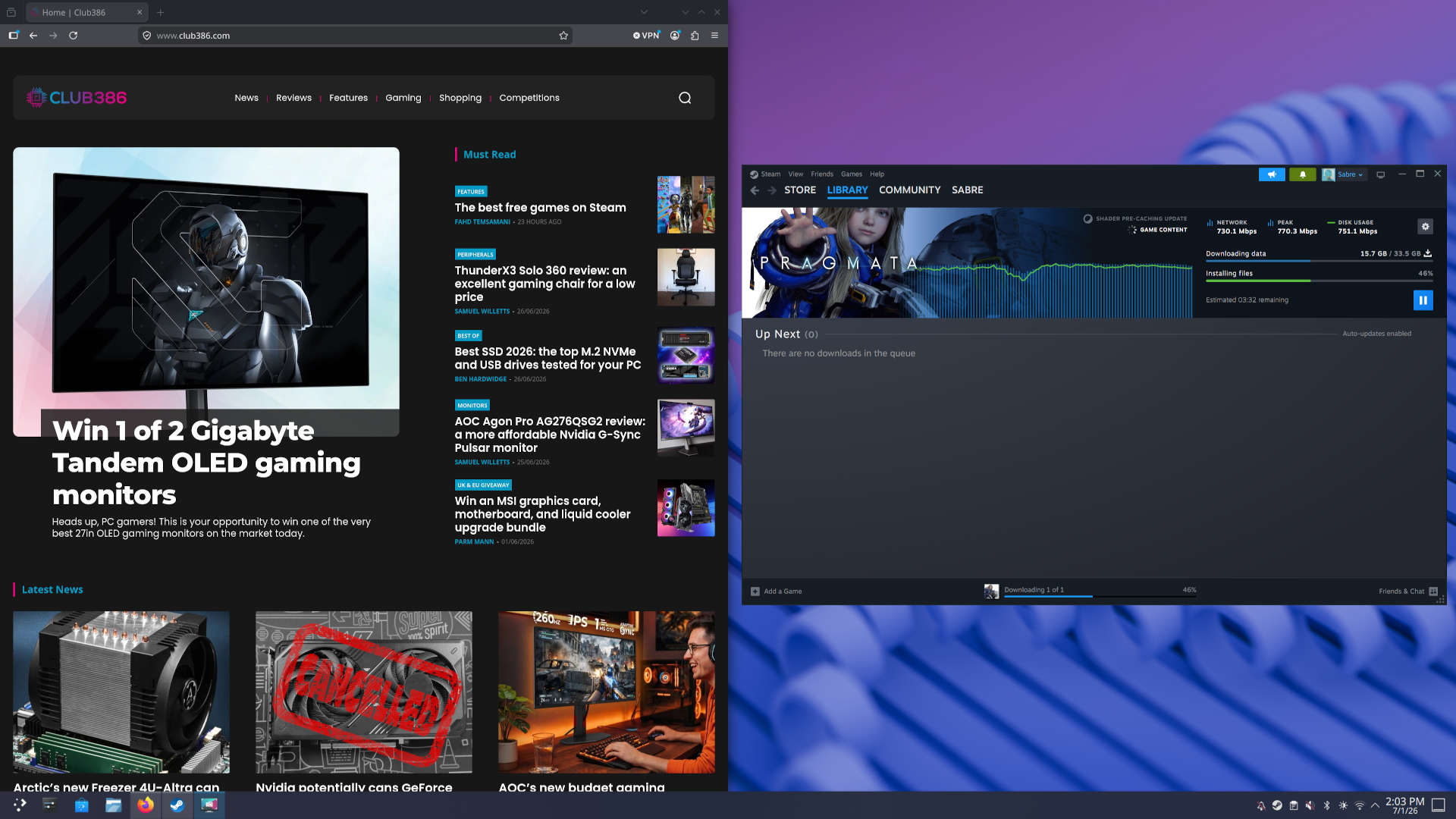
Switching to desktop mode requires a system reboot, but this thankfully only takes a few seconds. From here, you can use the Steam Machine like you would a Mac or Windows PC. I’ve actually used the system as my daily driver for a while now, across work and play, having written this whole review on the little black box.
For simple tasks, such as browsing the Internet and word processing, as well as basic image editing, the Steam Machine is more than up to the task. It didn’t take me long to acclimatise myself to the operating system, either, as SteamOS shares many design and layout similarities with Windows 11. The experience has been so smooth, in fact, that I’m seriously considering a trial of the operating system (or one much like it) on my personal rig.
However, SteamOS (and Linux more broadly) isn’t without its difficulties. My main gripe stems from a lack of compatibility with programs I use every day, such as Adobe Photoshop. I understand it’s possible to use the likes of Wine or other tools to bridge this gap, but it’s important to note that some applications either won’t work or require additional tweaking to get running on the Steam Machine.
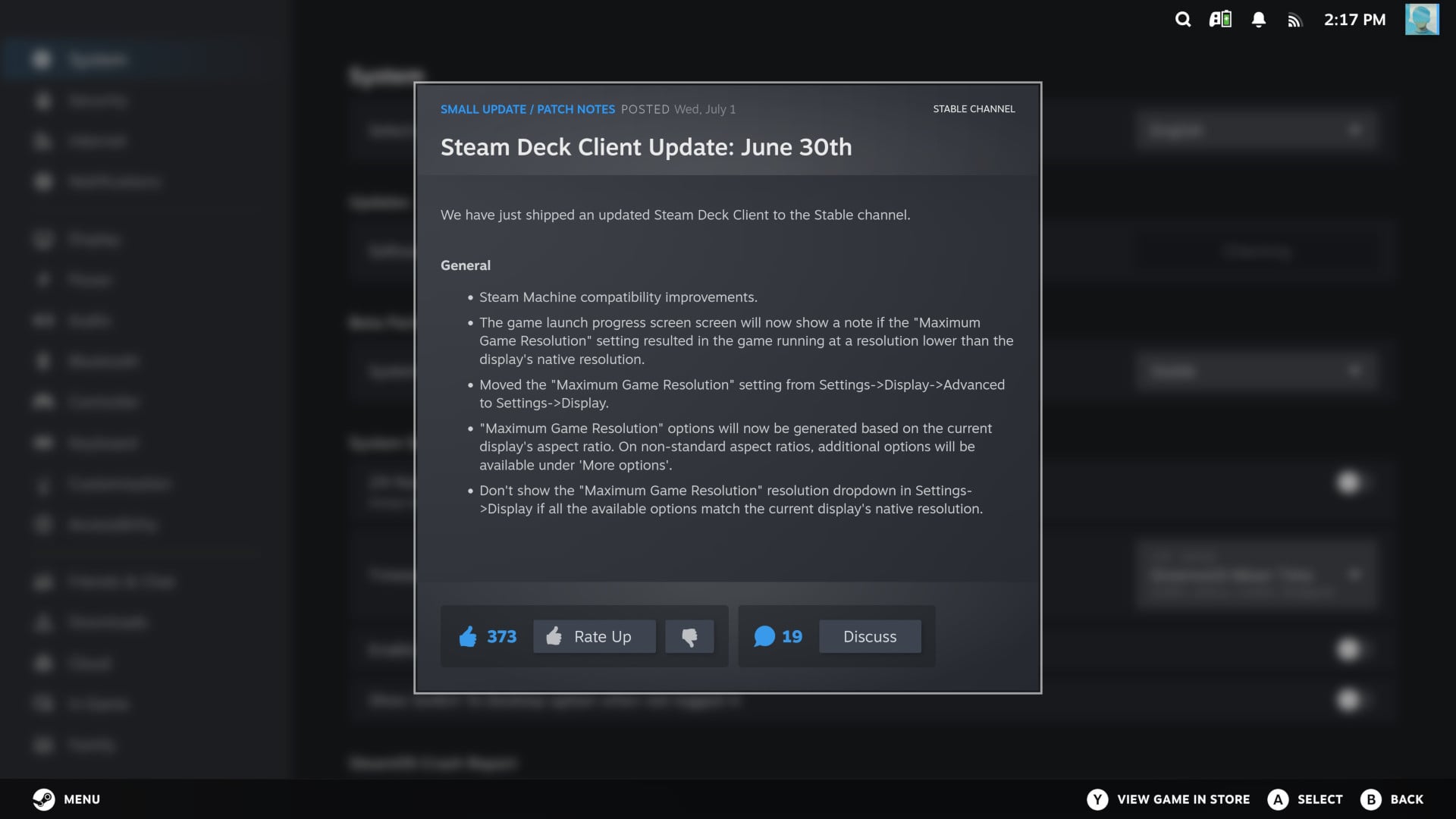
During my review period, Valve deployed several SteamOS updates aiming at improving the Steam Machine’s software experience. It’s a positive sign that many of the quirks I’ve experienced should disappear in time. The company’s already proven itself reliable in supporting and bettering the Steam Deck, so I’ve little reason to doubt it now.
I’m particularly curious to see how the Steam Machine verification programme shapes up. At the time of writing, Valve’s compatibility rating system isn’t available to view on any Steam games, with store pages instead providing broader SteamOS and Steam Deck commentary. While these tools haven’t always been perfect for the latter device, they’re nonetheless useful guiding markers to new users.
Performance
To unpack how much performance the Steam Machine can offer, I’ve made one change to the system’s stock settings. By default, Valve caps the maximum game resolution at 1080p in a bid to “ensure good performance out of the box,” according to the accompanying tooltip. You can change this on a per-game basis prior to launch, but I’ve raised the ceiling to 4K across the board instead.
Given that Valve highlights the Steam Machine can run games at up to 4K with FSR, this 1080p cap may seem puzzling at first. However, without getting too ahead of myself, this is a reasonable guardrail for less tech-savvy users considering the capabilities of the system. Whatever grumbles you may have with this default, moving up to 1440p and 4K is as easy as a few button presses.
I’ll begin our performance analysis with Cyberpunk 2077. The game serves as an excellent demonstration of how the Steam Machine can face up to rasterised and ray-traced rendering, and scale across resolutions, both with and without the support of FSR 4.1 upscaling.
| Cyberpunk 2077 | 1080p (Min. / Avg.) | 1440p (Min. / Avg.) | 4K (Min. / Avg.) |
|---|---|---|---|
| Ultra | 56 / 66fps | 36 / 42fps | 15 / 17fps |
| Ultra + FSR 4 | 60 / 71fps* | 46 / 52fps** | 27 / 30fps*** |
| RT Ultra | 14 / 17fps | 4 / 5fps | – |
| RT Ultra + FSR 4 | 24 / 28fps* | 7 / 9fps** | – |
| RT Low | 22 / 26fps | 4 / 5fps | – |
| RT Low + FSR 4 | 35 / 41fps* | 10 / 12fps** | – |
Cranking up Night City to the Ultra preset sees the Steam Machine deliver a solid if underwhelming 66fps average at 1080p. With such little headroom available, it comes as no surprise that it falls below the 60fps threshold at 1440p, while 4K proves outright unplayable with a 17fps average.
Engaging FSR 4.1, I’ve shifted the degree of upscaling to increase in line with pixel counts, with 1080p running the upscaler at Quality, 1440p at Balanced, and 4K at Performance. These settings reflect how I personally use the feature, balancing image fidelity and performance.
Taking this approach, we hit playable 4K/Ultra frame rates on the Steam Machine with a 30fps average. Meanwhile, QHD now runs more smoothly with a minimum frame rate that’s confidently above the floor of most monitor and TVs Variable Refresh Rate (VRR) ranges. FHD sees the smallest bump but does enjoy a 60fps minimum for a smooth locked frame rate experience.
Moving our focus to ray tracing, the Steam Machine stumbles. The RT Ultra preset is off the cards, with a slideshow frame rate across all resolutions. Even the RT Low preset proves difficult, with the only playable performance levels emerging at 1080p with the assistance of FSR 4.1 on the Quality setting.
These results reflect the broad performance you can expect from a Steam Machine in demanding games. The RDNA 3 GPU inside this system is certainly capable of delivering solid FHD frame rates, even stretching to QHD at times. However, the ray tracing hardware here simply isn’t powerful enough to justify turning on the effects.
| 1080p (Min. / Avg.) | 1440p (Min. / Avg.) | |
|---|---|---|
| Forza Horizon 6 (Medium) | 73 / 78fps | 63 / 67fps |
| Forza Horizon 6 (High) | 66 / 69fps | 55 / 58fps |
| Forza Horizon 6 (Ultra) | 47 / 51fps | 38 / 41fps |
| TW: Warhammer 3 (Medium) | 67 / 82fps | 43 / 52fps |
| TW: Warhammer 3 (High) | 47 / 59fps | 31 / 39fps |
| TW: Warhammer 3 (Ultra) | 34 / 47fps | 26 / 34fps |
Forza Horizon 6 and Total War: Warhammer 3 are titans in their respective genres, each game giving the Steam Machine a gruelling workout. Despite Forza Horizon 6 recommending the Steam Machine sticks to Low settings, the system is capable of pushing quality settings higher while still maintaining that all-important 60fps threshold. For instance, the PC manages a smooth ride at both FHD and QHD resolutions while using the game’s Medium preset. There’s even room to go up a gear to High settings at 1080p.
Curiously, FSR 4.1 results in minor performance regressions of 2-5fps at all settings in Forza Horizon 6, across both resolutions. The root cause of this drop in performance is unclear, but I’ve removed the data for this reason, and for clarity.
Swapping Japan’s tarmac for the fantasy battlegrounds of Total War: Warhammer III, the Steam Machine manages to deliver a smooth experience using Medium settings at 1080p. These settings are choppier at 1440p, but still playable. Pushing to High settings is possible at 1080p, but a 39fps average makes Creative Assembly’s strategy game a struggle at 1440p.
Based on the frame rates above, it should come as no surprise that 4K is off the table for both these games. To reiterate, FHD and QHD are more realistic targets for this system in order to achieve playable frame rates at medium-to-high settings. Pushing any higher will cause performance to tank and stutters to become more prevalent, as the GPU doesn’t have the horsepower, nor memory capacity, to keep pace.
| 1080p (Min. / Avg.) | 1440p (Min. / Avg.) | |
|---|---|---|
| Assassin’s Creed Shadows (Medium) | 35 / 42fps | 27 / 32fps |
| Assassin’s Creed Shadows (M+FSR) | 39 / 47fps* | 34 / 31fps** |
| Assassin’s Creed Shadows (High) | 30 / 36fps | 24 / 28fps |
| Assassin’s Creed Shadows (H+FSR) | 34 / 41fps* | 30 / 36fps** |
Given the Steam Machine’s relatively weak ray tracing performance, games like Assassin’s Creed Shadows highlight a problem that will sadly only become worse over time. This title is one of a growing number that mandates the use of ray tracing, with Doom: The Dark Ages as well as Indiana Jones and the Great Circle serving as other high-profile examples.
Running Assassin’s Creed with minimal ray tracing effects (diffuse hideout only), the Steam Machine can keep its head above water with 30fps+ frame rates, but it can’t offer a preferable 60fps experience. This is true regardless of whether FSR 4.1 is in play, though the this upscaler does just about let you play the game at 1080p with high settings.
Summarily, the Steam Machine offers sufficient system performance to handle modern titles providing you’re willing to settle for medium-to-high settings, and more often than not use FSR 4.1 upscaling. This isn’t exactly a stellar result for the system, as these results beg the question of how well these specs will hold up in the face of games just around the corner.
That’s whether the game you’re intent on playing runs on SteamOS at all, of course. There are still notable gaps in the operating system’s library stemming from incompatibilities with anti-cheat software, closing the door to the likes of League of Legends, Rainbow Six Siege, and more to the Steam Machine (unless you install a Windows 11 partition).
It’s difficult to ignore the greater performance per dollar that off-the-shelf alternatives provide. That’s the case whether we’re talking the PlayStation 5 Pro for less cash, a DIY PC for similar money, or a prebuild for a slight premium. It’s hard to shake the feeling that Valve’s form factor, though impressively small, was perhaps too much of a priority at the expense of performance.
Price
You’ll need to part with £879 / $1,049 at minimum to pick up a Steam Machine, but that price will only net you a mere 512GB of storage, while moving up to the 2TB model incurs an additional £270 / $300 premium. The latter option naturally proves the most convenient, but you can fit your own 2TB (or even 1TB) SSD for less cash, if you’re up for the installation process.
Bundling a Steam Controller with the Steam Machine sadly costs another £59 / $79 on top of the system itself, but this does make for a £26 / $20 discount relative to buying the pad outright. I appreciate there’s merit to Valve’s decoupling of its pad with the PC to reduce upfront cost. However, it’s a crying shame to separate the two, given how well they complement each other – this system feels incomplete without it.
| Steam Machine | Price |
|---|---|
| 512GB | £879 / $1,049 |
| 512GB + Steam Controller | £938 / $1,128 |
| 2TB | £1,149 / $1,349 |
| 2TB + Steam Controller | £1,208 / $1,428 |
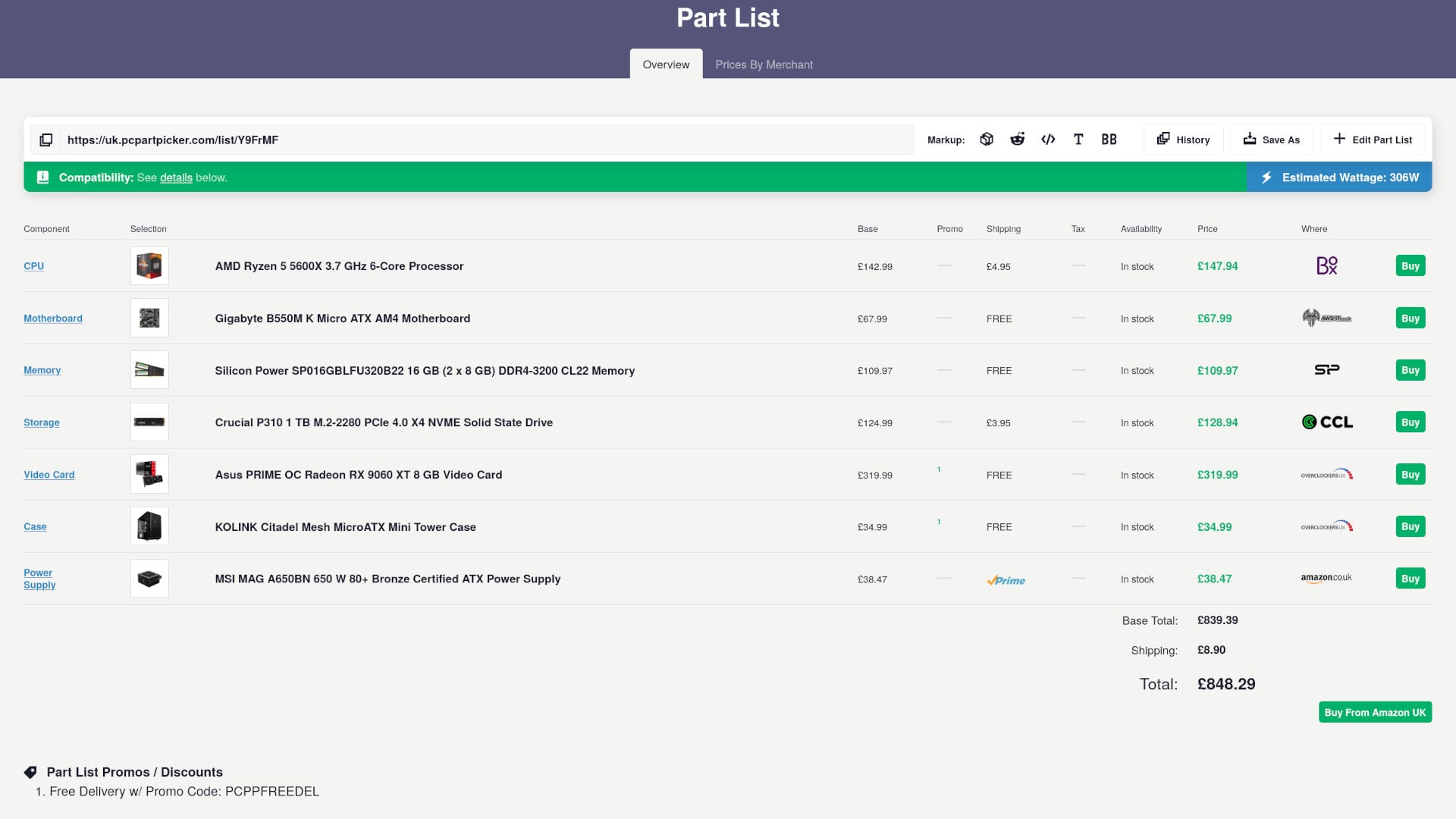
Without beating around the bush, it’s entirely possible to build a PC with greater performance for similar or less money than the Steam Machine. At the time of writing, I was able to curate an AM4 rig via PCPartPicker (pictured below) with a Ryzen 5 5600X, dual-channel RAM, a 1TB SSD, and a Radeon RX 9060 XT 8GB for a cool £848. Yes, it’s a Zen 3 rather than Zen 4 CPU, and DDR4 rather than DDR5 RAM, but it will still be quicker with this setup.
However, it’s impossible to precisely match the impressively petite form factor of the Steam Machine with off-the-shelf parts. That’s not forgetting the conveniences of its built-in aerials and HDMI CEC. There’s also thermal and noise performance to consider, which will be tough to match.
This is, of course, presuming you want to put together your own PC in the first place. While I’d encourage anyone to do so, I understand that building a rig can be an intimidating prospect for a lot of folks, while others simply want a system that’s ready out of the box.
Small form factor (SFF) PCs are available from the likes of PCSpecialist for around ~£1,000 sans Windows. While these systems aren’t as quaintly small as the Steam Machine, and cost a little extra upfront cash, that extra dosh provides a massive benefit in terms of frame rates.
Relative to consoles, the Steam Machine also falters in terms of bang per buck. Focusing on comparisons to the PlayStation 5, Sony’s system is far more affordable out of the gate for £549 / $650, while offering broadly similar performance, double the storage capacity, and a controller as well.
Of course, going down the traditional console route does incur other costs. For instance, online multiplayer comes at a premium (£60 per year), while games typically cost more on PSN relative to Steam or other PC storefronts. Speaking of which, it’s worth remembering that the Steam Machine has access to thousands more titles than the PlayStation 5 can ever hope to have under its belt, with classics from decades past ready to play.
That’s not forgetting that the Steam Machine is a more versatile device than the PlayStation 5, serving as both a gaming system and general purpose PC. When comparing the price of these two devices, it’s impossible to ignore that Valve’s system is far more versatile.
Conclusion
I want to love the Steam Machine, and had it come out a year ago, I probably would have done. Instead, this PC has broken my heart. The system is undeniably beautiful in its design, and it delivers an excellent couch gaming experience, while also doubling as a decent desktop computer. However, I can’t shake the entirely underwhelming specifications and gaming performance, particularly for a system that costs ~£1,000/$1,000.
There is clear potential in Valve’s mission to translate the momentum SteamOS has enjoyed on the Steam Deck into a new format, even if the operating system still feels rough around the edges outside on this machine. I’ve no doubt that this experience will only continue to improve through software updates, but there’s only so much we should expect from new GPU drivers to catapult raw system performance.
I don’t believe the Steam Machine was ever going to hold the same mass appeal as the Steam Deck, as it’s up against so much competition, and its current price and specs reduce its chances further. This is already a PC with niche appeal at $750, but especially at $1,049.
I would love to see a successor to this design, with more-powerful (if not modular) hardware under the hood. They say the third time’s a charm, and I can foresee the next-generation of Steam Machines more confidently finding their feet, providing market conditions aren’t as unforgiving as now. That’s assuming Valve can count to three, of course.
