
Microsoft has added a new page to Windows 11’s post-installation setup process, offering you the chance to automatically install third-party apps such as TikTok, WhatsApp, and Spotify. The new Assisted Setup starts right after the OOBE (out-of-box experience), asking if you want help setting up your PC with some of these apps.
Gradually rolling out with the experimental channel (build 26340.9354) released on September 8, this new setup process adds popular third-party app installations right after the first system boot. These include TikTok, Netflix, Spotify, WhatsApp, Duolingo, and LinkedIn, letting you automatically install them in the background without any intervention.
Note that unlike OneDrive and Phone Link, which are pre-installed by default, these third-party apps only download and install if you agree to them. If you don’t care about this step, you can skip it to be redirected to the desktop.
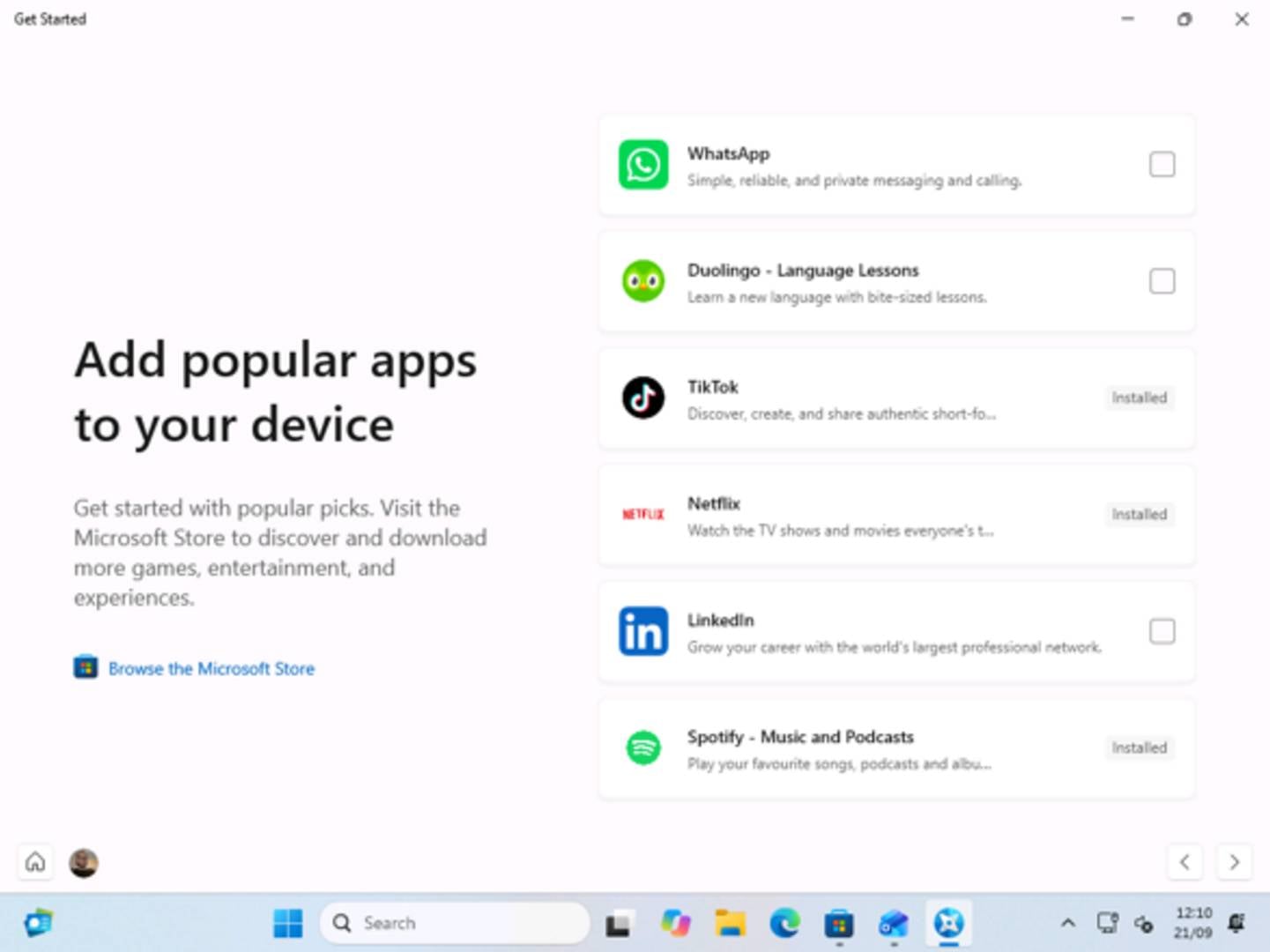
While some people will undoubtedly see this step as yet another attempt from Microsoft to shove bloat down our throats, the other side of the coin is that it may be helpful for non-tech-savvy users. It could also potentially save unsuspecting users from compromised installers and lookalike websites that mimic popular software to trick users into downloading malware.
For example, during Covid, when remote working spiked, some bad actors tried to trick users into downloading contaminated chat apps such as Microsoft Teams. By letting Windows 11 install these popular apps, you can reduce risks while improving the user experience.
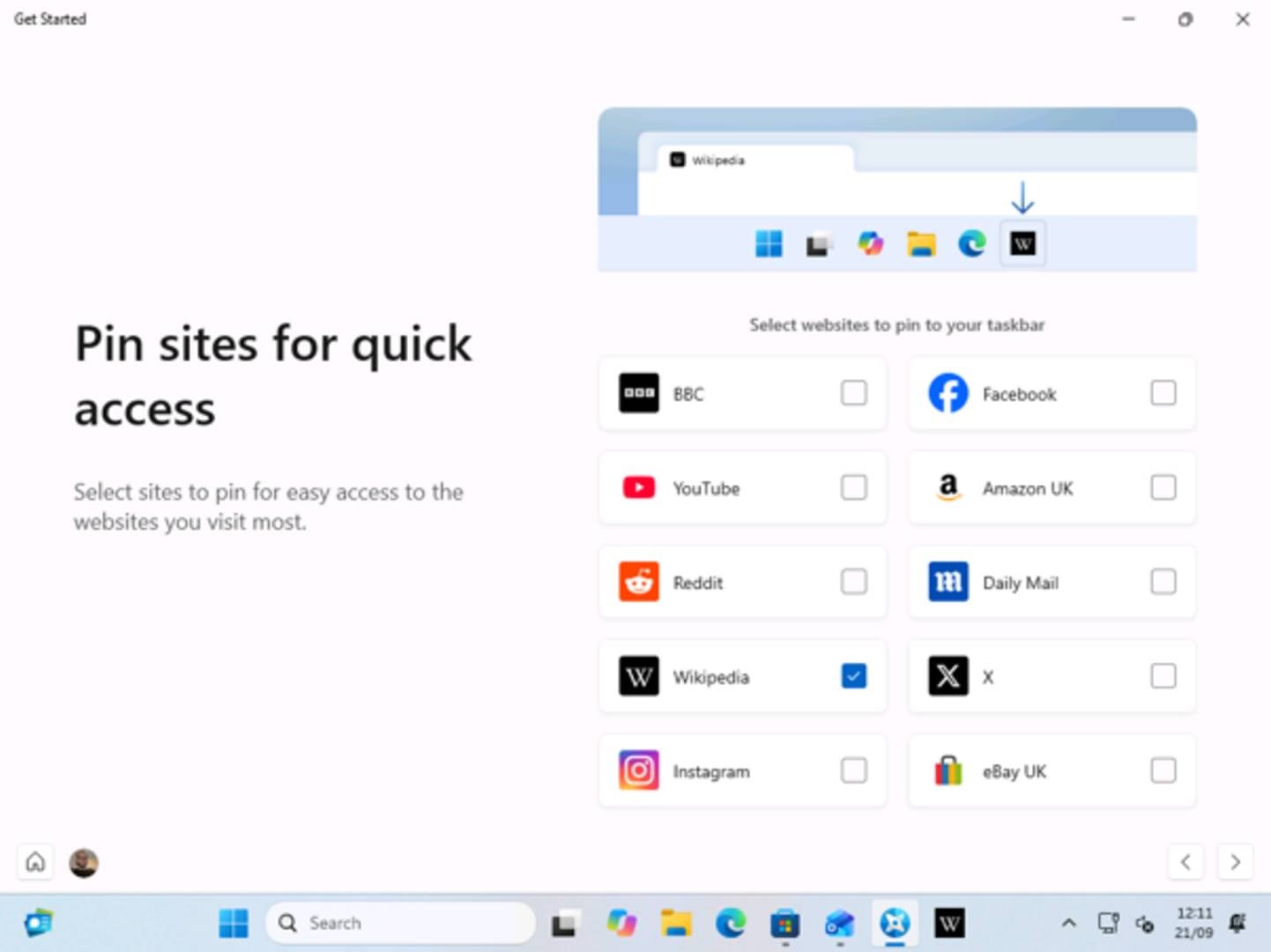
On top of this, the new setup process also adds an option to pin popular websites to Windows 11’s taskbar. These are seemingly curated based on your location. For example, UK users are recommended the BBC, Amazon UK, eBay UK, The Daily Mail, and Wikipedia.
On the other hand, that’s also another step in a long list of pages you have to navigate whenever you install Windows, which may be frustrating for experienced users. In other Microsoft news, Windows 11 26H2 is now out as well.