

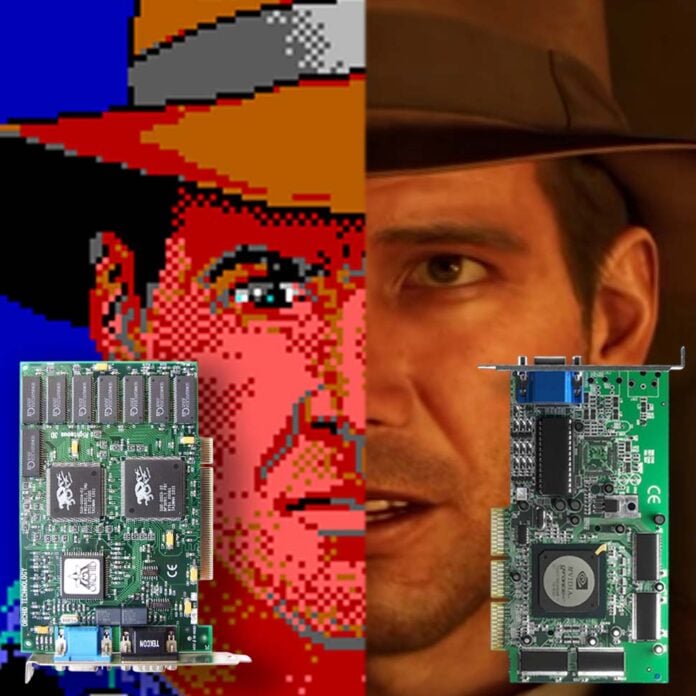
Our beloved PC might have started life as an expensive business number cruncher, but it’s now the ultimate gaming machine, and that’s largely thanks to its tremendous graphical horsepower. It’s taken several decades of innovative thinking to get there, with some truly standout moments from ATi, Nvidia, 3dfx, and more.
Sometimes a single graphics card upgrade doesn’t just move the needle, but requires the whole dial to be redrawn, and you can’t believe the difference it’s made. Whether that’s dazzling you with a load more colours in the old days, making the super-smooth leap to hardware 3D acceleration in the 90s, or treating you to gorgeous ray-traced reflections today, there have been several revolutions in PC graphics. As such, I thought the cards that made these big leaps deserved their own feature.
I’m not talking about the greatest GPUs ever here, though there’s naturally some crossover. Offering good value or faster frame rates isn’t enough to earn a place on this guide. These are the milestones in PC graphics tech that genuinely changed the game, with innovations that transformed PC gaming forever, from EGA to RTX.
EGA
Released: 1984 / Game changer: 16-colour graphics
I know, I know – 16 colours was a game changer? Yes, really. Let’s set the scene. PCs might represent the F1 of graphics tech now, with every latest console using a spin on a PC GPU in some form or another, but for a good, long while, graphics were an afterthought for the PC. It almost seemed like they were an unnecessary irrelevance to IBM – this was a business machine, not a toy. In fact, plenty of early PCs had no graphical abilities whatsoever – they could only display 80 columns and 25 rows of text on a mono screen.
If you had extra money, you could splash out on a CGA (colour graphics adaptor) card, but it was rubbish. I can say this with some authority, as our family PC had a CGA card when I was growing up. You had two basic graphics modes – 640×200 in mono with weird, rectangular pixels, or 320×200 with four colours. Yep, four. It looked every bit as bad as it sounds.
The default CGA palette was a garish eyesore, assaulting your sight senses with a mess of magenta, cyan, black, and white.
To make matters worse, the default palette was a garish eyesore, assaulting your sight senses with a mess of magenta, cyan, black, and white. Some developers managed to cleverly squeeze more colours out of it by using a composite mode, but at the cost of horizontal resolution. Games usually looked horrible on it, with better colours coming from the 8-bit home computers of the day. The PC was definitely not for games.
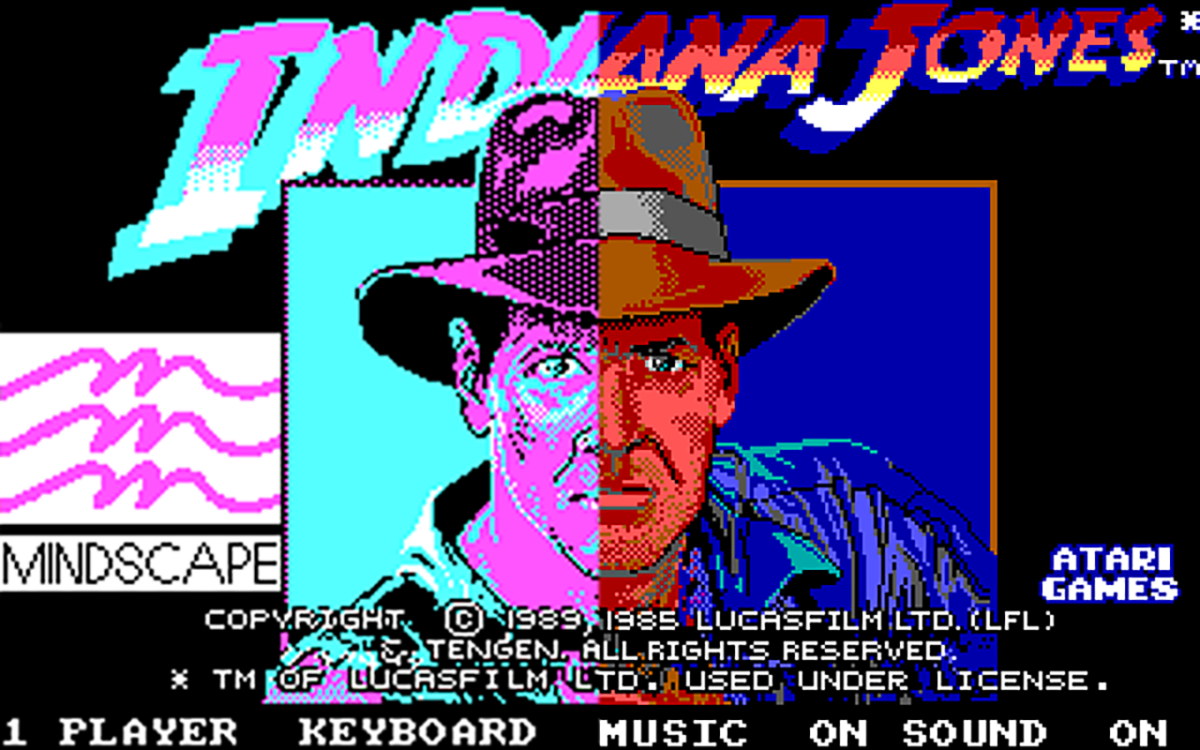
That all started to change when IBM launched the enhanced graphics adaptor (EGA) standard. It wasn’t perfect, but it was enormously better than CGA. It could display up to 16 colours from a palette of 64 at a resolution of 640×350, and that made all the difference to games. Suddenly, you could have green grass, black roads, blue sky, white clouds, a red car, and brown wooden panels, all in the same scene. Yes, we had low expectations then, what of it?
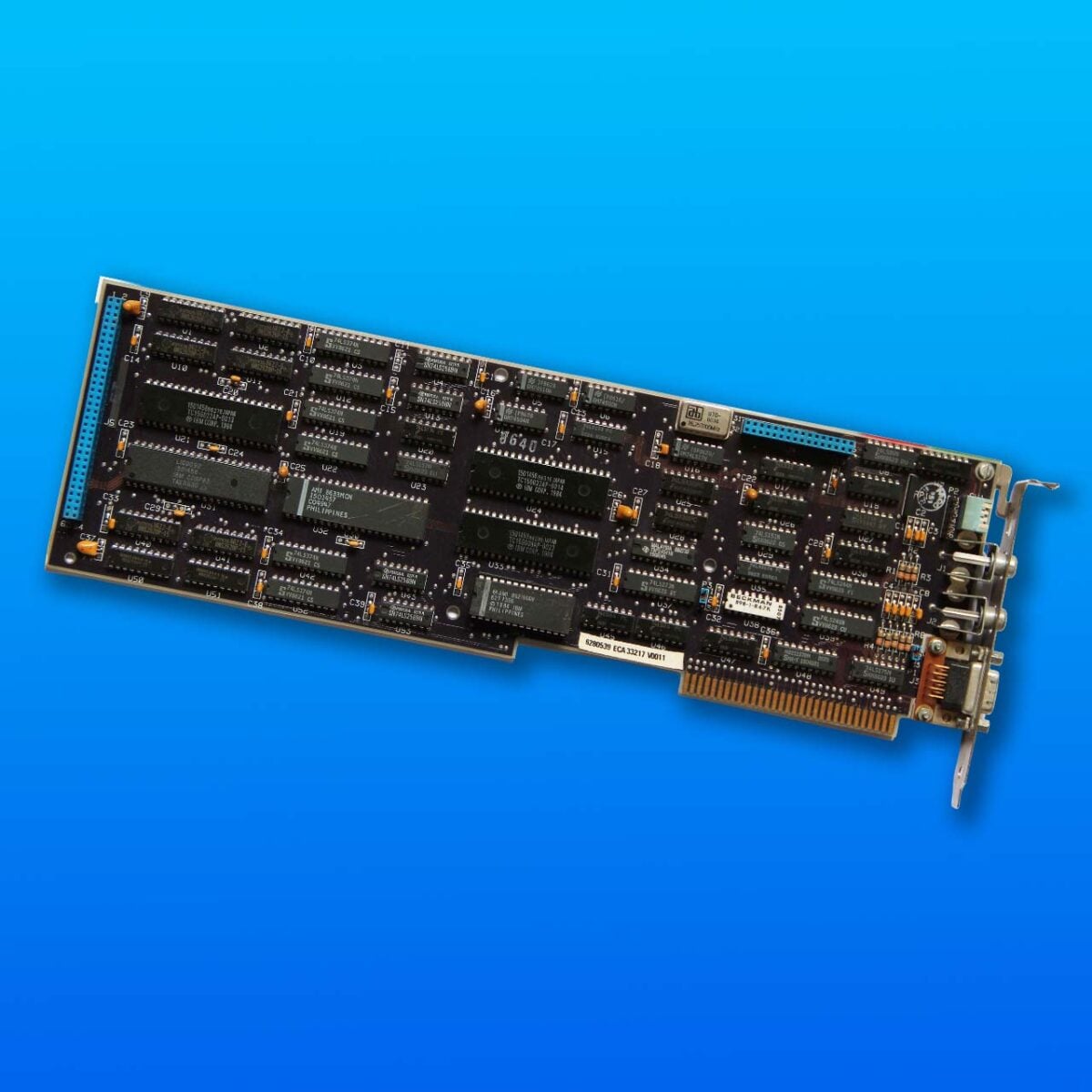
It wasn’t a cheap upgrade, costing around $500 at first (that’s about $1,500 accounting for inflation), just for a basic card with 64KB of memory. The original IBM EGA card was a colossal chunk of circuitry too, measuring over a foot long and covered in memory chips and controllers, large-scale integration (LSI chips), and crystal timers to keep it all running in sync.
If you had money to spend, you could even plug a 128KB memory pack into that big blue connector on the left. Oh, and if you wanted that 640×350 resolution, you also needed an expensive EGA monitor to plug into the back of it. EGA wasn’t cheap, and it was still basic, but it was the starting point for turning the PC into a machine that handled decent graphics. Proper colourful gaming graphics were finally possible.
VGA
Released: 1987 / Game changer: 256-colour graphics
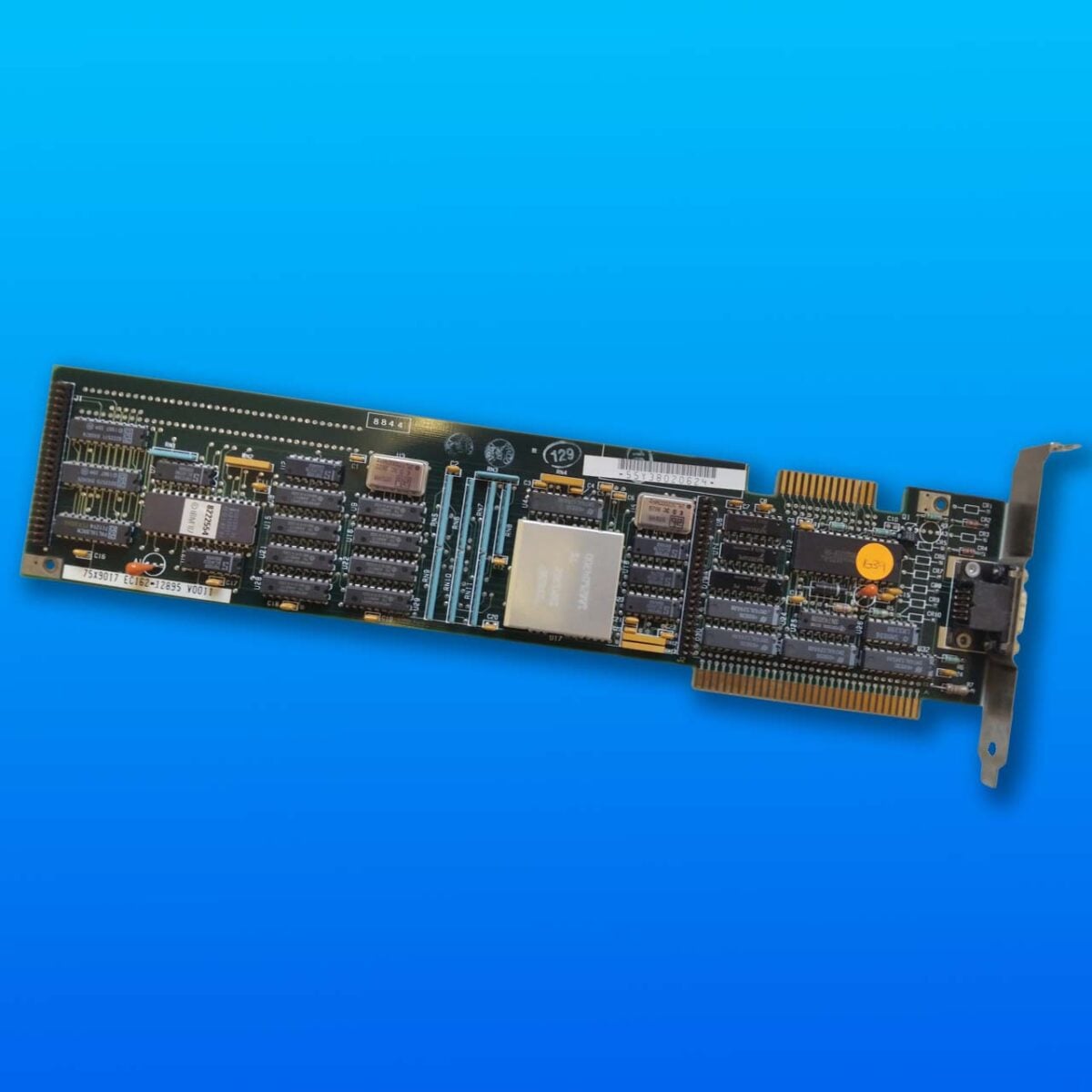
EGA might have made a deserved colourful mockery of CGA, but there was still blatantly a massive room for improvement. Games looked better, but they still had a bit of a ‘child using MS Paint’ vibe. The next big graphical leap came in 1987 with the video graphics array (VGA) standard – heralded with massive Display Adaptor cards in some of IBM’s PS/2 machines (pictured above). It changed everything. Not only did VGA up the resolution to 640×480 in 16 colours, but it could also display a dazzling mix of 256 colours at 320×200.
Games looked better, but they still had a bit of a ‘child using MS Paint’ vibe.
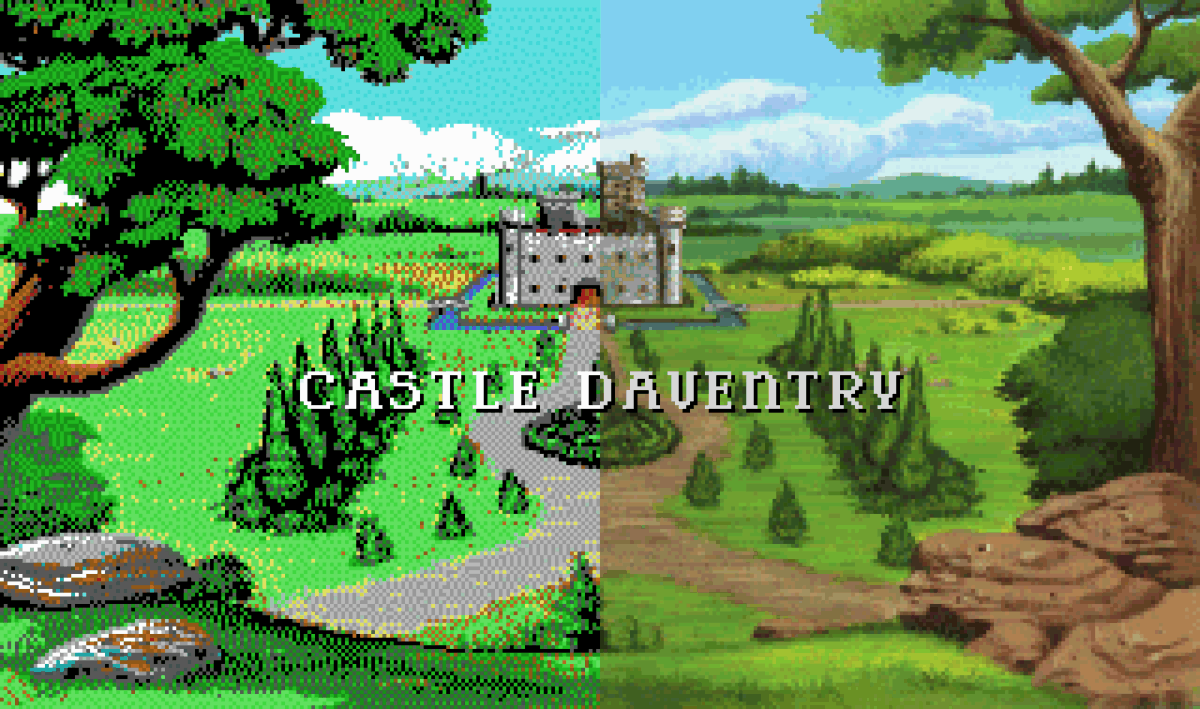
The latter made a transformative difference to gaming graphics, as it meant shading was now possible. You didn’t have a choice of just two shades of blue, but multiple hues in between. As you can see in the screenshot of Sierra’s King’s Quest V below, this made all the difference to the quality of gaming visuals. In three years, the PC has gone from stark, flat colours to a much more realistic-looking blend.
As with EGA, upgrading to VGA was only for PC owners with bulging wallets at first. For a start, you once again needed to fork out for a new monitor that could cope with the higher resolution, this time with a 15-pin connector rather than the 9-pin plug used by CGA and EGA. The cards themselves were expensive too, with IBM’s original model demanding a hefty $595 (~$1,700 today) at launch for the cheapest one. This was the RTX 5090 of its day. Thankfully, those prices gradually started falling, until VGA eventually became the de facto standard for new PCs in the early 1990s, and you could pick one up for 50 bucks.
VGA has since become a byword for the 15-pin analogue input socket on old monitors, and 640×480 as a resolution, but when it came out, those glorious 256-colour graphics were what made it stand out. It stuck for years too. Fast forward to 1996, and Quake was still running at 320×200 in 256 colours by default, as were most games.
Once the VGA standard was out the door, graphics card makers took it upon themselves to improve the recipe. Soon Super VGA (SVGA) cards turned up, running at 800×600. Faster interfaces then arrived in the form of PCI and VESA local bus (VLB), along with larger doses of memory. That opened the door for sensational arrays of colours, with 16-bit and later 24-bit colour modes offering genuine photo-realism, at least in Windows.
The PC was no longer just about text and basic business graphics. It was now beating the Atari ST when it came to colours, and with higher-resolution graphics than consoles of the time. It wasn’t quite there yet, but the PC had started marching towards its coronation as the gaming graphics king.
3dfx Voodoo
Released: 1996 / Game changer: Mainstream 3D-accelerated graphics
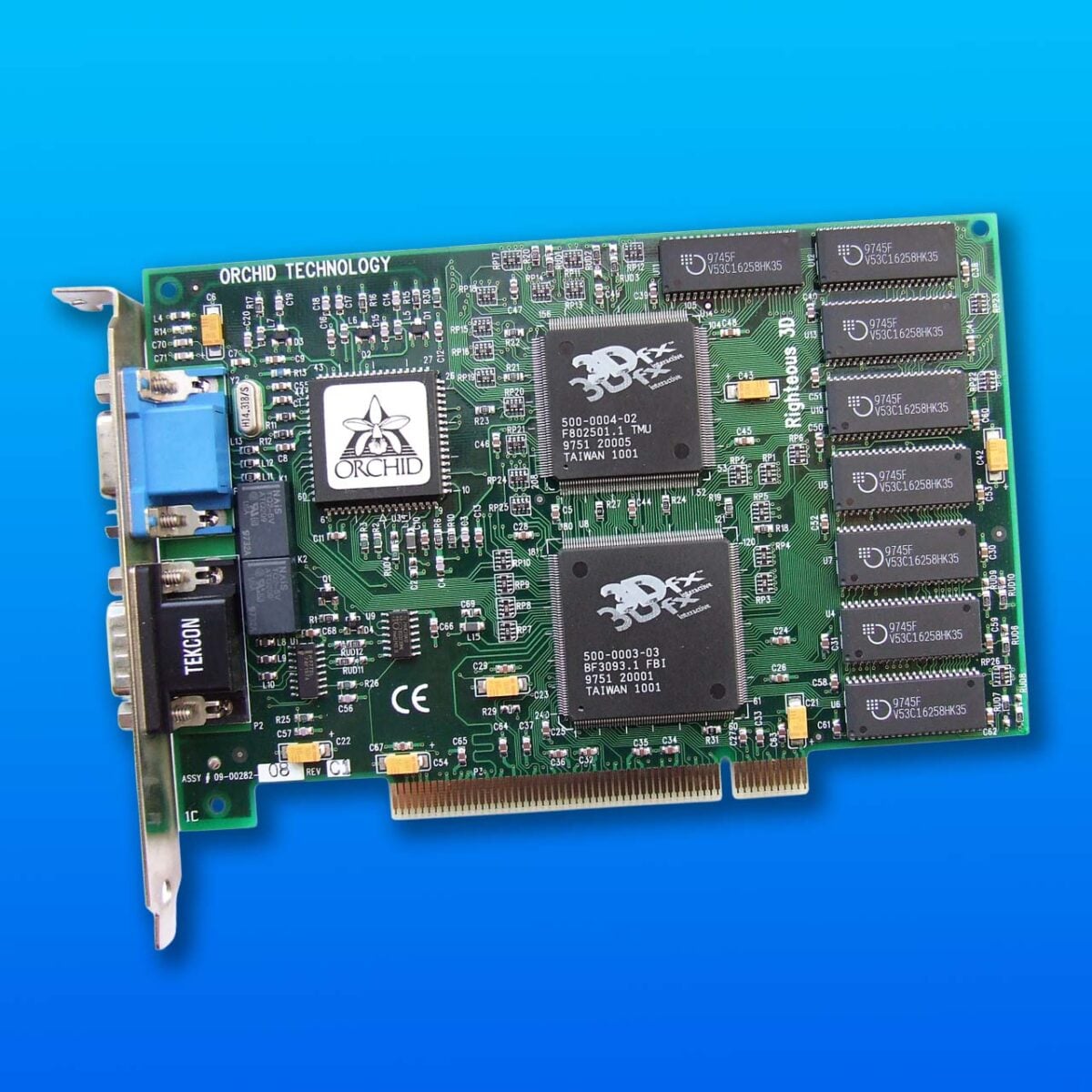
I just couldn’t believe it when I first saw GLQuake running on my Voodoo card – the difference in visual fidelity was gobsmacking. 3dfx’s aptly-named Voodoo 3D graphics chipset might not have technically been the first 3D accelerator, but it was the one that really captured the imagination of gamers and developers alike, catapulting 3D PC gaming into the mainstream. I’ve never seen another graphical jump quite like it ever since.
You just couldn’t wait to show off your gaming graphics to your mates after you bought one.
Until this point, 3D games such as Quake and Tomb Raider were all run in software on the CPU, which is remarkable now when I think about it, especially considering the relatively low clock speeds of CPUs at the time. Your graphics card, meanwhile, was only built to display 2D graphics – even at this time, gaming was still an afterthought for the PC. This combo could just about play 3D games, but only at a low resolution with a clunky frame rate. Then 3dfx showed us the future, and we lapped it up.
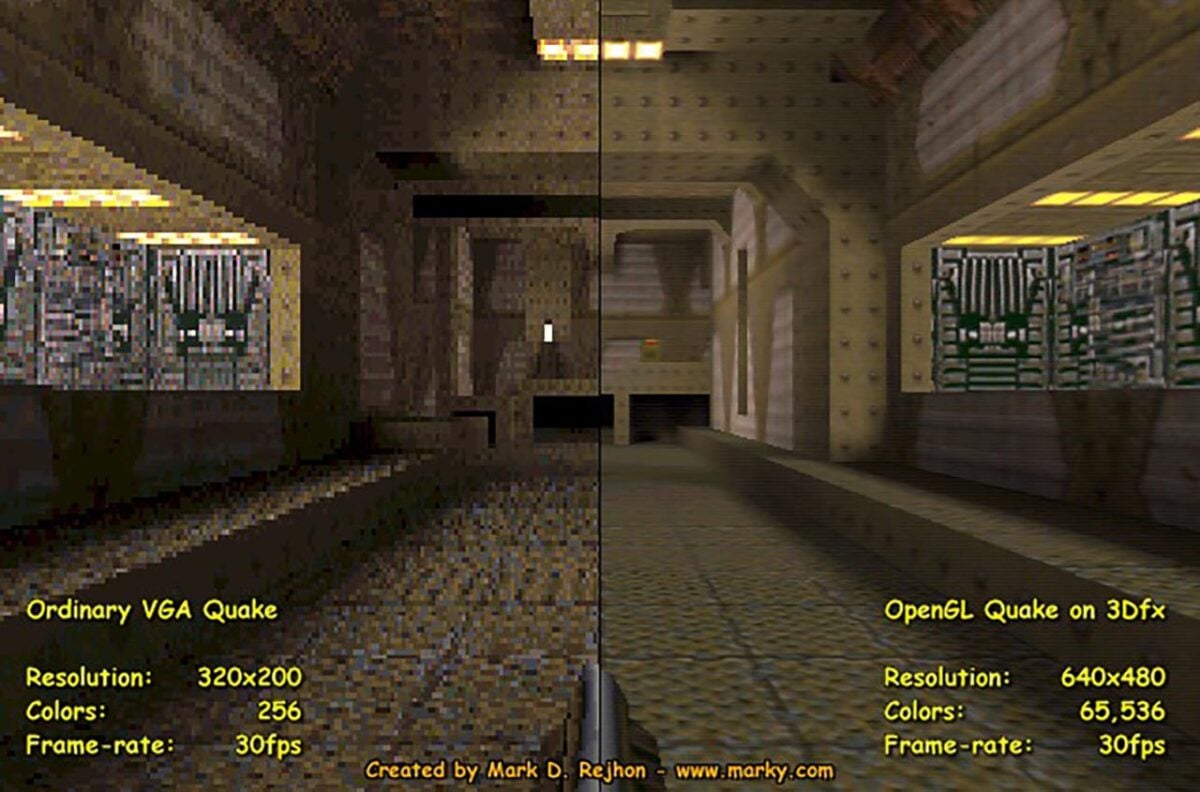
3dfx (and others) had an ingenious idea – a 3D card designed solely for gamers. It didn’t even have a display output – you had to plug it into your standard 2D card with a loop-back cable around the back of your PC. The CPU could then offload most of the 3D graphics pipeline to your Voodoo card, where a pair of chips (a texture mapper and a frame buffer interface), plus 4MB of dedicated EDO RAM, transformed Quake from an ugly, pixellated mess into tightly-rendered, smooth corridors where you could see the fine details. The comparison picture above sums up the jump pretty well.
It wasn’t merely an upgrade from 320×200 to 640×480 – the addition of a load of dedicated 3D processing power just made everything look so smooth and sharp – you just couldn’t wait to show off your gaming graphics to your mates after you bought one. Special effects were also now available, with reflections looking spectacular in Unreal, as well as the Valley of Ra demo supplied with most Voodoo cards. It all made the N64 and PlayStation look positively old-school, and the PC was now on top of the 3D gaming world.
Nvidia GeForce 256
Released: 1999 / Game changer: Hardware-accelerated T&L
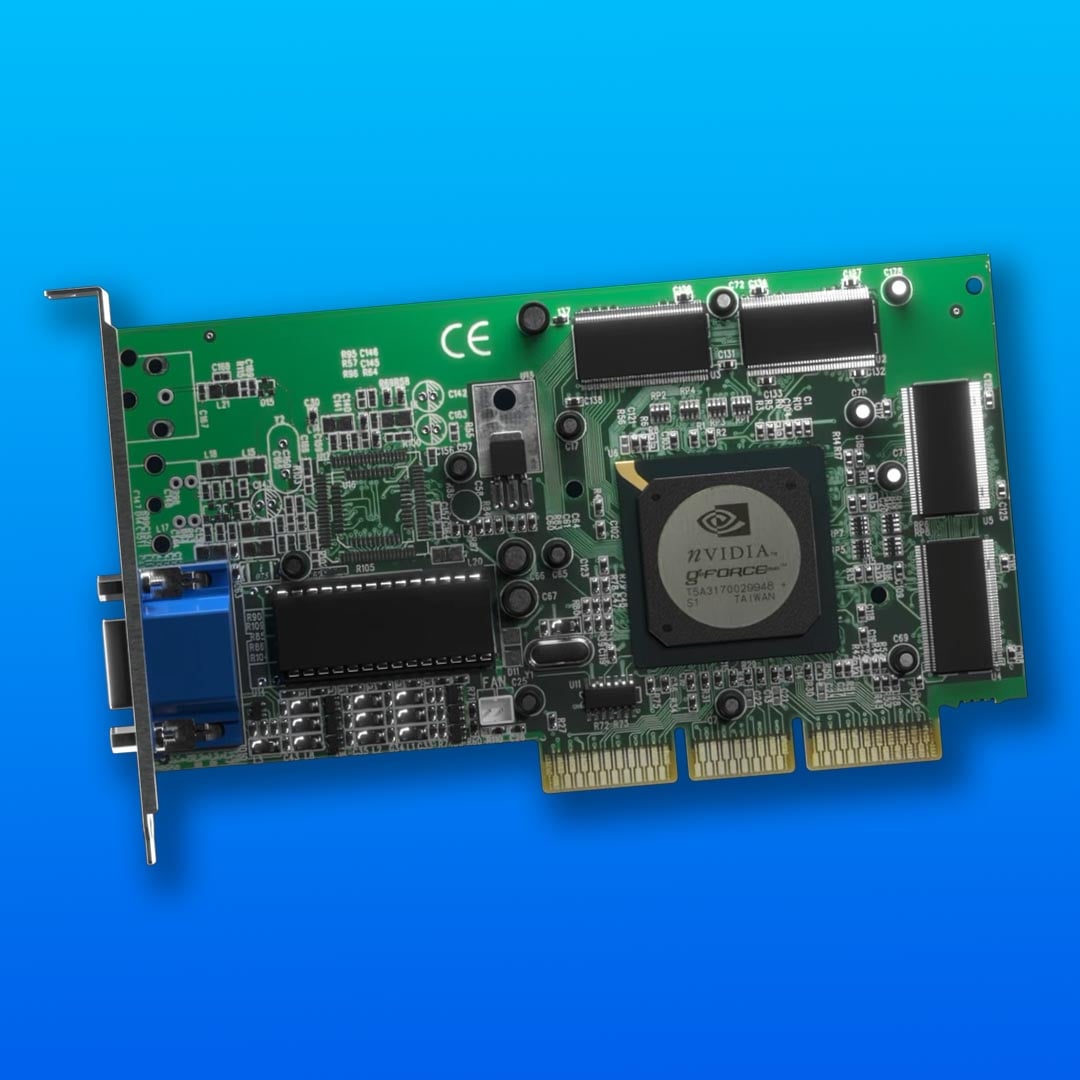
In a moment of inspired, lightbulb-above-your-head marketing genius, Nvidia’s coined a new term to describe its first GeForce chip, calling it a GPU. At the time, I thought this was a silly publicity stunt, but credit to Nvidia, it stuck – we’re still using it as a byword for ‘graphics card’ over a quarter of a century later.
Nvidia’s reasoning was that the GeForce 256 wasn’t just any graphics chip; this one could accelerate the whole 3D graphics pipeline in hardware. Every 3D accelerator that had come before it, from the 3dfx Voodoo to the Riva TNT2, still had to offload transform and lighting (T&L) calculations to your CPU, but the GeForce 256 could even handle these bits too. In theory, that meant you could take some pressure off the CPU, stop the pipeline stalling, and churn out more triangles.
Not that it made much difference at the time. Barely any games could take advantage of hardware T&L in the GeForce 256’s lifespan, with Quake III: Arena being a notable exception. My main memory of hardware T&L at this time is running the helicopter test at the start of 3DMark2000 – it wasn’t a must-have for gaming.
Instead, what really made the GeForce 256 stand out at launch was its sheer brute-force power. It was just so fast in practically every game you threw at it. Plus, unlike 3dfx’s Voodoo3, it gave you full 32-bit colour, and a massive 32MB frame buffer. ATi’s only answer was to team up a pair of its Rage 128 Pro chips to make the Rage Fury Maxx, which brought a load of compatibility problems with it, while 3dfx was still struggling to get its Voodoo5 range out the door. Even when the latter did turn up, it didn’t have any T&L hardware.
Nvidia quickly followed up with a version of the GeForce using DDR memory that was even quicker, and then the GeForce 2 GTS. Come 2004, games such as Star Wars: Knights of the Old Republic were making hardware T&L a minimum requirement, and the GPU revolution was complete.
3dfx Voodoo5 5500
Released: 2000 / Game changer: Anti-aliasing
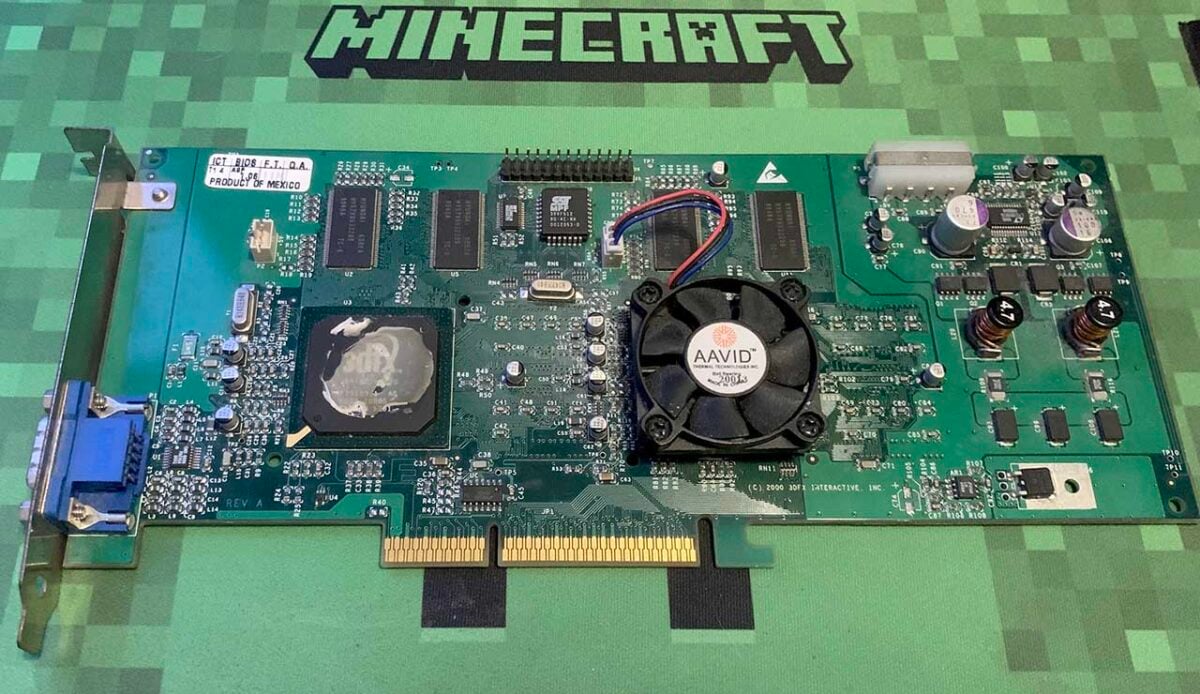
You can level a lot of fair criticism at 3dfx’s swansong Voodoo5 lineup. No hardware transform and lighting? Guilty. Disappointing performance for a nonsensically high price? Yes, your honour. Delayed and ridiculously power-hungry for the time? Get to jail. 3dfx fumbled the ball in 2000, releasing an underwhelming dual-chip card well after it was originally expected. It didn’t just come out long after Nvidia’s GeForce 256 had rewritten the rulebook, but its successor, the GeForce 2 GTS, had even made its way into the arena now.
I still loved my Voodoo5 5500, though, and stuck by it like a child who won’t give up their manky blanket. I even still have it (the card, not the blanket) – that’s my one up there with one of its heatsinks missing. It’s indefensible as a GeForce 2 competitor, but it did bring us a staple of PC gaming that’s still with us today – anti-aliasing. It didn’t take long before Nvidia and ATi had their own equivalents, of course, but it was 3dfx who first showed it off in PC gaming hardware.
I loved my Voodoo5 5500, and stuck by it like a child who won’t give up their manky blanket.
Until this point, 3D games had a problem with jagged edges, affectionately known as jaggies. As a simple example, a line in a 3D game is made out of a series of pixels in a row, which looks fine when the line is horizontal or vertical. As soon as you rotate it and create a diagonal line, though, the pixels create a staircase effect (aliasing), creating jagged edges on either side of the line.
It was really noticeable at the low-resolutions commonly used in games at this time, and 3dfx had a solution that it called full-scene anti-aliasing (FSAA).
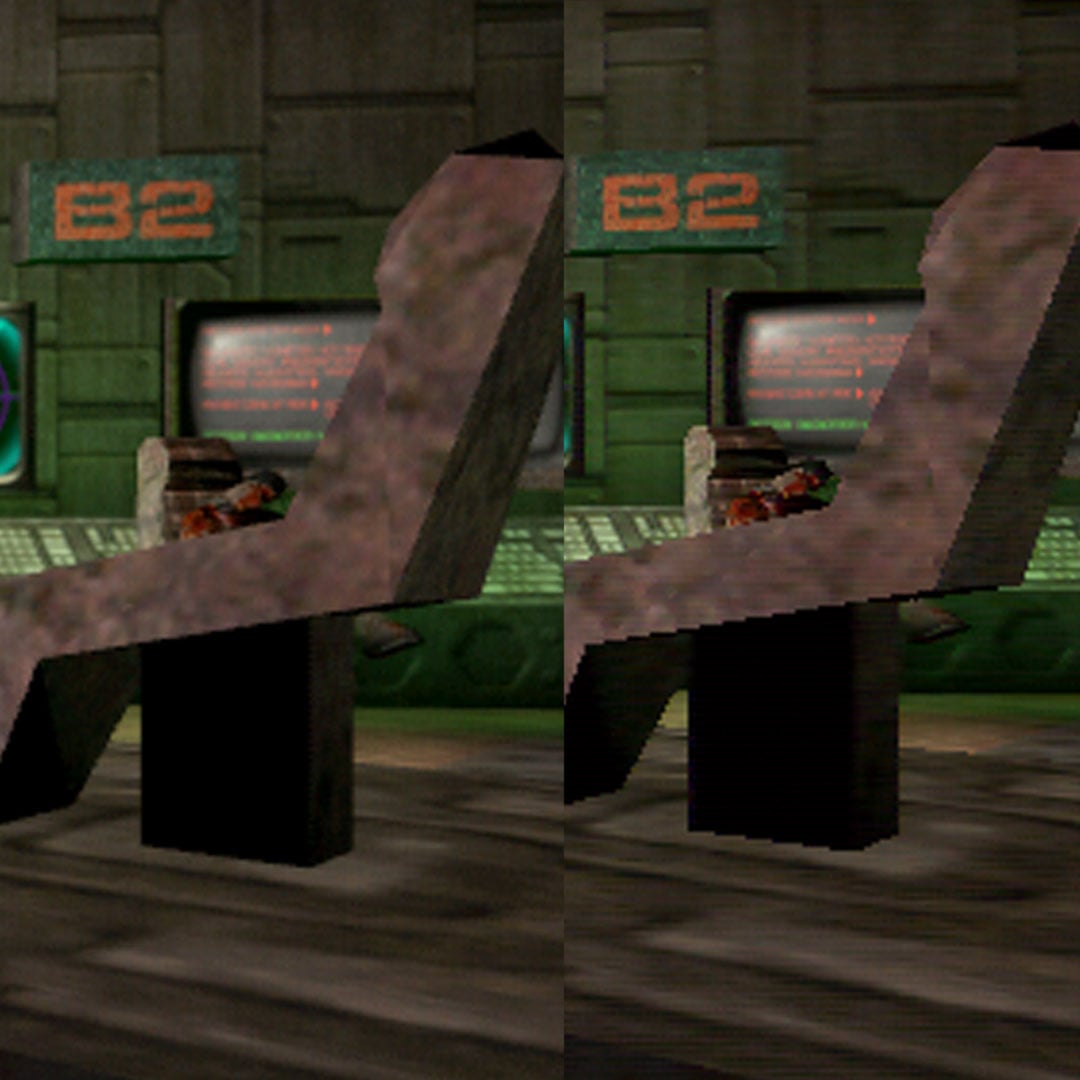
Unlike the anti-aliasing methods commonly used today, 3dfx’s method involved super-sampling, and not in the backward way Nvidia uses this term to describe its AI upscaling tech. Instead, 3dfx’s system rendered samples of scene data at a very high resolution, and then downscaled it to the resolution at which you were playing, using a rotated-grid pattern – all that high-res sampling basically enabled the Voodoo5 5500 to fill in the missing spatial data. It looked beautiful, with jagged edges practically disappearing. It also, unsurprisingly, killed your frame rate.
With two VSA-100 chips on its PCB, the Voodoo5 5500 could run games with either 2x or 4x FSAA, while the single-chip Voodoo4 could only do 2x. If the four-chip Voodoo5 6000 had ever seen the light of day, it would have given you 8x FSAA. What I really liked about it at the time was that you didn’t need to wait for game support – you could just enable it in the driver control panel and, hey presto, your game would suddenly look loads smoother. Realistically, you couldn’t run any vaguely demanding games with 4x AA on the Voodoo5 5500, even then, but it did look great in older gamers such as Unreal, particularly with 3dfx’s proprietary GLide API giving you reflective surfaces as well.
Soon Nvidia and AMD were offering alternatives that were far less computationally expensive, such as multi-sample anti-aliasing (MSAA) and edge anti-aliasing. They didn’t look as handsome, but they still did a decent job of smoothing out a lot of edges, and without obliterating performance. In the end, the Voodoo5 went down in history as the graphics lineup that killed 3dfx, but it did bring anti-aliasing to PC gaming, and for that we’ll always be thankful.
Nvidia GeForce 3
Released: 2001 / Game changer: Programmable shaders
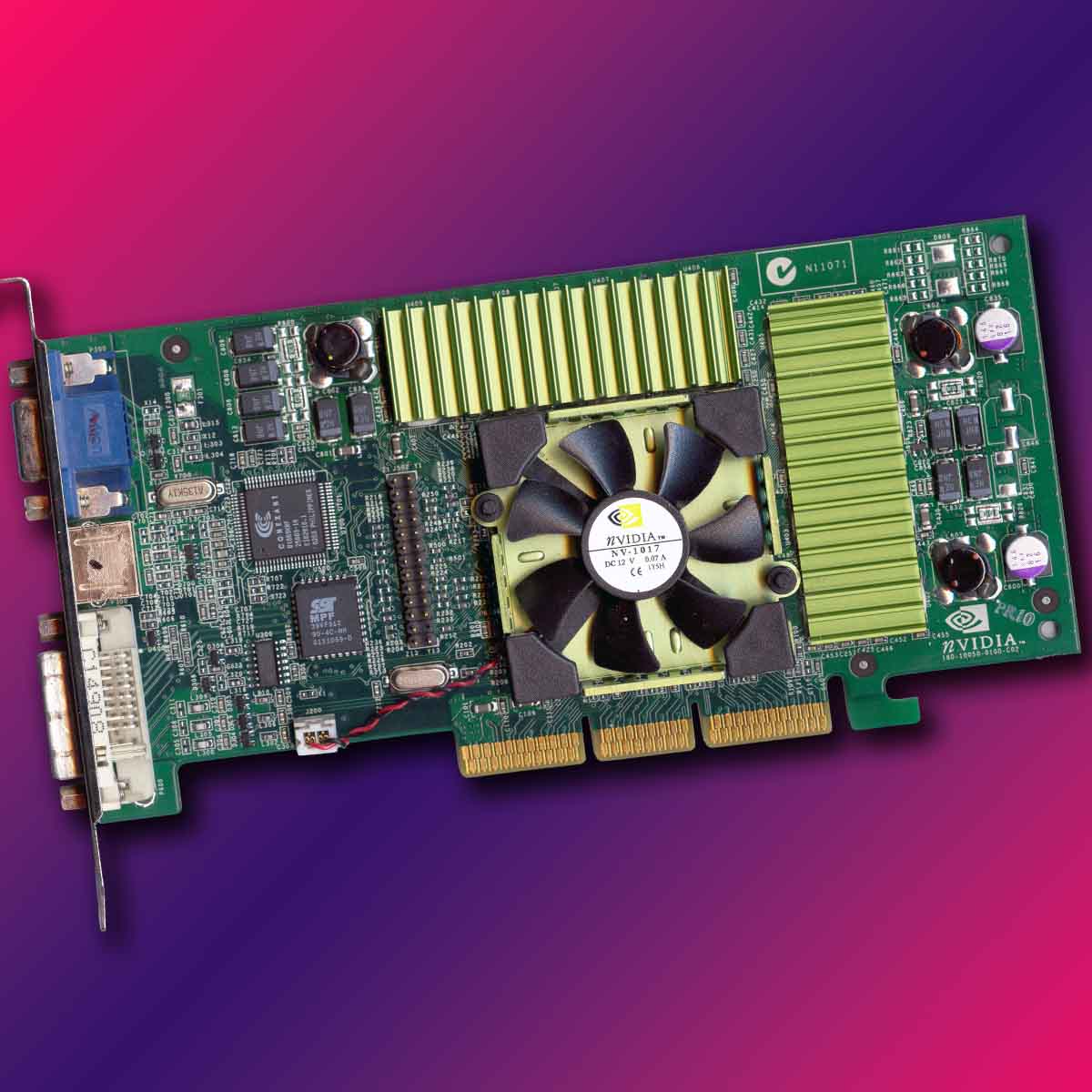
After killing off 3dfx and hoovering up all its assets, for its next trick, Nvidia kicked off another revolution in the world of PC gaming graphics with GeForce 3. The first gaming GPU with programmable shaders, it ushered in a future of realistic-looking water effects, dense foliage, detailed human skin, and lots more. It wasn’t quite the same leap as going from software to hardware rendering, but it was close.
The river looked almost like real water, and realistic-looking grass swayed in the wind.
3D games were already looking good at this point, we thought, but it turns out they could look much, much better. The idea was simple. Instead of solely relying on ever-increasing triangle counts and detailed bitmapped textures to make games look better, the GPU could also run small programs, called shaders, on the fly in hardware. You could program a shader to generate a brick wall, for example, and it could do it without needing to load heavy textures.
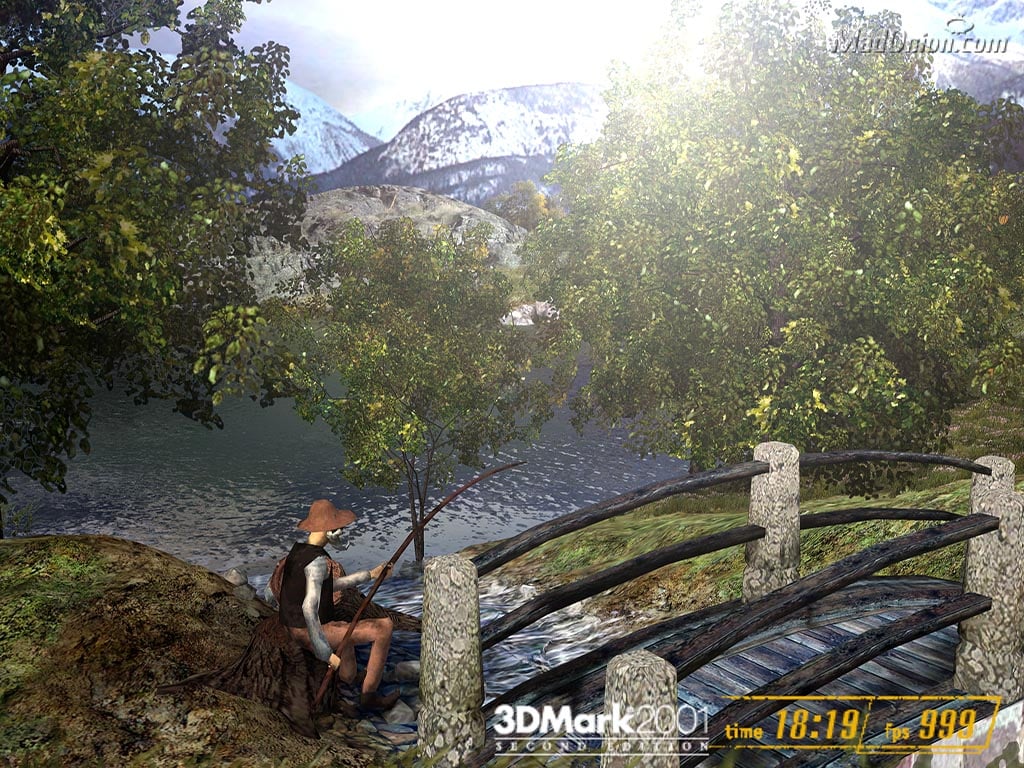
For many of us, our first true taste of the potential for shaders was 3DMark2001’s Nature test. We’d never seen anything like it. The river looked almost like real water, thousands of leaves were rustling in the trees, and realistic-looking grass swayed in the wind. It only ran at about 24fps on GeForce 3, but this was the future, and it looked stunning. For a laugh, I ran the Nature test on my RTX 4090 to see how far we’ve come, and as you can see from the screenshot below, the frame rate is 999fps – it could probably go even higher.
Programmable shaders arrived with the advent of Microsoft’s DirectX 8 API, and required specific hardware to run them. In addition to the usual 3D hardware, a GPU also needed dedicated pixel and vertex processors (sometimes called shaders or pipelines) to handle these new effects programs – the more the better. GeForce 3 kicked off proceedings with just one vertex unit and four pixel pipelines. That wasn’t much, but it got us started.
The main problem for GeForce 3 was that it took a long time for the games industry to catch up. Shaders are a given in games now, but there wasn’t much available to show off on your new hardware apart from the Nature test, and The Elder Scrolls: Morrowind, which turned up over a year later in 2002. The shader revolution had started, but there was clearly room for improvement, which brings us to our next card.
ATi Radeon 9700 Pro
Released: 2002 / Game changer: Shader Model 2.0
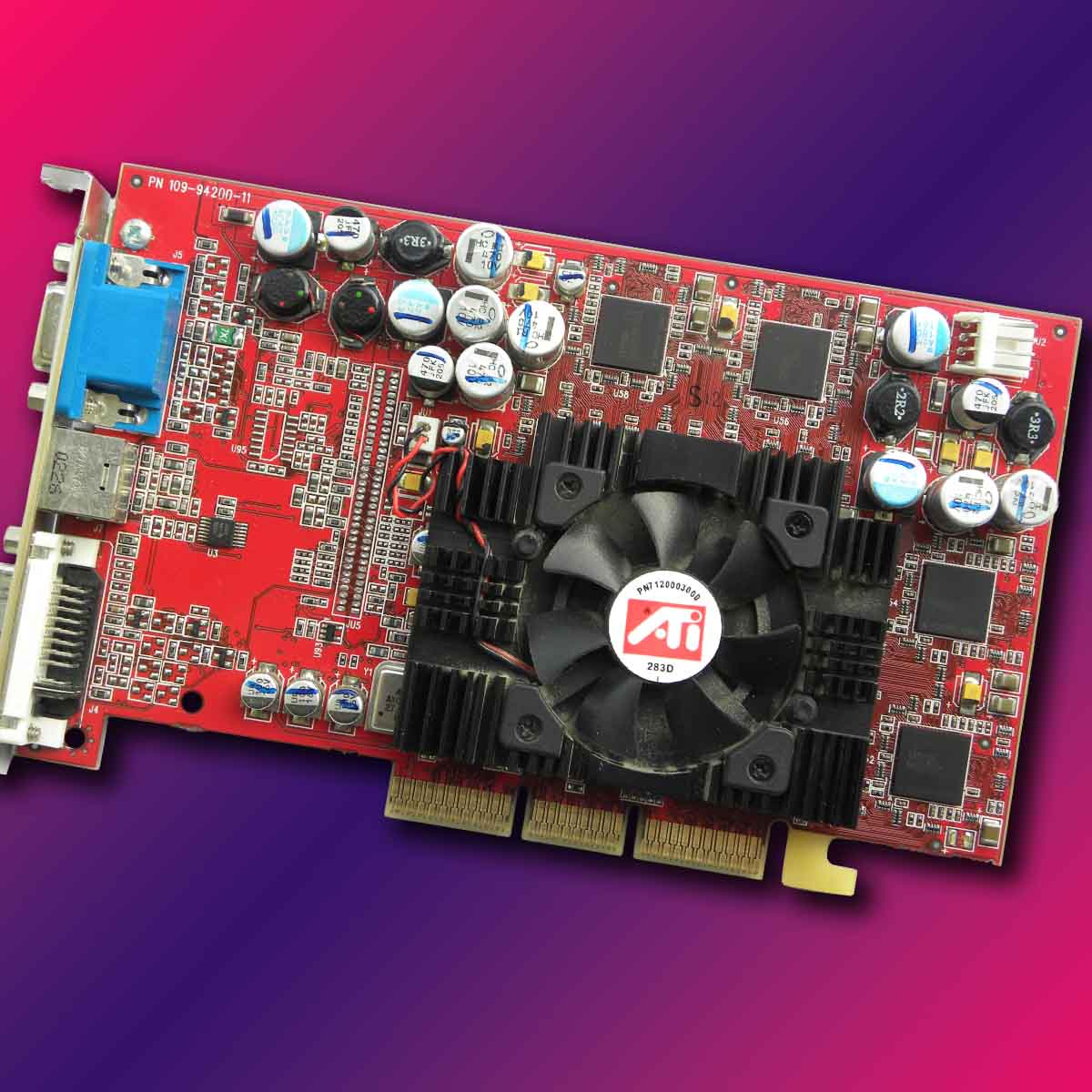
Fast forward around 18 months, and ATi grasped the shader revolution and ran off with it. The first gaming GPU to support Shader Model 2.0 in DirectX 9, ATi’s Radeon 9700 Pro also brought a massive increase in shader power with it. This GPU had eight pixel shaders under the hood, plus four vertex pipes, and its performance was immense. It not only trounced Nvidia’s GeForce 4 Ti lineup in benchmarks, but it also beat the later GeForce FX 5800 Ultra (one of the worst GPUs ever), and without making a silly noise while it did it.
Meanwhile, its 256-bit memory interface provided a huge (for the time) amount of VRAM bandwidth of 19.84GB/s, compared to 7.36GB/s on the first GeForce 3 cards. With a 128MB frame buffer and all this bandwidth, this GPU also finally gave you some headroom to enable features such as anti-aliasing and anisotropic filtering without suffering a crippling performance hit.
Importantly, Shader Model 2.0 was much more accessible for game developers than its predecessor. The first DX8-level shaders had to be written in assembly, and were generally a pain for game developers to implement. DirectX 9 introduced us to high-level shader language (HLSL), which was a bit like C, and while it still required top coding skills, it was much friendlier to devs than assembly. It was now easier to write shaders, and they could be made more complex as well, with superior lighting and water effects now available.
Then, in 2004, both Doom 3 and Half-Life 2 were released, showcasing the power of shaders in their full glory, and everyone wanted it. Both games technically worked with DX8 hardware, but you needed DX9 to see them at their best, particularly when it came to water and lighting in Half-Life 2. By this time, the Radeon 9700 Pro was a couple of years old, but it still ran these games at half-decent settings. It was a few years before we saw the next big jump.
Nvidia GeForce 8800 GTX
Released: 2006 / Game changer: Unified shader architecture and CUDA
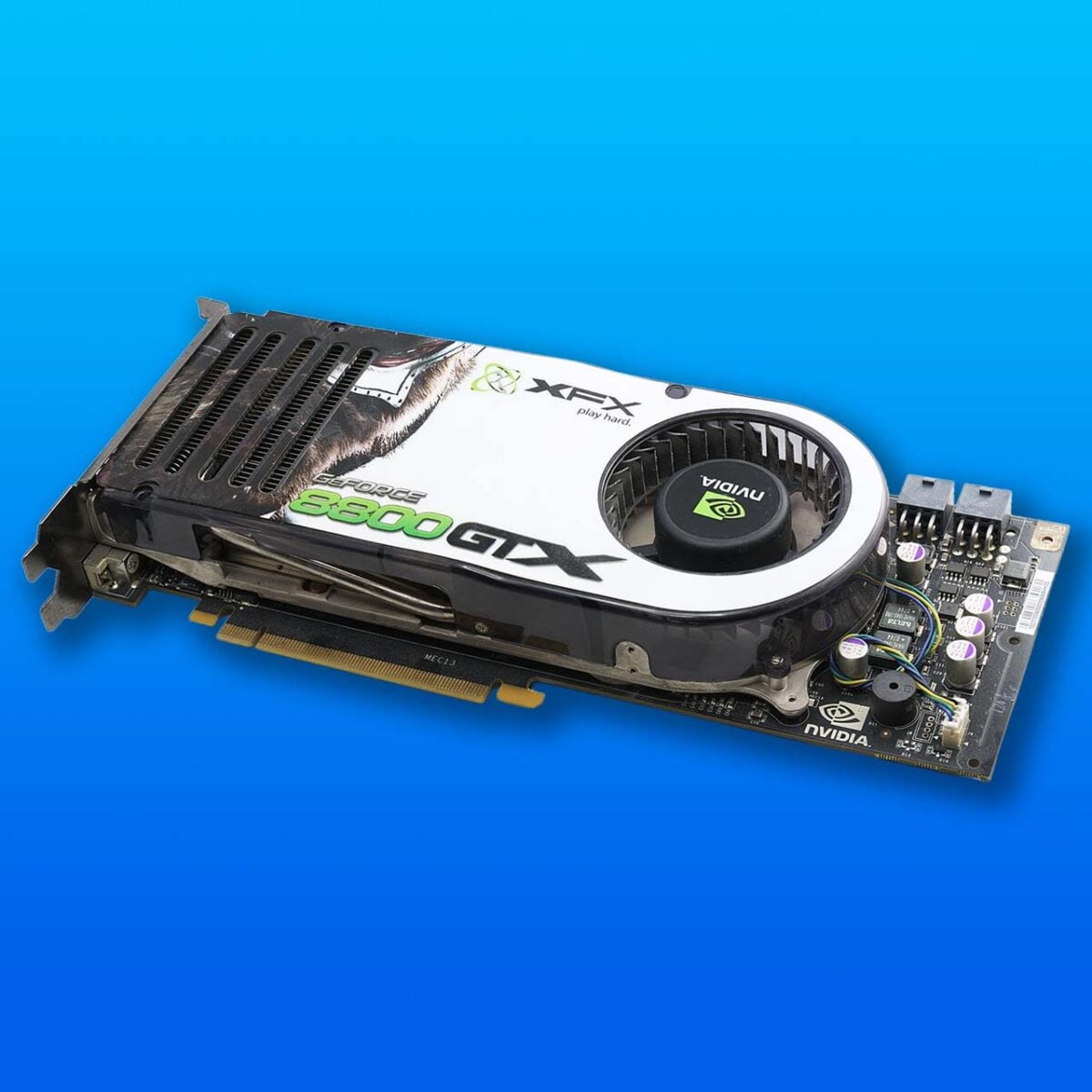
Nvidia made a colossal change under the hood of its Tesla architecture, and while you can’t see a big visual difference with side-by-side game screenshots, it set the stage for Nvidia’s runaway success today – the unified shader architecture. Rather than having separate pixel and vertex pipelines, Nvidia’s Tesla architecture instead offered a sea of individual stream processors (Nvidia now calls them CUDA cores) that could be combined to process both pixel and vertex operations, and much, much more.
Basically, you could now use your GPU for practically any computing task that benefited from loads of little processors working in parallel. DirectX 10 brought in a geometry shader to create 3D shapes, for example, as well as a compute shader to work on post-processing effects in games. Most importantly, this architecture paved the way for Nvidia to start using its GPUs for general-purpose processing tasks, and later as supercomputing components. Nvidia released its own CUDA programming language to get the ball rolling, and the rest is history.
While we’re crediting Nvidia with this innovation on PC, it’s worth pointing out that Tesla wasn’t the first unified shader architecture for gaming. ATi had already achieved this feat with its Xenos GPU in the Xbox 360, which had 48 stream processors and was ahead of its time.
Nvidia did it first on PC, though, and the 8800 GTX spec was immense. With 128 stream processors, 768MB of GDDR3 VRAM, and a super-wide 384-bit memory interface, it was often faster than the dual-GPU 7950 GX2 that came out previously. The GPU as the parallel computing beast we know today was born, and Nvidia hasn’t looked back since.
AMD Radeon HD 6550D
Released: 2011 / Game changer: Gaming on integrated graphics
That’s no moon. You’re right, and we know it’s not technically a graphics card either, but if it weren’t for this breakthrough tech, we wouldn’t have the Steam Deck, or indeed the many other handheld gaming PCs we enjoy today. In 2006, AMD took a gamble that very nearly bankrupted it in the short term, but which paid off big time in the long term. It bought GPU firm ATI for $5.4 billion.
And that wasn’t just because AMD wanted to be able to make graphics cards. AMD was one of the few chipmakers with an x86 licence, and there was clear potential to make CPUs with proper integrated GPUs. Intel’s integrated GPU tech was laughable at the time in terms of gaming power, and Nvidia couldn’t make x86 CPUs – AMD could be the only firm that could potentially offer a gaming-capable CPU and GPU combo system in one x86 chip.
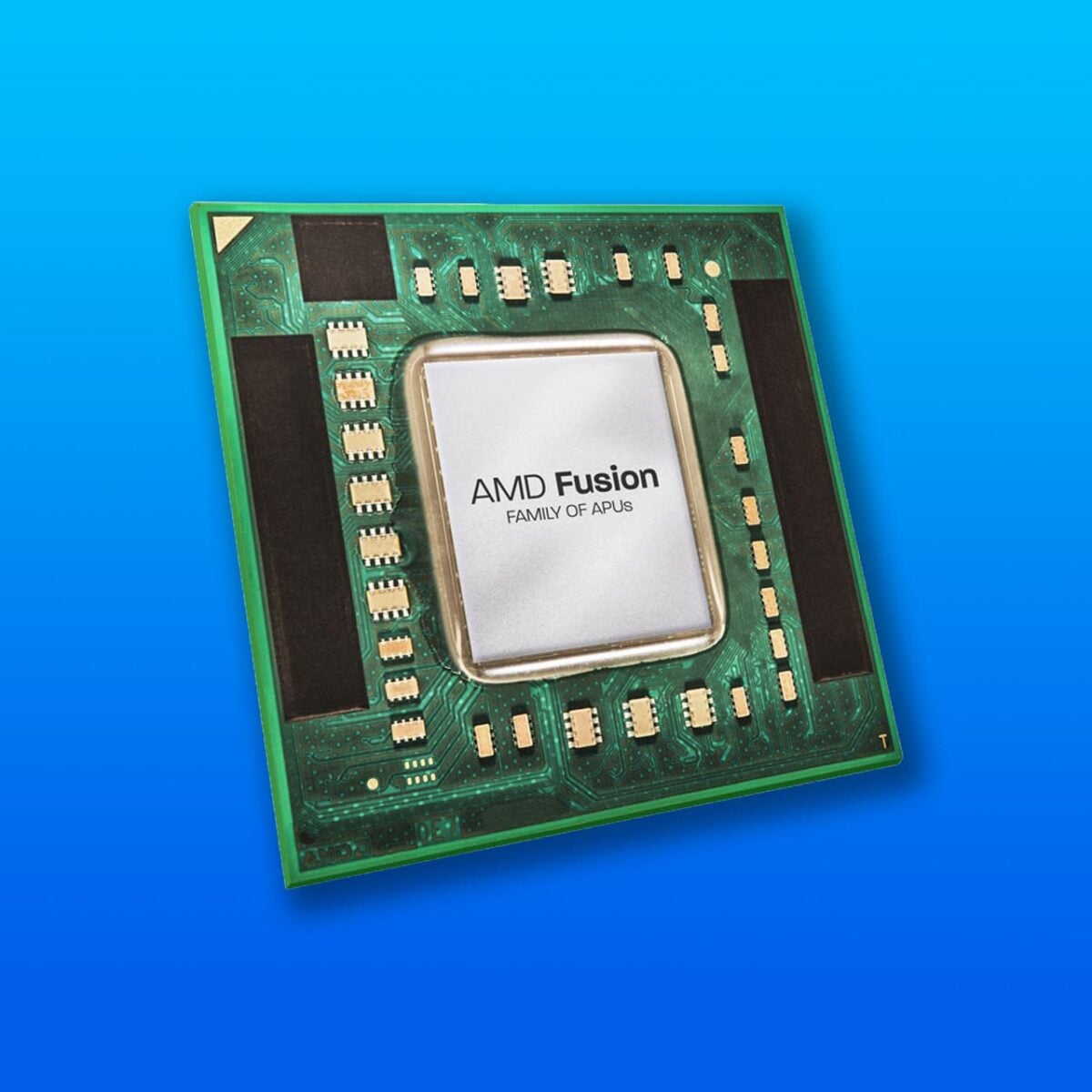
Fast forward to 2026, and AMD’s CPUs with integrated graphics are used in all the PS5 and Xbox Series consoles, as well as innumerable handheld devices, and that all started with the Radeon HD 6550D. This modest GPU was integrated into AMD’s top-end Fusion CPUs, codenamed Llano, such as the Ryzen A8-3870K, and it was the first time we’d seen a proper GPU integrated into a CPU. AMD called them accelerated processing units (APUs) to distinguish them from standard chips without the fancy graphics.
Based on the same TeraScale 2 architecture found in Radeon HD 6000-series desktop GPUs, it had 400 stream processors under its belt, and you could genuinely play games on it. We weren’t talking about full 1920×1080 here, but relatively undemanding games such as Left4Dead 2 happily ran at around 60fps at 1280×720, complete with high settings enabled, as did Call of Duty: Black Ops. It was a remarkable technical achievement, but at this time it was also more of a curiosity than a best-seller.
The industry didn’t really know what to do with it. You needed an FM1 motherboard, most of which came in ATX or mATX form factors for some reason, and it also didn’t help that the underlying CPU architecture wasn’t great. Meanwhile, discrete desktop GPUs were still massively more powerful.
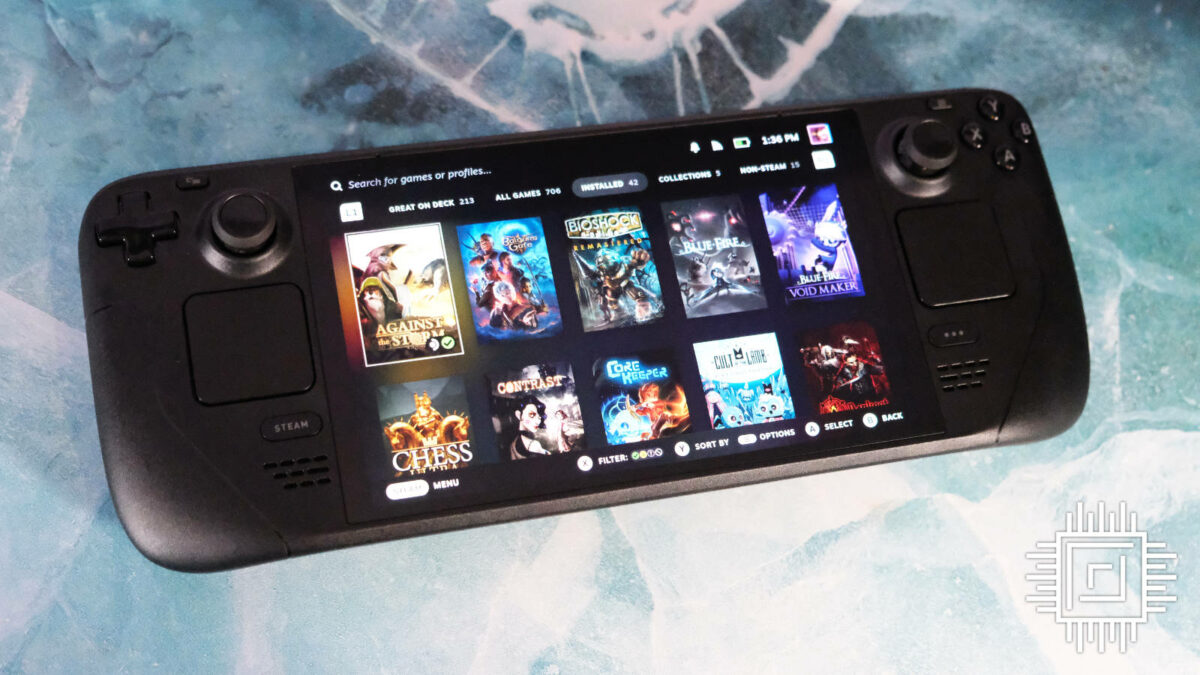
It took a good few years before AMD nailed the formula, but all great tech ideas have to start somewhere. It’s now very rare to see a PC gaming handheld that isn’t based on an AMD APU of some description, including the iconic Steam Deck. Llano might not have taken the world by storm, but AMD is certainly reaping the rewards of its investment now.
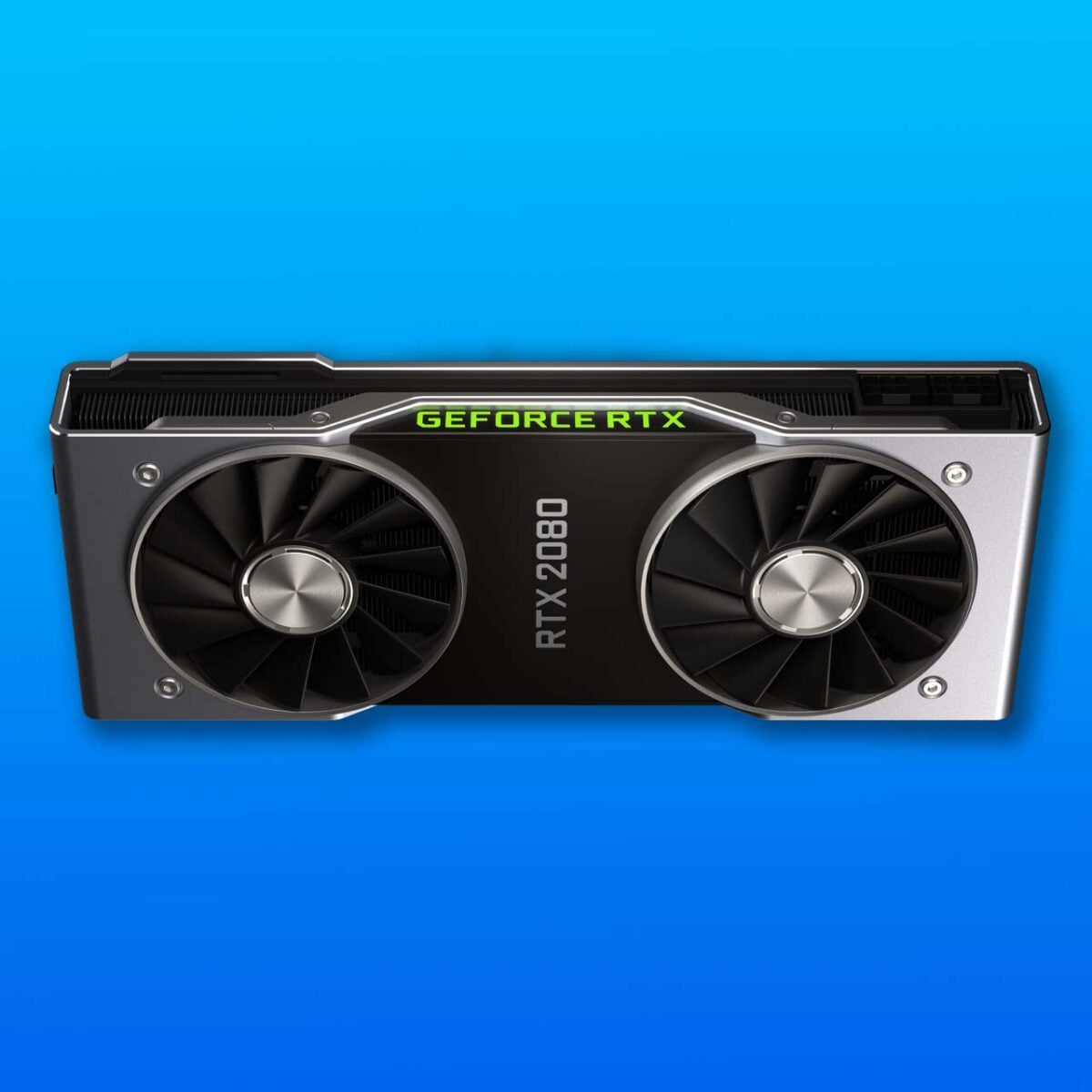
Nvidia GeForce RTX 2080
Released: 2018 / Game changer: Ray tracing and AI
Ray tracing has now become such a common phrase in gaming discourse that it’s easy to forget what a monumentally amazing achievement it is to be doing it in real time at all. Calculating the way light travels around a scene as it bounces off every object, so you get truly realistic reflections and shadows, this advanced rendering technique is a popular tool for Hollywood visual effects teams. It traditionally required huge render stations to generate a frame at a time – the idea that you could play ray-traced games was for the birds.
If you looked at a soldier’s eyes, you could see the carnage of the surrounding scene unfolding in the reflection.
Intel had shown off a few early real-time ray tracing demos in the noughties, largely thanks to the pioneering work of Daniel Pohl, who had earlier managed to get a few games, including Quake, running with ray tracing at low resolutions. This was all done on CPU cores, though, rather than using a GPU. Intel even had a graphics card in the works, codenamed Larrabee, packed with mini Pentium cores optimised for real-time ray tracing, but it never made it out the door. It looked as though real-time ray tracing was never going to become anything more than a pretty demo toy.
Then, in 2018, Nvidia unveiled the RTX 2080, and showed us a ray-traced demo of Battlefield V. It was astounding. If you looked at a soldier’s eyes, you could see the carnage of the surrounding scene unfolding in the reflection. The same happened if you looked in a car mirror, or a plate of shiny metal, for that matter. Thanks to an army of dedicated cores built specifically for ray tracing, the RTX 2080 could actually do it.
There was clearly still a lot of work to do at this point. Battlefield V was only really playable at the low ray tracing preset on the RTX 2080 came out, and required a lot of optimisation to get working smoothly. It also took a while before games started using it on a large scale. Now, though, loads of PC games not only use ray tracing, but many big titles, such as Indiana Jones and the Great Circle, even require it at the base level. Ray tracing is the new normal.
That wasn’t all the RTX 2080 had up its sleeve either. Nvidia has also kitted it out with Tensor cores for AI work, with a brand new gaming tech suite called DLSS. Rendering your games at a lower resolution than the one at which you were playing, and using AI to upscale it in real time, DLSS took some of the edge off the demands for ray tracing.
Let’s face it, this first version of DLSS didn’t look good, with horrible smearing and blurriness, but Nvidia has refined the formula over the years, and its latest Transformer model now looks excellent. Remarkably, you can even run this current version of DLSS on the RTX 2080, albeit slowly.
Numerous AI features for DLSS followed over the years, including frame generation and ray reconstruction, while full path tracing is now even possible in some games if you have a powerful GPU. Ray tracing and AI are now huge, and AMD has been playing catch-up ever since.
That brings us to the end of this feature about literally game-changing graphics tech, and we hope you’ve enjoyed taking this trip down memory lane with us. If you want to supercharge your PC’s gaming graphics abilities now, our guide to buying the best GPU has all the advice you need.
