
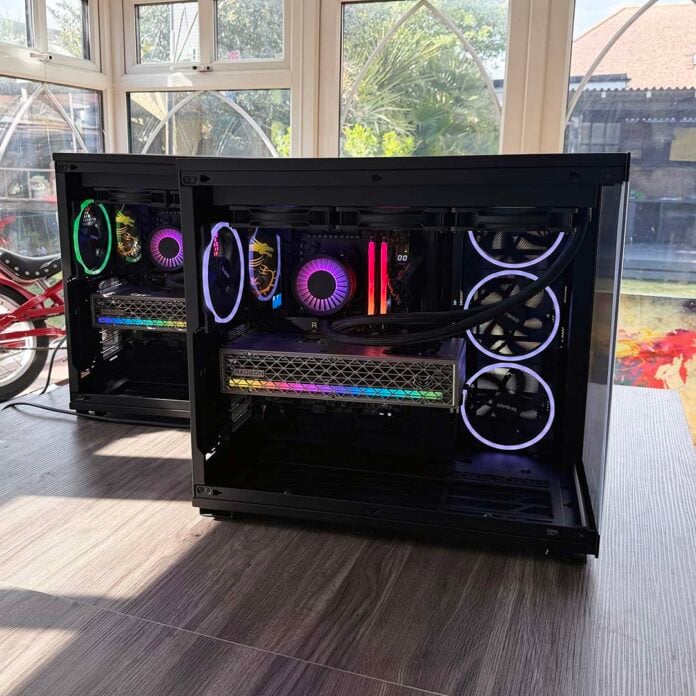
As somewhat crusty veterans of the PC hardware scene, most of us at Club386 have built many PCs over the years, but these ones are really special. We’ve just constructed the test platforms that we’ll be using for our reviews over the next year or so, and they’re based on some of the very best components we’ve reviewed recently.
In the true spirit of cultural nerdity, we’ve also named them after on-screen sci-fi computers, so we’d like to introduce you to Holly and Deep Thought, two of our new test rigs. Bonus points are available if you get the cultural references.
I invited Hal to appear in this photo shoot, but he said, “I’m sorry, Ben, I’m afraid I can’t do that.”
There’s also a third one with an identical spec, called Hal, who I invited to appear in this photo shoot, but he told me, “I’m sorry, Ben, I’m afraid I can’t do that.” In all seriousness, there are three of these systems, but Sam was using Hal to do the benchmarking for our Ryzen 9 9950X3D2 review while I was doing the photo shoot.
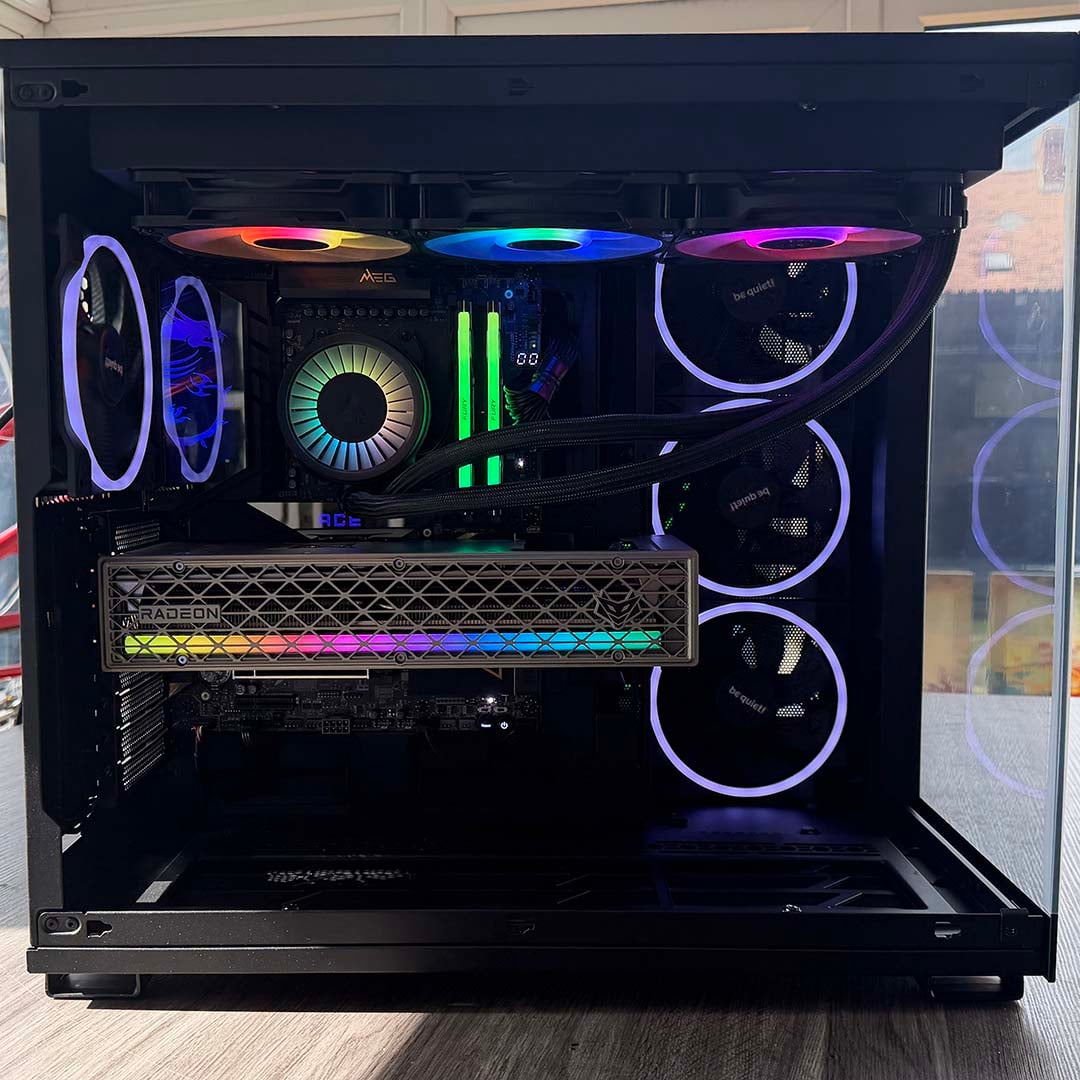
We always prefer to use proper, fully-built PCs for testing, rather than open-air test benches. This way, you find out how your kit will actually perform in the real world. We’ll be able to tell you whether a graphics card cooler makes an annoying noise when it’s installed inside a case, for example, or whether an SSD overheats if it doesn’t have decent airflow skating over its heatsink. You’ll also get a realistic idea of operating temperatures.
In this feature, we’ll take you through all the components we’ve used in these systems, explaining the reasons for our choices, while also showing you how they perform. Our test rigs are designed to get the most out of the latest hardware to its limit, without any bottlenecks, so we can definitely tell you whether it’s any good or not. Anyway, enough nattering, let’s get on with the parade.
CPU and motherboard
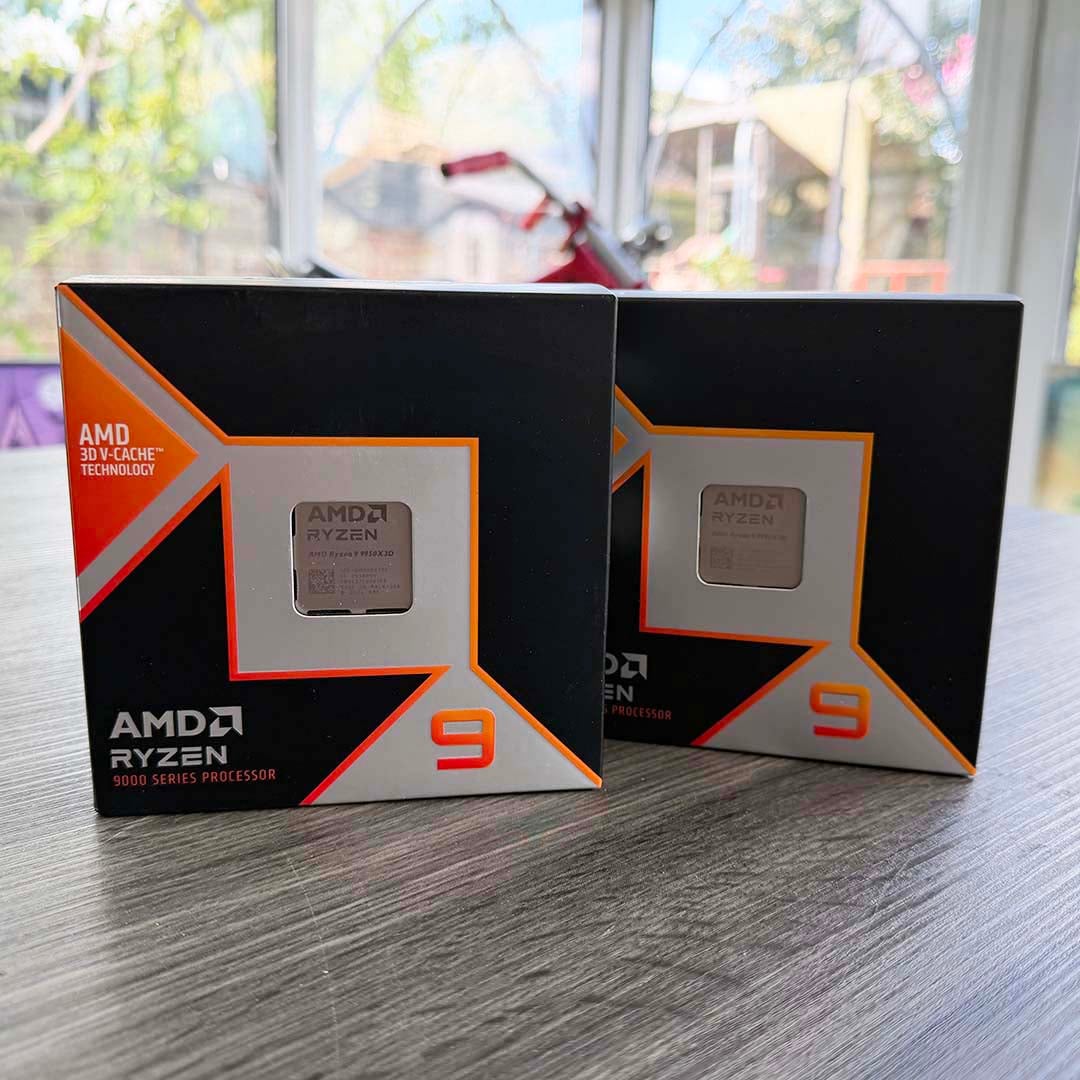
We wanted to use the best CPU available for our test builds, and that means we’ve enlisted the mighty AMD Ryzen 9 9950X3D. This widely available chip covers all bases in one gloriously powerful package. Eight of its cores have a 64MB slab of L3 cache nestled underneath them, helping to bolster frame rates in games. This means we can be sure there’s no CPU bottleneck when we use it for GPU testing.
However, unlike the 9800X3D, this Ryzen 9 chip also has a second 8-core chiplet with no 3D V-Cache, and a 5.7GHz boost clock. This makes it an absolute monster in heavily multi-threaded tasks, such as 3D rendering and video encoding. That means our test rigs cover the best of the work and play worlds with one chip. We can push CPU coolers and AM5 motherboards to their limit, and be confident that the CPU isn’t holding back performance in any way. Shame the Dual Edition didn’t arrive any earlier, but there you go.
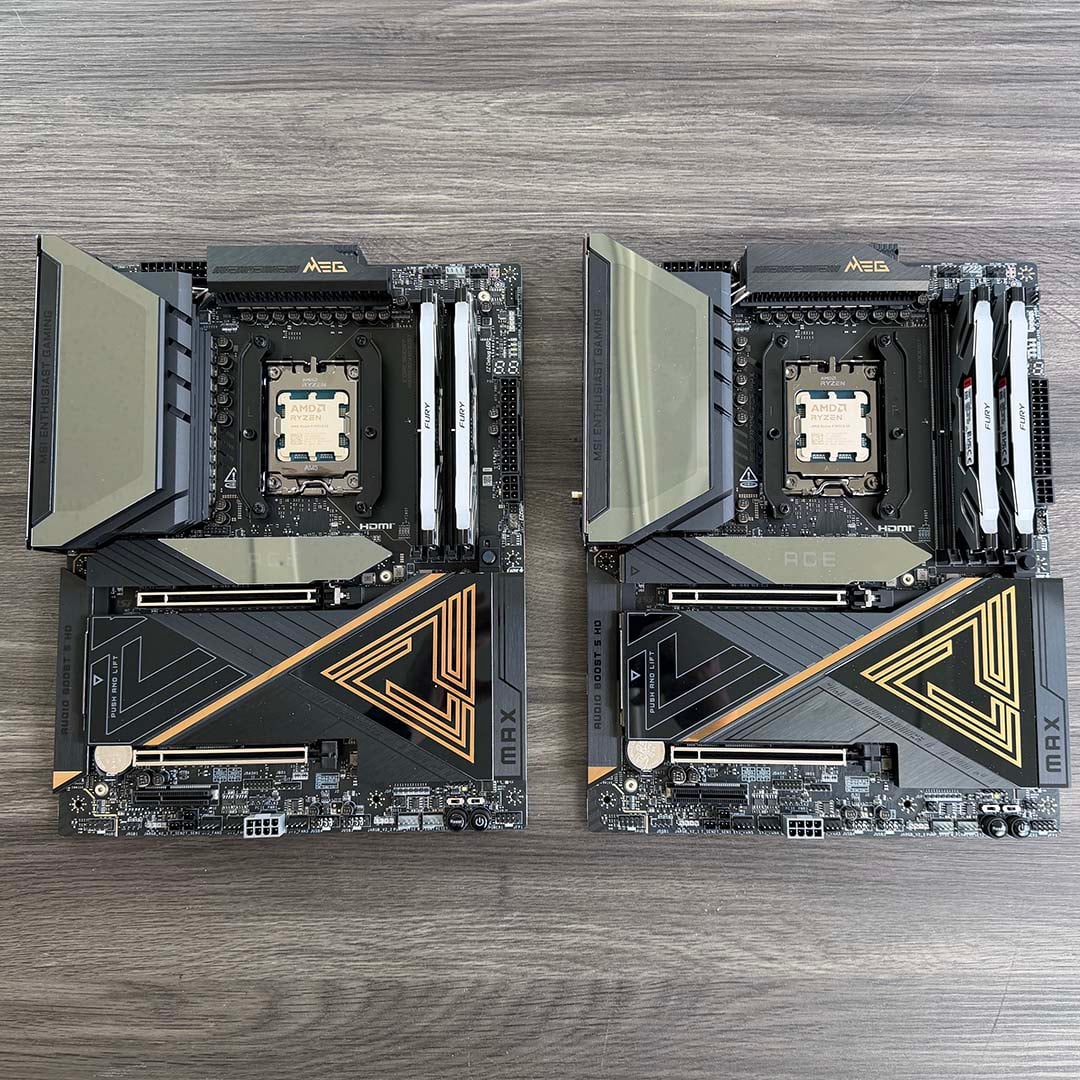
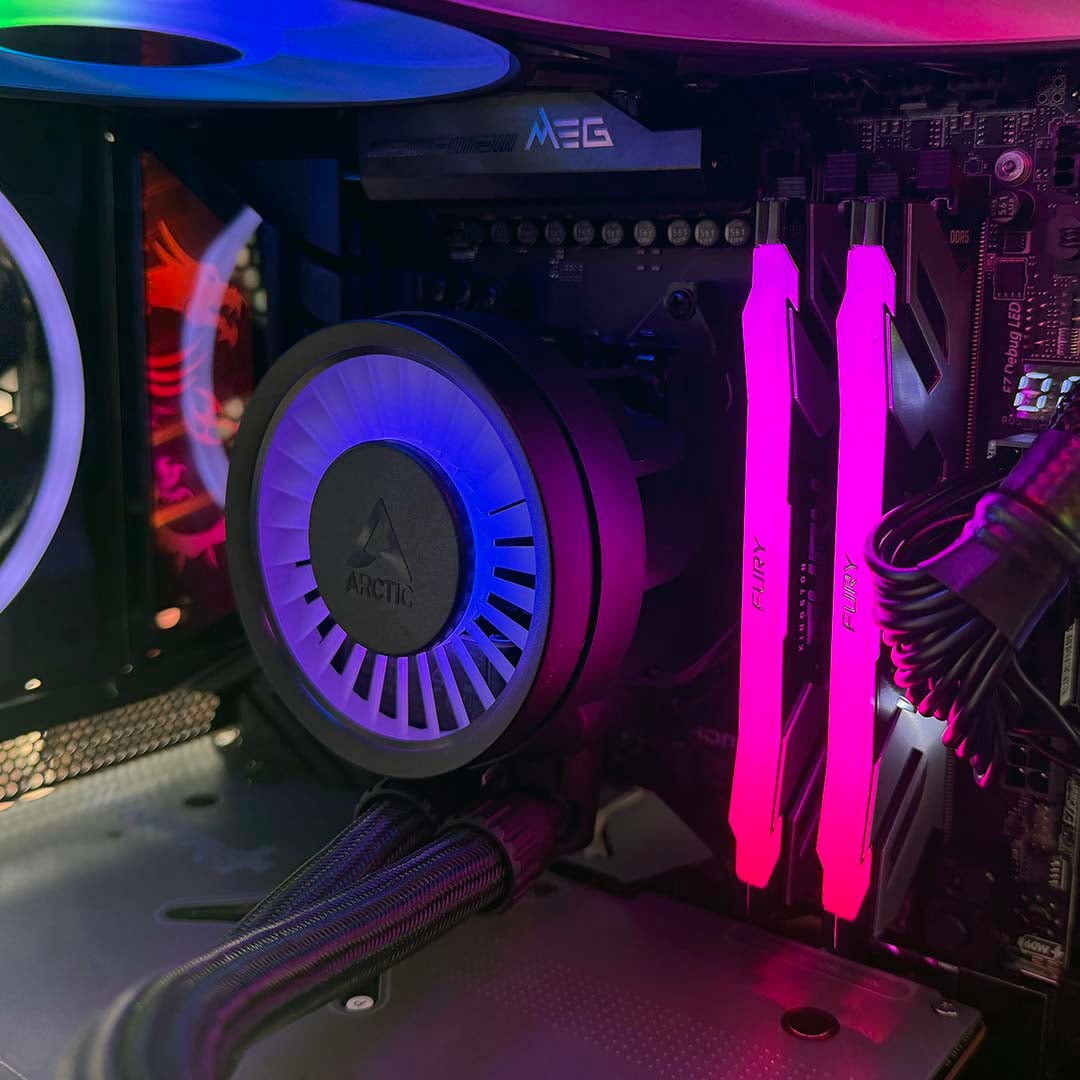
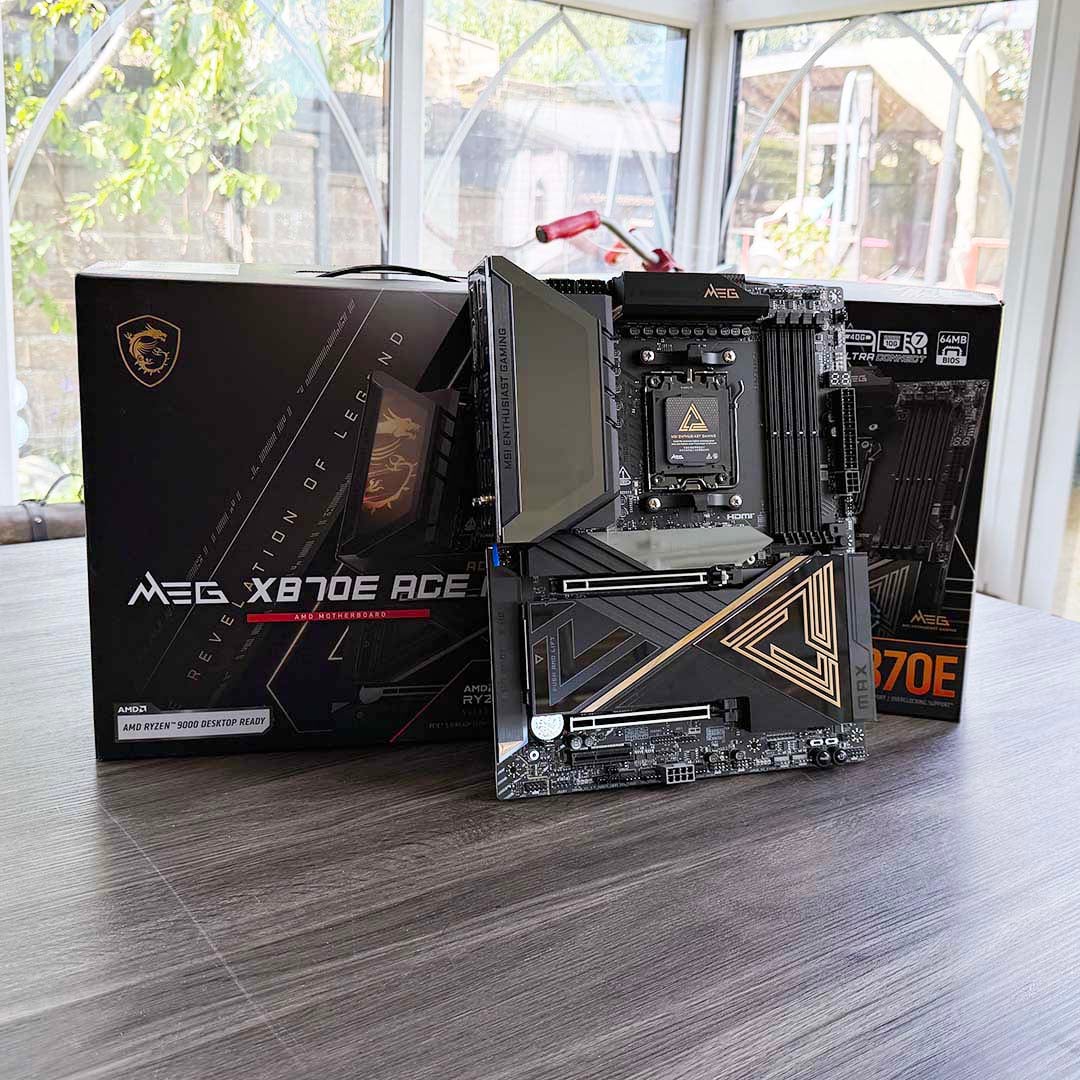
Meanwhile, our motherboard choice is the excellent MSI MEG X870E Ace Max, which we described as “a demigod among motherboards” in our review, making it the top high-end AM5 choice on our guide to buying the best motherboard. With outstanding build quality, a massive battery of high-speed USB ports (including two 40Gb USB-C sockets), and a pair of PCIe Gen 5 M.2 SSD slots, it’s not only ideal for benching AMD’s AM5 CPUs, but also testing SSDs, peripherals, and more besides.
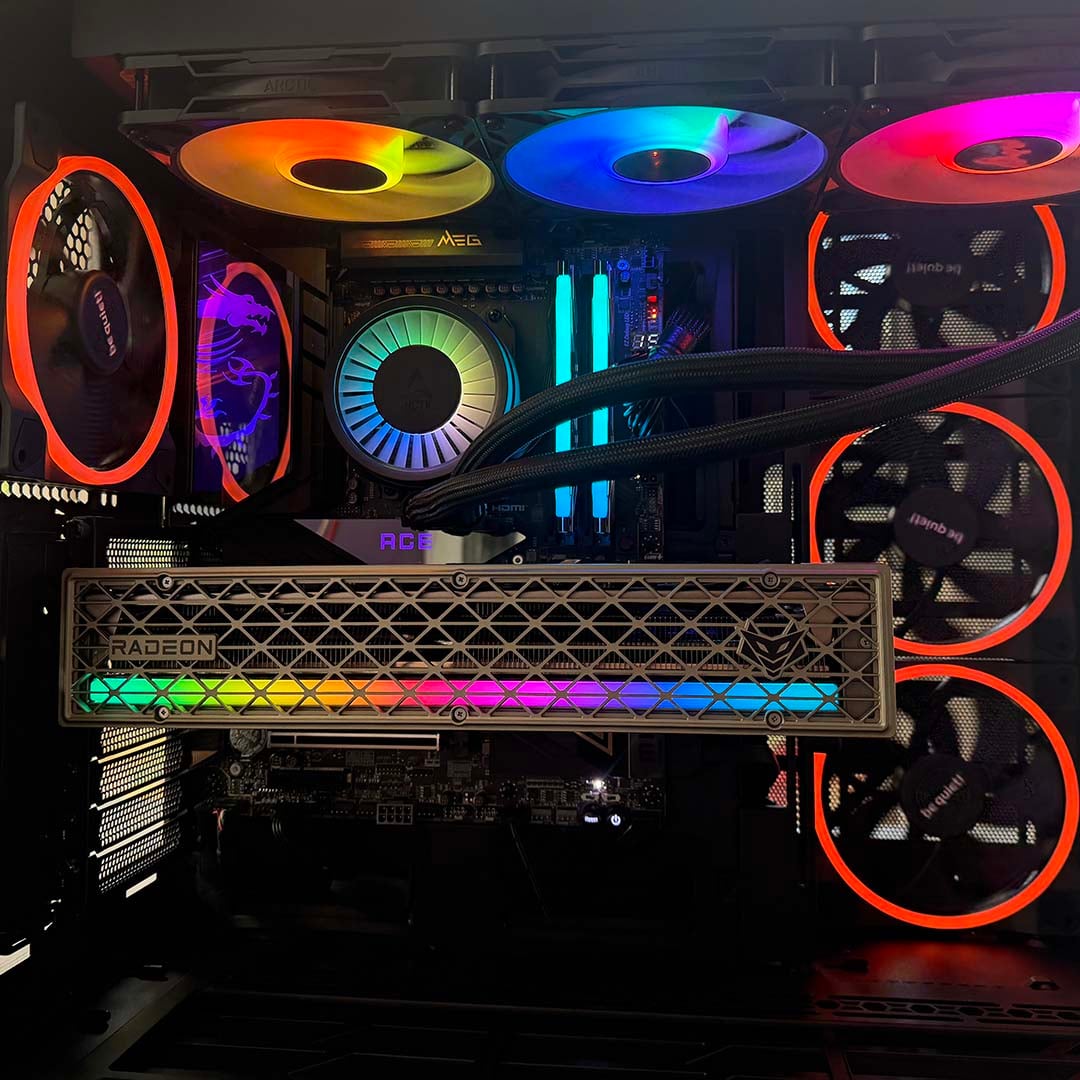
Handily, it also supports both 5Gb and 10Gb networking, as well as Wi-Fi 7, so we can properly put the latest routers, NAS boxes, and other networking kit to the test. As if that’s not enough, it also looks amazing, as you can see from our pics, with that gorgeous MSI dragon glowing on the top left corner.
Storage and memory
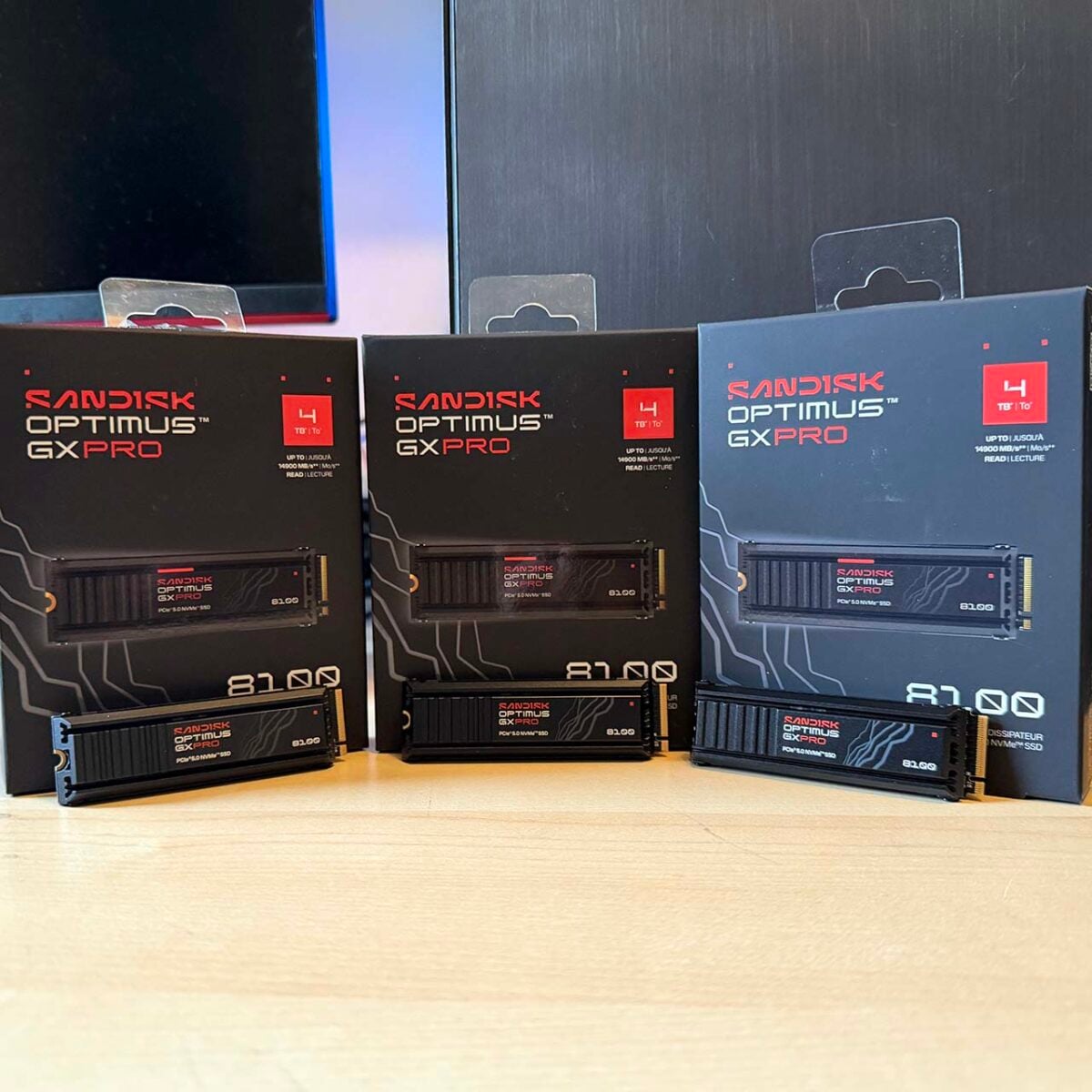
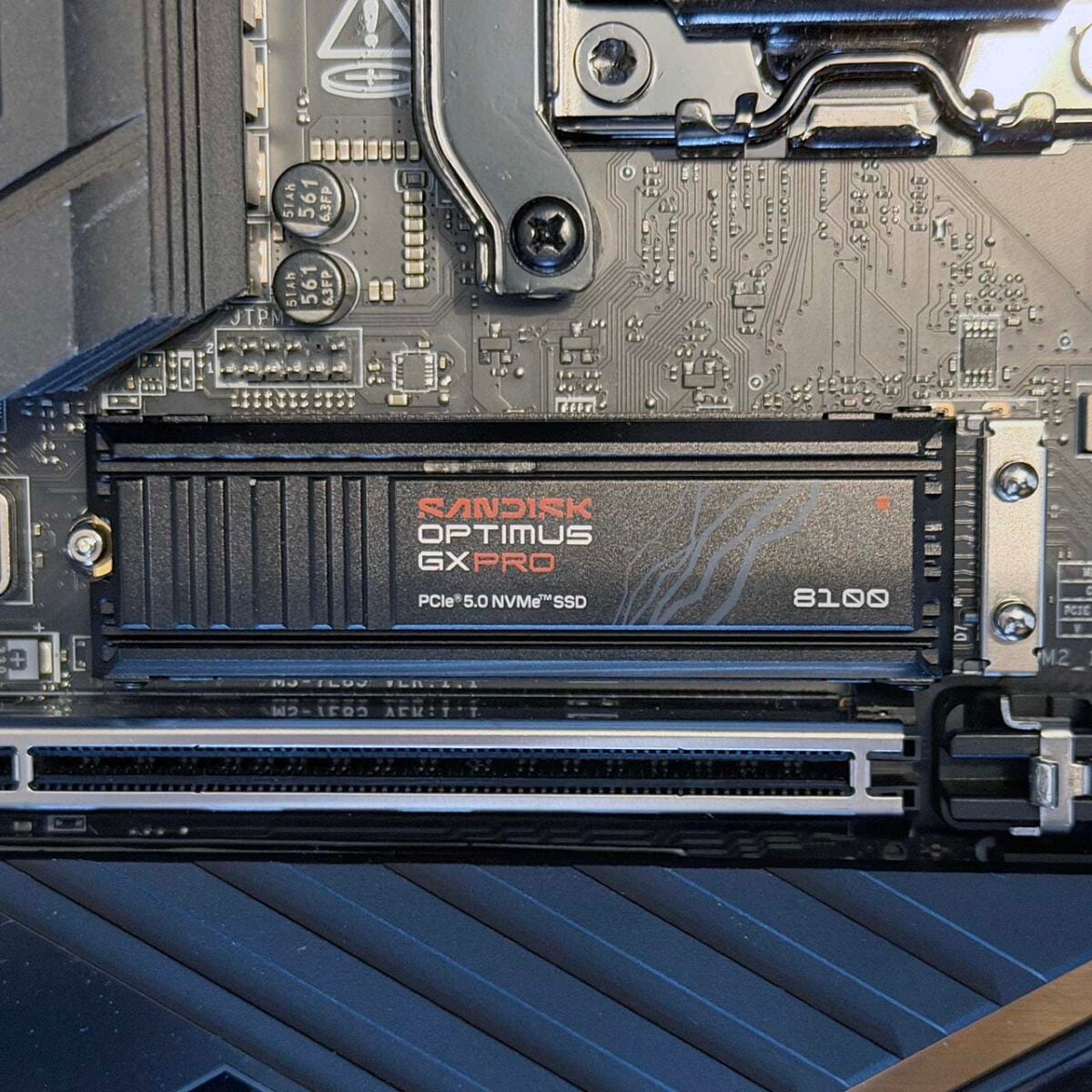
Continuing in the spirit of making sure our test rigs perform as fast as possible in every area, we wanted to be confident that they weren’t being held back by a slow SSD or lack of RAM. Accordingly, we’ve upgraded storage from the PCIe Gen 4 WD_Black SN850 drives in our previous test rigs to some super-fast 4TB SanDisk Optimus GX Pro 8100 SSDs.
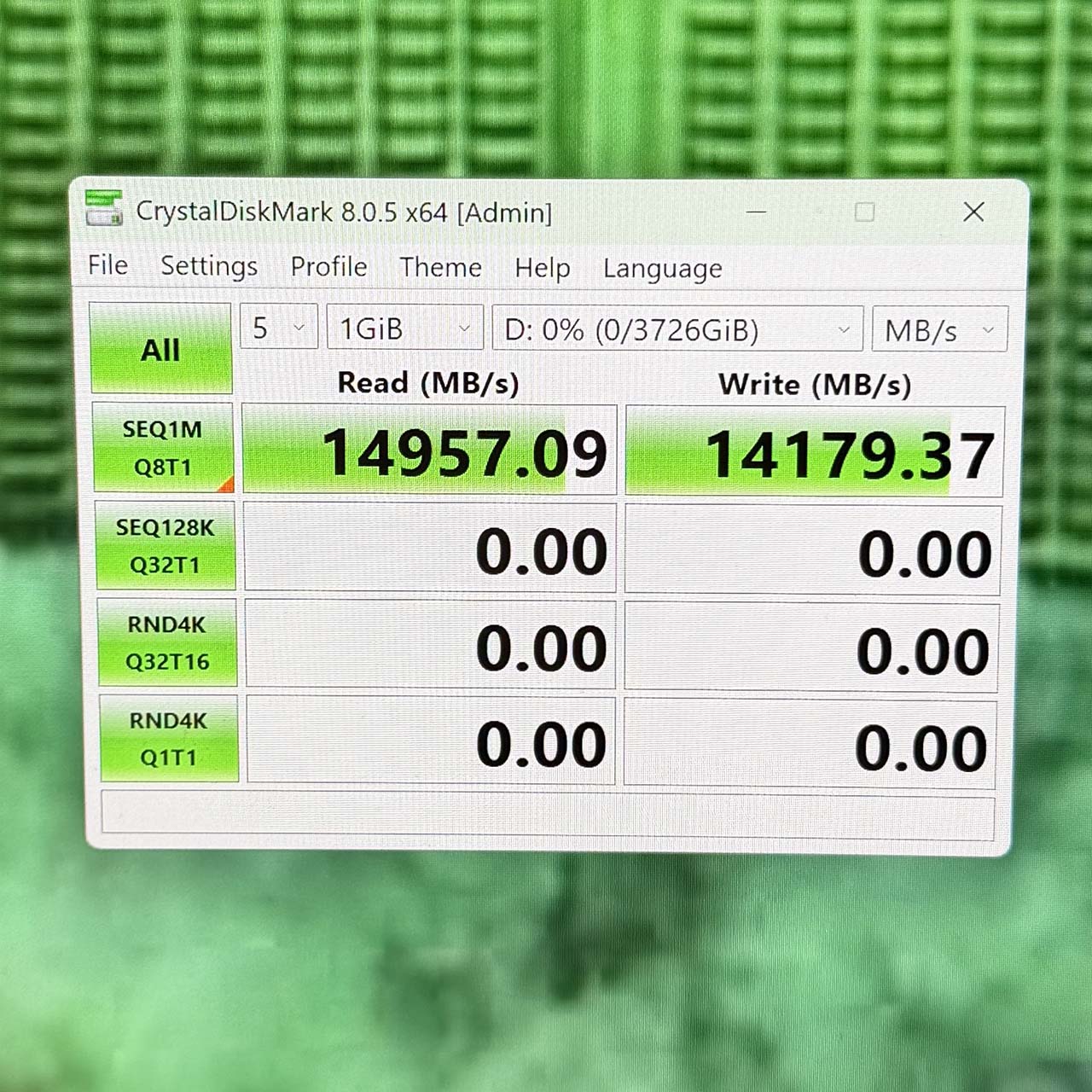
We’ve never tested a faster SSD when it comes to sequential reads, with CrystalDiskMark topping out at over 14,900MB/s in our sequential read tests. These super-fast drives enable us to make sure that a motherboard’s M.2 PCIe Gen 5 slots are working at full-speed, while also demonstrating the efficacy of M.2 heatsinks.
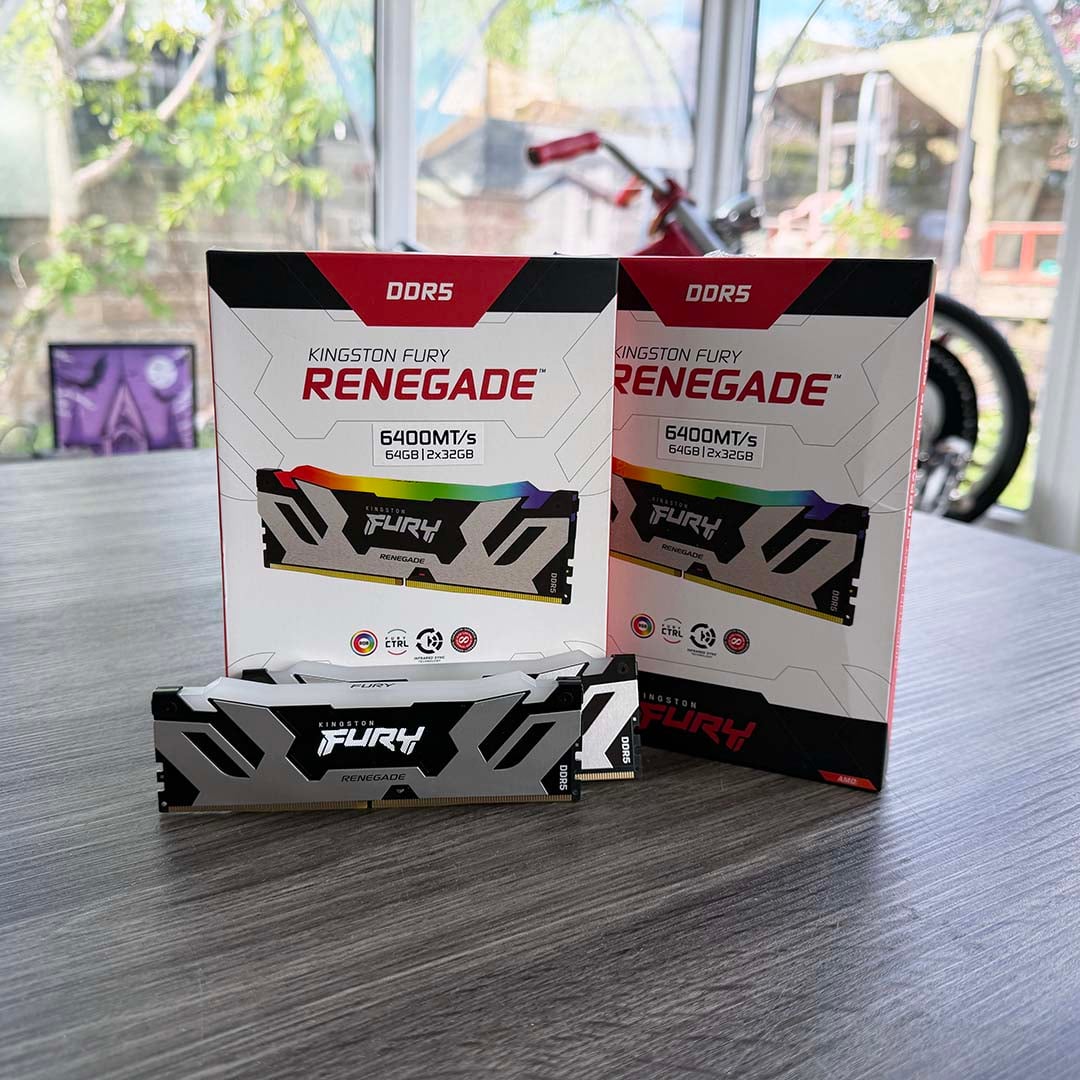
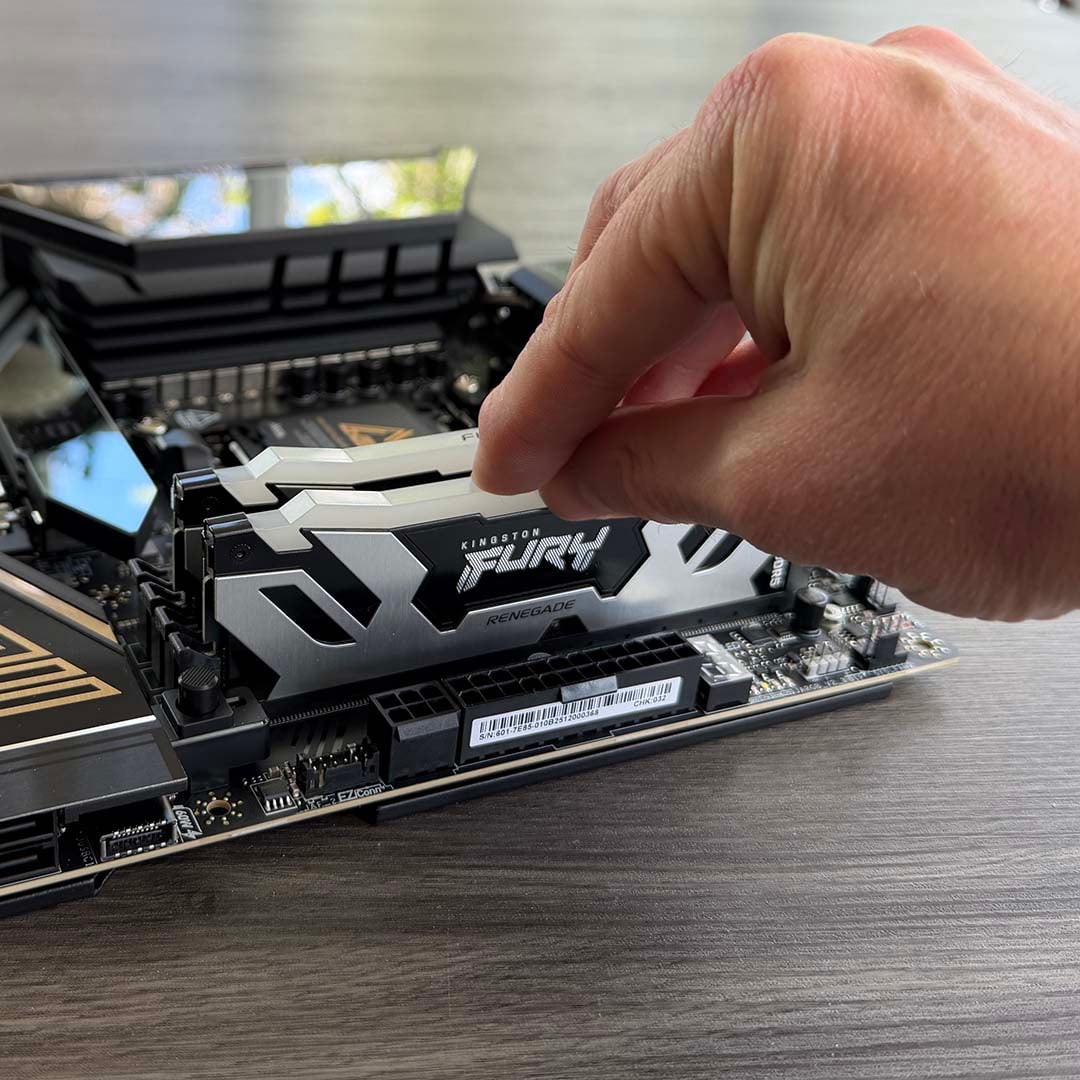
Likewise, we wanted to be sure that our test systems not only have enough RAM to accommodate the most demanding test situations, but also that the memory is fast enough. That’s why we’re using 64GB (2x32GB) kits of Kingston Fury Renegade DDR5 memory. Our RAM runs at 6,400MT/s, with CL32 latency timings, which is ideal for our AM5 test rigs, and the modules have an attractive flash of RGB lighting across their tops as well.
GPUs
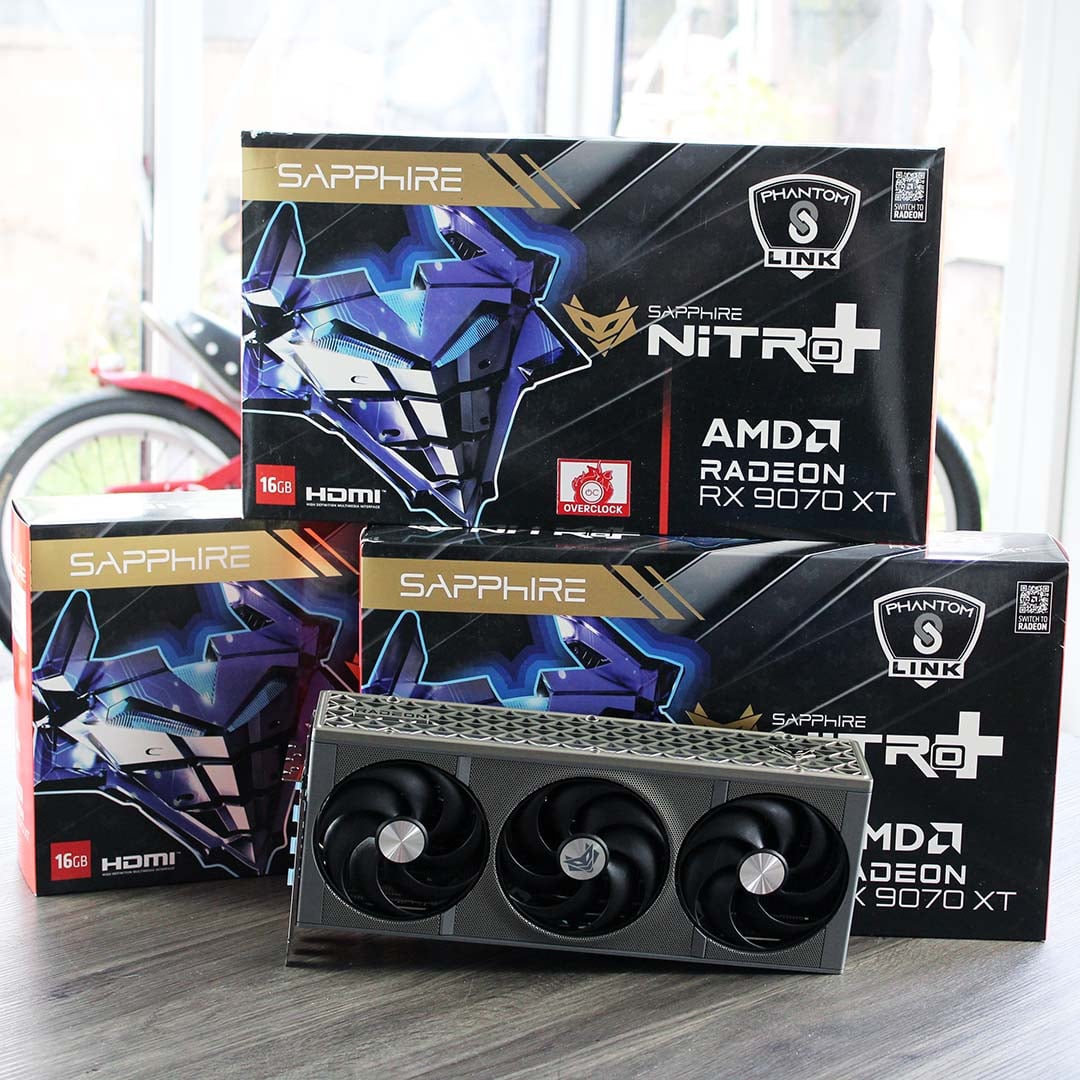
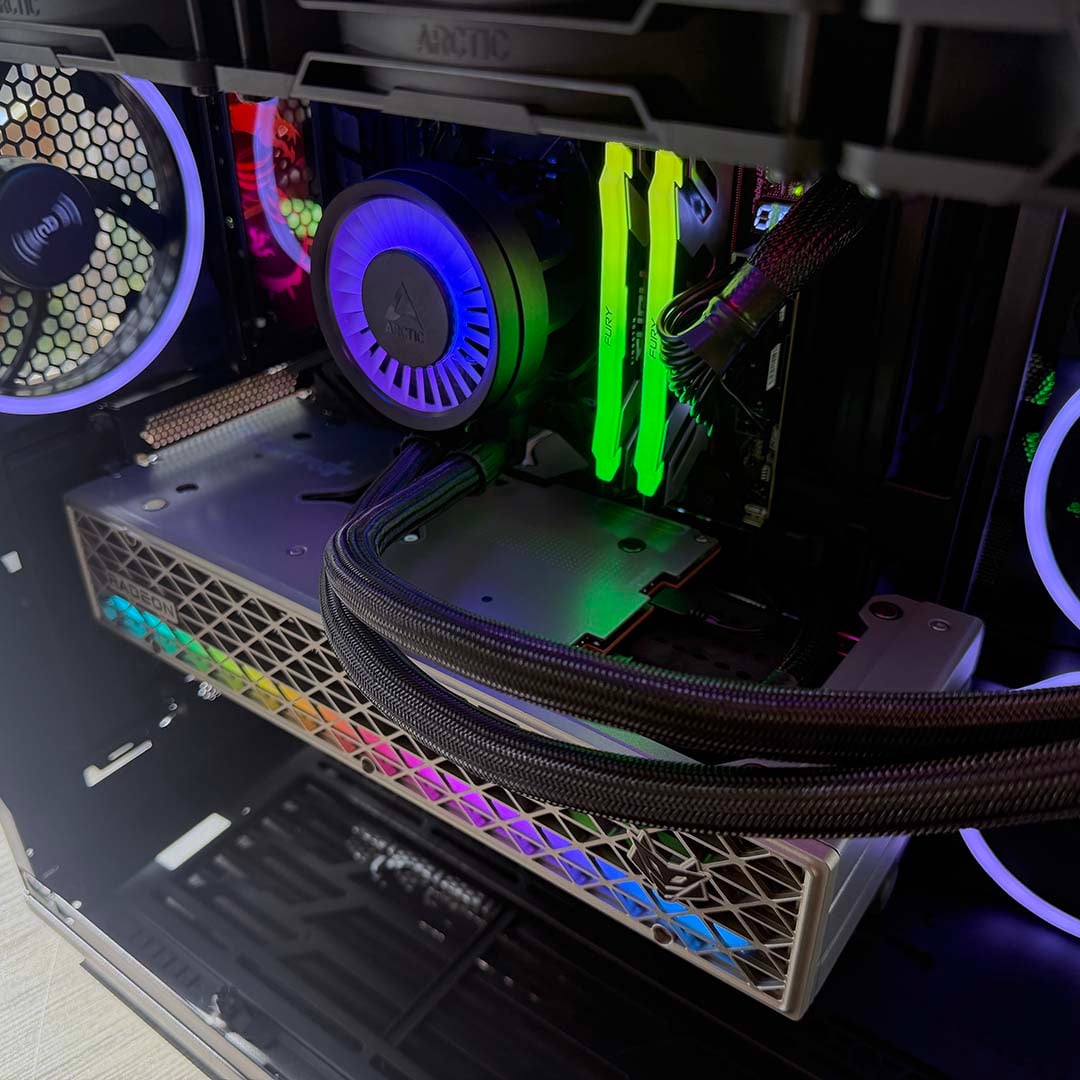
We use two graphics cards in our test rigs. For most of our reviews, we use the excellent Sapphire Radeon RX 9070 XT Nitro+. This top-spec graphics card is not only well-built, cool, quiet, and gorgeous-looking, but it’s also really powerful in both rasterised and ray-traced gaming tests.
It’s the fastest GPU based on AMD’s latest RDNA 4 architecture, and its AI cores enable it to run AMD FSR Redstone features based on machine learning, including AMD’s acclaimed FSR 4 upscaling tech. We have three of these cards – one in each machine.
We also have an Nvidia GeForce RTX 5090 Founders Edition waiting in the wings, which is indisputably the fastest GPU you can buy right now. This is the graphics card we use when we want to stress a CPU’s gaming performance and ensure there’s no bottleneck.
Having both these cards available for testing means we have the very best that both AMD and Nvidia have to offer, so we can test both FSR and DLSS features as and when they become available. Both these cards can be found on our guide to buying the best GPU, and are superb choices if you’re looking for a graphics card upgrade.
PSU, cooling and case
When we’re benchmarking the very latest, super-powerful hardware, it’s essential that our test rigs aren’t held back when it comes to cooling, space, and wattage, especially when there’s such a powerhouse of a CPU at the heart of them. Accordingly, we’ve decked out these systems with large, capacious cases, powerful cooling systems, and mighty power supplies.
We’ve decked out these systems with large, capacious cases, powerful cooling systems, and mighty PSUs.
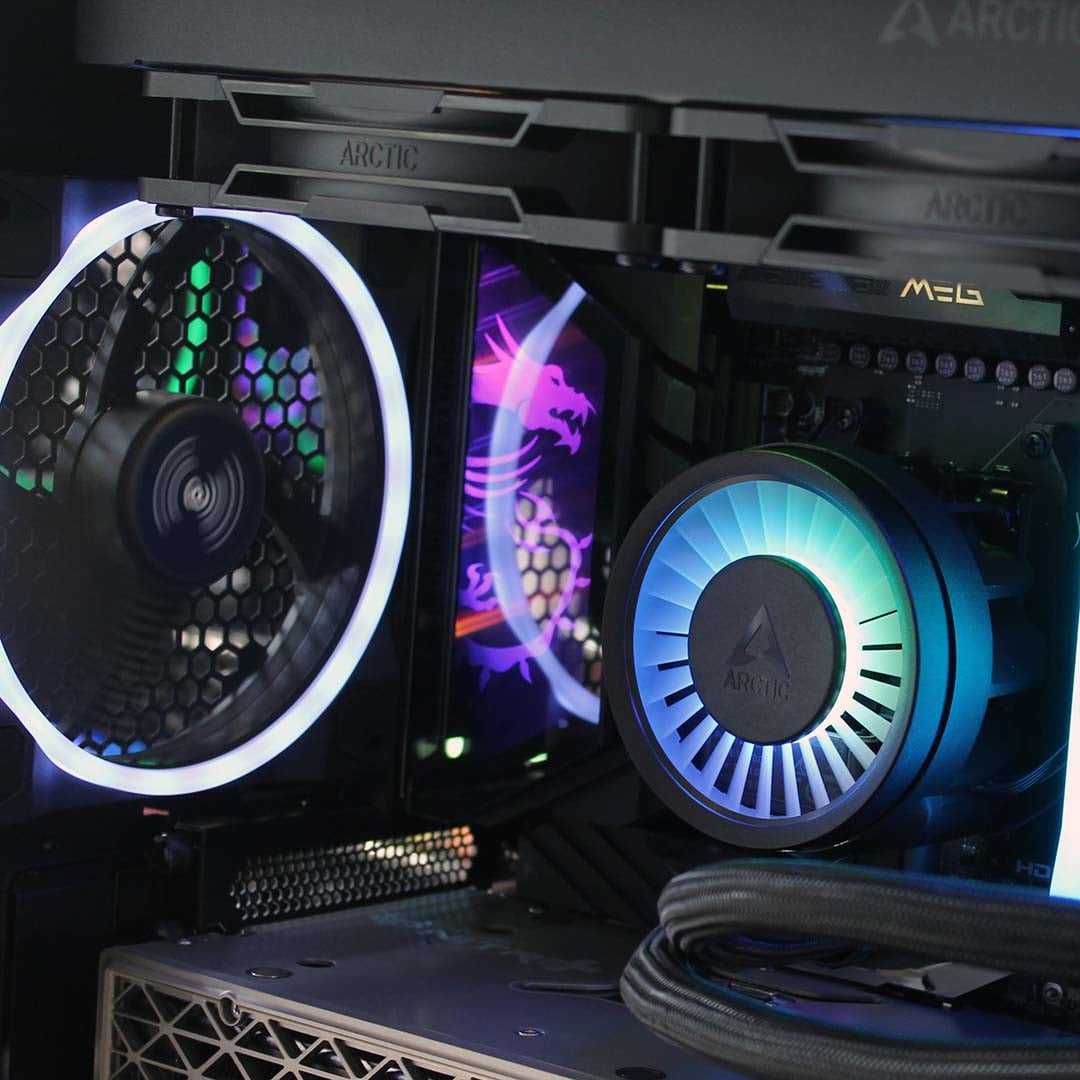
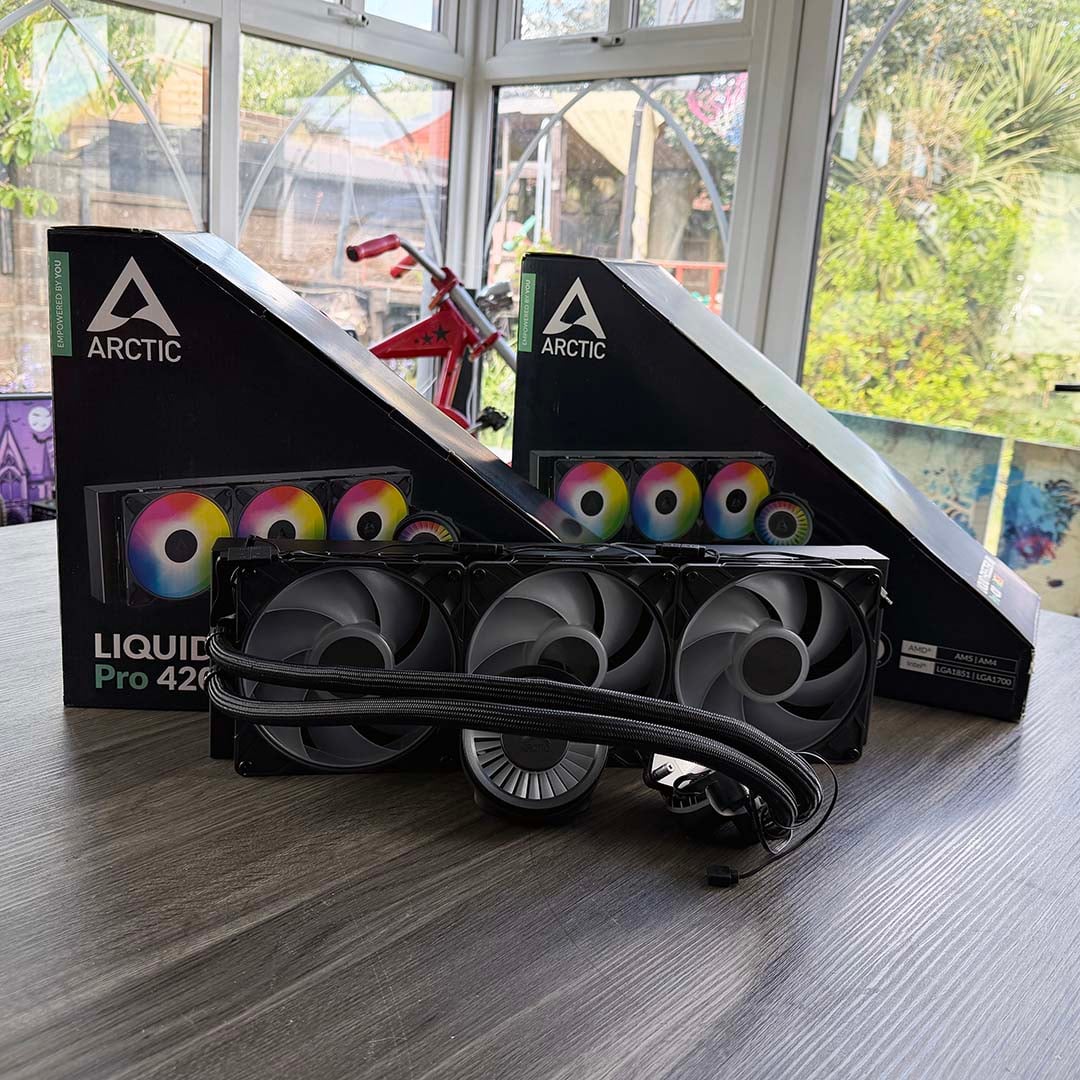
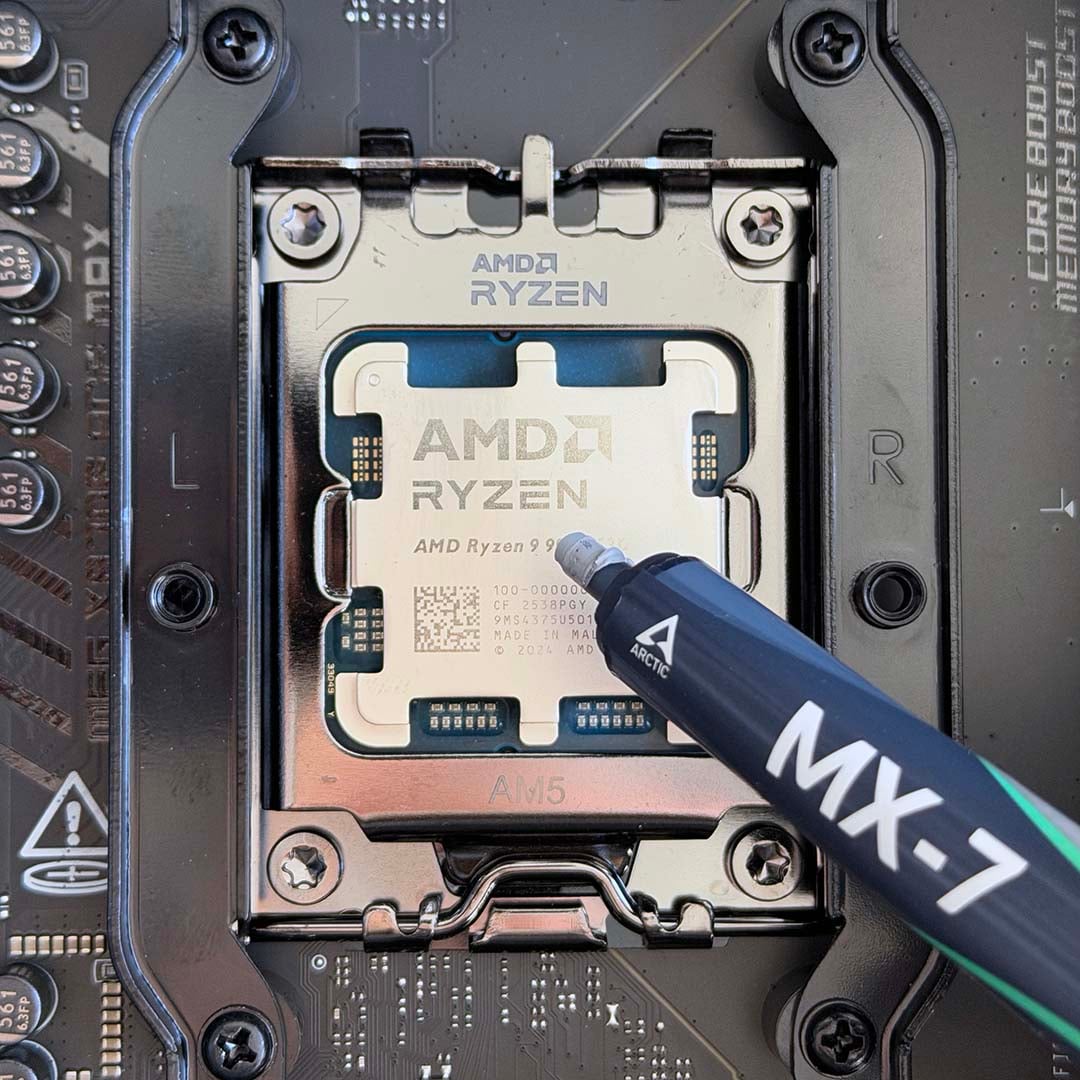
Let’s start with the cooler, which is the 420mm version of Arctic’s acclaimed Freezer III Pro ARGB, and we’re using Arctic MX-7 with it, as it’s the top premium compound on our guide to buying the best thermal paste. We tested the 360mm version of this AIO system, and gave it a coveted score of 5/5 with an Editor’s Choice award, making it the top recommendation on our guide to buying the best CPU cooler.
Its thermal performance is amazing, ensuring our CPU has no chance of throttling and holding back performance, and this ARGB version looks fantastic as well. The 420mm version is even more powerful, with its three 140mm fans pushing the heat generated by our CPU out the top of our case.
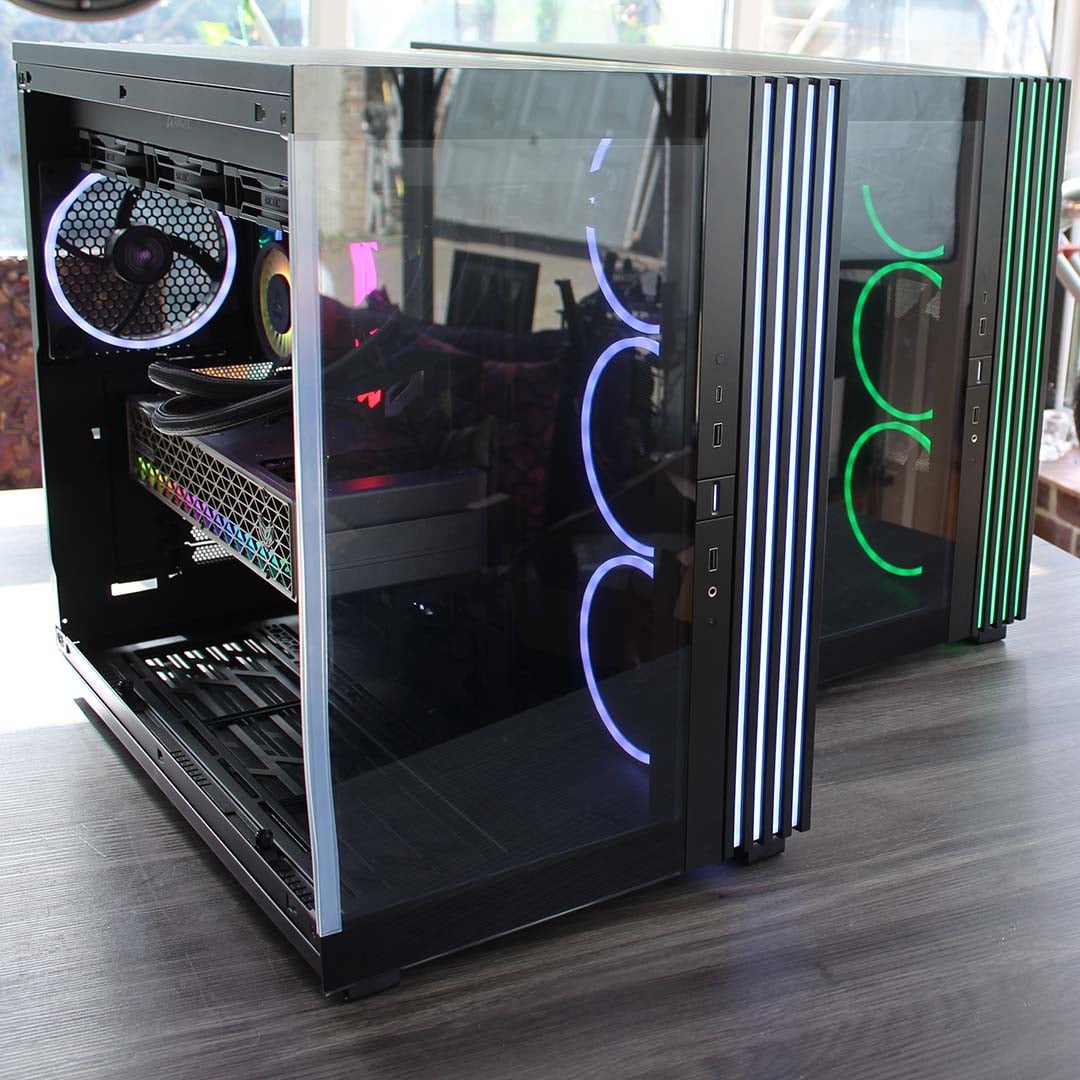
Speaking of which, we’re using be quiet! Light Base 900 FX chassis to hold all our test rig gear. These large cases not only have enough room for a 420mm radiator in the roof, but you could even mount another one in the bottom if you wanted.
Its dual-chamber design enables us to keep cables out the way of the interior, making for a clean, tidy build, while its four pre-installed Light Wings PWM fans (three intakes and one exhaust) ensure a decent amount of airflow travelling over our test components. This case looks the business too, with its classy strips of RGB lighting, and it has the option to set it up as a flat, desktop case, rather than a tower.
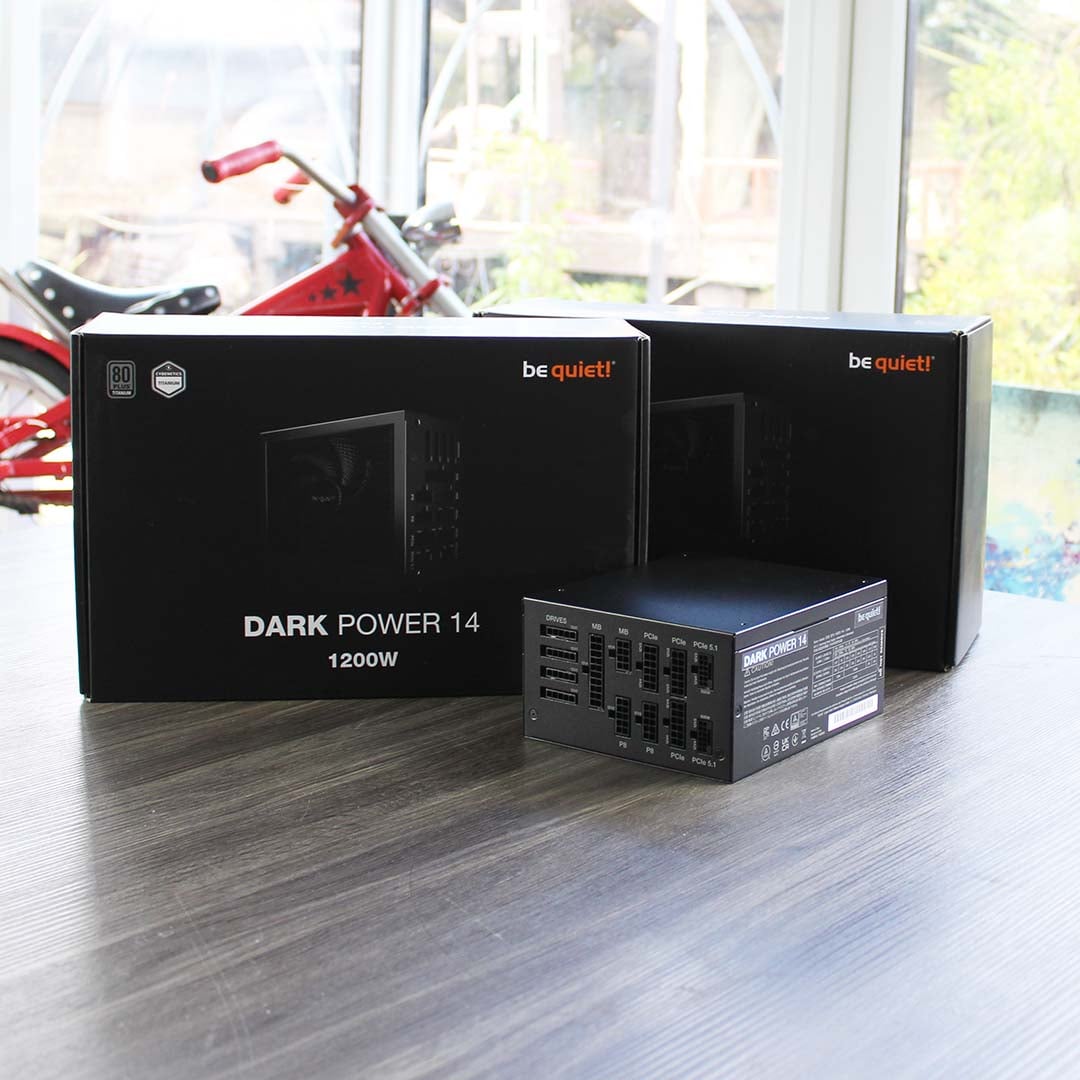
Finally, we’ve enlisted three 1,200W be quiet! Dark Power 14 PSUs to ensure that none of our test components are ever wanting for power. This means we have more than enough juice on tap to power an RTX 5090 rig, and these units even have two PCIe 5.1 16-pin power cables, so they’re ready for the latest power-hungry GPUs. With their 80 Plus Titanium certification, these PSUs are also really efficient, too, using 94% of the electricity supplied to them at 50% load.
Performance and summary
All the above add up to three awesome systems, each with exactly the same killer specs list, so we can test the latest hardware as best possible. I’m really pleased with the end results as well – these machines look absolutely lovely when all their RGB lighting fires up. I’ve summarised all the gear in the table below, including links to buy all the bits if any of them take your fancy. The full systems aren’t cheap, with the current prices of RAM and storage playing a big part here, but a fair bit of this quality computing kit is still very reasonably priced for the performance on offer.
| Category | Component | Buy link | Price |
|---|---|---|---|
| CPU | AMD Ryzen 9 9950X3D | Amazon | £569 |
| Motherboard | MSI MEG X870E Ace Max | Amazon | £629 |
| CPU cooler | Arctic Liquid Freezer III 420 Pro ARGB | Amazon | £78 |
| Graphics card | Sapphire Nitro+ Radeon RX 9070 XT | Amazon | £699 |
| Memory | 64GB Kingston Fury Renegade RGB DDR5 | OcUK | £899 |
| Storage | 4TB SanDisk Optimus GX Pro 8100 NVMe SSD | Amazon | £332 |
| Power supply | be quiet! Dark Power 14 1,200W | Amazon | £228 |
| Case | be quiet! Light Base 900 FX | Amazon | £198 |
| Total £3,632 |
I’ve run these new rigs through several of our usual tests to get a feeling for how they perform, and they’re unsurprisingly tip-top. I’ve put some screenshots of the usual benchmarks below, so you can see the speed on offer. Our SanDisk Optimus GX Pro 8100 SSDs are performing great, with that 14,957MB/s sequential read speed even surpassing SanDisk’s 14,900MB/s claim, for example.
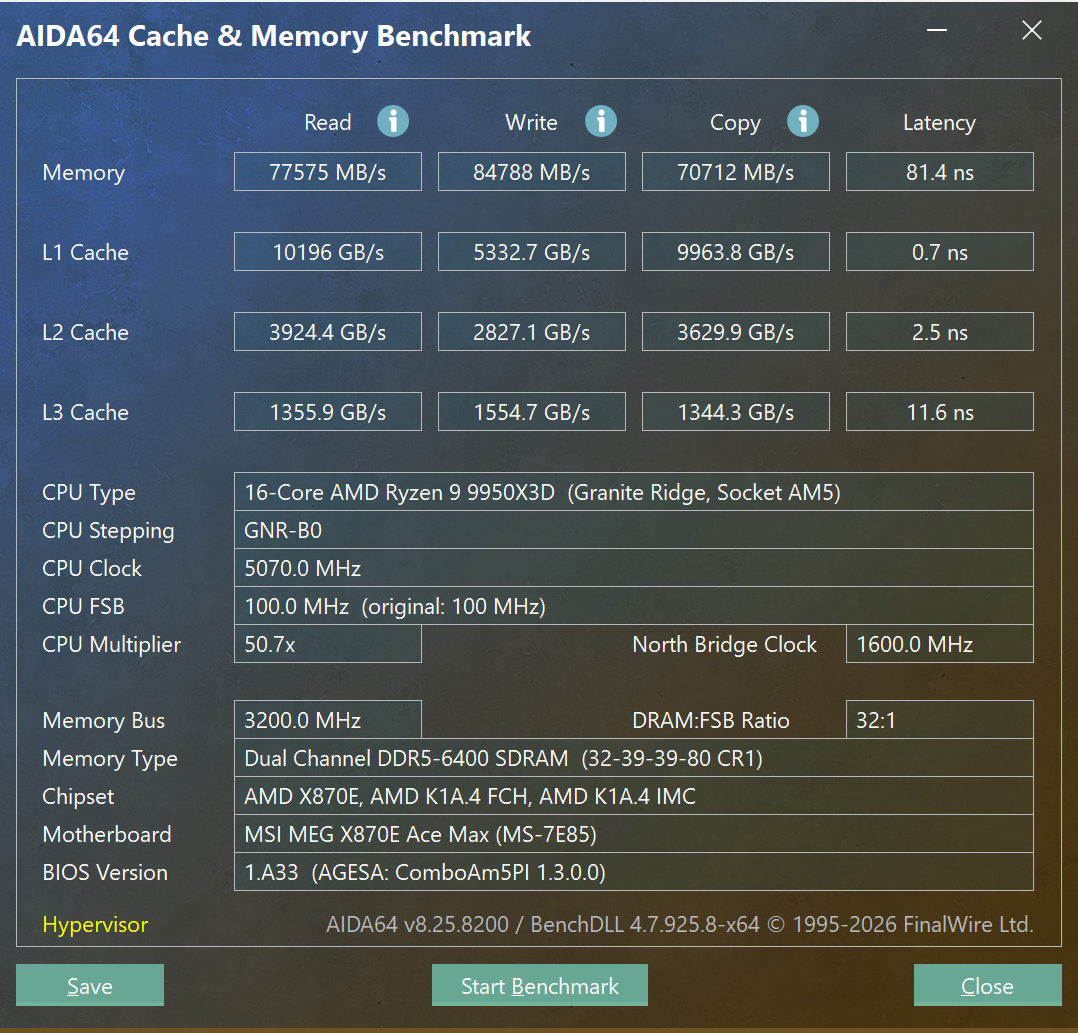
AIDA64 shows our 6,400MT/s memory running well, with speeds above 70,000MB/s across the board, covering read, write, and copy performance. In particular, there’s a great top speed of 84,788MB/s for writes.
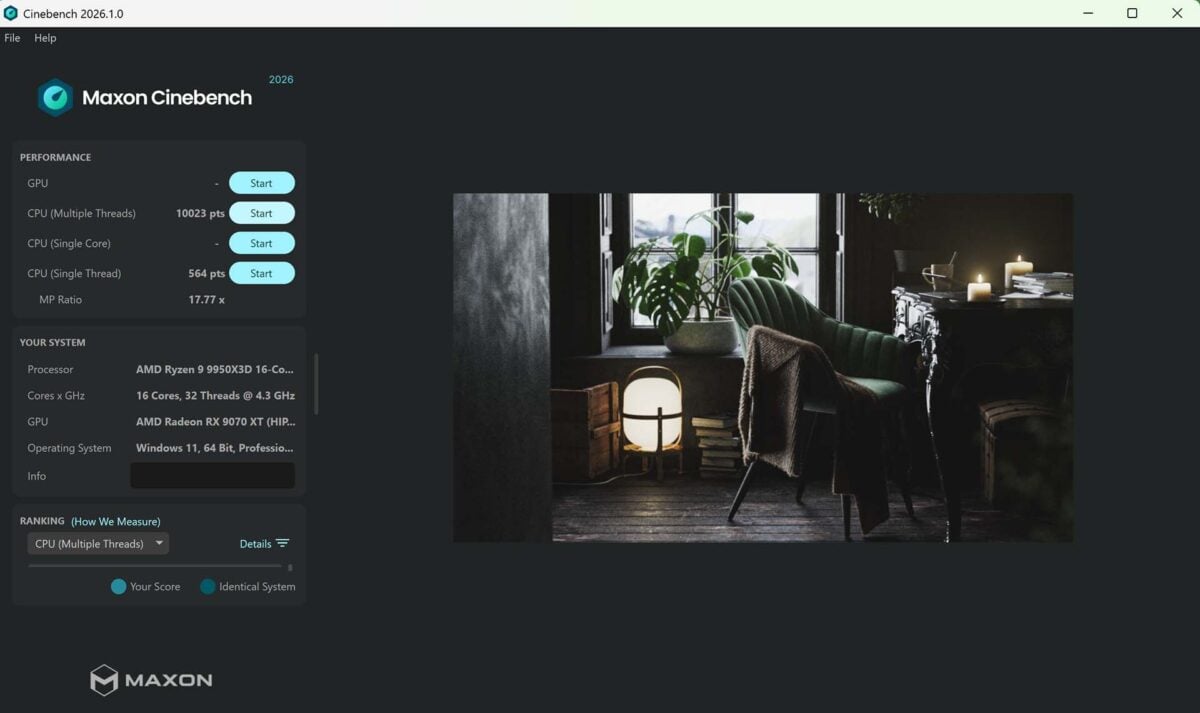
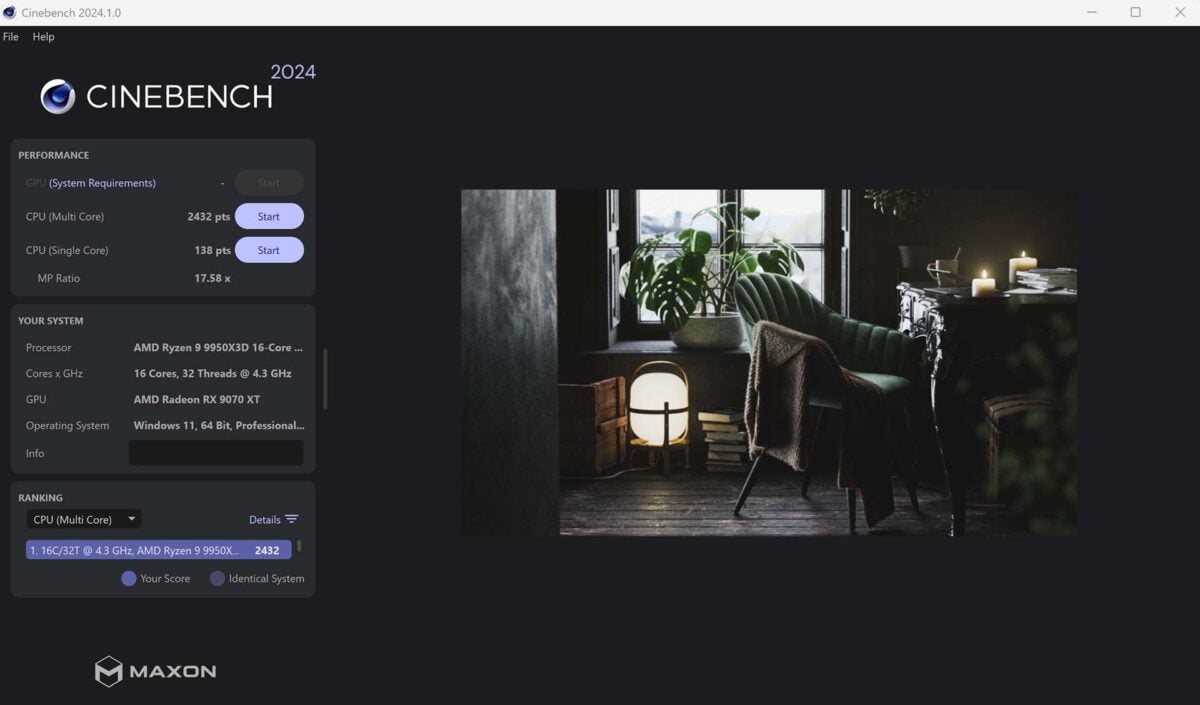
Cinebench 2026 is superb on this Ryzen 9 9950X3D rig, with its 10,023 multi-core score just creeping past the five-digit margin. Single-threaded performance is also on point with a score of 564. I also took the opportunity to run Cinebench 24 on our new test machines, to make sure they’re performing as expected, and I’m pleased to report that it all looks solid, with a multi-core score of 2,432 and single-core result of 138. Just right-click on the images below to open them in new tabs if you want to see all the detail.
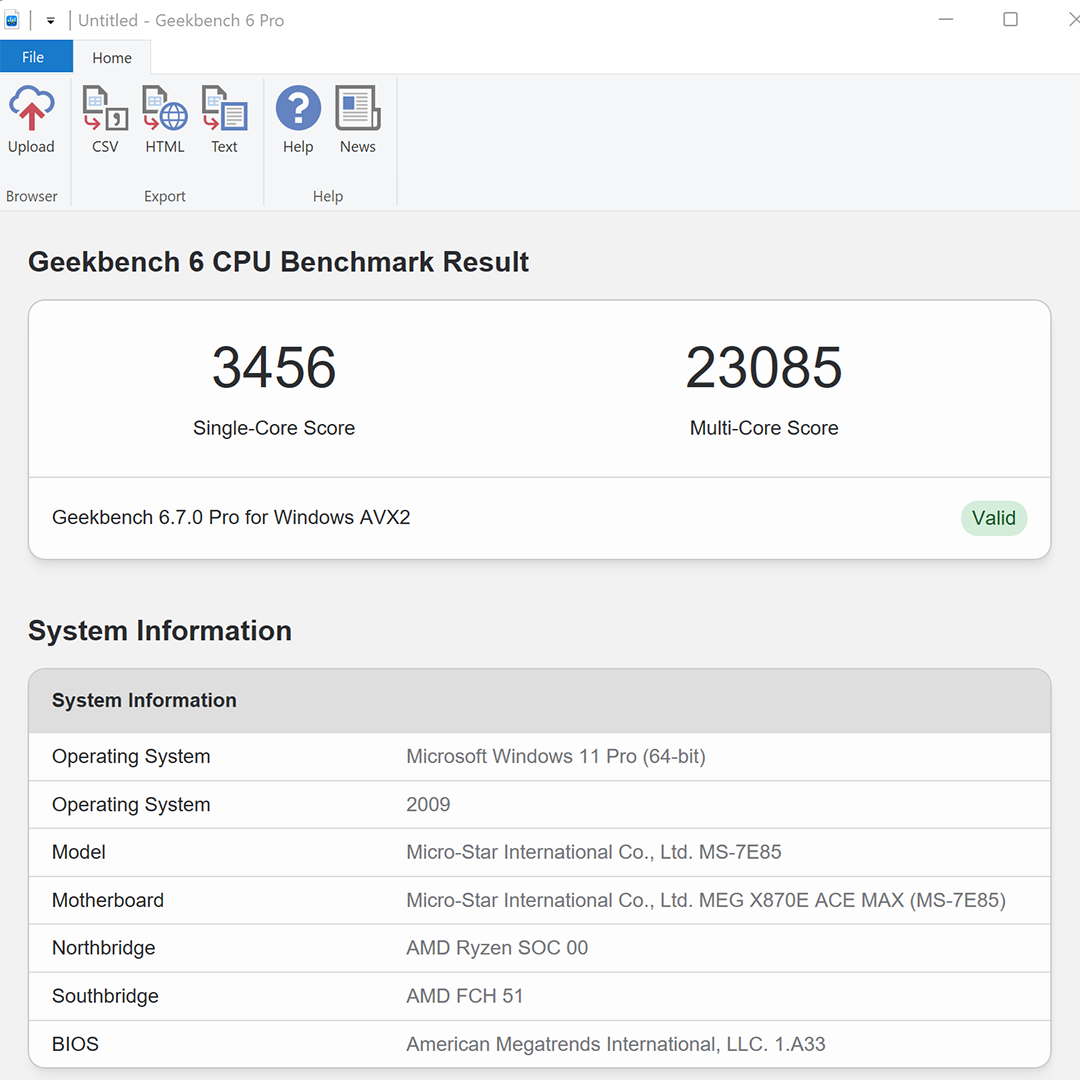
Likewise, single- and multi-core scores on Geekbench 6 Pro are looking damn fine. That single-core result of 3,456 is about what we expect from a 9950X3D machine, as is the multi-core score of 23,085.
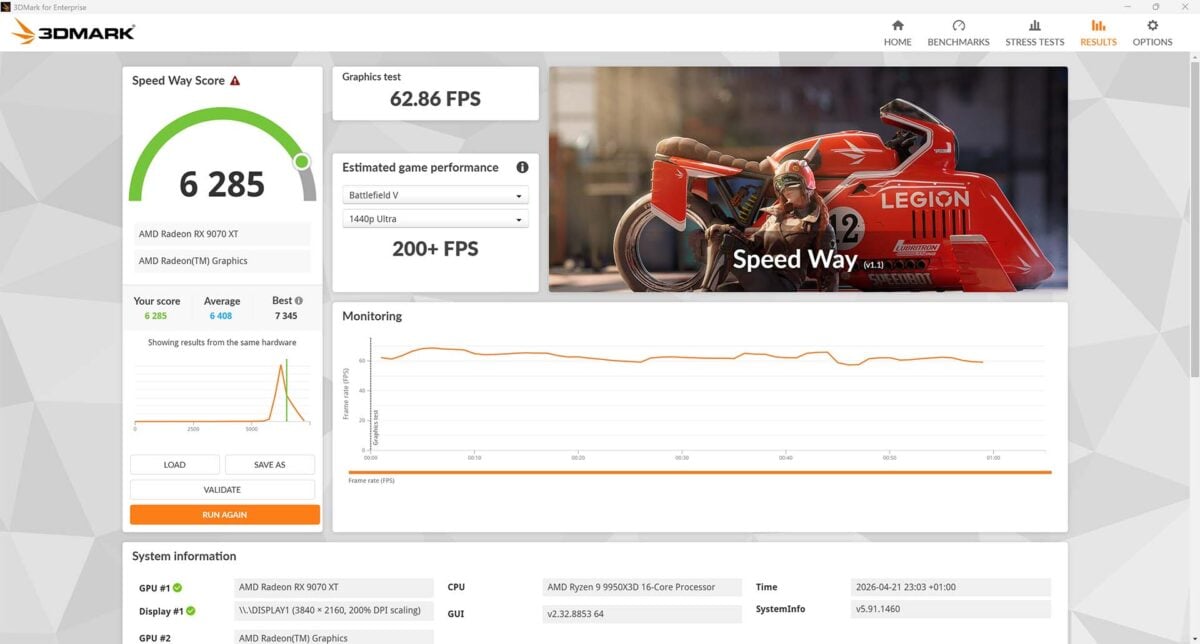
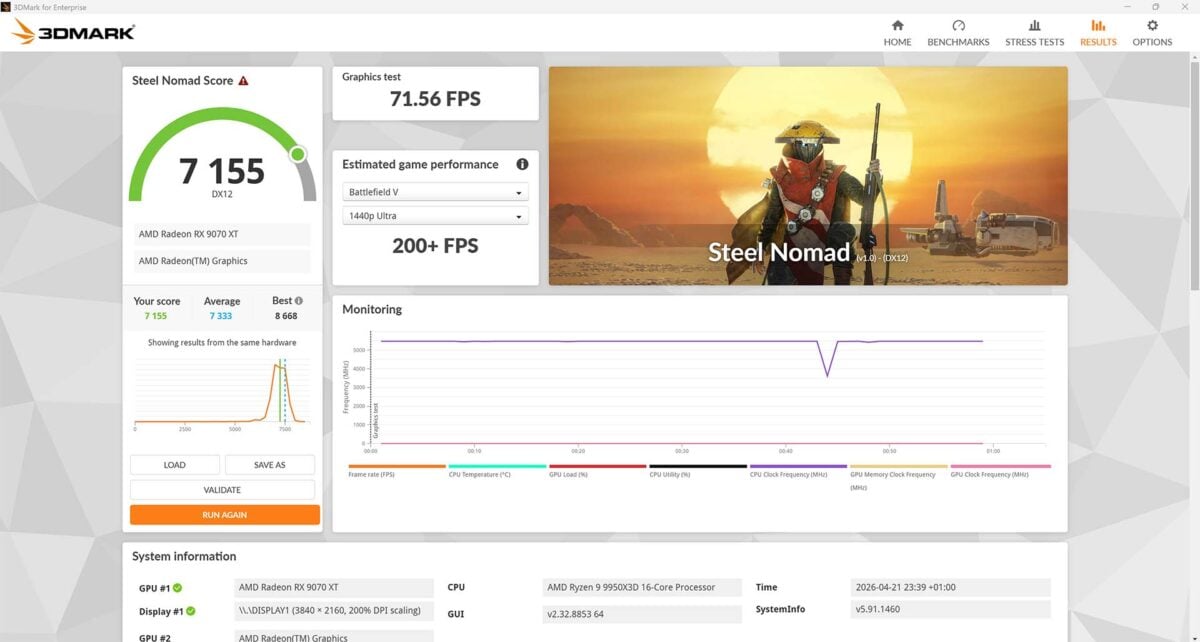
Finally, I’ve also run a couple of tests in 3DMark to give the Sapphire Radeon RX 9070 XT graphics card a workout, and performance looks solid. The Speed Way ray tracing test nets a score of 6,285, while the Steel Nomad rasterisation-focused benchmark brings us a score of 7,155.
We’ve set up these systems with very specific cooling settings, to ensure as level a playing field as possible. Accordingly, the CPU cooler’s pump is fixed at 50% of its full speed, while all the case and CPU cooler fans are fixed at 30% speeds. This means we can measure noise levels and temperatures of the components we’re testing without worrying about any airflow variation coming from our test rig’s cooling system.
Running Cinebench 2026’s multi-threaded test results in a peak power draw of 360W from the mains, with the CPU temperature Delta T topping out at 49°C. To calculate our Delta T figures, we subtract the ambient room temperature from the peak CPU core temp, so we can maintain consistency with our results, whether we test on hot or cold days. This allows us to reliably report differences between CPU operating temperatures without needing a temperature-controlled lab.
In terms of power consumption when gaming, that all depends on which GPU is installed. We’ve run Cyberpunk 2077 at the Ultra ray tracing preset, with no DLSS or FSR, and a resolution of 2560×1440, on both GPUs, to find out. With the Sapphire Radeon RX 9070 XT Nitro+ in one of our test rigs’ top PCIe slots, power draw peaks at 559W, with a 47fps minimum and 54fps average.
Dropping the RTX 5090 into place naturally increases performance, going up to an excellent 107fps average and 95fps minimum, while power draw climbs to a peak result of 768W. Even with an RTX 590 and Ryzen 9 9950X3D running at full pelt in a demanding game, it’s clear that our 1,200W be quiet! Dark Power 14 PSUs are more than up to the job, with headroom to spare.
Anyway, these are the new Club386 test rigs, and we’re mightily pleased with them. Don’t they look lovely?
