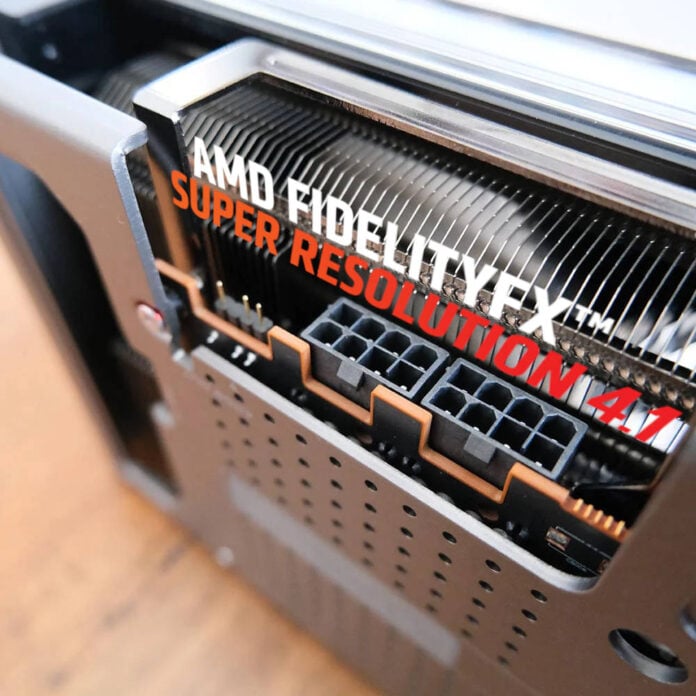
AMD FSR 4.1 has been tested in Cyberpunk 2077, showing substantial performance improvements on a last-gen RDNA 3 GPU compared to native rendering. The newly added upscaling technology more than doubled the frame rate on a Radeon RX 7900 XTX, making it a straightforward choice.
According to testing conducted by Reddit user Mercennarius, AMD’s newly added support for FSR 4.1 on RDNA 3, seems well optimised, delivering great image quality and performance improvements. While the user didn’t share image-quality comparisons, they stated that the upscaled image looks great using either Balanced or Performance settings. This means the Quality option should offer even greater detail, at the cost of a smaller uplift in frame rate.
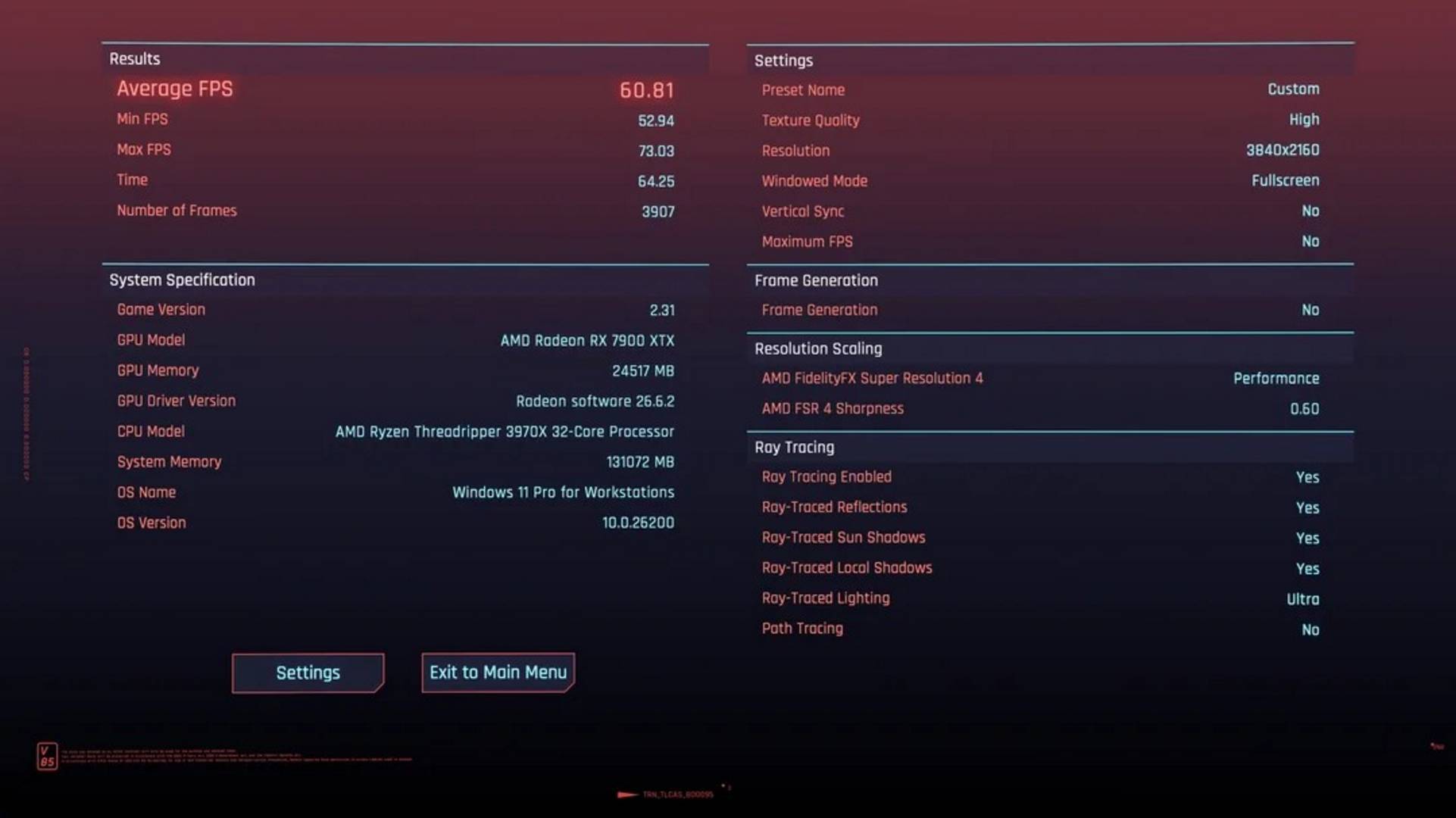
Speaking of which, the Redditor also shared a couple of performance benchmarks for Cyberpunk 2077, showing the performance we can expect when using FSR 4.1 on Radeon 7000 GPUs. Using FSR 4.1 in Balanced mode, the user recorded 49.82fps in the game’s built-in benchmark at 3840×2160 at the high ray tracing preset. Gains improved by another 22% using FSR 4.1 in Performance mode, netting 60.81fps, which is decent considering Radeon GPUs aren’t the best when it comes to ray tracing in this game.
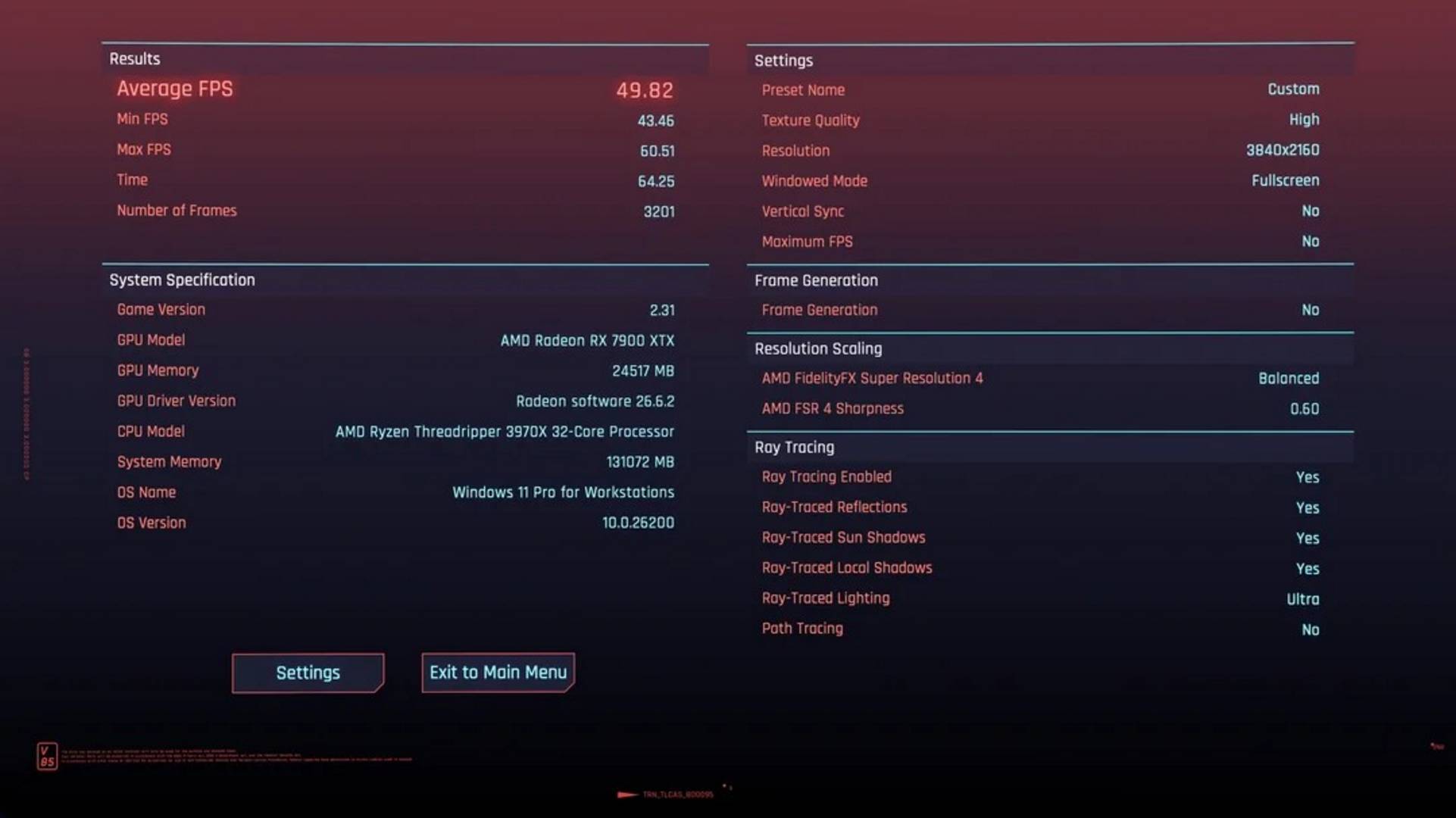
That said, most of you are likely interested in the performance uplift compared to native rendering. Here, Mercennarius indicated that native 4K rendering was hovering around 24fps, before jumping to around 50fps using FSR 4.1 in Balanced mode. This is more than a doubling in frame rate, showing that FSR 4.1 is well optimised for RDNA 3, despite it not featuring the FP8 hardware support originally required for FSR 4. What’s more, if you jump to the Performance mode, you get a 154% increase to just under 61fps.
While AMD had previously confirmed that FSR 4.1 would retain identical image quality on RDNA 3 and RDNA 4 GPUs, the company did not disclose what level of performance users could expect. These tests, though not representative of the entire picture, suggest that FSR 4.1 is good enough to become the new go-to upscaling option for owners of Radeon RX 7000 and newer AMD GPUs.
If you want to try it for yourself, you just need to download the latest Radeon Software Adrenaline 26.6.2 drivers and override the older FSR implementations through the Adrenalin app. Lastly, note that if you were holding off on installing it on Windows 10 due to the GPU detection bug, you will be pleased to know that AMD has already issued a fix.