

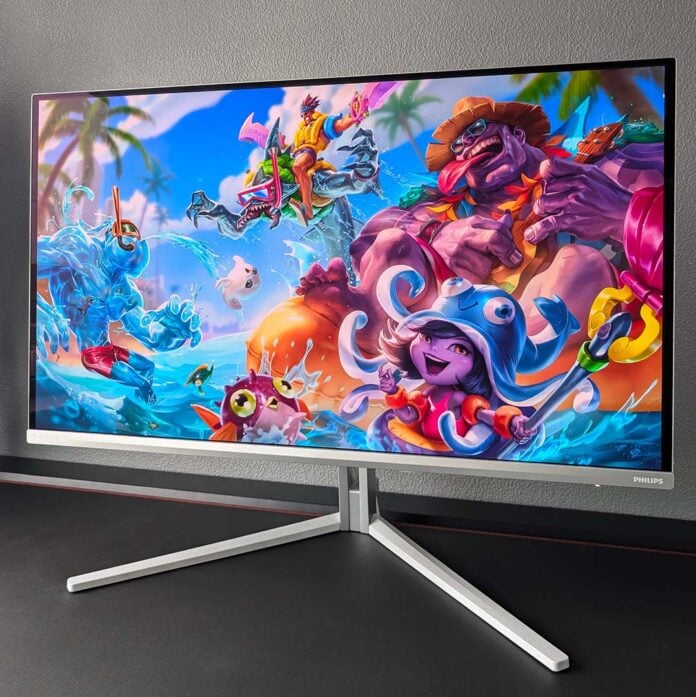
The avalanche of new 4K QD-OLED monitors continues, as the Philips Evnia 32M2N8900P attempts to establish itself as the best of the bunch. Distinct styling and Ambiglow go some way to differentiating the display from competitors, but that’s not all the panel has up its proverbial sleeves. In fact, this screen may be my new top pick.

Philips Evnia 32M2N8900P
£779
Pros
- Bright 4K QD-OLED panel
- Great response times and latency
- Solid colour accuracy
- KVM switch and ample USBs
- Attractive price
Cons
- Some text fringing
- High power consumption
Club386 may earn an affiliate commission when you purchase products through links on our site.
How we test and review products.
Retailing for £779, the Evnia 32M2N8900P is relatively affordable for a QD-OLED gaming monitor complete with Penta Tandem tech but naturally more expensive than earlier models. That newer panel design justifies the premium alone, but Philips also has a few extra niceties that make its offering a touch sweeter than others.
Specifications
As part of the latest wave of 32in QD-OLED monitors, the Evnia 32M2N8900P boasts a Penta Tandem panel. This new design promises a significant 30% uplift in light efficiency, netting higher peak brightness relative to older models. Philips doesn’t make a song and dance about it, but this screen also boasts a new glossy coating that improves hardiness and black levels in environments with high ambient light.
While this panel is brighter, hardier, and darker, there are no changes to the underlying subpixel structure. As such, the red, green, and smaller blue LEDs sit in a triangular formation, which can cause text fringing artefacts. Other QD-OLED monitors don’t suffer from this problem, thanks to their RGB Stripe layout, but there’s no such love available to 32in 4K models yet.
Zooming out to the monitor’s baseline specifications, the Evnia 32M2N8900P rocks a 4K (3840×2160) resolution. This combination of 32in screen size and pixel count fills much of your vision, while details remain crisp thanks to 138PPI (pixels per inch) in play. If you’re looking for a bigger, sharper, upgrade from your 27in/QHD display, this is the way to go.
| Philips Evnia 32M2N8900P | |
|---|---|
| Screen size | 32in |
| Resolution | UHD (3840×2160) |
| Refresh rate | 240Hz |
| Response time | 0.03 (GtG) |
| Panel technology | QD-OLED |
| Panel coating | Glossy |
| Variable refresh rate | Nvidia G-Sync VESA Adaptive Sync |
| HDR | DisplayHDR True Black 500 |
| Ports | DisplayPort 2.1 (x2) HDMI 2.1 (x2) USB-A (x2) USB-B (x1) USB-C (x1) USB-C, 65W PD & DP Alt Mode (x1) |
| KVM | Yes |
| Speakers | Yes (5W) |
| Warranty | Three years (including burn-in) |
| Price | £779 |
240Hz isn’t particularly high by QD-OLED standards, with examples like the MSI MPG 271QR QD-OLED X50 pushing 500Hz, but this refresh rate remains the ceiling for 4K panels. While a higher upper limit is always welcome, even a GeForce RTX 5090 can struggle to hit such a lofty target with so many pixels in play. Regardless, running at 240fps, you can expect great motion clarity.
Of course, there’s no concern for screen tearing whatever your frame rate with Nvidia G-Sync and VESA Adaptive Sync at the ready. So long as you can maintain a 48fps minimum, either variable refresh rate (VRR) technology will take care of the rest.
Design
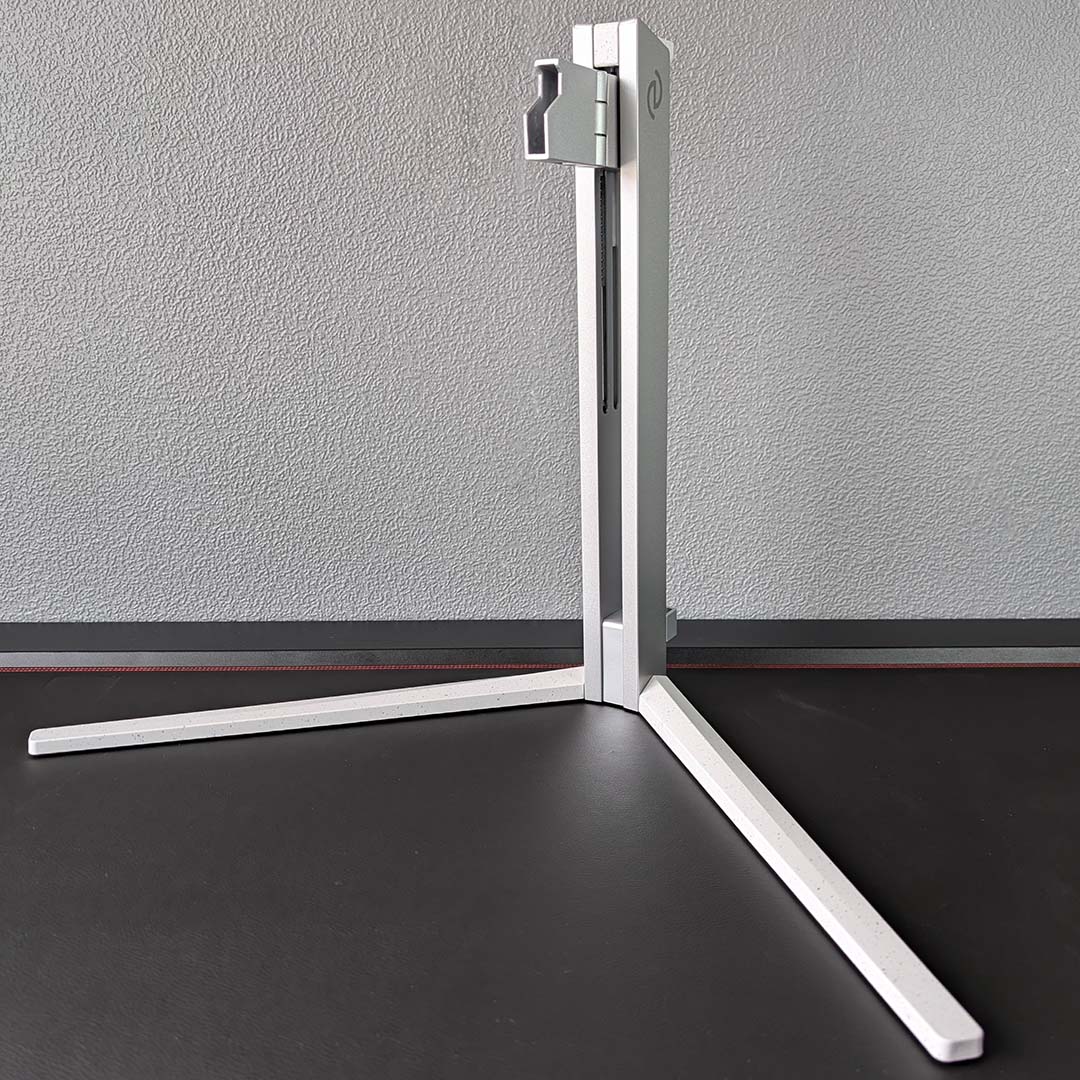
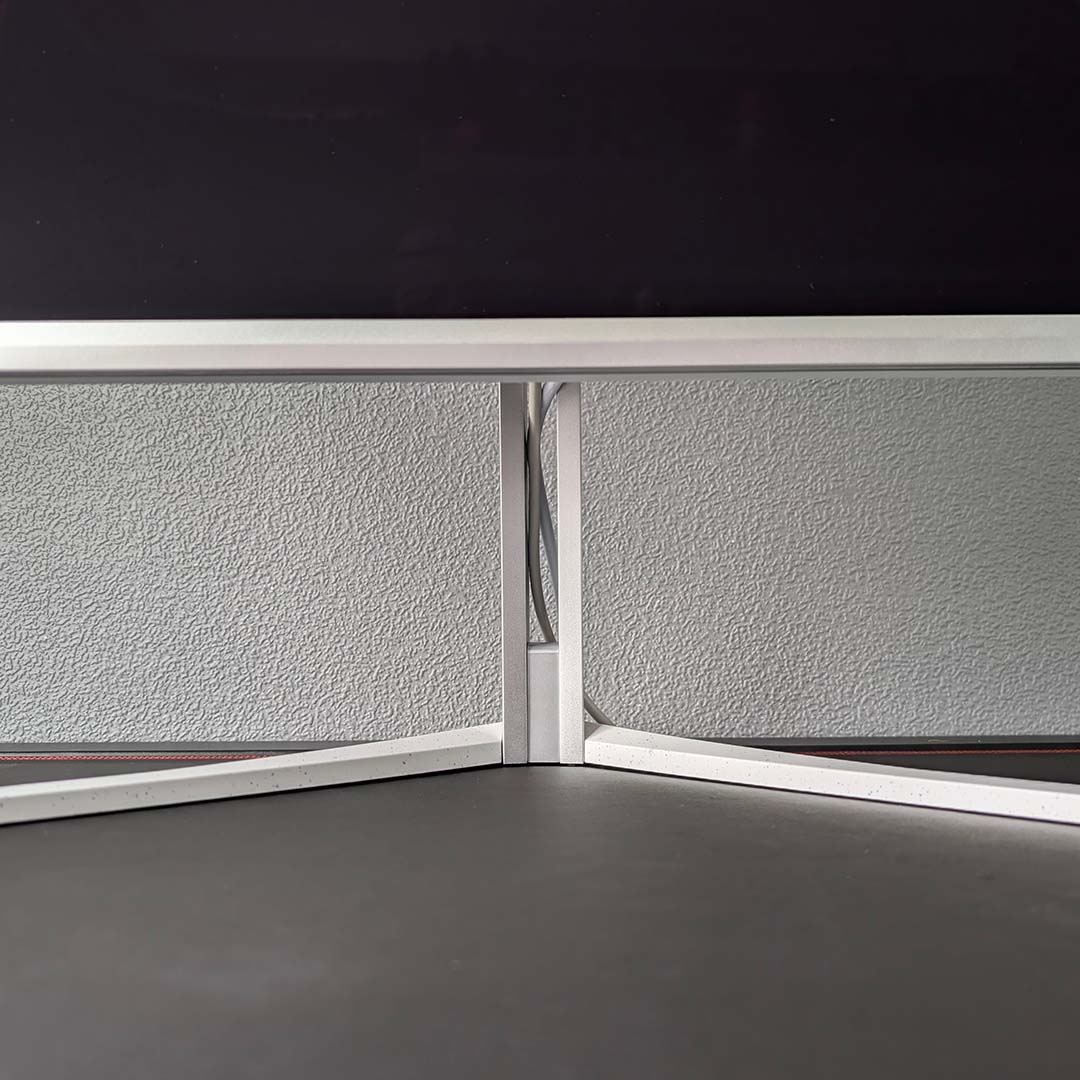
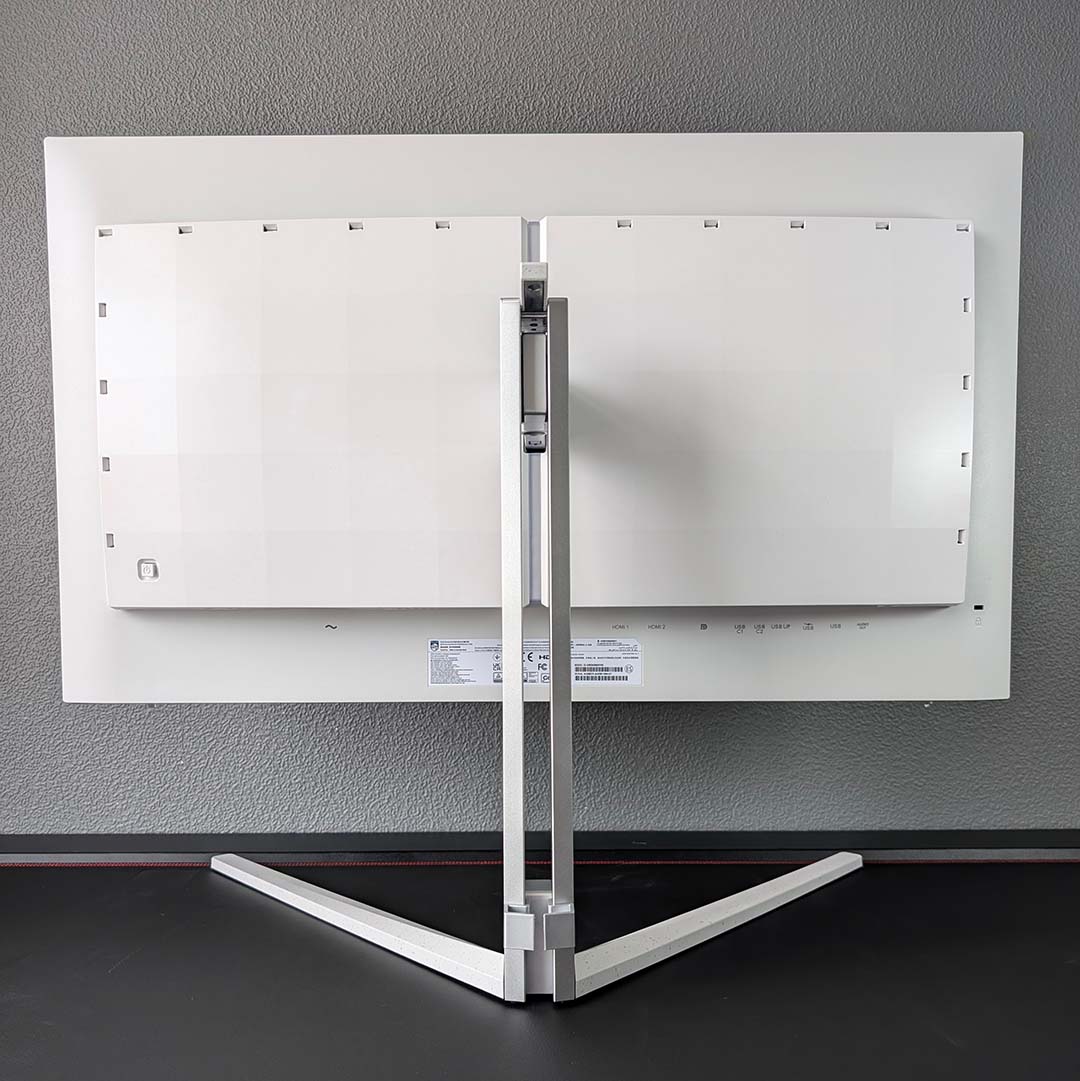
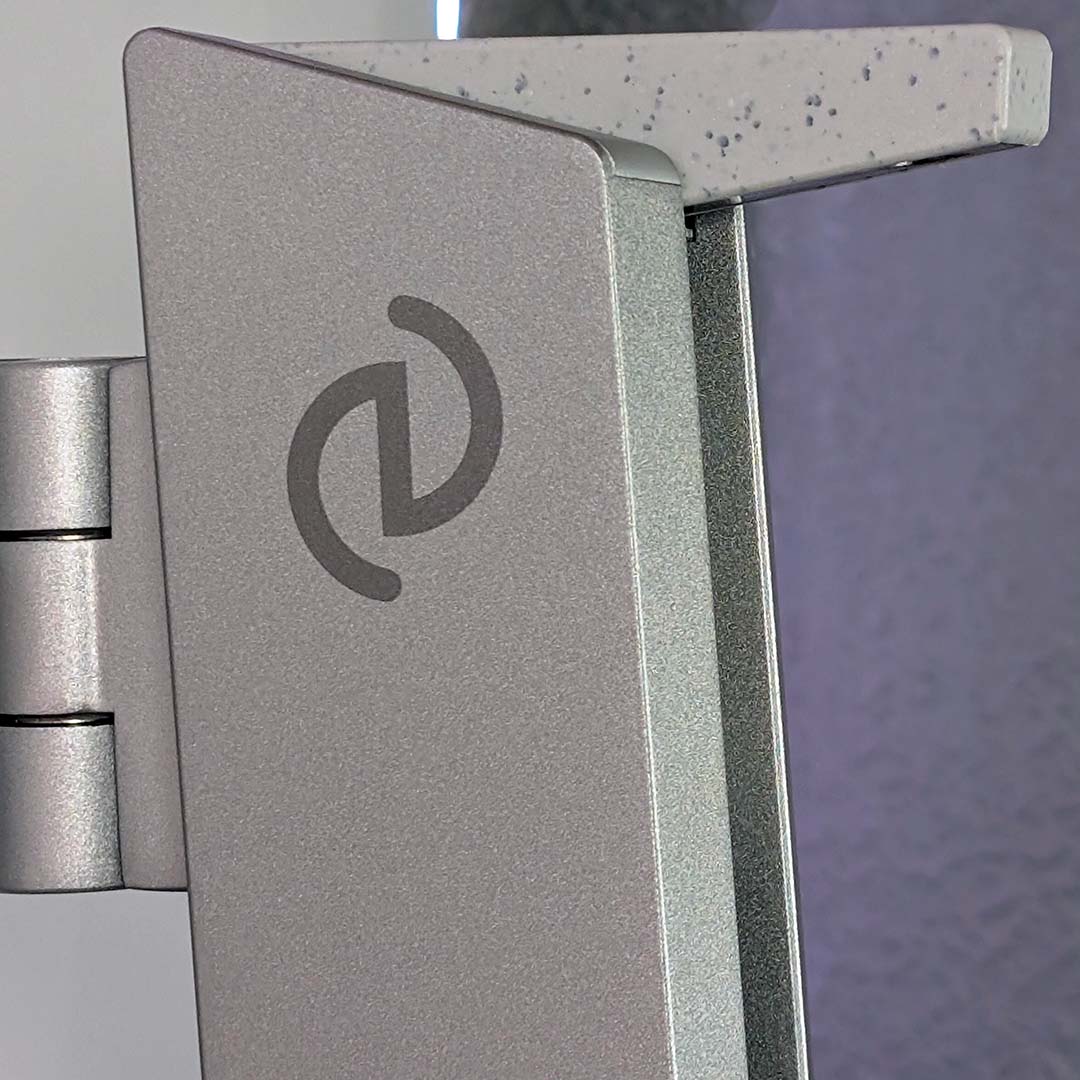
There’s no mistaking a Philips Evnia monitor, particularly those donning the trademark silver-white colour scheme like the 32M2N8900P. This unmistakable styling, combined with the glow of Ambiglow LEDs from the chassis’ rear, remains a welcome breath of fresh air in the face of all the black and grey shades we typically see from gaming displays.
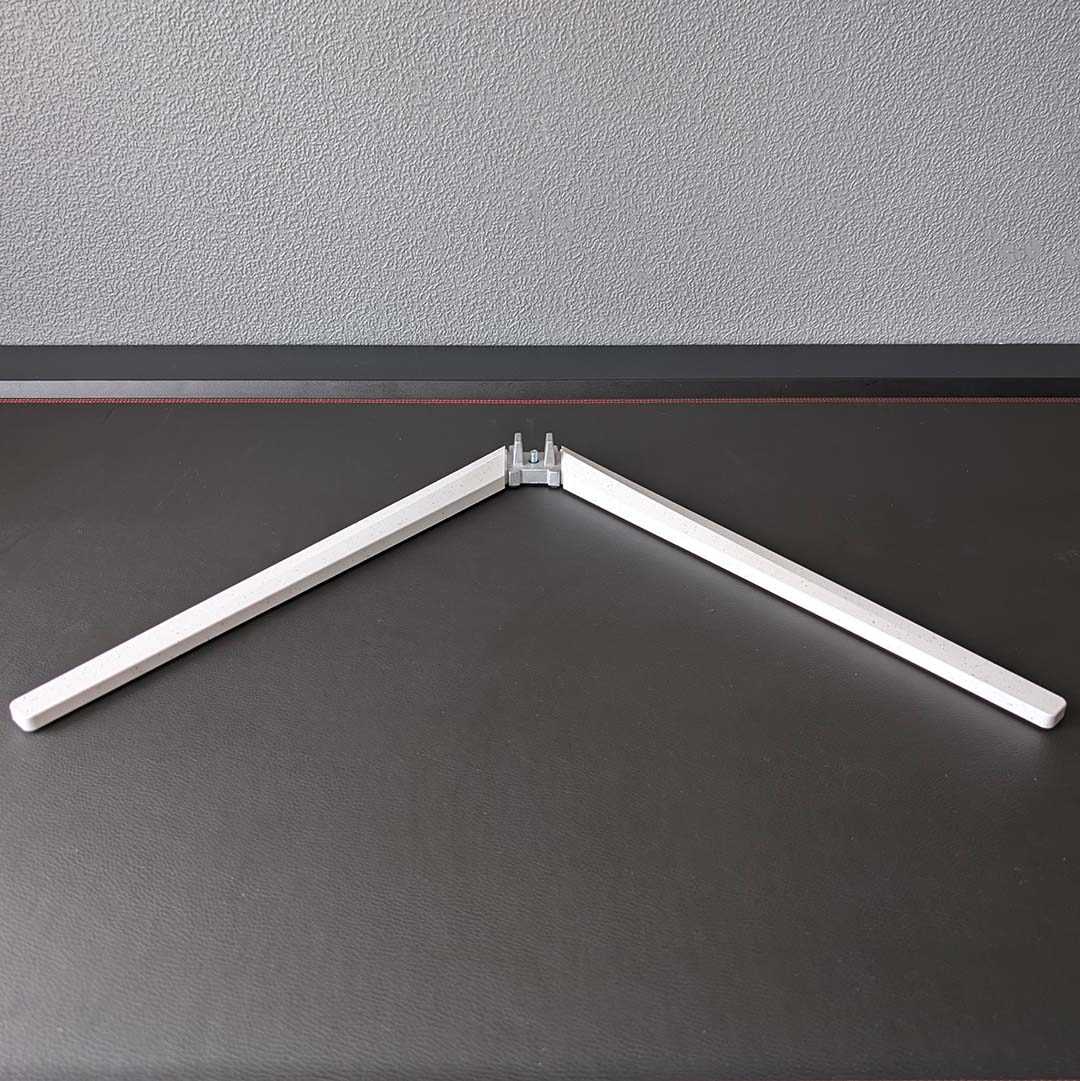
There’s substance to match this style, of course, with no cheap-feeling materials spoiling the visual allure. Once together, the base and stand provide the screen with 130mm of height adjustment, which is plenty of wiggle room to line up a panel of this size with your eyeline. That’s in addition to ±30° of swivel as well as a 25° range of tilt. There’s no room for rotation, but you can pair the 8.09kg display with a 100mm2 VESA mount for greater ergonomic freedom.
Philips opts for a slit-style cutout in the monitor’s neck for cable routing, working alongside an immovable lip at the base of the stand for routing. This approach makes it impossible to completely hide wires, but they do at least disappear from view when viewing the panel from a regular seating position. Finally, there are white cables in the box to complement the display’s colour scheme, but differing hues between the HDMI and power spoil the effect a touch.
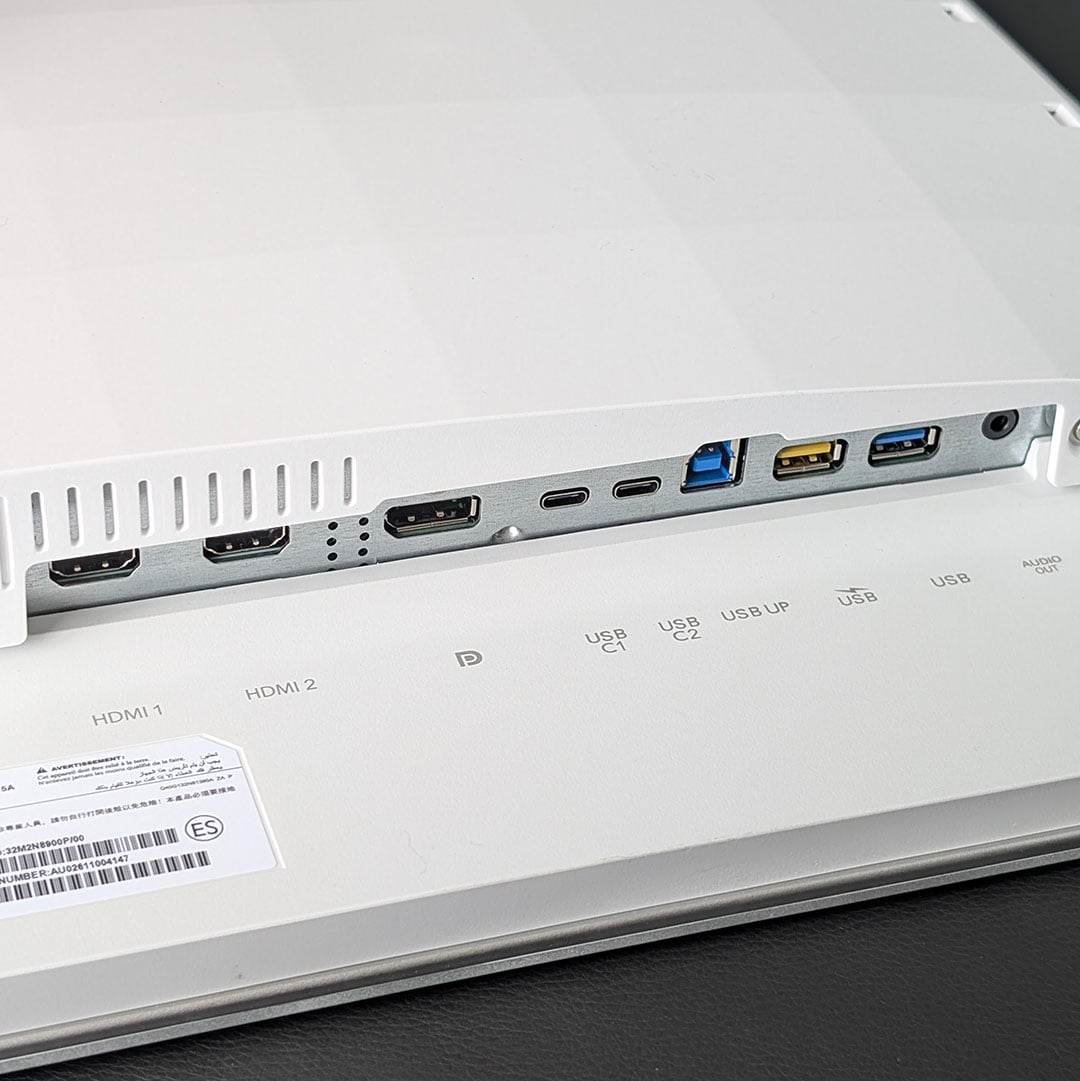
I’ve seen the same ports appear across multiple 32in 4K QD-OLEDs, but the Evnia 32M2N8900P goes above and beyond its competitors by featuring the richest selection I’ve come across thus far. Starting with display outputs, there’s the usual array of a single DisplayPort 2.1 and two HDMI 2.1 ports. Both will happily output a 4K/240Hz signal, but the former’s the way to go if you have a graphics card with a matching output on account of higher available bandwidth.
Shifting focus to USBs, in addition to the usual USB-C port with DP Alt Mode and power delivery (65W) there’s another Type-C ready and waiting. A USB-B and two USB-As complete the collection, with one of the latter ports donning a yellow flair to indicate its support for faster charging. These aren’t seismic additions relative to competitors, but they’re welcome extras that undoubtedly provide extra value.
At the end of the row, you’ll find a 3.5mm audio out port. If, like me, you cut the cord a while back and regularly use 2.4GHz cans, you’ll find the built-in 5W speakers more useful. These tweeters won’t replace discrete alternatives, lacking a truly well-rounded sound, but will prove their worth on occasions where audio quality ultimately comes second to convenience.
A joystick on the back-right of the monitor serves as both on-screen display (OSD) controller and power button, with a small tap and short hold triggering either function, respectively. This system works well enough, much as I’d prefer a button placement at the bottom of the screen, but I’d actually recommend downloading Evnia Precision Center for the best user experience.
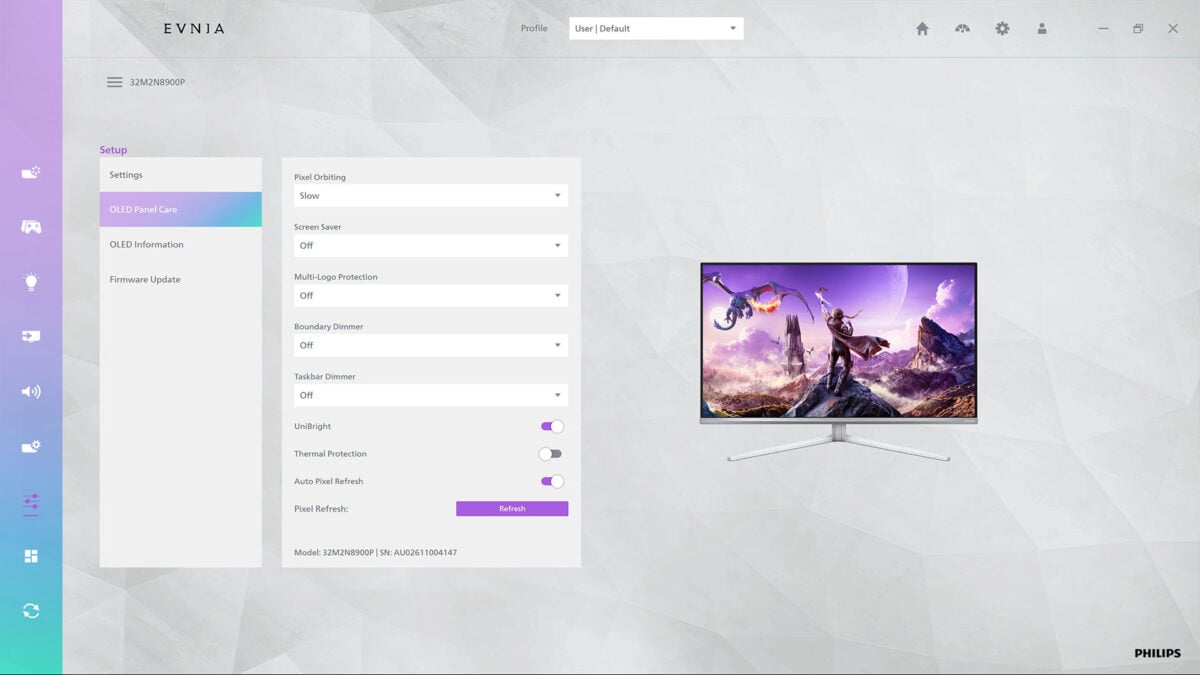
Manufacturers frequently and frustratingly leave options out of software accompaniments for their monitors, but Philips makes every settings for the Evnia 32M2N8900P available and easily accessible within this application. Better still, the user interface is bright, clean, and responsive, so you can find and apply whatever tweaks you need to relatively quickly.
Within the OSD and Evnia Precision Center, you’ll find standard picture controls (brightness, contrast, gamma, etc.) as well as colour space clamps and temperature controls. There are also 120Hz refresh rate options for the two HDMI ports, effectively serving as a console mode, for greater compatibility with PlayStation and Xbox Series devices. That’s not forgetting Ambiglow tweaks, with follow audio or video presets in addition to more-standard RGB LED effects.
There are a multitude of burn-in protections running on the Evnia 32M2N8900P by default, including a pixel shifter, various dimmers, and logo detection. A pixel refresh will run after prolonged use, too. While you can turn all these safeguards off, I’d recommend leaving them alone as none negatively impact picture quality.
Performance
Hitting 240fps, even at 4K, is much easier in League of Legends (alongside other esports games) and Summoner’s Rift looks and feels great on the Evnia 32M2N8900P. The larger screen size may not be to the liking of some competitively-minded gamers, but there’s no arguing with the responsiveness of the panel’s 240Hz refresh rate and pixel response time. While QD-OLEDs won’t automatically improve your skills, they do help remove barriers to greatness through their own performance.
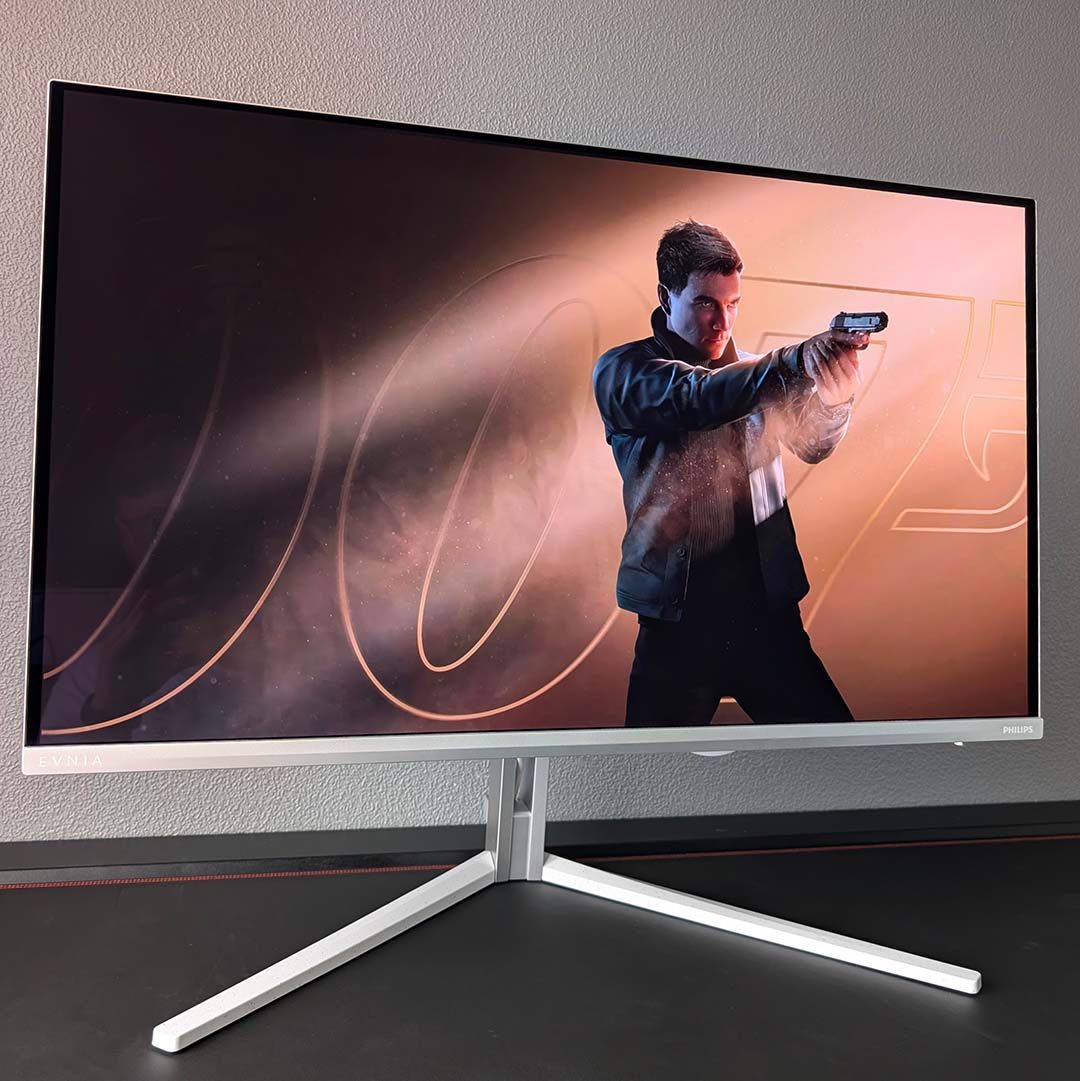
Taking a break from Assassin’s Creed Black Flag, I finally loaded up 007 First Light for a proper cinematic gaming experience on the monitor. Bond’s latest video game outing looks superb on this panel, particularly in HDR, with each locale popping with gorgeous vibrancy and brightness. Ambiglow also provides a cool dynamic light show in tune with on-screen content, additionally easing eye strain as I play with the lights down.
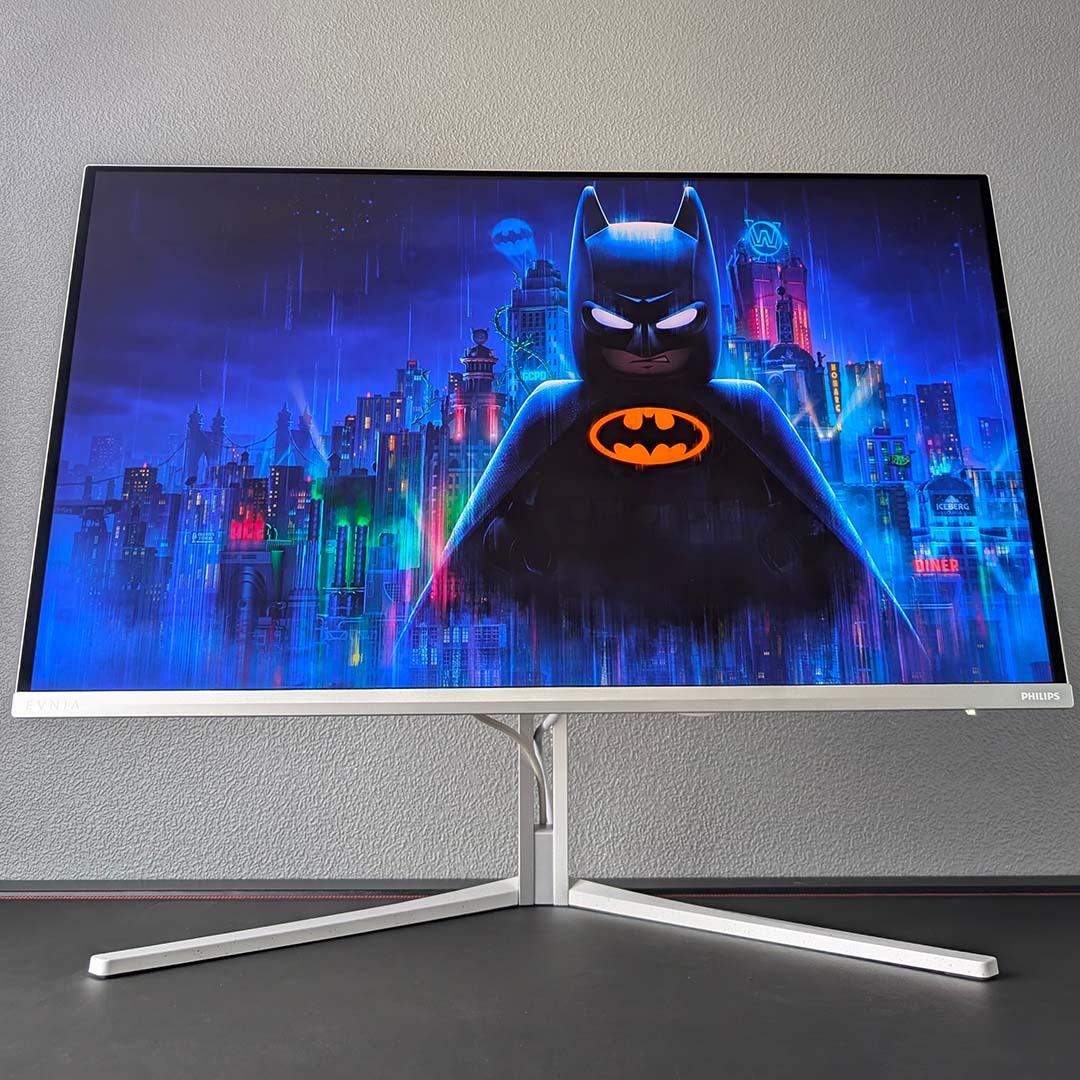
In place of a horror game to experience the panel’s contrast, I went for a light-hearted but nonetheless shadowy jaunt with Lego Batman: Legacy of the Dark Knight. Both Gotham City and the titular caped crusader look excellent draped in true black hues, allowing the colours and lights of the game to pop all the more. After using QD-OLED almost exclusively for the past several years, it’s seriously difficult to return to the murky grey darkness that LCDs offer.
The majority of my work days consist of word processing, spreadsheets, as well as image and video editing, and I found the Evnia 32M2N8900P pleasant to use for these scenarios. While text fringing remains an issue, the high pixel density of this panel helps reduce noticeable artefacting.
While I’m content to throw up static elements on a QD-OLED for several hours at time, with some degree of variance, the risk of burn-in remains even with protections. With this in mind, I wouldn’t recommend a monitor like this for predominantly professional purposes.
Colours
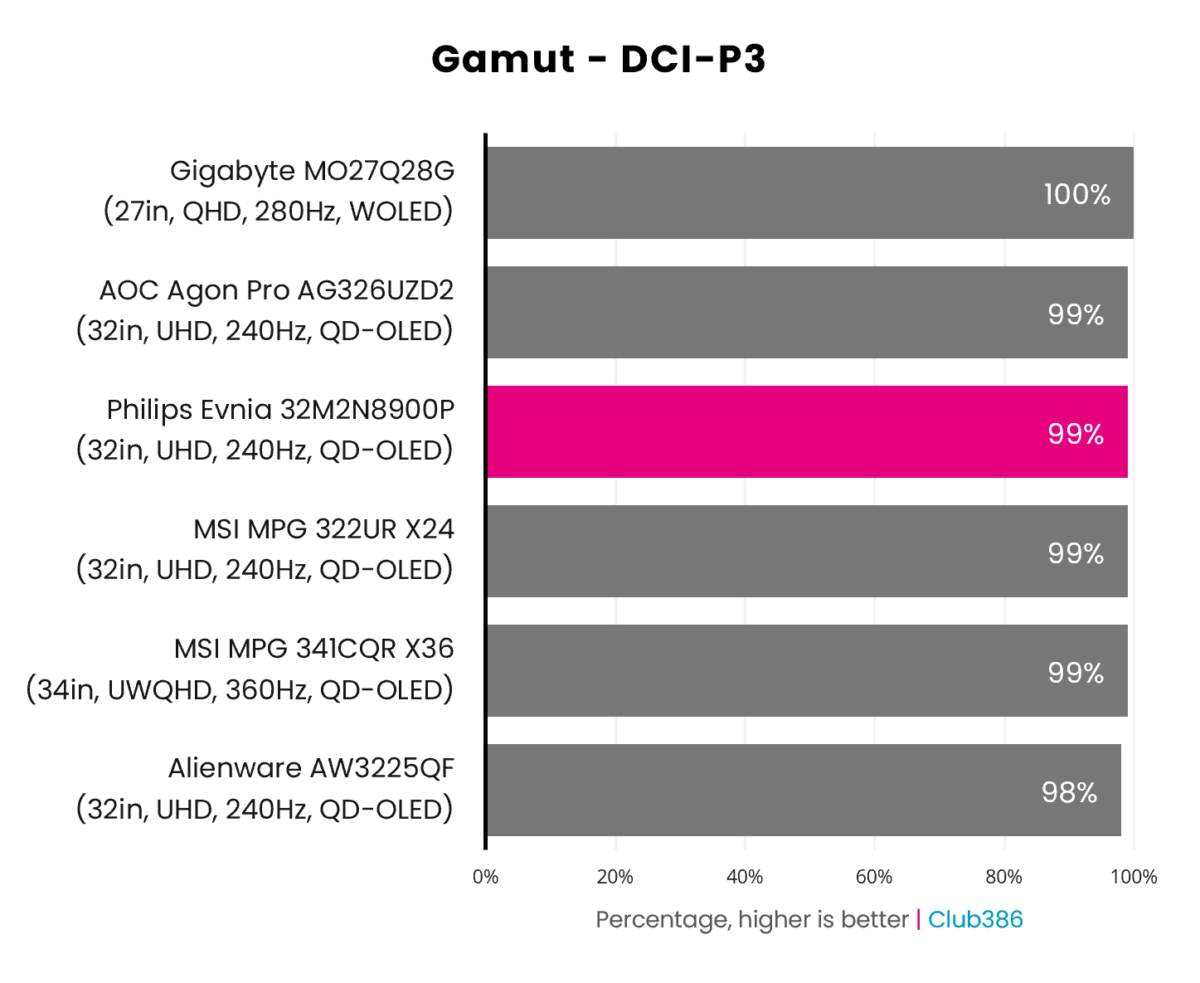
A wide gamut is par for the course with QD-OLED monitors, as the Evnia 32M2N8900P aptly illustrates with 99% coverage of the DCI-P3 colour space. This is a battleground where every percent matters, as top-tier WOLEDs like Gigabyte MO27Q28G find themselves at the front of the pack by just 1%.
Regardless, the panel technology continues to prove itself as a reliably rich and vibrant choice of screen. This measurement is particularly important for HDR content, both games and media. Combine this level of coverage with the monitor’s per-pixel local dimming and inky contrast, the end result is nothing short of a marvellous viewing experience.
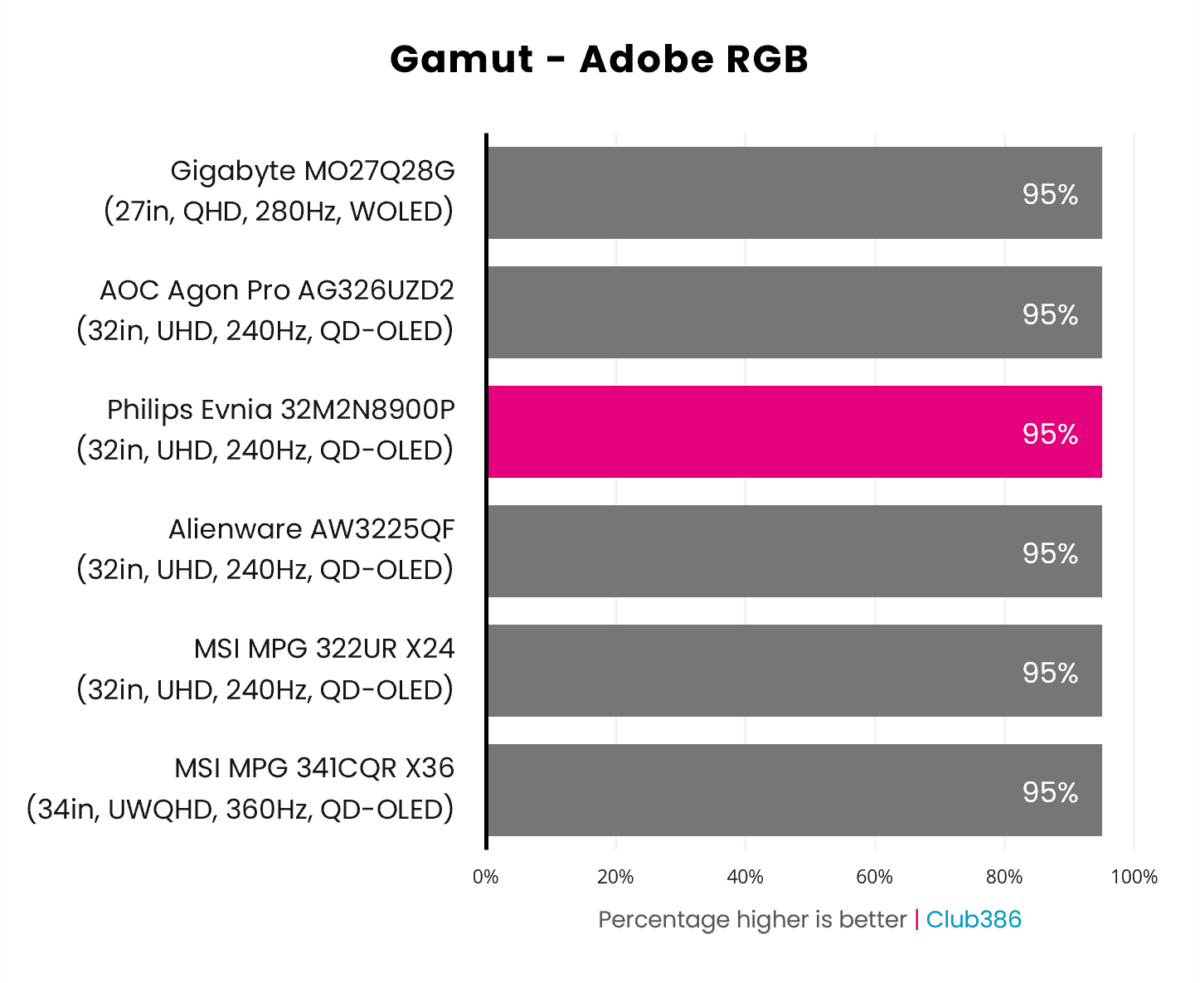
Adobe RGB coverage between the Evnia 32M2N8900P and other monitors on the chart is identical at 95%. This makes the panel a candidate for some photography and print work, proving competitive enough with some professional screens like the iiyama ProGraphic HB2701UHSNP.
That said, this panel sadly isn’t free of text fringing, reducing its suitability for some creative workflows. As a reminder, while the likes of the MSI MPG 341CQR QD-OLED X36 and other UWQHD monitors have adopted a RGB stripe subpixel layout, we’re yet to see this upgrade make its way to 32in 4K screens.
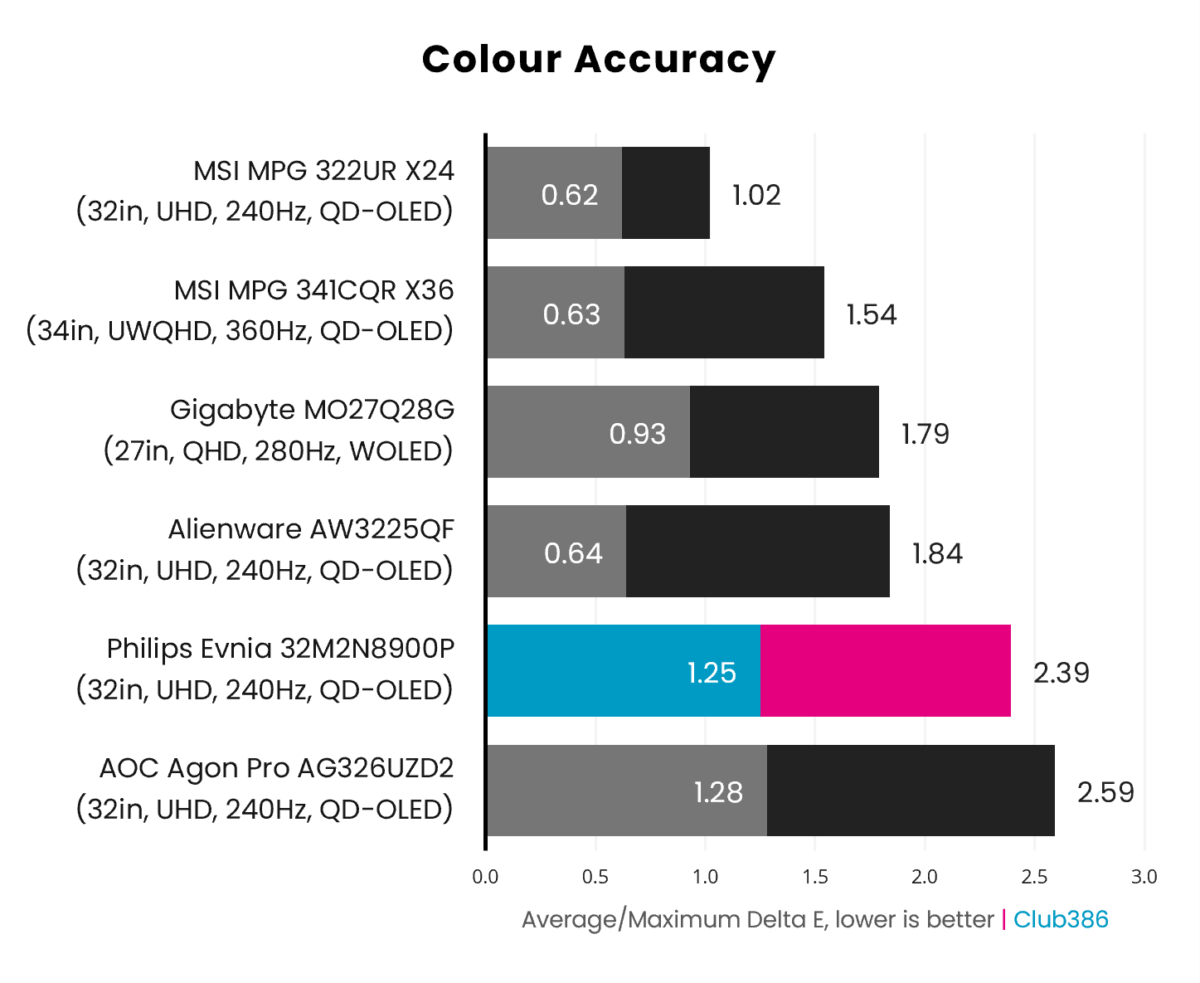
Stock colour accuracy on the Evnia 32M2N8900P is near-flawless, with a 1.25 average Delta E falling well under the 2.00 threshold where deviations are practically imperceptible to the human eye. The monitor falls short of perfection in this category, owing to a 2.39 Delta E maximum, but it’s by no means far off the mark.
Increasing brightness from 80% to 100% does negatively impact colour accuracy albeit not enormously. With more nits in play, the monitor’s deviations increase to 2.08 on average, with a 3.33 maximum. Near-black hues are to predominantly to blame here, as they are at stock brightness, but other shades also become unruly as light output increases.
Regardless, both values remain suitable for gaming and content consumption, but less so for colour-sensitive professional work.
Brightness
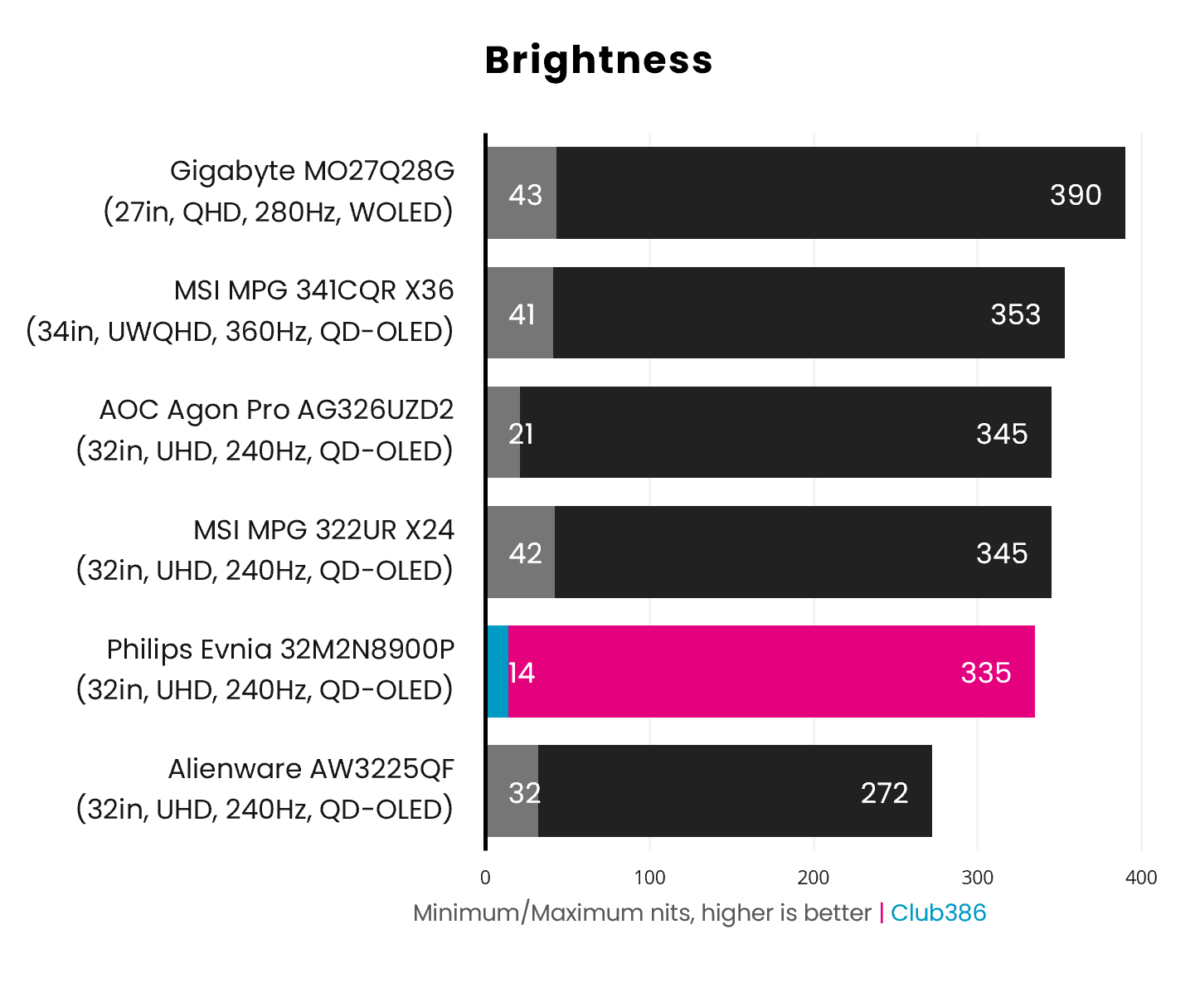
The Evnia 32M2N8900P initially appears as bright as older 32in 4K QD-OLED monitors, such as the Alienware AW3225QF. However, the panel has more to give than prior generation designs, and increasing brightness 80% to 100% nets a peak light output of 335nits in SDR. This is appreciably 23% brighter than earlier QD-OLED displays, and in line with contemporaries.
Switching to HDR, you can expect 500nits from small screen highlights and 300nits fullscreen, as per the panel’s DisplayHDR True Black 500 certification. This puts QD-OLED on par with WOLED for this signal type, but brightness remains higher on the latter in SDR.
Uniformity
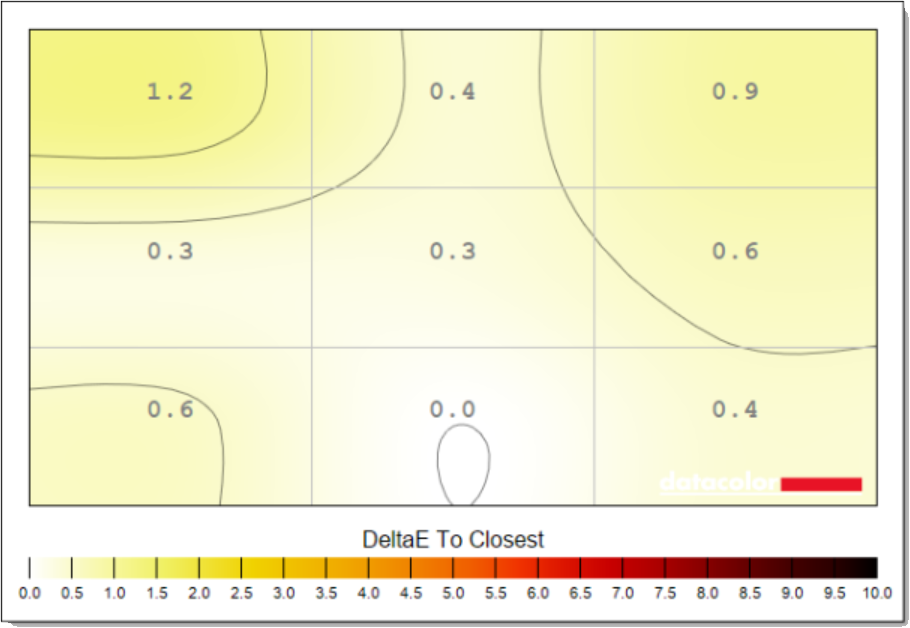
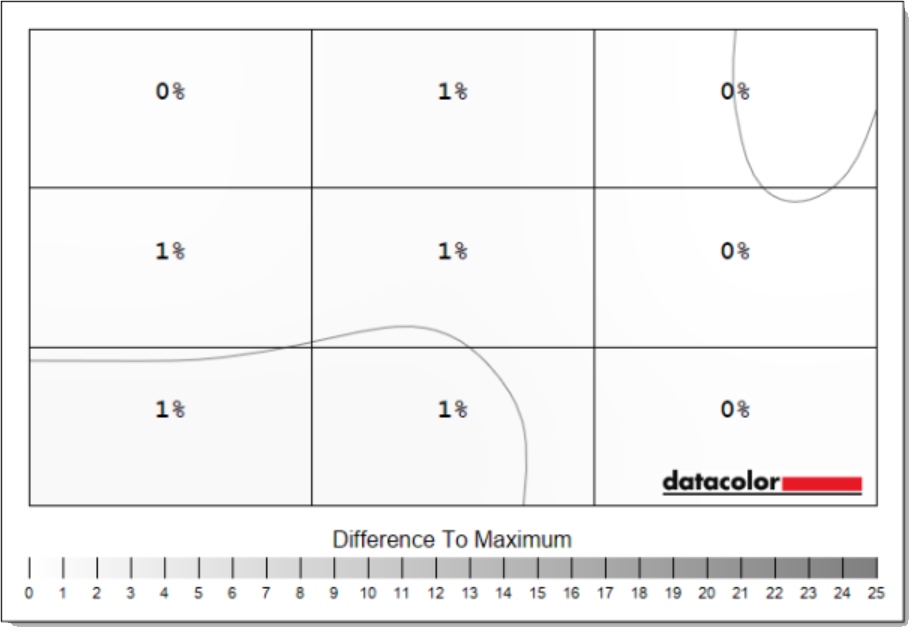
One of the many advantages of QD-OLED is panel uniformity, both in terms of colour and luminance. The benefit over LCD is obvious, as each pixel emits its own light instead of relying on a backlight. Furthermore, we less frequently see banding issues materialise on this display tech, while WOLEDs are more prone to the defect.
In terms of how the Evnia 32M2N8900P performs in these respects, the monitor’s nothing short of exemplary. At stock brightness (80%), the panel exhibits minimal deviation with a maximum 1.2 Delta E, while luminance differs by a mere 1% (3nits) at most across the panel.
Rising to 100% brightness doesn’t knock the wind out of the screen’s sails. We’re talking a peak 1.4 Delta E and 3% (10nits) of variance. Suffice to say, this panel doesn’t have an obvious weak spot, and looks fabulous across all 32in of screen.
Responsiveness
QD-OLED monitors are particularly great for gaming on account of their near-instant response times. Unlike backlit displays, which need to shift liquid crystals to output different hues, self-emissive panels have no such moving parts. This means less time between transitions, and no errors stemming from overdrive voltage that can cause visual artefacts like ghosting.
Placing our Nvidia LDAT on to the Evnia 32M2N8900P, response times are expectedly lightning fast. Pixels need to transition within 4.17ms to offer a true 240Hz experience, and the panel absolutely obliterates this target. Grey-to-grey transitions take just 0.1ms on average and 0.7ms at most, and remain broadly consistent at other refresh rates.
| Evnia 32M2N8900P | 240Hz | 120Hz | 60Hz |
|---|---|---|---|
| Avg. GtG | 0.1ms | 0.1ms | 0.1ms |
| Max. GtG | 0.7ms | 0.7ms | 0.5ms |
| Avg. overshoot | 0.4% | 0.5% | 0.6% |
| Max. overshoot | 3.2% | 4.0% | 5.1% |
The monitor exhibits negligible levels of overshoot as its moves across the 0-255 grayscale range, peaking at 5.1% while running at 60Hz. This isn’t anything you’ll notice in real world use, though, with no visible ghosting, smearing, or other artefacts.
Lastly, display latency is similarly nippy at 2.5ms. This is within expectations for this monitor’s specifications, and absolutely zips past the near (or actual) double-digit values you can expect from an LCD. Suffice to say, there’s no need to worry about the screen keeping up with your GPU.
Power
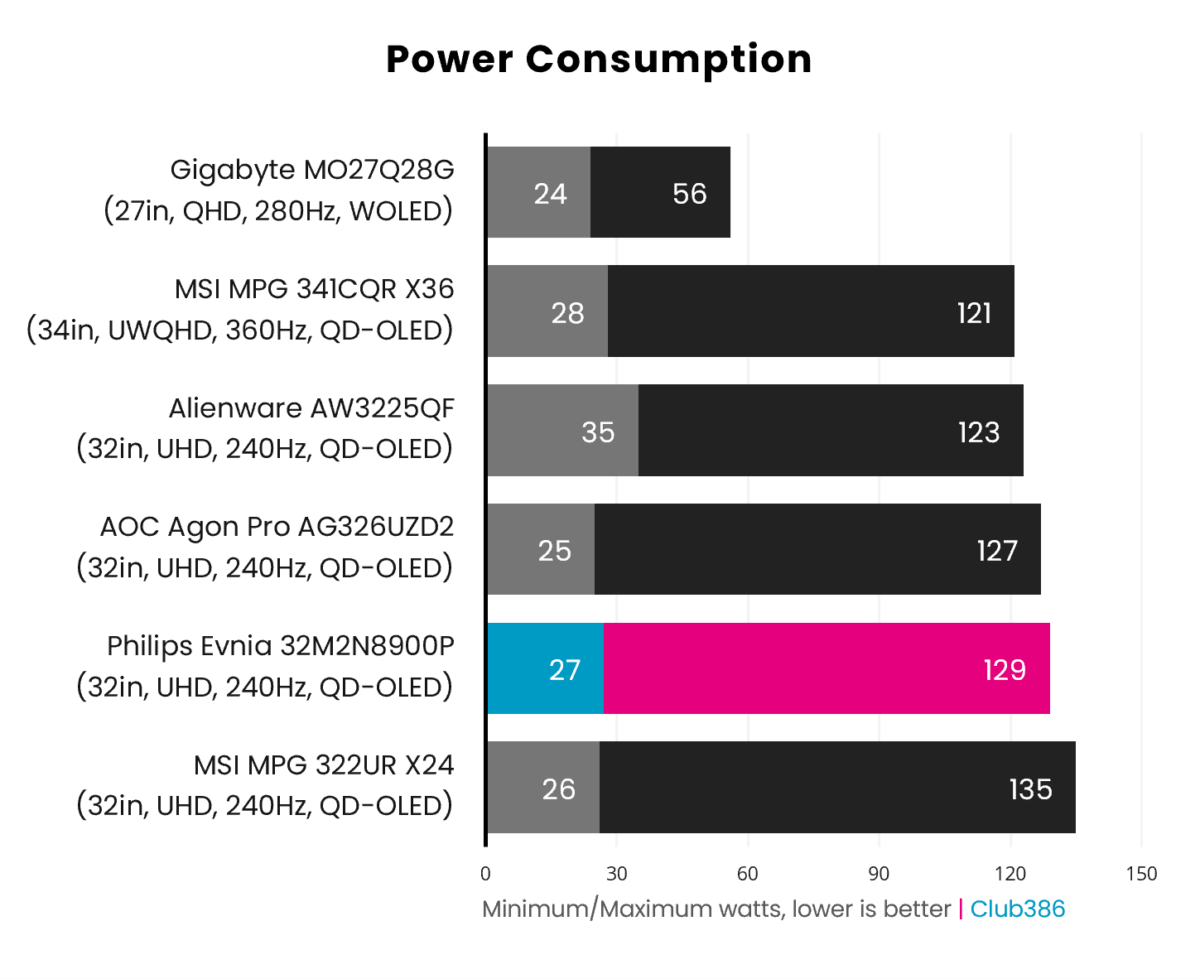
QD-OLED monitors carry a relatively large appetite for watts, and the Evnia 32M2N8900P is no exception. However, a peak power consumption of 129W is well within expectations for panels of this refresh rate, resolution, and size.
It’s also worth highlighting the efficiency gains at play. Older panels, like those in the Alienware AW3225QF, consume similar amounts of energy despite offering a lower brightness output.
Conclusion
The Evnia 32M2N8900P isn’t the most colour-accurate option out of the box, but does provide unique styling and extra value through an additional USB-C port as well as Ambiglow. That’s all while hitting the same beats as alternatives, namely a rich gamut, great uniformity, and an appreciable bump in brightness over older models.
At £779, the screen enters the market at a competitive price too. That’s a welcome £80 cheaper than the MSI MPG 322UR X24, although that premium comes with higher 98W power delivery over USB-C and a bespoke AI care sensor. Personally, I’d happily save some bob and prioritise Philips’ unique features.
That said, if you’re more interested in finding the most-affordable comparable option on the market, then it’s worth considering the AOC Agon Pro AG326UZD2 instead. At the time of writing, that monitor is available for a cool £699, well below its £799 MSRP, but isn’t as attractive in terms of design nor as uniform as the Evnia.
It’s honestly difficult to go wrong with any of the 32in 4K QD-OLED monitors we’ve tested featuring a Penta Tandem panel. That said, I can confidently say the Evnia 32M2N8900P is my favourite of the bunch, if only by a hair.
