
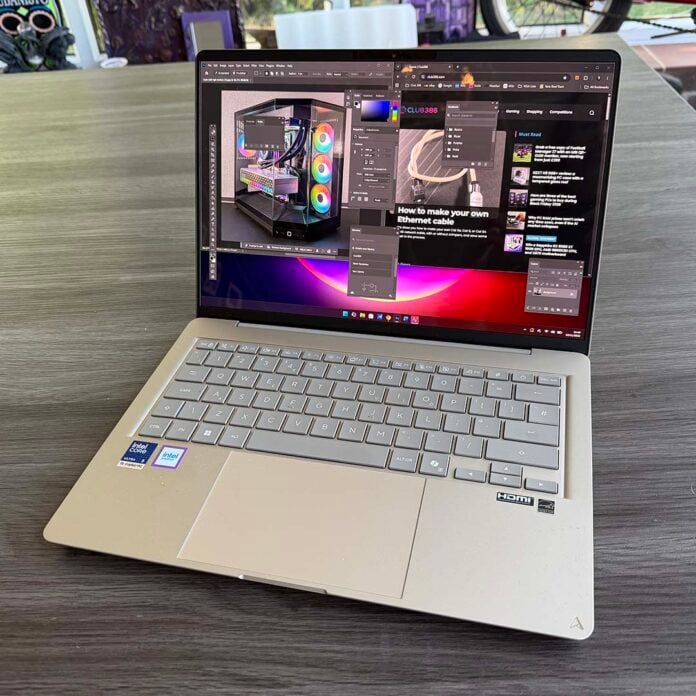
It’s not often you see a fantastic laptop bargain in these times, but at £799, this Asus Zenbook 14 offer from Currys is genuinely outstanding. Based on one of Intel’s latest Panther Lake CPUs, it offers phenomenal battery life, snappy performance, and a fantastic screen to boot. Usually, this machine would set you back £1,299, but it’s been given a hefty discount for Black Friday, meaning you can save a massive £500 for a limited period.
Intel made great strides with Panther Lake when it launched earlier this year. I was gobsmacked by the Asus Zenbook Duo battery life, and its Battlemage iGPU also turned out to be surprisingly adept at gaming. Add in an integrated NPU, as well as decent AI performance from the GPU’s matrix cores, and you end up with an efficient powerhouse that can be squeezed into a very thin and light chassis.
The Asus Zenbook 14 is no exception. I’ve been using this lightweight, well-built pocket rocket as my daily driver for work and play over the last two weeks, and it’s fulfilled all my needs. That’s impressive stuff for a slimline rig that costs just £799 in this discount period.
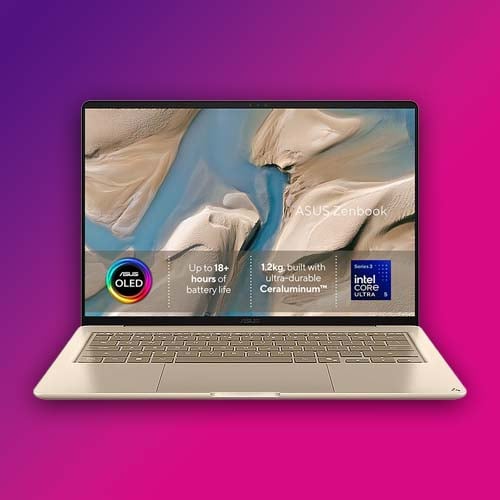
Asus Zenbook 14
£1,299 £799
“Design you can feel. Intel performance you can count on. Ceraluminum gives the lid a smooth, stone-like touch and resists everyday scratches” – Asus
It’s tiny
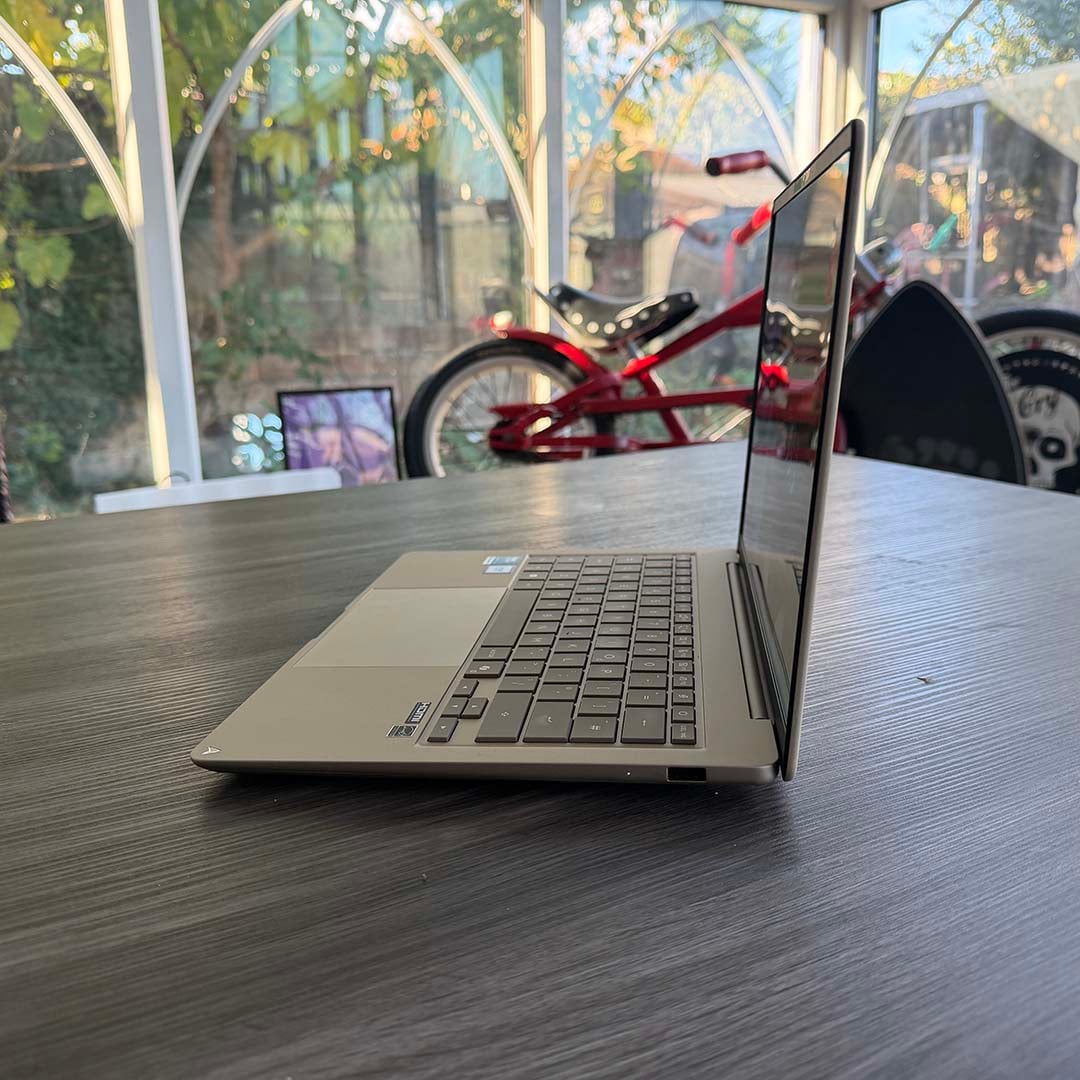
The first factor to note about the Zenbook 14 is its size. Weighing just 1.2kg, I found I could easily slip it into my backpack without it putting undue strain on my neck and shoulders. Measuring 311 x 216 x 16.9mm (W x D x H), it also doesn’t take over your bag – its basic area is barely any bigger than a sheet of A4 paper.
Unlike a lot of ‘laptops’ it actually fits neatly on my lap, enabling me to comfortably work from the sofa at home while I listen to my records in the lounge. It never gets overly hot on your legs, and it feels like it was actually designed by someone who uses a laptop in this way. I’ve been able to take it out and about to cafes with me, where it easily fits even on small tables, and you can use it on a train without it taking over other passengers’ table space as well.
Build quality is top-notch. The chassis is made from Asus’ Ceraluminum material, a kind of aluminium ceramic hybrid created by bathing aluminium in minerals. The end finish is very different from brushed metal, with a matte, almost pottery-like look and feel that’s rock solid – there’s no flex in the lid or palmrests, and it feels really smooth in your hands.
Battery life is phenomenal
Assisting portability even further is the exceptional battery life of this machine. There’s one battery in the Zenbook 14, rather than the pair of cells in the Duo, but it still lasts an incredibly long time. I don’t want to get bogged down in synthetic battery life tests here – what I wanted to know was how long the battery lasts under my ideal working conditions. That’s with the screen brightness up full and doing a full day’s work.
Could you really do that without bringing a charger with you? The answer is absolutely yes. In fact, the battery life is so good, it took me a while to get used to not anxiously having to check the remaining percentage in the Windows Taskbar. Normally, after a morning’s work, I would expect to have lost at least half my battery power and have to plug it in. On this machine, though, I found I still had 80% of battery life left after my first 3.5 hours. It still had 50% to go at the end of my working day.
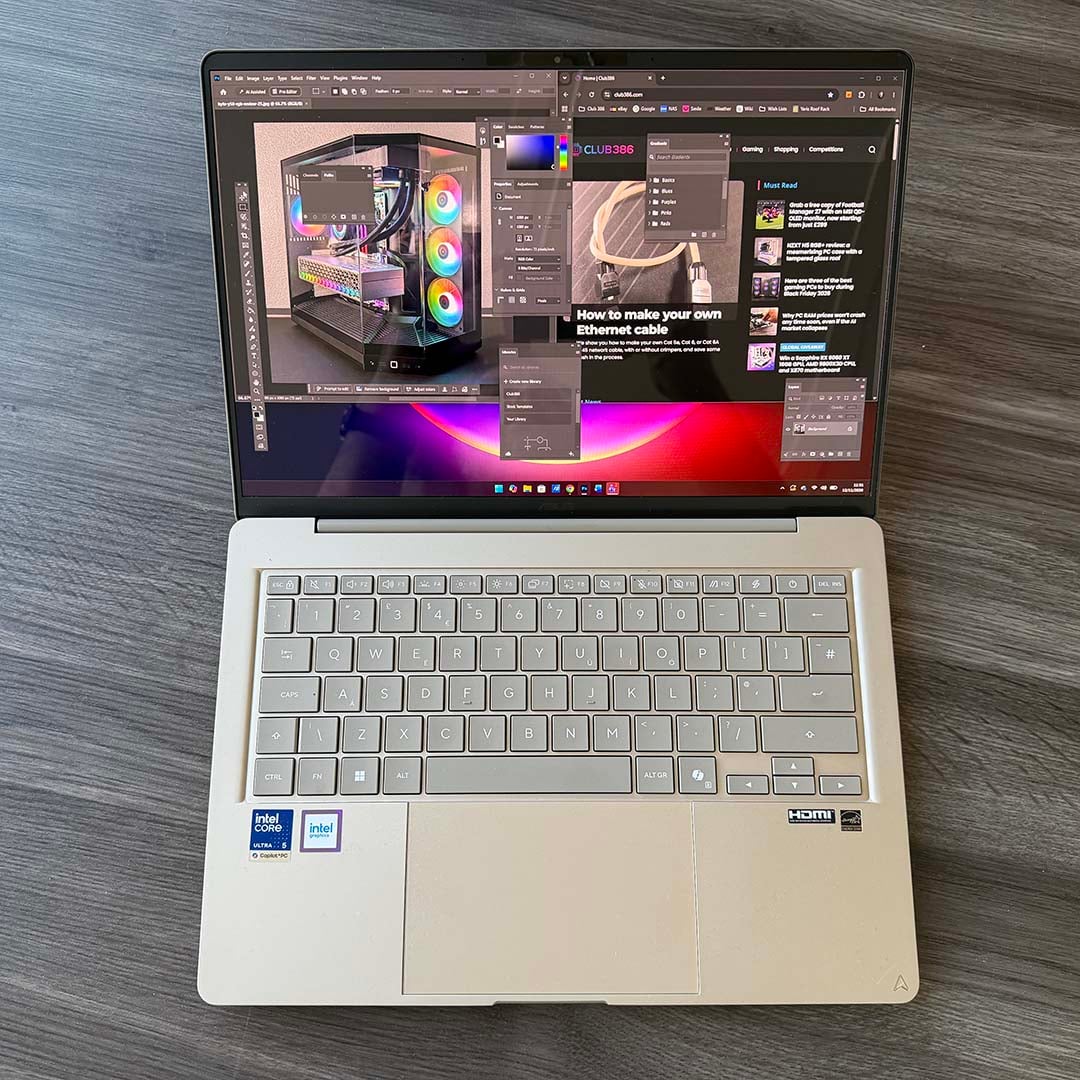
That’s not with a dim screen and a minimal workload – that’s with Photoshop, Word, Excel, and several browser tabs open and active, with me regularly flicking between them to get my work done, all with the screen at maximum brightness. This is really impressive, and it’s worth taking a look at Intel’s clever tech under the hood to see how this is achieved.
The Zenbook 14’s Core Ultra 5 325 chip has eight cores, split into four P-Cores for performance, and four LPE-Cores, which are very low-power cores designed for efficiency. There aren’t any of Intel’s usual E-Cores in this design. Cleverly, Intel has designed the cluster of LPE-Cores to act as what Intel calls a Low Power Island. Basically, Windows only calls on the P-Cores when they’re needed, while running everything in the background on the LPE-Cores.
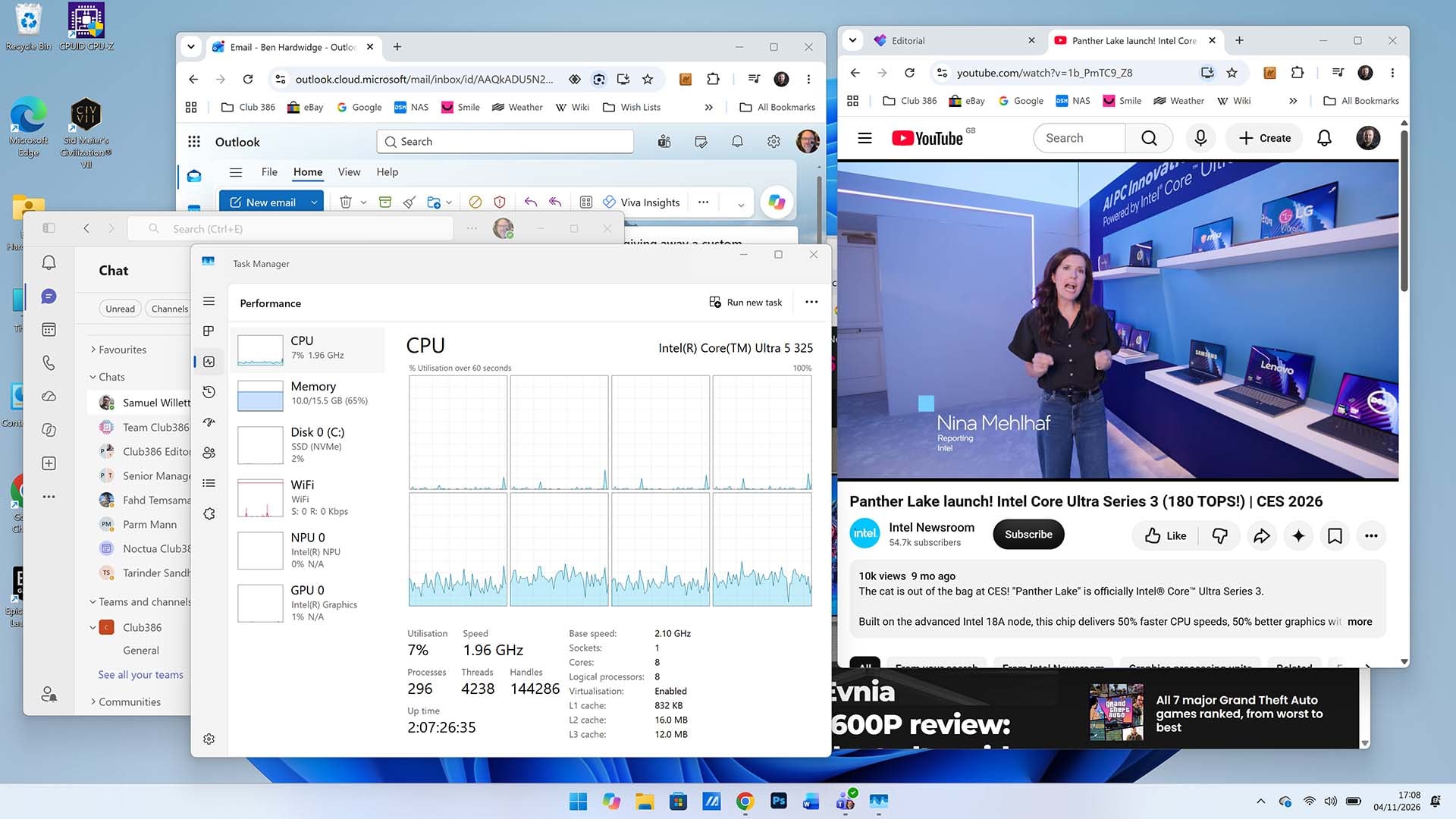
As you can see in the screenshot above, I have a YouTube video playing, several browser tabs open, my Outlook email, and Teams all running. Look at Windows Task Manager, and you can see that all the P-Cores along the top are largely sitting idle, while all these activities are processed by the four LPE-Cores in the second row. If I open Photoshop, you’ll see the P-Cores kick into action, but this machine can do a surprising amount without needing to engage them. That really helps battery life, as the CPU is only using its most powerful parts when they’re really needed.
Naturally, playing games on this machine reduces battery life significantly, compared to working, but I found it still lasts longer than your average gaming laptop here – you can get a good couple of hours of gaming out of this laptop without plugging it into the mains.
Snappy and responsive
What I first noticed when working on the Zenbook 14 was just how snappy and responsive it feels. Click on an app on the Taskbar and it feels like it loads up instantly, and there’s none of the sluggishness you sometimes feel in Windows on budget machines. Again, this is largely thanks to the Intel CPU at its heart.
Intel put a lot of work into improving the instructions per clock (IPC) of its Panther Lake architecture’s P-Cores, and they have a top boost speed of 4.5GHz. Double-click on an application icon, and they immediately get to work to get it loaded as quickly as possible. It also really helps that the LPDDR5X RAM in this machine runs at 7,467MT/s, again making the machine feel really snappy and responsive in action.
In an ideal world, of course, you’d have 32GB of memory, but these are very much non-ideal times when it comes to RAM prices. You’re simply not going to be able to buy a 32GB machine for anything like this £799 price in today’s climate, but having 16GB of really fast memory is still a boon here, and it’s much better than the 8GB you find on some rival machines at this price.
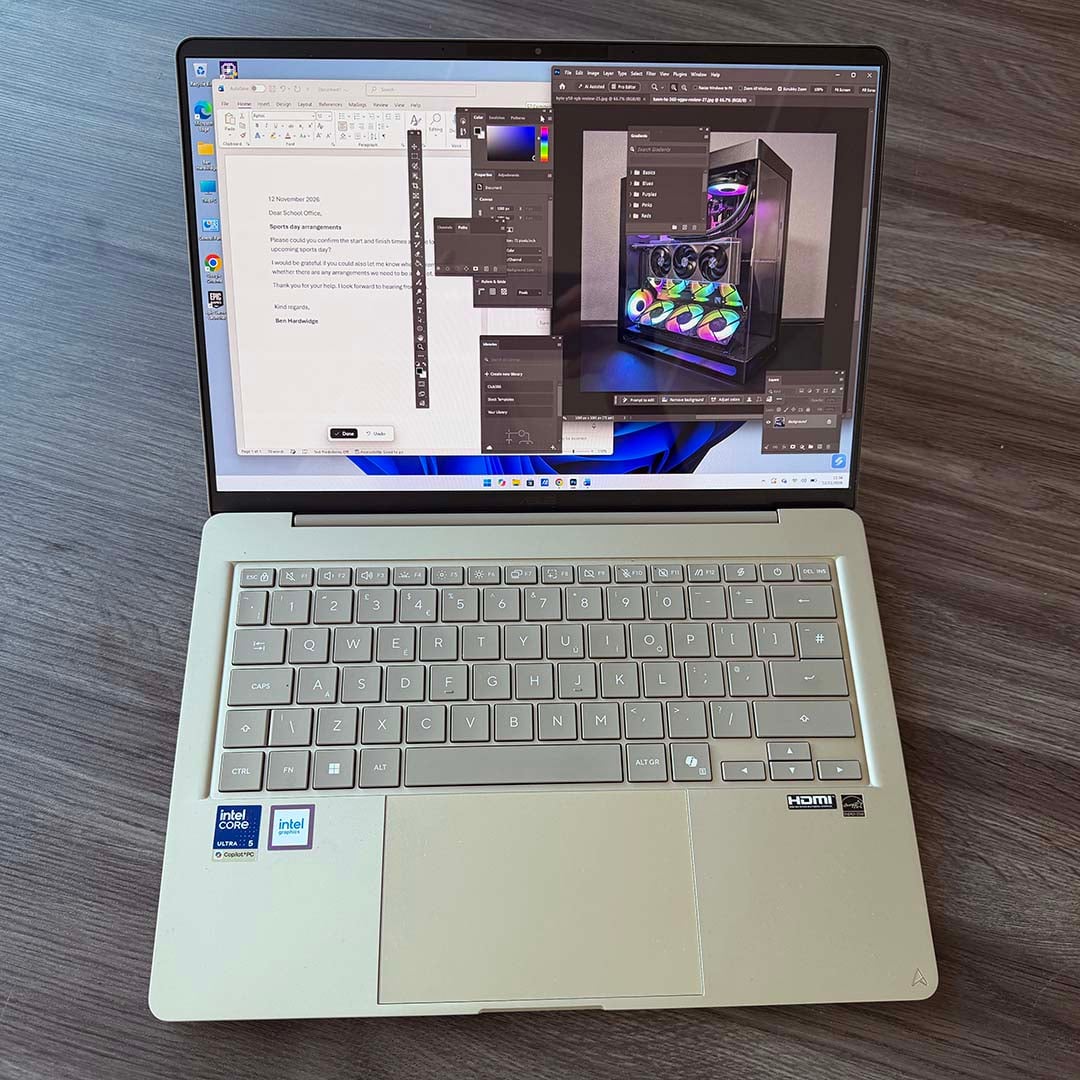
As a creative pro, I was expecting to be held back by the lack of memory, especially in Photoshop. However, I was actually pleasantly surprised by how well this affordable laptop handled my needs. The sheer speed of the CPU and RAM definitely helps here, and I found I was still able to smoothly flick between multiple applications and browser tabs.
However, it is worth noting that the 16GB of RAM, as with all LPDDR5 memory chips, is soldered to the motherboard and can’t be upgraded. That’s not a massive deal at the moment, given the extreme cost of memory anyway, but it’s worth bearing in mind for the future.
You can play games
I was seriously impressed by the gaming performance of the top-end Intel Core Ultra X9 388H Panther Lake chip in games. With 12 of Intel’s Xe3 GPU cores, I found it could even handle ray tracing in Cyberpunk 2077 at 1920×1080 with some help from XeSS. This is seriously impressive stuff for an integrated GPU. This £799 laptop has a cutdown version of this GPU, with four Xe3 cores rather than 12, so it’s less powerful. However, I found it was still surprisingly capable.
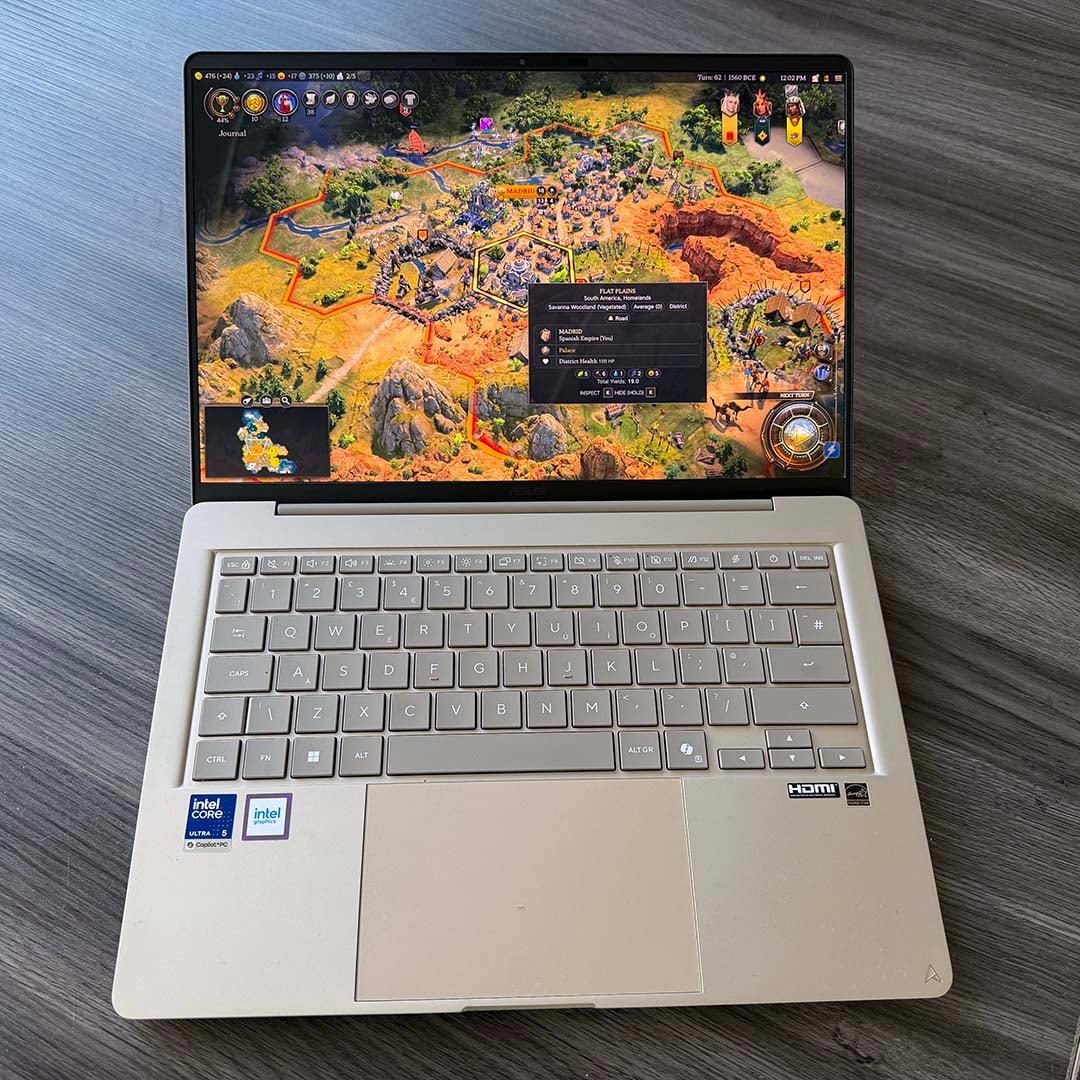
As a baseline comparison, based on my testing, I’d say this laptop is roughly on par with a Steam Deck in terms of gaming performance. You won’t be able to run super demanding games at ultra settings on it, but I found it could handle games surprisingly well. One of the best games to run on it is Civilization VII, which I found could happily run on the Zenbook 14 with Medium graphics settings at 1920×1200, while looking good and performing smoothly. In fact, I even had this game running at 4K on my desktop monitor setup, after enabling Intel’s XeSS upscaling tech on the Performance setting.
Curious to see how far you can push this modest integrated GPU, I even tried Resident Evil Requiem on it, and found it was surprisingly playable at 1920×1200 at the Low graphics preset, with some help from AMD FSR upscaling. Impressively, it can even handle this on battery power, and again without turning the bottom of the laptop into a leg burner. As a general rule, if a game will run on Steam Deck, there’s a good chance this Zenbook 14 has enough GPU power to cope with it too.
A dazzling screen
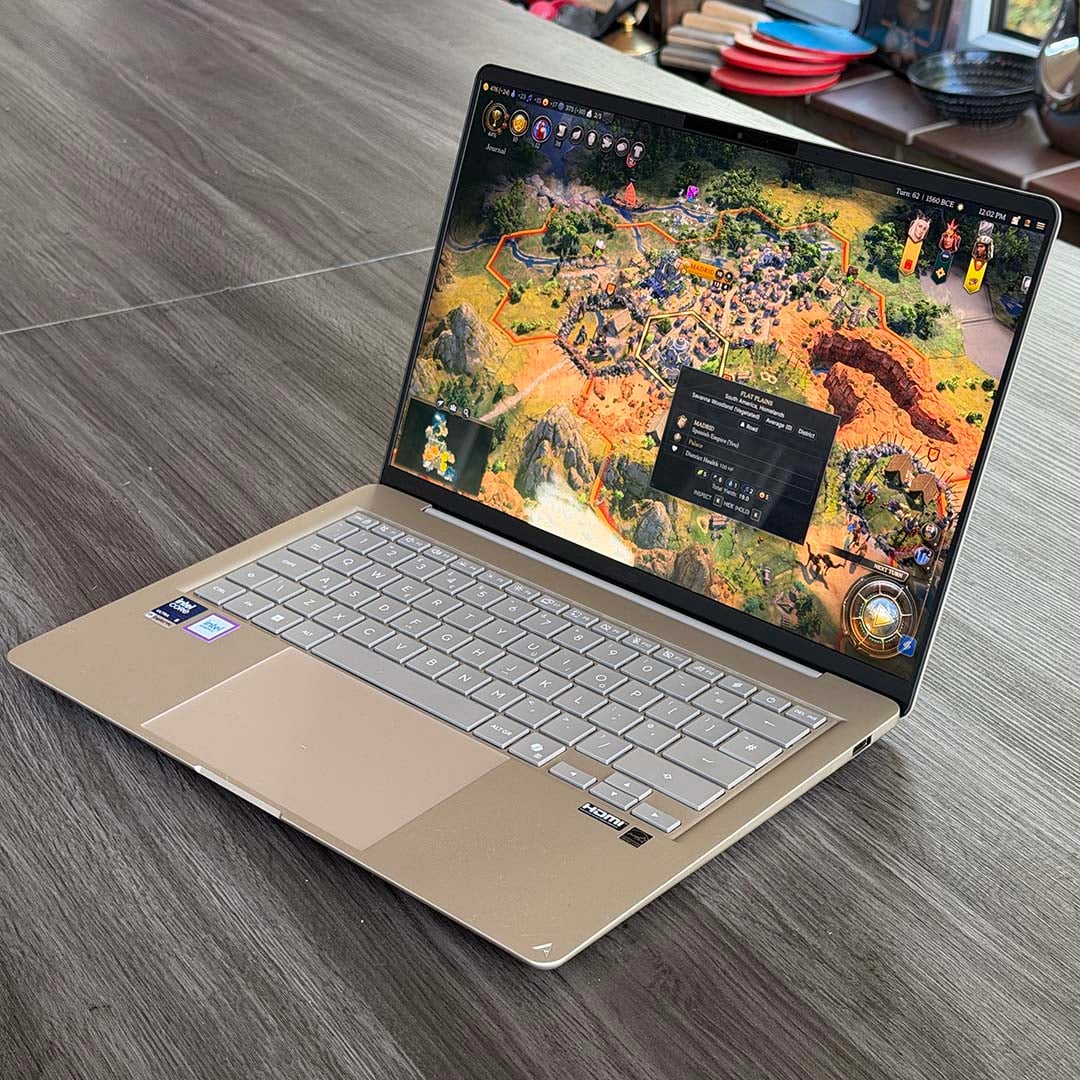
On top of being packed with fast and power-efficient silicon, the Zenbook 14 also has a superb screen, particularly for its current £799 asking price. Its 1920×1200 resolution is perfect for the 14in diagonal, providing a sharp pixel density of 161 PPI (pixels per inch). Most importantly, though, it uses an OLED panel.
This means there’s no backlight. Instead, each pixel is effectively self-emissive, resulting in deep blacks and a basically infinite contrast ratio. Indeed, I measured the latter at 17,360:1 using my Datacolor Spyder Pro colorimeter. It’s even compatible with HDR video streaming on supporting services if you enable it in the display properties, although this requires you to plug the laptop into the mains.
Importantly, this screen is excellent for creative professionals, as the colours look bang on – it’s a pleasure to work with such a great screen. Asus advertises it as being able to produce 100% of the wide DCI-P3 gamut, and amazingly, my colorimeter backs up this claim. In my tests, it produced the full 100% of DCI-P3 and sRGB gamuts, while also covering 92% of the AdobeRGB spectrum.
Colour accuracy is also superb, with average Delta E of 0.73. As a point of reference, any result below 2 is generally considered to be accurate here, so this is a fantastic result.
Meanwhile, brightness tops out at 300nits, which isn’t as bright as some screens, but I found was absolutely fine for my working needs. What you don’t get is a fast refresh rate, with the Zenbook 14 topping out at 60Hz. Again, though, this isn’t a big deal for your average creative pro who just wants to dabble in a bit of gaming now and then. It’s not as if the GPU is regularly pushing out over 120fps in games anyway.
All the ports you need
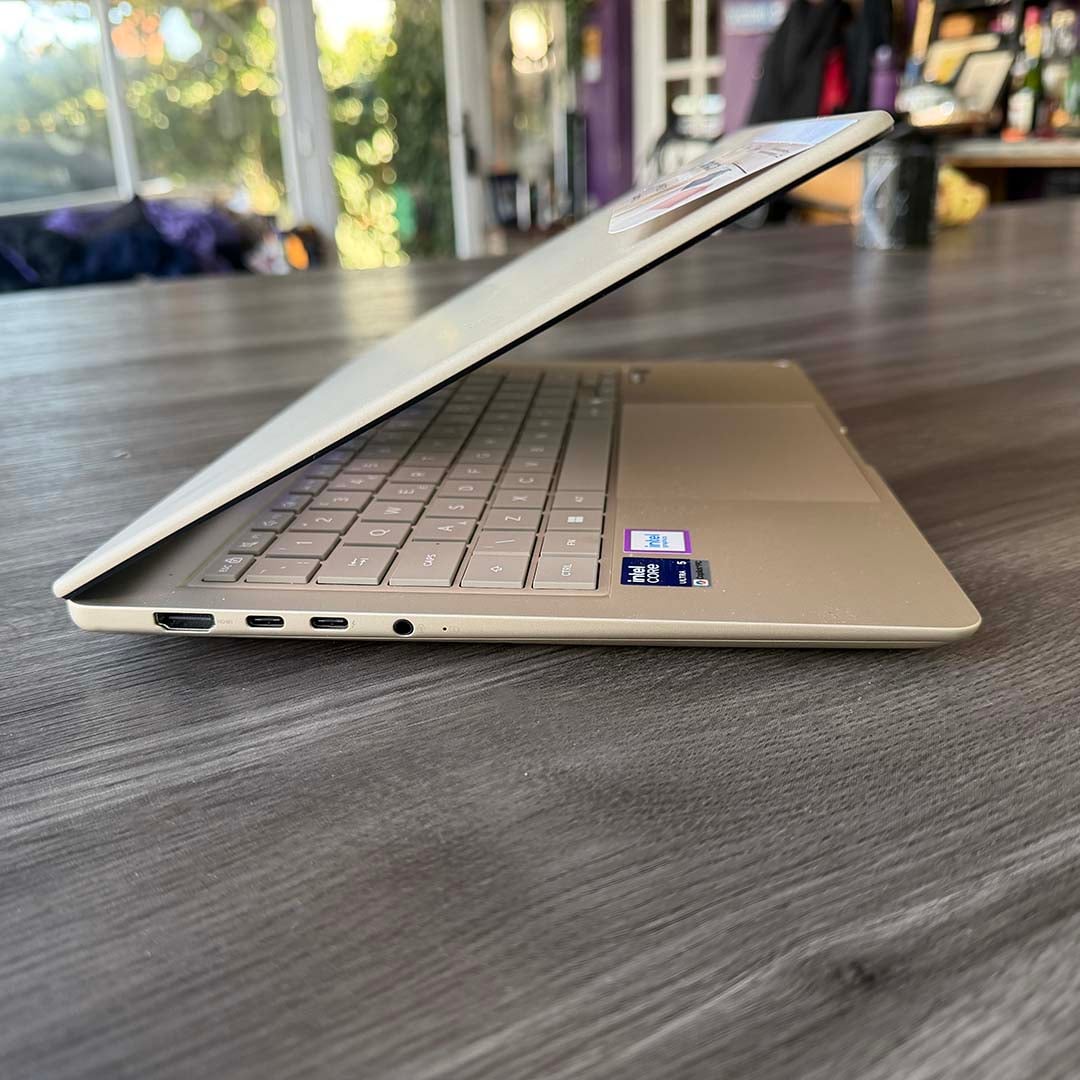
While this laptop’s screen and keyboard are great for working on the move, I was also delighted to find that there are enough standard ports to dock it into my home office setup. While some similarly svelte machines bizarrely only offer a pair of USB-C ports, the Zenbook 14 was clearly designed by someone who actually uses a laptop’s connectors.
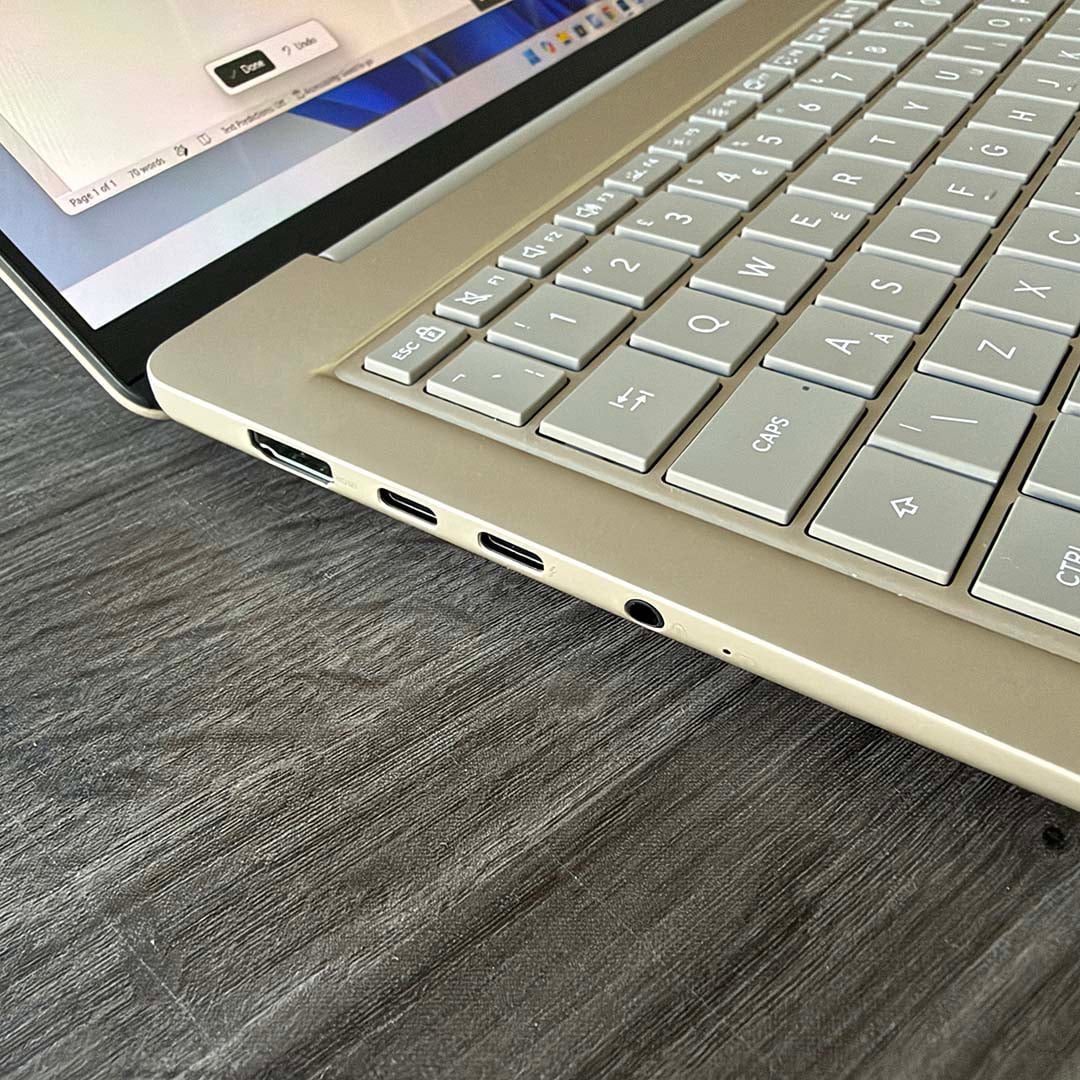
The lineup includes a full-size HDMI output on the left, making it easy to plug into a desktop monitor. Here you’ll also find two USB-C ports, one of which offers 10Gbps speeds, while the other features full Thunderbolt 4 support at 40Gbps. The latter is ideal if you have a Thunderbolt dock for your display, peripherals, and networking, and this is also where you need to plug in your power adaptor. If your monitor has a USB-C KVM feature, then you’ll be sorted – you can hook it up with just one cable.
There’s one word of warning here, which is you don’t get a charger with the Zenbook 14. Like Apple, Asus instead expects you to supply your own USB-C charger. I just plugged it into my three-port 100W Ugreen USB-C charger, which cost me around £30. If you don’t have a high-wattage USB-C charger, though, bear in mind that you will need one to charge this laptop.
Other handy ports include a standard combo jack for audio, which I still find really valuable for plugging into my home office’s hi-fi system, and connecting analogue headphones. There’s also a standard, full-size USB-A port on the right that’s ideal for plugging in an external keyboard or mouse. Meanwhile, networking is handled by an Intel AX211 Wi-Fi 6E adaptor, enabling you to hook up to your network at decent speeds, including the new 6GHz band if your router supports it.
It’s a dab hand at AI
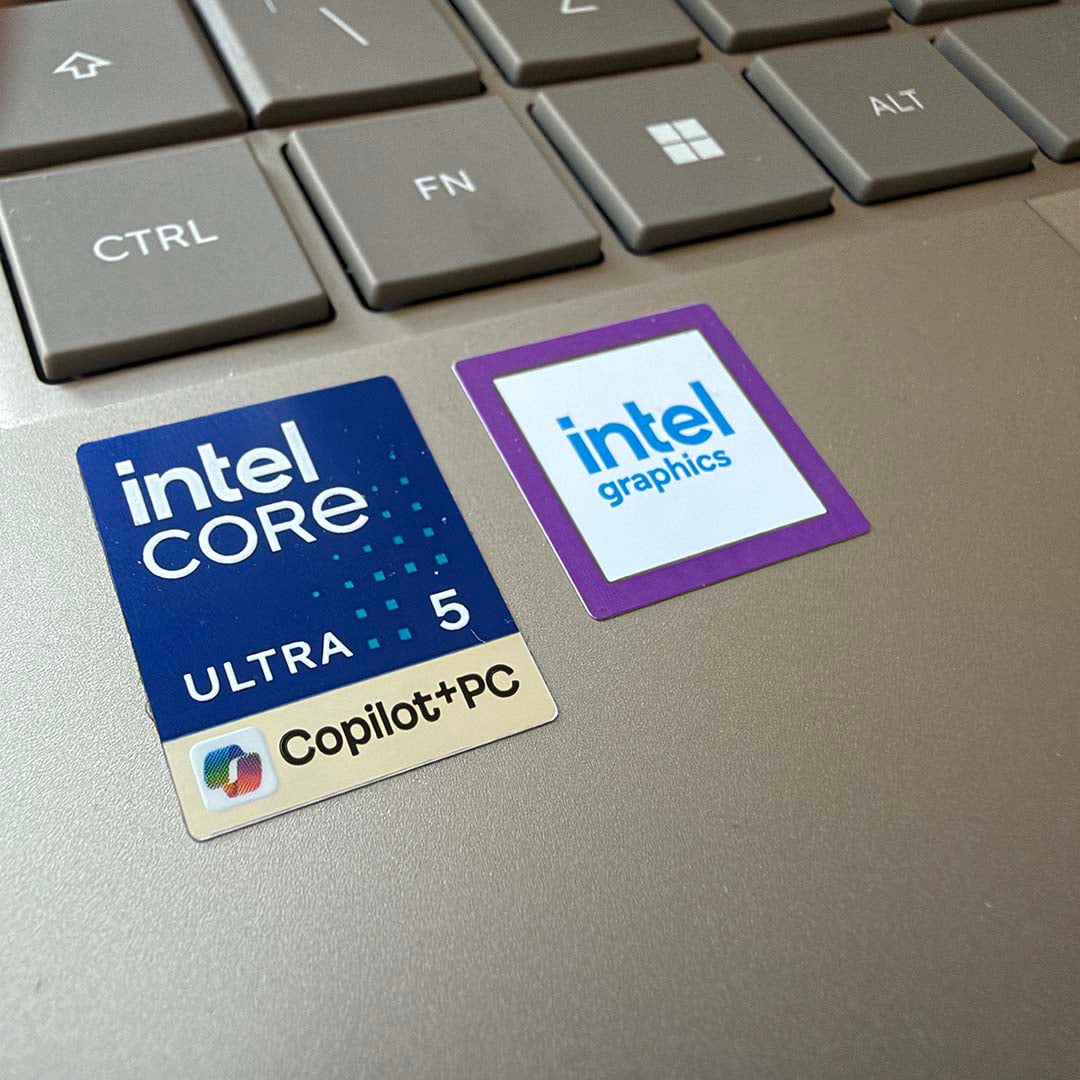
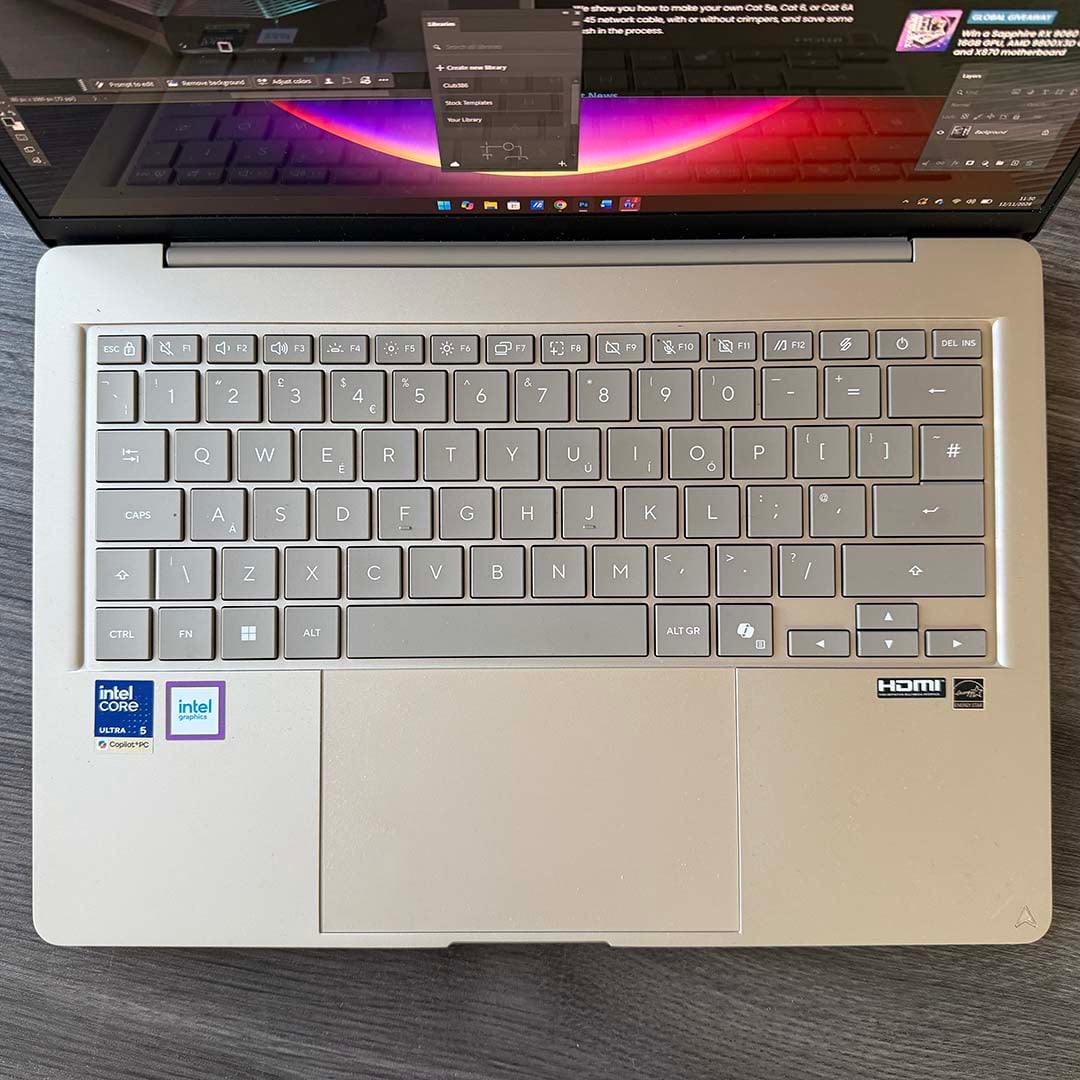
Finally, it’s well worth pointing out all the Copilot+ branding on this machine, which denotes that it actually has some decent neural processing power under the hood. In fact, there are two options here. The Intel Core Ultra 5 325 actually has a dedicated neural processing unit (NPU) rated at 47 TOPS (Int8), while the matrix cores on its GPU can also work together at 40 TOPS (tera operations per second).
I had a play with both using Llama-3.1-8B through Intel OpenVINO, and they’re both capable of handling basic onboard AI. Running Procyon’s AI text generation test, the NPU scores 522, while the GPU gets a result of 1,002. To put those figures in context, an Nvidia GeForce RTX 3060 scores 1,051 in this test, while an AMD Radeon RX 9060 XT 16GB gets 1,170. You’re basically not far off the performance of a low-end discrete GPU with this setup, which is remarkable.
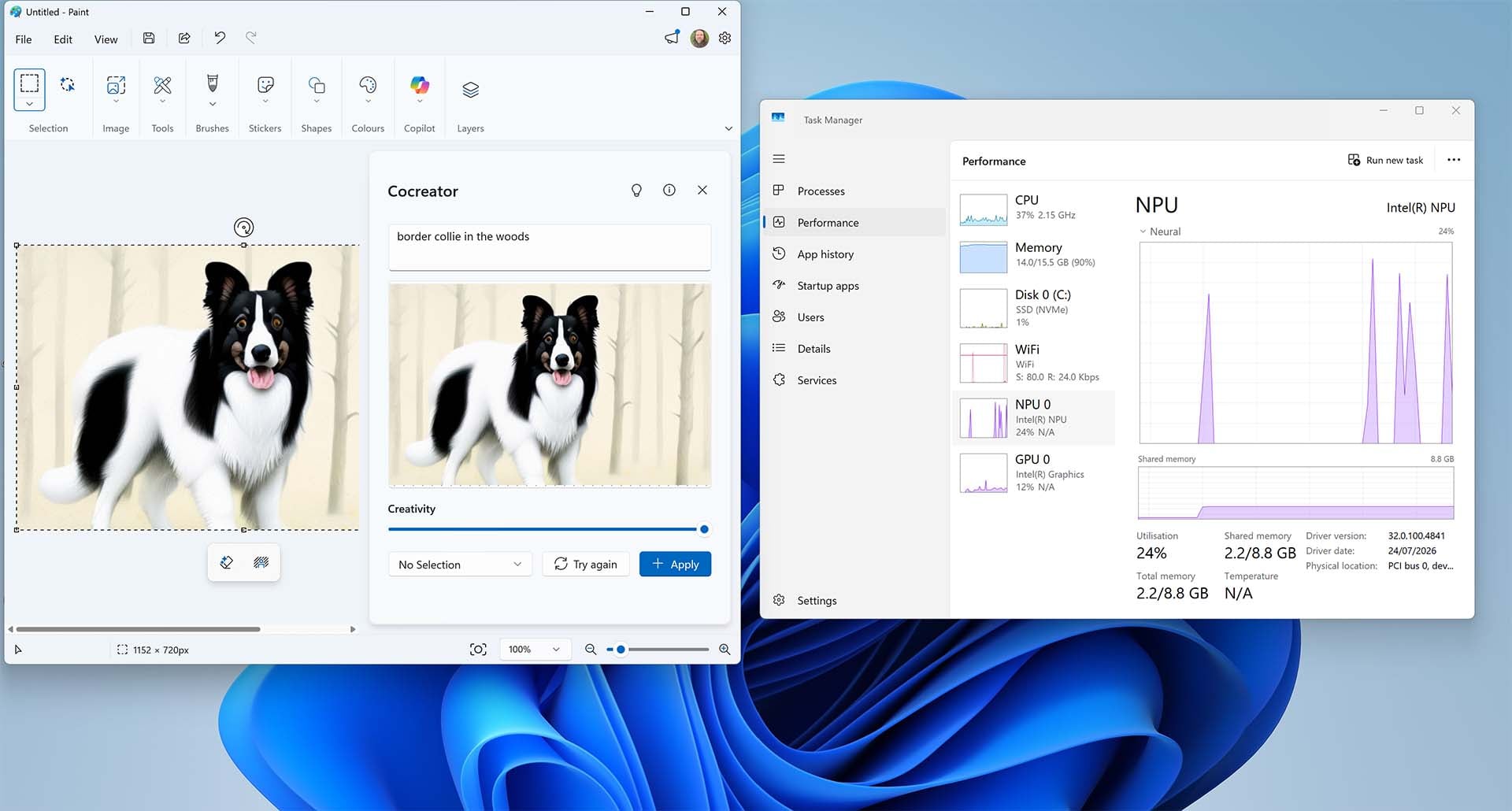
Anyway, it’s certainly enough neural processing power to cope with Microsoft’s Copilot+ features, which take advantage of onboard hardware rather than farming it off to a datacentre. I used the NPU to make an image of a dog in the woods in MS Paint, for example, as shown in the screenshot above. Copilot will still approach Microsoft’s data centres for more involved AI work, but it’s good to have a bit of local AI capability too.
Asus Zenbook 14
£1,299 £799
“Design you can feel. Intel performance you can count on. Ceraluminum gives the lid a smooth, stone-like touch and resists everyday scratches” – Asus
The laptop to buy this Black Friday
Basically, if you’ve got some money together to spend on a discounted laptop this Black Friday, this Asus Zenbook 14 deal is about as good as it gets for creative and office work on the move. The screen looks fantastic, with excellent colour reproduction to boot, it has all the ports you need, and performance is responsive and snappy.
Meanwhile, its svelte size and weight make it easy to carry around, and the battery life is simply incredible. Best of all, this well-built little slab of joy currently reduced by £500 to just £799, making it a genuine bargain, particularly in these times.