
Just in time for Christmas, AMD has bestowed the gift of FSR Redstone unto the world. This launch will further harness the AI capabilities of the brand’s latest generation of graphics cards to improve image quality and performance in games. It’s a welcome, if arguably overdue, gift to gamers, but one that comes with a few important caveats.
To gain access to available FSR Redstone features, download the latest AMD Software Adrenalin Edition driver, namely version 25.12.1. The only other thing you’ll need is a Radeon RX 9000 series graphics card and you’re all set.
What is FSR Redstone?
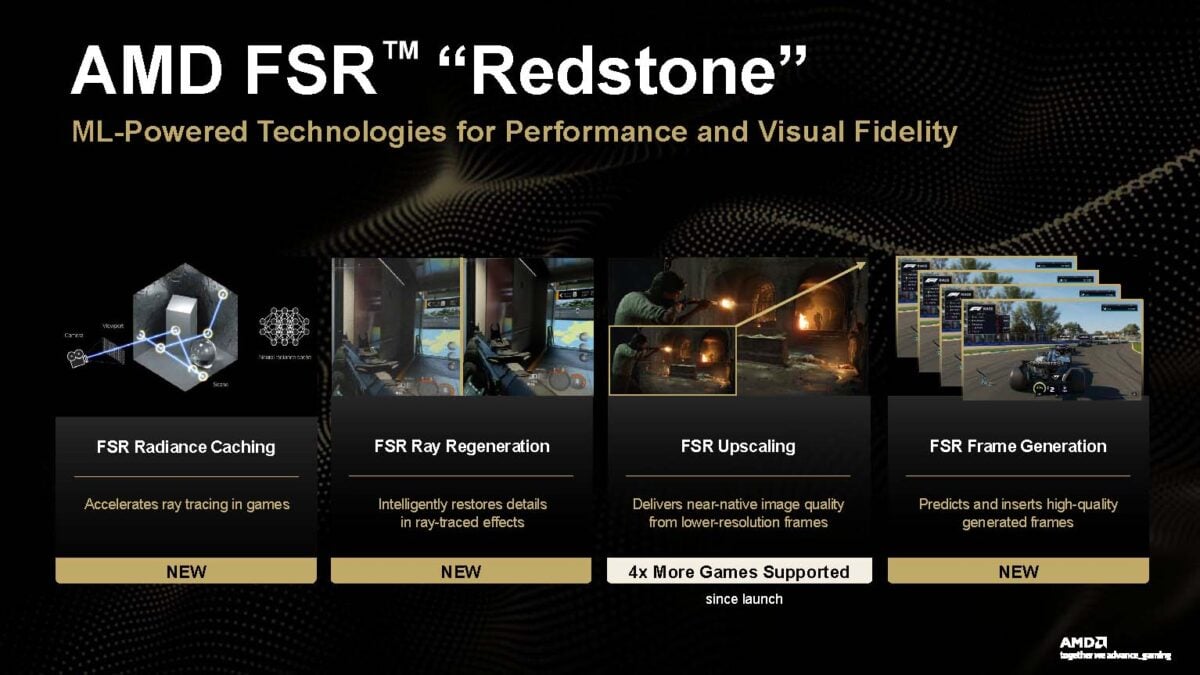
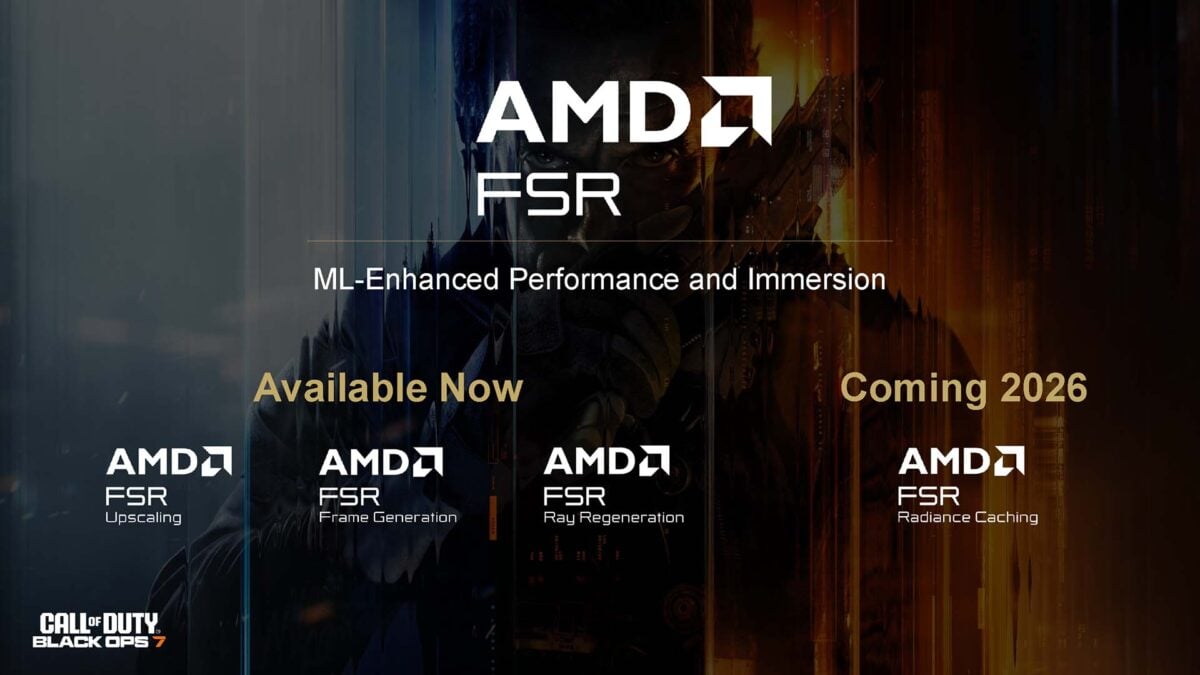
In case you missed its announcement back at Computex 2025, FSR Redstone is a collection features that use machine learning to boost performance and image quality on RDNA 4 GPUs. This suite includes existing tools, as well as several new and improved additions.
Here’s a list of all the features in FSR Redstone:
- FSR Frame Generation
- FSR Radiance Caching
- FSR Ray Regeneration
- FSR Upscaling
FSR Redstone brings AMD closer to Nvidia DLSS 4 in terms of feature parity, minus Multi Frame Generation. The suite’s arrival is an undeniable boon for Radeon RX 9000 series graphics cards and their eventual successors, and a long overdue catch up with the competition in my eyes. However, this release isn’t without its eccentricities that leave some questions frustratingly unanswered.
FSR Upscaling
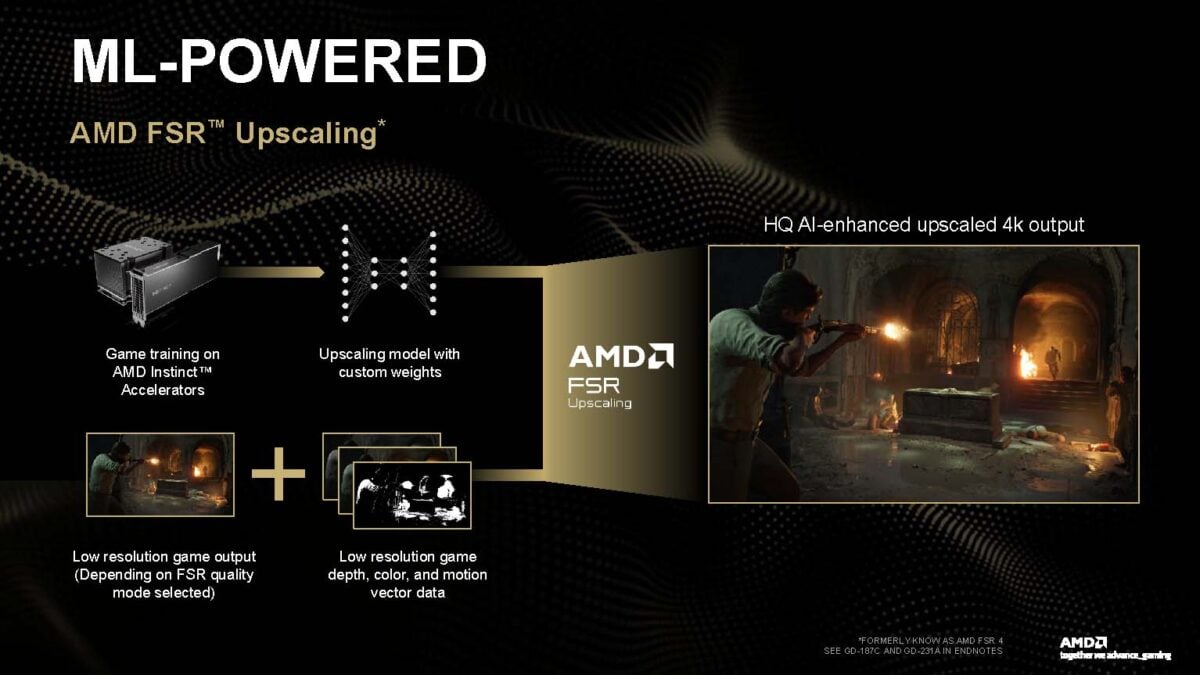
Let’s break the ice with the most familiar aspect of FSR Redstone, namely FSR Upscaling. This is just a rebranding exercise from AMD, as the feature is FSR 4 as we’ve always known it.
You’ll still see FSR 4, 3, and so on in existing games for now, but this presumably won’t be the case moving forward. Instead, the feature will default to the upscaler’s latest version via bespoke game integration or driver injection. While Radeon RX 9000 series cards will enjoy machine learning upscaling, older generations will fall back to the older, lower-quality FSR 3.1 model.
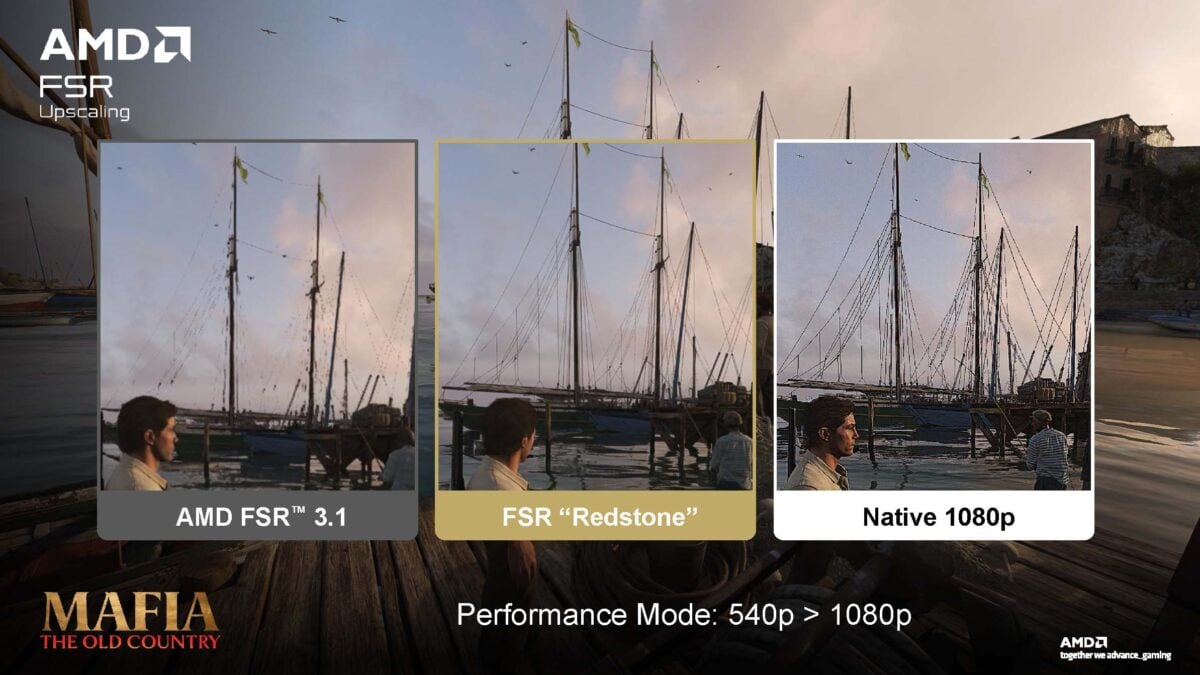
As there are no changes to FSR Upscaling beyond its new name, I recommend reading my analysis on FSR 4 in my Radeon RX 9070 XT review to better familiarise yourself with the feature. In short, it’s a vastly superior upscaling tech to earlier versions of FSR, with much less blurriness, noise and visual artifacts. However, it does require the AI matrix cores in AMD’s latest RDNA 4 GPUs to work, at least officially.
FSR Frame Generation
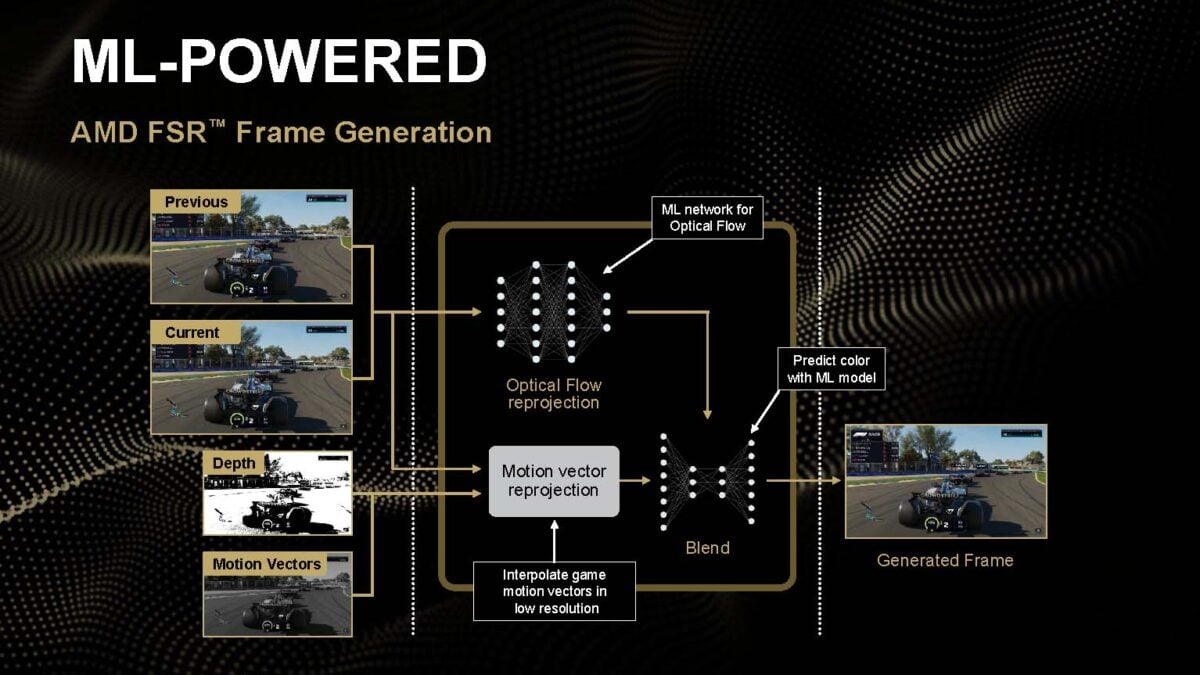
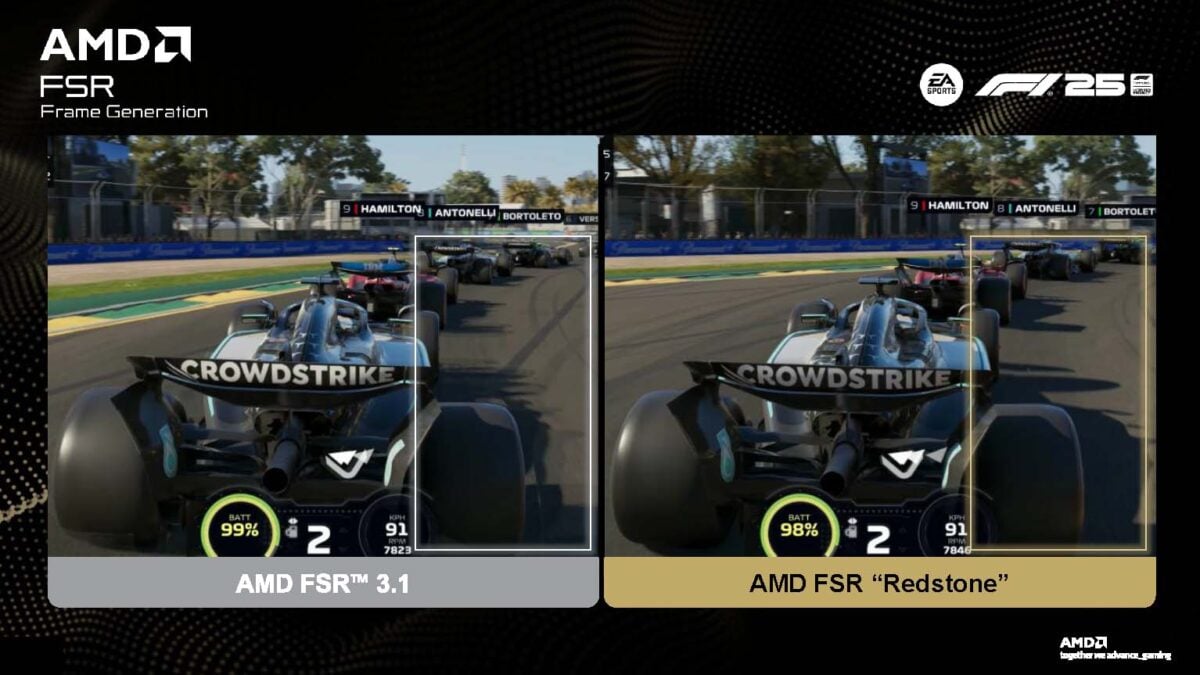
AMD is finally giving its approach to frame generation some overdue machine learning love. While FSR Frame Generation doesn’t boost the quantity of generated frames, it does promise vastly superior quality.
The order of operations for FSR Frame Generation remains largely similar to the prior version. It analyses the previous and current frame, plus motion vectors and depth data from the game engine, and then interpolates an entirely generated frame into the rendering pipeline.
The main difference here is that AMD is employing a neural network, specifically trained for this task, to handle optical flow reprojection, colour prediction, and the final blend between frame data with depth and motion vectors.
Altogether, FSR Frame Generation will reduce temporal artifacts, while also improving detail retention between frames, producing a more stable image. It essentially plugs the longstanding gap between AMD FSR and Nvidia DLSS Frame Generation. Like FSR Upscaling (FSR 4), you can inject this model into games via AMD’s drivers, but only if they already support FSR 3.1, limiting compatibility.
FSR Ray Regeneration
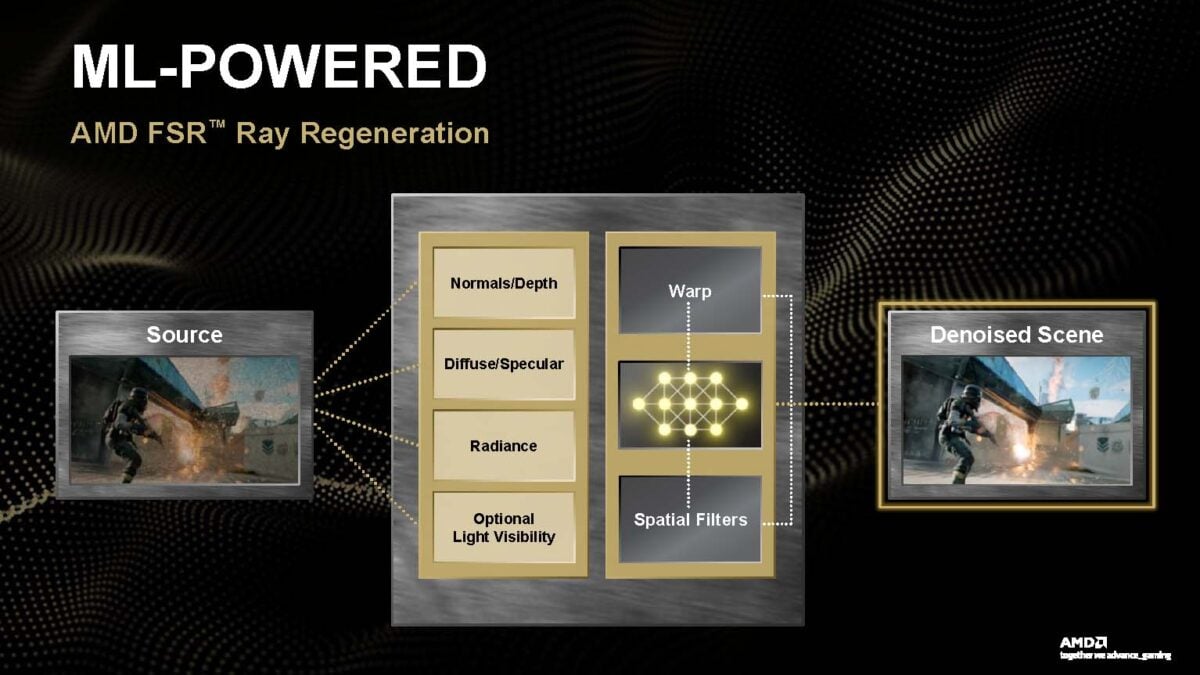
Debuting somewhat unceremoniously in Call of Duty: Black Ops 7, FSR Ray Generation provided our first taste of FSR Redstone. This is AMD’s answer to Nvidia’s DLSS Ray Reconstruction, providing a bespoke ray tracing denoiser powered by AI.
If you’ve ever looked at a ray-traced effect and thought it looked too grainy or shimmery, that’s a consequence of noise from the rendering pipeline making it into the final frame. Developers do craft their own denoisers to combat this problem, but their quality can greatly vary. FSR Ray Regeneration aims to provide its own solution to this problem via an in-house denoiser that uses machine learning.
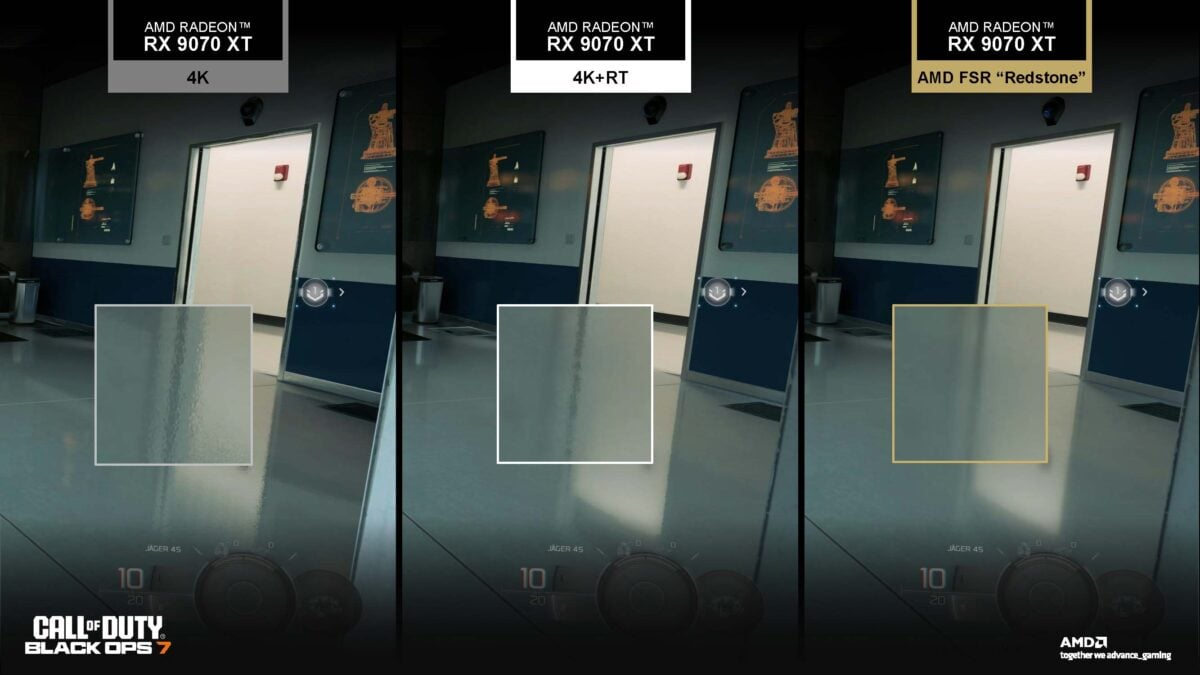
Efficiency is the name of the game with FSR Ray Regeneration, tracing fewer, noisier rays and using a neural network to plug the gaps rather than relying on brute force rendering. In theory, this results in more efficient and higher-quality ray traced effects.
Curiously, AMD explicitly states that FSR Ray Regeneration targets lighting and reflections. It’s unclear whether this wording reflects the implementation in Call of Duty: Black Ops 7, or if the denoiser doesn’t tackle the likes of ray traced shadows and other effects. I’ve reached out to the brand for clarification.
FSR Radiance Caching
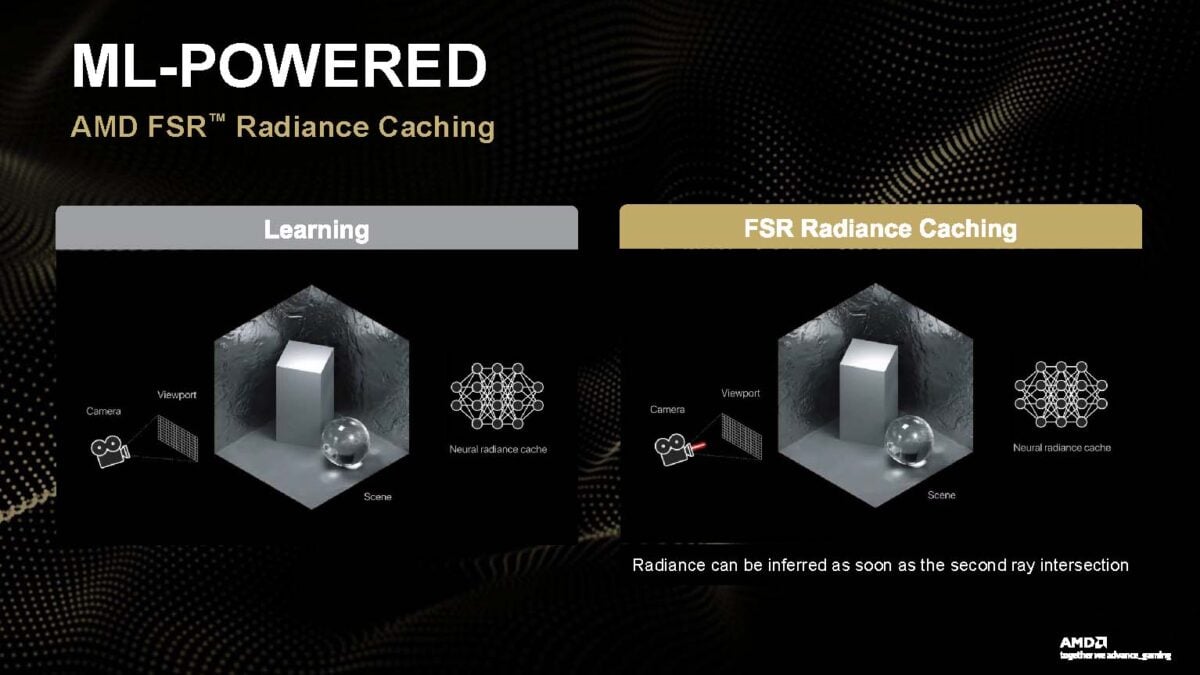
Finally, let’s touch on FSR Radiance Caching. This feature aims to improve the efficiency of ray-traced bounce lighting, removing the need for brute force calculations at every intersection.
Through FSR Radiance Caching, AMD promises that games will only need to calculate the properties of light bounces (AKA radiance) at the first two intersections, with machine learning generating the remainder. This should free up rendering horsepower elsewhere on the GPU, boosting performance, but should also improve the quality of indirect lighting and global illumination.

Unfortunately, FSR Radiance Caching isn’t available in any games at the time of writing. The launch of FSR Redstone, in this case, pertains to the release of the feature’s development SDK, with AMD expecting the first instances of game support sometime in 2026.
Analysis
AMD adopts a wholly modular approach to the FSR Redstone suite, allowing you to enable some or all of its features at your discretion. While this is old hat as far as upscaling and frame generation are concerned, this modus operandi does differ on the denoising front. For context, Nvidia requires you run its own denoiser, DLSS Ray Reconstruction, in tandem with DLSS Super Resolution.
Removing similar requirements from FSR Ray Regeneration is commendable in theory, but in practice it’s not something I’d recommend. Running the feature on its lonesome comes with significant performance costs, which disappear once FSR Upscaling or Frame Generation enter the picture, as my benchmarks will highlight.
Such circumstances make you wonder why AMD didn’t just follow in its competitor’s footsteps in this regard. With this in mind, let’s take a closer look at the performance benefits and costs, as well as image quality, of FSR Redstone.
Test PC
Call of Duty: Black Ops 7 is the only game that currently supports all available FSR Redstone features. More specifically, there are no other titles that support Ray Regeneration at the time of writing. As such, I’ve exclusively focussed my attentions on this first-person shooter, but remain keen to appraise other examples as they emerge.
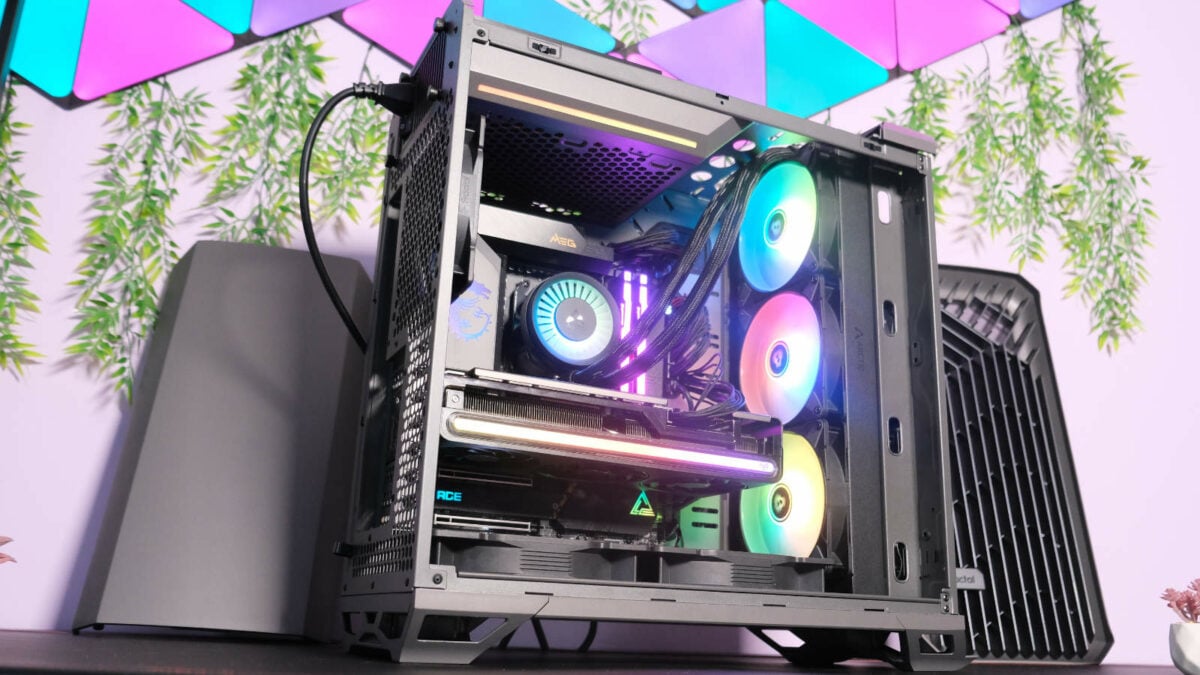
Our 7950X3D Test PCs
Club386 carefully chooses each component in a test bench to best suit the review at hand. When you view our benchmarks, you’re not just getting an opinion, but the results of rigorous testing carried out using hardware we trust.
Shop Club386 test platform components:
CPU: AMD Ryzen 9 7950X3D
Motherboard: MSI MEG X670E ACE
Cooler: Arctic Liquid Freezer III 420 A-RGB
GPU: Sapphire Nitro+ Radeon RX 7800 XT
Memory: 64GB Kingston Fury Beast DDR5
Storage: 2TB WD_Black SN850X NVMe SSD
PSU: be quiet! Dark Power Pro 13 1,300W
Chassis: Fractal Design Torrent Grey
In terms of components, I’ve called upon our Club386 7950X3D test bench but have replaced its graphics card with a Sapphire Nitro+ Radeon RX 9070 XT. As a reminder, all of FSR Redstone’s features require an RDNA 4 GPU, meaning the only other widely available compatible pixel pushers are Radeon RX 9070 GPUs, as well as Radeon RX 9060 XT 16GB and 8GB cards.
Performance
Loading up Call of Duty: Black Ops 7, I’m first intrigued to understand the performance impact of each FSR Redstone feature. My natural instinct would be to load up the game’s campaign, but FSR Ray Regeneration is bafflingly only available in the multiplayer and zombie game modes. Thankfully, the in-game benchmark reflects the former, and produces reliably consistent results.
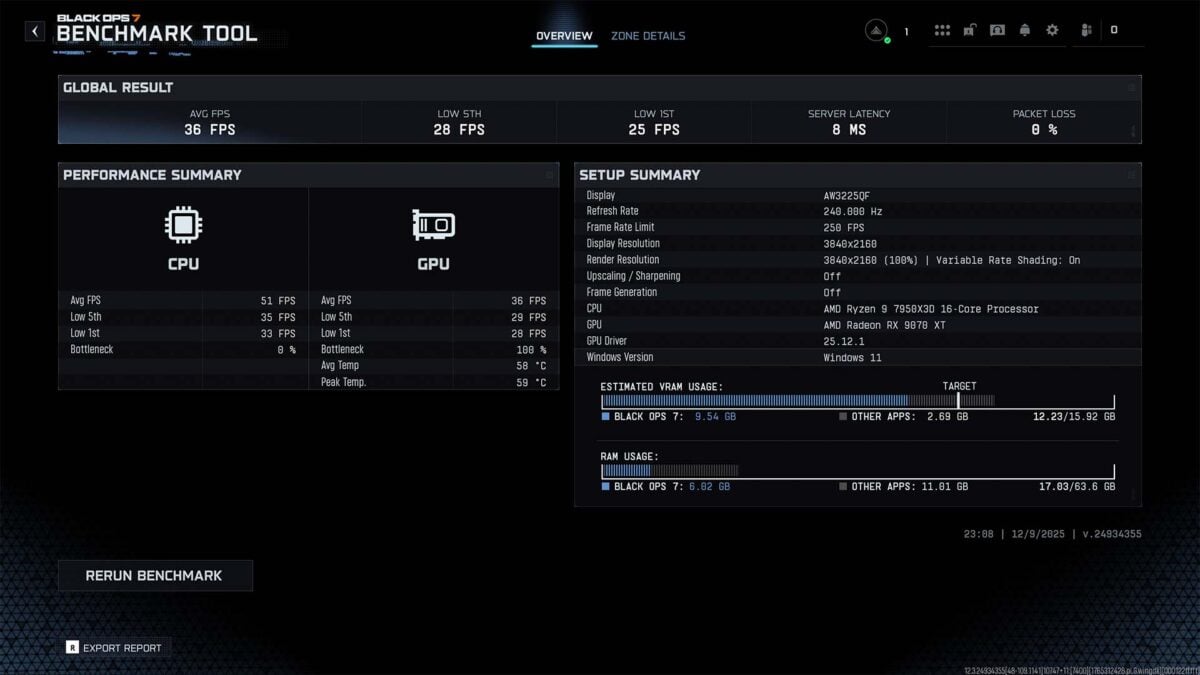
I’m running Black Ops 7 using its Extreme preset at 4K, complete with ray tracing. This not only creates a performance bottleneck on the GPU, ensuring our CPU isn’t holding back any FSR Redstone gains, but will also give the suite every chance to produce the highest quality final render possible.
| 1% Low / Avg. | Change (vs. Native) | |
|---|---|---|
| Native (4K) | 25 / 36fps | N/A |
| FSR 4 (4K Performance, 1080p) | 45 / 66fps | +80% / +83% |
| FSR 4 + Frame Generation | 56 / 117fps | +124% / +225% |
| FSR 4 + FG + Ray Reconstruction | 57 / 114fps | +128% / +217% |
At native 4K, my Radeon RX 9070 XT puts up a respectable effort in the face of such a demanding workload, but no one’s interested in playing Call of Duty with a 36fps average. Nevermind the fact that 1% lows of 25fps make for a bumpy ride, dipping below that all-important 30fps threshold for any game.
Turning to FSR 4 in Performance mode renders each axis at 50%, shrinking my 3840×2160 resolution to 1920×1080 (1080p). Halving the pixel count doesn’t quite result in neatly doubling performance, but the system isn’t far off, as 1% lows and average frame rates increase to 45fps (+80%) and 66fps (+83%).
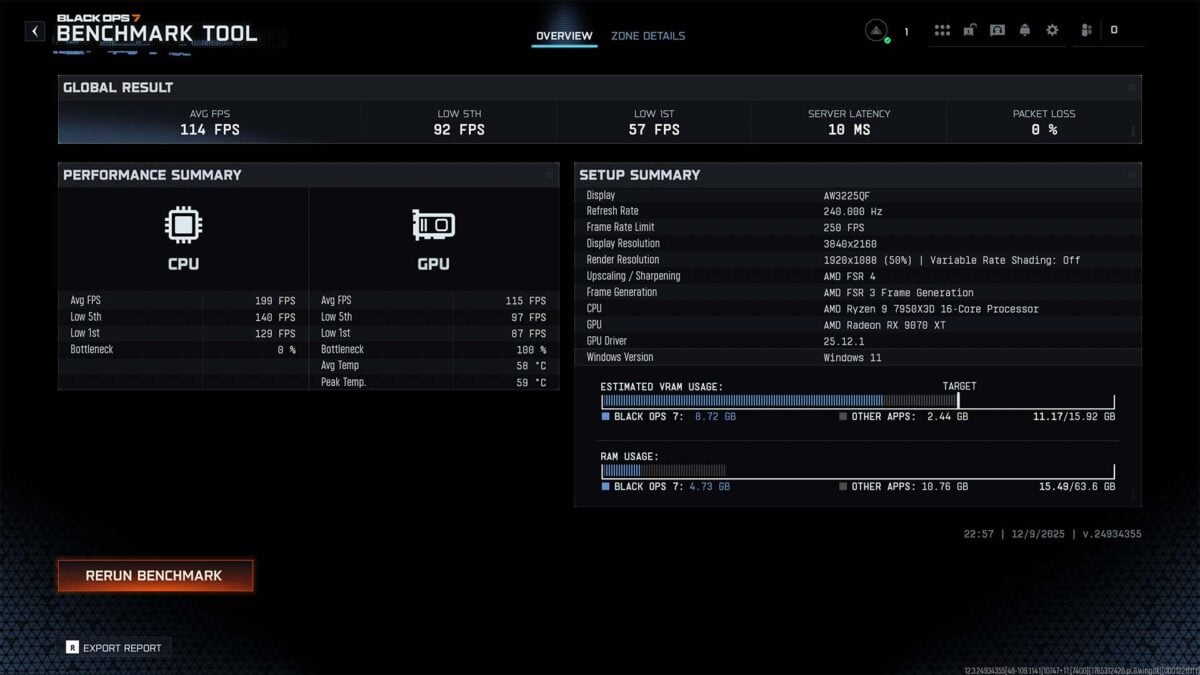
Enabling FSR Frame Generation without FSR 4 is possible but unwise in this situation, on account of my native average frame rate (36fps) already being well below the recommended 60fps target, producing untenable latency. However, with the upscaler in tow, there’s no such issue. As a team, generated frames push performance up to 117fps (+225% vs. native) but 1% lows aren’t quite as sky high at 56fps (+124%).
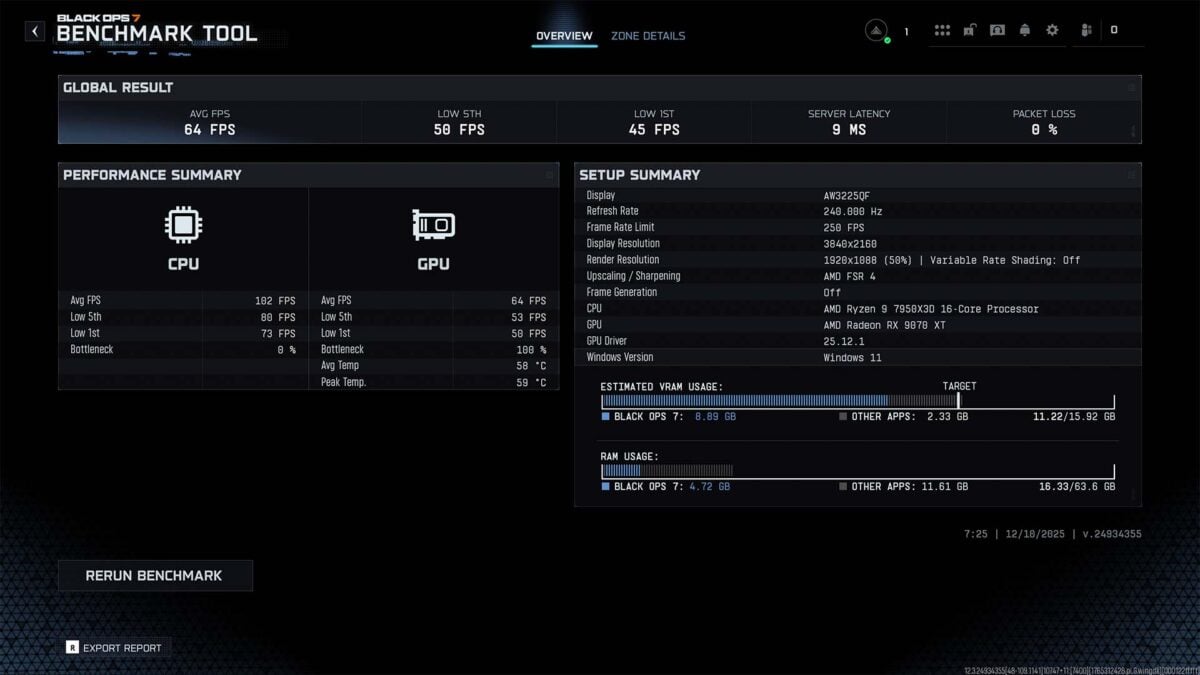
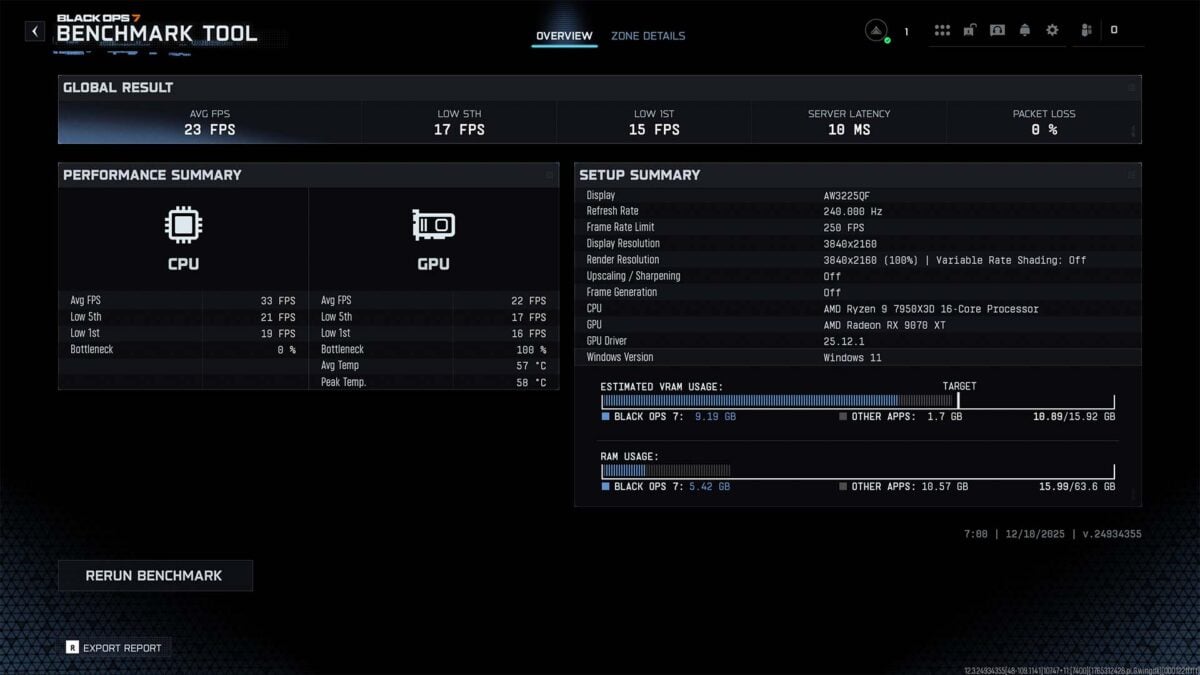
Finally, throwing FSR Ray Reconstruction into the mix does have a small impact on performance to the tune of 3fps with FSR 4 and Frame Generation in play. To ensure this wasn’t a variance in FSR Frame Generation, or elsewhere, I benchmarked the feature more extensively at native resolution and with FSR 4, the results of which populate the table below.
| 1% Low / Avg. | Change (vs. Native) | |
|---|---|---|
| Native (4K) + Default Denoiser | 25 / 36fps | N/A |
| Native (4K) + FSR Ray Reconstruction | 15 / 23fps | -40% / -36% |
| FSR 4 (4K Performance, 1080p) + DD | 45 / 66fps | +80% / +83% |
| FSR 4 (4K Performance, 1080p) + RR | 45 / 64fps | +80% / +78% |
Introducing FSR Ray Reconstruction into a rendering pipeline with FSR 4 once again sees performance drop slightly, relative to the native denoiser, this time by 2fps (-5%). More surprising, however, is the feature’s impact on native rendering, chopping 1% lows and average frame rates down by 40% and 36%, respectively.
It’s unclear why the denoiser has such a significant impact in one scenario and little in the other. Without another game with which to test FSR Ray Reconstruction, it’s impossible for me to conclude whether this is reflective of Call of Duty’s implementation or the feature itself. Regardless, it’s these results that make me wonder why AMD didn’t follow in Nvidia’s footsteps and outright require upscaling before making the denoiser available.
I’ve reached out to AMD for comment on the reasoning behind its approach, and to clarify if the performance above is within expectations.
Conclusion
The changes that AMD is introducing via FSR Redstone now, and in the imminent future, are undoubtedly an improvement on what came before. I’m particularly glad to see FSR Frame Generation finally provide comparable quality to Nvidia DLSS and Intel XeSS.
However, this release leaves me with several questions. How well does FSR Ray Regeneration hold up outside Black Ops 7? How much of a benefit will FSR Radiance Caching offer in real terms? Lack of day-one support makes these questions unanswerable right now leaving me only with feelings of frustrated curiosity as I await game support down the line.
That’s not forgetting longer-standing queries regarding the necessity of FSR 3.1 for driver injections, and the lack of backwards compatibility on older Radeon graphics cards, despite modders proving it’s indeed possible. Meanwhile, Nvidia has no problem with you forcing the latest DLSS models upon any game you fancy, with support for its latest transformer model stretching as far back as the RTX 2060, a now seven-year old card.
To adopt a more optimistic sensibility, the future looks brighter for Radeon now with FSR Redstone than it did prior. I’m hopeful that AMD won’t rest on its laurels, and pursues aggressive adoption of these features, assisting developers as necessary. There’s still work to do in achieving feature parity with Nvidia, but the brand is a good deal of the way there, possibly inviting room for genuine innovation instead of attempts to escape its main competitor’s shadow.
