


The MAG X870E Tomahawk Max WiFi joins its siblings in MSI’s sweeping refresh of its AM5 lineup. Like other ‘Max’ series boards, this one replaces the existing model, and brings subtle but welcome changes that make an already excellent mainstream motherboard even better.
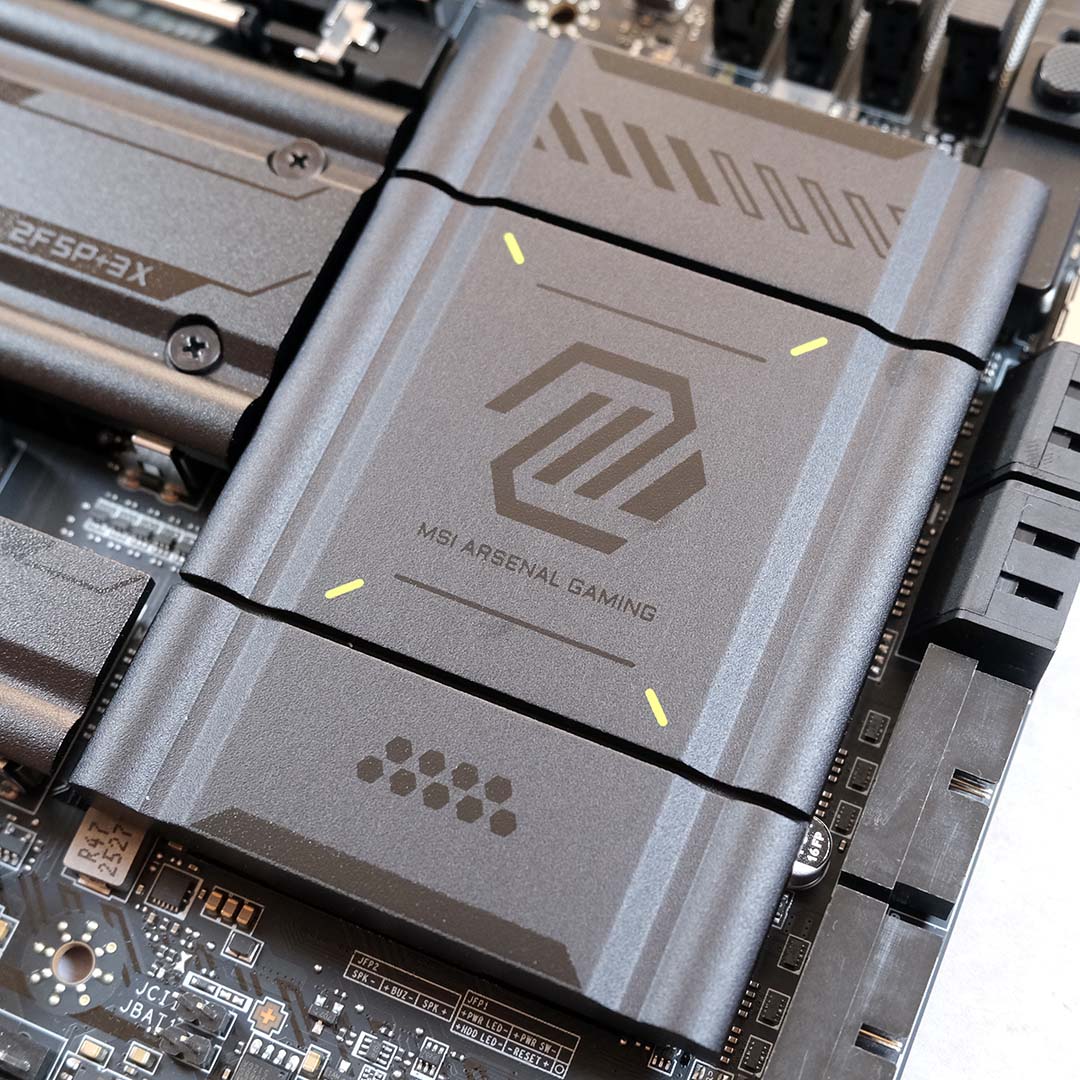

MSI MAG X870E Tomahawk Max WiFi
Pros
- Great USB selection
- Solid build quality
- Intuitive BIOS
- Convenient feature set
- More universally appealing colour scheme
Cons
- Lacklustre one-click OC system
- No RGB frills
Club386 may earn an affiliate commission when you purchase products through links on our site.
How we test and review products.
At the time of writing, MSI hasn’t announced a price for the MAG X870E Tomahawk Max WiFi, nor are there retail listings for the motherboard. However, I understand that this board should launch for around the same price as the one it’s replacing, so I’d expect a ~£300 / $300 price tag.
Specs
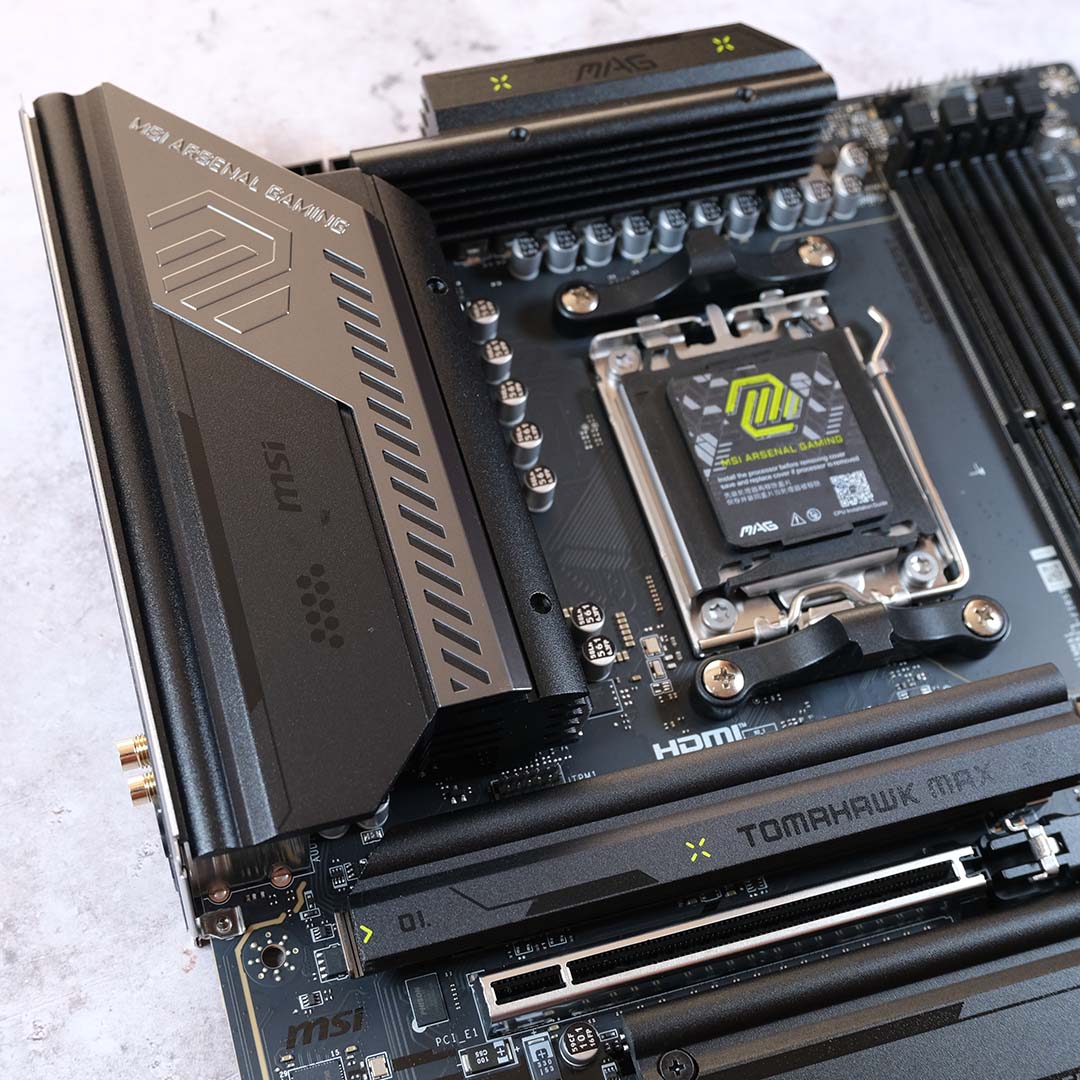
The ‘Max’ moniker doesn’t come with any changes to baseline specifications relative to the original X870E Tomahawk motherboard, which this one now replaces on store shelves. However, changes in design make the MAG X870E Tomahawk Max WiFi more appealing than its predecessor, while retaining everything that made it great in the first place.
While specifications remain identical, the two boards are visually distinct. The newer model tones down the bolder green accents, save for a few splashes across the heatsinks, in favour of a black-on-black colour scheme. This change does remove some of the Tomahawk’s trademark character, but conversely makes it easier to fit into a build in terms of colour scheme.
| MAG X870E Tomahawk Max WiFi | |
|---|---|
| VRM | 14+2+1, 80A |
| RAM support | Slots: 4 Max. capacity: 256GB Max. OC speed: 8,400+MT/s |
| Onboard graphics | HDMI 2.1 (x1) USB-C (x2) |
| PCIe expansion slots | PCIe 5.0 x16 (x1) PCIe 4.0 x4 (x1) PCIe 3.0 x1 (x1) |
| Audio | Realtek ALC4080 |
| Storage | PCIe 5.0 x4 (x2) PCIe 4.0 x4 (x2) SATA 6Gb (x4) |
| Rear USB | USB-C 4 (40Gb) (x2) USB-C 3.2 Gen 2 (10Gb) (x1) USB-A 3.2 Gen 2 (10Gb) (x2) USB-A 3.2 Gen 1 (5Gb) (x3) USB-A 2.0 (480Mb) (x4) |
| Front USB | USB-C 3.2 Gen 2×2 (20Gb) (x1) USB-A 3.2 Gen 1 (5Gb) (x4) USB-A 2.0 (480Mb) (x4) |
| LAN | Realtek 5Gb (x1) |
| Wireless | Bluetooth 5.4 Wi-Fi 7 |
| Price | TBC |
As always, let’s start from the top down with VRMs. The MAG X870E Tomahawk Max WiFi has 14+2+1 power phases, with an 80A Smart Power Stage (SPS). This design provides a rock-solid base for the system; I’d have no qualms about installing any AM5 processor, up to and including an AMD Ryzen 9 9950X3D, in this board.
I’d have no qualms about installing any AM5 processor, up to and including an AMD Ryzen 9 9950X3D, in this board.
Shimmy to the right and you’ll find four DIMM slots, capable of running up to 256GB of DDR5 RAM. Running a lone stick, MSI claims you can expect overclocked speeds of 8,400+MT/s. However, in a dual-channel or even quad-channel configuration, transfer rates drop to a still-respectable 6,400+MT/s. This is all, of course, providing you have memory capable of running at such speed.
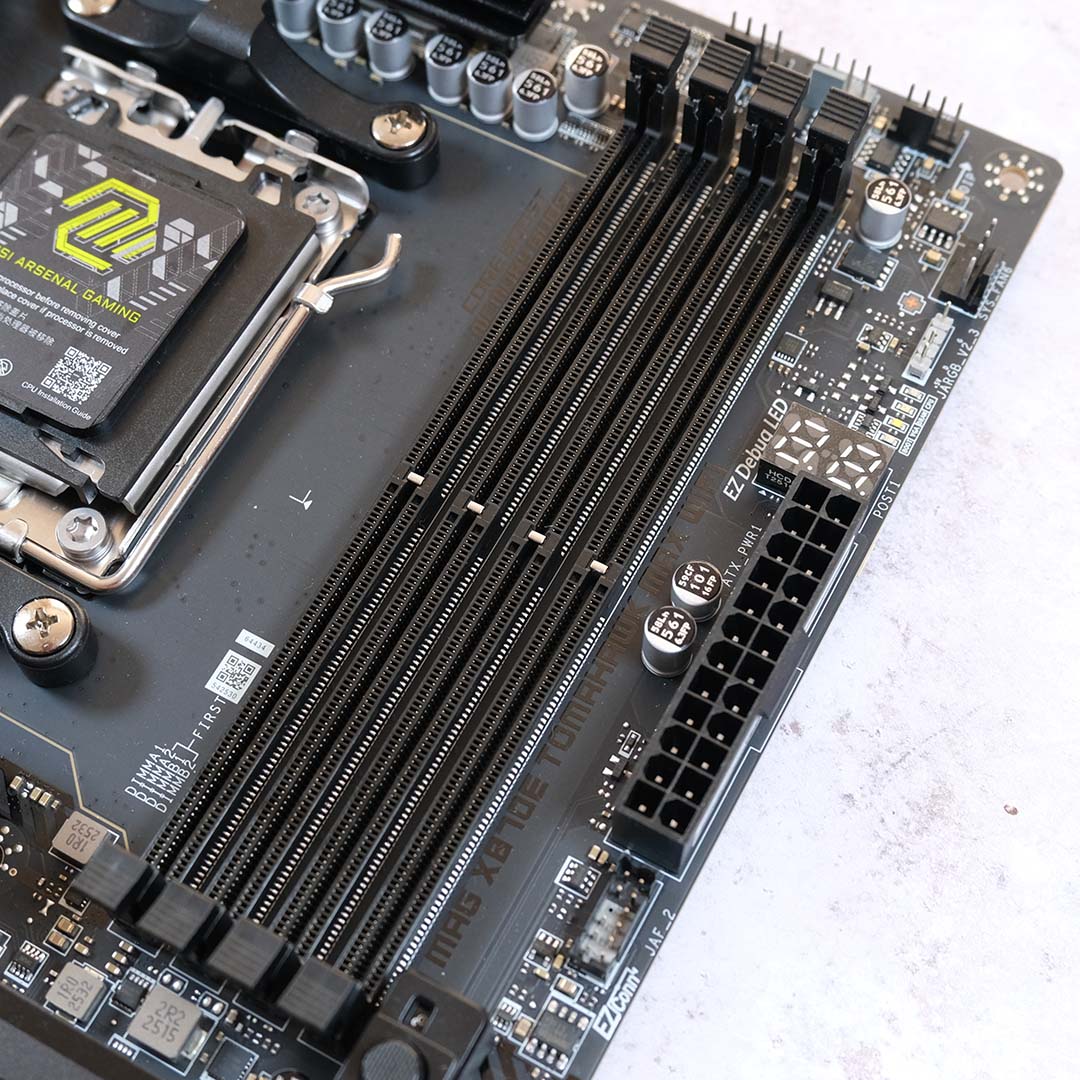
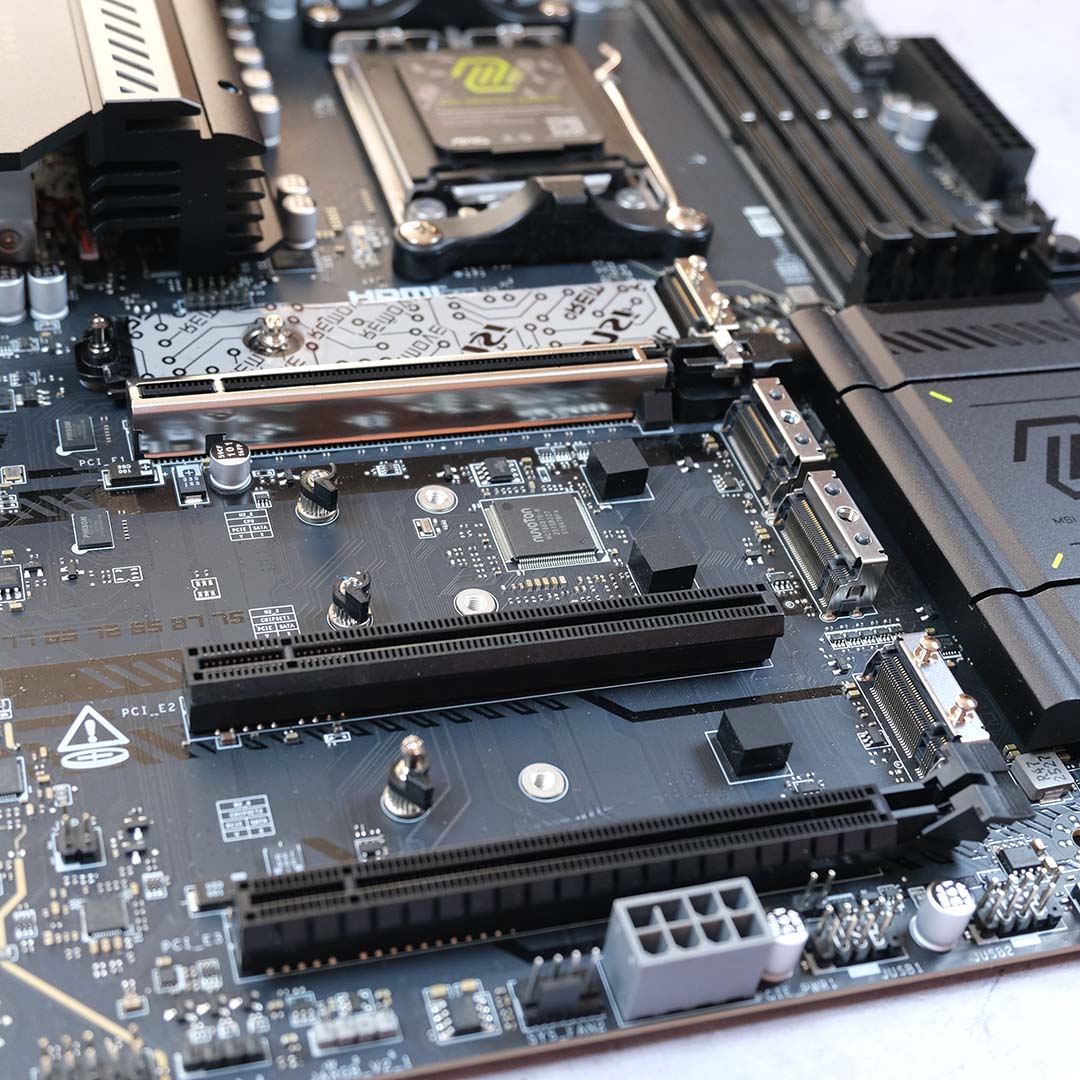
Turning attention southward, there’s a healthy selection of expansion slots. Better still, as an X870E motherboard, there’s PCIe Gen 5 support ready to go for add-in cards and M.2 NVMe storage alike.
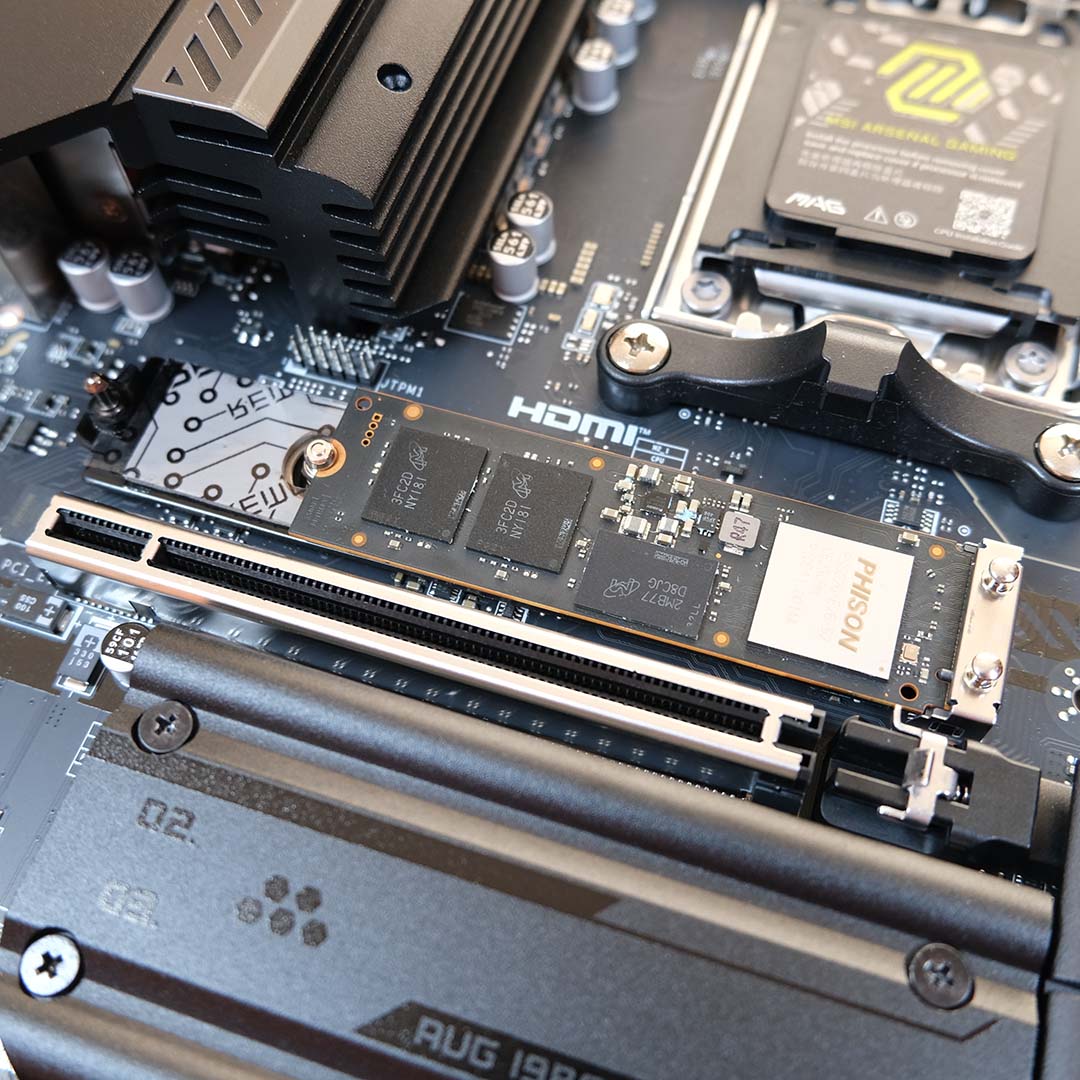
Slotting my Crucial T700 into the primary slot was accomplished with a press, twist, and click of latches.
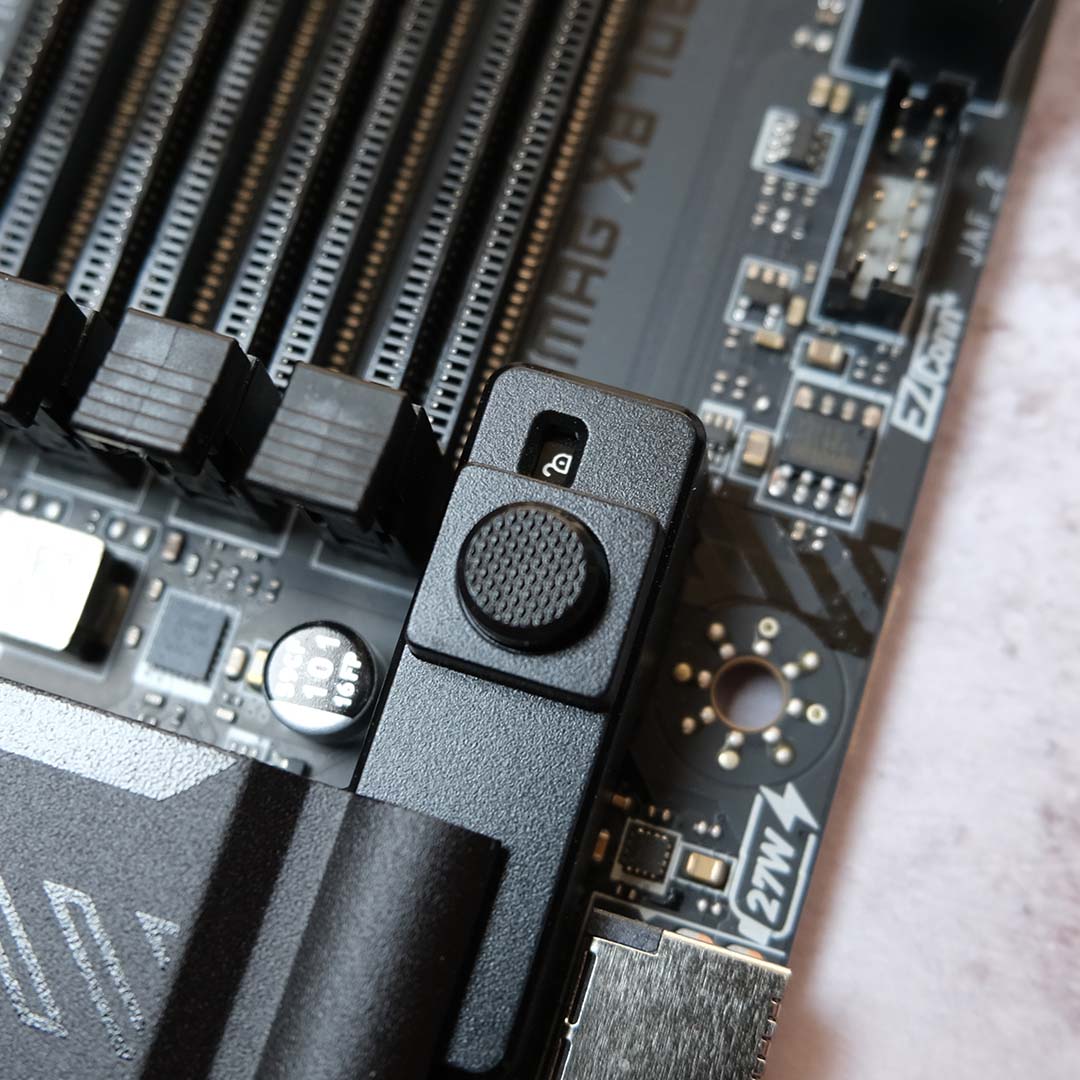
In terms of PCIe cards, the top-most of the three full-size slots runs at PCIe Gen 5 x16. This should be the primary port of call for any graphics card, especially considering this one features an EZ GPU release mechanism and reinforced bracket. Both these features make it easier to install and uninstall cards, lessen the anxieties of sag, and save me squishing my fingers, as I’d otherwise have to awkwardly reach for a pesky PCIe latch. As you trail down the MAG X870E Tomahawk Max WiFi, you’ll find one running at Gen 3 x1 speeds and the other at Gen 4 x4. That’s enough bandwidth to fit a capture card and some additional USB ports.
For storage, there are two Gen 5 x4 and two Gen 4 x4 ports that line the board, in descending order of speed. All the M.2 slots sport passive heatsinks, two of which are toolless, with the larger centre block requiring a screwdriver. Slotting my Crucial T700 into the primary slot was accomplished with a press, twist, and click of latches, providing the Gen 5 drive with a cool home to speed along to its heart’s content. Note, the USB 4 ports share bandwidth with the second Gen 5 slot, reducing its speed to Gen 5 x2 when a device is using one of the 40Gb Type-C ports.
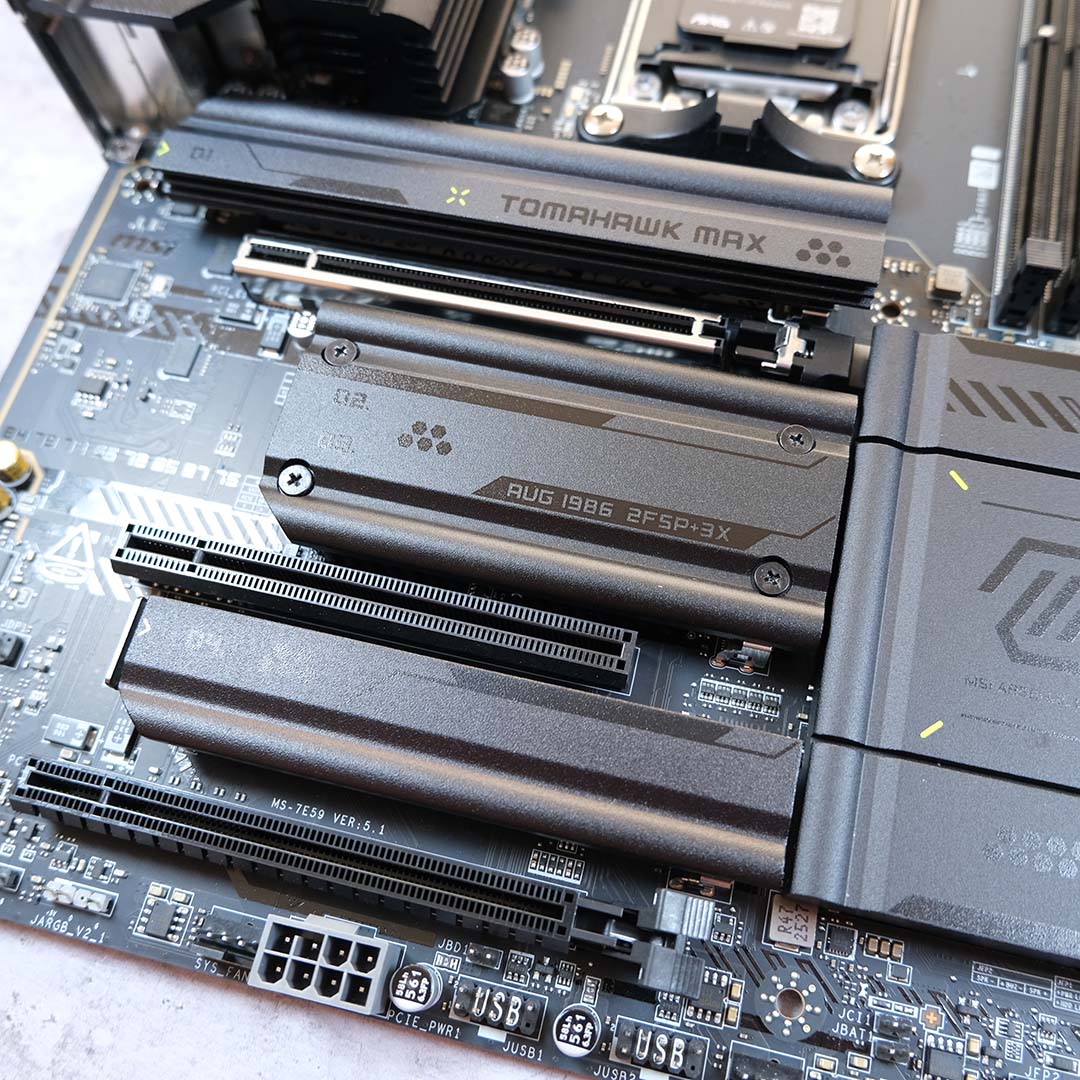
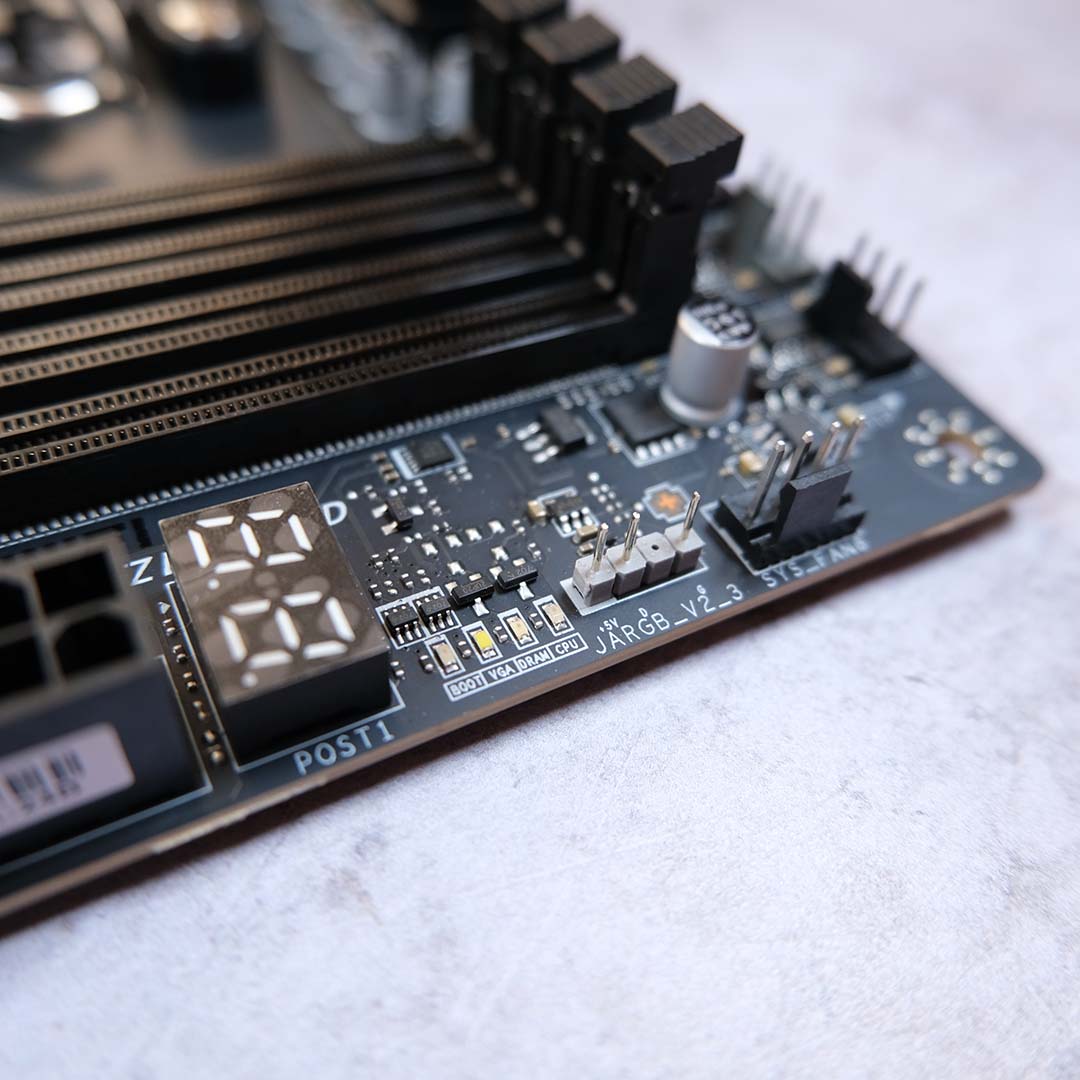
As ever, I’m glad to see an array of EZ Debug LEDs.
In terms of internal USB headers, the MAG X870E Tomahawk Max WiFi supports up to four USB-A 2.0 (480Mb) inputs, four USB-A 3.2 Gen 1 (5Gb) ports, and a lone USB-C 3.2 Gen 2×2 (20Gb) socket. You’ll also find six fan headers spread across the board, in addition to discrete connections for an AIO pump and CPU cooler. However, there are only four RGB inputs available, so you’ll need to daisy chain your lighting gear accordingly.
As ever, I’m glad to see an array of EZ Debug LEDs and an error code display towards the top of the motherboard, as they make any troubleshooting infinitely easier. MSI also includes an ‘EZ Memory Detection’ LED, which is new to this Max model, and it will light up if you haven’t installed your RAM sticks properly.
The benefits of paying the premium for a MAG X870E Tomahawk WiFi Max, relative to a board such as MSI’s MAG X870E Gaming Plus Max, becomes readily apparent when looking at its rear I/O panel. There’s USB bandwidth for days here, with more than enough ports and speed for peripherals and more.
There’s USB bandwidth for days here.
Leading the charge are two USB-C 4 (40Gb) inputs, complete with DP Alt mode support. A lone USB-C 3.2 Gen 2 (10Gb) follows behind, alongside two USB-A ports of the same spec. Rounding off this selection are three USB-A Gen 2 (5Gb) and four USB-A 2.0 (480Mb) connections.

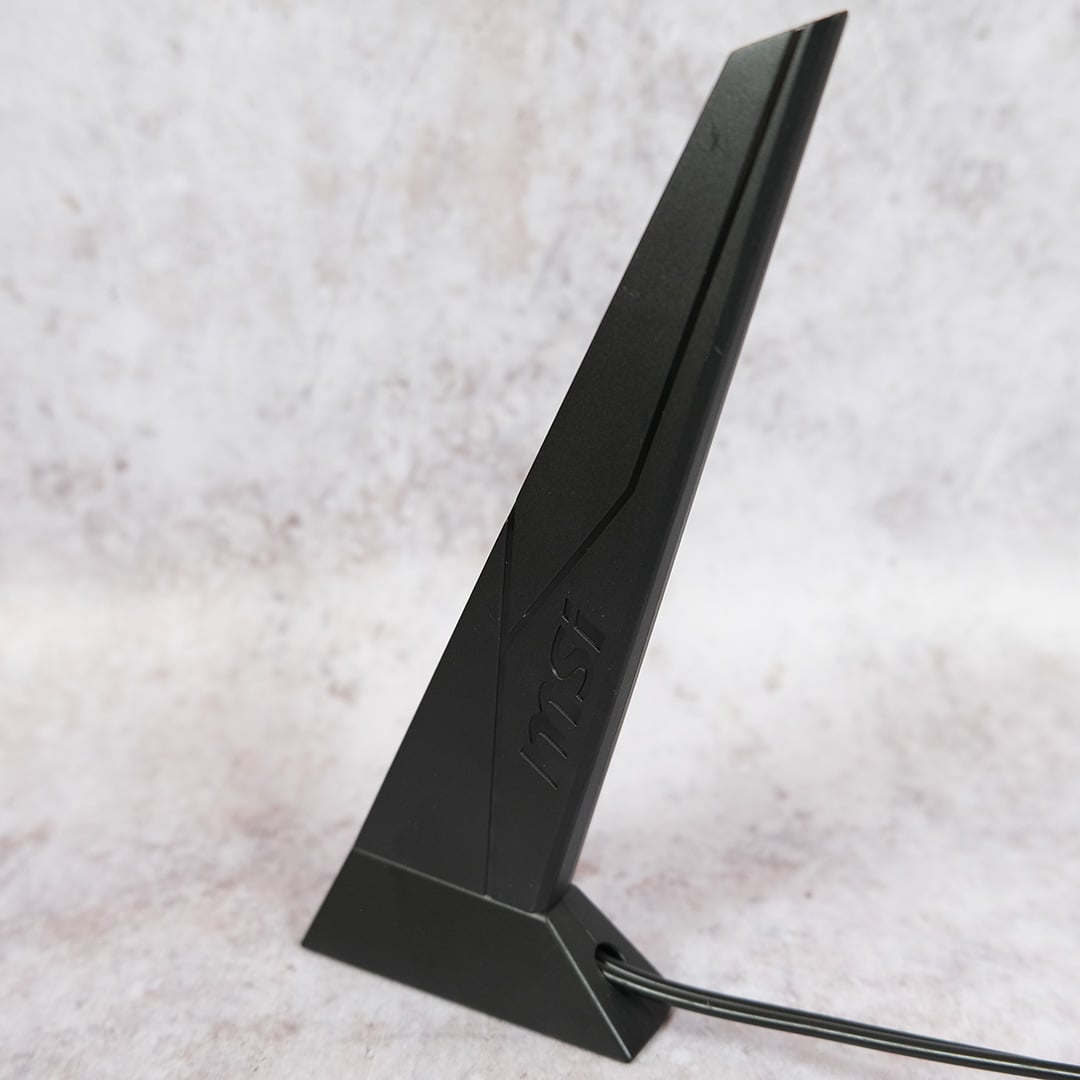
As standard with all Max motherboards, the MAG X870E Tomahawk WiFi Max arrives with Wi-Fi 7 and Bluetooth 5.4, as well as a 5Gb Ethernet port. On the wireless front, this is as fast a consumer-grade connection as you could hope for, and I dare say few will be able to saturate this RJ45 port.
You’ll be thankful to have these features to hand should you push an overclock too far.
Kudos to MSI for not skimping on Flash BIOS and Clear CMOS buttons either. While their addition may seem inconsequential, you’ll be thankful to have these features to hand should you push an overclock too far. I’m also thankful to have a high-quality Realtek ALC4080 audio codec at my disposal. Some may bemoan the lack of RGB on this board, but it’s by no means a deal-breaker in my book, and there’s the option to add your own lighting if you want it.
Firmware

MSI’s Max motherboard refresh doesn’t entail any major changes to its broadly excellent Click BIOS X firmware, but there is a subtle hardware change running under the hood. The company has doubled its BIOS capacity to 64MB.
This increase doesn’t present any meaningful differences at present, but supposedly guarantees the MAG X870E Tomahawk WiFi Max compatibility and stability with future hardware. This can only refer to Zen 6 Ryzen chips in my eyes, but we’ll know for certain in due time.
At present, Click BIOS X remains a fine example of firmware. Most users will find what they need on the ‘EZ Mode’ panel, such as A-XMP profiles and wider system information. Finding more enthusiast-orientated options in the ‘Advanced’ tab is a doddle too, thanks to a smart layout and a reliable search tool.
The board also supports MSI ‘Game Boost’, a one-click overclock of sorts. More accurately, this feature tweaks Precision Boost Overdrive (PBO) variables in an attempt to increase CPU performance. I’ll discuss the impacts of this later, but look above and you’ll see a screenshot of the changelog.
Performance
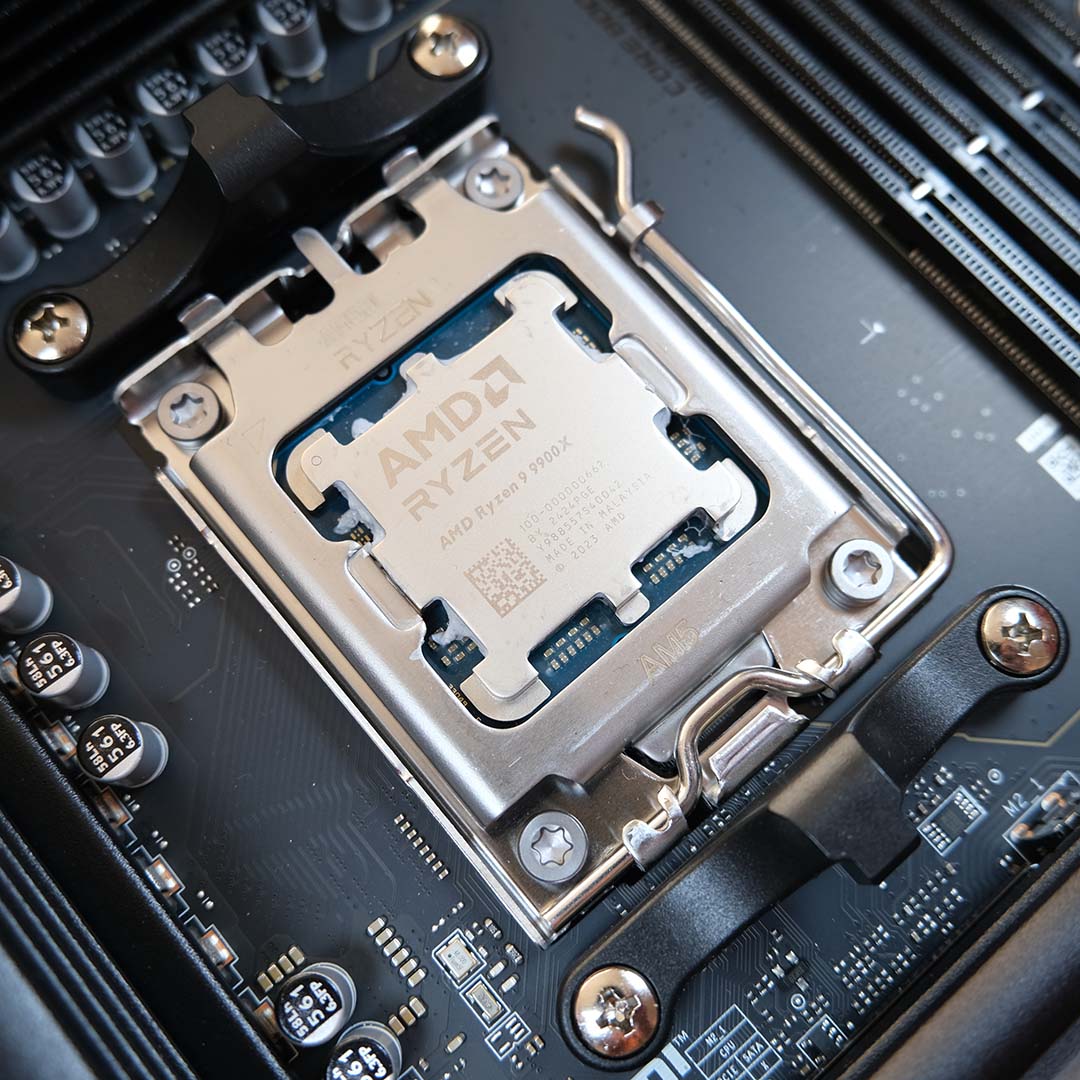
To put the MAG X870E Tomahawk Max WiFi through its paces, I’ve called upon my ever-reliable suite of motherboard review hardware. They include: a Ryzen 9 9900X CPU, a Crucial T700 2TB SSD, a be quiet! Dark Power 13 1,00W PSU, a Noctua NH-D15 chromax.black cooler, and 32GB (2x16GB) of Kingston Fury Renegade DDR5-6400 RAM. To maintain parity and enable comparisons with earlier reviews, I’ve kept my Radeon RX 7800 XT GPU to hand.
| MAG X870E Tomahawk Max WiFi | MAG X870 Tomahawk WiFi | |
|---|---|---|
| AIDA Read | 77,634MB/s | 77,642MB/s |
| AID Write | 83,146MB/s | 82,827MB/s |
| AIDA Copy | 71,716MB/s | 72,279MB/s |
| AIDA Latency | 80ns | 70.2ns |
| Cinebench 2024 1T | 138pts | 137pts |
| Cinebench 2024 MT | 1,826pts | 1,826pts |
| PCMark 10 | 10,873pts | 11,490pts |
| 3DMark Time Spy | 18,864pts | 18,768pts |
| 3DMark Steel Nomad | 4,091pts | 4,161pts |
| CrystalDiskMark seq. read | 12,394MB/s | 12,387MB/s |
| CrystalDiskMark seq. write | 11,814MB/s | 11,827MB/s |
| Cyberpunk 2077 (Min. / Avg.) | 67 / 79fps | 66 / 76fps |
| FFXIV: Dawntrail (Min. / Avg.) | 84 / 186fps | 83 / 182fps |
| VRM temperature | 45.5°C | 47.5°C |
| Power consumption (Idle / Load) | 129 / 303W | 156 / 312W |
In lieu of the outgoing motherboard for comparisons, I’ve tagged in MSI’s MAG X870 Tomahawk WiFi as a near-identical stand-in. As you can see from the results above, both boards deliver similarly solid performance and trade blows in every category.
There is a strange and stark difference in AIDA Latency, but even the flagship MEG X870E Godlike X leans closer towards 80ns. As such, I believe these differences don’t reveal a decrease in motherboard performance, with Windows, BIOS, or even AIDA updates proving the more likely culprit.
| Game Boost | Vs. Stock | |
|---|---|---|
| AIDA Read | 77,827MB/s | +0% |
| AID Write | 83,063MB/s | -0% |
| AIDA Copy | 72,626MB/s | +1% |
| AIDA Latency | 79.9ns | -0% |
| Cinebench 2024 1T | 138pts | +0% |
| Cinebench 2024 MT | 1,889pts | +3% |
| PCMark 10 | 11,275pts | +4% |
| 3DMark Time Spy | 18,885pts | +0% |
| 3DMark Steel Nomad | 4,096pts | +0% |
| Cyberpunk 2077 (Min. / Avg.) | 67 / 79fps | +0% / +0% |
| FFXIV: Dawntrail (Min. / Avg.) | 86 / 187fps | +2% / +1% |
| VRM temperature | 46.5°C | +2% |
| Power consumption (Idle / Load) | 128 / 379W | -1% / +25% |
Turning on the ‘Game Boost’ feature in MSI’s firmware doesn’t provide a significant uplift in any respect. Cyberpunk 2077 sees no change in frame rates, while Final Fantasy XIV: Dawntrail rises by a mere 1-2%, which is practically margin of error territory.
The biggest bumps to performance actually manifest in Cinebench 2024 MT and PCMark 10, but we’re only talking 3-4%. Such an improvement hardly seems worthwhile when power consumption rises by a discouraging 25%. Were this my system, I’d leave the feature off and stick with the gains my RAM’s A-XMP profile provides.
Conclusion
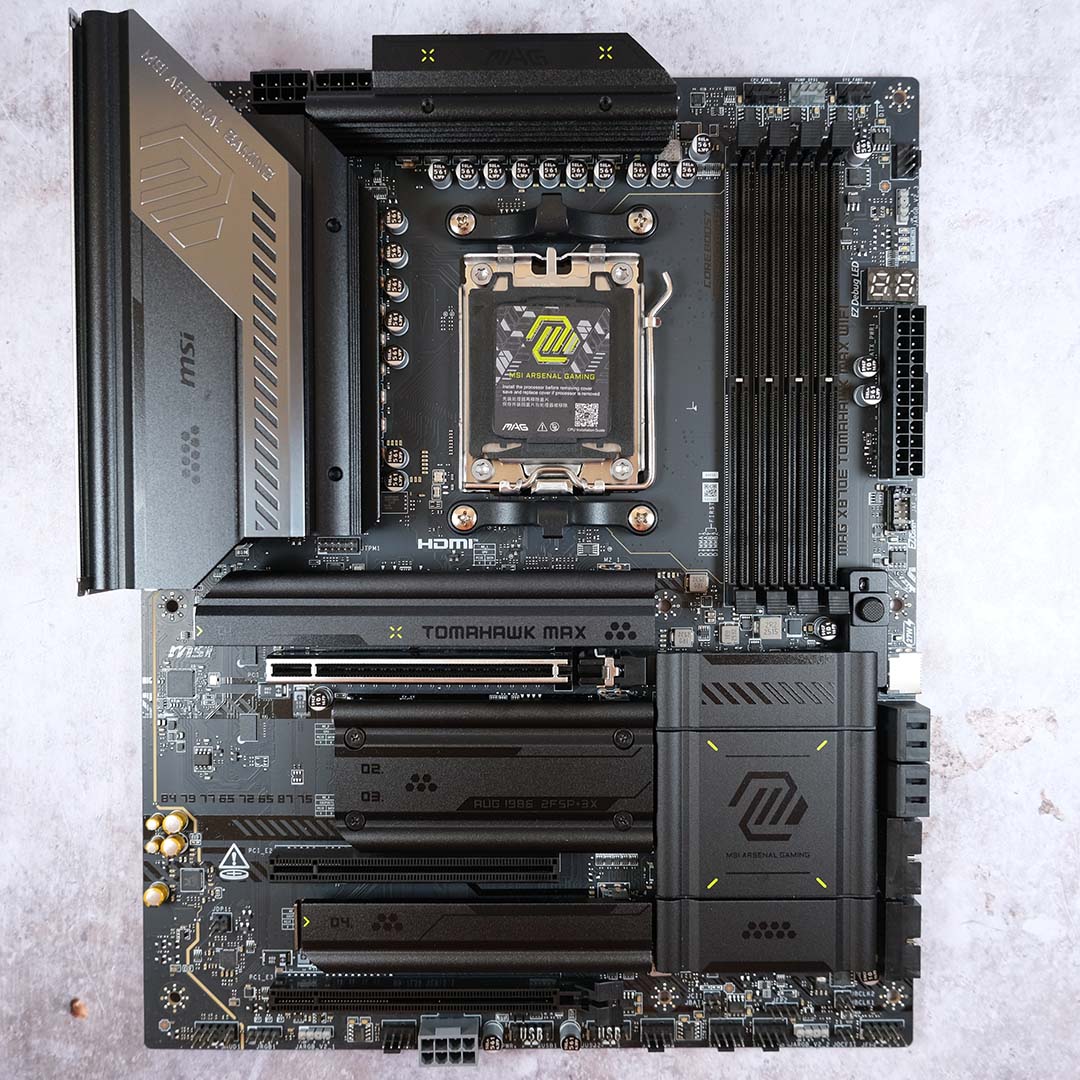
Building on the strong foundations of its predecessor, MSI’s MAG X870E Tomahawk Max WiFi is every bit as good as what came before and then some. This is an excellent choice of motherboard for any AM5 build, but particularly for those who value a greater breadth of features and connections over more-affordable options.
As a reminder, we still don’t yet know how much this motherboard will cost. Running with the assumption that MSI charges ~£300 / $300, as the brand already does for the existing board, I believe you’re getting great bang for your buck at that price.
Game Boost is about the only weak spot on this motherboard’s otherwise largely bulletproof feature set. Those, like me, who value a wide breadth of USB connections and toolless installation will appreciate what MAG X870E Tomahawk Max WiFi offers to mainstream builders without breaking the bank.
