

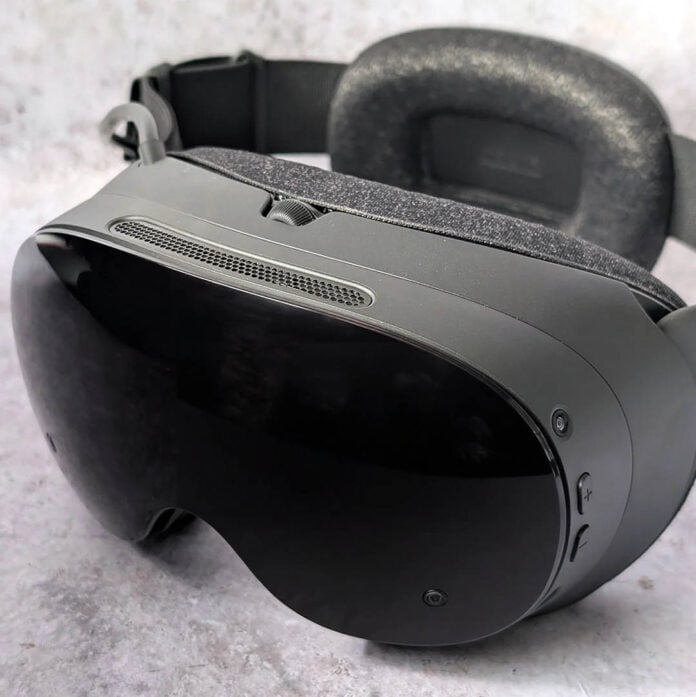
Valve has finally unleashed the Steam Frame, a device that aims to bridge the worlds of VR and traditional PC gaming. The system largely succeeds in this gambit, all while delivering exemplary wireless streaming quality. However, the pleasure of donning this versatile headset comes at a substantial cost that will undoubtedly give many pause.
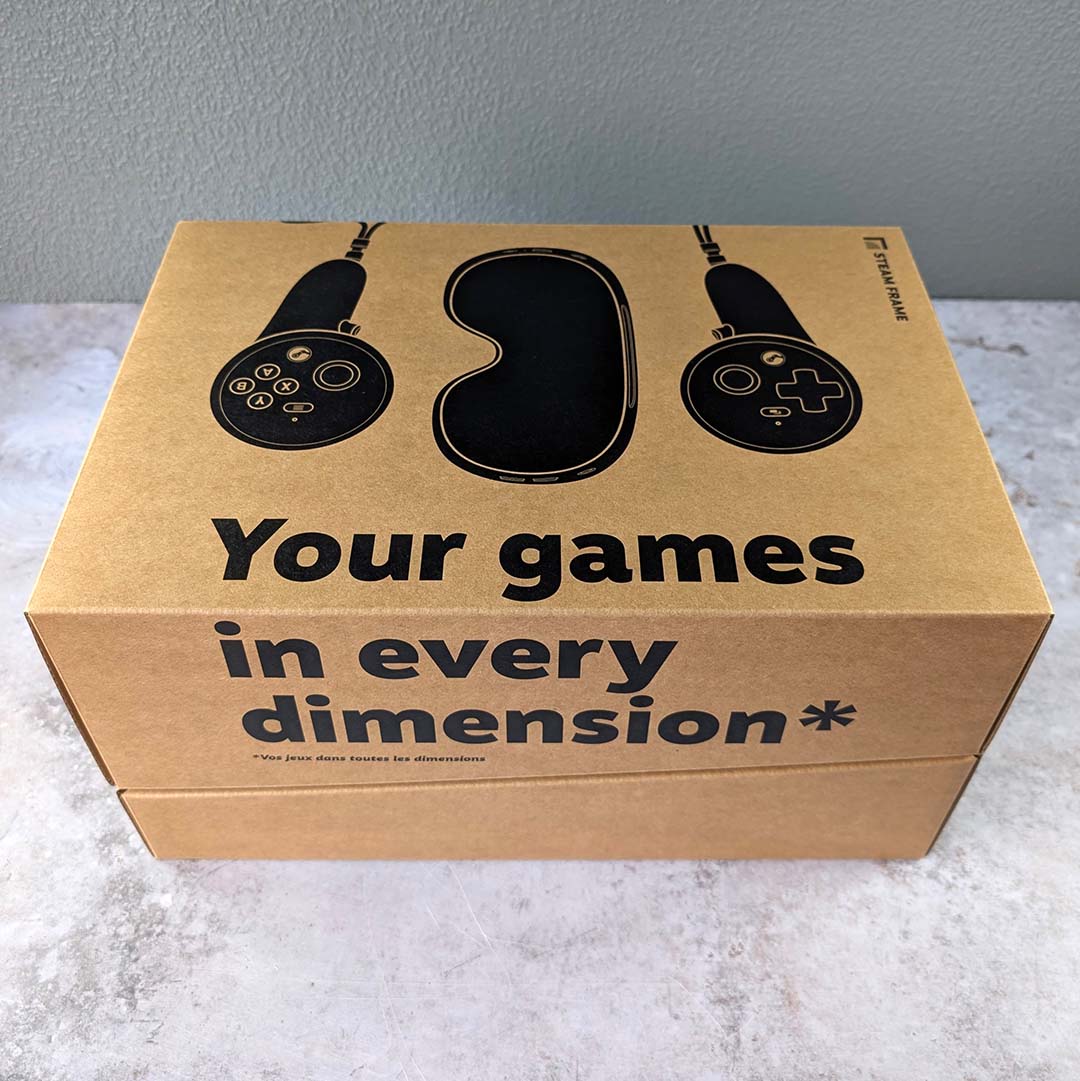

Steam Frame
$1,059 / £889
Pros
- Light, comfortable design
- Fantastic streaming quality
- Large game library
- SteamOS operating system
- Decent on-board performance
Cons
- High price
- No tethered connection option
- Monochrome passthrough
Club386 may earn an affiliate commission when you purchase products through links on our site.
How we test and review products.
The influence of AI on consumer hardware depressingly claims another victim in the Steam Frame, with a starting price of $1,059 / £889 for the base 256GB model. Valve also offers a 1TB variant, but all that extra storage pushes the cost of this headset up to an eye-watering $1,299 / £1,089. A complimentary copy of Half-Life: Alyx softens the blow, but not by much.
Specifications
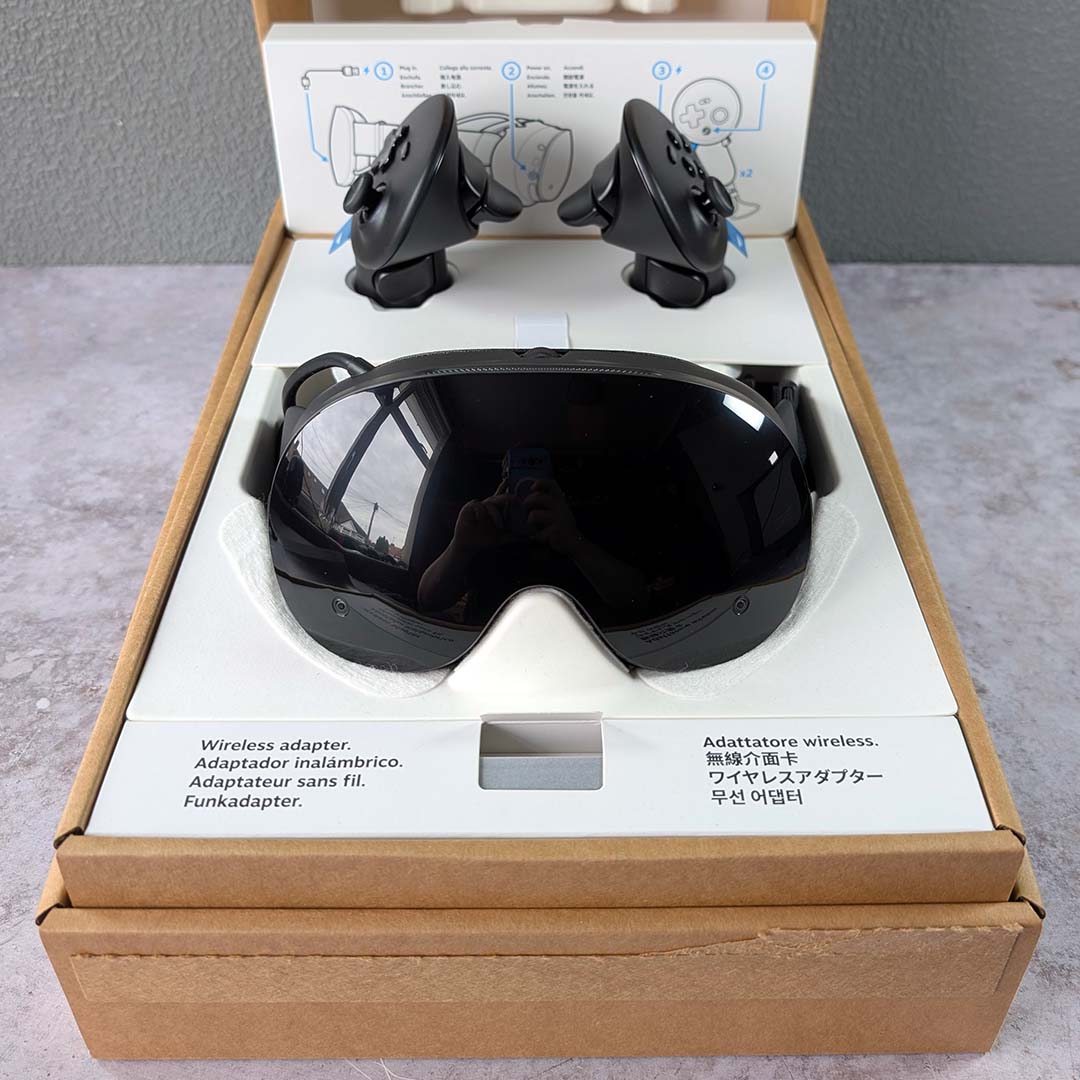
Valve’s chosen a Qualcomm Snapdragon 8 Gen 3 to power the Steam Frame, an Arm-based chip that was the go-to for flagship Android smartphones back in 2024. Importantly, this hardware promises a relatively strong standalone experience, and is a marked leg up from the Snapdragon XR2 Gen 2 you’ll find in Meta’s Quest 3 and 3S, both in terms of CPU and GPU performance.
That chip arrives with 16GB of LPDDR5X memory in a unified pool, meaning the system’s processor and graphics share the total available capacity. This is double the amount of RAM you’ll find in a Quest 3 and 3S, which not only improves performance and fidelity but also proves invaluable in opening the door to standalone experiences that are otherwise off-limits to Meta’s headsets. More on those in a moment.
Of course, these components are far less important when streaming from a gaming PC, where image quality and frame rates will typically be much higher than any internal hardware can offer. That said, there’s a solid amount of power on offer here that can drive a surprising number of games, both VR and non-VR. That comes in handy when you either don’t want to power up your rig or have it to hand.
Bear in mind that, unlike a Meta Quest headset, the primary source of software for the Frame is your Steam library, so it’s a fair assumption that many people buying it will already have a gaming PC of some description.
| Steam Frame | |
|---|---|
| Chipset | Qualcomm Snapdragon 8 Gen 3 |
| RAM | 16GB LPDDR5X |
| Lens type | Pancake |
| Resolution | 2160×2160 (per eye) |
| Refresh rate | 72-144Hz (144Hz experimental) |
| FOV | 110° |
| Battery | 21.6Whr |
| Weight | 440g |
| Storage | 256GB / 1TB microSD card expansion slot |
| Price | 256GB: $1,059 / £889 1TB: $1,299 / £1,089 |
Indeed, what separates the Steam Frame most from other VR headsets on the market is SteamOS, the same Arch Linux-based operating system you’ll find on the Steam Machine and Deck. However, this is the first time we’ve seen Valve’s software running on an Arm-based PC, which requires additional considerations to maintain application compatibility across Steam.
Without getting too much into the weeds, Valve is using two compatibility layers to make Steam games run natively on the Frame. There’s Proton, the real-time translator of DirectX instructions to Vulkan that you’ll find on the company’s other hardware, and now FEX-emu which emulates x86 instructions in a workable format for the headset’s Arm chipset.
Through this combination of Proton and FEX-emu, the Steam Frame can run applications and your games library in the same way as a Steam Deck, both in gaming and desktop modes. Valve has a ‘Great on Frame’ rating system up and running for the headset, to help identify titles that will run well out of the box. The majority of titles in my 690-strong game collection doesn’t have any classification at the time of writing, but this should improve over time, as they have for both Steam Machine and Deck.
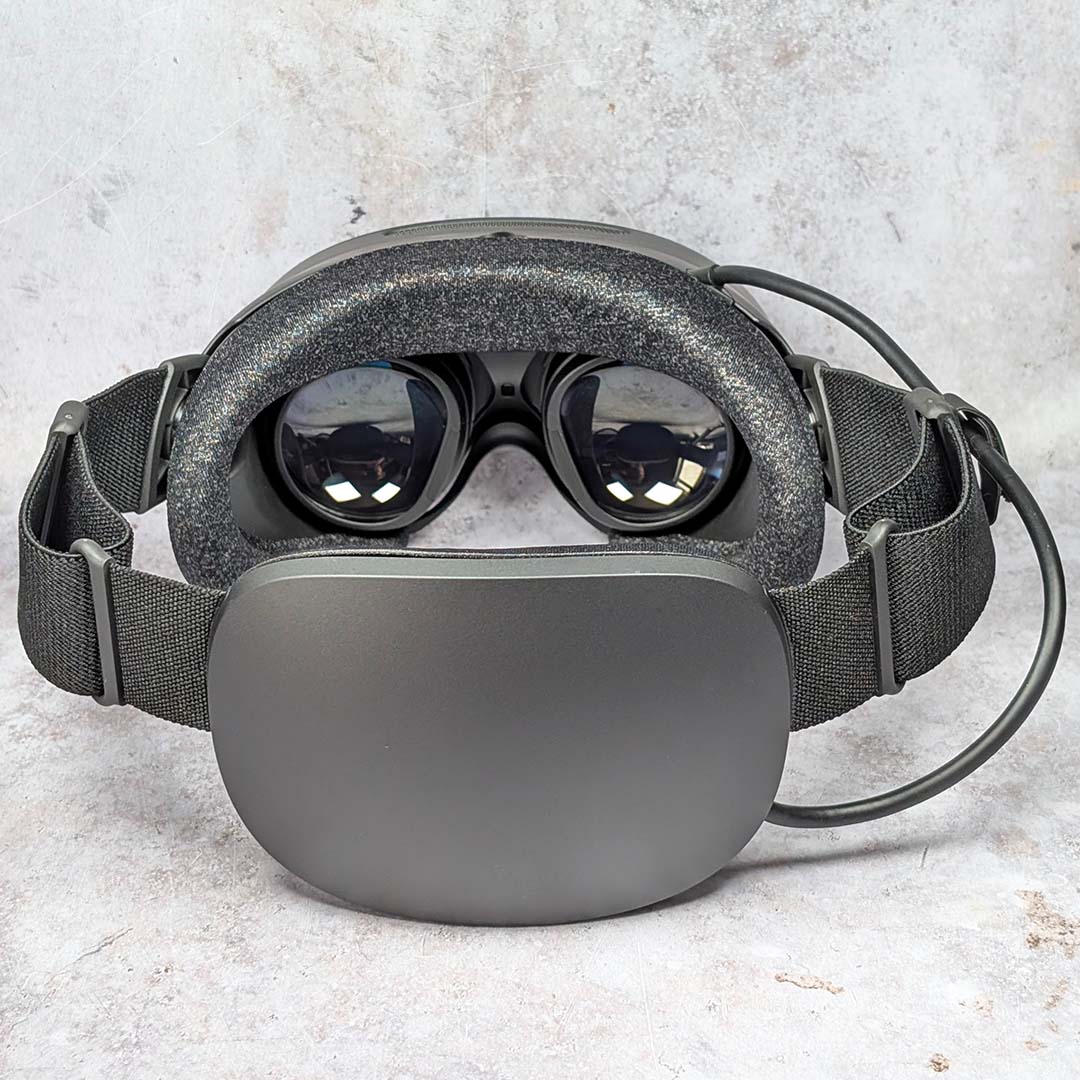
Behind the Steam Frame’s lenses are two LCD panels, which each deliver a per-eye resolution of 2160×2160. This setup is sharp to the eye across the system’s interface and games, keeping pace with contemporary competitors like the Quest 3 (2064×2208). You will find higher resolutions on the market, such as the Pimax Crystal Super (3840×3840), but those extra pixels come at a higher premium and often without a wireless connection.
Valve equips the Steam Frame with custom pancake lenses, shifting from the older, bulkier fresnel designs you’ll find on the Index. This approach generally benefits image quality with superior edge-to-edge sharpness, but does leave the headset prone to occasionally distracting ghosting. I found this problem to be particularly bothersome at times, but Valve has told us that “it’s working on software updates that should improve some of these artefacts, but we’re not sure yet when those updates will be available.”
Refresh rates similarly keep pace with the rest of the VR market, with an official 72-120Hz range alongside an experimental 144Hz mode. Out of the box, the headset defaults to 90Hz, but you can shift this on the fly via an easily accessible settings menu.
While this display setup is solid, particularly with its wide 110° field of view, I can’t help wishing the Steam Frame used OLED displays in place of LCD, as with the PlayStation VR 2. This would greatly boost contrast, which while serviceable is middling at best. Come on Valve, give us an inky-black revision as you did with the Steam Deck OLED.
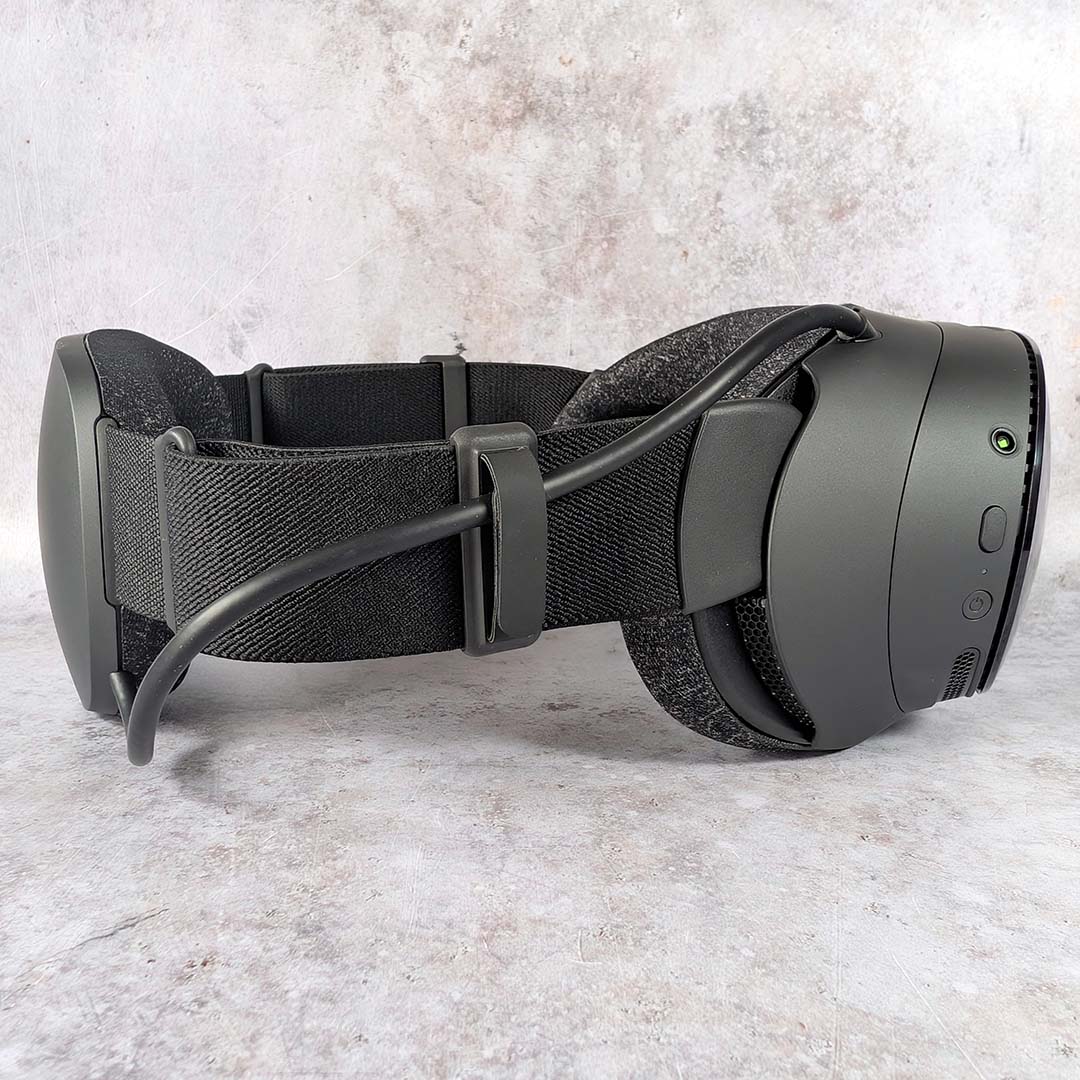
A 21.6Whr battery powers all this hardware. Valve smartly slots this lithium-ion block into the back of the strap, improving how the headset’s 440g total weight sits on your head by serving as a counterweight to the rest of the system’s internals.
Charging duties fall to a USB-C port on the back-left of the headset, capable of feeding it up to 45W. This port processes battery juice as well as data, but doesn’t serve as a means of creating a tethered connection over a single cable. Valve is going all-in on wireless, with no means of hardwiring the Steam Frame to a PC for a VR experience.
There’s sadly no 3.5mm port for wired headphones, as you’ll find on the Quest 3, for those who prefer to use headphones. However, the Steam Frame does feature dual speaker drivers for each ear. These fire past your ears, rather than directly into them like the Index meaning there’s more risk of sound leakage. That said, the audio experience they deliver is pleasingly punchy and tight, particularly in VR where directionality is key.
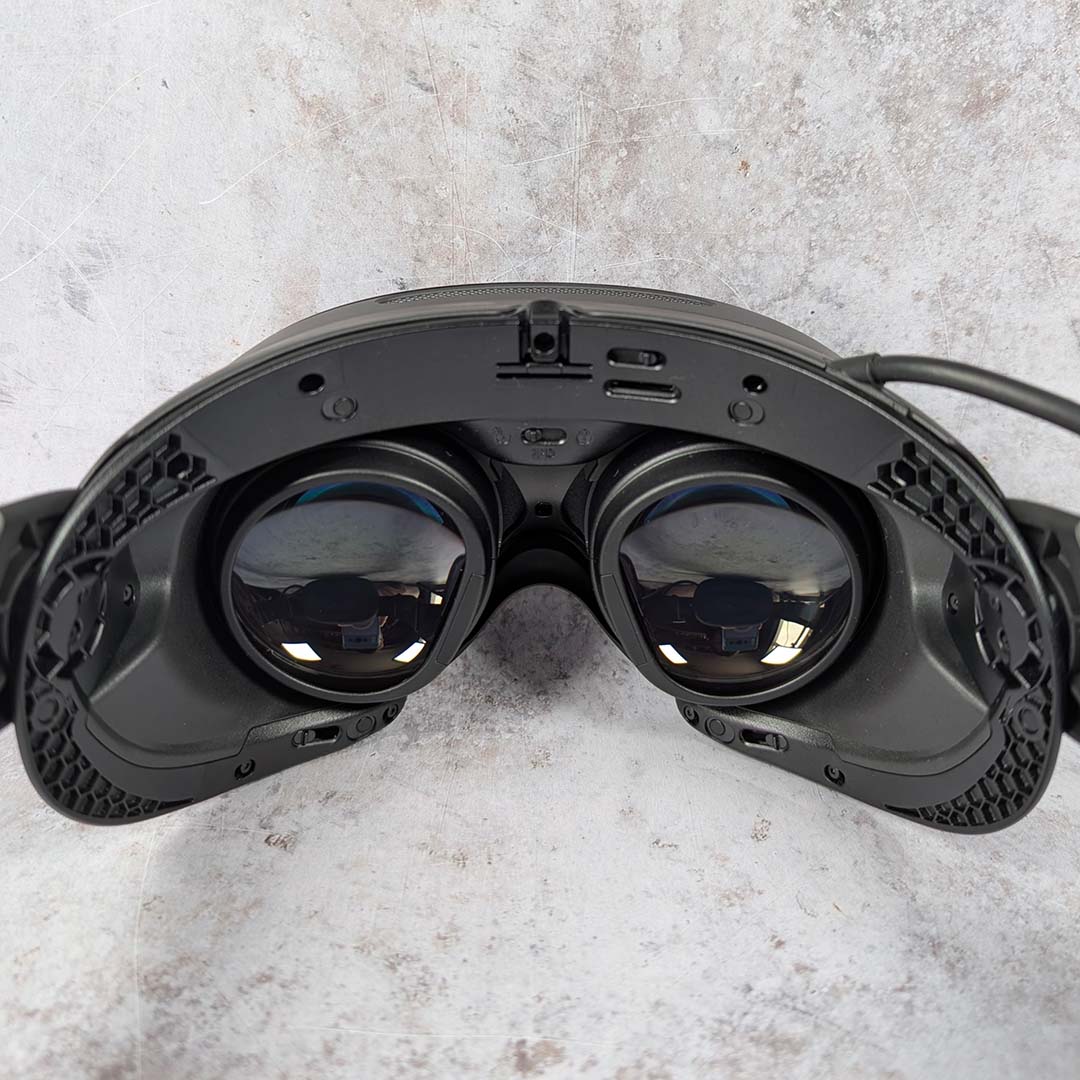
Every Steam Frame is identical in every specification bar one: storage. You’ll find headsets with either 256GB of 1TB UFS drives (Universal Flash Storage), which you can’t replace with larger alternatives down the line.
However, it is possible to expand system storage via the built-in microSD slot. Load and install times are noticeably slower using a card, but the difference in speed is tolerable considering the convenience.
Better still, you can transfer libraries between the Steam Frame, Steam Machine, and Steam Deck, using the same card without any tinkering. Through this inter-compatibility, I was able to save a bunch of time downloading games to my headset.
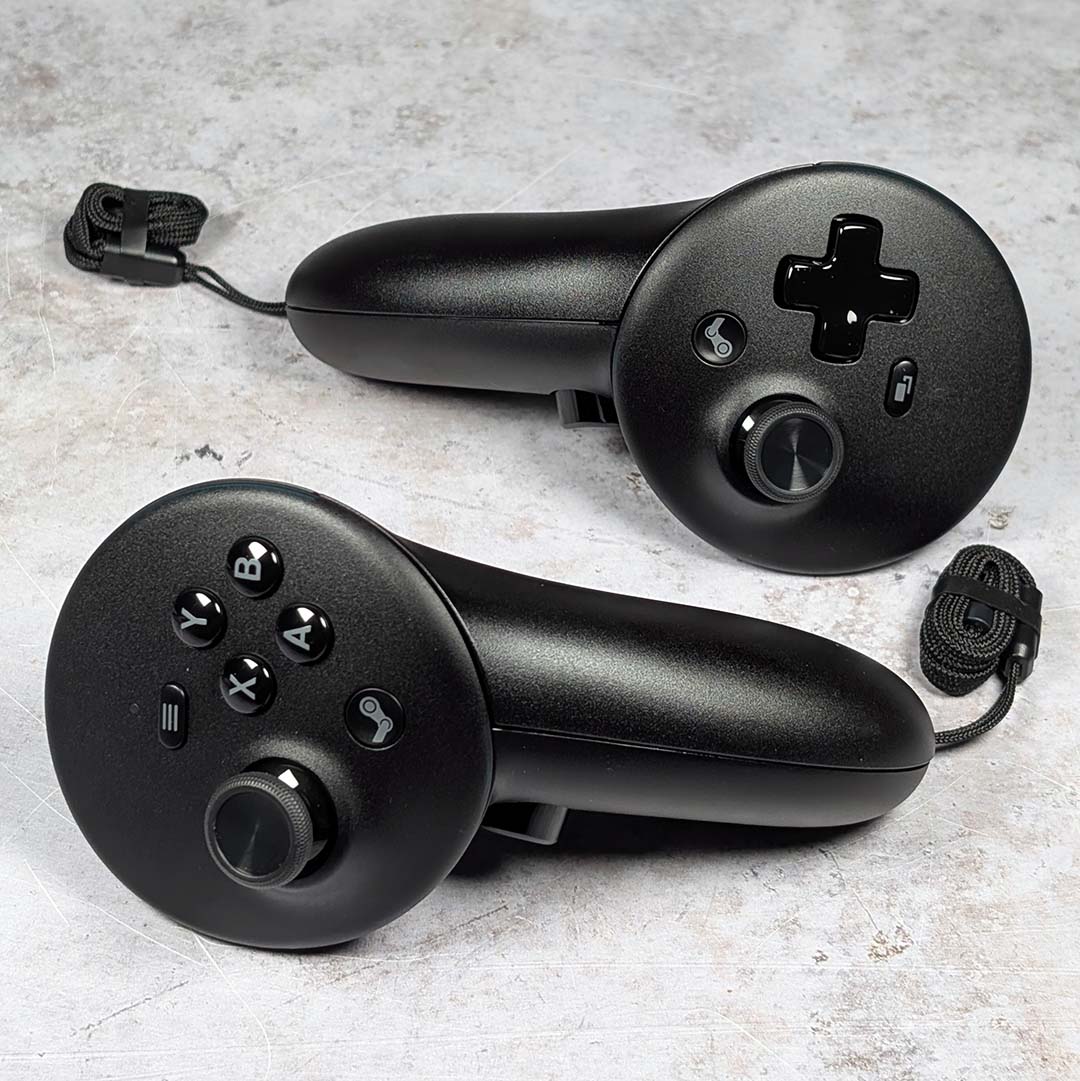
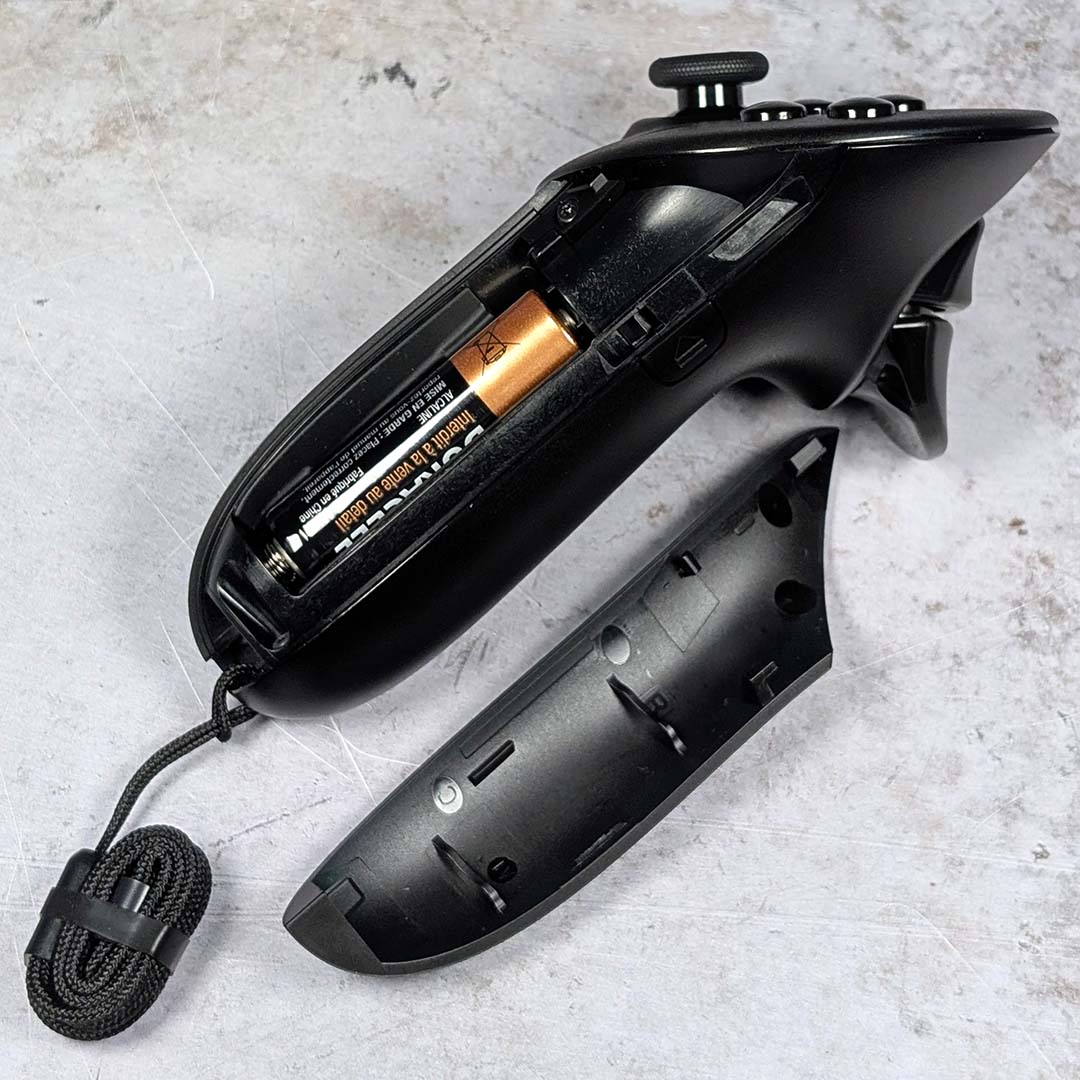
Before moving away from specifications to look at the headset’s design in more detail, let’s examine the Steam Frame controllers. While the overall shape of these peripherals lean more towards Meta’s designs than Valve’s previous efforts with the Index, there are notable differences in button count and layout. That’s not forgetting hidden features too, which all combine to make for a more versatile and engaging means of VR interaction.
The tops of these 2.4GHz wireless controllers resemble a Steam Controller split in two, just without touch pads and quick access menu button. Through them, you have dual TMR (tunnel magnetoresistance) thumbsticks, a complete set of face buttons, a set of triggers and bumpers, a directional pad, plus haptic motors. As such, playing traditional controller games on the Steam Frame requires no configuration whatsoever.
They also pack 6-DOF (six degrees of freedom) tracking, an IMU (inertial measurement unit), dual-stage grip buttons, and capacitive finger tracking, which enable actions like pointing, flipping the bird, and more in VR. In place of using built-in batteries that demand a disciplined charging regiment, Valve opts for quickly replaceable AAs which promise up to 40 hours of uptime. As someone who’s had gaming sessions come to a crashing halt on the Index owing to a lack of juice, I’m grateful for this change in approach, although you’ll want to make sure you have a supply of batteries on hand.
Design
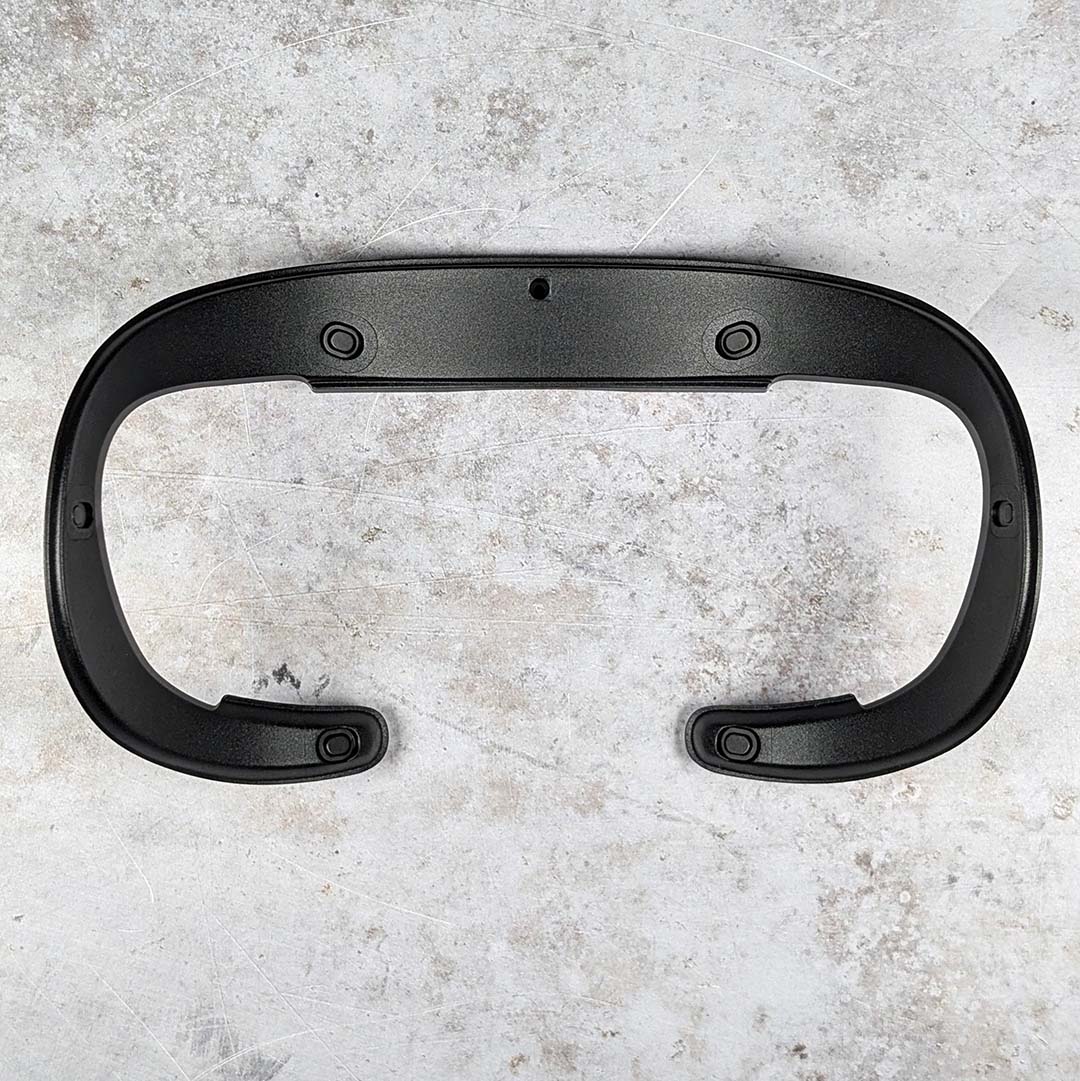
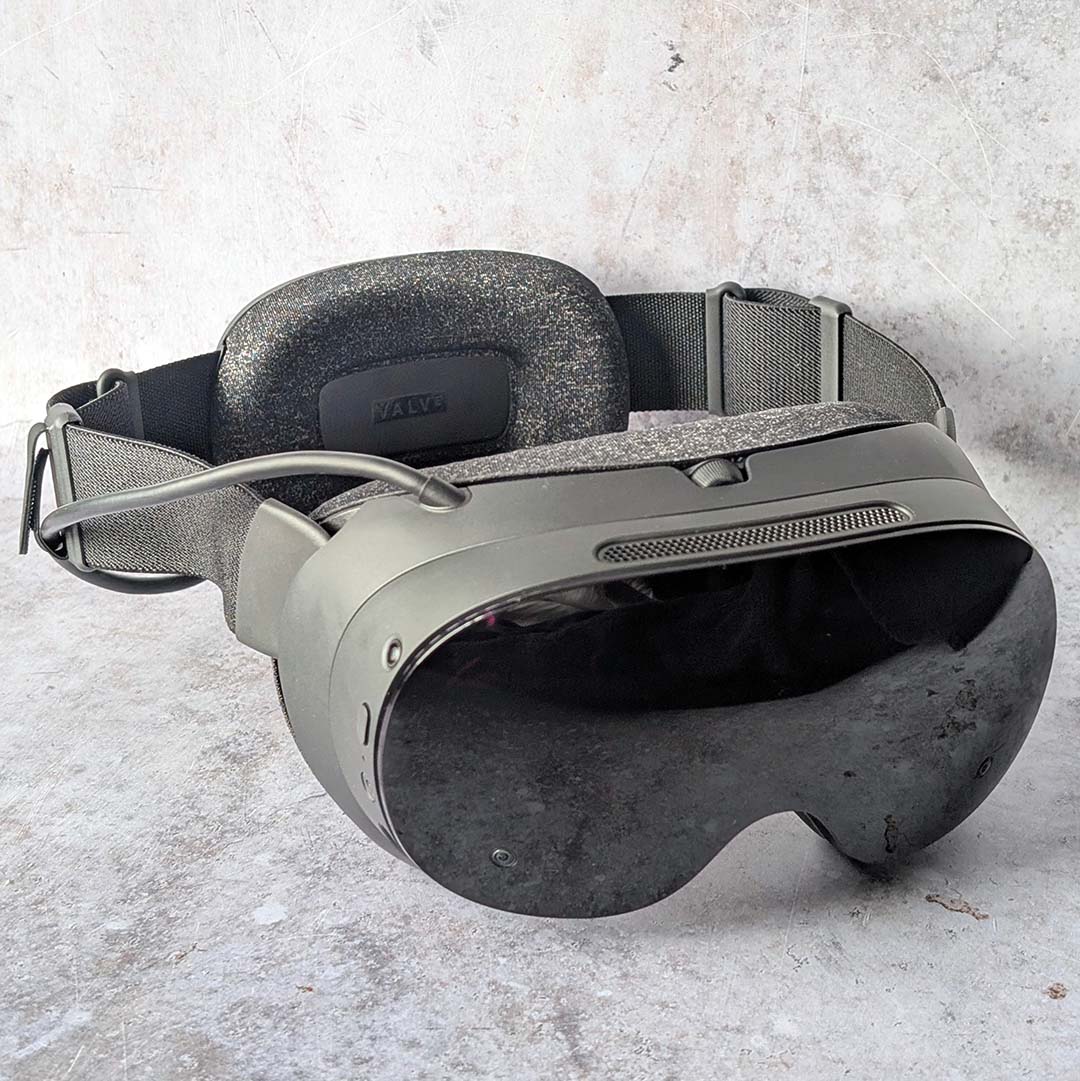
The Steam Frame’s core module and facial interface measure 175mm wide, 95mm deep, and 110mm tall. This makes for a compact design relative to many headsets on the market, including Valve’s own Index which is comically large by comparison.
While these measurements make the headset more wieldy for travel, it can pose trouble for some glasses wearers like myself, whose spectacles exceed the maximum supported width of 140mm. Third parties will offer prescription lenses for the system, but I’ve simply donned contact lenses instead.
Valve includes a spacer with the Steam Frame (pictured above), which sits beneath the foam facial interface. This will help create space between the pancake lenses and glasses at the cost of a slight reduction to field-of-view. I’ve been using them for this review to stop my long eyelashes from creating smudges.
An IPD (inter-pupillary distance) adjustment wheel sits on the headset’s crown with a range of 60-70mm, which you can then lock into place with a toggle. My eyes sit right on the top-end of what the Steam Frame can handle, but I found image sharpness and comfort was still solid even when you go as low as 65mm.
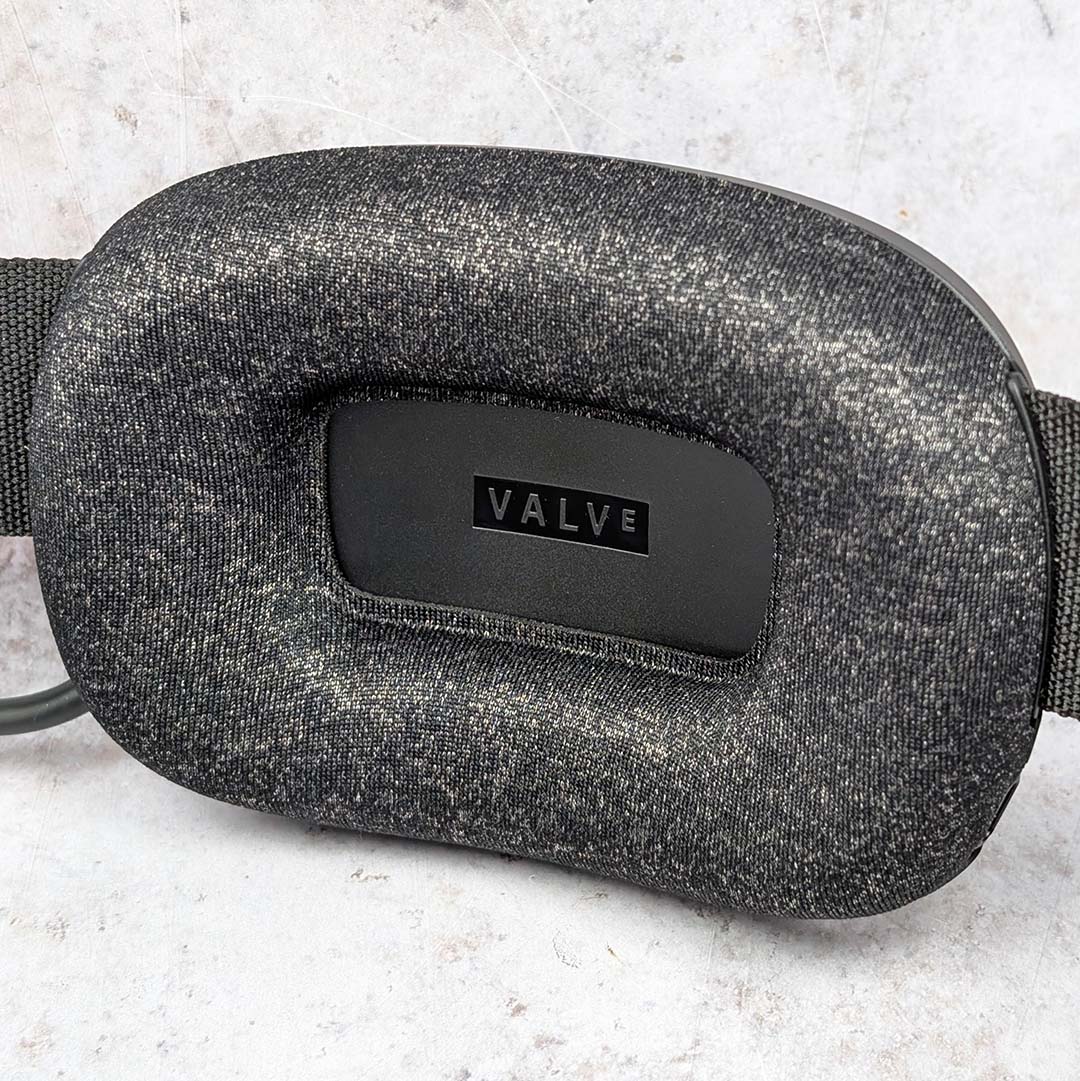
After deciding whether to use the spacer or not, fitting the Steam Frame to your headset is straightforward. With the core module in front of my eyes, I simply bring the battery pack round the back of my head, tilt however necessary with the arm pivots either side of the display, and lock it into place with the left and right adjustable straps.
I had no issues with comfort while using this headset, even during play sessions that lasted several hours. The relatively balanced weight distribution, combined with plentiful padding round the front and back, make for a secure but snug fit. However, you’ll still end up with an imprint of the gasket pressed on your face for all to see after long sessions.
My only issue with the way this headset rests on my face stems from ambient light. The stock light blocker simply isn’t large enough for my nose, meaning I’ll often catch glimpses of my floor in VR. Valve does have a larger version available, which I much prefer, but it’s only as part of an optional ergonomics accessories kit that you’ll need to spend $59 / £59 to get.
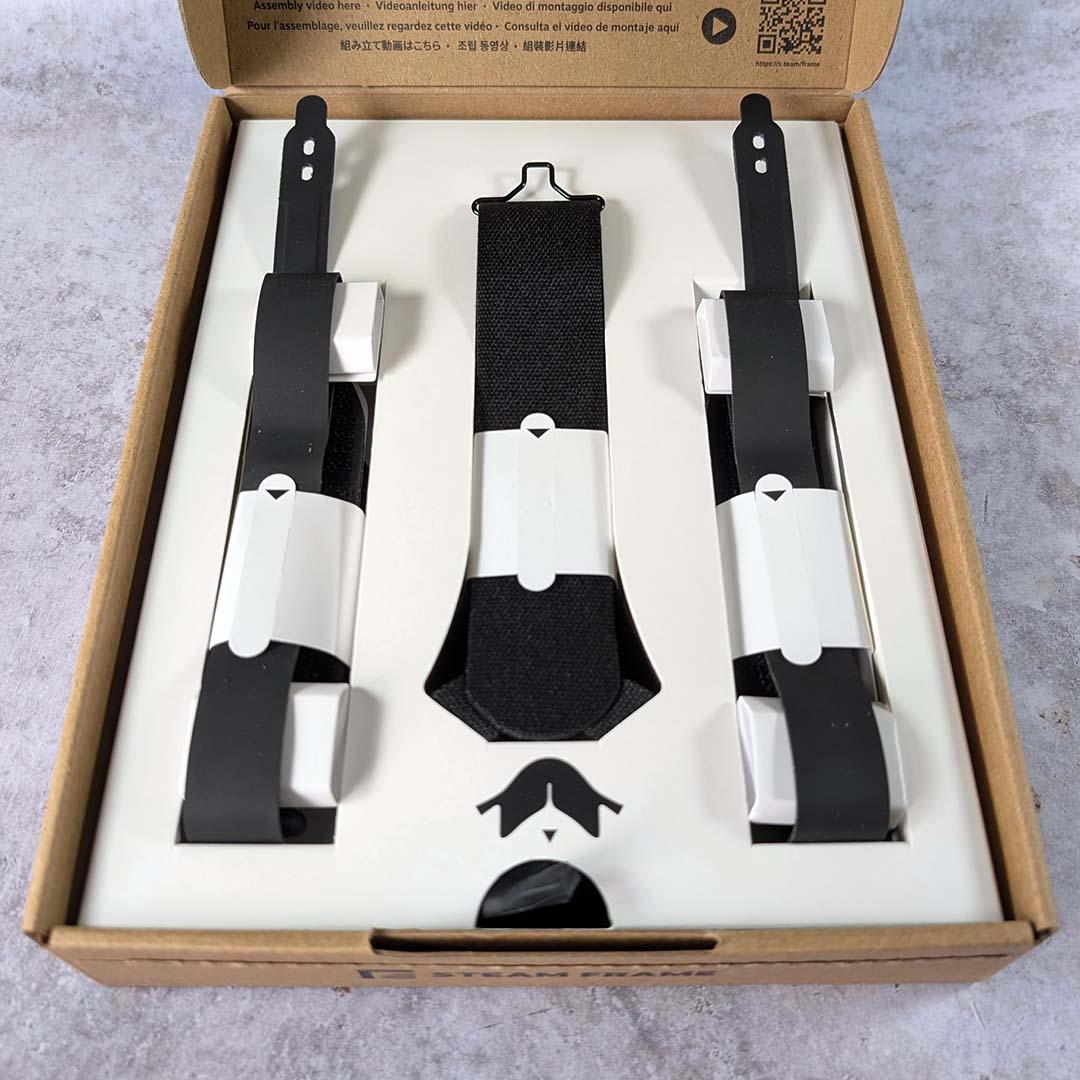
The kit in question also comes with controller hand straps, which help more closely mimic the knuckle design of Valve’s Index controllers, as well as a headset top strap. None of these additions feel essential, including the larger light blocker, but do improve the experience of wearing a Steam Frame. All that said, I do wish I could get that bigger piece of black silicon separately for less money.

Across the front and side of the headset, you’ll find four outward facing cameras that facilitate inside-out tracking. These do a solid job of keeping track of your positioning regardless of ambient lighting, as IR illuminators make following your movements in the dark possible. For those who prefer outside-in tracking via bay stations and lighthouses, I’m sorry to report there’s currently no way to bring that experience to the Steam Frame.
These cameras also provide a passthrough feed, allowing you to move through your real-world environment without having to remove the Steam Frame. Unfortunately, this monochrome feed runs at a low resolution and doesn’t interpret details on light-emitting surfaces well at all. This makes it impossible to view your smartphone or monitor while wearing the system, unlike on the Quest 3, which has full-colour passthrough. This is a convenience I greatly value, and its omission is all the more unfortunate considering the difference in cost between Valve’s and Meta’s headsets.
Meanwhile, there’s another two cameras next to each lens, which the headset uses for eye-tracking in service of foveated rendering and streaming. The former instructs the GPU to render whatever you’re viewing in full resolution, while painting the rest of the scene at a lower pixel count to improve frame rate. However, it’s in the other approach that the Steam Frame really shines.
Through foveated streaming, the goal is to save on bitrate, rather than performance. Your PC will render a frame at full resolution as normal, but then transmit the final render to your headset at progressively lower pixel counts, with the highest concentration falling where your pupils are looking. This requires less bandwidth, improving streaming latency but also fidelity via reducing potential packet loss and unsightly compression artefacts.
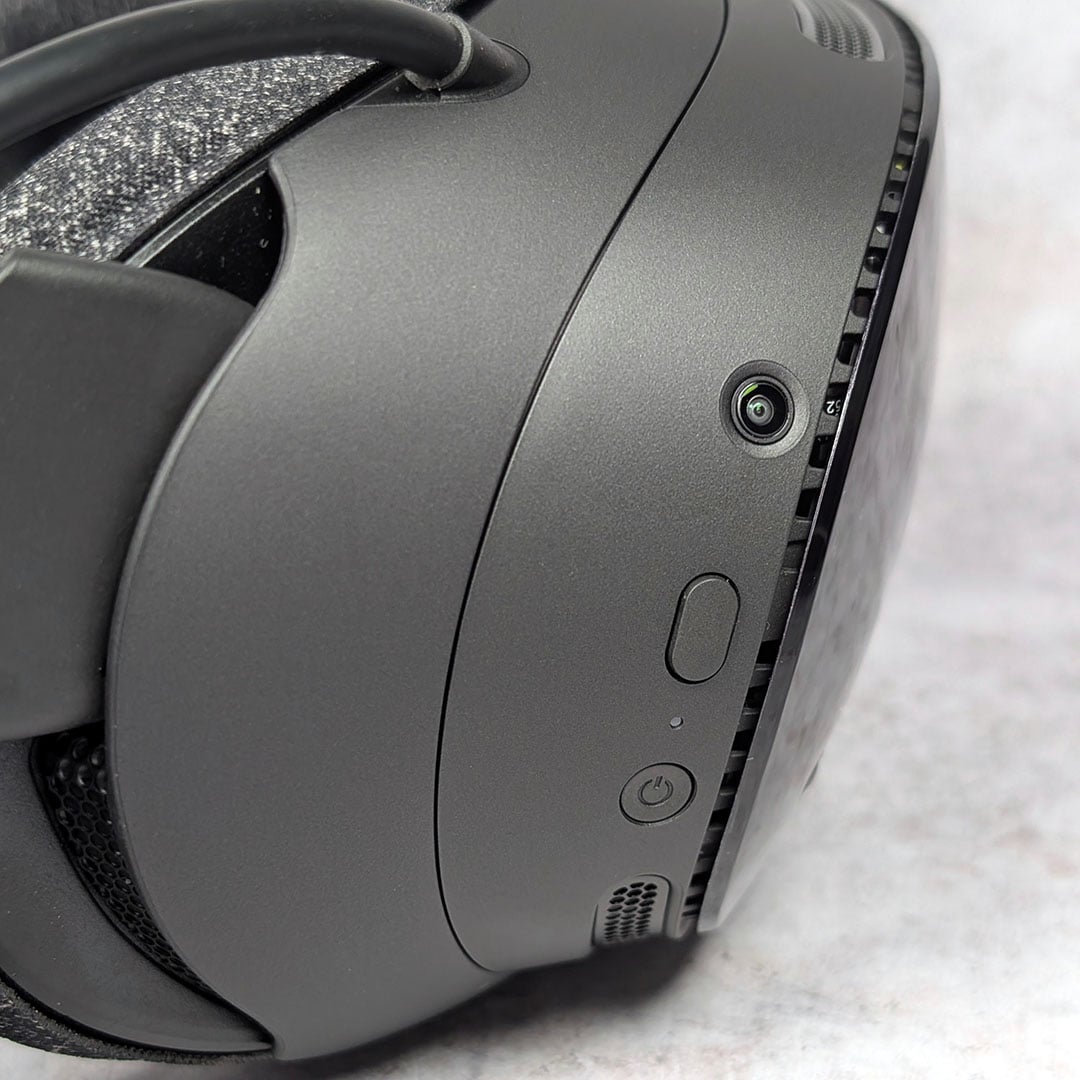
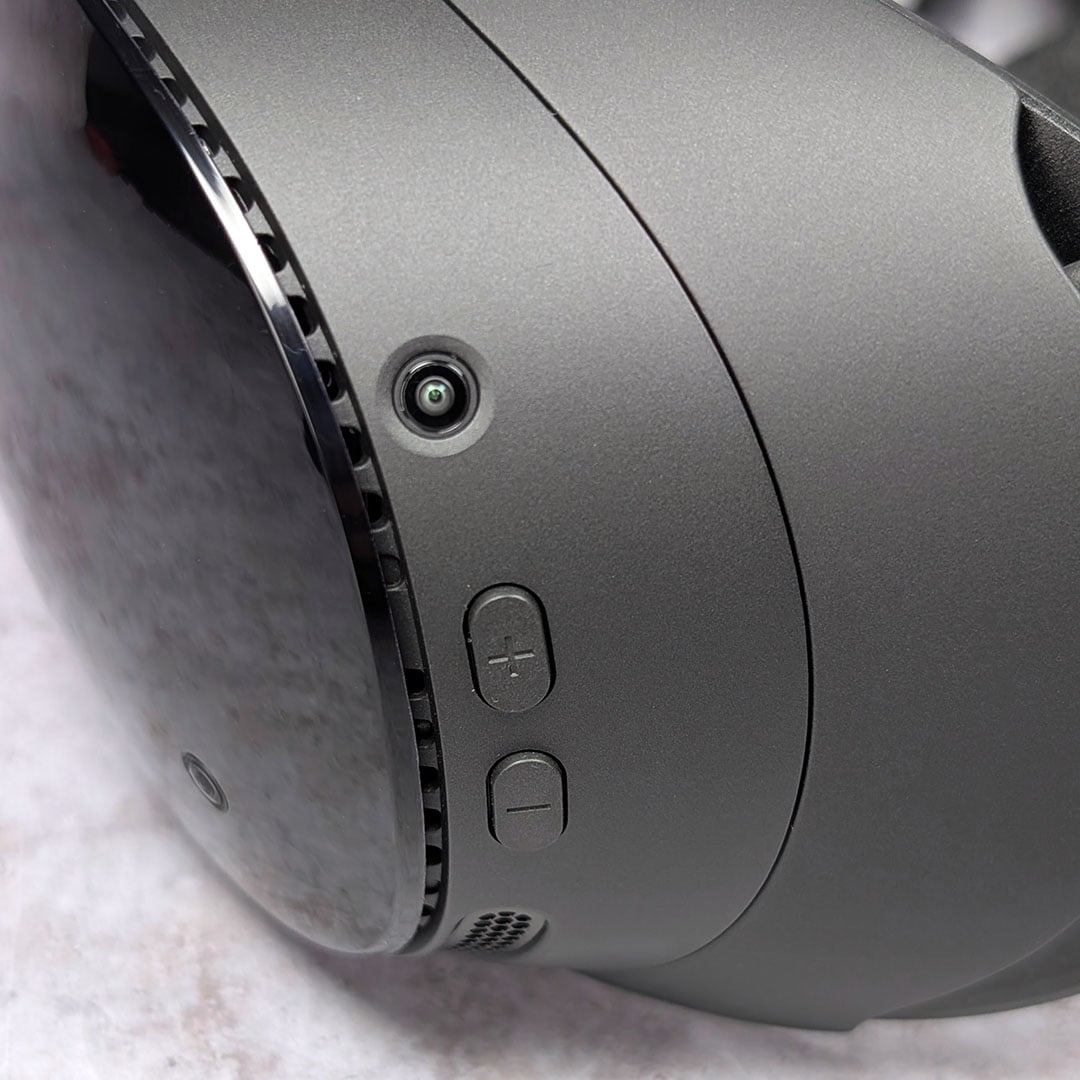
Next, let’s talk physical controls on the headset itself. You’ll find separate volume up and down buttons on the control module’s left side, while the power button sits on the right with a recessed circular design, making it easier to differentiate from the neighbouring auxiliary button.
That auxiliary button serves as a means of interacting with menus sans any peripherals. Pressing the button will summon a reticule that follows your head movements, with subsequent presses serving as a left-click or ‘A’ button. I’ve used this feature often while lying on my sofa watching YouTube in theatre mode, so I don’t have to reach for the controllers or gamepad I’m using that I’ve left on the coffee table.
Finally, there’s an expansion port ready and waiting on the Steam Frame’s nose. Valve hasn’t announced any add-ons that will make use of thus PCIe Gen 4 x1 interface, but there’s potential here for third-party accessory manufacturers to do something interesting with it.
Performance
There are myriad ways we could analyse Steam Frame performance, as we’re dealing with a device that is both a VR headset and Linux PC. Our focus in this review will be on how gameplay experiences shape up when streaming wirelessly from a separate gaming rig, as well as how local VR and non-VR titles run.
As I mentioned earlier, there’s no way to connect the Steam Frame to a PC via a tethered connection. While this limitation is worth bearing in mind, Valve has put in serious work to provide as seamless a wireless VR experience as possible. These efforts, thankfully, have bore delicious and immersive gaming fruit.
The key to Valve’s cable-free VR aspirations is the Steam Frame’s wireless adapter, which provides a dedicated 6GHz link for streaming. After a simple pairing process, the headset can communicate with both this USB dongle and your wireless network for strong and stable communications between your PC.
Before we dig into my experience, though, I should note that it’s currently impossible to stream VR games from a Steam Machine at the time of writing. Valve promises this ability is coming in future, but you’ll need a Windows PC to hand for the moment.
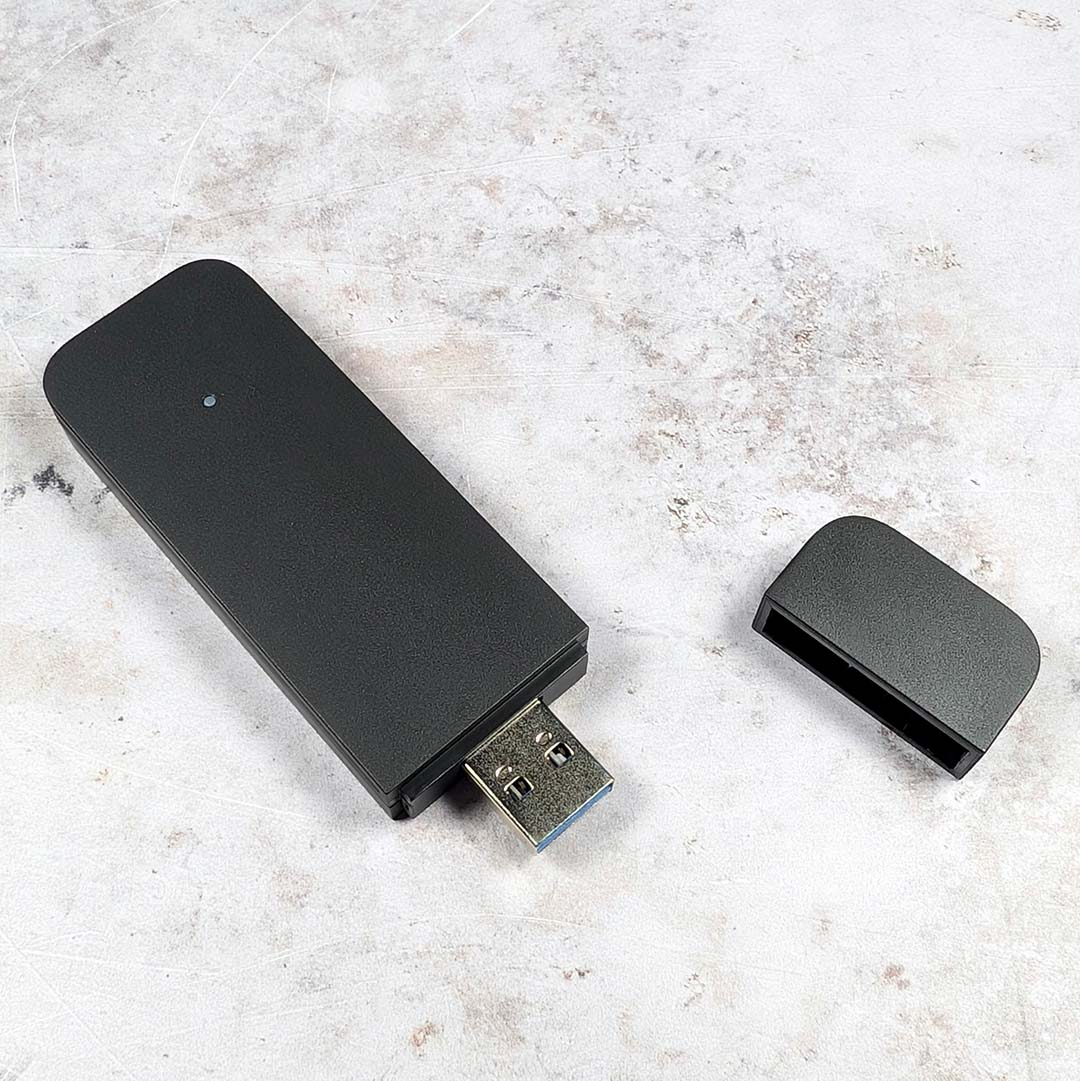
Streaming to the Steam Frame from my PC, with a Ryzen 7 7800X3D and GeForce RTX 4080, has worked flawlessly almost every single time. Despite moving both the headset and system with its wireless adapter around my house, at varying distances to my router, I experienced no noticeable packet loss or high latency, and was able to just get on with enjoying my VR experiences.
Foveated streaming works wonderfully in practice. Despite my best efforts to catch out the feature via sudden head turns, it remained resolutely reliable in the face of my provocations. It did so well, in fact, that I wondered whether the feature was working at all but I was able to spot a transition once or twice after some thorough digging. Suffice to say, like all great performance improving technology, you won’t notice it in real-world use.
I was able to push the connection to breaking point by placing my PC upstairs in my office while attempting to stream from my lounge downstairs, but that’s through a gauntlet of carpeted floor and 1930s brick walls through which I didn’t reasonably expect it to push. Wireless performance will always be part-dependent on your infrastructure and environment, but this is far and away more reliable than my experience with Meta’s Air Link software setup.
Similarly, you’ll also need a reasonably powerful PC at your disposal to make the most out of the Steam Frame’s specifications. Reaching that total rendering resolution ceiling of 4320×2160 is no joke, particularly at 72-144Hz. Thankfully, you can easily tweak the per-eye pixel count and refresh rate on a per-app basis if you want to prioritise sharpness or need extra responsiveness in the likes of Beat Saber.
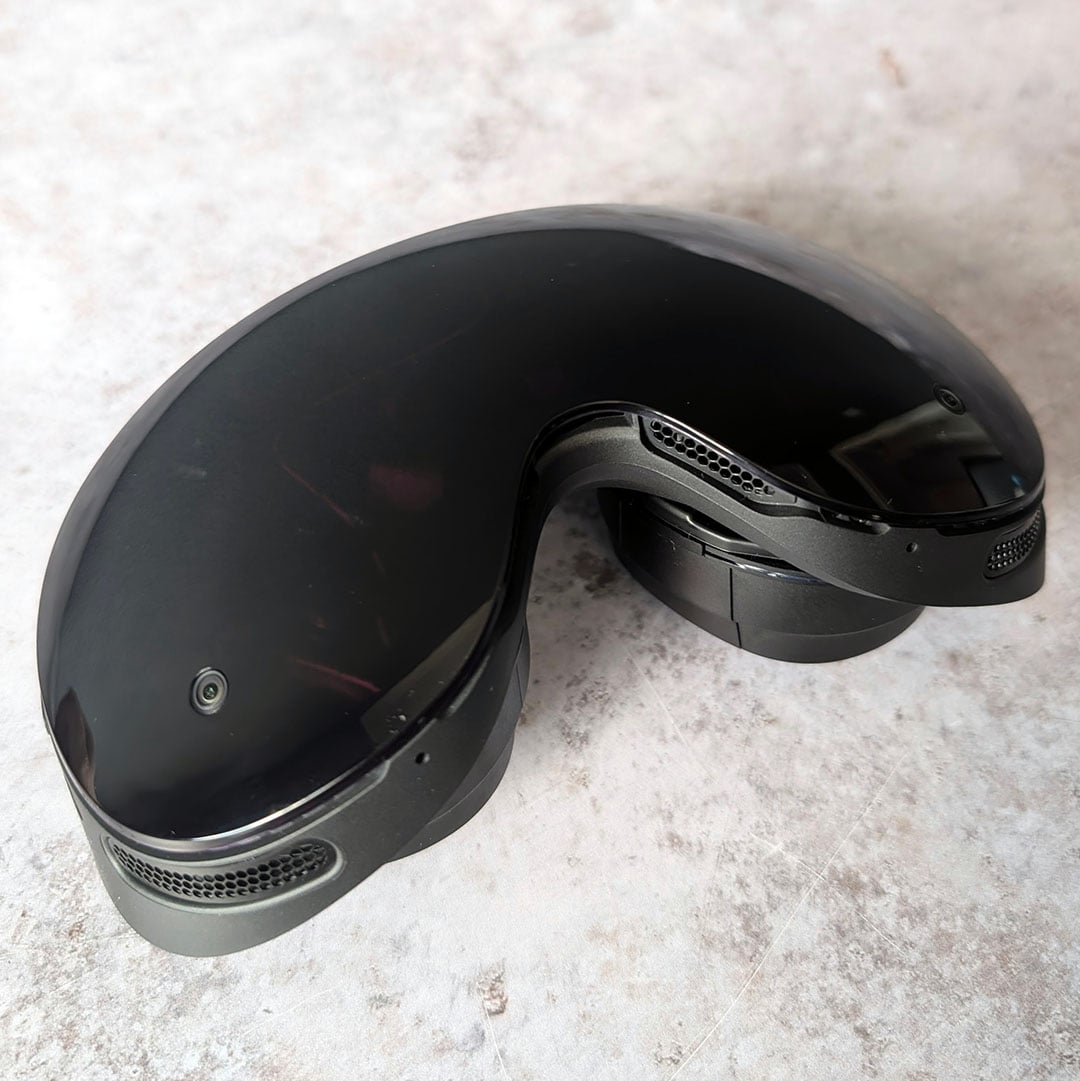
Moving on to local experiences, you’ll need to adjust your expectations accordingly considering the Steam Frame’s mobile chipset. To paint performance with a broad brush, by Valve’s own admission, we’re looking a system that’s slightly less power than a Steam Deck overall. While that means we don’t have a huge amount of horsepower in play, it’s enough for many non-VR games and some VR heavy hitters.
I still can’t believe Valve found the means to get Half-Life: Alyx running on the Steam Frame. The experience isn’t without compromise running locally on the headset, with a 36fps frame rate, 72Hz refresh rate, and dynamic resolution that makes extensive use of eye-tracked foveated rendering. While I’d much rather play the game streaming from a PC considering all these factors, it’s certainly playable.
In my eyes, the Steam Frame’s on-board performance shines most in less-demanding non-VR titles. I’ve happily spent long stints playing Balatro, Hades, Portal 2, and The Witcher 3 at 30-72fps. These 2D experiences looks great in the headset’s Theatre Mode, which creates a large virtual screen that you can resize and reposition to your liking. Better still, you can happily use an Xbox Series, PlayStation DualSense, or other gamepads via Bluetooth in place of the VR controllers if you’d prefer.
While many older titles should work fine on the Steam Frame, there’s always the risk of Proton or FEX bugs and incompatibilities. This is still SteamOS after all, meaning that some anti-cheat software simply won’t play nice with the system. There’s also raw performance to consider, with Cyberpunk 2077 for example proving unplayable, with sub-30fps average frame rates even at the Steam Deck preset or with Low graphics settings in play.
Battery life
In my testing, I saw the Steam Frame consume as much as 26W in Half-Life: Alyx. Factor in the 21.6Whr battery and apply some quick maths and you end up with standalone charge that lasts for about an hour under the most pressing conditions. This, obviously, isn’t fantastic as uptime goes, but it’s a worst case scenario for local applications. By comparison, I was able to kick back with Balatro for just shy of two hours.
With the CPU and GPU under less duress via streaming, power consumption falls dramatically, providing enough charge for closer to two-to-three hours of play. This wide range stems from the variance in resolutions and refresh rates open to the Steam Frame, with fewer pixels and hertz naturally requiring less juice to run.
It’s possible to circumvent battery life concerns altogether by using the headset with a 27W+ cable running from the mains or streaming device. Doing so does go against the tether-free philosophy that clearly informs the headset’s design, but I’m certainly not complaining about unlimited uptime as I lie still playing or watching 2D content.
Conclusion
When Valve first revealed its trio of devices, I declared the Steam Frame was the most exciting of the bunch and I stand by that claim after finally getting my hands on each piece of hardware. This is a compelling and comfortable way to experience wireless VR gaming, both directly on the headset or through the power of your gaming PC.
SteamOS is intuitive as ever and makes accessing your Steam library the easiest it’s ever been on a VR headset, requiring no additional set up, whether you’re diving into a 3D world or looking to experience your 2D games on a massive virtual screen. I’m also far more comfortable giving my cash and data to a company like Valve than Meta, for reasons that should be more than obvious, taking a recent $18B court settlement into account.
As much as I love using the Steam Frame, though, this headset’s price breaks my heart, as I’ve no doubt the RAM and SSD crises have pushed up its cost far higher than originally planned. At $1,059 / £889, the system is notably more expensive than a Quest 3 128GB which you can find on the market for £549. That’s a serious premium to consider, despite all the advantages that Valve’s device has to offer.
I doubt we’ll see a price cut hit the Steam Frame anytime soon, sadly dampening the wider appeal of this generally fantastic VR headset. For those with cash to spare, though, who can live with permanently cutting the cable for their virtual realities, this system is worthy of serious consideration.
You can secure a place in the reservation queue from today, with Valve randomising the order in which it plans to fulfil initial orders on September 17. From then on, the Steam Frame will be available on a first-come, first-served basis. Good luck to everyone trying to secure a headset.
