Nvidia has introduced a new DLSS Frame Generation algorithm that it says is faster and more efficient than the existing model. Dubbed Preset C, Nvidia claims this model delivers up to 35% higher performance on RTX 50 Series GPUs, and it works on older 40 Series GPUs as well.
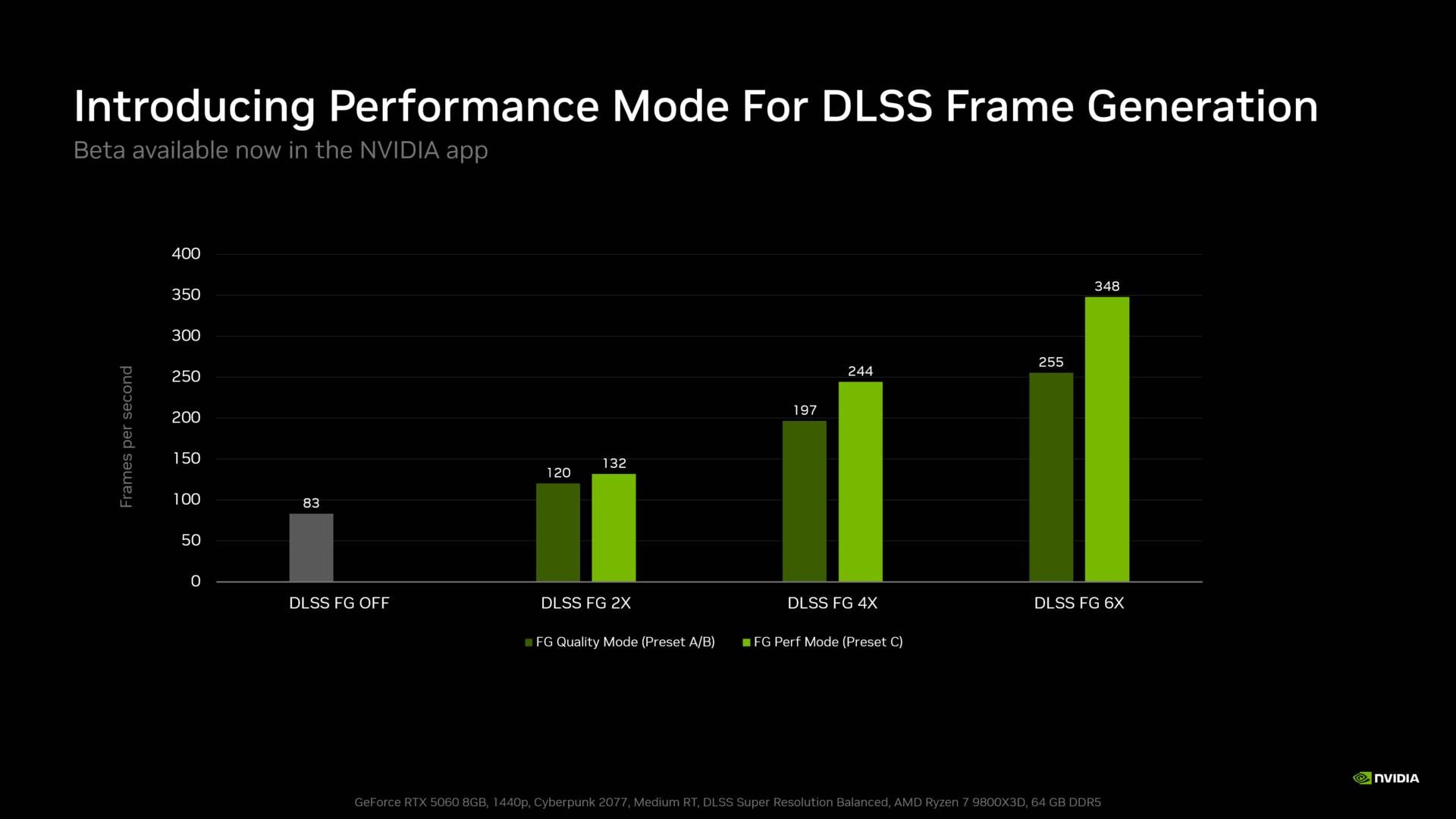
Nvidia has begun rolling out Preset C with its latest beta driver update, with support for RTX Spark as well as the aforementioned gaming GPUs. Also called Performance Mode, Nvidia says this preset reduces the DLSS Frame Generation (FG) and Multi-Frame Generation (MFG) performance cost by 10% in 2x mode, 23.8% in 4x mode, and 36.4% in 6x mode. These figures were measured on an RTX 5060 8GB while playing Cyberpunk 2077 at 1440p. That said, Nvidia didn’t clarify if this same level of gains is to be expected from older RTX 40 Series GPUs.
While FG and MFG are not a substitute for true (rendered) high frame rates, this extra performance should improve the perceived smoothness of motion.
Regarding the way this works, Nvidia explains that it uses two models for DLSS FG and MFG. The first uses game data such as motion vectors and depth to understand object motion between two genuinely rendered frames, while the second calculates optical flow for elements such as UI or ray-traced effects.
Today’s Preset C replaces the second AI model with a faster and lighter algorithm, reducing the cost of FG and MFG (including Dynamic MFG), which translates into higher frame rates. Most importantly, it does so with minimal impact on image quality, according to Nvidia.
How to enable Preset C
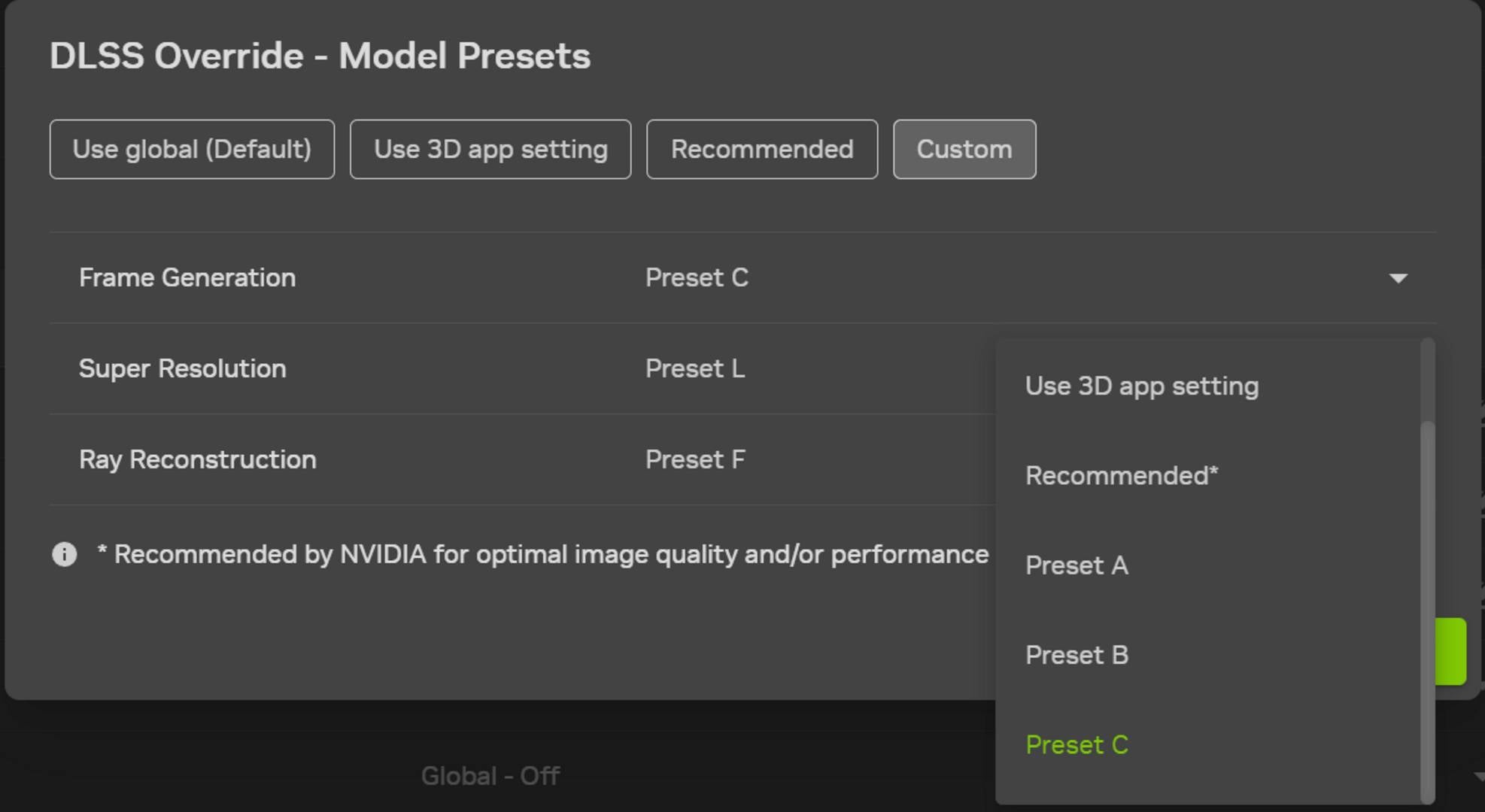
Preset C is available as an override option in the Nvidia App (beta). You can fund it under the Custom DLSS Override – Model Presets section.
To apply Preset C to your games:
- Download and install the latest Nvidia App update.
- Open the app, navigate to Settings/About, and check “Opt in to access Beta or experimental features.”
- Wait for the beta update to download, then click the on-screen message to install.
- Once installed, open the “Graphics” section of the new Nvidia App beta and select a supported Frame Generation, Multi Frame Generation, or Dynamic Frame Generation game (or “Global Settings” at the top of the window, and apply it to every supported game in your library).
- Scroll to “Driver Settings.”
- Click “DLSS Override – Model Presets.”
- Click “Custom.”
- Open the “Frame Generation” drop-down and choose “Preset C” (if Preset C isn’t visible, reboot your system).
- Click “Apply.”
Once that’s done, you should see an improvement in performance when you’re using frame gen. For more information on the latest graphics cards, check out our guide to buying the best GPU for your needs.