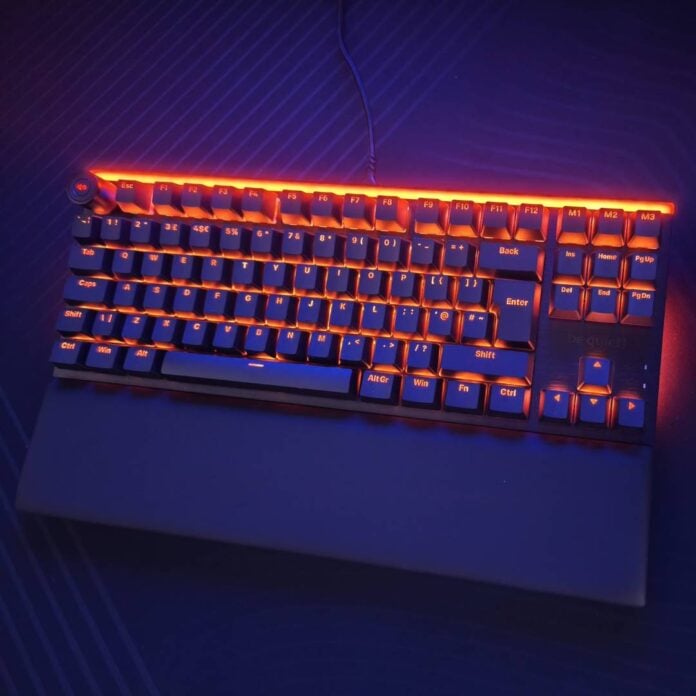
The Light Mount TKL is be quiet!’s latest entry in its peripheral lineup, focusing on noise reduction and flexibility. Thanks to its triple-layer sound-dampening foam and quiet switches, it’s ideal for late-night gaming and typing sessions when you don’t want to disturb your housemates.
It’s also a handsome piece of kit, with its ARGB lighting keeping each key illuminated with the colour of your choice, clearly shining through its double-shot keycaps. The RGB strips on the top and bottom really make it stand out as well.
The Light Mount TKL isn’t just about looks though; it also boasts great build quality using durable materials. It’s rigid enough to remain stable even during intense gaming sessions, with no concerning flex, even under pressure. Most importantly, it’s genuinely really quiet in action – heck, it makes even less noise than some membrane keyboards.

be quiet! Light Mount TKL
€139.90 / $139.90
Pros
- Quiet, pre-lubed switches
- Decent build quality
- Comfortable wrist rest
- Flexible software customisation
- Great looks
Cons
- Mushy spacebar
- High price
- No Hall Effect keys
- Only wired connection
Club386 may earn an affiliate commission when you purchase products through links on our site.
How we test and review products.
Design
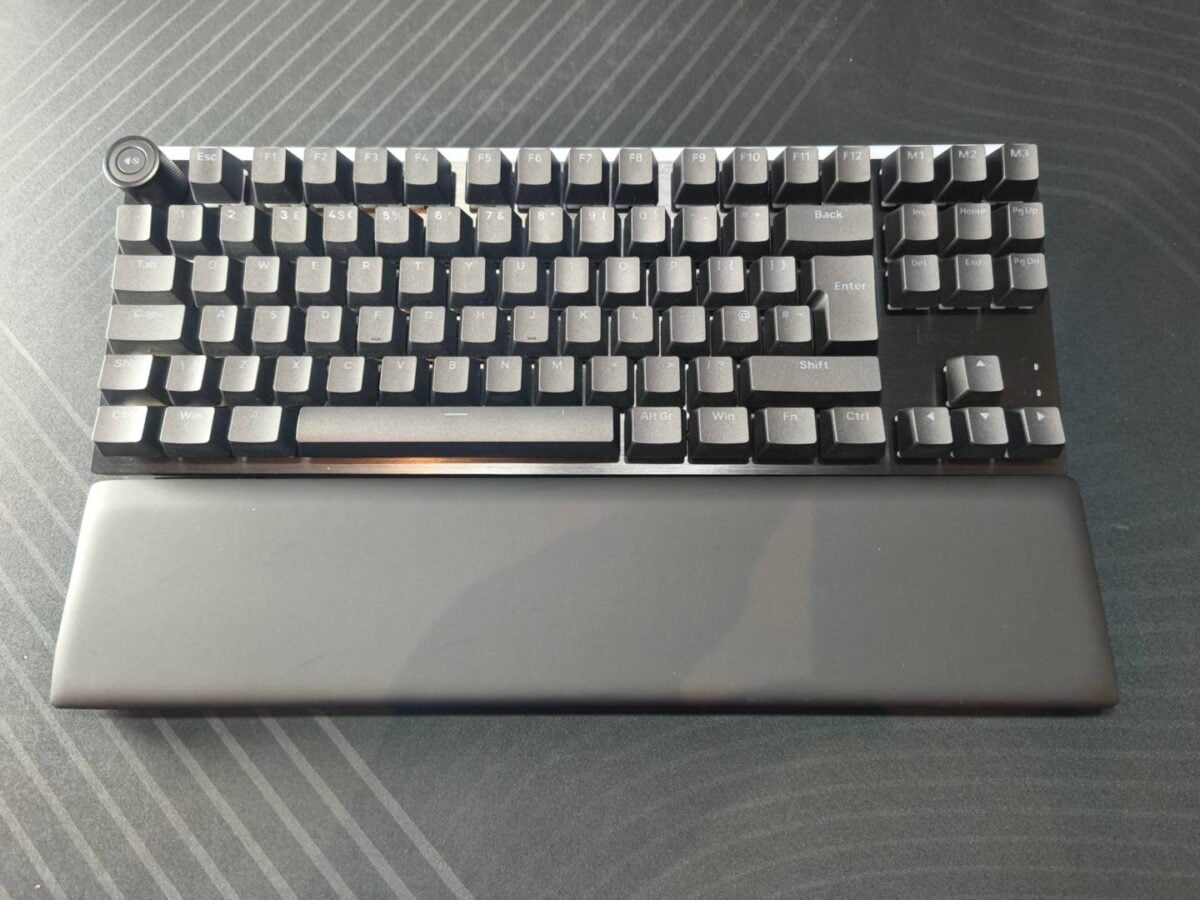
The Light Mount TKL is an 80% format keyboard measuring 358 x 132 x 44mm (W x D x H), adding another 80mm of depth if you add the wrist rest. It’s basically a smaller version of the Light Mount that ditches the numpad to reduce its desk footprint. This makes it ideal for gamers who play at low-DPI mouse settings, leaving more space for a large mat next to it, so you can make wide mouse movements, and reduce the need to lift your mouse off its mat.
While it keeps the fancy aluminium volume wheel of its bigger sibling, it loses the five side macro buttons. For the Light Mount TKL, be quiet! decided to relocate the macro buttons to the right side above the Delete/Home keys section, limiting their number to three. That said, there’s room for more macros, as each key can be remapped via the brand’s software; more on that later. In case this wasn’t clear already, it’s also worth noting that this is a wired keyboard through and through, so there’s no wireless connection, be it 2.4GHz or Bluetooth. Everything goes through a 2m USB-A-to-USB-C cable that can be detached from the keyboard.
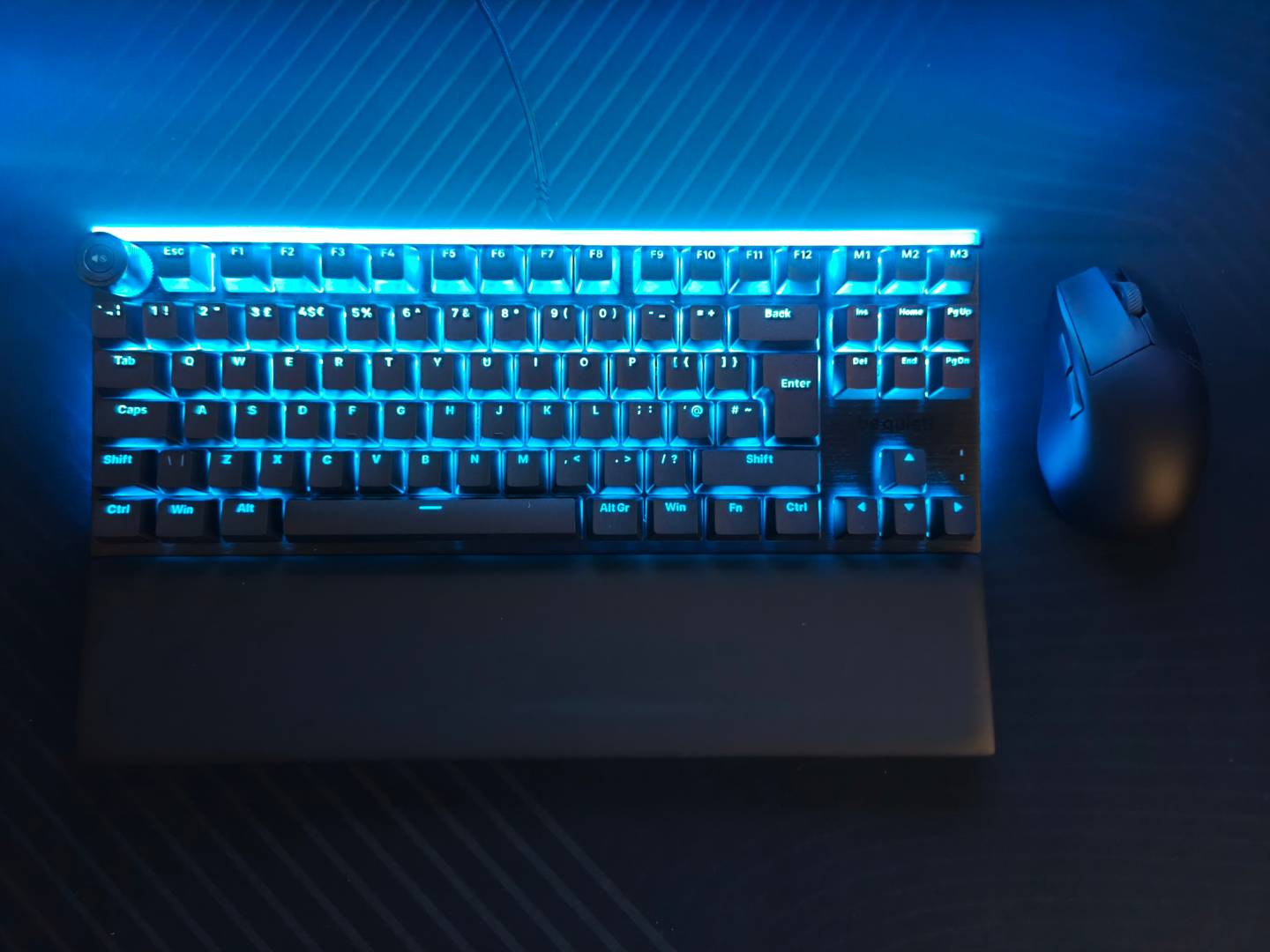
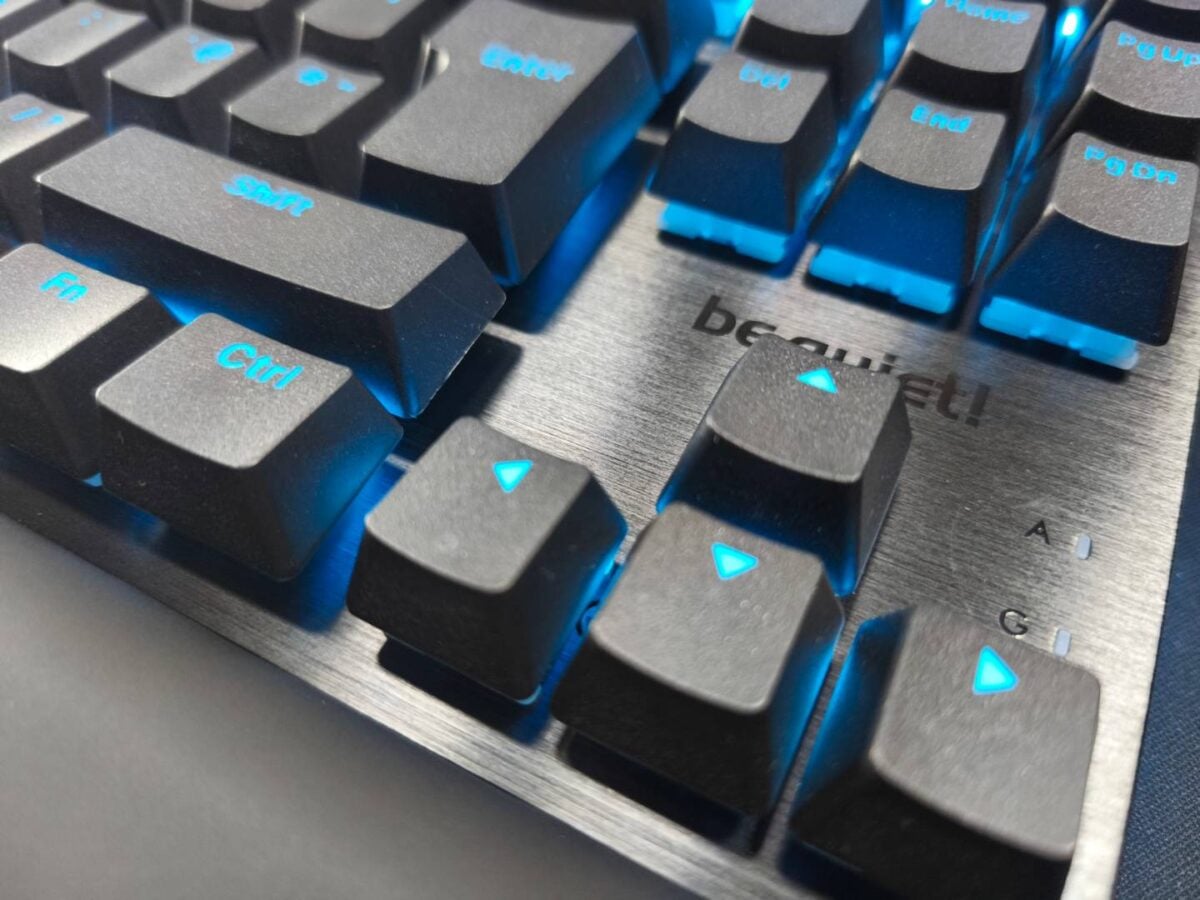
The first thing that strikes you after connecting the Light Mount TKL to your rig is its light bar, which covers the top section from side to side. Its frosted diffusion layer gives it a soft, yet bright, effect, all while hiding the gap between each individual LED. These strips are complemented by individually-lit RGB keys, plus two separate RGB bars on the back (one per side). The latter shine with a subtle glow, similar to the mood-enhancing lights of Philips TVs, adding extra flair to the ensemble.
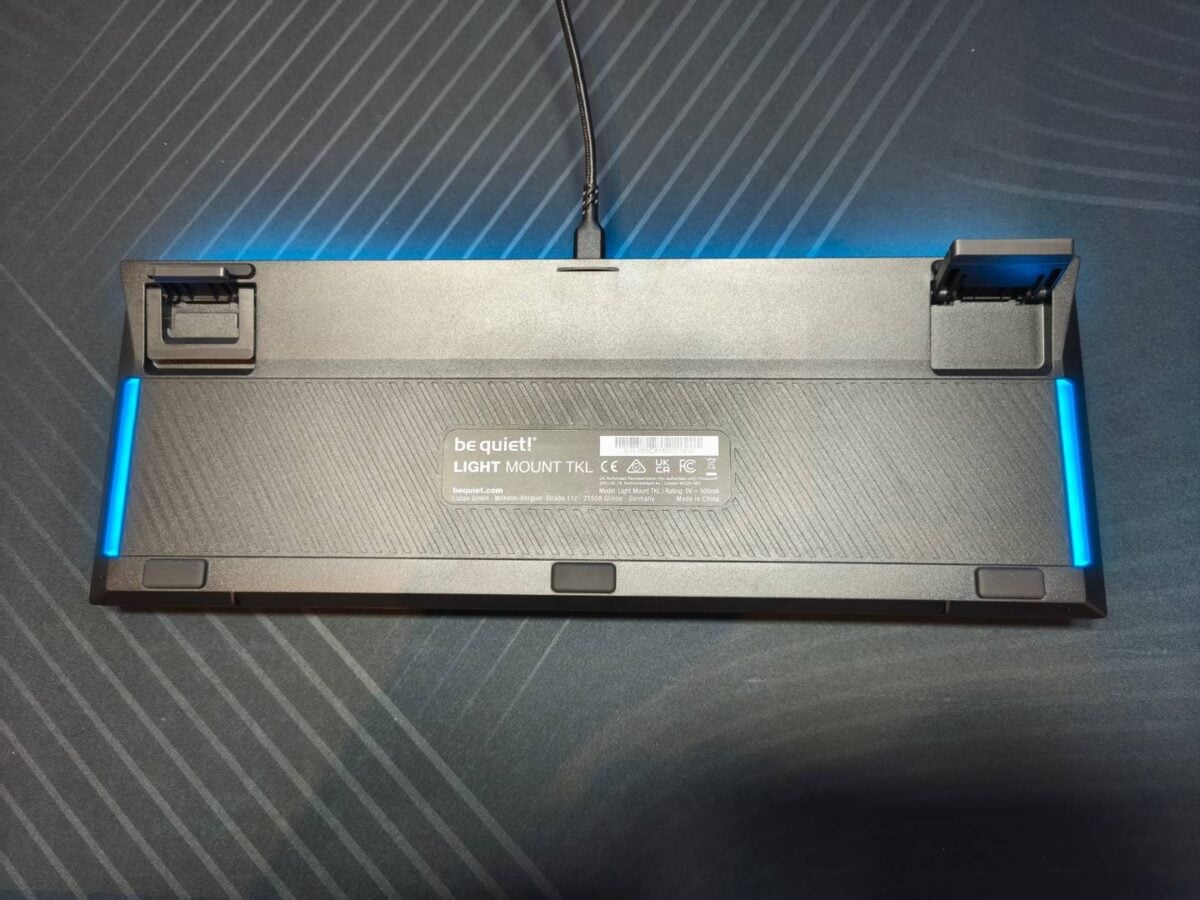
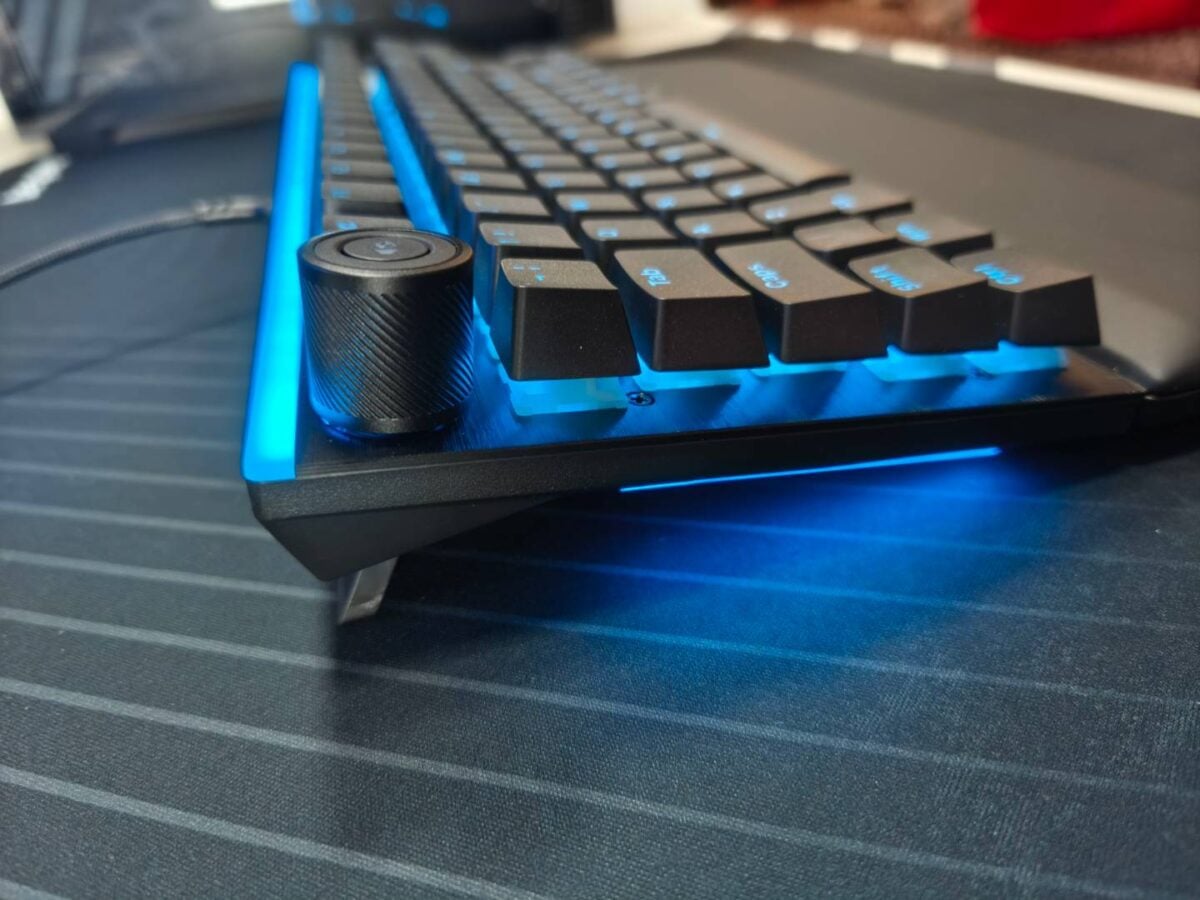
In terms of build quality, the Light Mount TKL looks and feels robust and premium, featuring a sleek-looking black brushed aluminium top plate, PBT double-shot keycaps, and pre-lubed mechanical switches. As for comfort/ergonomics, the included multi-level feet and detachable magnetic wrist rest are simply fantastic.
The former allow two levels of height adjustment and remain stable even when you push the keyboard, while the latter’s memory foam padding keeps you comfortable. As someone who often inadvertently moves their keyboard from side to side, I can say with confidence that these feet are among the best I’ve encountered. Same for the wrist rest.
The only part I don’t like about the Light Mount TKL’s basic design is the volume knob location. Since the macro keys have been relocated elsewhere, this dial now lives in the space directly above the Tilde button. Because of this location, the Esc key has been pushed slightly to the right, which breaks my muscle memory, causing me to keep hitting the volume knob instead. In my opinion, this knob would be better placed in the top right corner.
Switches
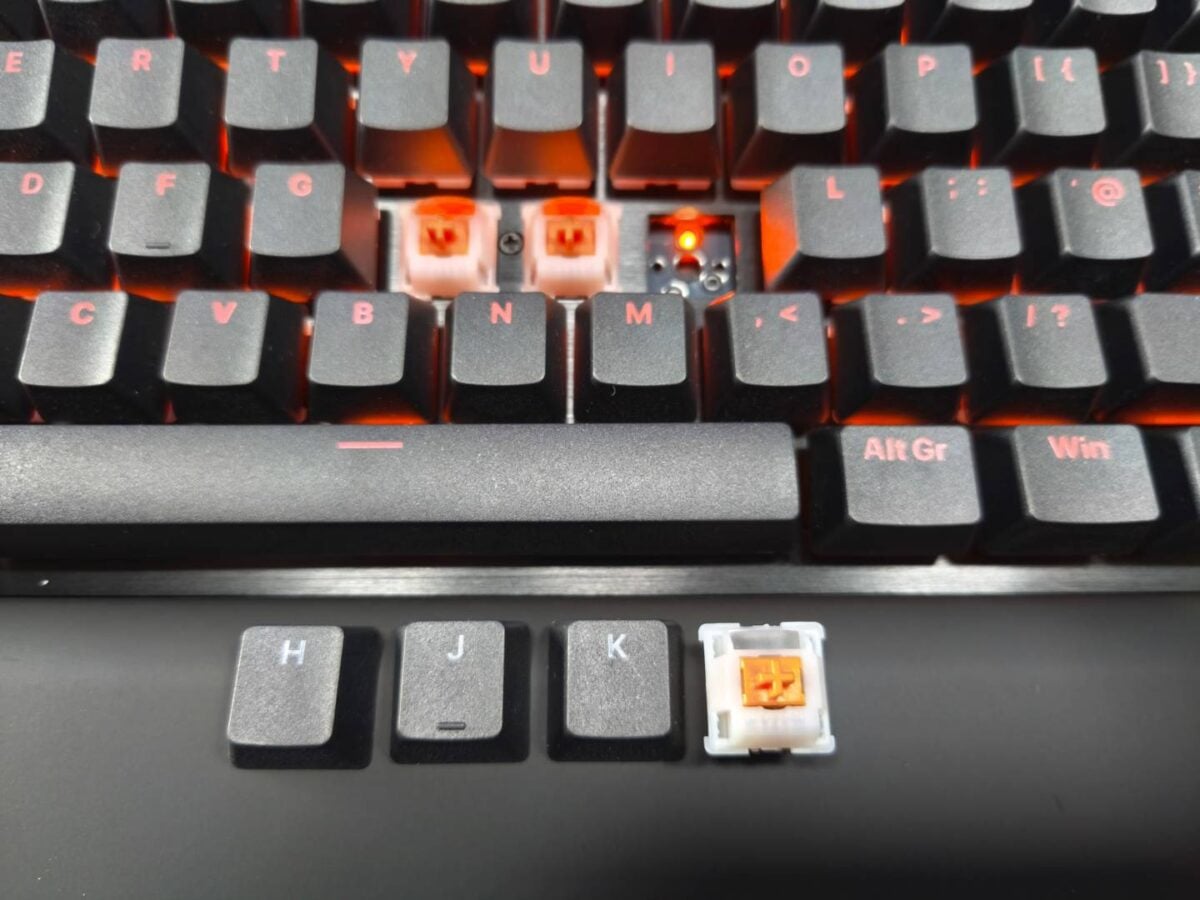
Out of the box, the Light Mount TKL comes populated with be quiet! Silent V2 Switches, which the company says deliver highly reliable signal transmission, improved responsiveness compared to normal switches, and lubrication that’s optimised quieter operation – they feature thick, gold contact points.
These switches are offered in two variants, giving you a choice between the linear actuation ideal for gaming and the tactile feel better suited for typing. These are complemented by a triple-layer dampening system, comprising a layer of foam between the PCB and switches, a second layer under the PCB, plus a third layer that fills the bottom housing, ensuring optimal noise suppression.
On top of the linear Orange be quiet! Silent V2 Switches and the tactile Black be quiet! Silent V2 Switches, you’ll also be able to select your favourite key layout, between DE ISO, FR ISO, UK ISO, or US ANSI. Better yet, each switch is hot-swapable with 5-pin MX-style switches, so you’re free to change them any time, be it to customise the WASD keys for gaming, or fix a faulty switch down the line.
Regardless of the variant you choose, you’ll find factory-lubricated switches, designed for speed and precision according to be quiet!. Our review unit comes equipped with the Orange linear switches.
Starting with the actuation feel, the press feels smooth, requiring a medium level of force to engage. The clicking sound is highly suppressed, especially on the spacebar, which tends to be the noisiest key on mechanical keyboards. In fact, the latter can be quieter than other keys if you don’t hammer it.
To be clear, the Light Mount TKL isn’t dead silent, especially if you type fast and frantically, but it can be very quiet if you type at a moderate pace, which makes it perfect if you study or play at night near someone sleeping. Most notably, you won’t hear that harsh clack-clack sound that’s often associated with mechanical keyboards.
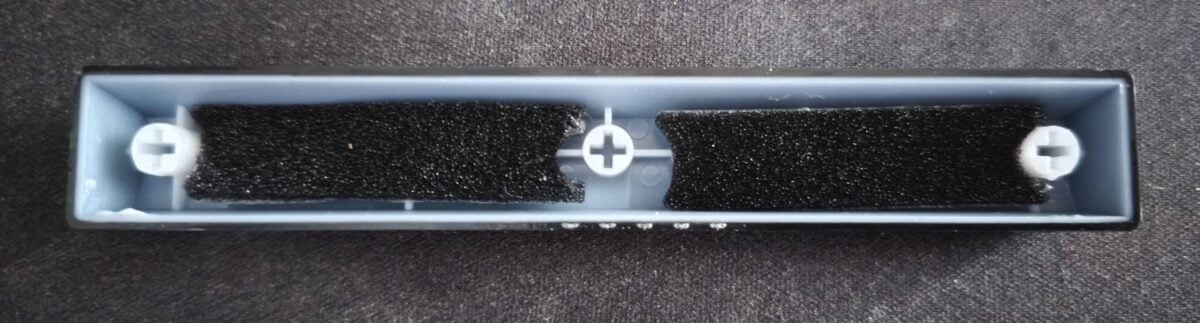
This brings me to the second downside of this otherwise nice keyboard. Remember what I said about the spacebar? Well, that impressive noise reduction comes at a cost. If you press the spacebar from the edge, as you would when playing games, the feedback is hardly noticeable, which makes pressing it feel mushy and unsatisfying.
Its debounce speed (return to rest position after a press) also feels slower compared to the other keys, which can be annoying when you spam jump in games. It looks as though the combination of the extra padding inside the keycap (picture above) with the switch’s actuation point exacerbates this feel.
On the other hand, a lot of gamers will appreciate the Quick Tap feature, known as SOCD. For those unfamiliar, Quick Tap enables faster directional changes in games (strafing) by taking into account the latest command if you press two opposite movement keys at the exact same time, such as A and D.
Unfortunately, due to its overpowered nature in some games, some developers consider it a bannable offence, so make sure to only activate it in titles that authorise it. Thankfully, Quick Tap comes turned off by default and can be enabled via be quiet! IO Center, or by pressing FN+Q on the keyboard.
Performance
On the performance side, the Light Mount TKL doesn’t try to break any records or trick you with fancy marketing claims; it’s just a consistent keyboard that’s fast enough for typing and gaming. The 1,000Hz polling rate is sufficient to ensure each keystroke gets registered, and the actuation point of the linear keys is far enough to avoid accidental activations. Most notably, there’s no rattle or excessive wobble, which makes for a consistent typing experience.
Aside from the aforementioned mushy spacebar, which caused some frustration early on, both my gaming and typing experience were good. However, it’s more of a jack of all trades, master of none here. It won’t beat a Hall Effect keyboard when it comes to fast-action gaming, and it won’t compete with clicky mechanical keyboards for typing, but it does to a decent job at both, and quietly.
Software
The software side is covered by be quiet! IO Center, which is now also accessible through your browser if you don’t like having apps gobbling system resources in the background, or if you’re not using this keyboard with Windows. Accessible from any Chromium-based browser such as Chrome or Edge, IO Center offers a clean and easy-to-navigate tool that allows you to customise your be quiet! peripherals to your heart’s content. And that’s whether you’re using Windows, macOS, or Linux.
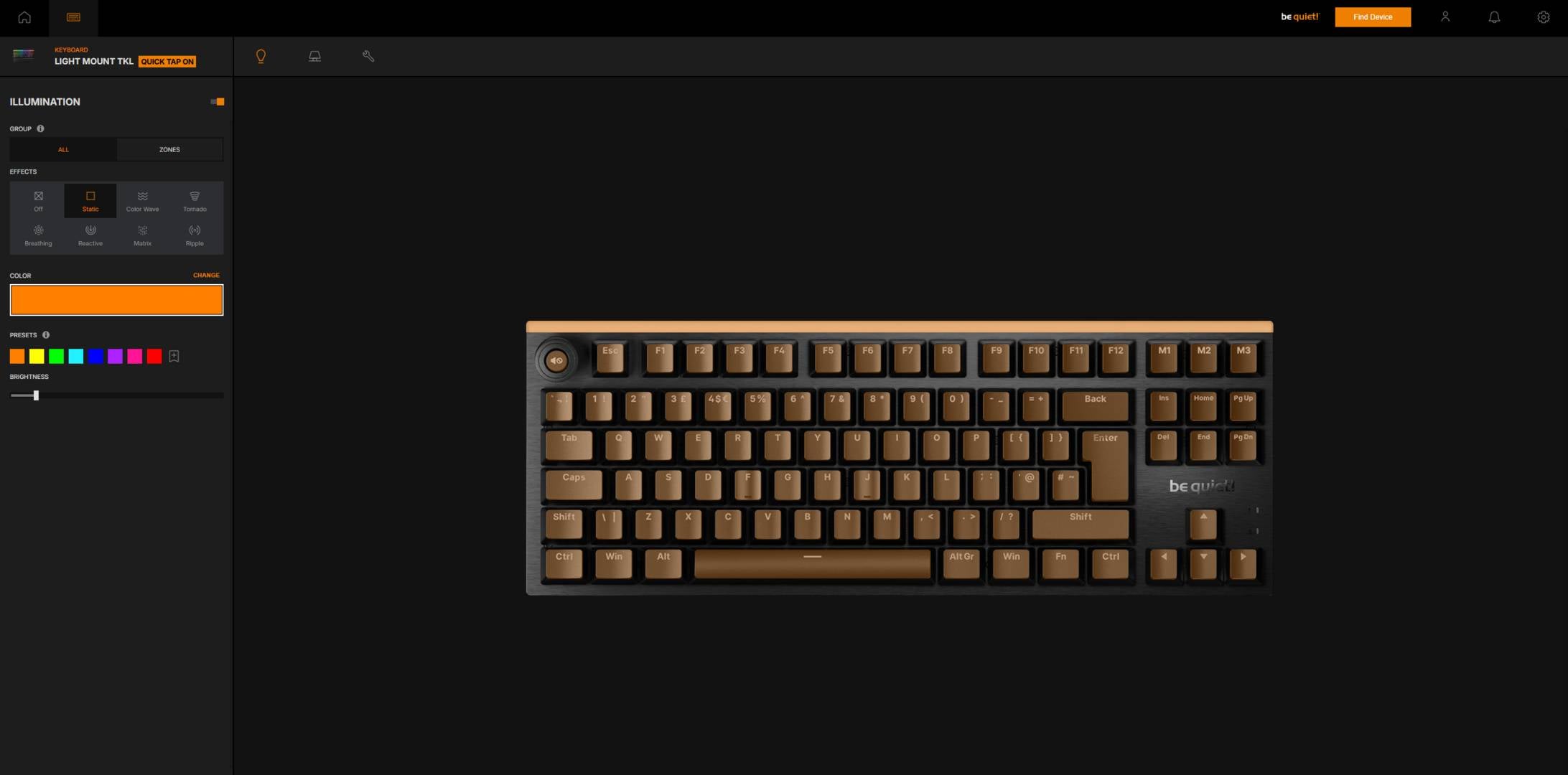
On top of enabling you to update your devices to the latest firmware, IO Center also allows you to customise the Light Mount TKL’s per-key RGB lighting, plus the front and rear light strips. You can assign individual colours to each key, adjust brightness, and select animations. There is even a calibration tool to help you match the keyboard colours to the rest of your hardware, in case other devices’ hues are slightly off. You can create up to 10 layers in Custom Mode to assign individual colours and effects per key. In other words, the sky is the limit.
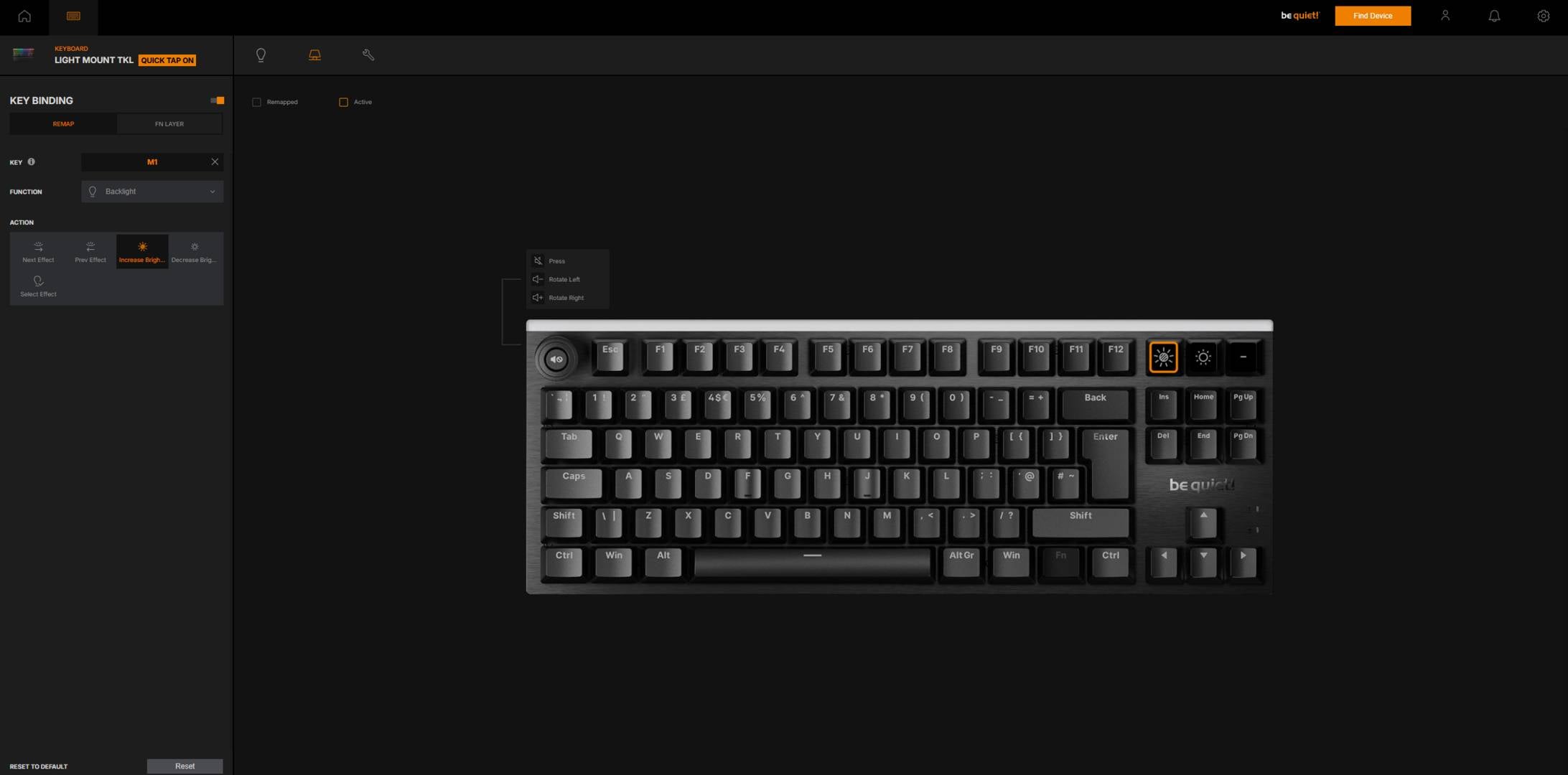
Macros and programmable keys are another strength of the Light Mount TKL, as you can fully remap any key with individual assignments for shortcuts, macros, or Windows functions. And if that’s not enough, you can use the FN (key) Layer to unlock a secondary key layout. Whether you only use simple key bindings, or need complex command sequences with repetitive tasks and precise activation delays, this keyboard can accommodate you. If need be, you can capture up to 999 individual events per macro, allowing for extremely advanced combos.
The usual gamer locks are also present, disabling select key combinations, such as Alt+F4 and Alt+Tab, to prevent accidental activations while playing. And the best part is that all of these changes remain saved on the keyboard’s onboard memory, so you don’t have to keep IO Center open in the background.
Conclusion
In summary, the Light Mount TKL is a strong option if you value low noise and customisability above all – it really is genuinely quiet in action, especially for a mechanical keyboard. While it’s suitable for both gaming and typing, the latter is let down slightly by the mushy feel of the spacebar. The removal of the numpad also frees up valuable desk space, which extends the range of mouse movements. If you miss the handy numpad, you can always opt for the full-size Light Mount, which only costs an extra £30.
All of which brings us to the price, which is the biggest drawback of this otherwise nice keyboard. The Light Mount TKL is set to retail for €139.90 / $139.90 MSRP. At this price, you can find Hall Effect keyboards such as the Glorious GMMK 3, that are also wireless to top it off. It might have quiet switches, but that has to be your top priority if you’re going to buy this keyboard – there are plenty of competitive options with otherwise-similar specs below the €100 mark.
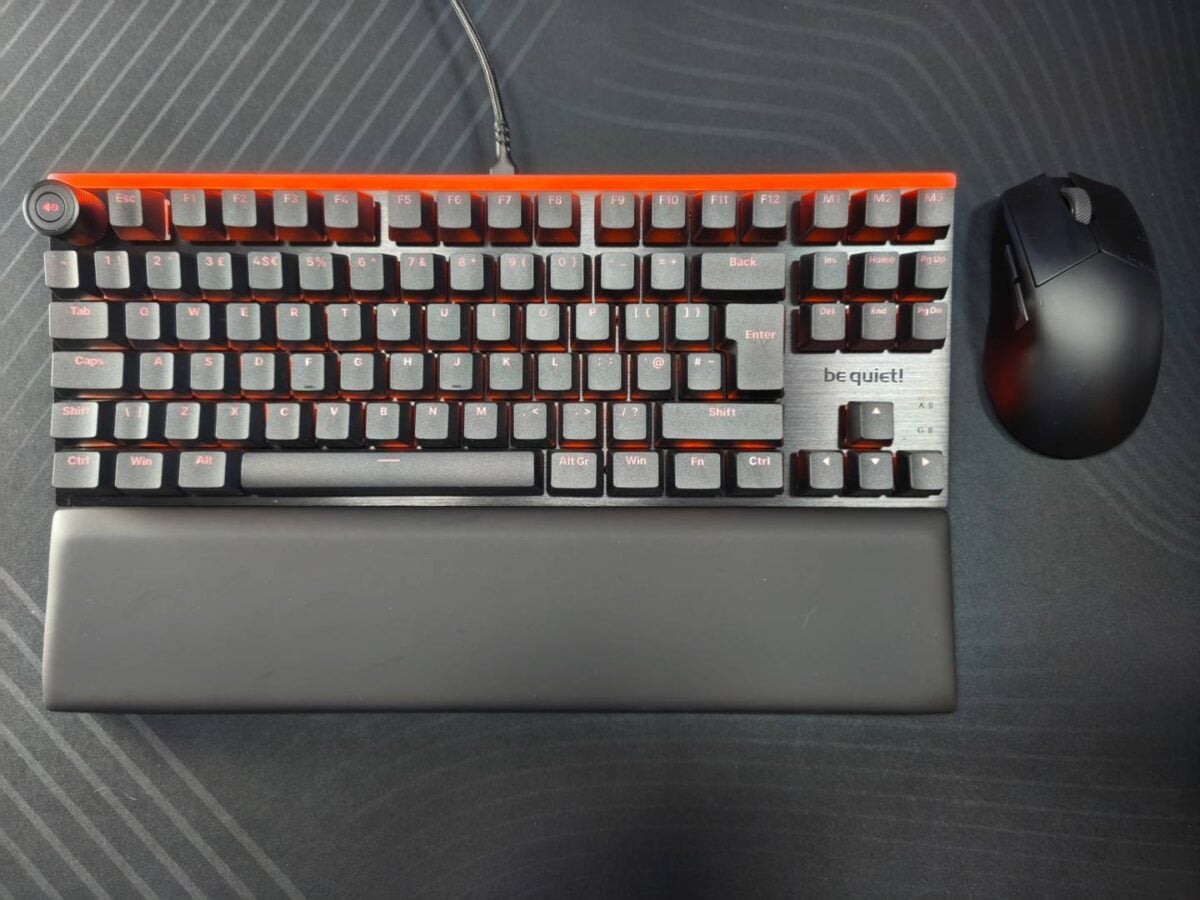
To put it simply, the Light Mount TKL is worth considering if you really about low-noise typing, flexibility, and build quality to some extent. The comfort and look are also strong points, especially if you already rock a fancy RGB setup. For this price, however, I would at least have expected a wireless connection or Hall Effect switches as well.