
Nvidia Game Ready drivers should offer the best experience for newly released games on GeForce GPUs, Phantom Blade Zero included, but developer S-Game Studio seems to think otherwise. Instead, the company is recommending players use an older release, citing performance instabilities with the latest 621.01 version.
Creative director and CEO of S-Game, Soulframe Liang shared explicit instructions for players to use driver 617.42 for “the best experience in Phantom Blade Zero” as part of a blog post published just prior to the game’s launch. This is at odds with Nvidia, which says 621.01 does the very same.
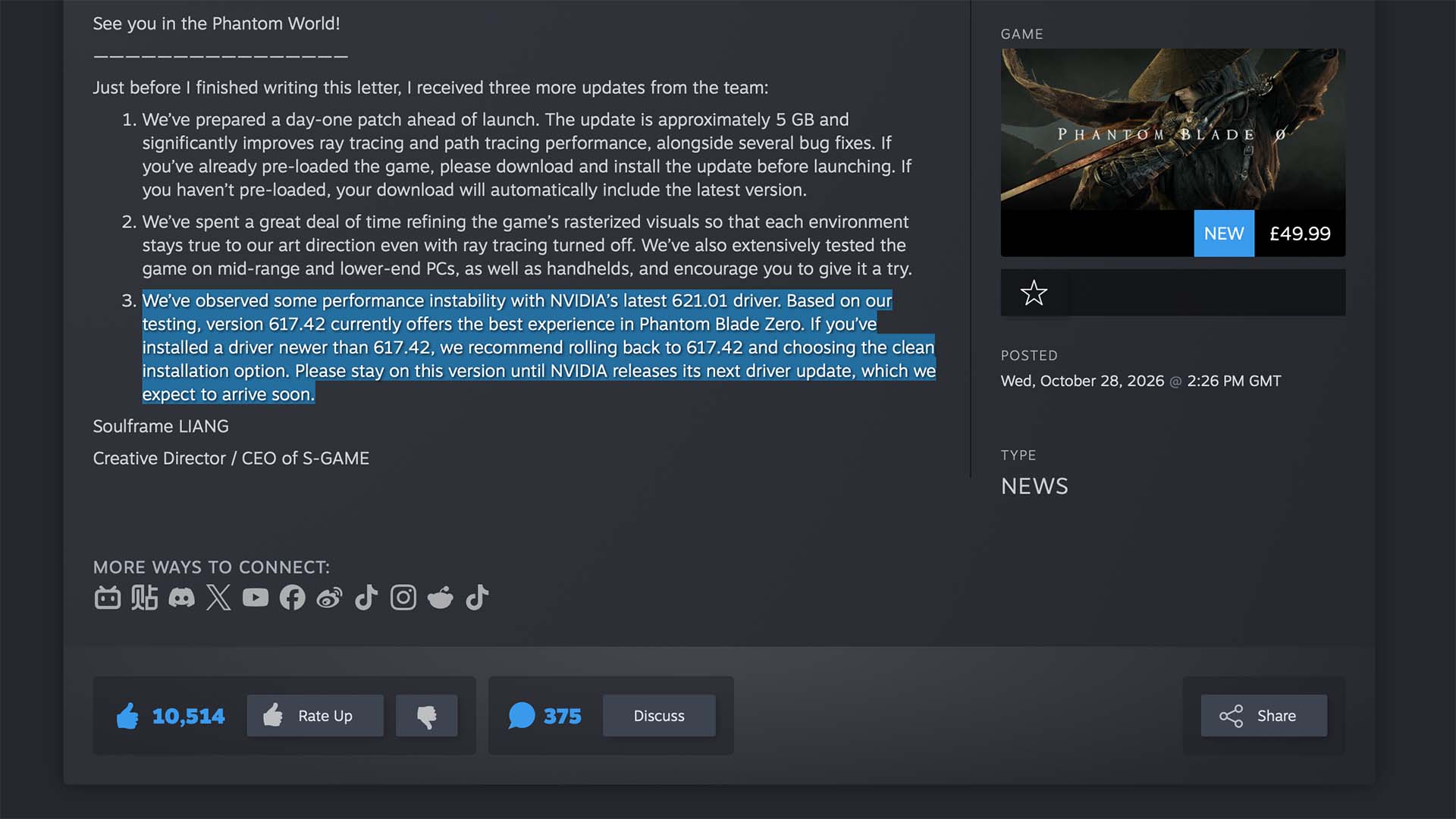
S-Game Studio curiously hasn’t provided any detail about how severe or prevalent the claimed performance instabilities are on 621.01. Curiouser still, there don’t appear to be mass reports of problems with this driver on the game’s subreddit or Steam forums.
We do know that the latest driver is prone to black screens and video playback problems on GeForce RTX 50 series cards, prompting the release of GeForce Hotfix 621.12. However, neither of those issues pertains to performance. It’s also worth noting that rolling back from 621.01 will require you to recompile your shader caches and deprive you of Advanced Shader Delivery.
Until we learn more about S-Game Studio’s gripes with 621.01, I’d recommend continuing to use the current driver (or 621.12) if you’re not experiencing any issues in Phantom Blade Zero or otherwise. Should you begin to encounter problems, you can download 617.42 via the Nvidia app or from here.
If you’re reading this in preparation to install the game, take heed of the Phantom Blade Zero system requirements. The preload demanded a stonkingly large 300GB of space from your SSD, but this has thankfully dropped to 145GB following launch. We’re happy to report that you’ll be able to boost performance in the Phantom World using Nvidia DLSS, while non-RTX GPUs have a choice of AMD FSR or Intel XeSS at their disposal.
