
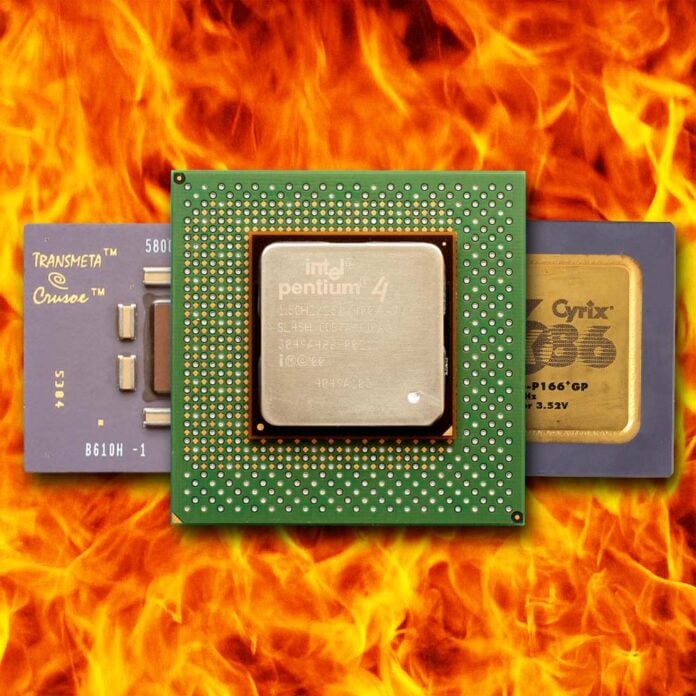
It’s not often that truly rubbish CPUs rear their ugly heatspreaders, but now and then a chip somehow surfaces that makes you wonder how on earth it escaped from the bin and made it into the shops. Even worse is when a whole CPU architecture stinks, tarnishing its maker’s products for the next couple of years. It’s all happened, though. I remember repeatedly benchmarking a 1.5GHz Pentium 4 when it first came out, as I simply couldn’t believe it was that bad.
In this feature, we thought it would be fun to recount some of the worst offenders when it comes to PC CPUs. We’re just sticking to x86 here, as that’s been the primary instruction set for most PCs over the years, but we’re quite aware there are tales of disappointing silicon outside this arena, too – we’re looking at you, Intel iAPX 432 and Itanium.
Now and then a chip surfaces that makes you wonder how on earth it escaped from the bin.
As PC hardware veterans, we’ve seen Intel and AMD trade blows through different periods, and watched other players come and go. As such, we’ve personally tested most of the CPUs on this list, and even owned some of them ourselves. Trust us when we say that we know exactly what was wrong with these chips. Anyway, ready your wimple and toll the bell, here’s the x86 CPU hall of shame.
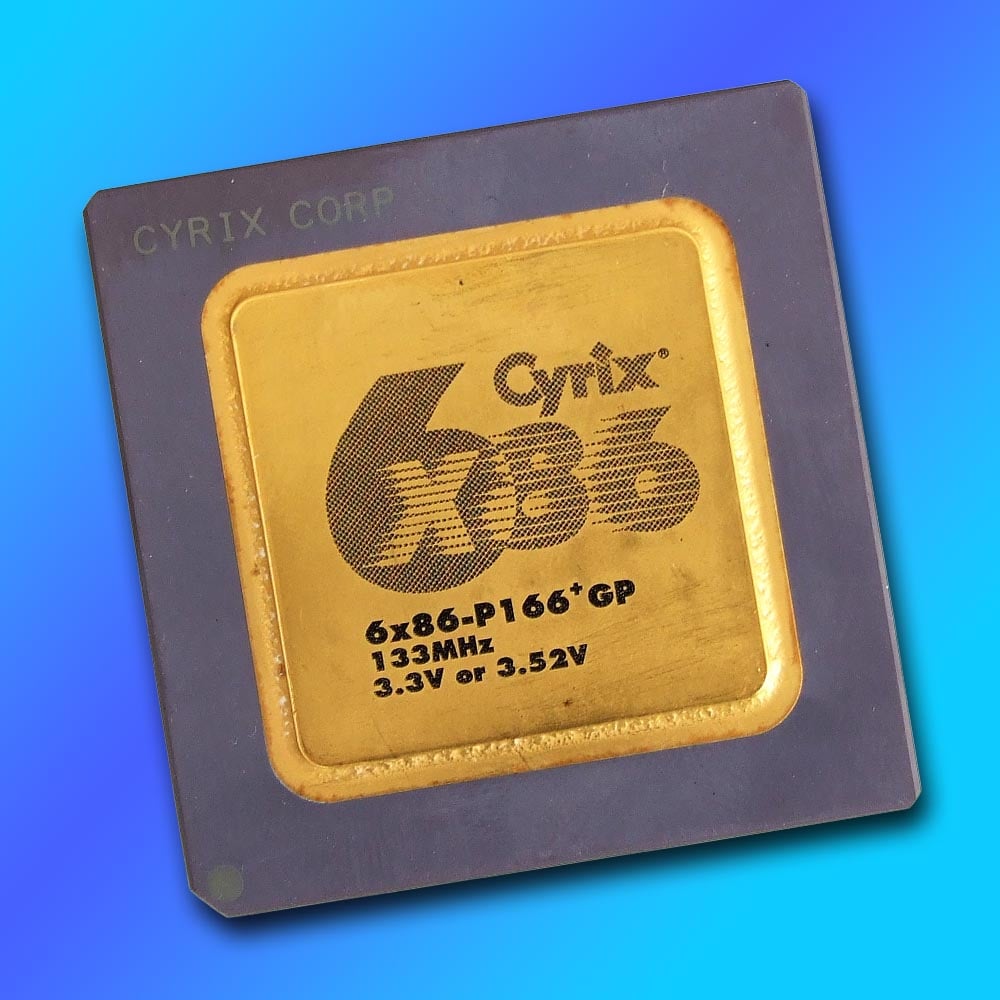
Cyrix 6×86 (1996)
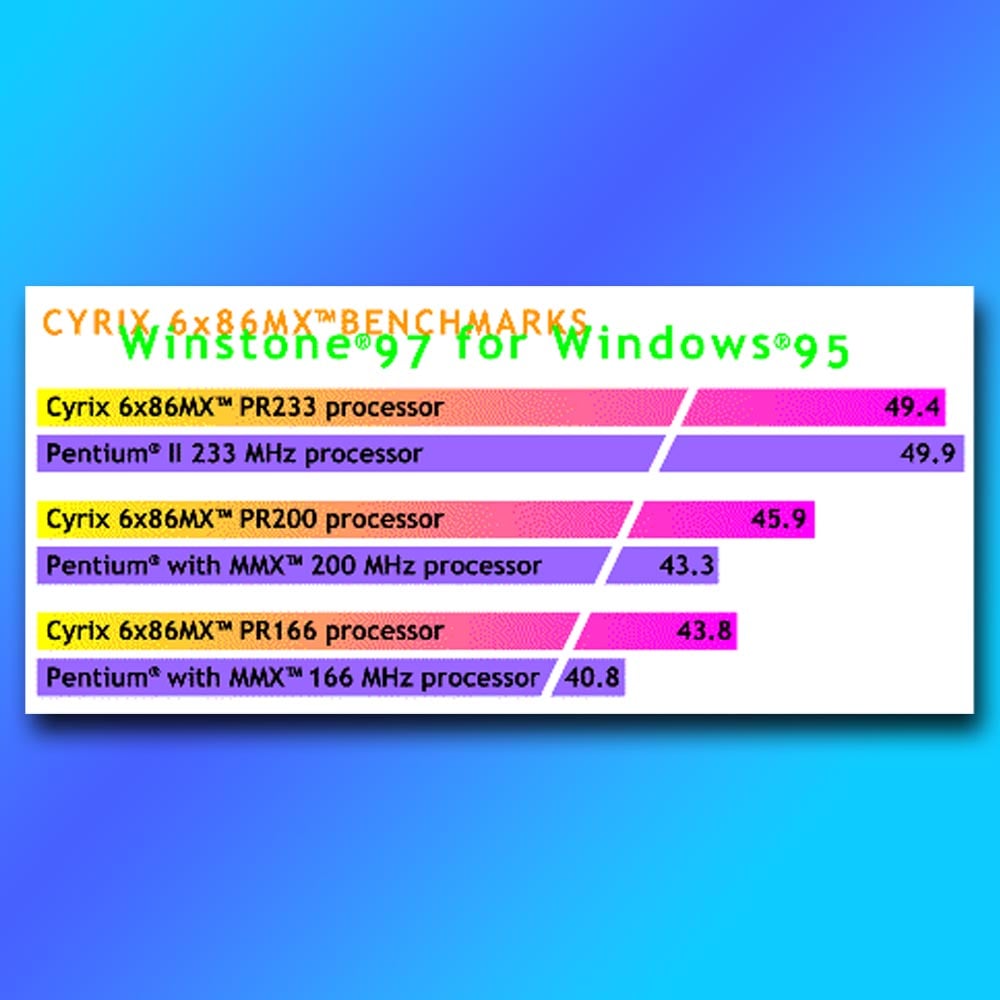
This CPU looked like a bargain in the magazine mail-order listings at the time, as if you were getting a 200MHz CPU for a fraction of the price of a genuine Intel Pentium chip. There was even support for MMX instructions when the 6×86 MX lineup was released, and Cyrix’s website had benchmark graphs showing its chips outperforming Intel ones. “Aha,” you thought, “this will be just as fast, and I’ll save a load of cash.” Then you’d try to run Half-Life on it, and your world would fall apart.
It all looked good on paper, with the promise of a superscalar architecture, multi-branch prediction and out-of-order completion, as well as 64KB of cache – all areas that made Intel’s Pentium look positively haggard. But that all went in the bin when you tried to run games on it.
The 6×86’s key problem was a severe lack of floating-point performance, an area where Intel had heavily invested with its first-gen Pentium CPUs. Cyrix gambled that floating-point instructions were rarely used at this point, and instead focused on maximising integer pace for the lowest price possible.
Then you’d try to run Half-Life on it, and your world would fall apart.
It worked well in the office benchmarks used by magazines at the time, but it really struggled with games based on the Quake engine, where its comparatively poor FPU would cause performance to fall off a cliff.
It also didn’t help that the model numbers bore no relation to the actual clock speed – a 6x86MX PR200, for example, looked like it was on par with an Intel Pentium 200MMX, but it actually only ran at 166MHz.
I was one of the people who bought a 6x86MX PR200 back then, as an easy upgrade from my Pentium 75, and quickly regretted it. This Socket 7 CPU might have been fine for office work, but by this point 3D PC gaming was a big market you could no longer afford to ignore. Sadly, Cyrix didn’t learn from this, and its later MII chips carried on the same strategy, while Intel’s Pentium III and AMD’s new Athlon CPUs ran away with the spoils.
Intel Celeron Covington (1998)
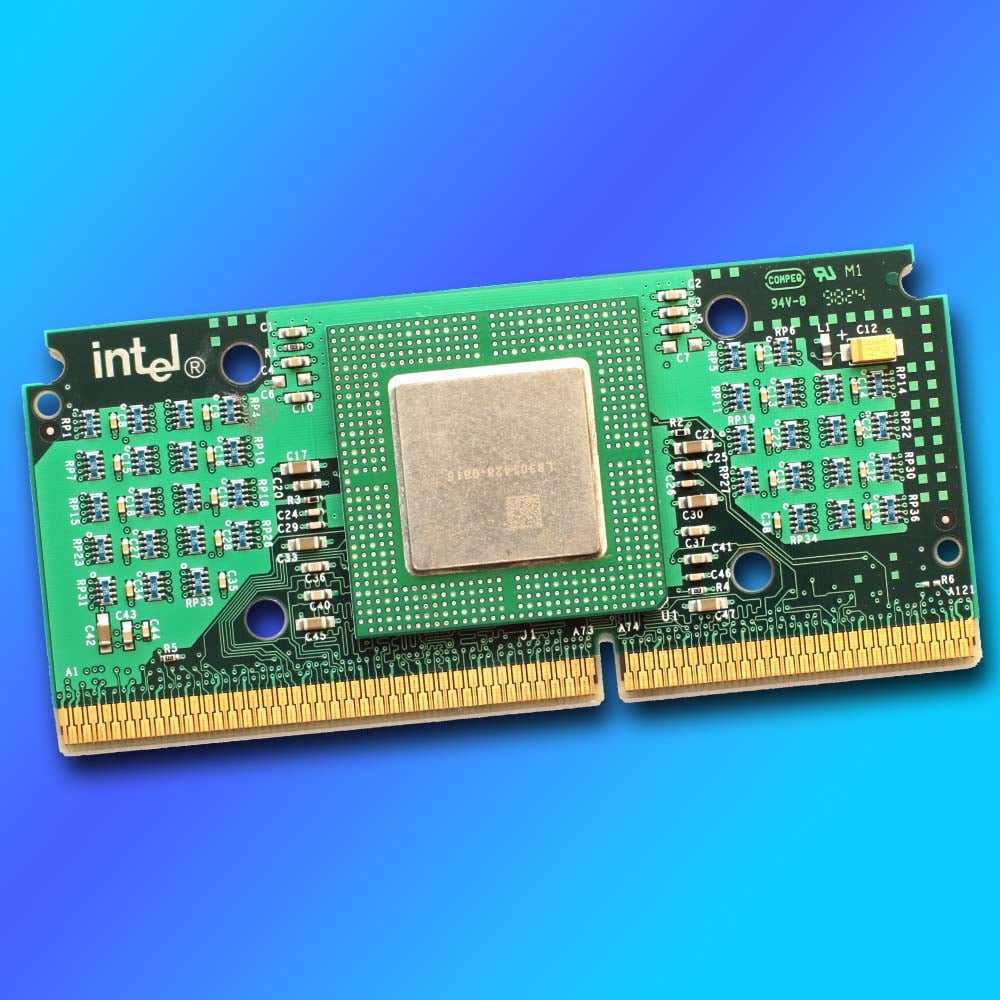
Proving that we really don’t want a cacheless society, Intel’s first generation of Celeron chips provided a solid lesson in what happens when you rely on system memory to feed your CPU with data. It wasn’t that these original Celeron CPUs just had a limited amount of L2 cache; they actually had none at all.
To put this in context, and to be fair to Intel, until this point, most desktop CPUs hadn’t been kitted out with any on-package L2 cache. The original Pentium chips only had L1 cache, with L2 provided as an option on the motherboard, for example. The problem was that Intel’s latest Pentium II processors had a comparatively whopping 512KB of L2 cache, with chips that were so big the CPU had to be soldered into a slot-mounted PCB, with a 256KB cache chip on either side of it. Meanwhile, just a month after the first Celerons were released, AMD brought out its K6-2, with 128KB of fast, on-die L2 cache.
It proved that we really don’t want a cacheless society.
All of which meant the first-gen Celeron stacked up really badly compared to its peers, not only in gaming, but also in office performance tests, as all the other chips had a load of high-speed L2 cache to keep them fed with data. Intel ended up having to reduce the price for a 266MHz model from $155 to $86 in July 1998, just three months after launch, representing a whopping 44.5% drop. Times had changed, and it was clear the latest CPUs needed a healthy supply of secondary cache to help them keep up.
Thankfully, Intel very quickly learned its lesson here, rather than doubling down on these cache-strapped CPUs. The next generation of Celerons, codenamed Mendocino, not only came with 128KB of L2 cache, but it was also on-die and ran at the same speed as the CPU. In some cases, that meant these Celerons ended up being even faster than their Pentium II counterparts, and they were often highly overclockable as well – I ran my Celeron 333A at 415MHz by setting the FSB jumper to 83MHz rather than 66MHz, and some lucky people managed to get their Celeron 300As running at 450MHz with a 100MHz FSB. Sometimes you need to endure a bad product to pave the way for a genuinely good one.
Transmeta Crusoe (2000)
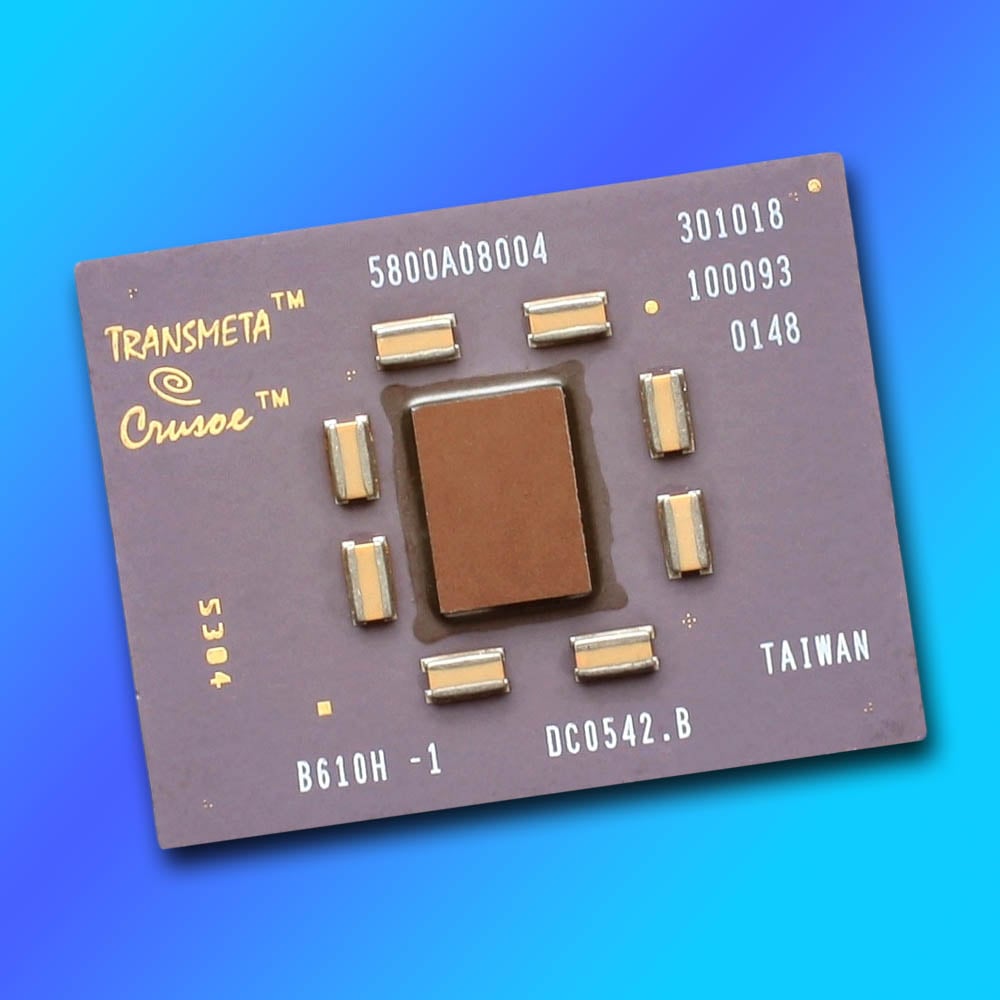
How do you attempt to wedge your CPU’s foot in the PC door when you don’t have an x86 license? Transmeta’s answer was to bypass these shenanigans by creating a CPU with a VLIW (very long instruction word) architecture and then adding a code-morphing software (CMS) x86 emulation layer to make it play nicely in Windows. Handily circumventing the need for an x86 licence, and promising a ground-breaking full day of battery life for laptops, it looked as though we had a new player on the scene when Transmeta Crusoe was announced at the turn of the Millennium.
Credit where it’s due, the Crusoe was indeed very cool-running and power-efficient, but it was also slow. Really slow. I had one in my Sharp Actius MM10 laptop, which was a lovely, super-slim machine for the time, but I was regularly twiddling my thumbs while I waited for it to perform basic tasks. Even booting up Windows became a chore, as you watched and waited for bits of the OS to appear.
I was regularly twiddling my thumbs while I waited for it to perform basic tasks.
One key idea behind this chip was that you could shift a great deal of processing work, such as instruction reordering and pipelining, from hardware transistors to software. This meant that, even if Microsoft released a native VLIW version of Windows, you’d still be better off running it in x86 mode with the abstraction layer.
This shift from hardware to software resulted in a tiny die with massively reduced temperatures and power draw compared to Intel’s laptop chips at the time, while also enabling Transmeta to update the chip without needing a hardware upgrade. It’s not a terrible idea in theory, especially in these days when virtualisation is commonplace. Sadly, though, at this time, the reality for the Crusoe was that its heavy reliance on software meant it severely under-performed.
Intel Pentium 4 (2000)
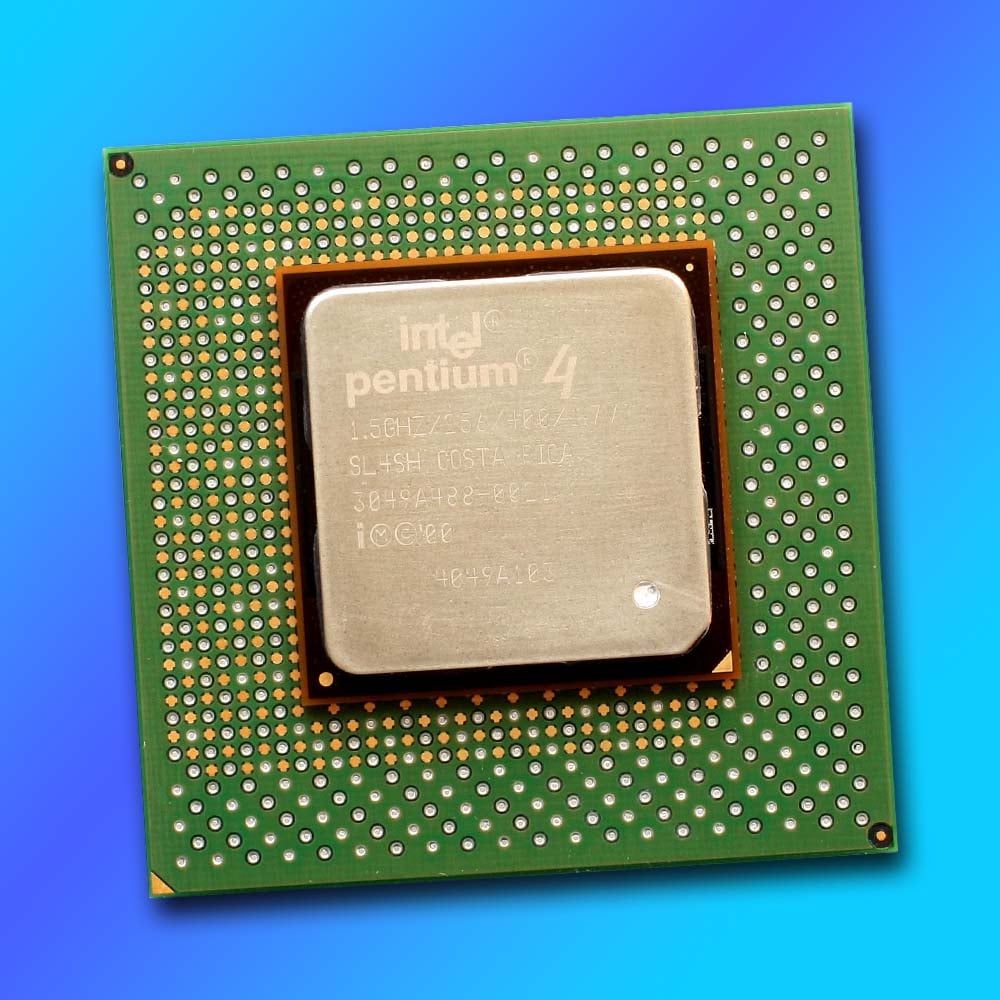
Let’s not beat about the bush here – Pentium 4 was a massive cock up, showing that even a huge, successful company such as Intel can occasionally stumble onto a rake in its oversized clown shoes, while making a comedy honking sound. Pentium 4 heralded a brand new CPU architecture called NetBurst, a fresh, ground-up design that looked great in theory. It had huge (for the time) memory bandwidth, courtesy of dual-channel Rambus RDIMMs running at 800MT/s, and sky-high CPU clock speeds of 1.5GHz, along with a quad-pumped 400MT/s front-side bus.
Clock speeds were a big deal at this time, as they were the main metric for differentiating between CPUs. Pentium III had topped out at 1GHz (the 1.13GHz version was pulled), and AMD’s lineup of Thunderbird Athlon chips peaked at 1.2GHz. With launch speeds of 1.4GHz and 1.5GHz, and the promise of imminent 1.7GHz chips, Pentium 4 looked like it was going to storm the world. Then we tested it, and something was very clearly up. Pentium 4 ran hot, consumed loads of power and, worst of all, despite all that clock frequency, wasn’t that fast, either.
Let’s not beat about the bush here – Pentium 4 was a massive cock up.
One of the main problems with NetBurst was that it substantially increased the number of pipeline stages compared to previous CPU designs. The first Willamette Pentium 4 chips had 20 pipeline stages, compared to 14 on the Pentium III. This enabled Intel to crank up the clock speed, but it also made the architecture highly inefficient. Having lots of pipeline stages is fine if you’re pumping a long line of easily predictable instructions through your CPU, which made Pentium 4 great for repetitive workloads such as video encoding. However, if anything chucks a spanner in the works then the whole pipeline has to be flushed out and started again, meaning lots of work gets wasted.
To make matters worse, Pentium 4 originally required costly Rambus memory, while AMD’s Athlon CPUs happily worked with cheap, existing SDRAM, and later, the first DDR RAM – it was years before Intel followed suit. Upgrading to Pentium 4 meant a new motherboard, CPU and memory, as well as a hefty CPU cooler, and it wasn’t going to be much faster in real-world use. Not wanting its R&D to go to waste, Intel doubled down on NetBurst for five years, and in 2005, the lamentable Prescott core had expanded the pipeline to a massive 31 stages, with clock speeds approaching 3.8GHz, and even dual-core models available.
Eventually, Intel admitted NetBurst was going to be abandoned and went back to the drawing board. Tarnished forever, the previously premium Pentium brand was relegated to budget status, and Intel’s next-gen Core architecture basically went back to the P6 core used in Intel’s Pentium Pro. What’s more, you could put a Core 2 Quad in your old LGA775 Pentium 4 motherboard and have an easy upgrade path. There’s a reason why we reference model numbers rather than clock speed now, as Pentium 4 made talk of clock frequencies largely meaningless.
AMD Bulldozer (2011)
It’s a cruel irony that the core processor architecture AMD called Bulldozer very nearly did bulldoze the company into the great silicon scrapheap of history. After well and truly putting Intel in its place with its AMD64 architecture, AMD looked like it was on a roll. Its next attempt needed to take on Intel’s Core chips, and it looked good on paper.
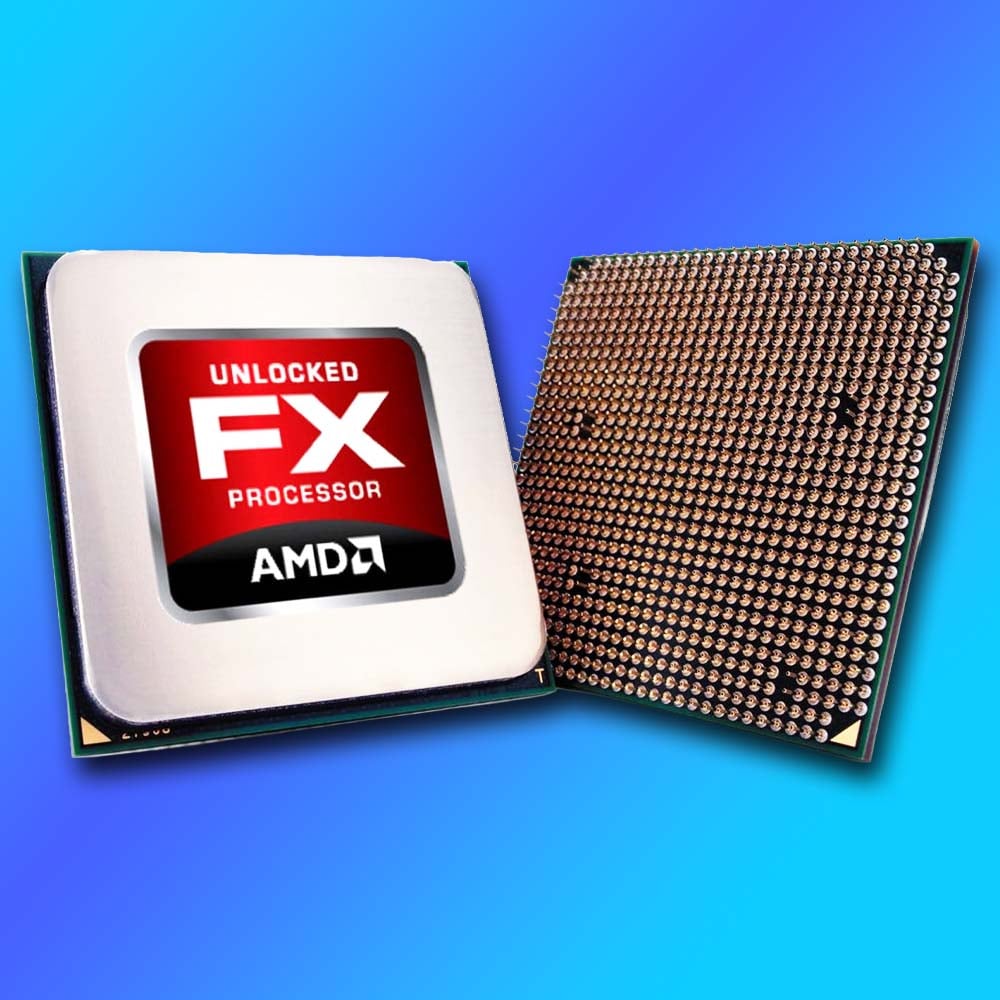
Rather than building on the foundations of AMD64, Bulldozer was built from the ground up to offer up to eight cores in a desktop CPU alongside 3.6GHz clock speeds. It should have been awesome. In reality, though, those eight cores were actually just basic integer-only execution units. Two of these units were found in an AMD Bulldozer module, in which they shared a separate dual floating point unit and L2 cache, while also sharing fetch and decode units. Basically, an 8-core FX chip was really a quad-core chip with eight basic integer units.
Those eight cores were actually just basic integer-only execution units.
All of which would have been fine if it was any good. After all, Intel’s mainstream Sandy Bridge chips at this time only had four cores. Sadly, though, performance was woeful.
I worked on bit-tech at this time, and remember the “8-core” FX-8150 being well behind Intel’s quad-core Core i7-2600K in Cinebench R11.5, while its single-threaded performance in Gimp was nearly half the speed of Intel’s Core i5-2500K. To top it all off, power consumption went through the roof, and gaming performance was also poor. FX-8150 proved to be a stinker, and that was a problem when the underlying architecture provided the foundation of AMD’s next generation of CPUs.
What followed were several years of AMD being unable to compete with successive generations of Intel Core chips, meaning it could only sell these CPUs at very low prices, and AMD haemorrhaged money all over the place. Huge cost-saving measures were undertaken at AMD, including spinning off its in-house fabrication business to form GlobalFoundries, but the firm still ended up posting a $51 million net loss at the start of 2017.
Thankfully, AMD got back on track with its next core architecture, the mighty Zen, which is just as well, as it was nearly curtains once Bulldozer had finished running its demolition course.
Intel Core i9-14900K (2023)
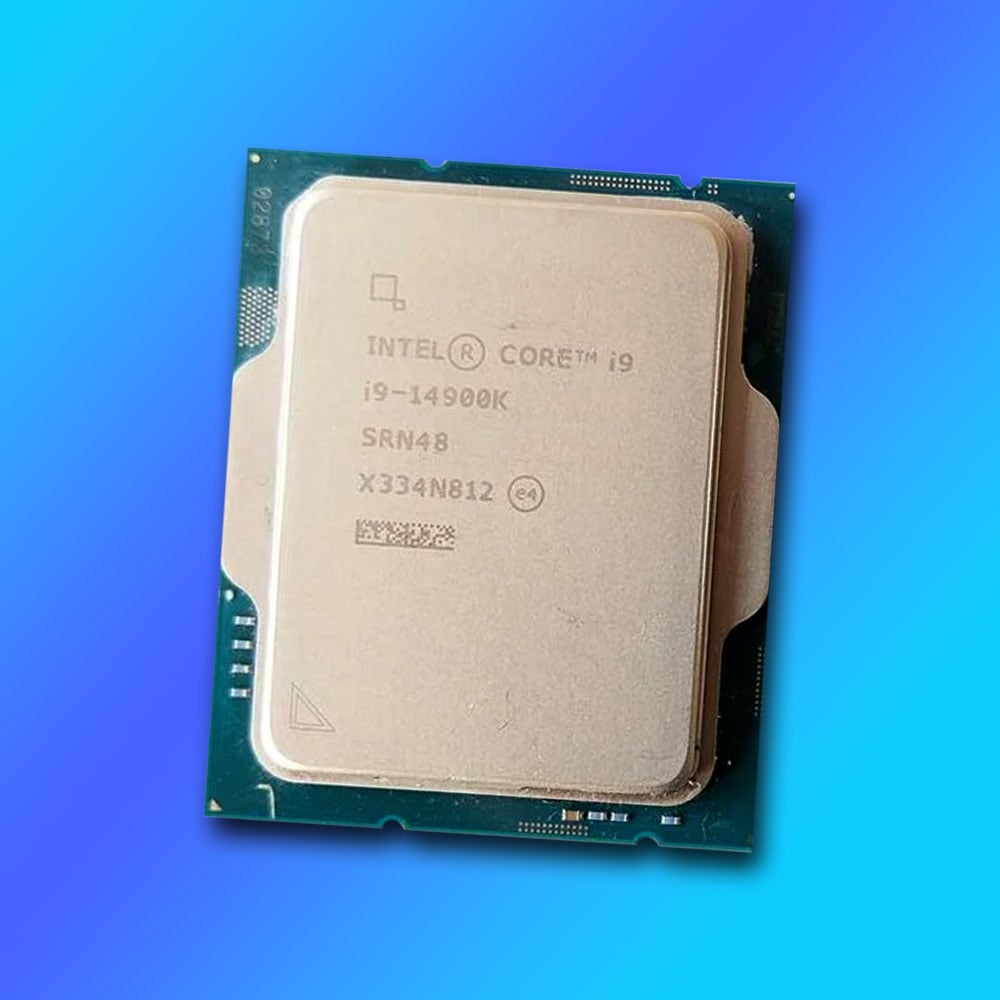
Believe it or not, Intel’s Core i9-14900K originally got off to a reasonable start. Yes, its power draw and heat output were mildly terrifying, but if you strapped a 360mm AIO cooler to this chip and partnered it with a beefy PSU, you wielded a monstrous amount of multi-threading power, as well as decent gaming performance. But then a tidal wave of instability reports hit.
Games were crashing out with errors saying they didn’t have enough video memory, even if you had a veritable stack of it, and Nvidia started directing frustrated gamers to Intel support. The problem wasn’t your graphics card, it turned out, but your CPU. Even worse, it wasn’t just instability – CPUs were dying, with game developer Matthew Cassells, founder of Alderon Games, accusing Intel of “selling defective CPUs.”
It wasn’t just instability – CPUs were dying.
Intel initially pointed the finger at motherboard manufacturers applying over-zealous power settings, and a bunch of BIOS updates with “Intel recommended settings” were issued, but still problems persisted, and Intel eventually landed on a Vmin Shift issue as the primary culprit, with huge spikes in voltage sometimes being applied to the chip. A raft of microcode updates and BIOS refreshes were then pumped out over the next few months, which was a massive pain for owners of these chips, particularly if you weren’t that tech-savvy.
The problem went deeper than the 14900K, affecting its predecessor, the Core i9-13900K, as well as other K-series Raptor Lake chips, but these issues seemed to be particularly bad for the 14900K. After all the microcode updates and warranty replacements, this nightmare now seems to be over, but this was a shameful episode for Intel.
Dishonourable mentions
There were many borderline candidates for this list, which didn’t quite make the cut. In most cases, that’s because these CPUs do actually have some redeeming features, despite their obvious flaws. Think of this as a hall of embarrassment, rather than a hall of shame.
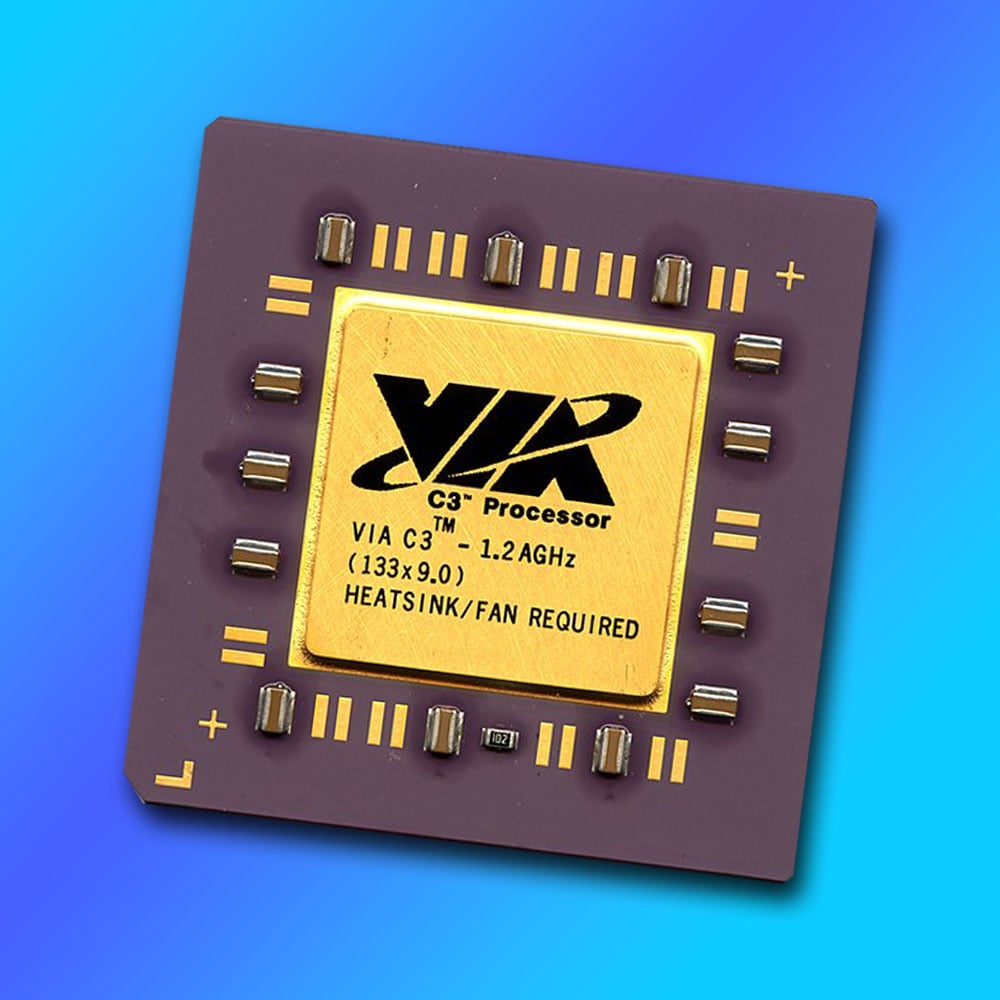
VIA C3 (2001)
After hoovering up Centaur and Cyrix’s assets, Taiwanese chipset maker VIA entered the CPU business with the C3. Primarily aimed at the embedded market, it generated little heat and had small power demands, while offering enough processing power for basic software. However, the C3 was also the only CPU available in the first mini-ITX motherboards. The SFF hobbyist scene flourished, with tiny PCs built into model cars, guitars, and various household appliances. This was all cool, but Windows ran like a dog on this CPU, and we’re very glad that mini-ITX boards are now widely available with Intel and AMD sockets.
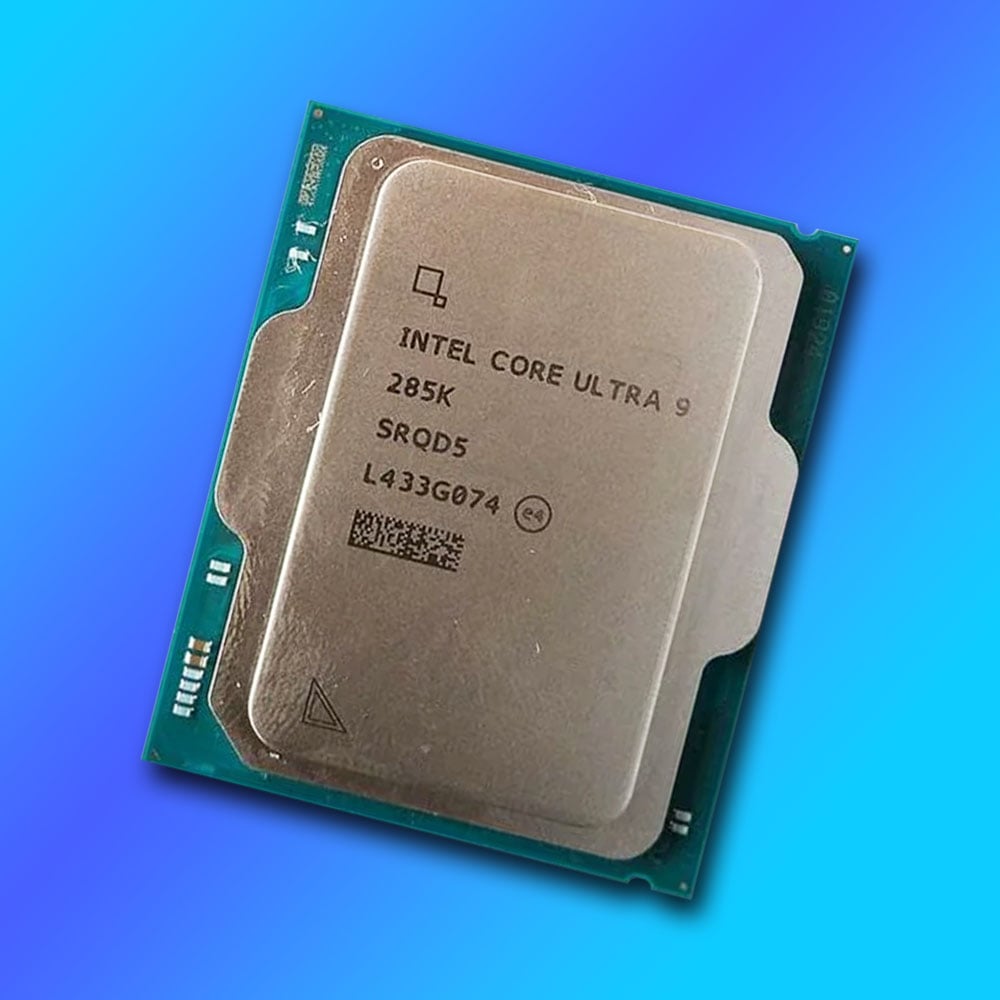
Intel Arrow Lake (2024)
There are several reasons why gamers are deserting Intel right now. One is that the likes of AMD’s Ryzen 7 9850X3D are simply so strong, thanks to their extra cache, and the fiasco with unstable Intel Raptor Lake chips won’t have helped either. However, Intel’s biggest problem at the moment is that its current CPU architecture is slower in games than its predecessor. To be fair, the Intel Core Ultra 9 285K is great if you want a pure productivity chip – it has 24 cores, and it’s not overly hot or power hungry. When it comes to gaming, though, Arrow Lake has proved thoroughly disappointing. Let’s hope Nova Lake is a return to form.
Most AMD pre-Zen laptop CPUs
It’s only in the last few years that AMD has seemingly started taking laptop CPUs seriously, after its Zen 2 Ryzen 4000-series CPUs finally laid down the gauntlet. Before the Zen days, AMD mobile CPUs did exist, but they seemed to be more of an afterthought than a core design focus. Poor battery life and thermals, as well as disappointing performance, were commonplace, particularly in the Bulldozer era, leaving Intel to dominate the mobile market for years.
1.13GHz Pentium III (2000)
It’s testament to the quality of tech journalism at the time that this CPU’s instabilities were spotted early on. In the face of increasing competition from AMD’s 1.1GHz Athlon, Intel tried to push its Pentium III past the 1GHz barrier. However, after finding that his sample couldn’t even run through a minute of Prime95 testing, Kyle Bennett from [H]ardOCP, decided to get in touch with other journalists who’d tested the CPU. What followed was a joint effort of testing and comparing notes between Bennett, Anand Lal Shimpi from Anandtech and Tom Pabst (that’s Tom from Tom’s Hardware). After this trio found several instabilities, Intel cancelled the chip.
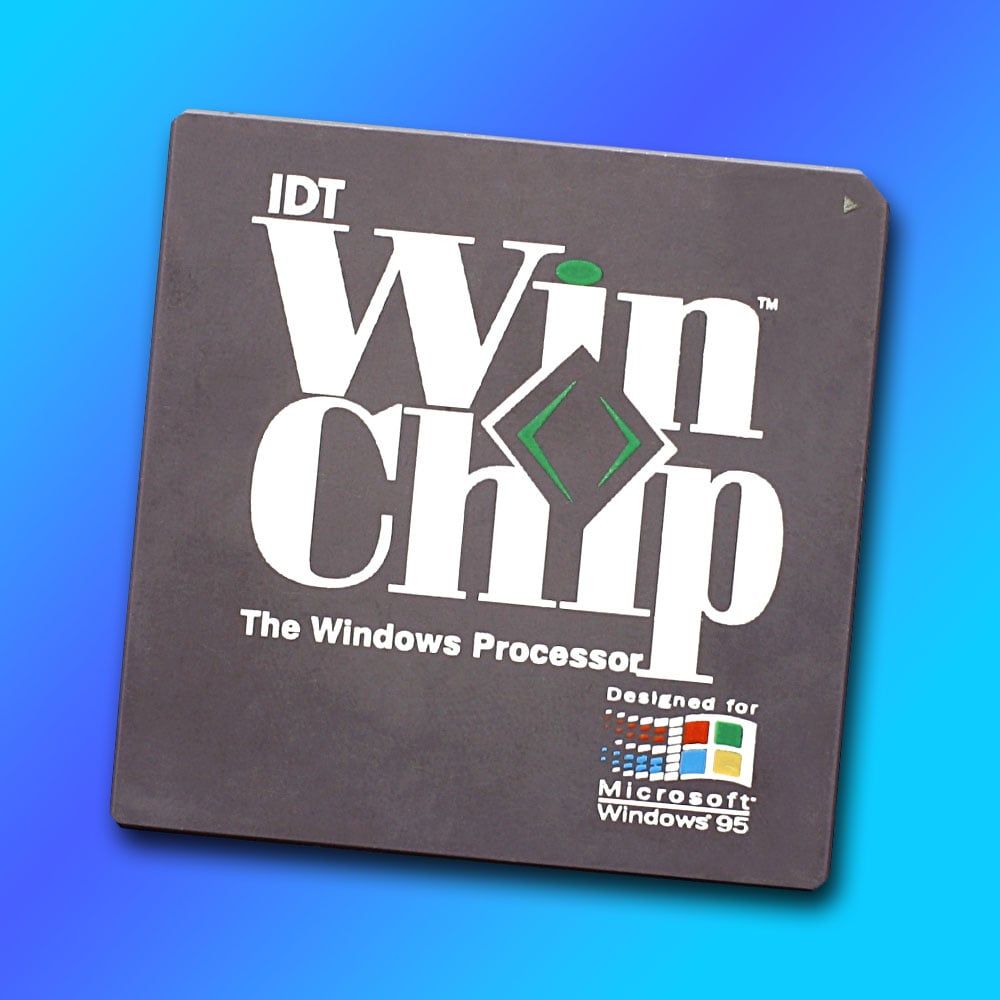
IDT WinChip (1997)
Designed by Centaur Technologies, this chip was designed to offer a low-cost, drop-in upgrade for owners of Socket 7 motherboards. This was the socket already used for Intel’s Pentium chips, as well as AMD’s K5 and K6, plus Cyrix’s 6×86. That was a huge choice of chips for your motherboard, and the WinChip was among the cheapest available. Its basic design had no out-of-order execution, and, as with the Cyrix 6×86, its lack of floating-point performance made it a non-starter for gaming.
And that brings us to the end of our rundown. If you’ve enjoyed having a good gloat at the worst CPUs we could dredge up from the x86 PC’s history, have a gander at our roundup of the worst GPUs ever, where we recall the horror of the Nvidia GeForce FX 5800 Ultra and AMD Radeon VII, among others. Thankfully, there are more success stories than failures in our hobby. If you’re in need of a pick me up after this sorry state of x86 affairs, check out our top 10 greatest CPUs and GPUs of all time, as well as our current favourite chips in our full guide to buying the best CPU for your needs.
