
In this buying guide, we’ll help you find the best motherboard for your needs, based on our extensive, in-depth reviews and expert testing. Whether you’re looking to spend big on the finest board out there, with all the features and accessories you can imagine, or you just want an affordable foundation for a price-conscious build, you’ll find your perfect board right here.
We’ve covered a big range of motherboards, including those with AM5 sockets for the latest AMD Ryzen CPUs, and LGA1851 sockets for Intel chips. There are multiple categories within those platforms as well, including boards based on AMD and Intel’s flagship X870E and Z890 chipsets, and their more affordable B860 and B850 offerings. It’s not just full-size ATX motherboards here either – we also look at mini-ITX options for building a mini PC in a small-form-factor (SFF) chassis.
Your motherboard acts as the main foundation for your PC, with all your other components connecting to it in one way or another. This means it’s crucial to nail your choice, and make sure you get a board that not only runs your CPU optimally, but also properly handles the SSDs you want to install, hooks up to any high-speed external devices, and covers all your networking needs.
Many of the latest boards also have handy extra features, such as an easy-release mechanism for removing your graphics card, tool-free SSD installation, and, if you want it, fancy RGB lighting. Other niceties to look for include a POST code display, which makes for easy trouble shooting, and a dedicated clear-CMOS button on the back can make for less faffing if you ever need to reset all your settings. We cover all of this in our guide, so you can find your perfect motherboard. Anyway, without further ado, let’s bring on the boards.
AMD motherboard shortlist
MSI MEG X870E Godlike
MSI MEG X870E Ace Max
Gigabyte X870E Aorus Pro
MSI MAG X870E Tomahawk Max WiFi
Sapphire Nitro+ B850A WiFi 7
Asus ROG Strix B850-I Gaming WiFi
Intel motherboard shortlist
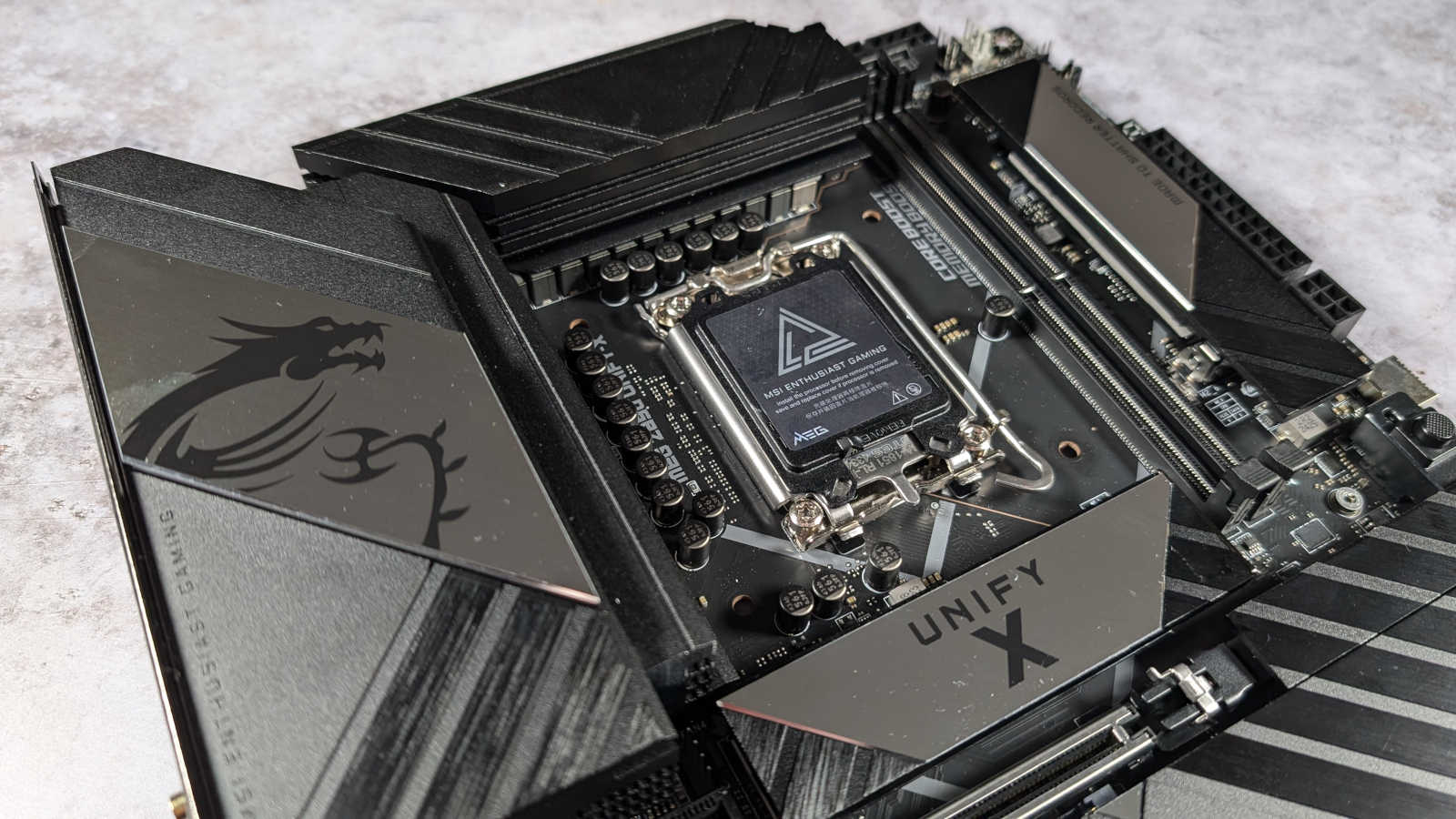
MSI MEG Z890 Unify-X
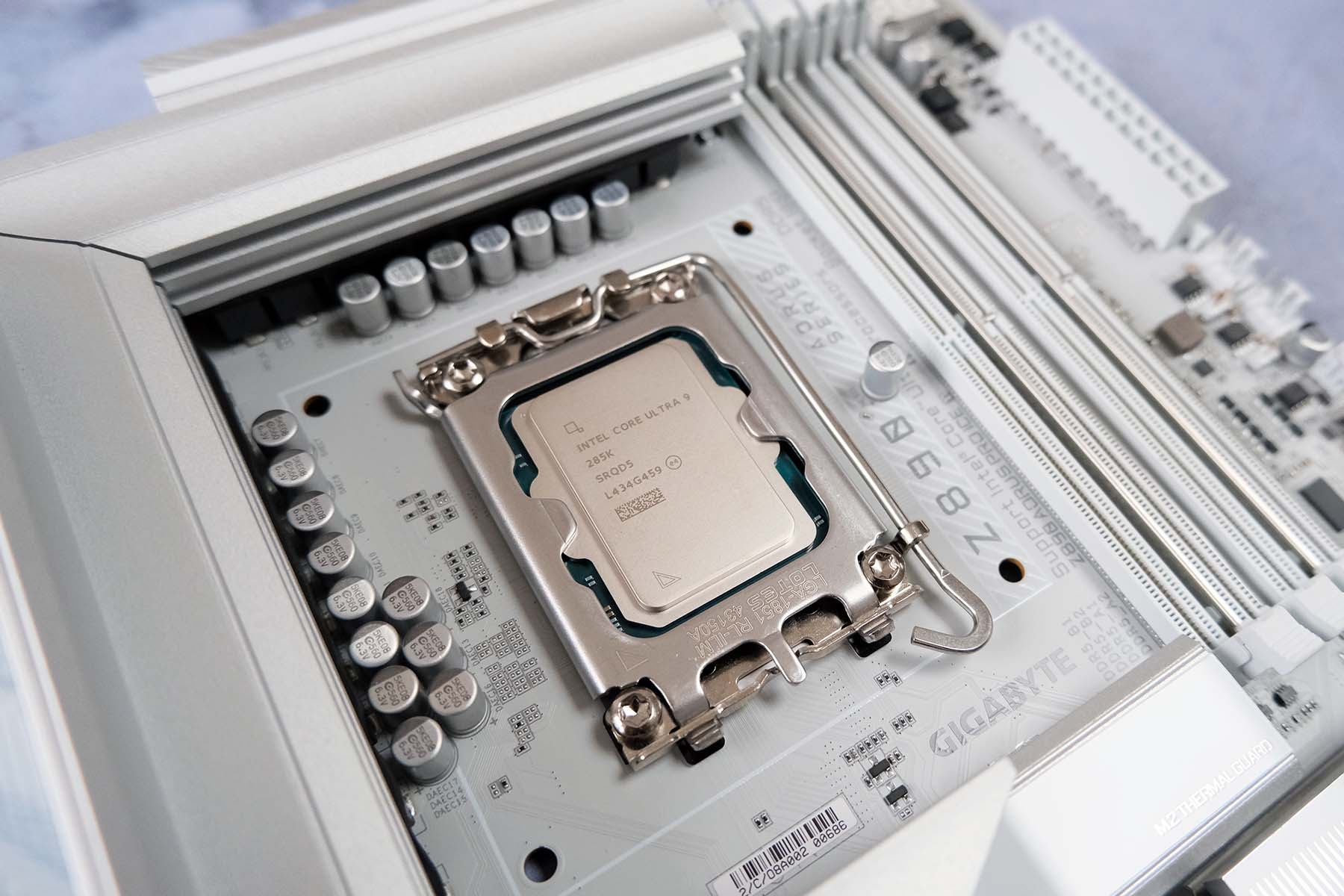
Gigabyte Z890 Aorus Pro Ice
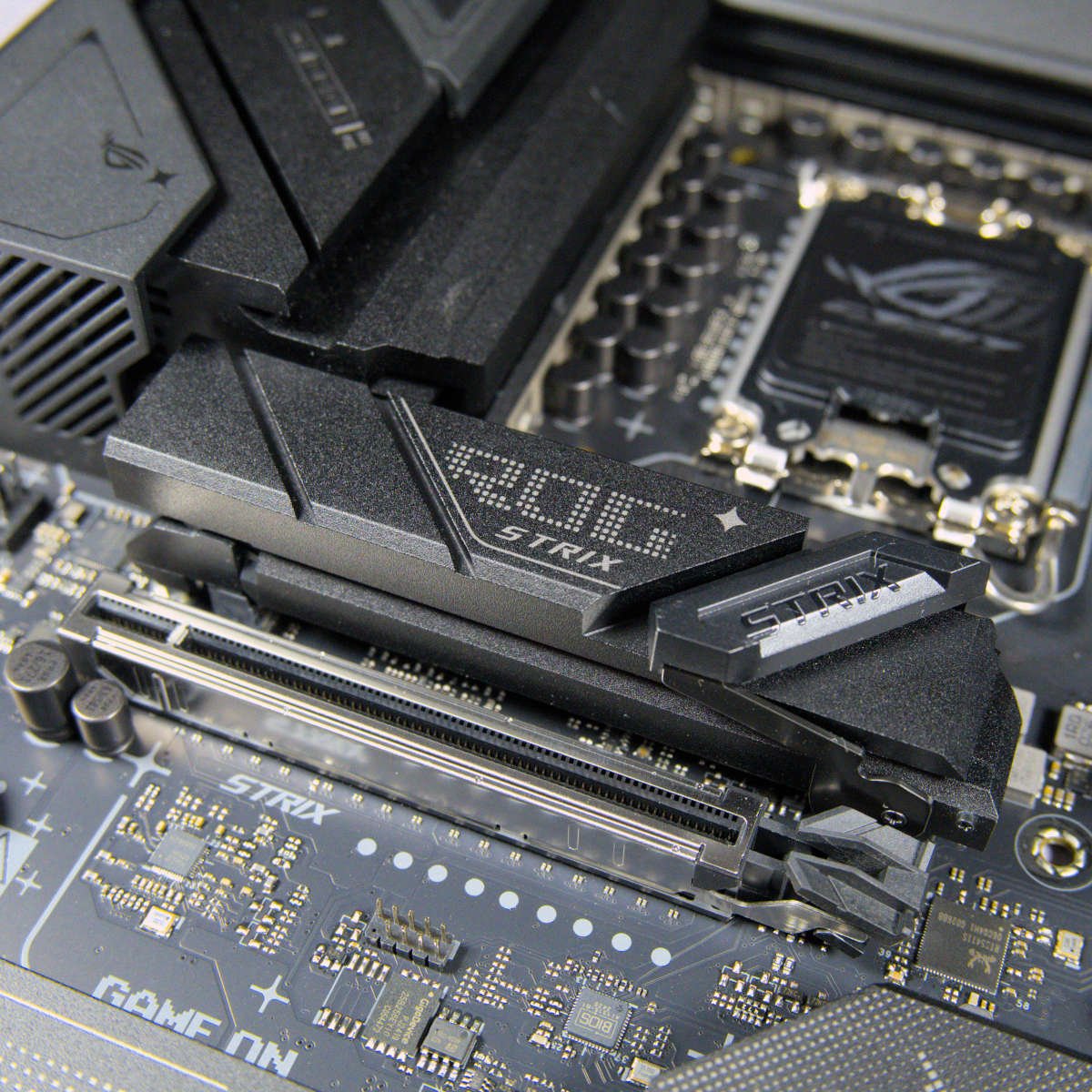
Asus ROG Strix B860-F Gaming WiFi
In detail
Best AMD overall
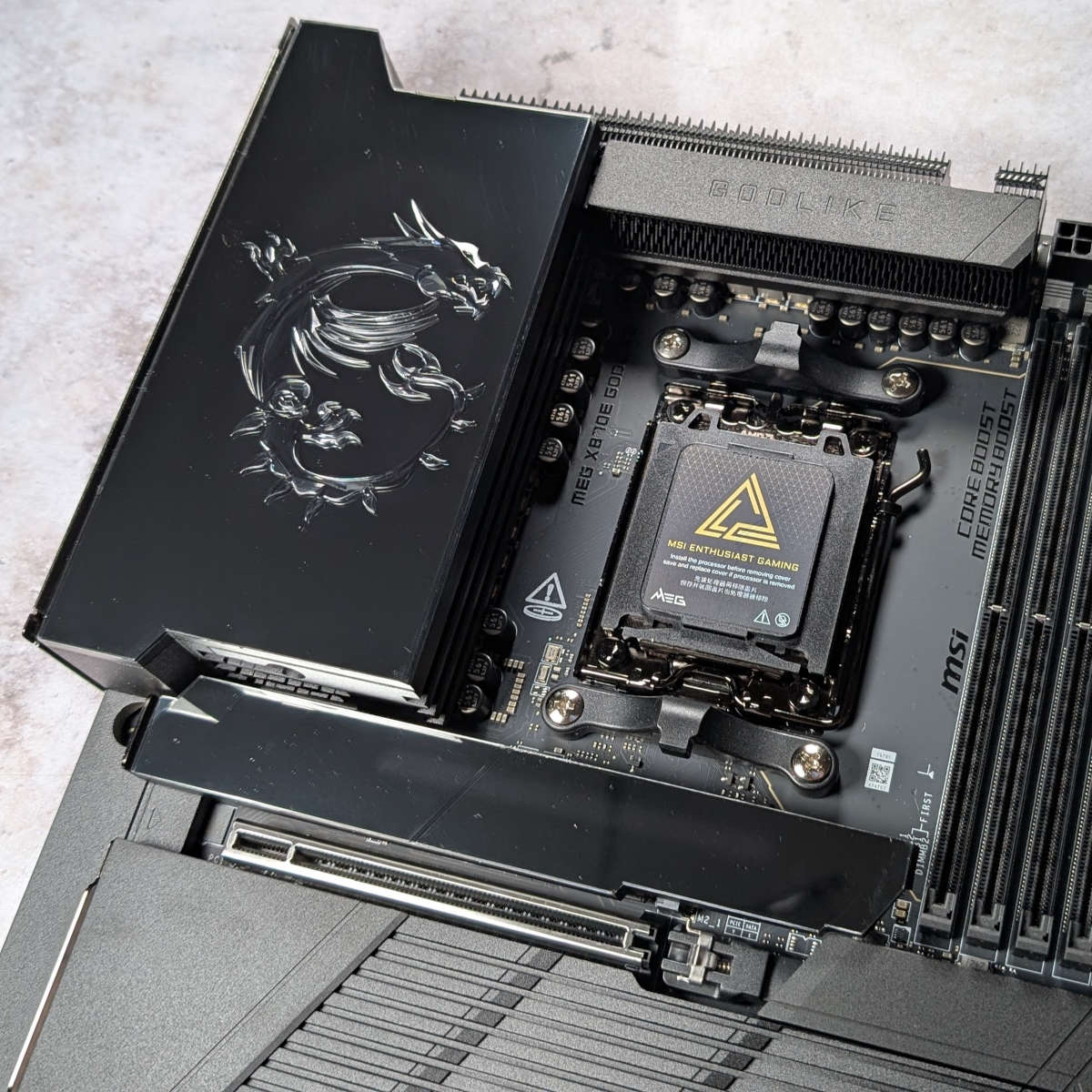
The ultimate AMD motherboard is the MSI MEG X870E Godlike, although you’ll need a big, fat wallet if you want to buy it. Yes, it has a silly, overdramatic name, costs over a grand, and is overkill for most people’s needs. However, it’s also an absolutely amazing motherboard, with superb build quality and a huge array of useful accessories. If you have the money, this is the absolute best motherboard in today’s lineup.
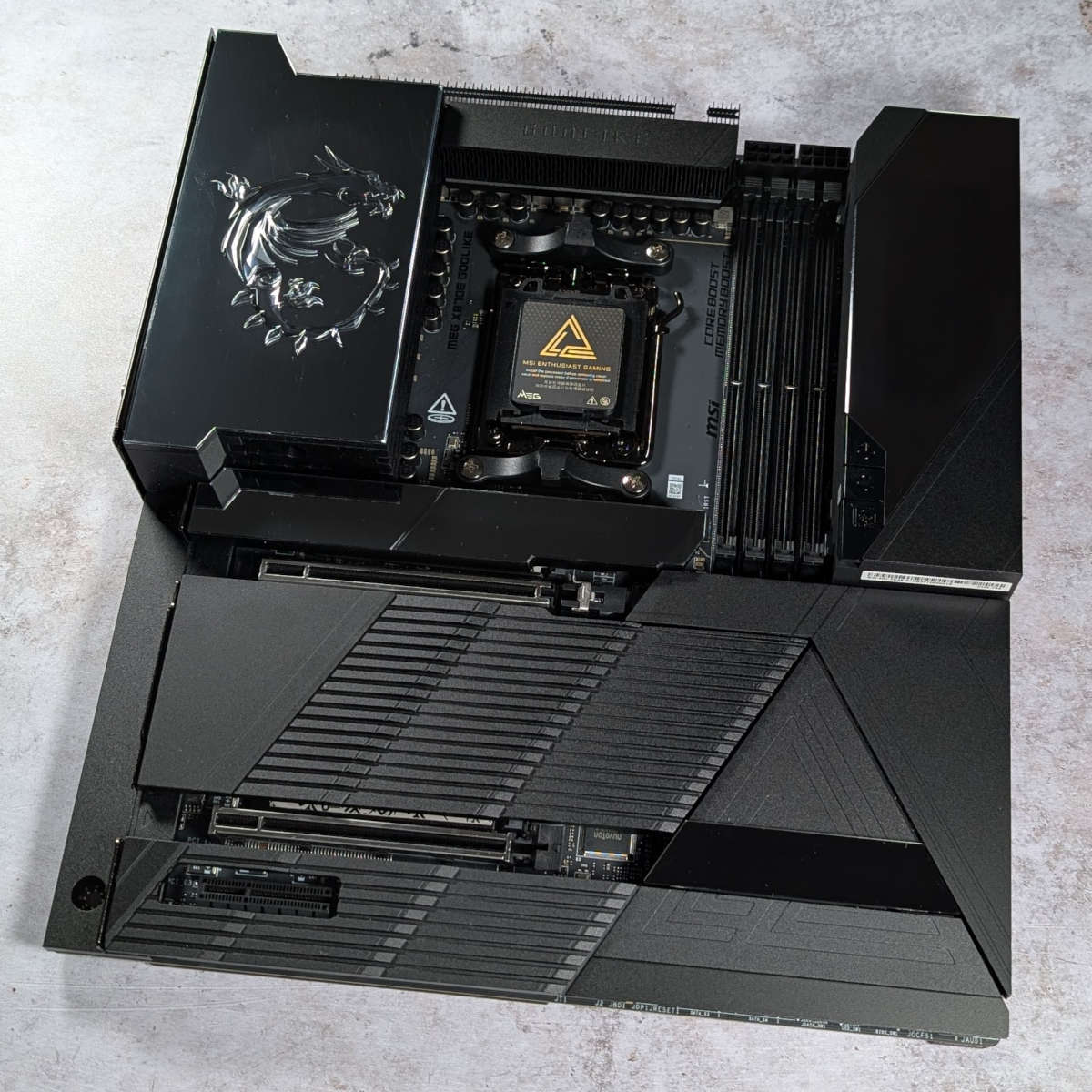

MSI MEG X870E Godlike
£949.99 / $999.99
Pros
- Excellent build quality
- Incredible connection options
- Solid one-click overclocking
- Genuinely useful accessories
- Spectacular showpiece
Cons
- Intimidatingly expensive
- Tuning Controller not included
Club386 may earn an affiliate commission when you purchase products through links on our site.
How we test and review products.
One of its coolest features is the EZ Bridge, which connects magnetically to the top right of the board. This block of electronic wizardry sports a very fancy 3.99in LCD, dubbed Dynamic Dashboard III, which shows live system information, although you can also set it to display waveform graphics in time with your music, and other features.
Handily, this block sports a load of connectors for thermal sensors, RGB lighting, and more, while hooking up your board to MSI’s EZ Control Hub. The latter is a handy little box that you can mount behind your motherboard, giving you direct access to seven fan headers, as well as RGB lighting headers without trailing cables all over your board.

We love the right-angled power connectors and port headers on this board, which again make for a tidy system and easy cabling. Meanwhile, the connections on the rear I/O panel have to be seen to be believed. There’s a colossal count of USB ports of every flavour, including eight USB-A 10Gb ports, a pair of 40Gb USB-C, and five USB-C 10Gb. Networking support is massive too – we’re not just talking Gigabit or 2.5Gb here – you get connectors for both 5Gb and 10Gb Ethernet on the back.
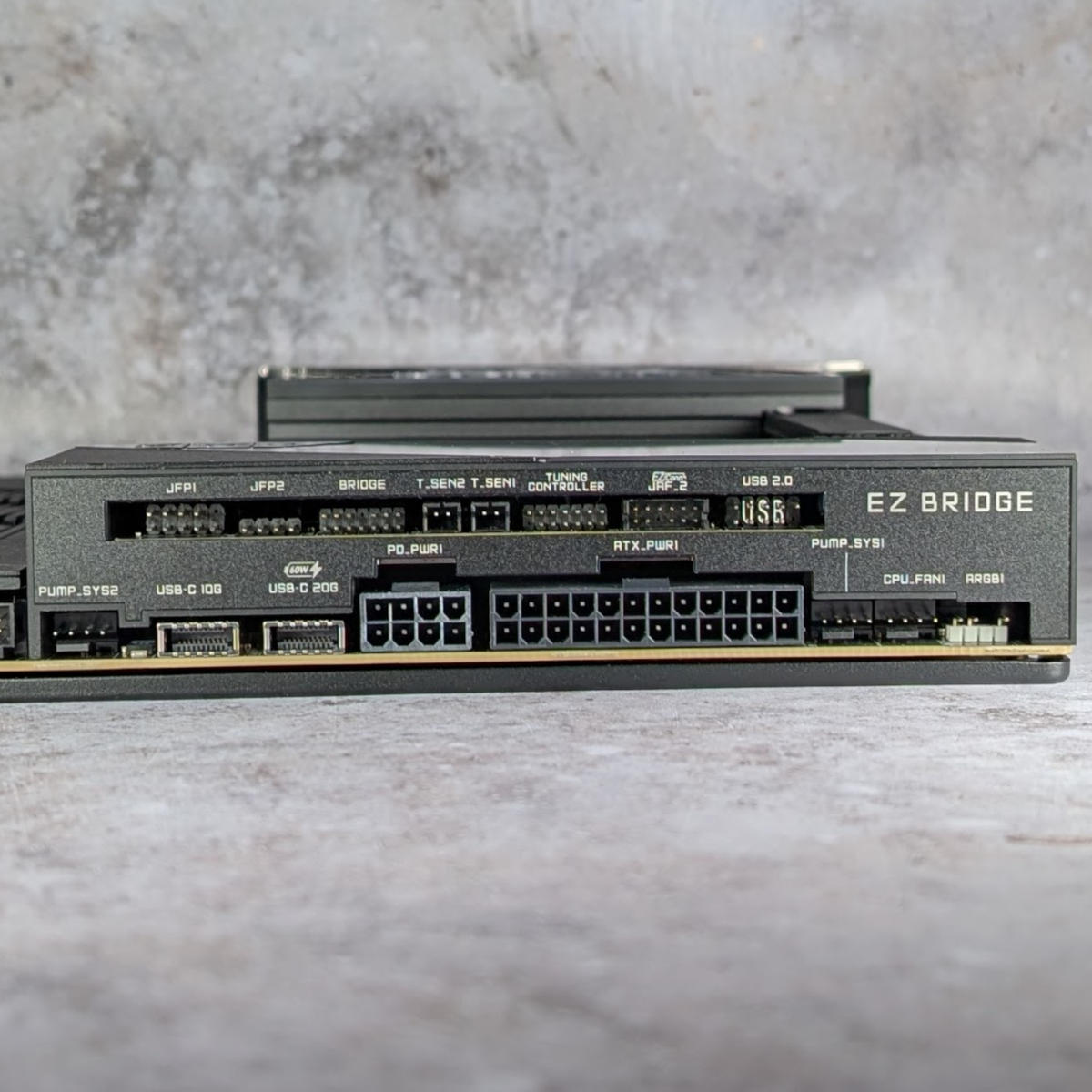
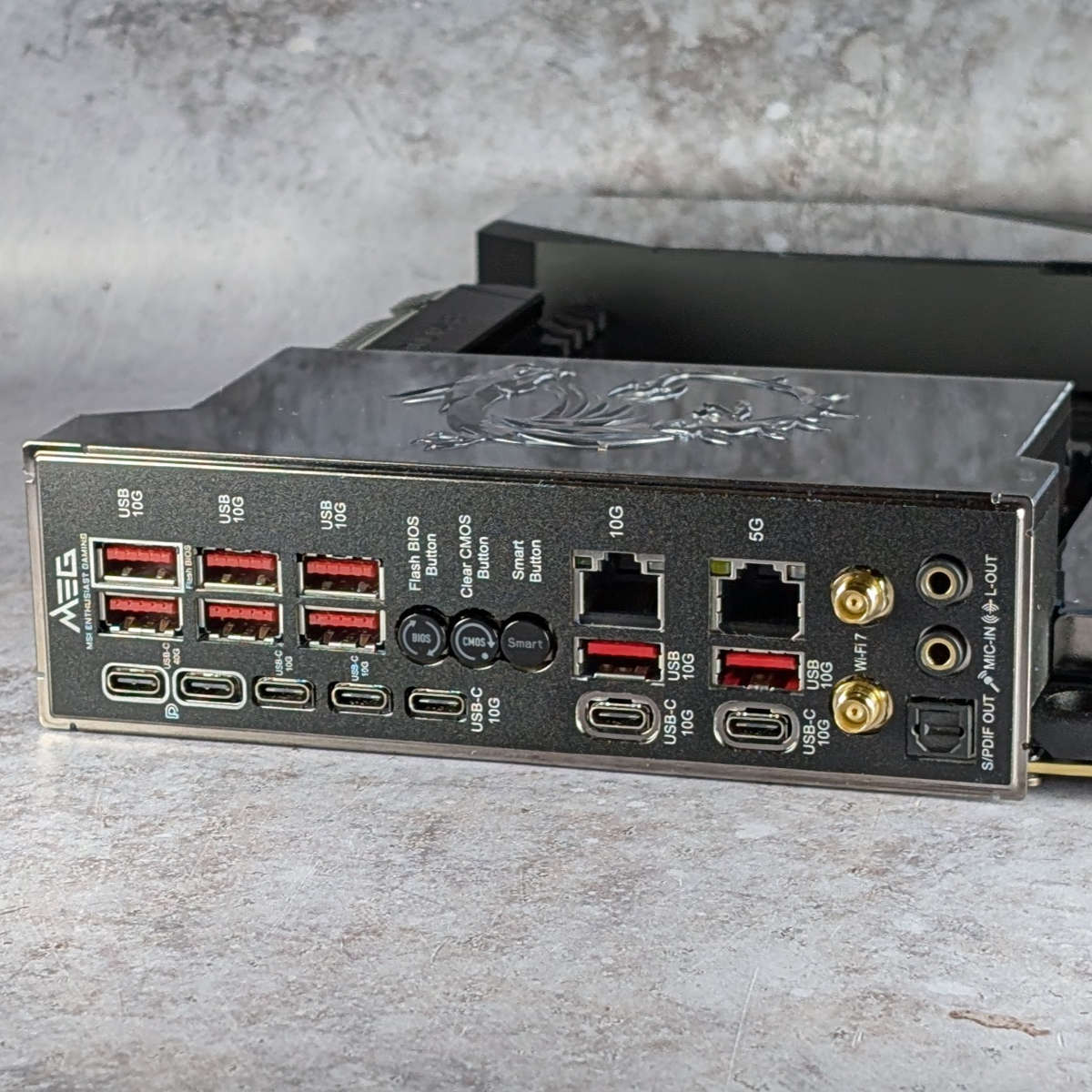
Add in a load of gorgeous RGB lighting, including an attractive MSI dragon (outlined in embossed, crystal-cut tempered glass) in the top left, plus lighting on the chipset and M.2 heatsinks, and you have an awesome showpiece inside your PC case.
Storage support is incredible. You not only get five M.2 SSD slots on the board, but MSI even includes an actively-cooled PCIe Gen 5 expansion card in the box, which gives you two more PCIe Gen 5 M.2 SSD slots. That means you can install a huge total of seven drives in this board, including four top-speed PCIe Gen 5 SSDs.
We’ve barely scraped the surface of what you get with this board, so it’s well worth reading our full MSI MEG X870E Godlike review for more detail. If you can find it, the updated MSI MEG X870E Godlike X Edition is even better, although it’s only available in a limited quantity.
| MEG X870E Godlike | |
|---|---|
| VRM | 24+2+1, 110A |
| RAM support | Slots: 4 Capacity: 256GB Speed: 9,000+MT/s |
| Onboard graphics | USB-C DisplayPort (x2) |
| PCIe expansion slots | PCIe 5.0 x16 (x2) PCIe 4.0 x4 (x1) |
| Audio | Realtek ALC4082 |
| Storage | PCIe 5.0 x4 (x2) PCIe 4.0 x4 (x2) PCIe 4.0 x2 (x1) SATA 6Gb (x4) |
| Rear USB | USB-C 4 40Gb (x2) USB-C 10Gb (x5) USB-A 10Gb (x8) |
| Front USB | USB-C 20Gb (x1) USB-C 10Gb (x1) USB-C 5Gb (x4) USB-A 2.0 480Mb (x4) |
| LAN | Marvell 10Gb (x1) Realtek 5Gb (x1) |
| Wireless | Bluetooth 5.4 Wi-Fi 7 |
Best AMD high-end
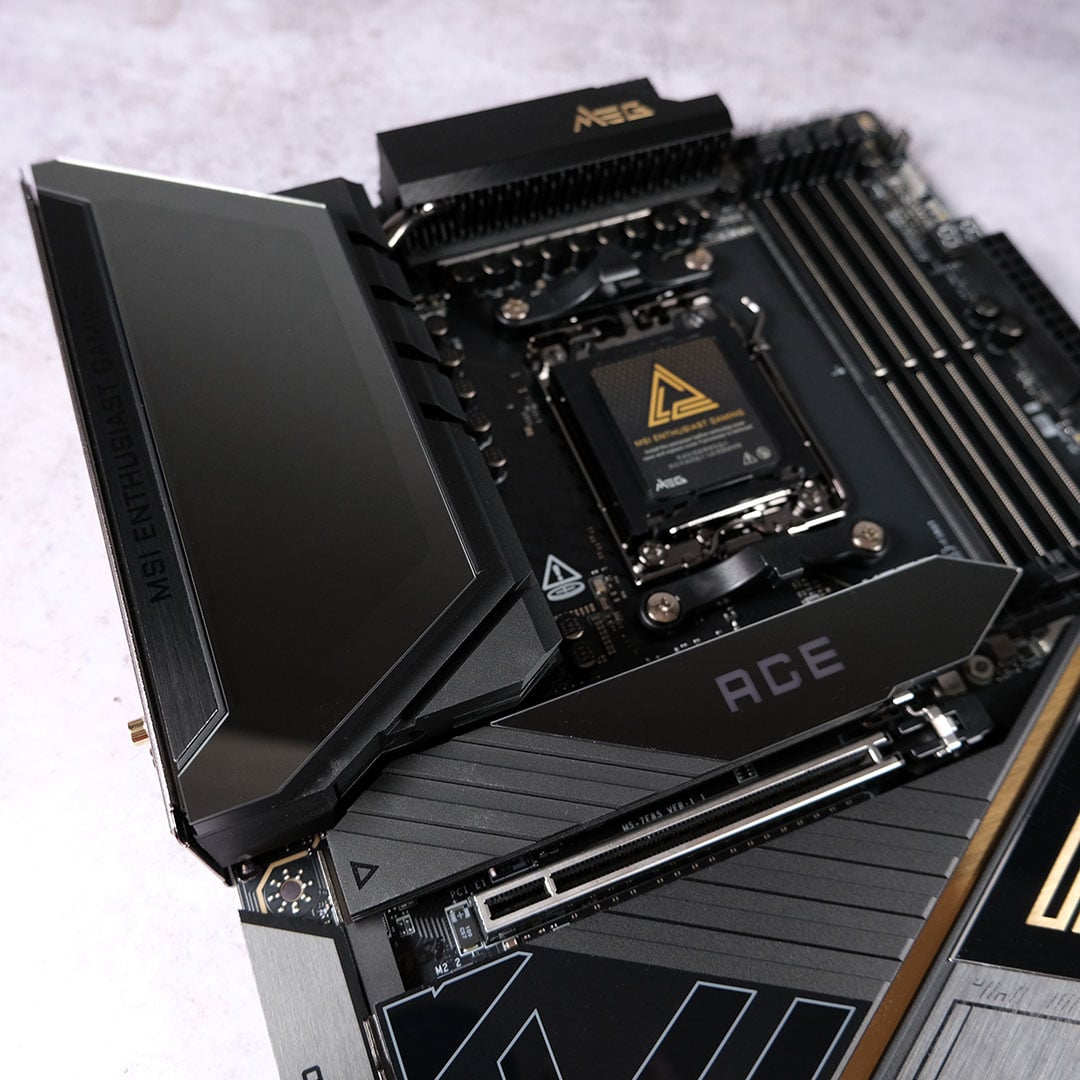
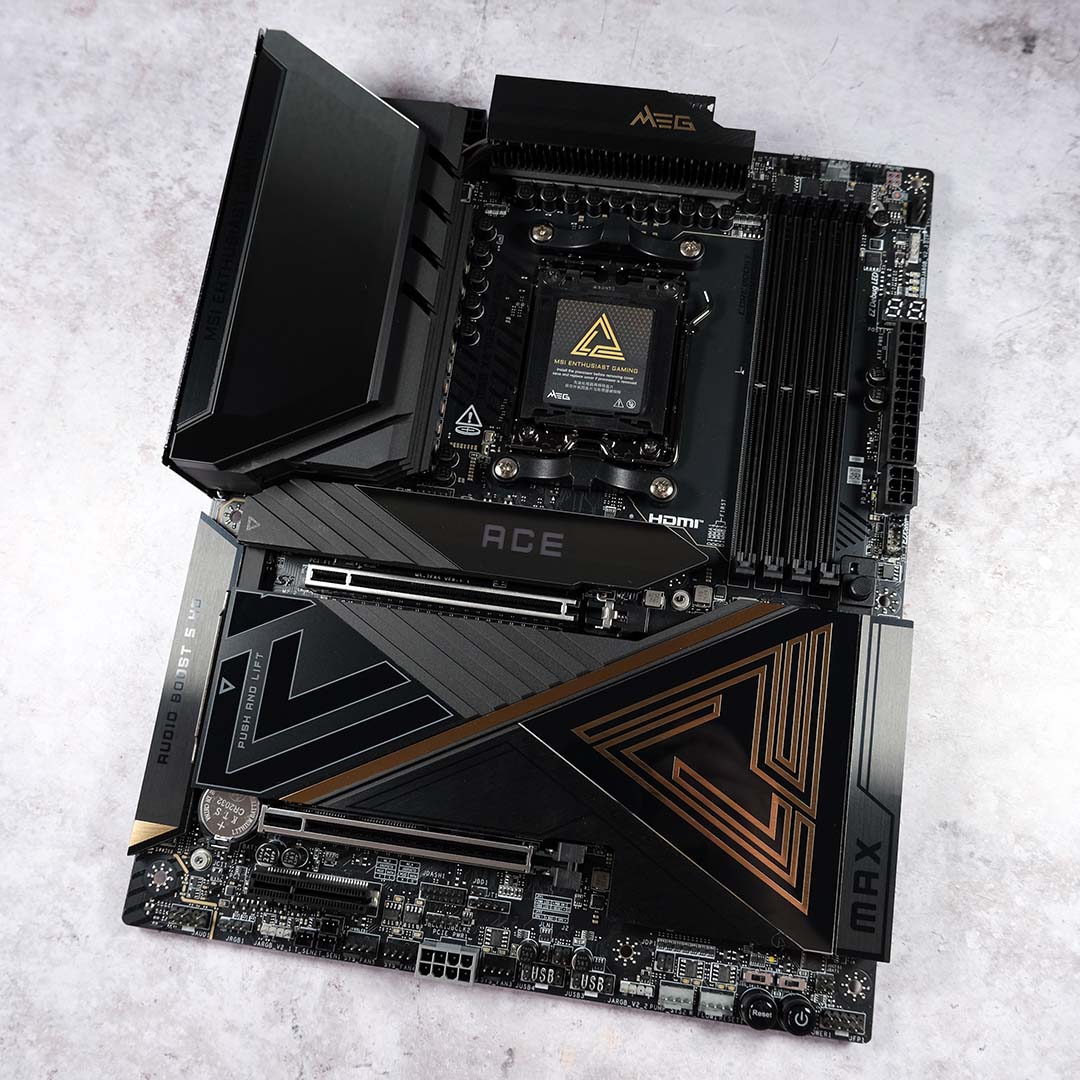
The best high-end AMD motherboard is the MSI MEG X870E Ace Max. Providing a large chunk of Godlike’s feature set, but at a lower price, this well-built board makes a great home for a top-end AMD CPU, such as the Ryzen 9 9950X3D. There are loads of USB ports, some gorgeous frills, and you get a hefty backplate.

MSI MEG X870E Ace Max
£639.99 / $699.99
Pros
- Excellent build quality
- Three PCIe Gen 5 slots
- Plentiful USB ports
- Top-end audio
- Smart and intuitive BIOS
Cons
- Fiddly PCIe bandwidth sharing
- Middling Game Boost gains
- High cost for a motherboard
Club386 may earn an affiliate commission when you purchase products through links on our site.
How we test and review products.
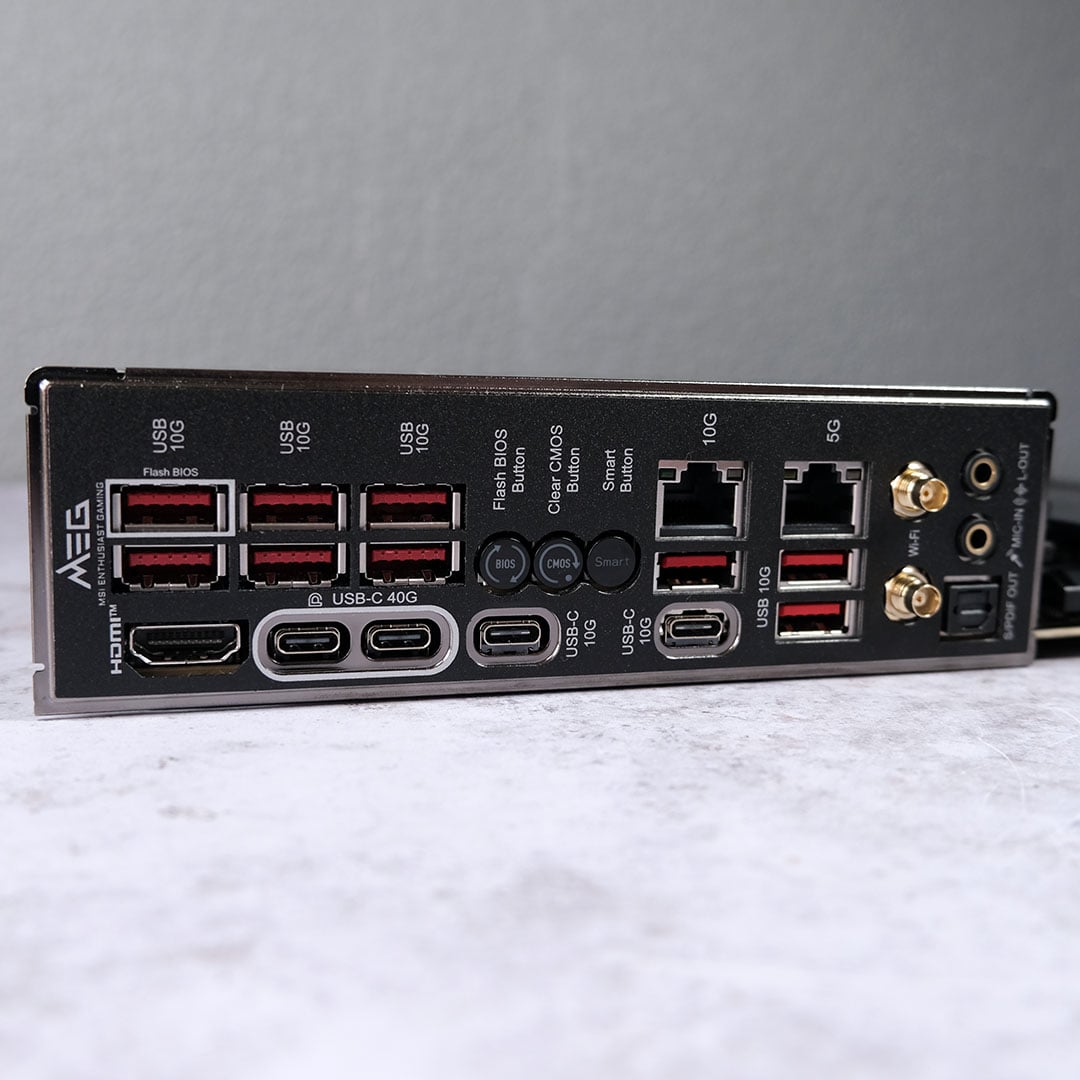
In fact, when it comes to USB connections, you’re looking at a very similar I/O panel to the Godlike. That includes a pair of 40Gb USB-C ports, a massive count of nine 10Gb sockets USB-A, and two 10Gb USB-C ports. That’s enough for anybody’s needs, and you get the same duo of 5Gb and 10Gb networking.
It looks fantastic too, with MSI’s distinctive dragon appearing on the top-left corner when you power it up, and RGB lighting on the topmost M.2 heatsink. Speaking of which, you get two PCIe Gen 5 M.2 ports for the fastest SSDs, and you can install three more PCIe Gen 4 drives.
That means you can create a massive storage array, though be aware that using the bottom PCIe expansion slot will force the top PCIe Gen 5 M.2 slot down to two lanes. All the M.2 slots have heatsinks, and don’t require you to faff around with tiny fiddly screws either.
Other handy features include a POST code display, plus a firm PCIe slot release mechanism. The latter means you just need to push down a button to release your graphics card, rather than scraping your fingers to move a fiddly little notch underneath it.
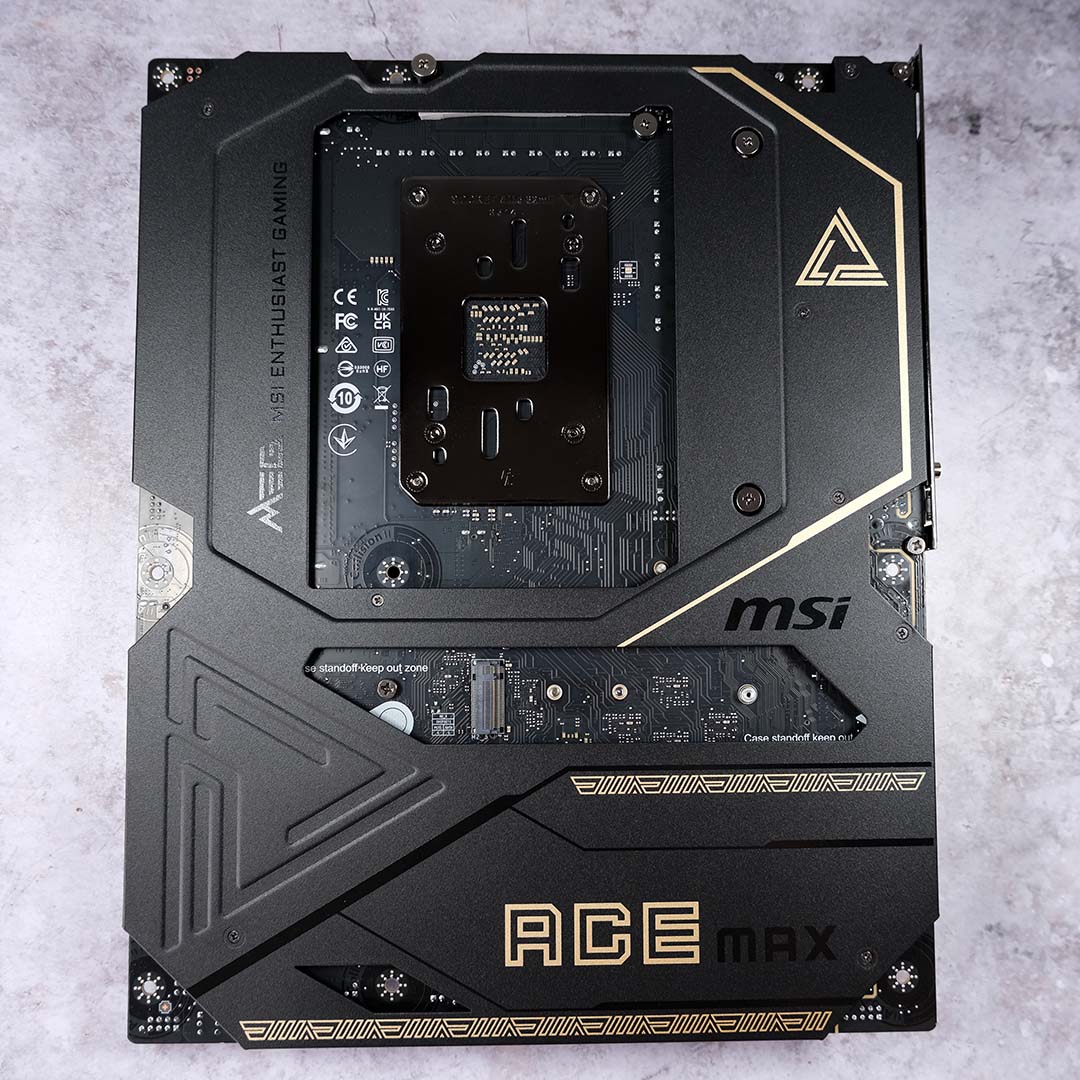
To top it all off, you get a lovely chunky backplate and a decent onboard audio setup. MSI has furnished this board with a top-notch Realtek ALC4082 codec and ESS 9219Q DAC, which is a cut above the usual ALC1200 and ALC897 setups we see.
The only downer is the price. At £640, this board may be more affordable than the Godlike, but that’s not really saying much. You can get similar performance from a much cheaper board, and still get a solid feature set, but if you have the money, the MSI MEG X870E Ace Max is a damn fine motherboard.
For more information about this motherboard, plus loads of photos, check out our full MSI MEG X870E Ace Max review.
| MSI MEG X870E Ace Max | |
|---|---|
| VRM | 18+2+1, 110A |
| RAM support | Slots: 4 Max. capacity: 256GB Max. OC speed: 8,400+MT/s |
| Onboard graphics | HDMI (x1) USB-C (x2) |
| PCIe expansion slots | PCIe 5.0 x16 (x1) PCIe 4.0 x4 (x1) PCIe 3.0 x1 (x1) |
| Audio | Realtek ALC4082 ESS 9219Q Combo DAC/HPA |
| Storage | PCIe 5.0 x4 (x2) PCIe 4.0 x4 (x3) SATA 6G (x4) |
| Rear USB | USB-C 4 40Gb (x2) USB-C 10Gb (x2) USB-A 10Gb (x9) USB-A 2.0 (480Mb) (x2) |
| Front USB | USB-C 20Gb (x1) USB-A 5Gb (x4) USB-A 2.0 480Mb (x4) |
| LAN | Marvell 10Gb (x1) Realtek 5Gb (x1) |
| Wireless | Bluetooth 5.4 Wi-Fi 7 |
Best AMD mid-range
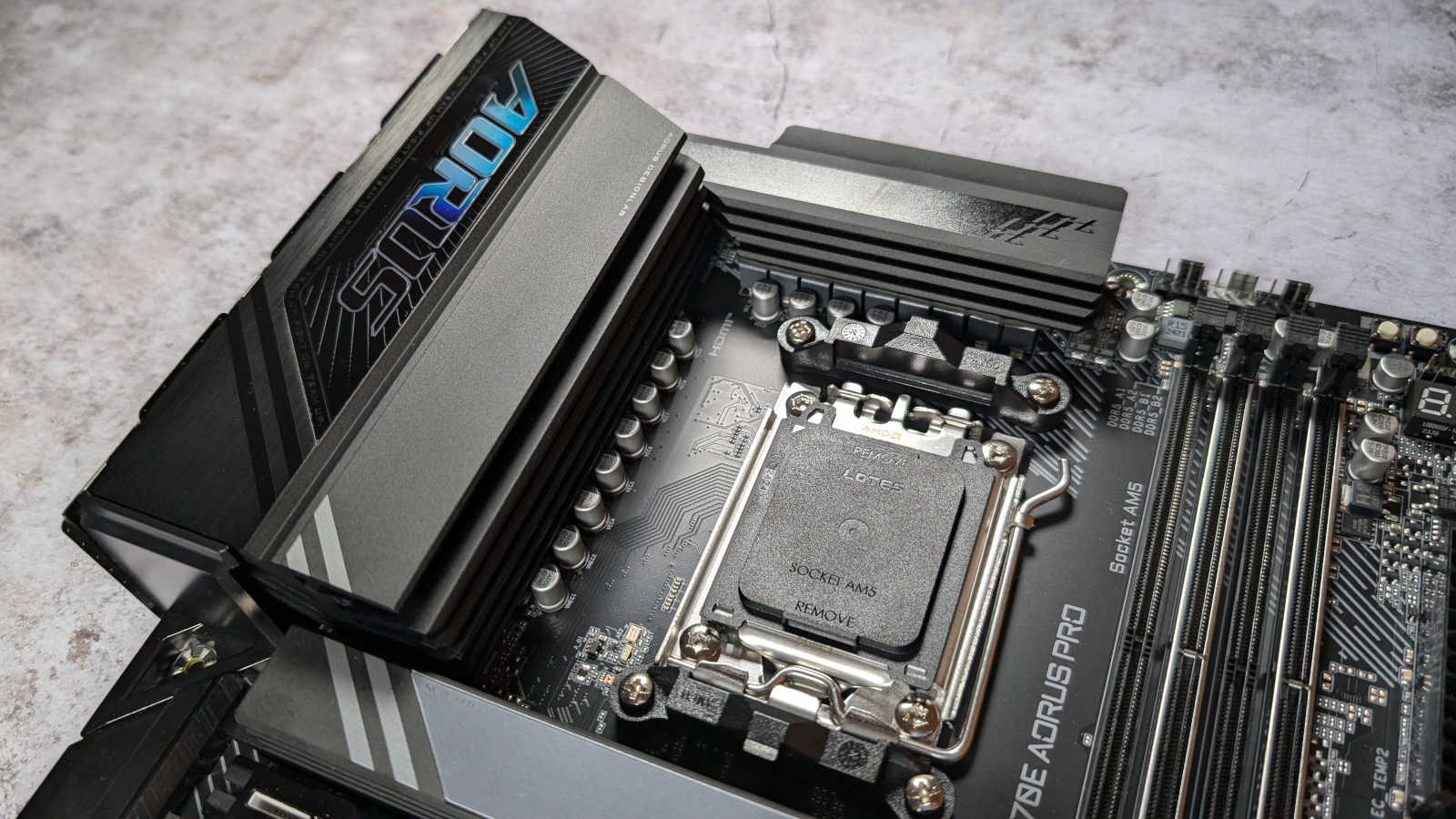
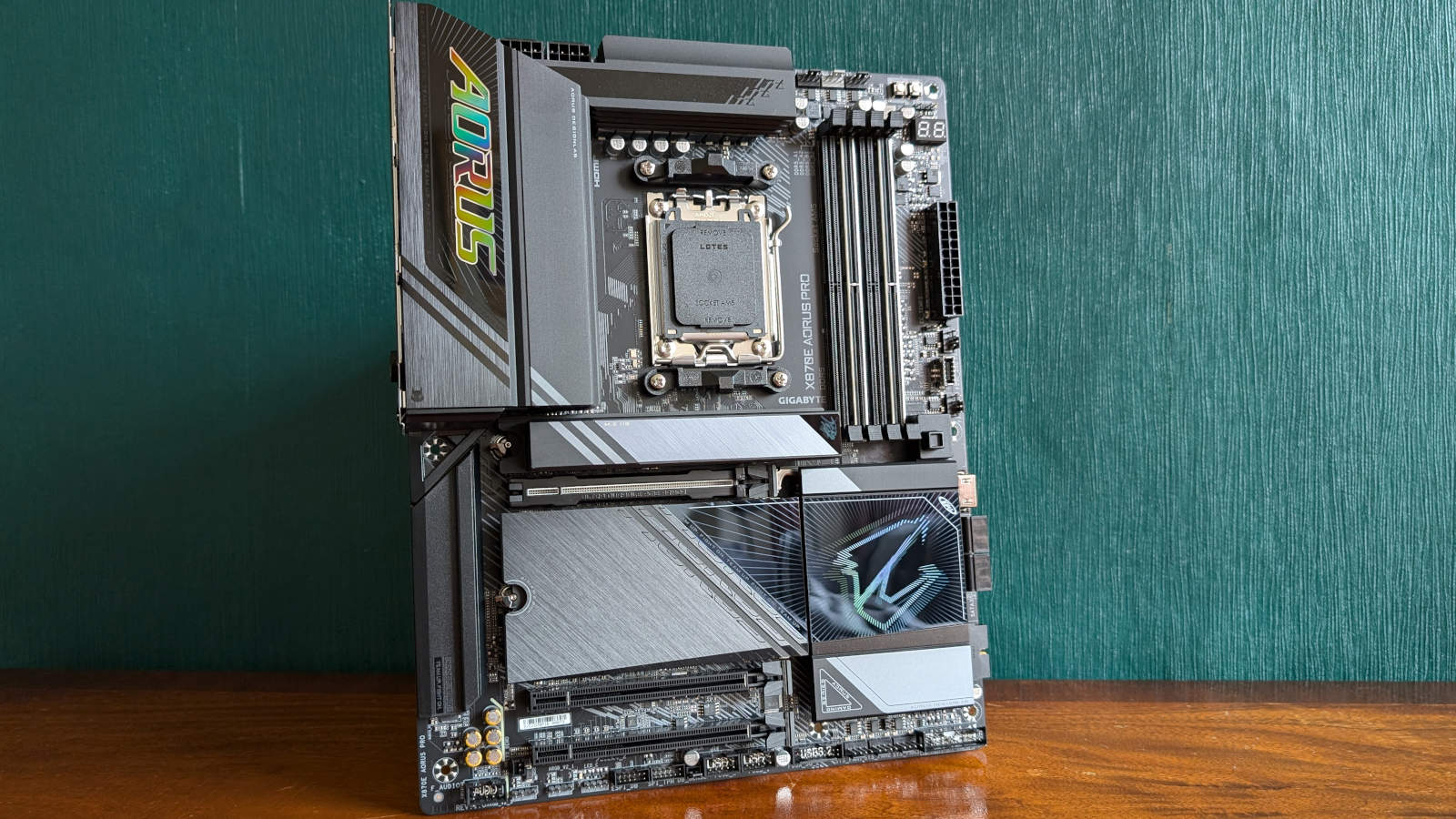
The best mid-range AMD motherboard is the Gigabyte X870E Aorus Pro. Sporting a much more palatable price tag than the premium boards, but still offering an expansive feature set, this is a top X870E solution. Oh, and it looks great, thanks to a healthy dash of RGB lighting in the top-left panel and chipset heatsink, plus a subtle RGB touch on the M.2 SSD heatsink.
Gigabyte X870E Aorus Pro
£309.99 / $309.99
Pros
- Three PCIe Gen 5 SSD slots
- Solid USB selection
- Good value
- Multiple colour options
- USB 4 and Wi-Fi 7
Cons
- Minor uplifts from B650 boards
- Some small specs shortcomings
Club386 may earn an affiliate commission when you purchase products through links on our site.
How we test and review products.
Best of all, you still get loads of features for a very reasonable price. Its spec sheet includes a grand total of three PCIe Gen 5 slots for the latest super-fast SSDs, and a decent array of ports on the back. If, like most people, you don’t have a 5Gb or 10Gb home network, or a huge array of peripherals, this board will do you fine.
There’s onboard 2.5Gb Ethernet, as well as integrated Wi-Fi 7, and you even get a pair of 40Gb USB4 Type-C ports. For other USB gear, there are three USB-A 10Gb ports, plus four USB-A 5Gb sockets, and even two old-school USB 2.0 ports.
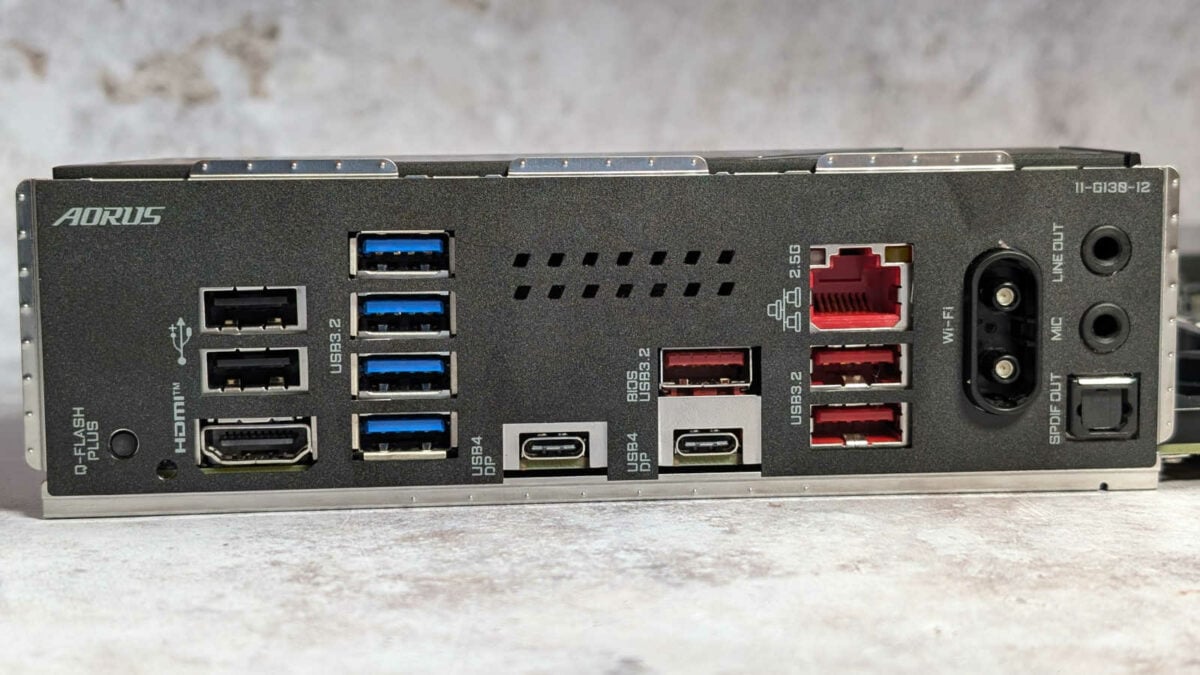
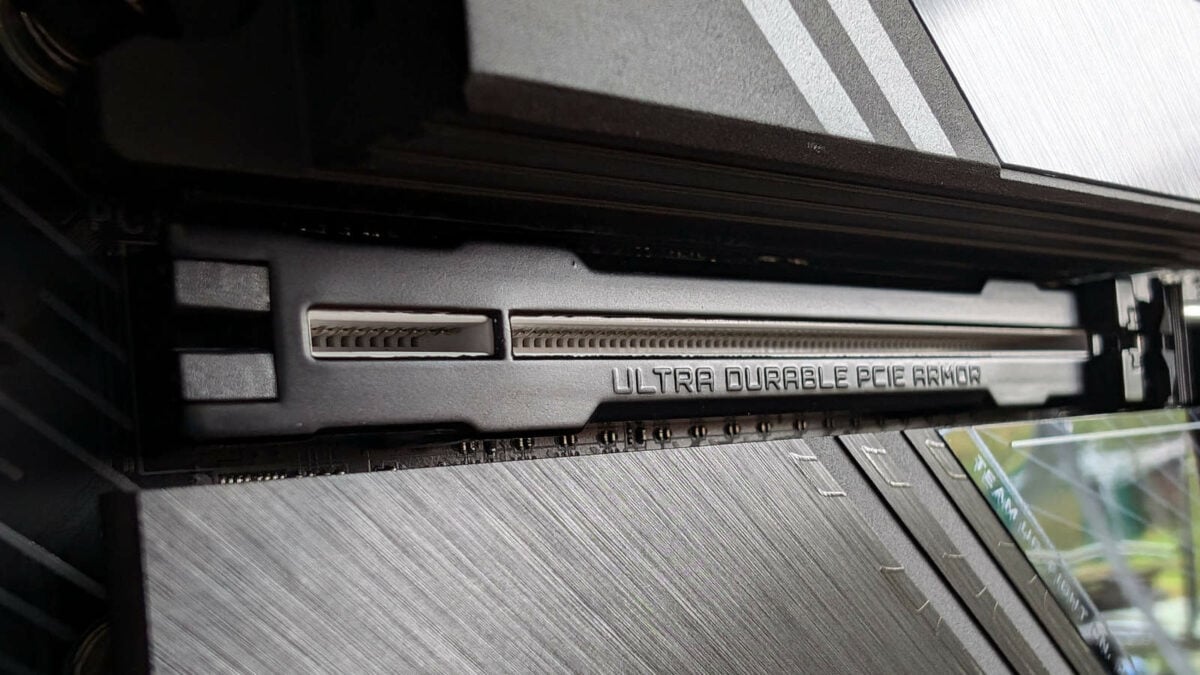
As with more expensive boards, you get an easy-release mechanism to pop your graphics card out of its slot without drawing blood. The top x16 PCIe Gen 5 slot is rubber-lined to prevent you from scraping the PCB as you pull it out. We also really like Gigabyte’s EZ Latch system for installing and removing M.2 SSDs, which feel instantly intuitive, with satisfying clicks as you push the heatsinks into place.
Other handy features include a POST code display for easy troubleshooting, as well as a slick EFI system that makes it quick and easy to tweak your PC’s settings. Several connectors are right-angled, making for simple cable tidying, although the big ATX power connector still sticks out the top of the board. Our only niggles were the lack of a dedicated CMOS-clear button, and only having Bluetooth 5.3 rather than 5.4.
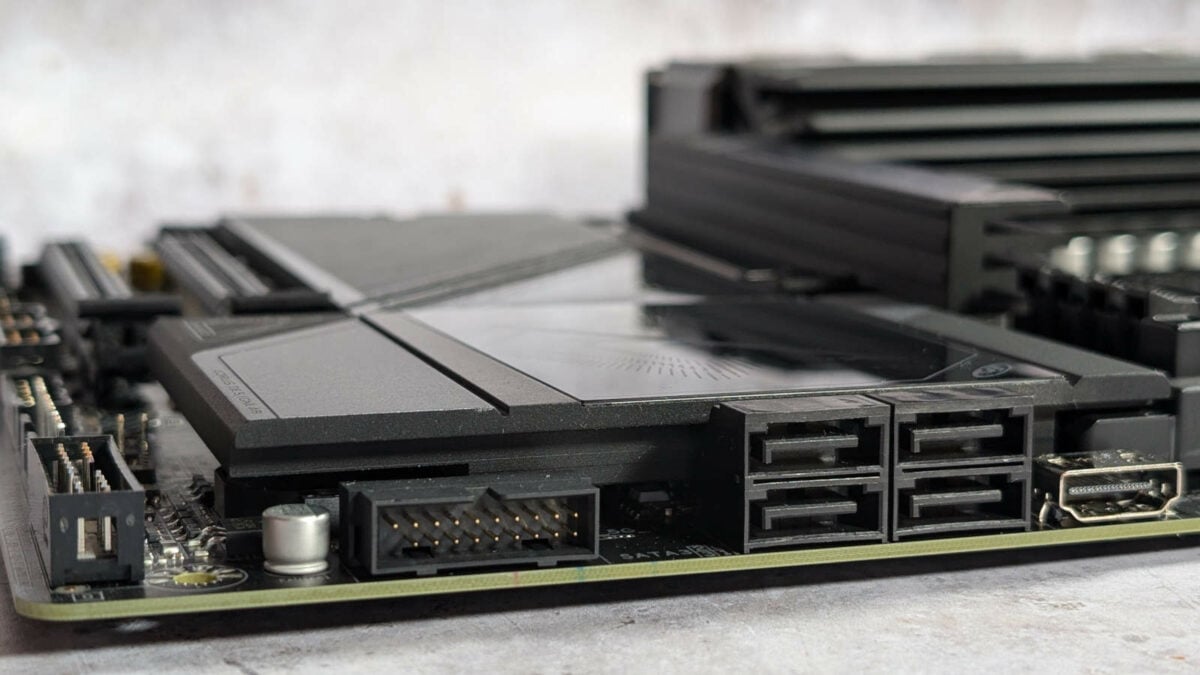
All in all, that’s a remarkable feature set for a board that costs just over £300, and you even get half-decent audio from the Realtek ALC1200 codec. As with most motherboards, you don’t get a notable improvement in CPU performance from using this one over a cheaper board based on a B850 chipset, but you do get a great-looking board with plenty of features.
Read our full Gigabyte X870E Aorus Pro review for more detail about this motherboard.
| X870E Aorus Pro | |
|---|---|
| VRM design | 16+2+2, 80A SPS |
| RAM support | Capacity: Up to 256GB Speed: 8,000+MT/s |
| Onboard graphics | HDMI 2.1 (x1) HDMI 1.4 (x1) USB-C (x2) |
| PCIe expansion slots | PCIe 5.0 x16 (x1) PCIe 4.0 x16 (x1) PCIe 3.0 x16 (x1) |
| Audio | Realtek ALC1220 |
| Storage | PCIe 5.0 x4 (x3) PCIe 4.0 x4 (x1) SATA 6Gbps (x4) |
| Rear USB | USB-A 2.0 480Mb (x2) USB-A 5gb (x4) USB-A 10Gb (x3) USB-C 4 (x2) |
| Front USB | USB-A 2.0 480mb (x4) USB-A 5Gb (x4) USB-C 20Gb (x1) |
| LAN | Realtek 2.5Gbps |
| Wireless | Wi-Fi 7 Bluetooth 5.3 |
Best AMD under £300
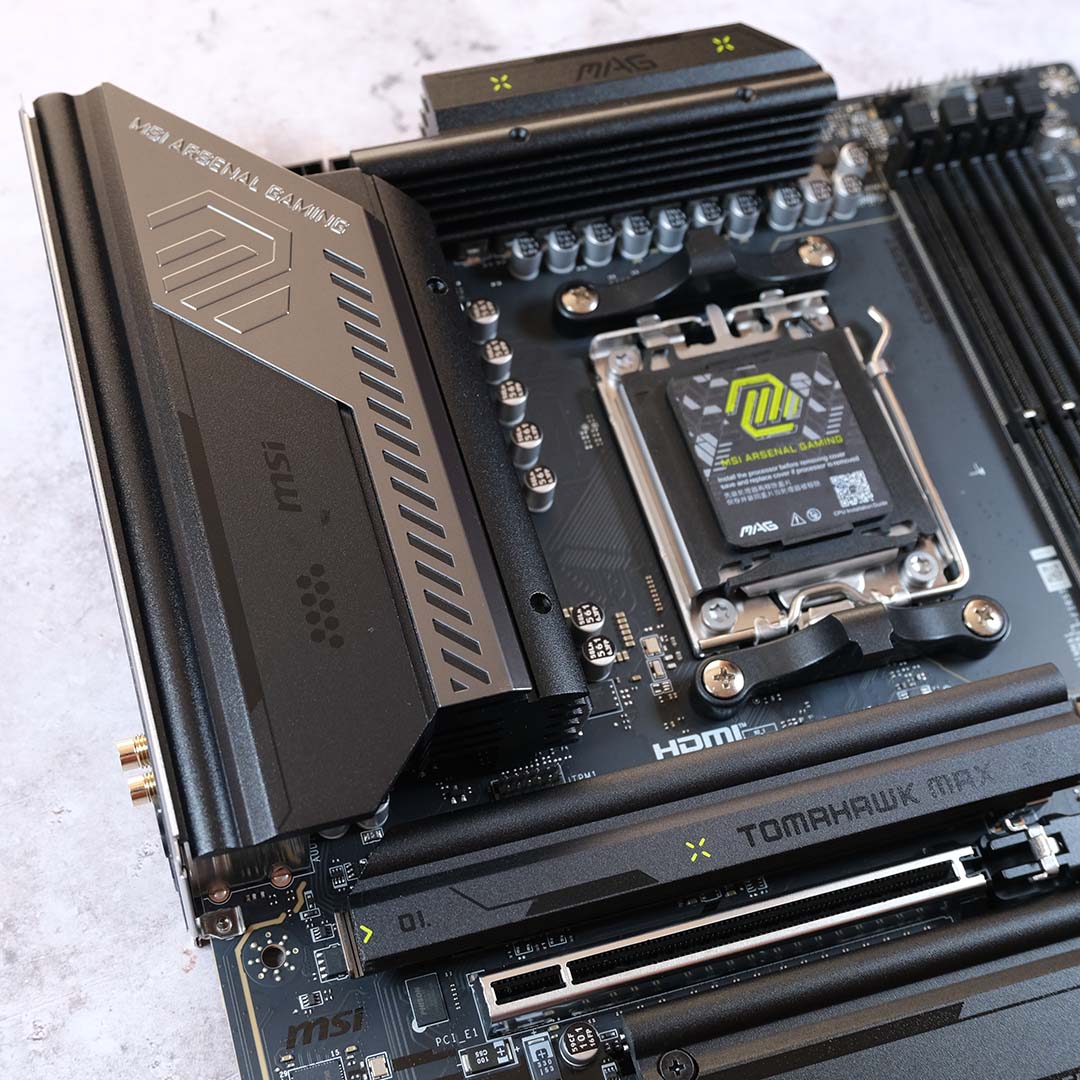
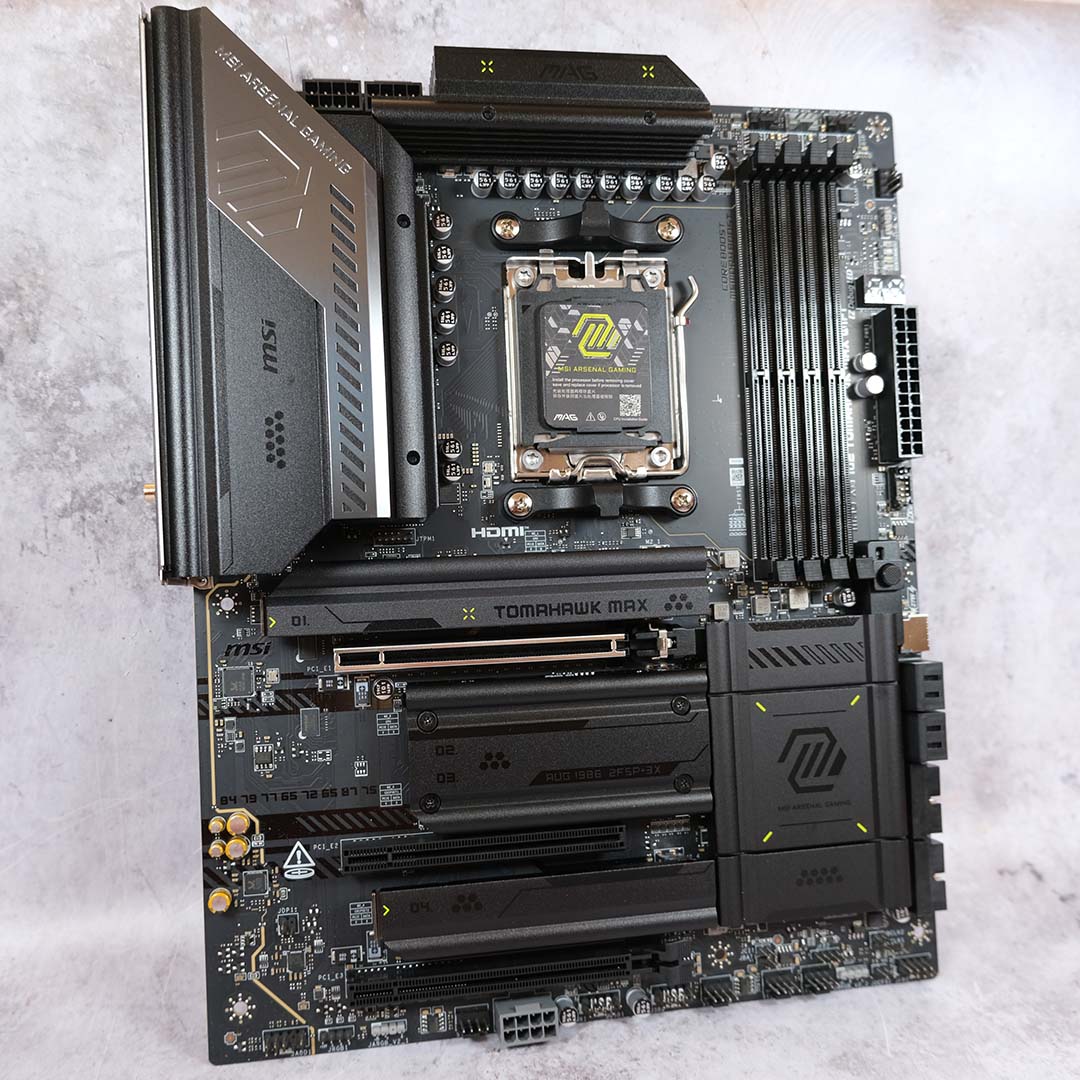
The best AMD motherboard under £300 is the MSI MAG X870E Tomahawk Max WiFi. If performance and features are more important to you than RGB bells and whistles, and your upper limit is around £270, this is a great mid-range motherboard for a very reasonable price.
MSI MAG X870E Tomahawk Max WiFi
£269.99 / $319.99
Pros
- Great USB selection
- Solid build quality
- Intuitive BIOS
- Convenient features
- Attractive colour scheme
Cons
- Lacklustre one-click OC system
- No RGB frills
Club386 may earn an affiliate commission when you purchase products through links on our site.
How we test and review products.
We already loved the original MAG X870E Tomahawk when we reviewed it back in 2024, but MSI has since given it a lick of paint, toning down the bright green and boosting the BIOS capacity to 64MB. This means the board’s database should be able to hold the details of many more CPUs than its 32MB predecessor, hopefully paving the way for Zen 6 CPU support.
There isn’t any RGB lighting as standard on the Tomahawk, unlike the Gigabyte X870E Aorus Pro, but you get a great feature set at the current offer price of £269.99. That includes a decent array of USB ports, including a pair of 40Gb USB-C, two USB-A 10Gb, and three USB-A 5Gb. Amazingly, you even get a 5Gb Ethernet connection on the back, and a CMOS-clear button.

Storage options are decent, with two M.2 ports that can take the latest high-speed PCIe Gen 5 SSDs, plus another two PCIe Gen 4 connectors. We’re also really pleased to see an easy-release eject system to make it easy to remove your graphics card.
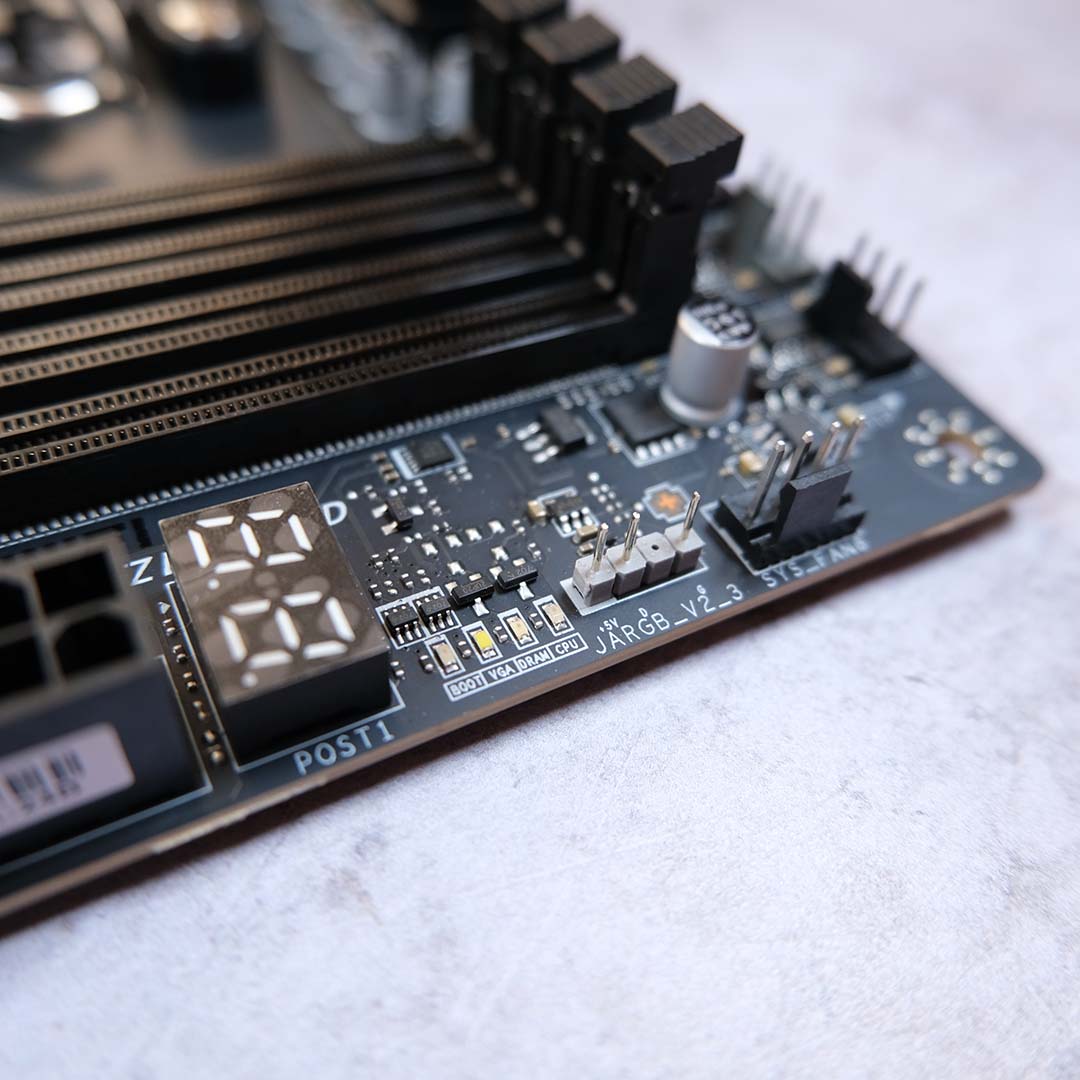
There’s a handy dual-digit POST code display up by the DIMM slots, which is really useful for troubleshooting, and not always a guaranteed feature at this price. Another useful extra is a little LED that lights up to alert you if your memory isn’t inserted properly. Plus, while there isn’t any RGB lighting on the board itself, you do get four RGB headers to attach your own gear.
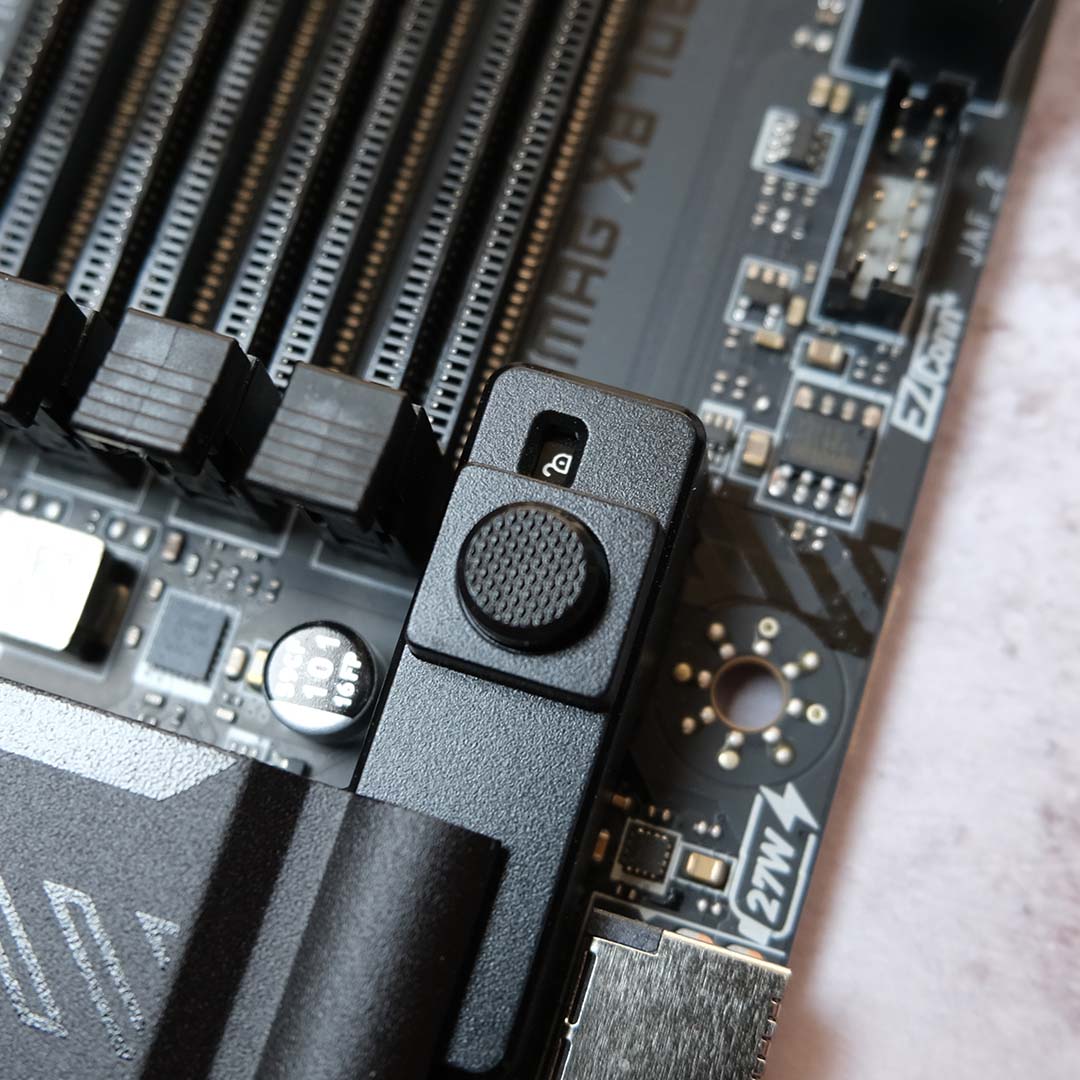
You even get a decent integrated audio system, thanks to a Realtek ALC4080 codec, while MSI’s excellent Click BIOS interface makes it quick and easy to tweak your settings.
Read our full MSI MAG X870E Tomahawk Max WiFi review for a full exploration of this motherboard’s layout and features.
| MAG X870E Tomahawk Max WiFi | |
|---|---|
| VRM | 14+2+1, 80A |
| RAM support | Slots: 4 Max. capacity: 256GB Max. OC speed: 8,400+MT/s |
| Onboard graphics | HDMI 2.1 (x1) USB-C (x2) |
| PCIe expansion slots | PCIe 5.0 x16 (x1) PCIe 4.0 x4 (x1) PCIe 3.0 x1 (x1) |
| Audio | Realtek ALC4080 |
| Storage | PCIe 5.0 x4 (x2) PCIe 4.0 x4 (x2) SATA 6Gb (x4) |
| Rear USB | USB-C 4 40Gb (x2) USB-C 10Gb (x1) USB-A 10Gb (x2) USB-A 5Gb (x3) USB-A 2.0 480Mb (x4) |
| Front USB | USB-C 3.2 20Gb (x1) USB-A 3.2 5Gb (x4) USB-A 2.0 480Mb (x4) |
| LAN | Realtek 5Gb (x1) |
| Wireless | Bluetooth 5.4 Wi-Fi 7 |
Best AMD budget
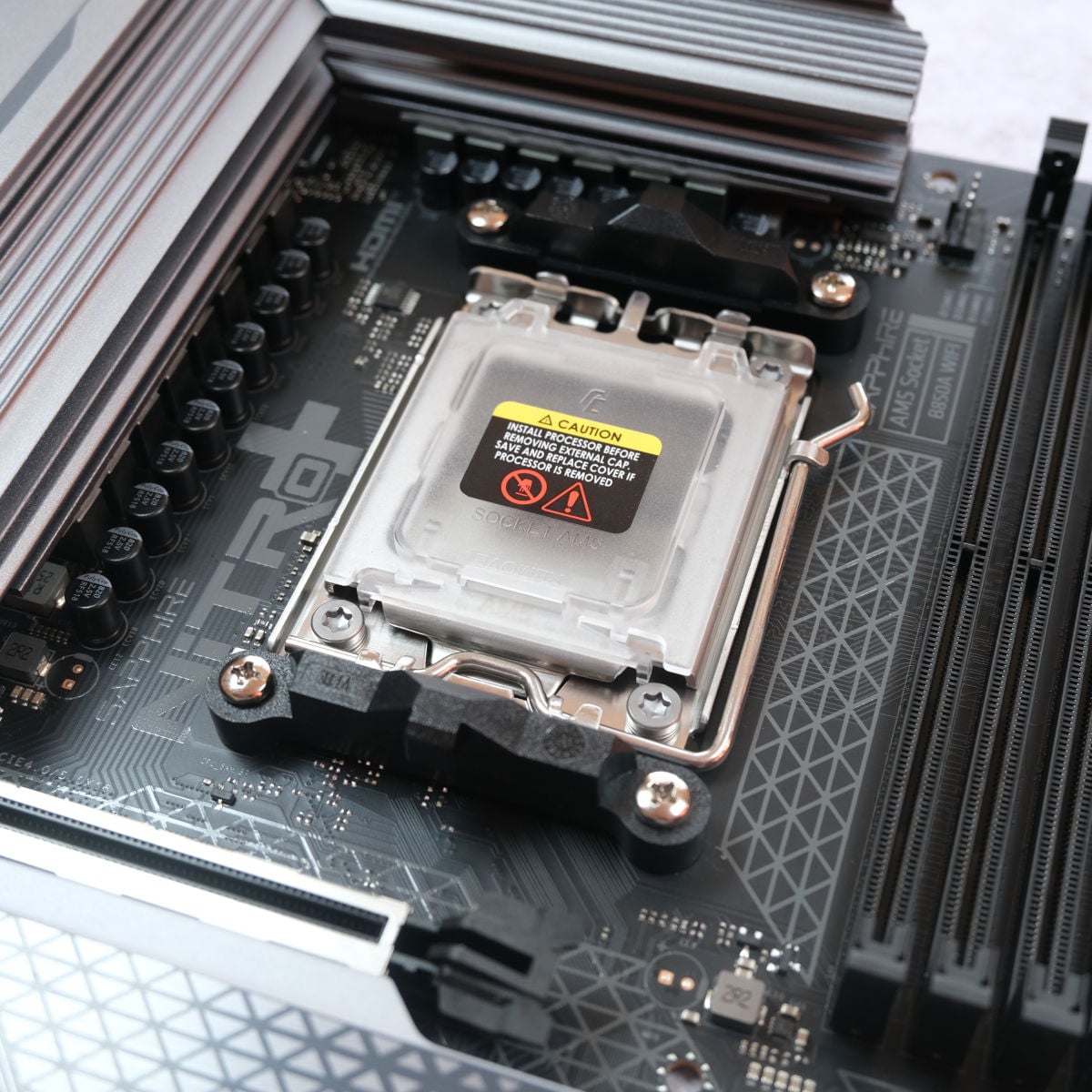
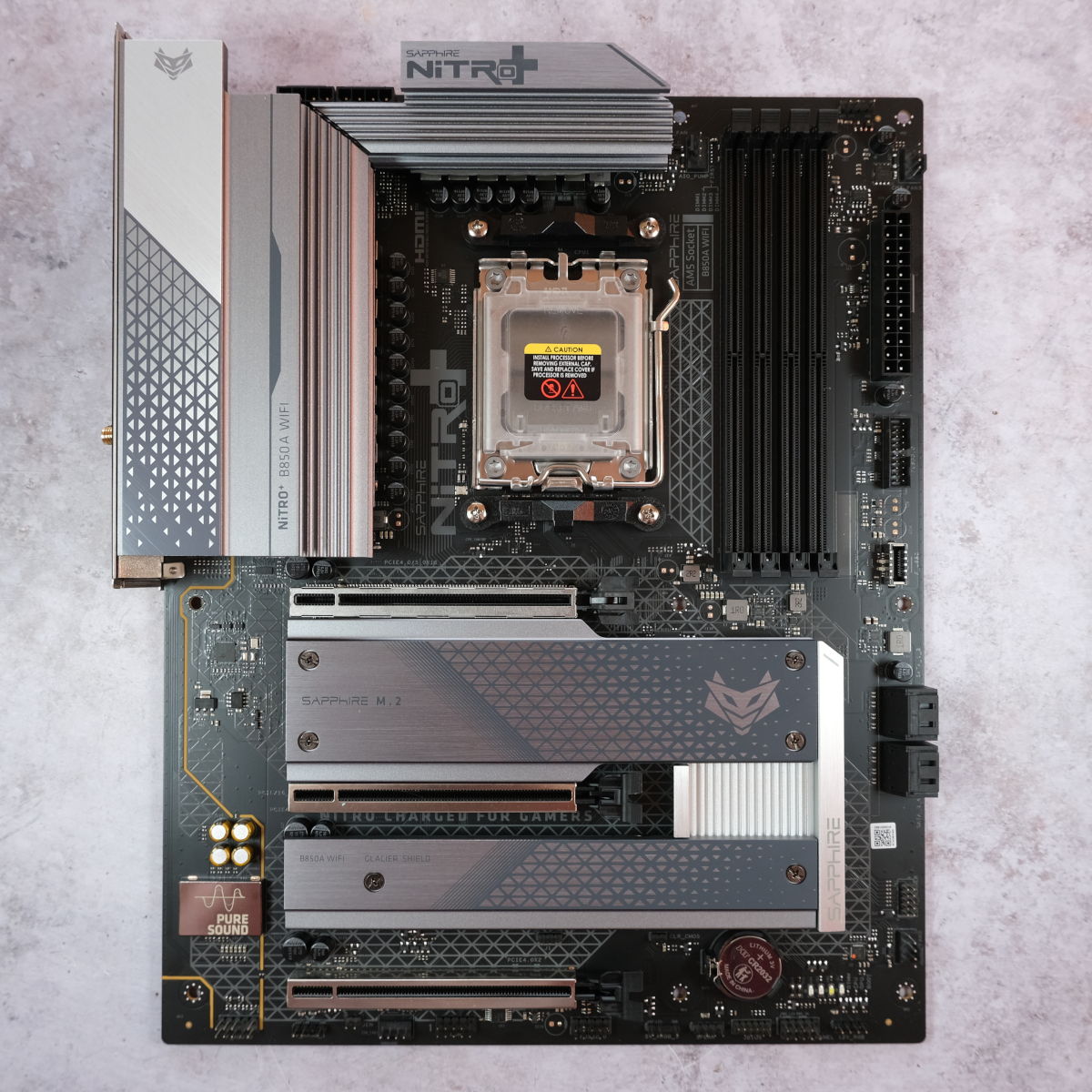
The best budget AMD motherboard is the Sapphire Nitro+ B850A WiFi 7. We’re so glad Sapphire has finally brought its Nitro+ motherboard to the UK, as this board offers fantastic value for money. Costing just £143.99, it provides a fine home for any Zen 5 AMD Ryzen CPU, and with stylish looks to boot.
Sapphire Nitro+ B850A WiFi 7
£143.99
Pros
- Very attractive price
- Covers all the essentials
- Intuitive BIOS
Cons
- Missing a few handy BIOS features
- No clear-CMOS button
- Some PCIe slot clearance issues
Club386 may earn an affiliate commission when you purchase products through links on our site.
How we test and review products.
The main area where you’re saving money is with the use of AMD’s budget-focused B850 chipset, rather than the X870 and X870E chipsets used on more expensive boards. This means you still get the essential features, and unlike Intel’s B-series chipsets, you can still overclock your CPU using a B860 board.
However, you do make some sacrifices, particularly when it comes to PCIe lanes and USB ports. Accordingly, you only get a single PCIe Gen 5 slot on this motherboard, but it’s a x16 slot, meaning you can install one of the latest graphics cards and still get as much bandwidth as possible.
You also only get a single PCIe Gen 5 x4 M.2 connector – all the other PCIe expansion slots and M.2 connectors are PCIe Gen 4. Still, that’s actually plenty for most people. This setup means you can install a super-fast SSD and a new graphics card and run them at full speed, and you have an extra pair of PCIe Gen 4 M.2 slots if you need to add more storage space, and there’s a heatsink for every drive.
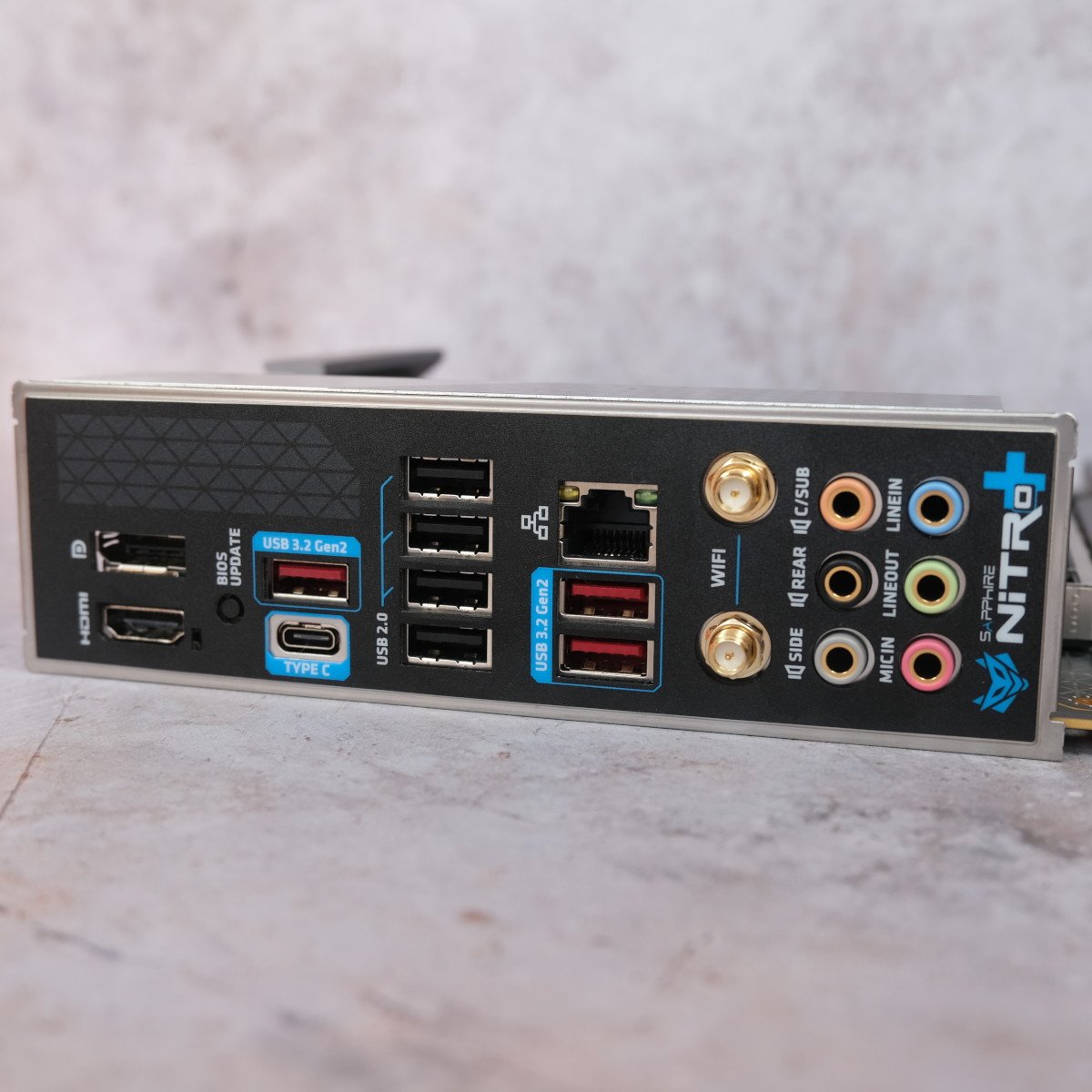
The biggest compromise you make when going for this cheaper board is the comparatively minimal array of ports on the back. There are seven USB-A ports, but four of them are basic USB 2.0 sockets, with three USB-C 10Gb ports, and there’s no dedicated clear-CMOS button either. You do get a USB-C 10Gb port on the back, though, plus a Gigabit network port, and antenna outputs for the board’s Wi-Fi 7 adaptor. Yes, it’s comparatively basic, but it does cover most people’s needs, and it’s a great board for the very low price.
Our only criticisms were that the top PCIe slot is positioned quite close to the CPU socket, which could create clearance issues with large cooling assemblies, and the lack of a few BIOS features. On the plus side, the BIOS is really well laid out and slick in action, making it a joy to use.
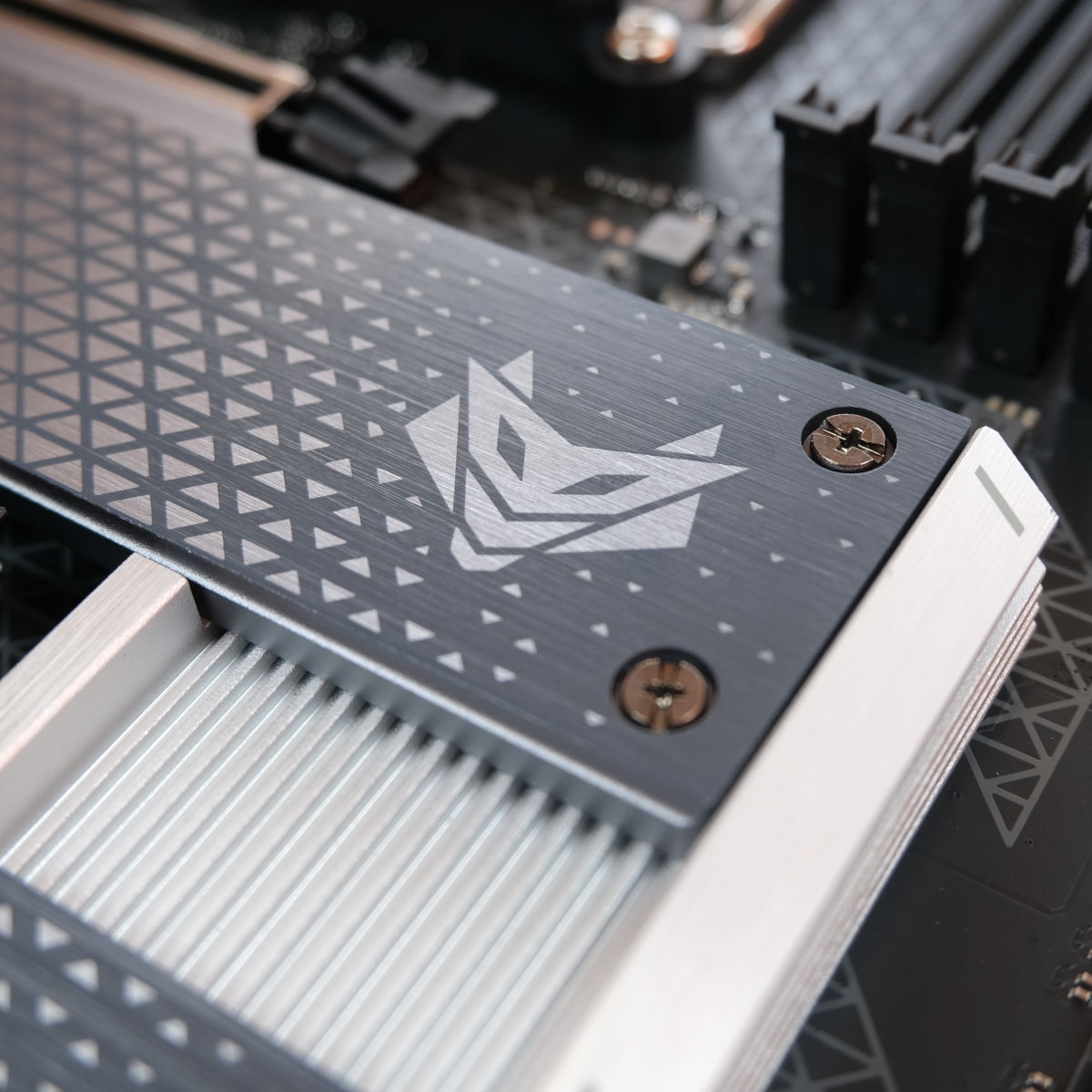
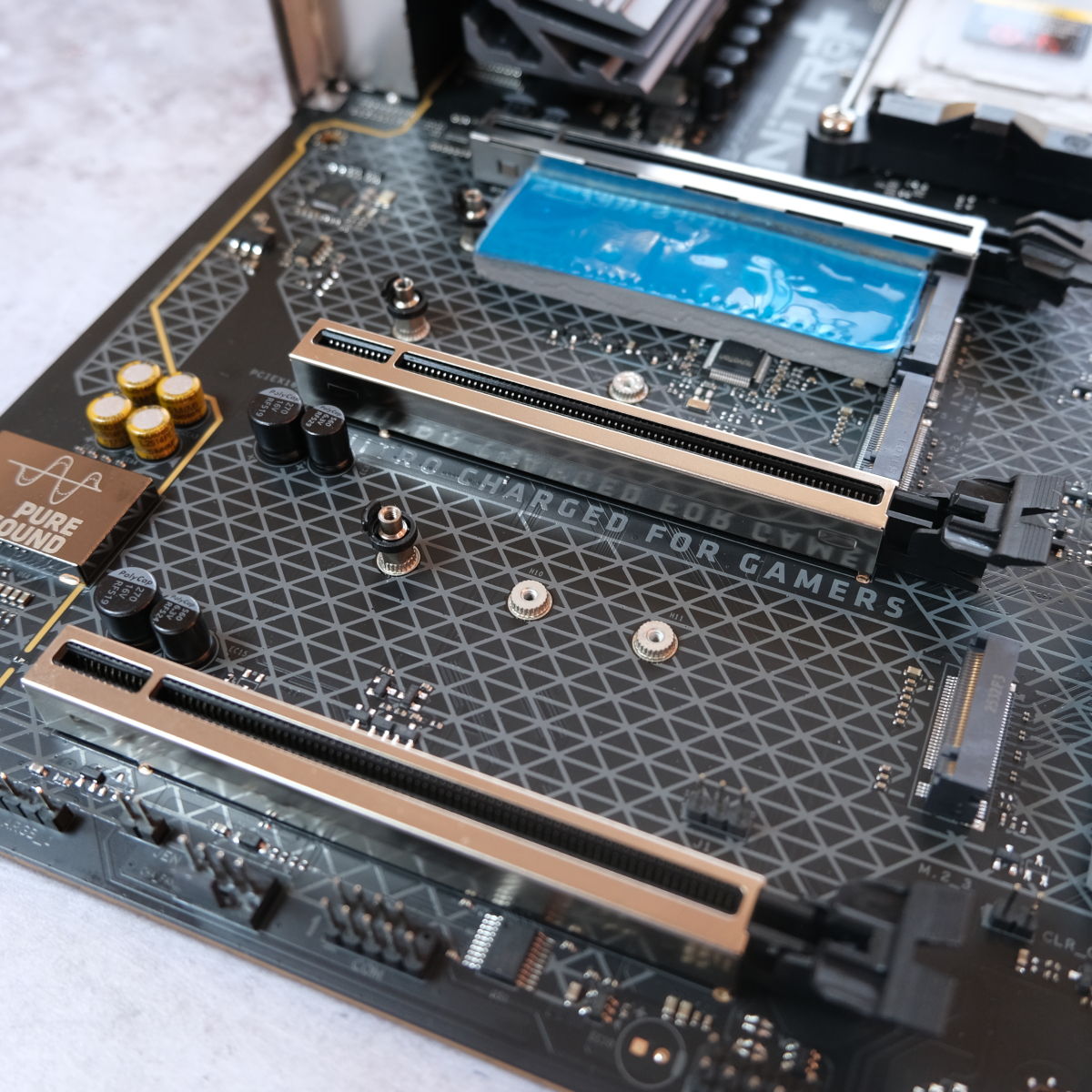
Despite having no RGB lighting, this board looks the business, maintaining the same classy grey and white colour scheme as Sapphire’s Nitro+ graphics cards. If you don’t have a massive amount of cash to splash, but you need a decent AM5 motherboard that still covers the essentials, this is the one to get.
Read our full Sapphire Nitro+ B850A WiFi 7 review for more information about this motherboard.
| Nitro+ B850A WiFi 7 | |
|---|---|
| VRM | 12+2+1, 55A |
| RAM support | Slots: 4 Capacity: 256GB Speed: 8,000+MT/s |
| Onboard graphics | DisplayPort (x1) HDMI (x1) |
| PCIe expansion slots | PCIe 5.0 x16 (x1) PCIe 4.0 x4 (x1) PCIe 4.0 x2 (x1) |
| Audio | Realtek ALC897 |
| Storage | PCIe 5.0 x4 (x2) PCIe 4.0 x4 (x2) SATA 6Gb (x4) |
| Rear USB | USB-A 10Gb (x3) USB-C 10Gb (x1) USB-A 2.0 480Mb (x4) |
| Front USB | USB-C 5Gb (x1) USB-A 5Gb (x2) USB-A 2.0 480Mb (x2) |
| LAN | 2.5Gb RJ45 (x1) |
| Wireless | Bluetooth 5.3 Wi-Fi 7 |
Best AMD mini-ITX
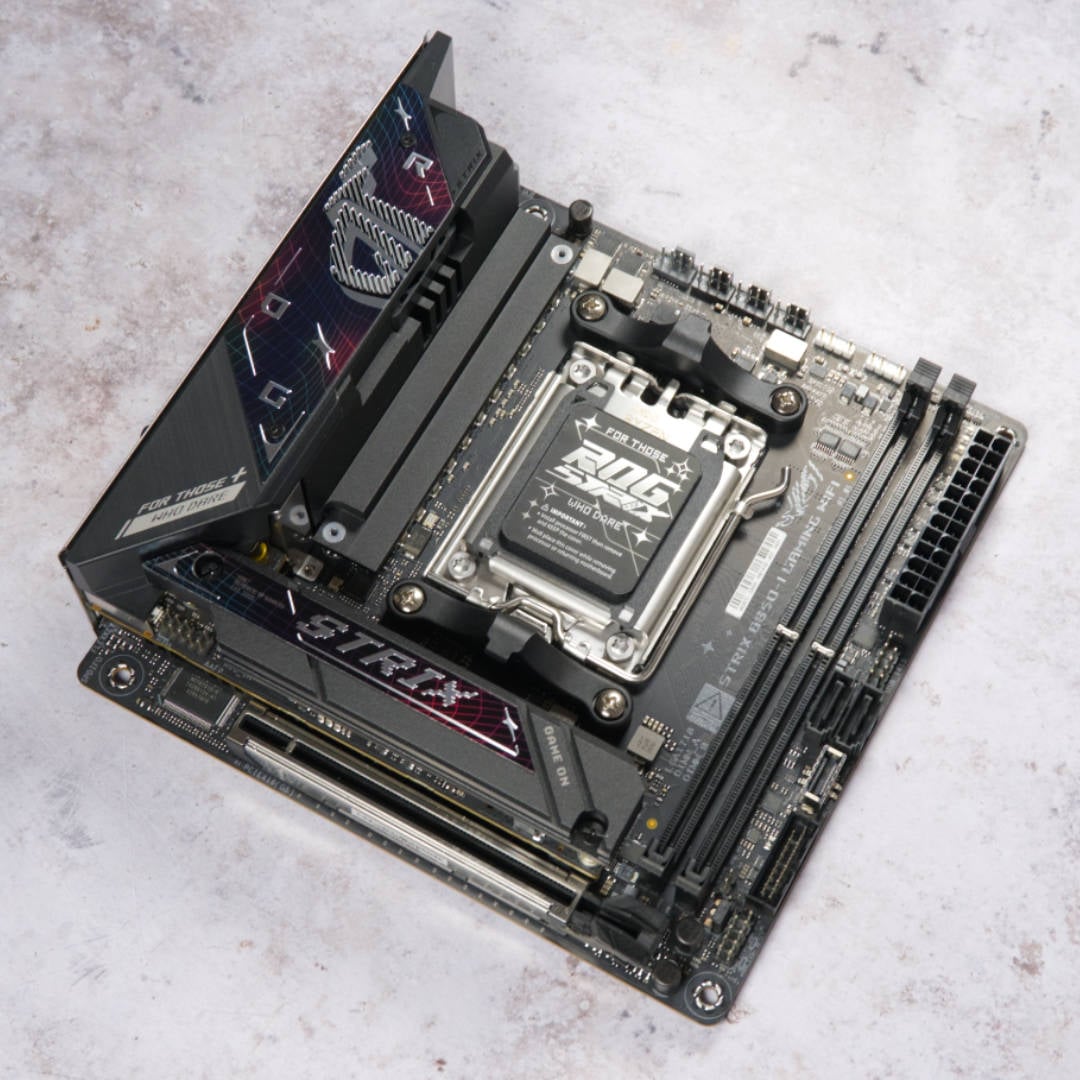
The best mini-ITX AMD motherboard is the Asus ROG Strix B850-I Gaming WiFi. There are loads of features packed into this tiny PCB, which surprisingly sports several of the latest extras found on full-size ATX boards.
Asus ROG Strix B850-I Gaming WiFi
£289.99 / $299.99
Pros
- Great USB connections
- Two PCIe Gen 5 SSD slots
- GPU quick-release system
- Wi-Fi 7
Cons
- Minor upgrades over B650E model
- High price
Club386 may earn an affiliate commission when you purchase products through links on our site.
How we test and review products.
These include high-end Realtek ALC4080 audio, two PCIe Gen 5 SSD slots for high-speed storage (one on the front; one on the back), and a x16 PCIe Gen 5 slot for the latest graphics cards. You even get Asus’ handy Q-Release system to easily eject your card from the latter without scraping your fingers.
We’ve found there’s not a lot of point in opting for a mini-ITX motherboard with an expensive chipset, as one of the main benefits is loads of PCIe lanes, and that’s largely wasted on a tiny board with a single slot and a couple of M.2 slots. You don’t get an enormous selection of USB ports, but you get everything that most people need.
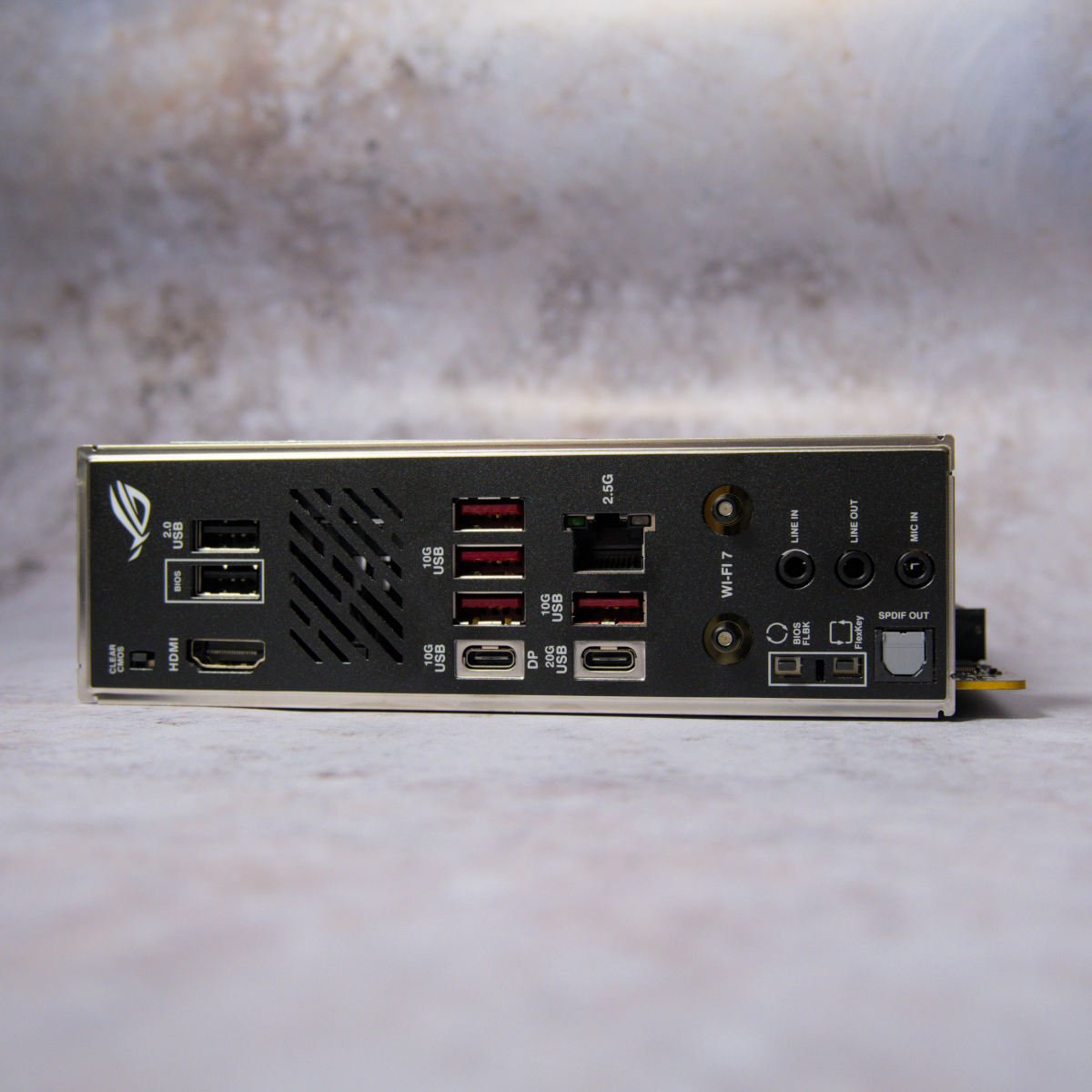
That includes four USB-A 10Gb ports, and two old school USB 2.0 ports (one of which can be used for BIOS flashing). You get a pair of USB-C ports, one running at 10Gb and one at 20Gb, with DisplayPort supported by the former.
There’s decent networking support, including both Wi-Fi 7 and a fast 2.5Gb Ethernet adaptor. The board even looks good, with its ROG Strix styling covering the chunky SSD heatsink and top left corner of the motherboard. You only get two DIMM slots, as with most mini-ITX motherboards, but again that’s all most people use – it’s not as if AMD’s Zen 5 CPUs support quad-channel memory.
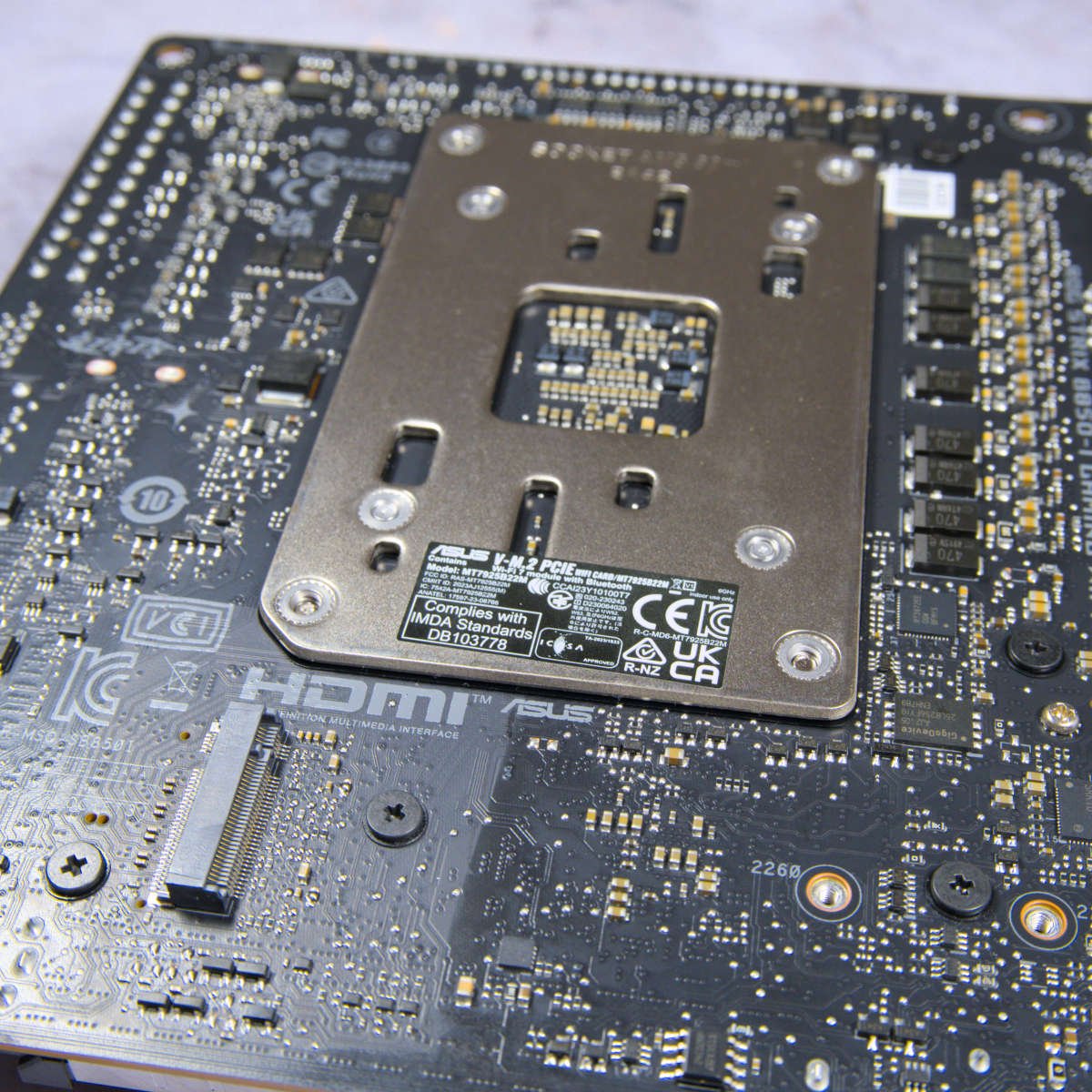
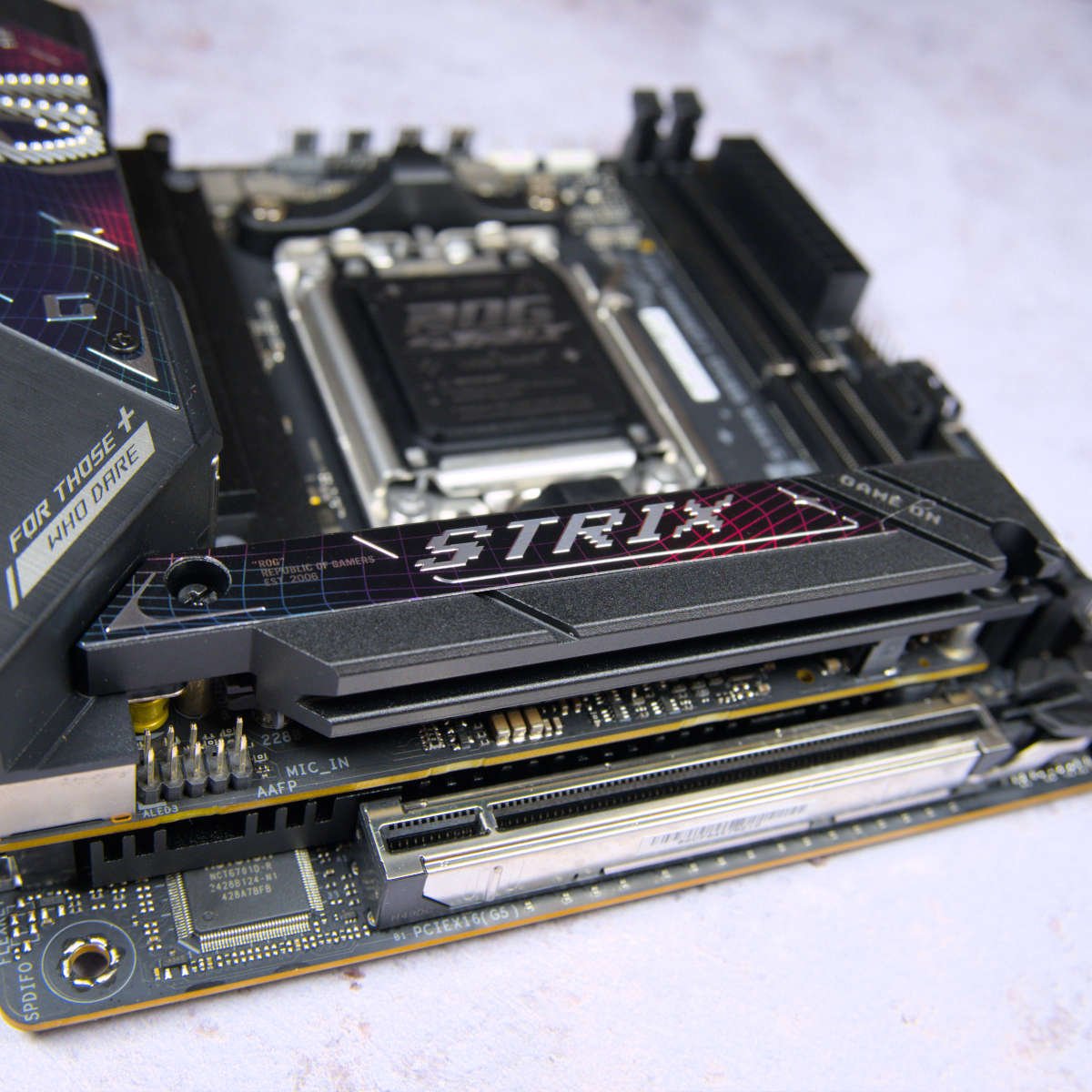
If there’s one complaint it’s that this board isn’t cheap for a PCB based on AMD’s budget B850 chipset. It cost £360 when we first reviewed it, and this price has since tumbled all the way down to a much more palatable £289.99. That’s still at the pricier end of the scale for a board with this spec, but it’s fair for the feature set on offer. If you want to build a powerful AMD gaming rig in a tiny package, this board provides a solid foundation.
Check out our in-depth Asus ROG Strix B850-I Gaming WiFi review for more detail about this mini-ITX motherboard.
| ROG Strix B850-I Gaming WiFi | |
|---|---|
| VRM | 10+2+1, 70A |
| RAM support | Slots: 2 Capacity: 128GB Speed: 8,400+MT/s |
| Onboard graphics | HDMI 2.1 (x1) USB-C 10Gb (x1) |
| PCIe expansion slots | PCIe 5.0 x16 (x1) |
| Audio | Realtek ALC4080 |
| Storage | PCIe 5.0 x4 (x1) SATA 6Gb (x2) |
| Rear USB | USB-C 20Gb (x1) USB-A 10Gb (x4) USB-C 10Gb (x1) USB-A 2.0 480Mb (x2) |
| Front USB | USB-C 10Gb (x1) USB-A 5Gb (x2) USB-A 2.0 480Mb (x2) |
| LAN | Intel 2.5Gb (x1) |
| Wireless | Bluetooth 5.4 Wi-Fi 7 |
Best Intel overall
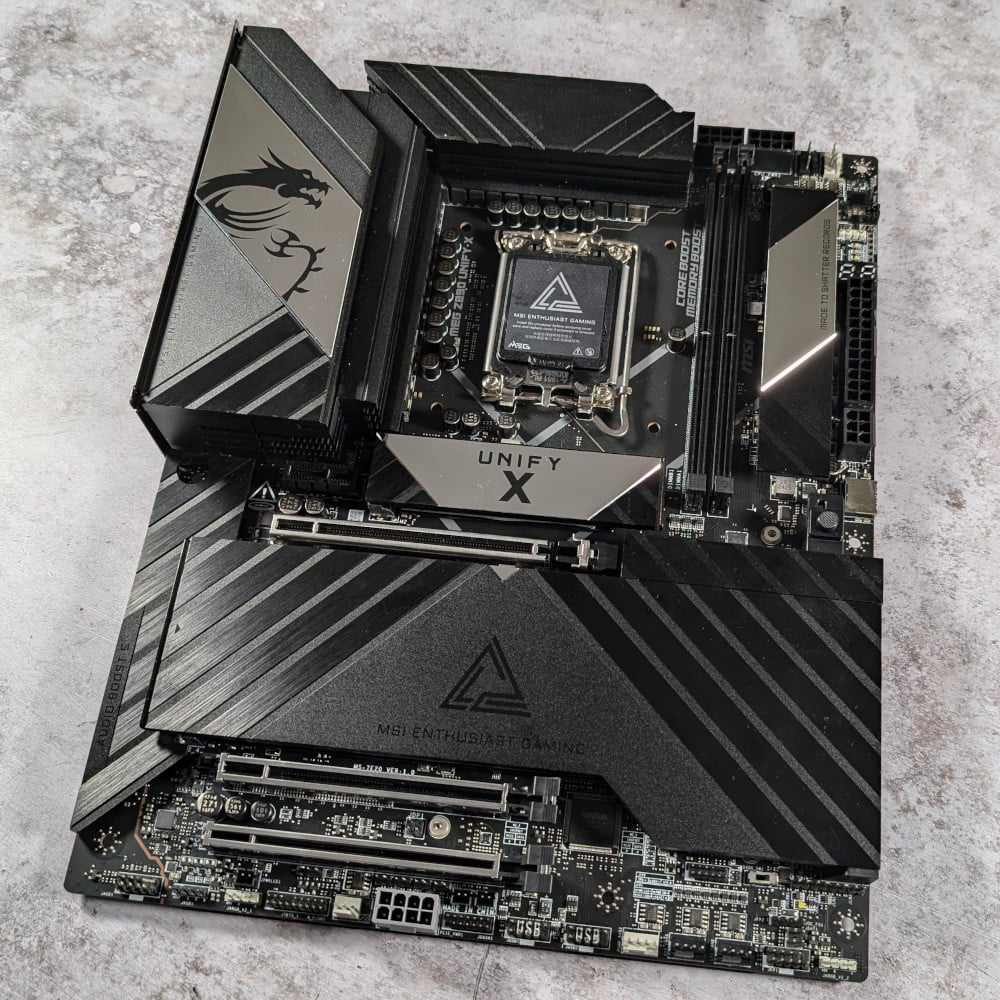
The best Intel motherboard is the MSI MEG Z890 Unify-X. This high-end board is packed to the rafters with USB ports and features, and it’s particularly tasty if you like to dabble in a bit of overclocking. It even comes with a little remote control, which gives you a debug code display, plus the ability to adjust your CPU multiplier and bus clock in real time, and clear the CMOS. If you want to push your unlocked Core Ultra 9 285K as far as it can go, this is the board for you.
MSI MEG Z890 Unify-X
£599.99 / $699.99
Pros
- Steadfast VRM setup
- 9,600MT/s RAM support
- Excellent USB array
- Useful accessories
- Classy looks
Cons
- Auto OC features need work
- High price
Club386 may earn an affiliate commission when you purchase products through links on our site.
How we test and review products.
That’s all helped by a solid 20+2+1+1-phase VRM design, along with a power stage running at up to 110A. Memory overclocking gets some love on this board as well. There are just two DIMM slots, but that’s fine for pretty much everyone’s needs now. Rather than providing two extra slots that are likely to go unfilled, MSI has instead focused on performance. The Unify-X will run your RAM at a super-fast speed of 9,600MT/s.
As you’d expect from a board at this price, it’s bursting with connections. There’s barely any space free on the rear I/O panel, thanks to its huge tally of eight 10Gb USB-A ports, and you get a pair of USB-C Thunderbolt 4 ports on the back, plus two 10Gb USB-C sockets.
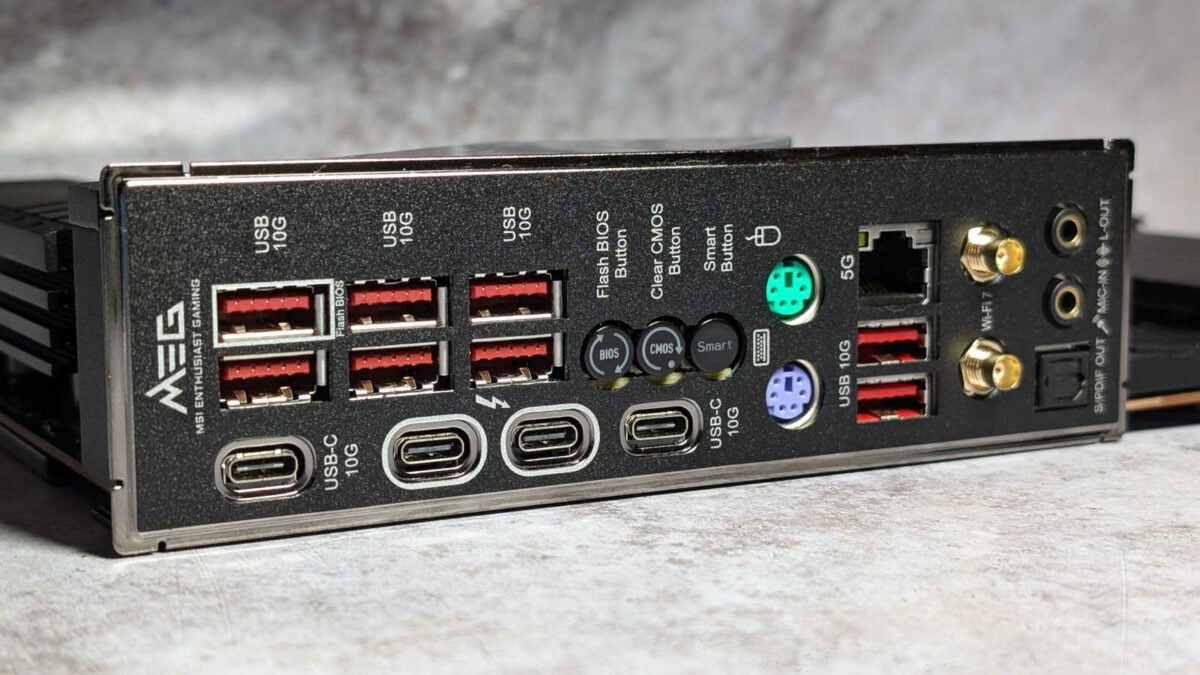
You even get a pair of old-school PS/2 ports for your keyboard and mouse, complete with traditional purple and green colouring. You might think that’s an odd inclusion on such a modern high-end board, but if you’re pushing for an overclocking world record, the direct, hardware-level interface of a PS/2 keyboard can be much more reliable than USB.
All the other features you’d want from a high-end board are present and correct, including decent Realtek ALC4080 audio, a pair of PCIe Gen 5 M.2 SSD slots, and both 5Gb Ethernet and Wi-Fi 7. Plus, there’s a hefty backplate with thermal pads, which helps to cool and strengthen the board.
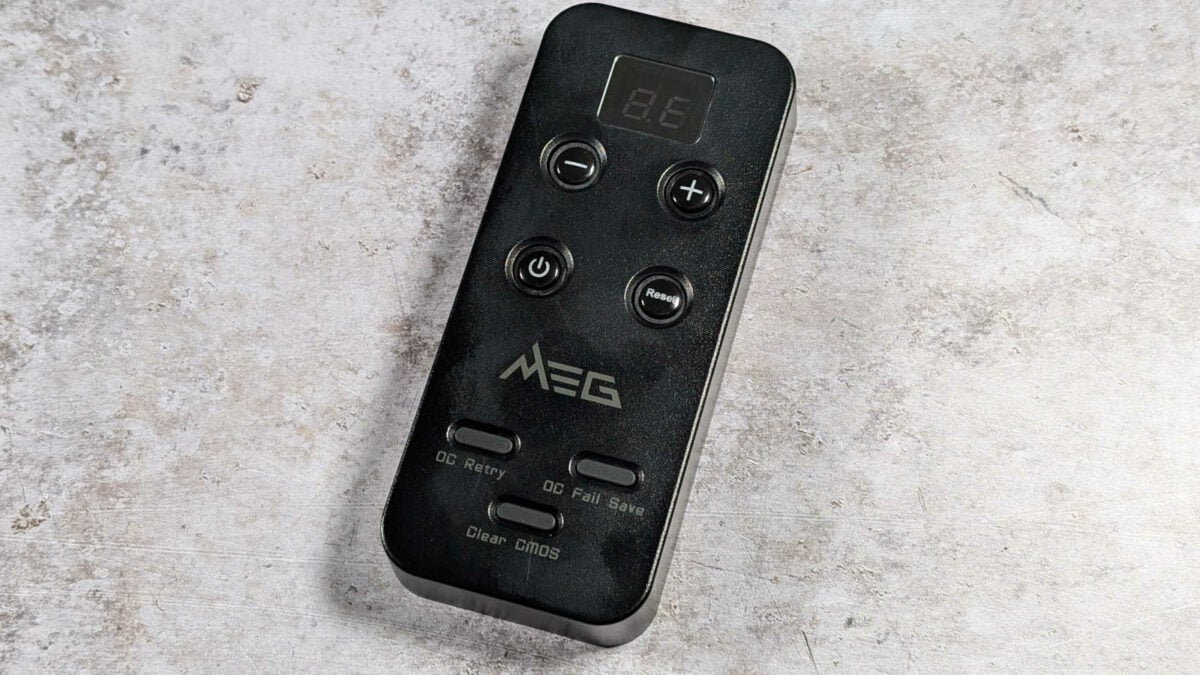
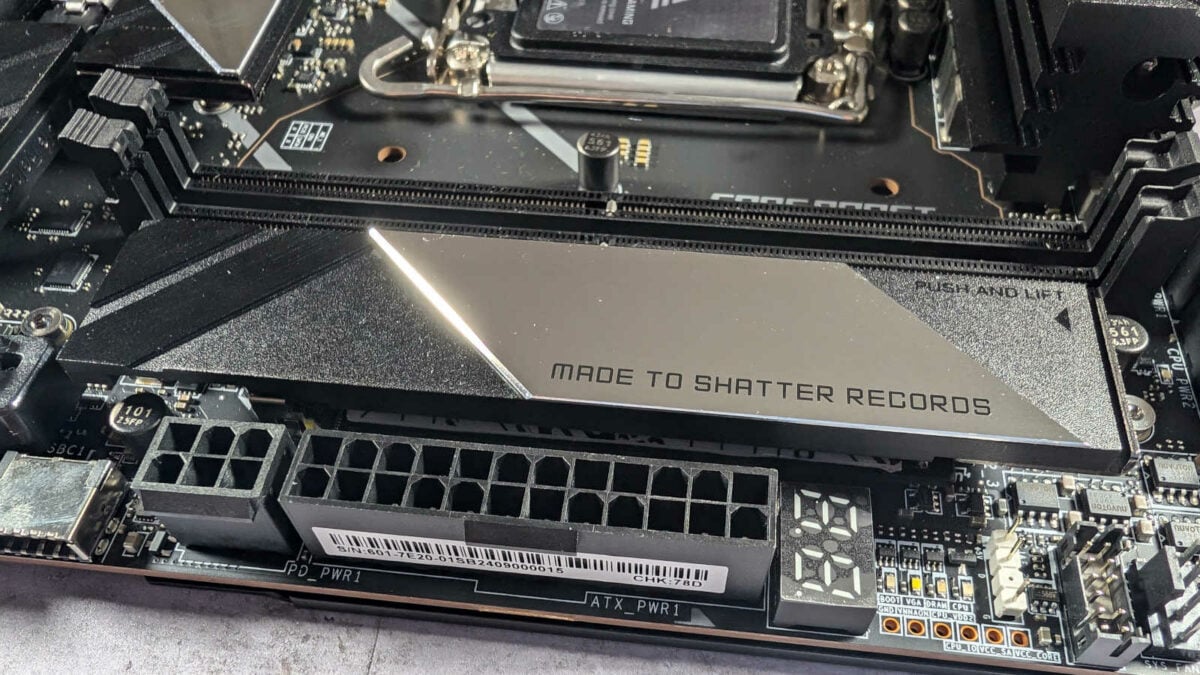
When we first reviewed the Unify-X, it was only launched in the US, but it’s since become much more widely available, with a UK price of just under £600. That’s expensive for a motherboard, but if you want to push your CPU as far as it can go, and you want all the latest features, this is a top enthusiast choice.
Read our full MSI MEG Z890 Unify-X review for more detail about this high-end Intel LGA1851 motherboard.
| MEG Z890 Unify-X | |
|---|---|
| VRM | 20+2+1+1, 110A |
| RAM support | Slots: 2 Capacity: 128GB Speed: 9,600+MT/s |
| Onboard graphics | DisplayPort 1.4 (x1) HDMI 2.1 (x1) Thunderbolt 4 (x2) |
| PCIe expansion slots | PCIe 5.0 x16 (x2) PCIe 4.0 x16 (x1) PCIe 4.0 x1 (x1) |
| Audio | Realtek ALC4080 |
| Storage | PCIe 5.0 x4 (x2) PCIe 4.0 x4 (x4) SATA 6Gb (x6) |
| Rear USB | USB-C Thunderbolt 4 (x2) USB-C 10Gb (x2) USB-A 10Gb (x8) |
| Front USB | USB-C 20Gb (x1) USB-A 5Gb (x4) USB 2.0 480Mb (x4) |
| LAN | Intel Killer 5Gb (x1) |
| Wireless | Bluetooth 5.4 Intel Killer Wi-Fi 7 |
Best Intel mid-range
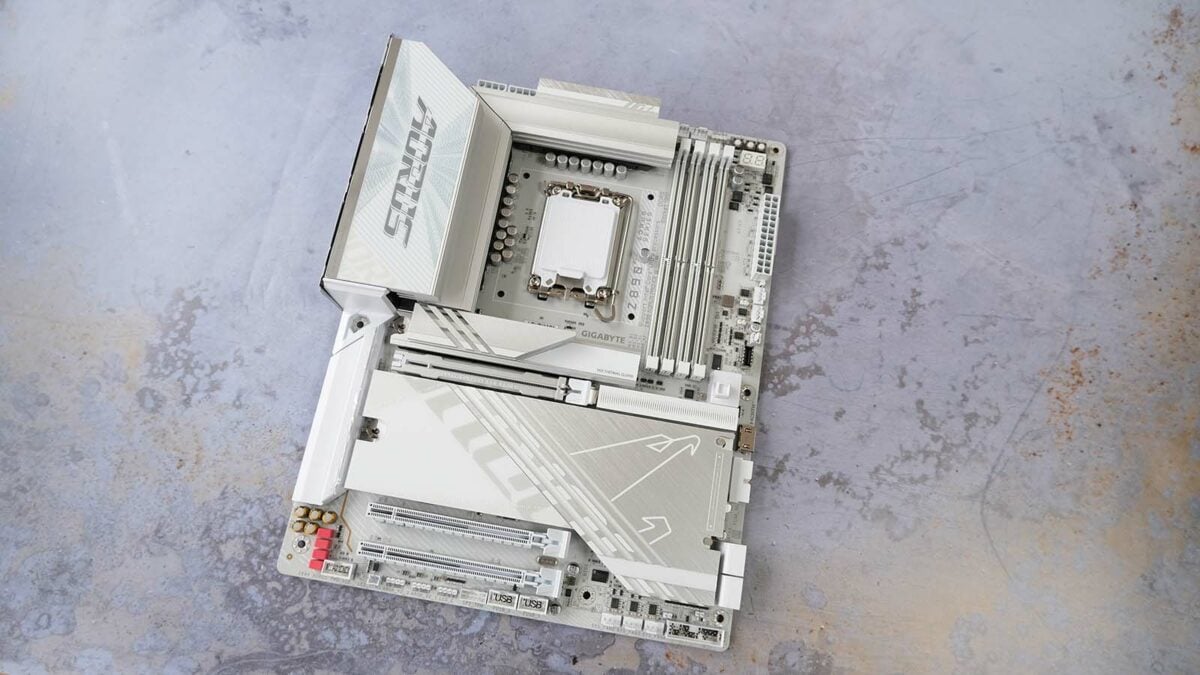
The best mid-range Intel motherboard is the Gigabyte Z890 Aorus Pro Ice. Coming in both black and white flavours, this board looks fantastic, and it’s had a substantial price drop since our review. Originally priced at £360, you can now pick it up for £283.99, getting you loads of features in a stylish package for a reasonable price.
Gigabyte Z890 Aorus Pro Ice
£283.99 / $259.99
Pros
- Looks fantastic
- Big on M.2 slots
- Sensible layout
- Good value
- Fast RAM support
Cons
- No clear-CMOS button
- Middling audio quality
Club386 may earn an affiliate commission when you purchase products through links on our site.
How we test and review products.
We reviewed the Ice version of this Gigabyte board, with its PCB, heatsinks, and sockets, all clad in white, and a big dash of RGB lighting under the Aorus logo in the top left. If you’re building PC in a white case, this frosty board will absolutely look the part. It’s not just a pretty face, though – there are loads of features here.
You certainly won’t be wanting for storage support, with a total of three PCIe Gen 5 x4 M.2 slots for the latest high-speed SSDs, all with heatsinks. As you would expect, there’s a full-speed x16 PCIe Gen 5 slot for your graphics card, including an easy-release latch to make light work of ejecting your card from the slot. We also really liked this slot’s rubber lining, which prevents you from scraping your graphics card’s delicate connectors when you pull it out the slot.
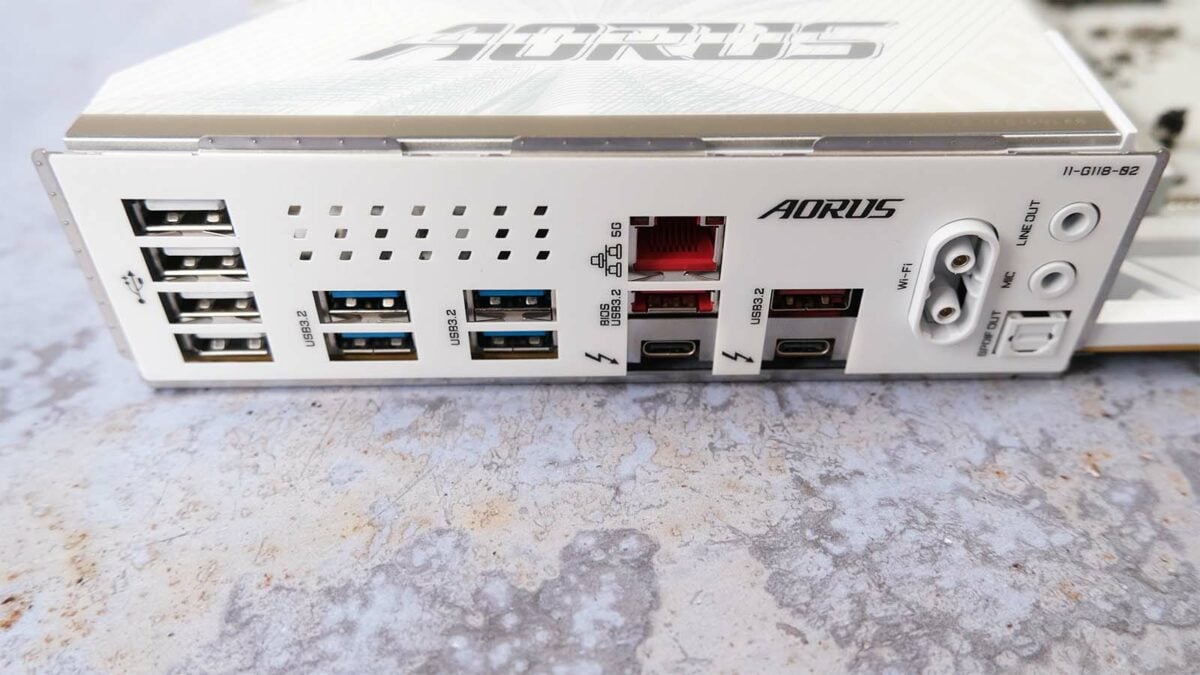
Move to the back, and you’ll be met with a pleasing array of connections. There’s a fair bit of white space here, but there’s still an abundance of USB sockets. That list includes a pair of handy USB-C Thunderbolt 4 ports that can run at up to 40Gb, plus a pair of 10Gb USB-A sockets, four USB-A 5Gb ports, and four good-old-fashioned USB 2.0 connectors.
What you don’t get here is a clear-CMOS button, which we found a bit disappointing on a board at this price, especially when there’s so much free room on the I/O panel. You can, of course, reset the CMOS by shorting out the appropriate pair of pins on the PCB, but that’s a faff compared to pushing a simple button.
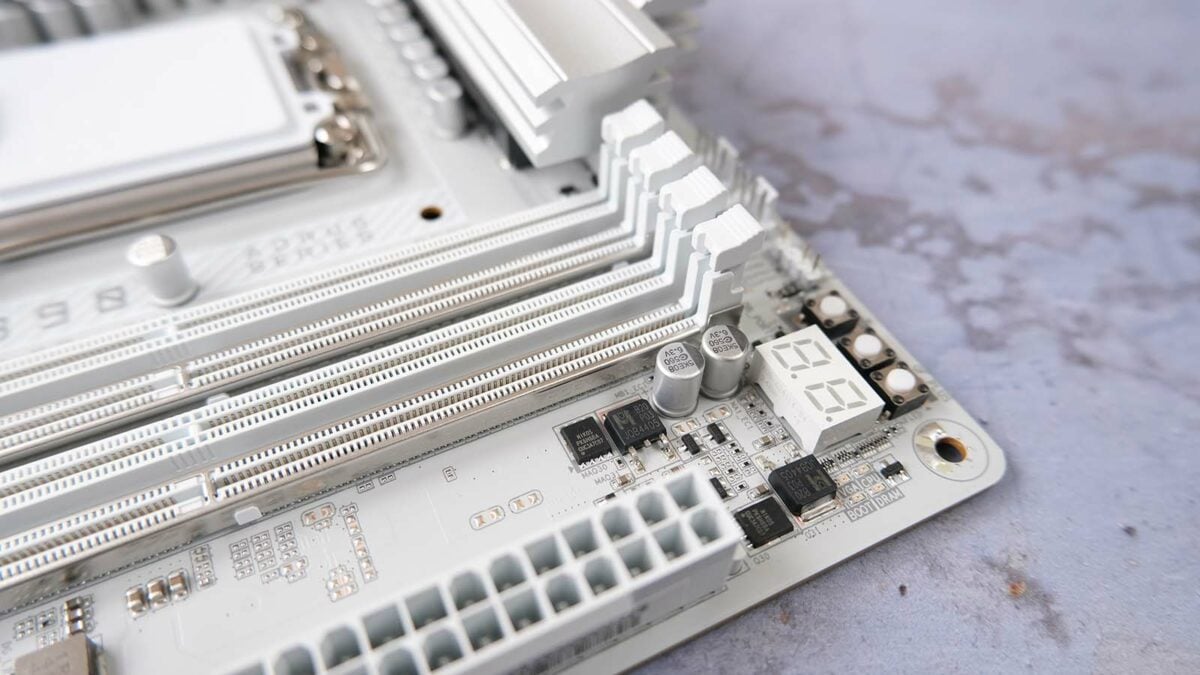
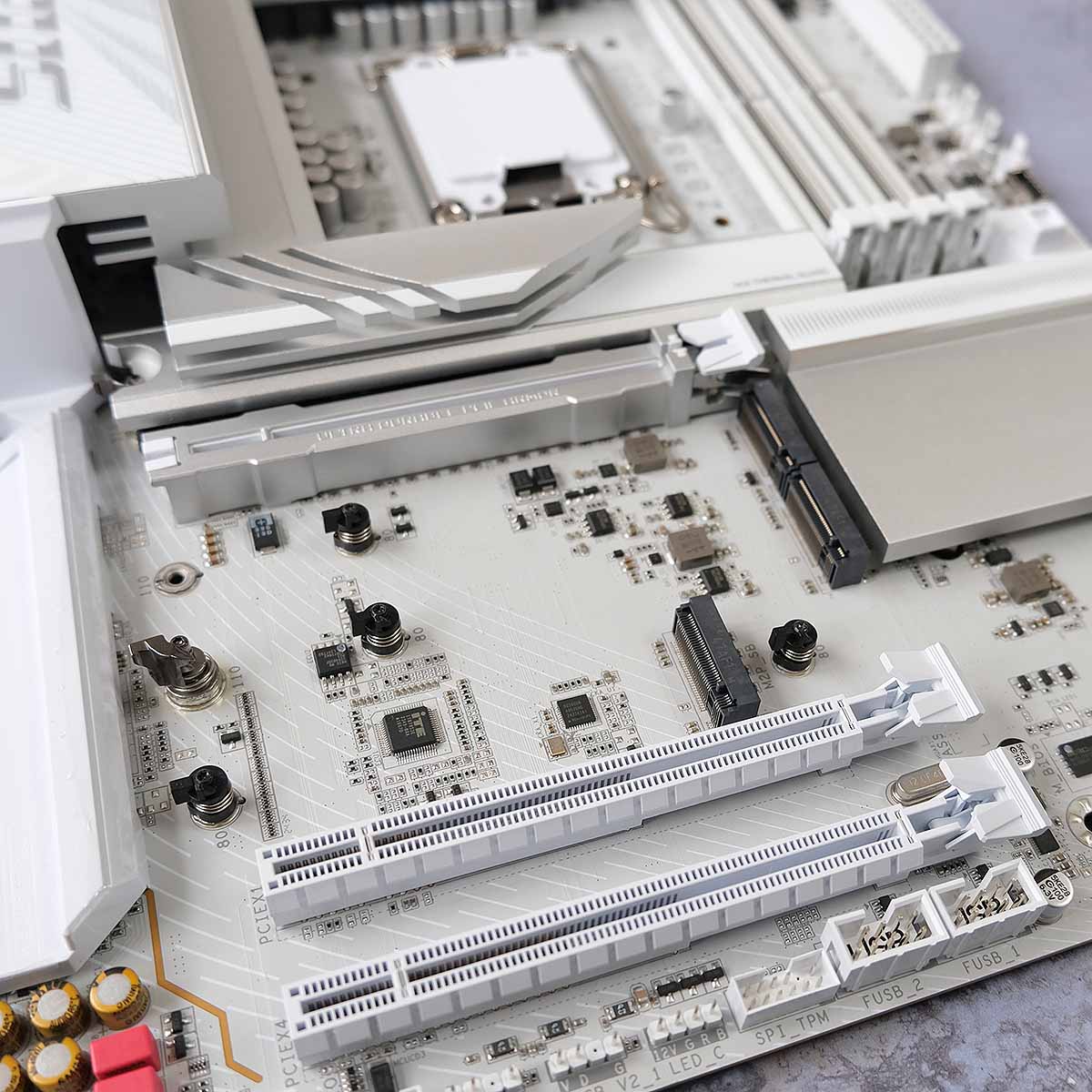
Our only other criticism was that the Realtek AL1220 is a little disappointing compared to the ALC4080 codecs we’re now seeing on a lot of boards. ALC1220 is still a decent codec, and it’s a good step above ALC897 – it’s just that other boards are offering superior audio setups in this price range.
With its gorgeous appearance, whether you go for the black or white model, expansive feature set, and now very reasonable price, this is a great Arrow Lake motherboard.
Read our full Gigabyte Z890 Aorus Pro Ice review for more detail about this motherboard.
| Z890 Aorus Pro Ice | |
|---|---|
| VRM design | 16+1+2, 90A SPS |
| RAM support | Capacity: Up to 256GB Speed: 9,500MT/s+ |
| Onboard graphics | USB-C TB 4 (x2) HDMI 1.4 (x1) |
| PCIe expansion slots | PCIe 5.0 x16 (x1) PCIe 4.0 x4 (x1) PCIe 4.0 x1 (x1) |
| Audio | Realtek ALC1220 |
| Storage | PCIe 5.0 x4 (x1) PCIe 4.0 x4 (x4) SATA 6Gb (x4) |
| Rear USB | USB-C Thunderbolt 4 (x2) USB-A 2.0 480Mb (x4) USB-A 5Gb (x4) USB-A 10Gb (x2) |
| Front USB | USB-A 2.0 480Mb (x4) USB-A 5Gb (x2) USB-C 20Gb (x1) |
| LAN | Realtek 5Gb |
| Wireless | Intel Wi-Fi 7 BE200 Bluetooth 5.4 |
Best Intel budget
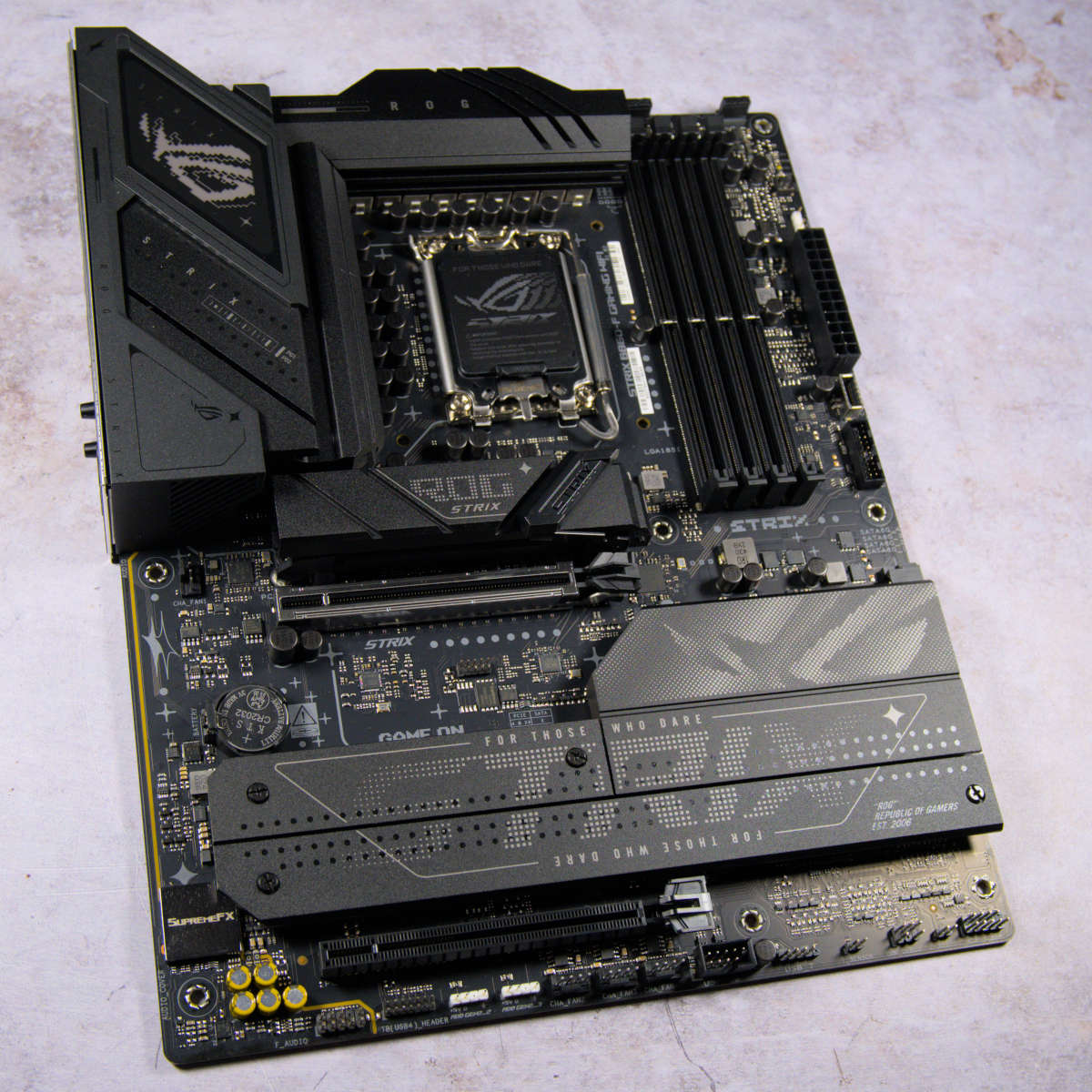
The best budget Intel motherboard is the Asus ROG Strix B860-F Gaming WiFi. We initially only gave this motherboard a score of 3.5/5, as its launch price of £329.99 was hard to justify. However, you can now pick one up for just £219.99, making it a veritable bargain for the features on offer.

Asus ROG Strix B860-F Gaming WiFi
£219.99
Pros
- Decent USB connections
- Excellent build quality
- Speedy memory support
- Wi-Fi 7
Cons
- No Q-Code display
- No multiplier overclocking
Club386 may earn an affiliate commission when you purchase products through links on our site.
How we test and review products.
One factor to bear in mind is that this board is based on Intel’s B860 chipset, rather than its top-end Z890 offering. This means you can’t overclock your CPU using the multiplier, or ratio, even if you have a K-series CPU. If you want to overclock your chip, you’ll want a Z890 board, but if you plan to run your CPU at stock speed, you can save a good chunk of money by buying this B860 board.
Given that CPU stock clock speeds are already high enough for most people’s needs these days, especially now Intel is increasing them further with its Arrow Lake Refresh Core Ultra 5 250K Plus chip, this isn’t a dealbreaker, especially when you get so many features. For just over £200, the Asus ROG Strix B860-F Gaming WiFi offers loads of goodies, including high-end Realtek ALC4080 audio, Wi-Fi 7, and support for a single PCIe Gen 5 SSD. The slot for the latter has a tool-less latch system, meaning you don’t have to fiddle around with tiny screws to secure your drive.
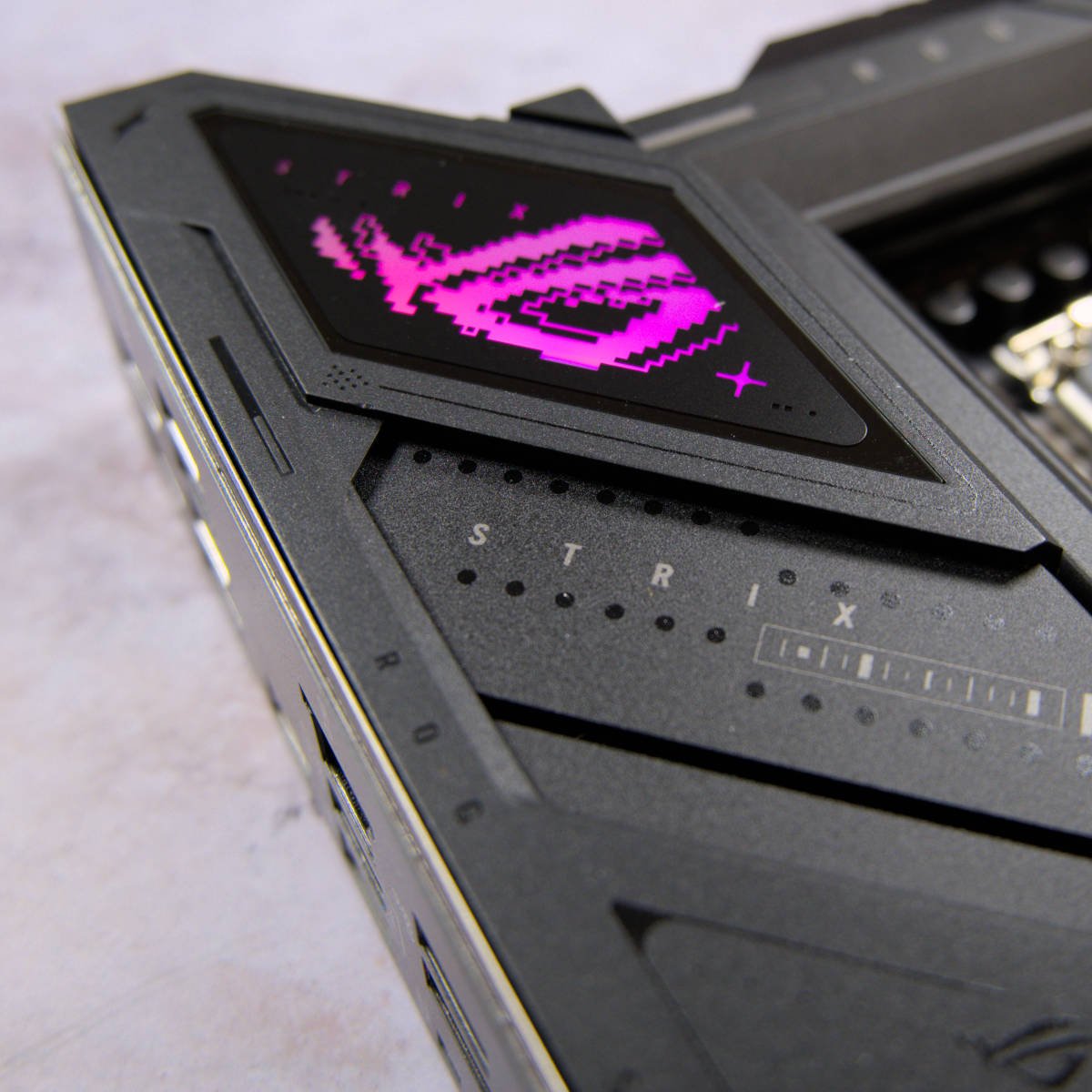
Pleasingly, there’s a full-speed x16 PCIe Gen 5 slot for your graphics card, and as with more expensive boards, you get a latch system so you can easily pop your card out of its slot without having to squeeze your fingers underneath it. Unusually for a budget-friendly board based on a B-series chipset, there’s even a little bit of RGB lighting glowing through the Asus logo in the top-left corner.
Amazingly, you can hit sky-high memory speeds on this budget-friendly board. Intel decided to allow memory overclocking on B-series chipsets a few years ago, and Asus has gone all out here, with support for memory running at 9,600MT/s. Unlike the pricier Gigabyte Z890 Aorus Pro, you even get a handy clear-CMOS button amid the rear I/O.
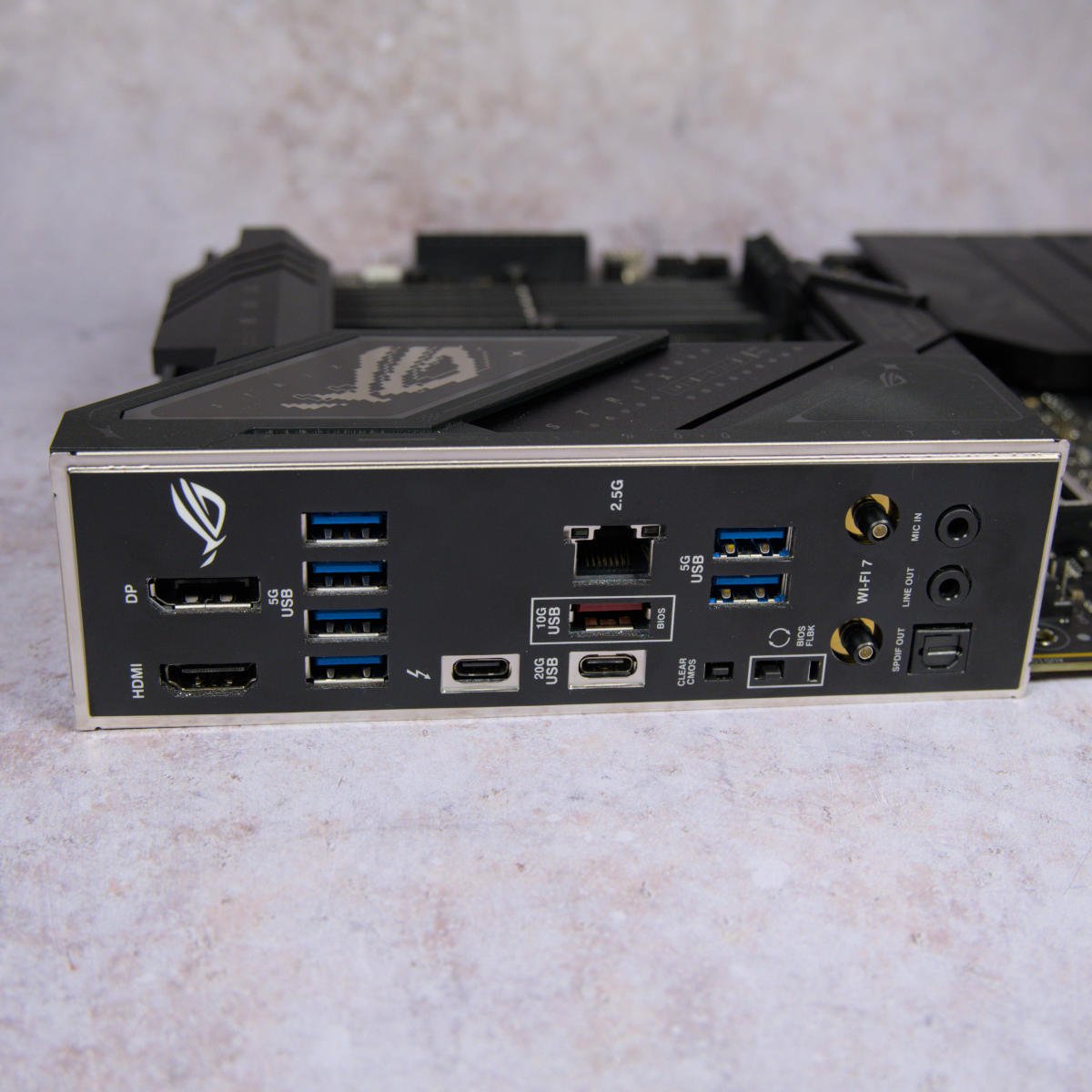
Move to the back, and you’ll see what looks like a comparatively sparse array of USB ports, but all the essentials are covered. Not a single one of these ports is USB 2.0 – you get six USB-A 5Gb connectors, plus a 10Gb port. You can use the latter to update your BIOS via Asus’ flashback feature, even if it doesn’t recognise your CPU, which is handy if you’re planning on using an Arrow Lake Refresh chip).
You even get a high-speed USB-C port that’s compatible with Thunderbolt 4, plus a 20Gb USB-C connector. That covers most people’s bases, even if the panel isn’t covered in ports. As long as you don’t plan to overclock your CPU, this is a fine platform for a very reasonable price – perfect if you want to build an Arrow Lake rig on a budget.
Read our in-depth Asus ROG Strix B860-F Gaming WiFi review for loads more information about this motherboard.
| ROG Strix B860-F Gaming WiFi | |
|---|---|
| VRM | 16+1+2+1, 80A |
| RAM support | Slots: 4 Capacity: 256GB Speed: 9,066+MT/s |
| Onboard graphics | DisplayPort 1.4 (x1) HDMI 2.1 (x1) USB-C Thunderbolt 4 (x1) |
| PCIe expansion slots | PCIe 5.0 x16 (x1) PCIe 4.0 x16 (x1) |
| Audio | Realtek ALC4080 |
| Storage | PCIe 5.0 x4 (x1) PCIe 4.0 x4 (x3) SATA 6Gb (x4) |
| Rear USB | USB-C 40Gb (x1) USB-C 20Gb (x1) USB-A 10Gb (x1) USB-A 5Gb (x6) |
| Front USB | USB-C 10Gb (x1) USB-A 5Gb (x2) USB-A 2.0 480Mb (x3) |
| LAN | Intel 2.5Gb (x1) |
| Wireless | Bluetooth 5.4 Wi-Fi 7 |
FAQ
What chipset do I need?
The chipset is nearly always somewhere in your motherboard’s model name, and it governs substantial parts of the feature set. The number and types of PCIe slots, the speed and quantity of USB ports, and whether you can overclock your CPU and memory, are all governed by the chipset.
In this guide, we’ve only covered AMD boards based on X870E, X870, and B850 chipsets, and Intel models based on Z890 and B860 chipsets, as these are the ones aimed at enthusiasts. Bear in mind that the chipset often isn’t the be-all and end-all when it comes to features, as your CPU will also offer several PCIe lanes, and motherboard makers can add extra features, including more USB ports and PCIe lanes, by adding extra chips. Here’s a brief summary of some of the key current chipsets:
AMD X870E
The flagship chipset for AMD CPUs using the AM5 socket, which means Ryzen 7000 and 9000-series chips. Offers a PCIe Gen 5 x16 slot for graphics (or two x8 slots), and 44 total PCIe lanes, 24 of which are PCIe Gen 5. CPU and memory overclocking are enabled. Offers USB 4 as standard, along with support for up to two 20Gb USB ports and 12 10Gb USB ports.
AMD X870
Has the same PCIe graphics configuration and number of PCIe Gen 5 lanes as X870E, but drops the total PCIe lanes to 36. Supports USB 4 as standard, as well as CPU and memory overclocking. Halves the number of available 10Gb USB ports to six, and only supports a single 20Gb USB port.
AMD B850
Drops down to PCIe Gen 4 x16 for graphics (or two x8 slots), although many B850 motherboards still support a PCIe Gen 5 x16 graphics slot via the CPU lanes. Offers 36 PCIe lanes, but only four of them are PCIe Gen 5, enabling support for a high-speed SSD. CPU and memory overclocking are enabled, and USB support is the same as on X870, but USB 4 support is optional rather than standard.
AMD B840
Like B850, this chipset offers a PCIe Gen 4 x16 slot for graphics, but there are no PCIe Gen 5 lanes at all, with a total of 374 PCIe lanes overall. CPU overclocking is not enabled, but you can still overclock your memory and use AMD EXPO-compatible RAM at full speed. USB 4 support is optional, and there’s no 20Gb USB support, and you only get up to two 10Gb USB ports.
AMD A620
This chipset is often used on the lowest-priced AM5 boards. There’s no PCIe Gen 5 support, but you do still get a PCIe Gen 4 x16 graphics slot, and 32 PCIe lanes in total. You can’t overclock your CPU with this chipset, but you can still change your memory frequency and run high-speed RAM with EXPO profiles. There’s no 20Gb USB support, and you only get two 10Gb USB ports.
Intel Z890
Intel’s flagship chipset for its Arrow Lake CPUs. This is the only chipset that supports CPU overclocking via the multiplier, so you want a Z890 board if you want to push your K-series chip as far as it will go. There’s support for 24 PCIe Gen 4 lanes, with PCIe 5 lanes coming directly from your CPU. This chipset supports up to five 20Gb USB ports and ten 10Gb ports.
Intel B860
You can’t overclock your CPU using the B860 chipset, but it does let you push up your memory frequency and run high-speed RAM with an XMP profile. A total of 14 PCIe Gen 4 lanes are supported, and PCIe Gen 5 support comes from your CPU, making for a single x16 graphics slot and one high-speed PCIe Gen 5 M.2 port. Two 10Gb USB ports are supported, plus four 10Gb USB ports.
Intel H810
This is the lowest-priced desktop chipset for LGA1851 motherboards, and it only provides eight PCIe Gen 4 lanes, although it can still run a PCIe Gen 5 x16 slot via the lanes in your CPU. Only two DIMM slots are supported, but this is enough for most people’s needs. As with B860, there’s no CPU overclocking, and you usually can’t tweak your memory frequency either. However, XMP profiles are supported on some H810 boards, although not at high frequencies. There’s no support for 20Gb USB ports, although H810 can power up to two 10Gb USB connectors.
What do all the USB standards mean?
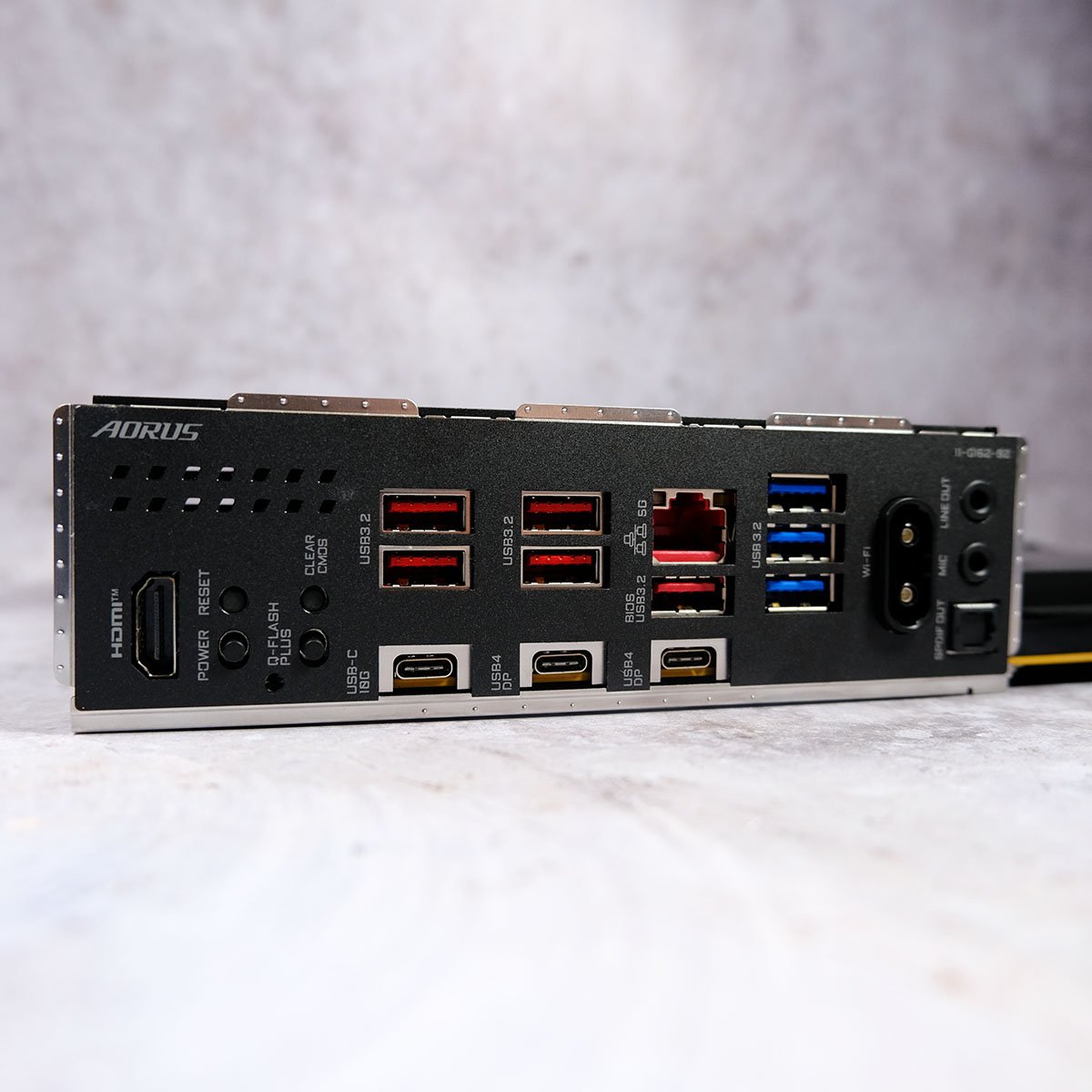
USB has become a right old confusing mess of different numbers and standards, with a lot of crossover between them. To make your choice as simple as possible, we’ve listed the speed and type of connector in this guide, as that’s the most important information. USB-A is the good old USB connector we’ve known for decades, while USB-C is a much smaller socket that has the added benefit of enabling you to plug in your connector either way up – the really high-speed ports come in USB-C format. For more information, here’s a basic rundown of what all the different standards mean:
USB 2.0
A nice easy one that hasn’t changed. These ports are usually black, use a Type-A connector and run at a speed of up to 480Mb per second.
USB 3.0 / USB 3.1 Gen 1 / USB 3.2 Gen 1 / USB 5Gb
For all intents and purposes, all the above names basically mean the same thing – a USB port running at a speed of up to 5Gb per second. These ports usually use the Type-A connector, and are often coloured blue, although you sometimes see 5Gb USB-C ports.
USB 3.1 Gen 1 / USB 3.2 Gen 2×1 / USB 10Gb
As with USB 3.0, there are confusingly two names for basically the same speed standard here. These ports often use both Type-A connectors, sometimes coloured red, as well as Type-C sockets. They run at speeds of up to 10Gb per second, and can be handy for plugging in high-speed external devices, such as SSDs.
USB 3.2 Gen 2×2 / USB 20Gb
These ports employ the Type-C connector and can run at speeds of up to 20Gb per second – they’re great for high-speed external SSDs, as long as your drive also supports this standard.
USB 4
Uses the Type-C connector and offers speeds of up to 40Gb per second. Other features are often provided by USB 4 ports, such as power delivery (often abbreviated to PD). This will be expressed in wattage, and can enable you to charge high-power devices such as tablets, laptops, and handheld games consoles from your PC. Sometimes these ports also provide full Thunderbolt compatibility, as well as networking and display features via DisplayPort. Always check the motherboard specs list to make sure, as there’s a lot of variation here – we’ve seen USB-C ports that only run at 5Gb, but also have PD, DisplayPort and networking features, for example.
Can I put a PCIe Gen 5 device in a Gen 4 slot?
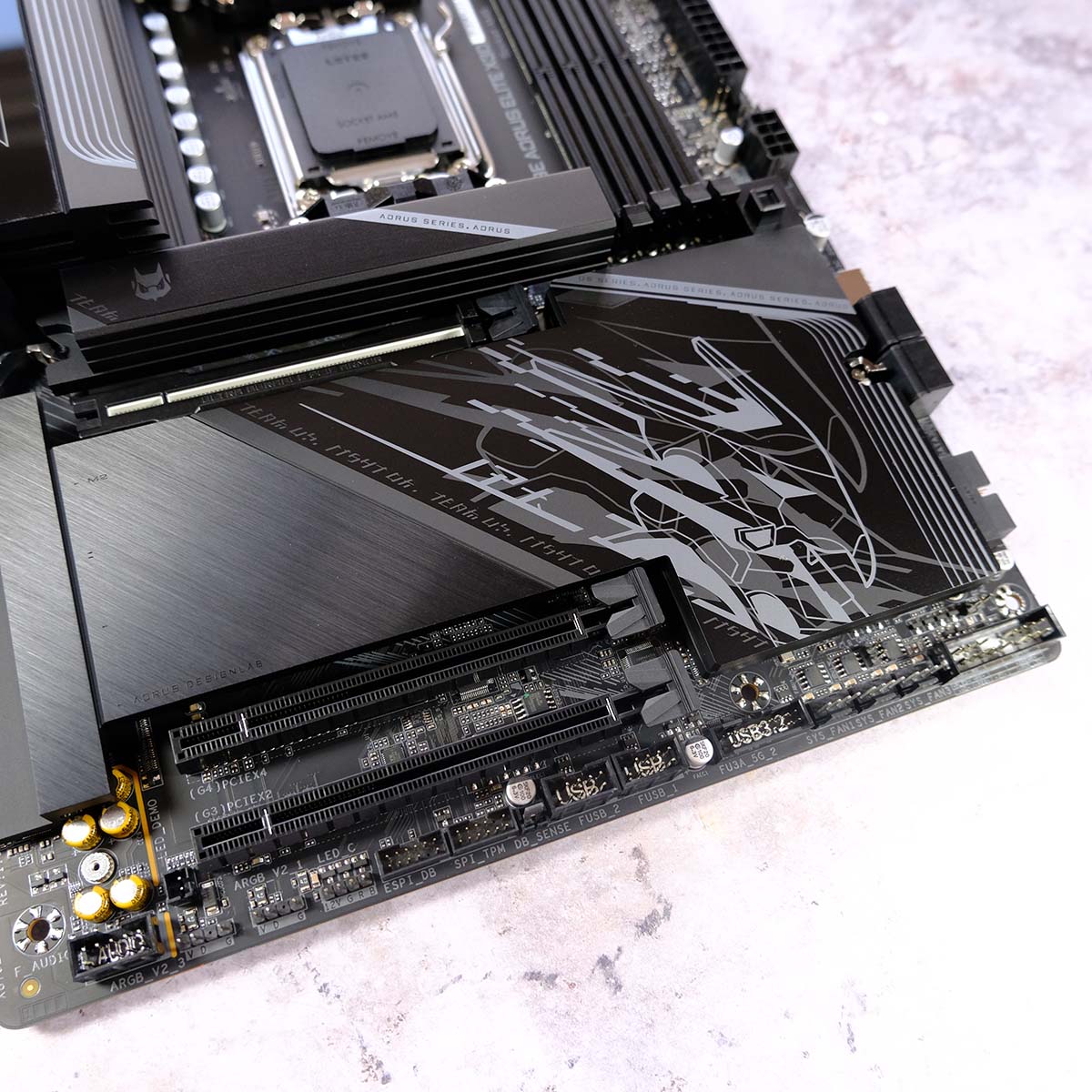
Yes you can, but it will only have half the bandwidth available to it. This isn’t a big issue if you’re putting a PCIe Gen 5 x16 graphics card into a PCIe Gen 4 x16 slot, as the latter is still very fast, but it does matter when it comes to SSDs. Putting a PCIe Gen 4 SSD in a Gen 5 slot means it won’t run any quicker than around 7,500MB/s, but these drives can run at nearly double this speed in a Gen 5 slot.
Can I put a new CPU in my old motherboard?
That all depends on the motherboard. The key factor here is the socket. If your motherboard uses an older AMD AM4 or Intel LGA1700 socket, for example, then you won’t be able to put a new AM5 (Ryzen 7000 and 9000) or LGA1851 (Intel Core Ultra 200) chip in it. However, CPUs are still available that use these sockets – you may just need to flash your motherboard BIOS to make sure it will recognise the new chip. Check out our guide to buying the best DDR4 CPU if you’re looking to upgrade your chip without having to buy a new motherboard and RAM.
How many DIMM slots do I need?
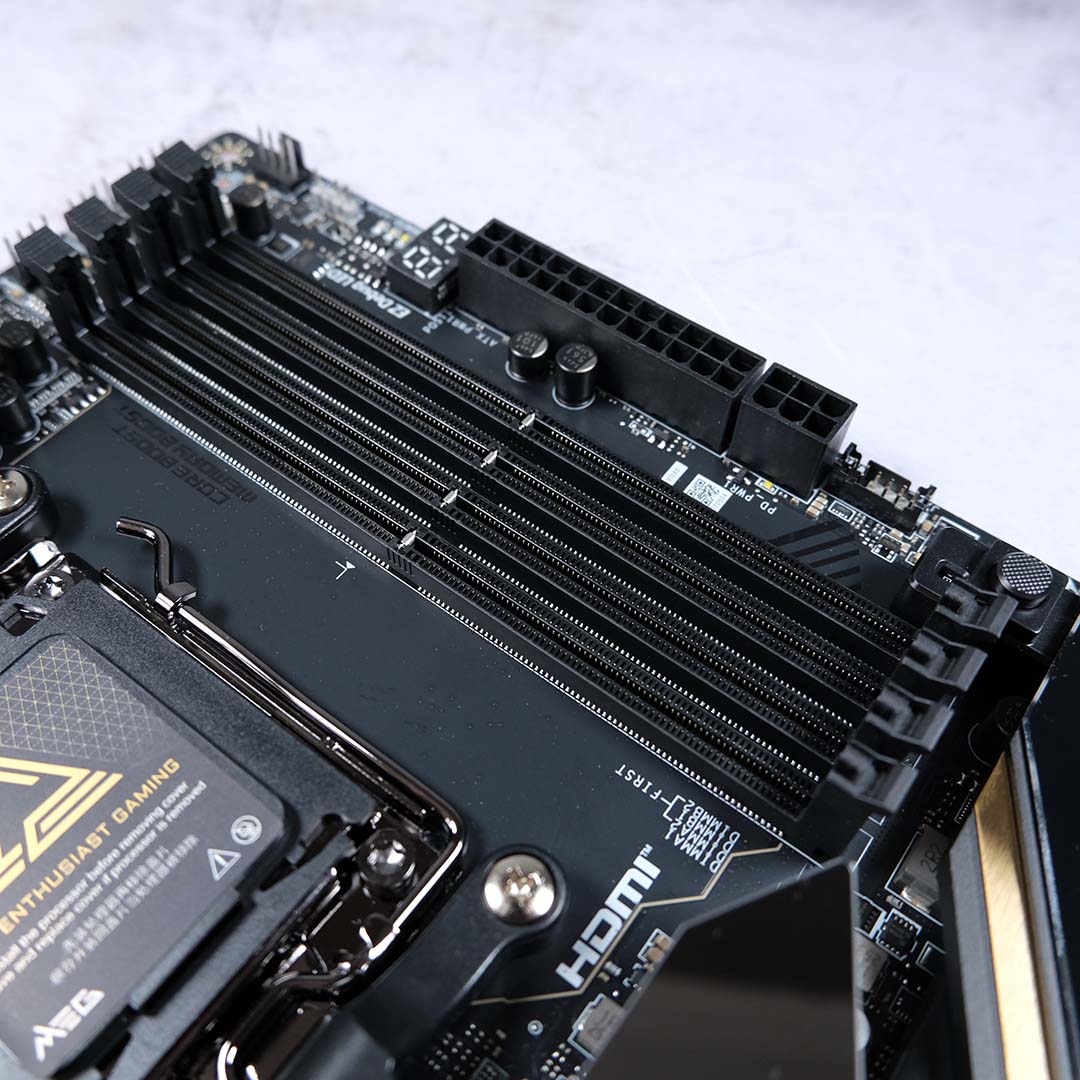
The vast majority of people only need two memory slots on their motherboard. That’s because memory is primarily supplied in kits of matched pairs, meaning the two modules run at the same frequency and memory timings, and interleave their bandwidth to improve performance. It’s often hard to expand these configurations using all four of a motherboard’s DIMM slots, as there are clashes when you try to run four modules that are out of sync with each other.
In previous CPU generations, some desktop CPUs supported triple- and even quad-channel memory, making more DIMM slots genuinely useful. However, for the sake of an easy life and guaranteed compatibility, it’s often better to sell your existing dual-channel RAM on eBay, and then buy a new dual-channel kit, rather than trying to add more memory in your other DIMM slots. Given the current chaos surrounding RAM prices, two DIMM slots is plenty, which also means you’ll be fine with a mini-ITX board when it comes to memory.
That brings us to the end of our mammoth motherboard buying guide. If you’re looking to build a new system, check out our companion guides to buying the best CPU and best GPU for your needs, and make sure you’re assembling the greatest rig you can afford.
