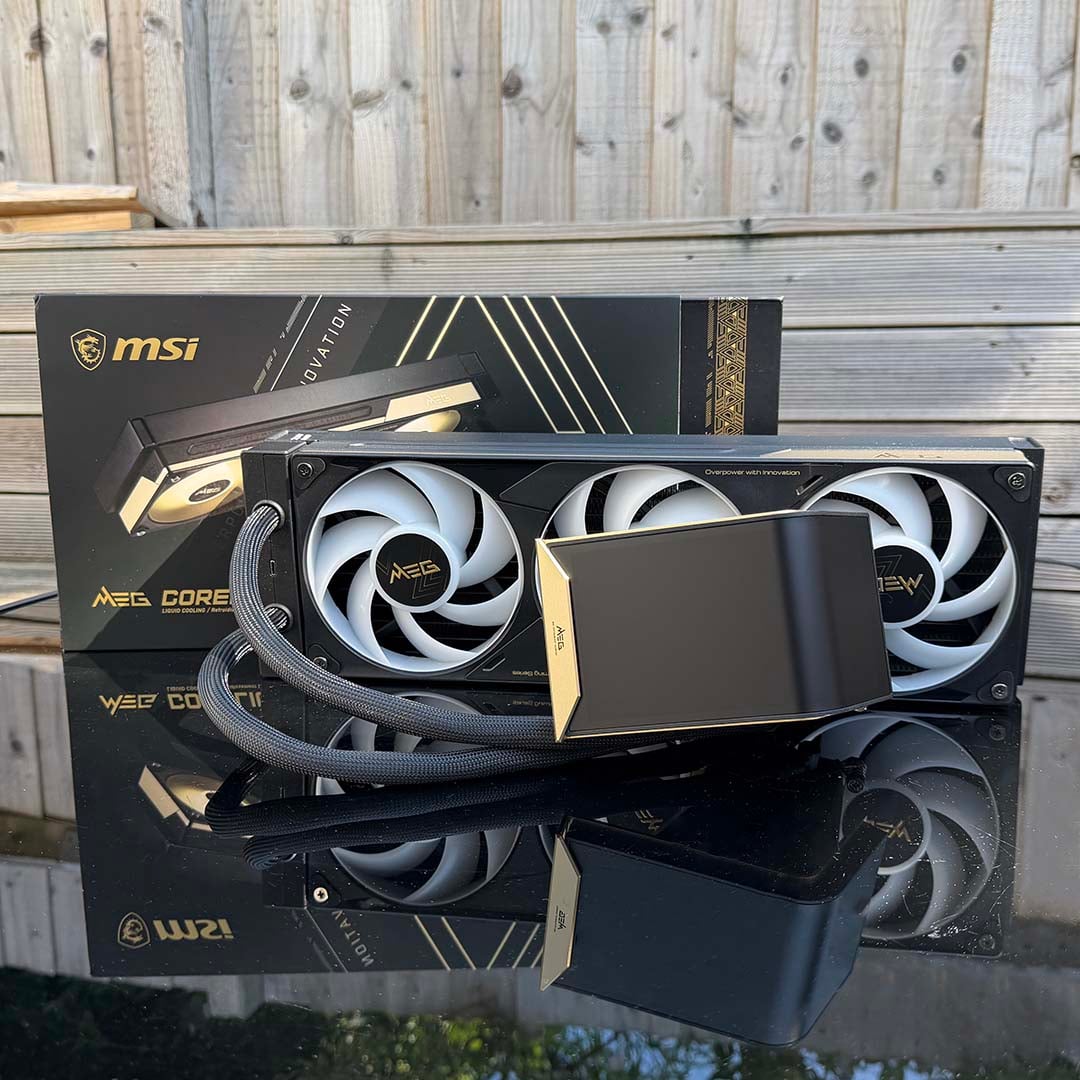
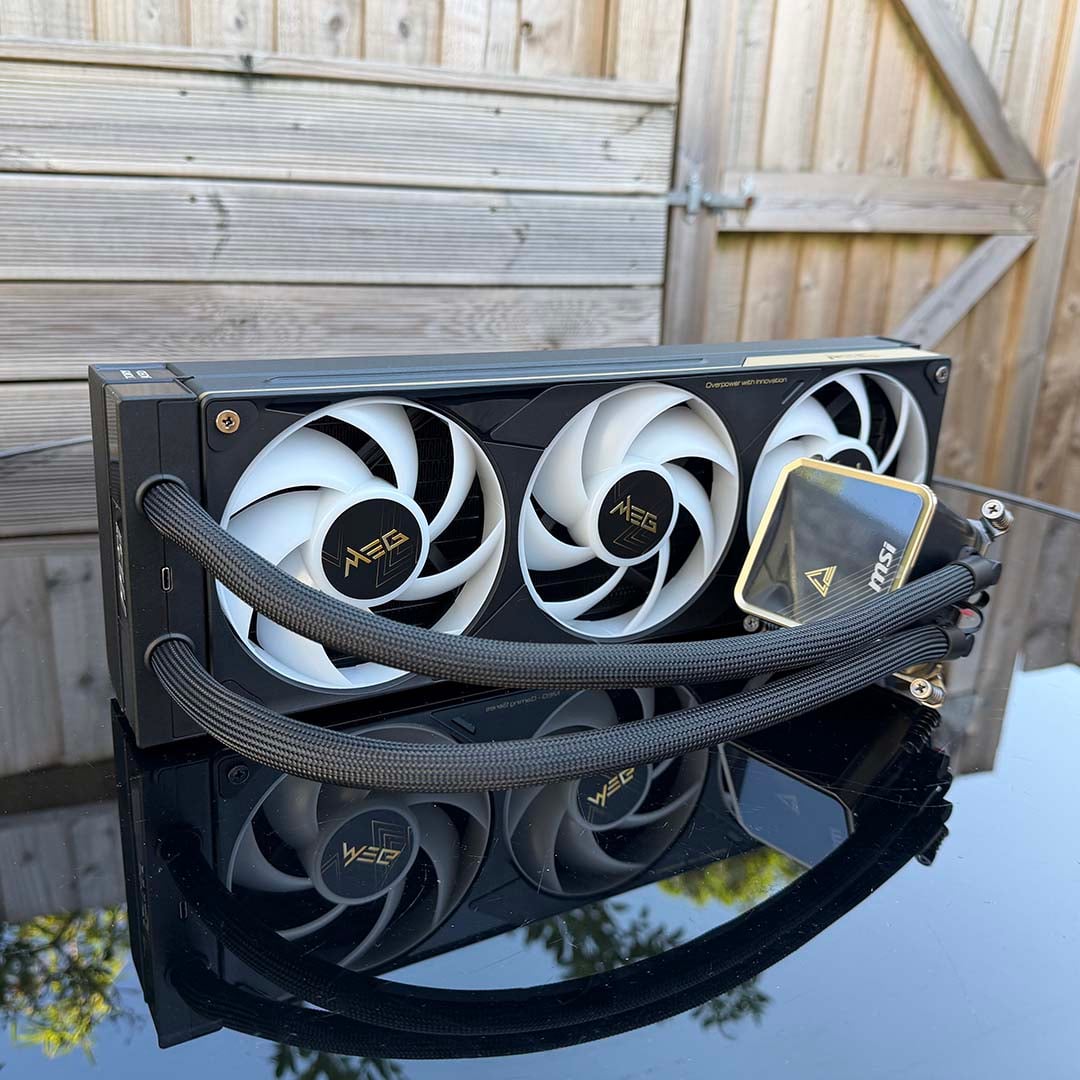
You only need to take a quick glance (and double-take) at the CoreLiquid E15 360’s price tag to see that this isn’t just any old CPU cooler. Yes, it costs $399. And in case it needs saying, no, you don’t need to spend anywhere near that amount of money to get this level of cooling power. The E15 360 isn’t just about chilling your chip, though.
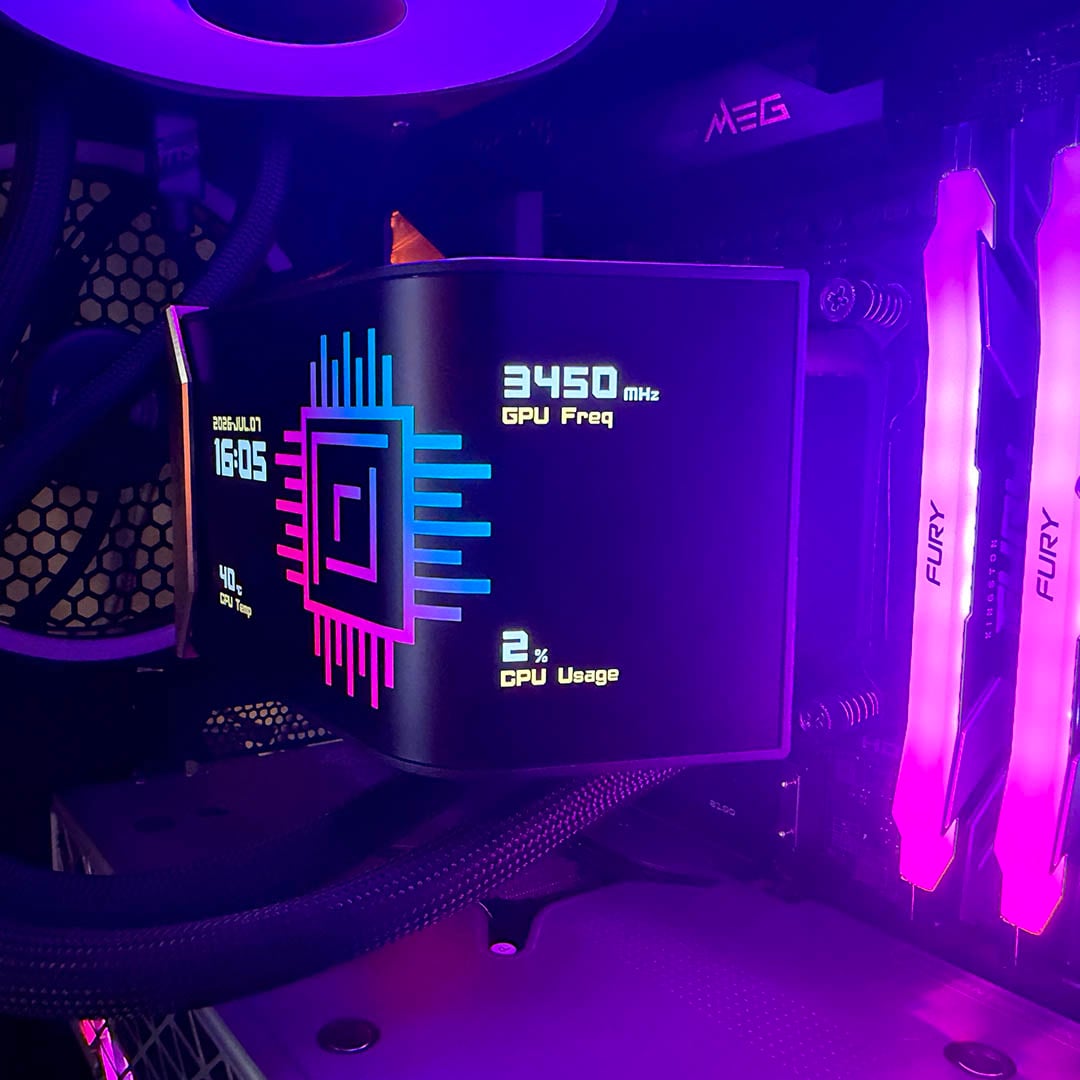
There’s a massive 6.67in AMOLED screen curving around its pump unit, for starters, which works as a bright and colourful centrepiece for your rig’s innards. It’s completely superfluous to requirements, of course, but my goodness, it looks cool. It dominates your PC’s interior, and you can customise it with your own choice of images, videos, and animations, while also displaying system stats.

MSI MEG CoreLiquid E15 360
$399
Pros
- Fantastic cooling
- Amazing screen
- Barely any cable clutter
- Easy installation
- Superb build quality
- Simple, unbloated software package
Cons
- Extremely expensive
- Pump is a bit noisy
Club386 may earn an affiliate commission when you purchase products through links on our site.
How we test and review products.
Add in the superb build quality, and you can see why the price is so high. This isn’t so much a CPU cooler as a statement. It demonstrates that you care about how your PC looks, and that you’re willing to pay for a system you can show off.
There’s nothing wrong with that, by the way, and there are also some ingenious design elements here that I hope will trickle down to cheaper coolers in good time. In the meantime, though, prepare to be dazzled by the E15 360.
Specs
| Specifications | |
|---|---|
| Socket support | AMD: AM4, AM5 Intel: LGA1700, LGA1851 |
| Radiator dimensions | 397×124.5x30mm |
| Tube length | 390mm |
| Pump speed | 3,000rpm ± 10% |
| Display | 6.67in 2240×1080 AMOLED |
| Fan size | 120mm (x3) |
| Fan speed | 800-2,300rpm ± 10% |
| Fan airflow | 217.91CFM (per fan) |
| Fan pressure | 3.84mm H2O (per fan) |
| Price | $399 |
Design
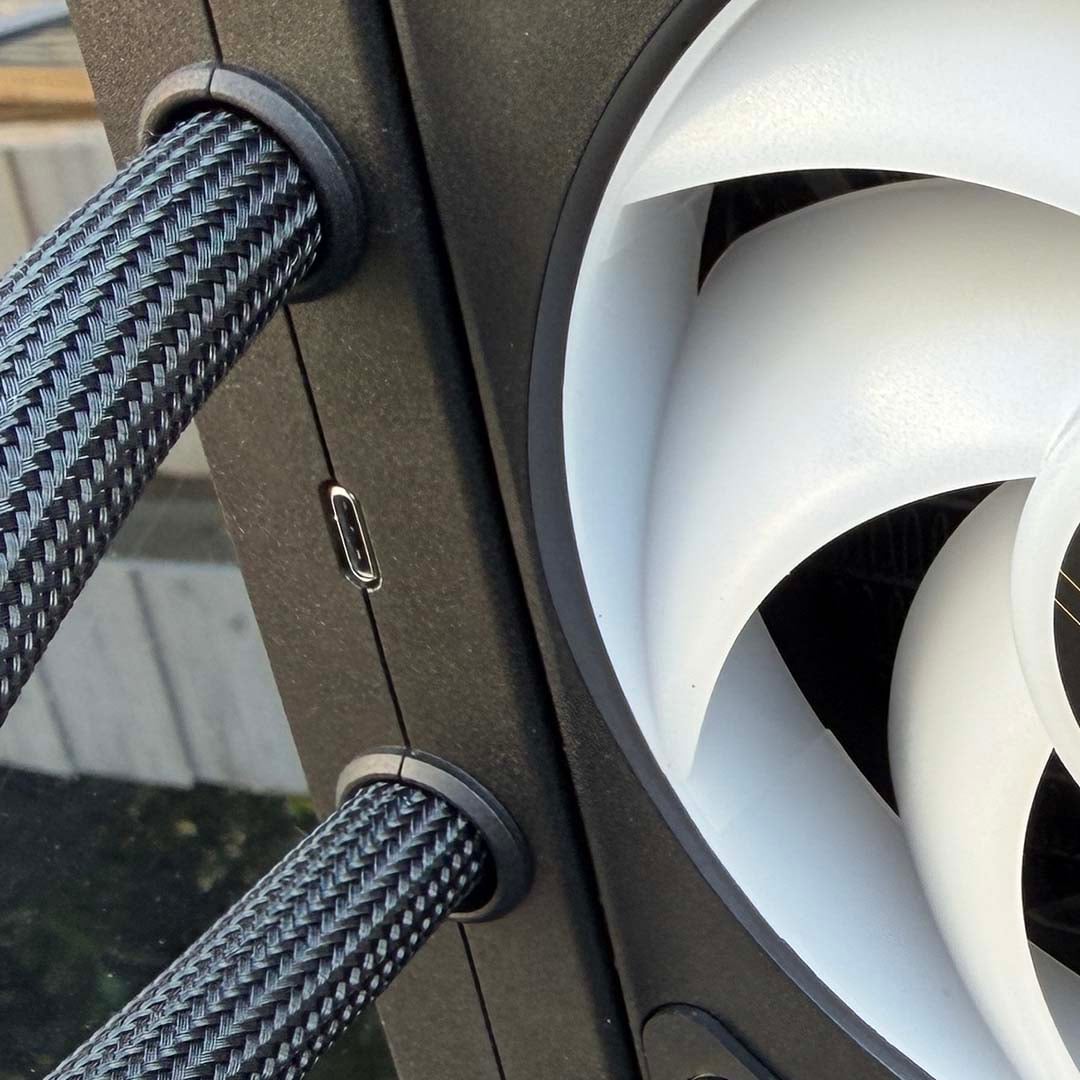
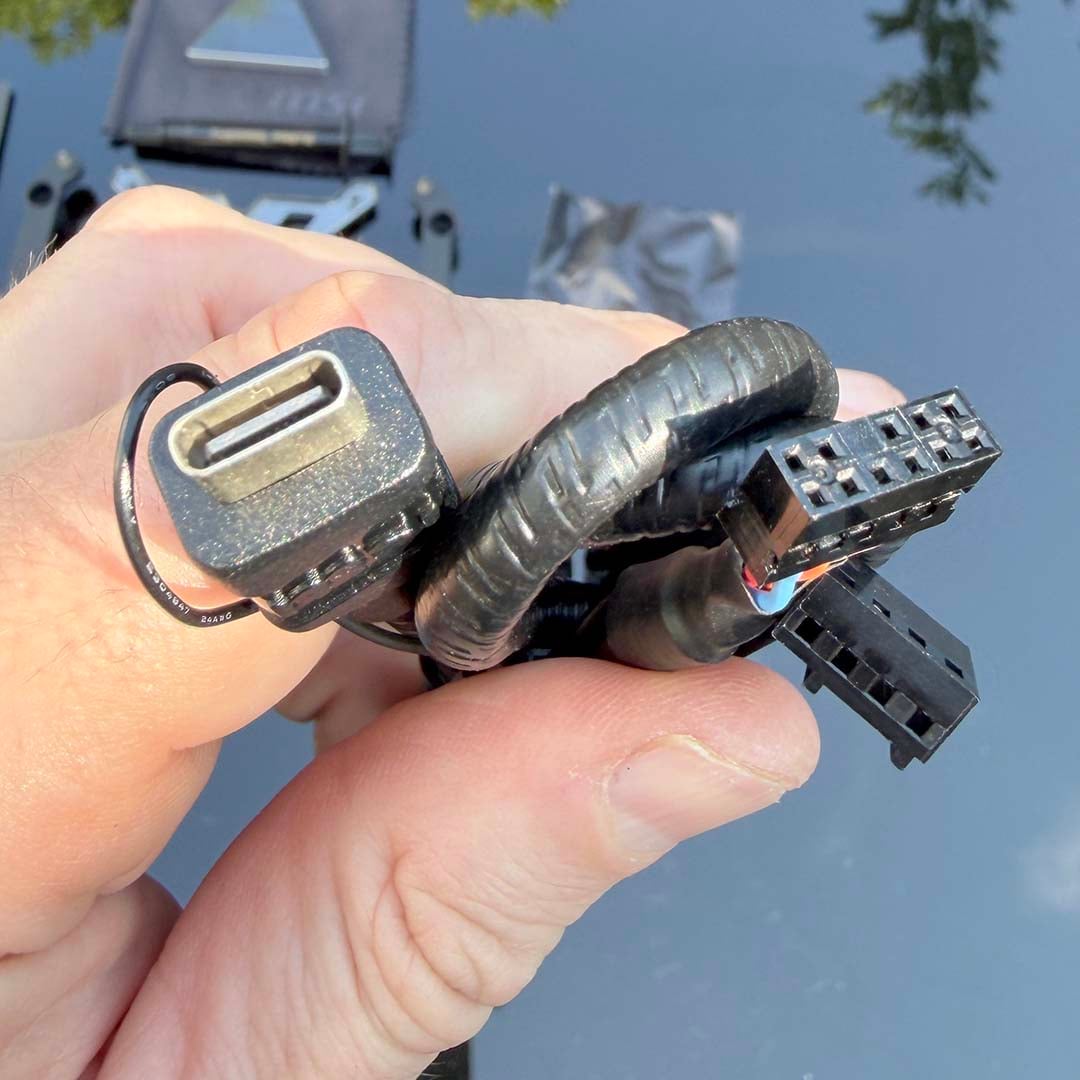
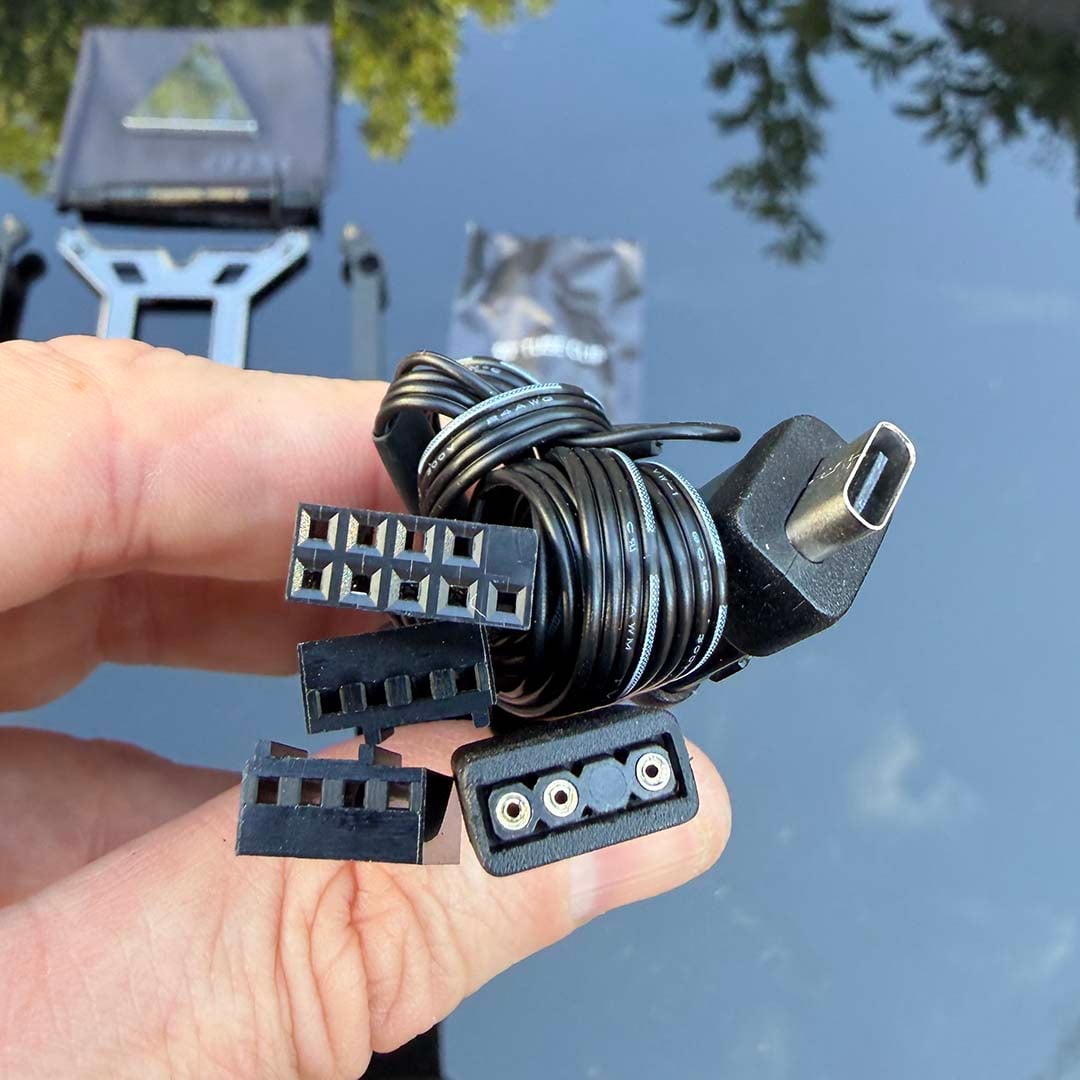
Amazingly, there’s just one cable connector on this clever piece of cooling design – a single USB-C port, which you’ll find on the radiator, in between the coolant tubes. There are no fan cables running along the edge, or 4-pin PWM plugs. You don’t have to contend with any cables sprouting from the pump block unit either. The whole lot – pump, screen, fans – is powered and controlled from that single USB-C port.
This is a great piece of thinking, and I applaud MSI’s effort here. You then plug one cable into this port, which branches out into the individual elements you’ll need to hook it up, either to an MSI EZ Conn socket, or the usual RGB and USB headers on your motherboard.
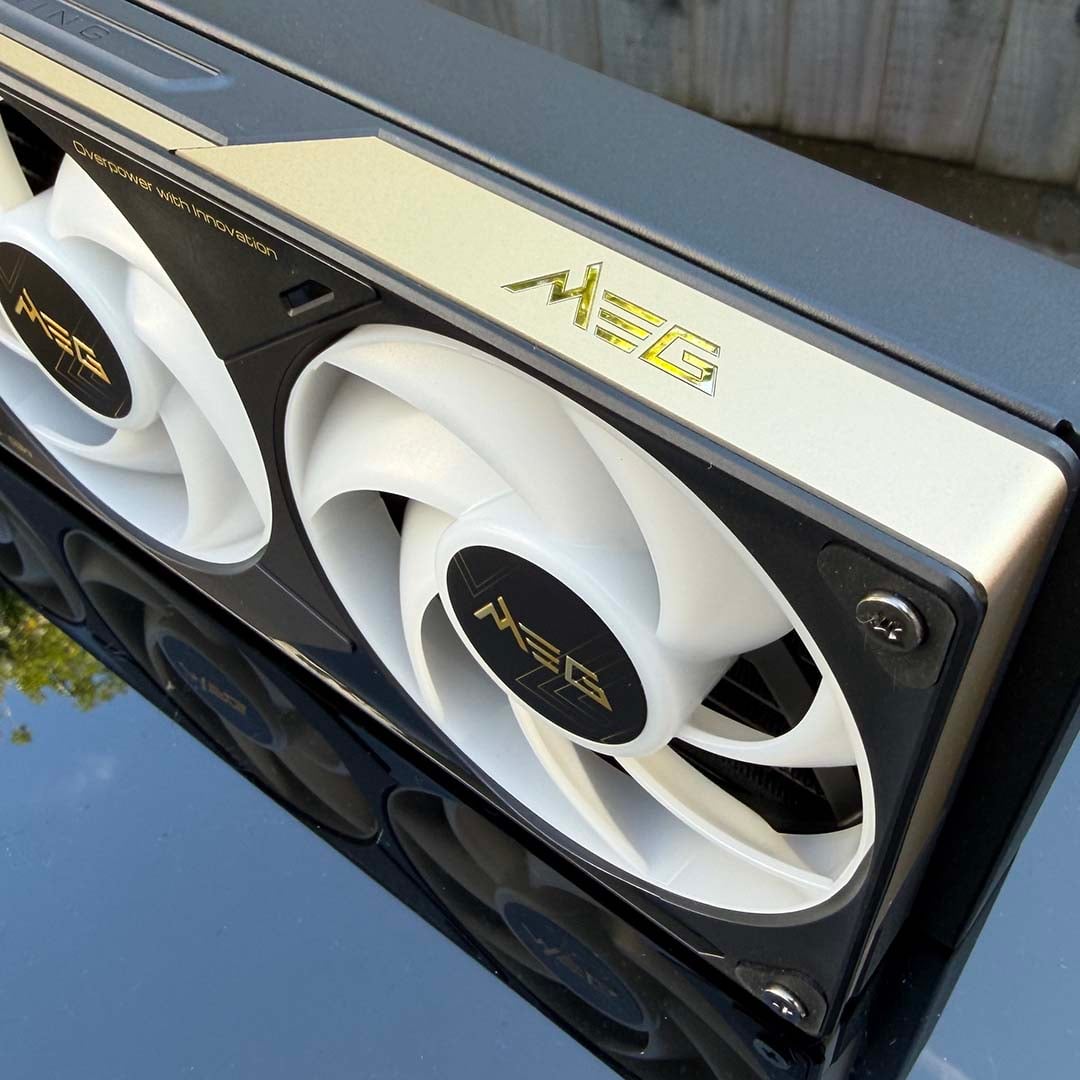
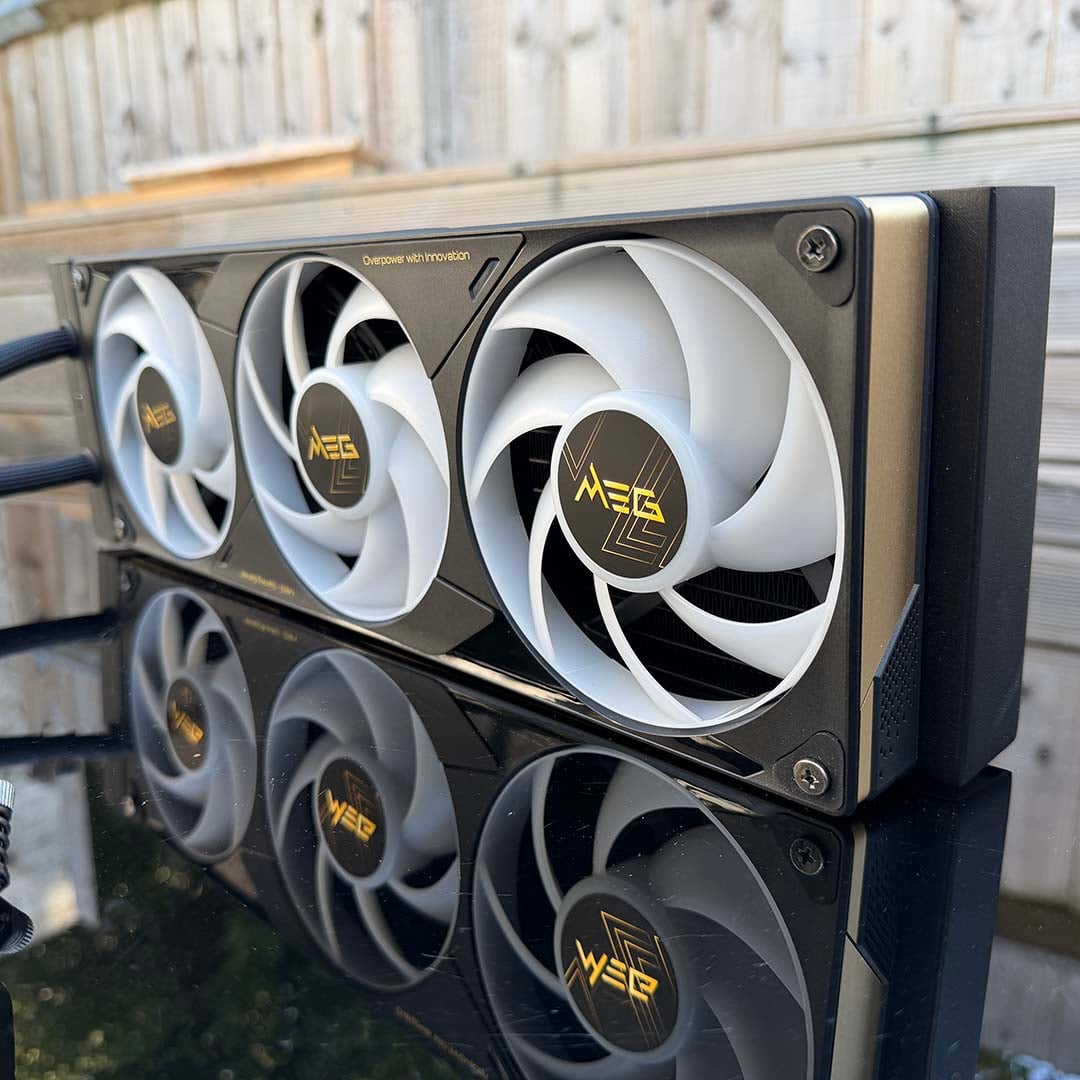
The result is a supremely clean and smart-looking cooler. It’s basically a single, self-contained unit, with its three fans mounted in a single frame, and it looks and feels great. Build quality is also superb, with extensive use of aluminium used in the housing for the 30mm-thick radiator and pump block display unit.
Take a look at the fans and you’ll notice an arrangement increasingly familiar on triple-fan graphics cards – the middle blower is reversed, which MSI says reduces turbulence and noise. There’s a nifty power feature here as well – if the cooler detects that one fan has stopped, it will automatically ramp up the speeds of the other two fans to compensate (and glow red to give you a warning, too). I tested this by stopping the middle fan with my hand, and it worked.
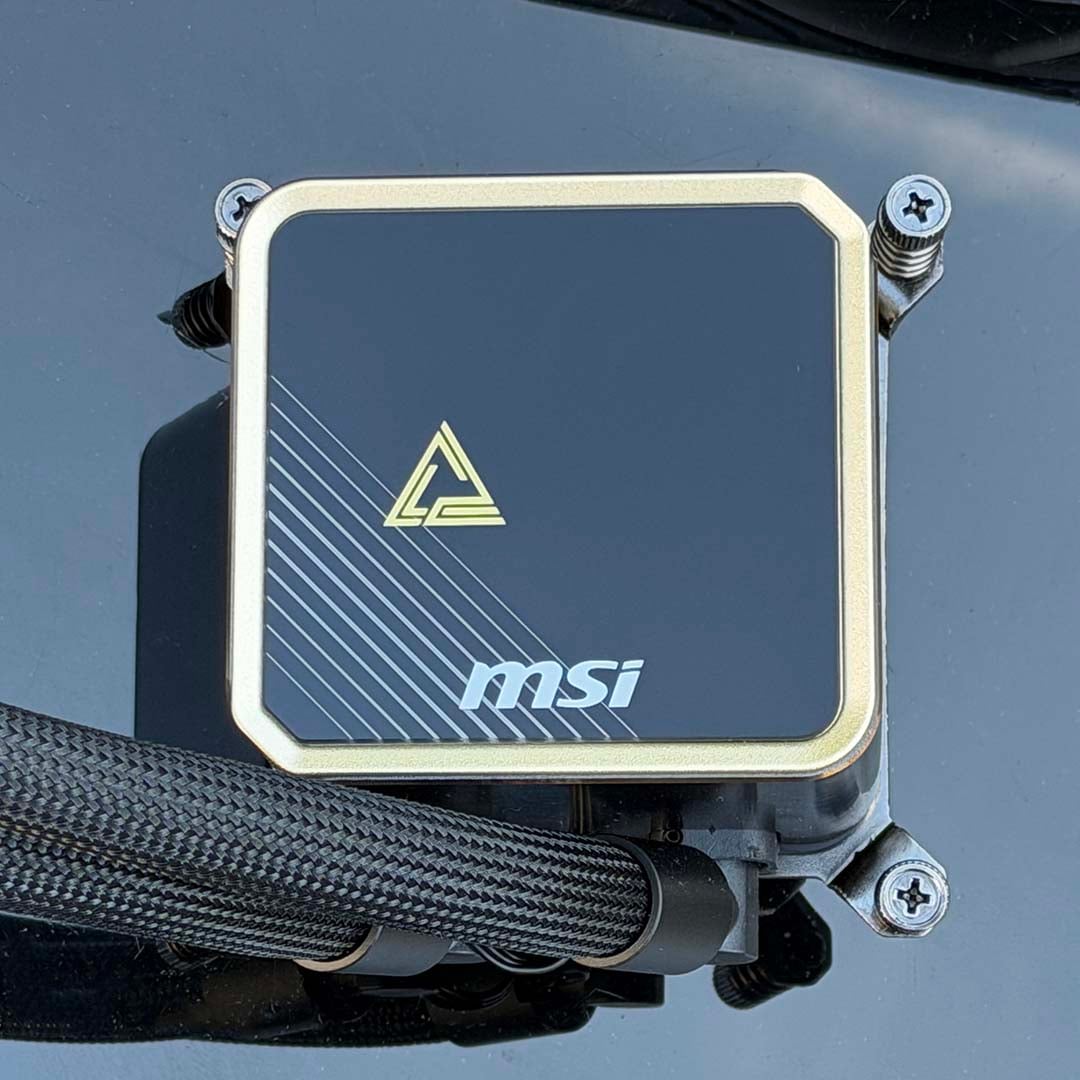
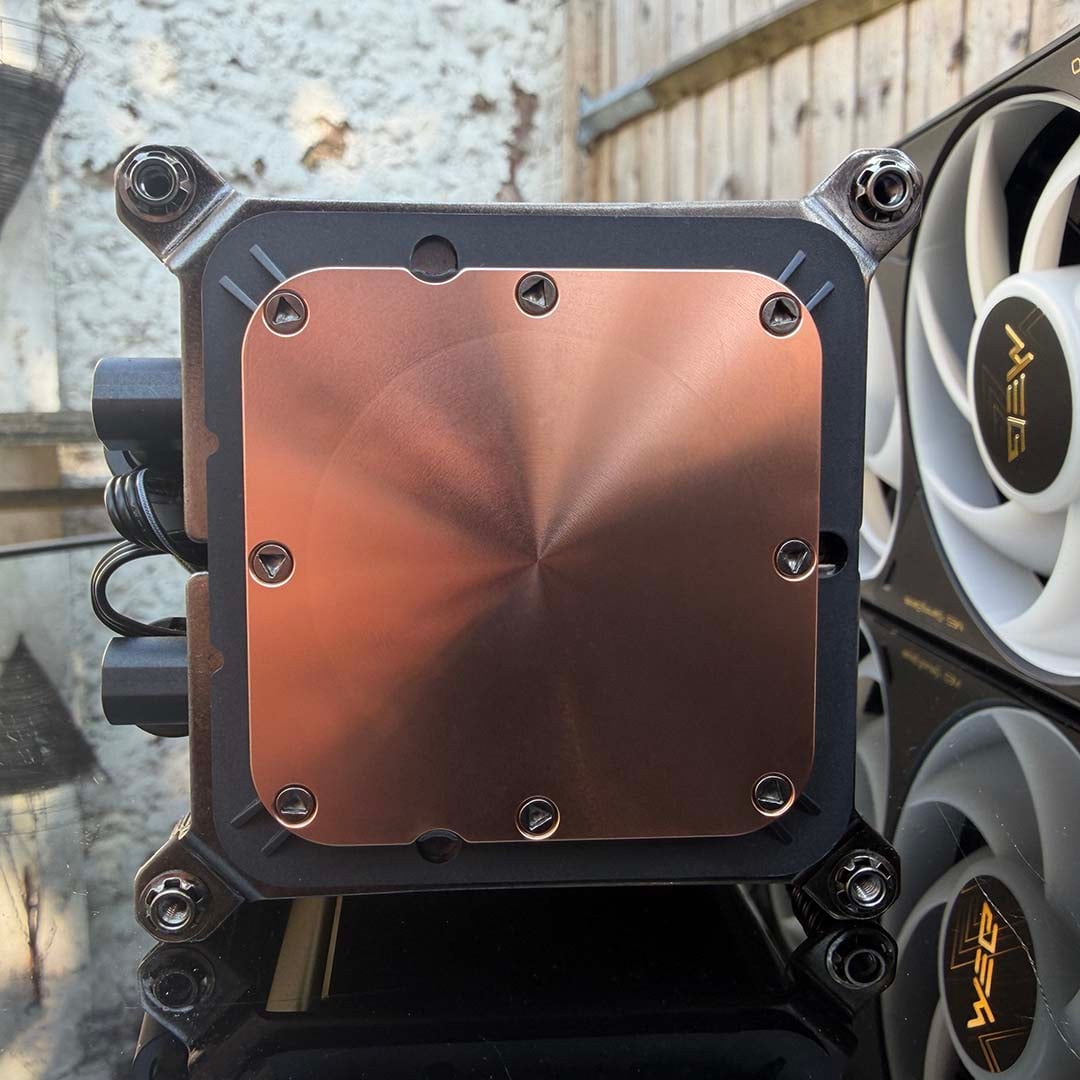
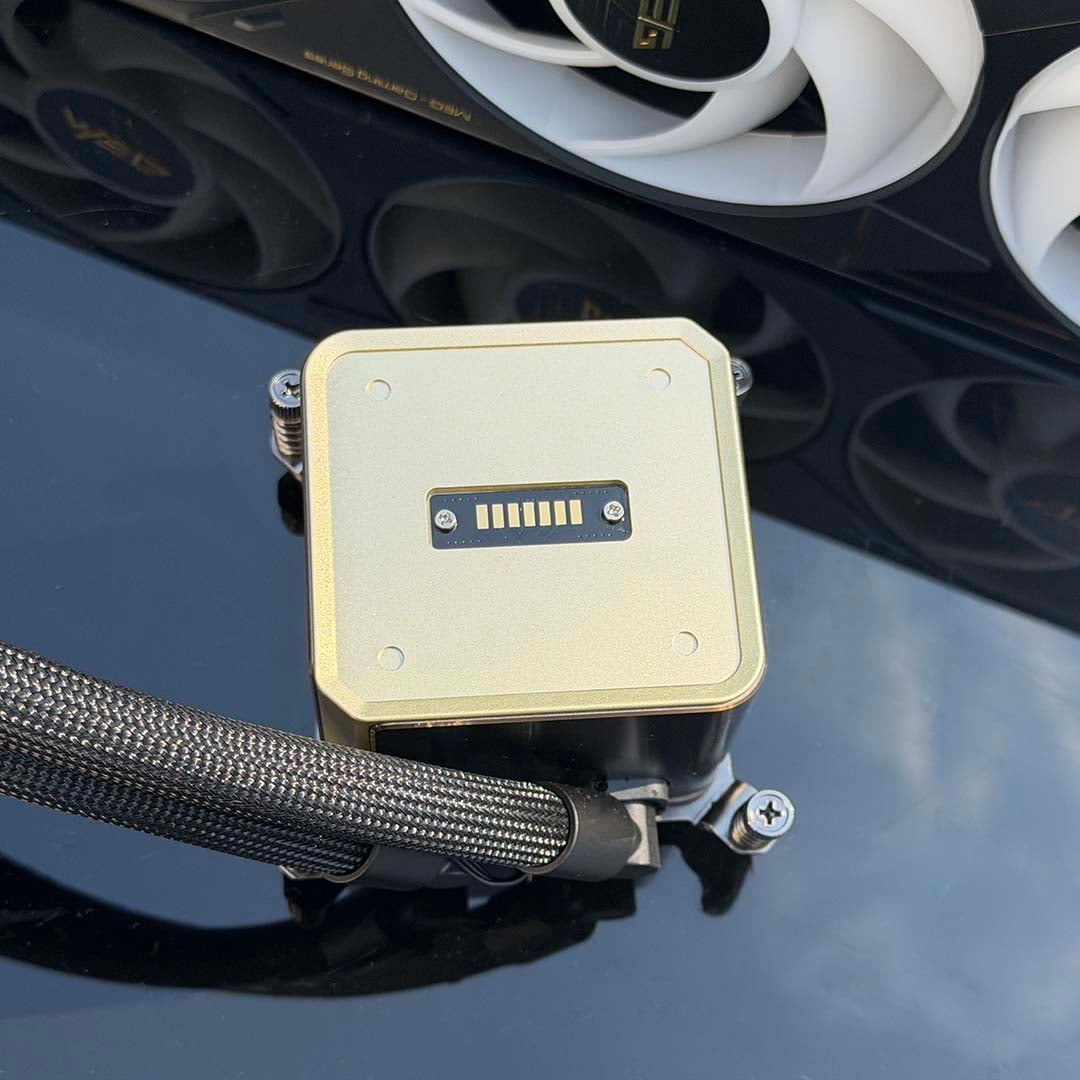
Meanwhile, the pump unit looks like just any old standard AIO waterblock unit when you get it out the box. It has a big copper contact plate on the bottom to shift heat from your CPU, and it’s otherwise just a little square block with a nondescript MSI plastic cap on it. At first glance, you’d be forgiven for thinking this is just an everyday liquid cooling system. That all changes when you pop off that top cap and connect the LCD, though, which brings us to this cooler’s main feature.
Features
The massive AMOLED screen takes pride of place in the packaging when you first open the E15 360’s box. Everything else is covered by cardboard packaging, but the curvy screen is sitting there looking damn fine with its plastic shield, inviting you to take it out the box.
It’s a big, chunky unit, with the same excellent attention to build quality that MSI has afforded to the radiator-and-fans block. I love the aluminium, gold-coloured housing around the edges, and the deep matte black finish – it looks and feels like a quality product.
There’s a serious spec here too, with that 2240×1080 resolution providing a super-sharp pixel density of 372ppi on the 6.67in screen. Thanks to its AMOLED panel, it’s self emissive, with no backlight, meaning you’ll get deep blacks and high contrast. MSI also claims you’ll get 500nits of brightness out of this screen. It’s almost like having a mini high-end desktop monitor on top of your CPU.
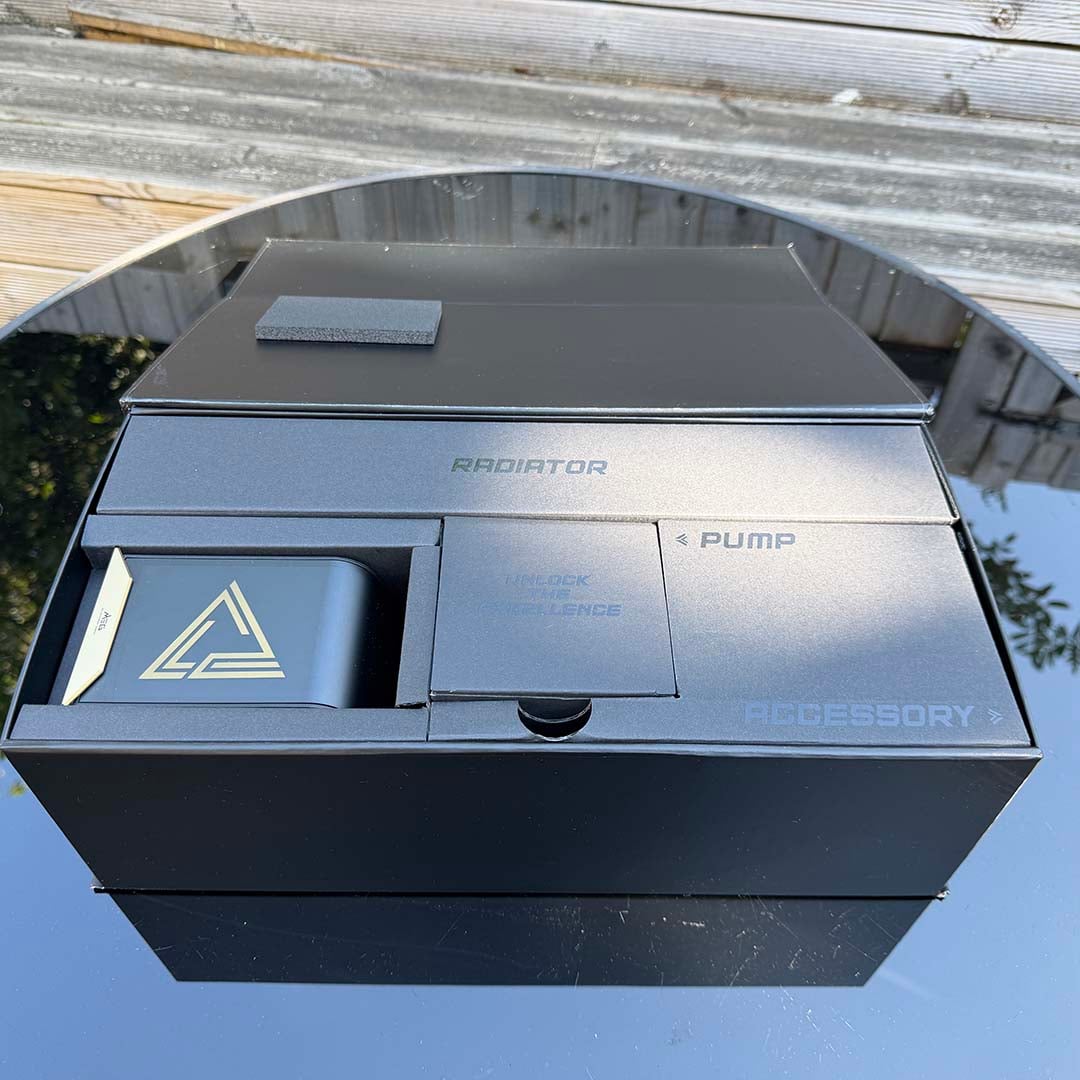
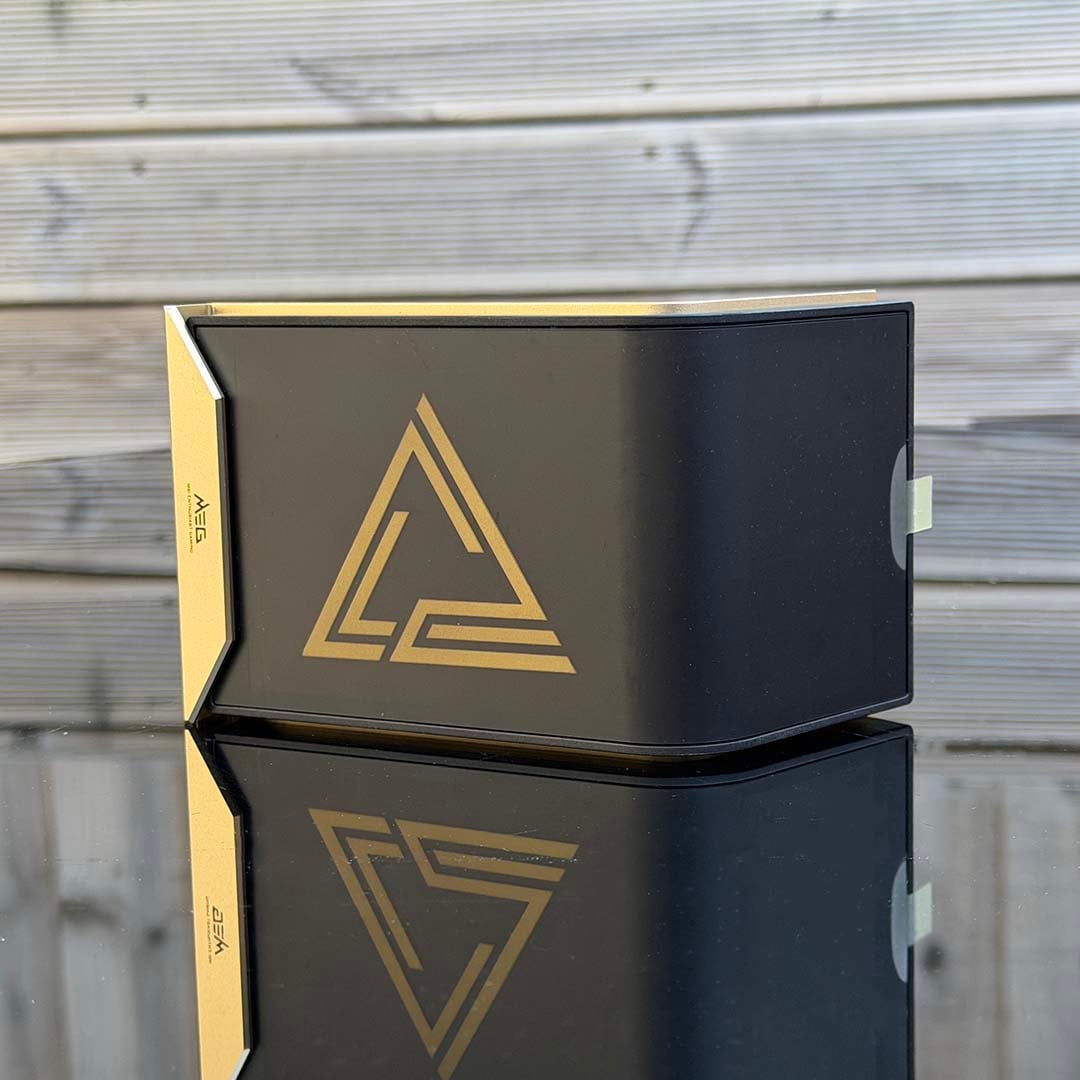
I’ll come onto how you connect this screen to the rest of the cooler kaboodle later, but in the meantime, let’s take a look at some of the other goodies you get in the box. For one, it’s great to see a full tube of thermal paste included, giving you enough goo for two or three installations.
There’s also a little shiny magnetic triangle covered sporting MSI’s MEG logo. You can easily stick this to any magnetic metal part of your case’s interior, where it catches light. It’s completely unnecessary, but also quite cool – I enjoyed trying to recreate the Dark Side of the Moon cover with it while I was out in the sunshine.
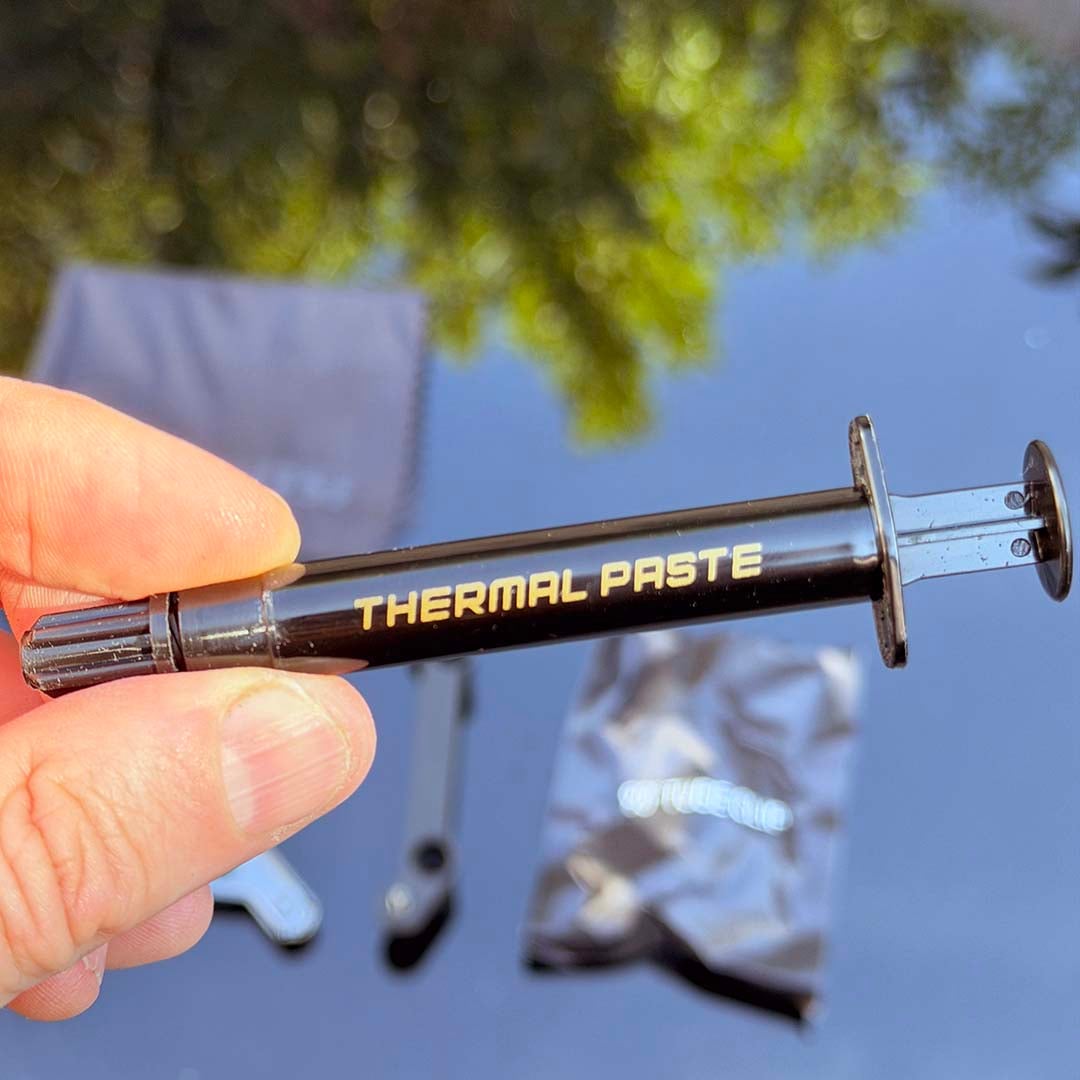
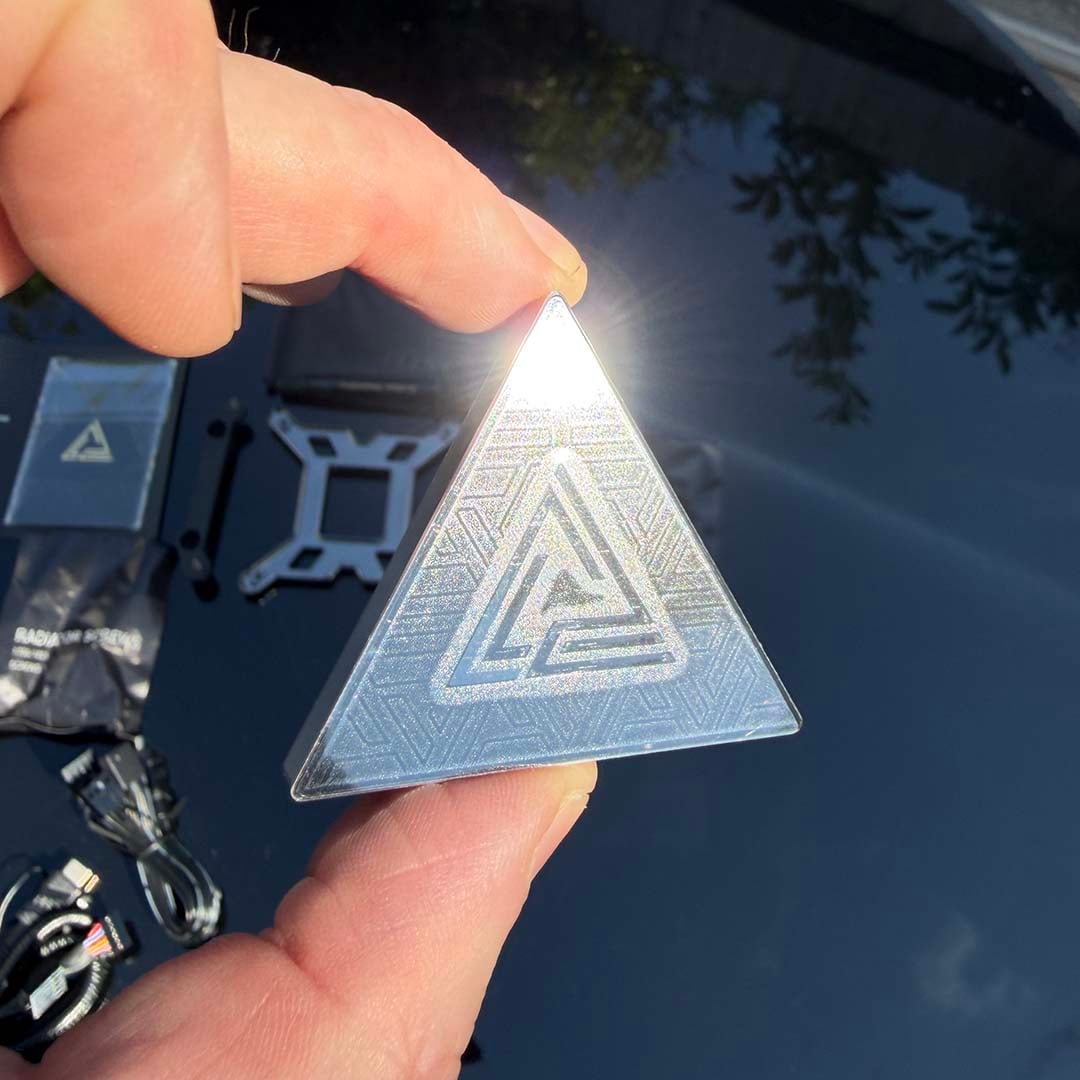
There’s also a little bag that contains plastic clips for you to put on the tubing. The idea is that they force the tubes into 90-degree bends, giving the impression of hard tubing. However, I couldn’t find an orientation that allowed for a clean 90-degree bend in my setup. The tubing is too short for these clips if you mount the radiator with the tubes on the right, and there’s too much slack if you fit the radiator with them on the left.
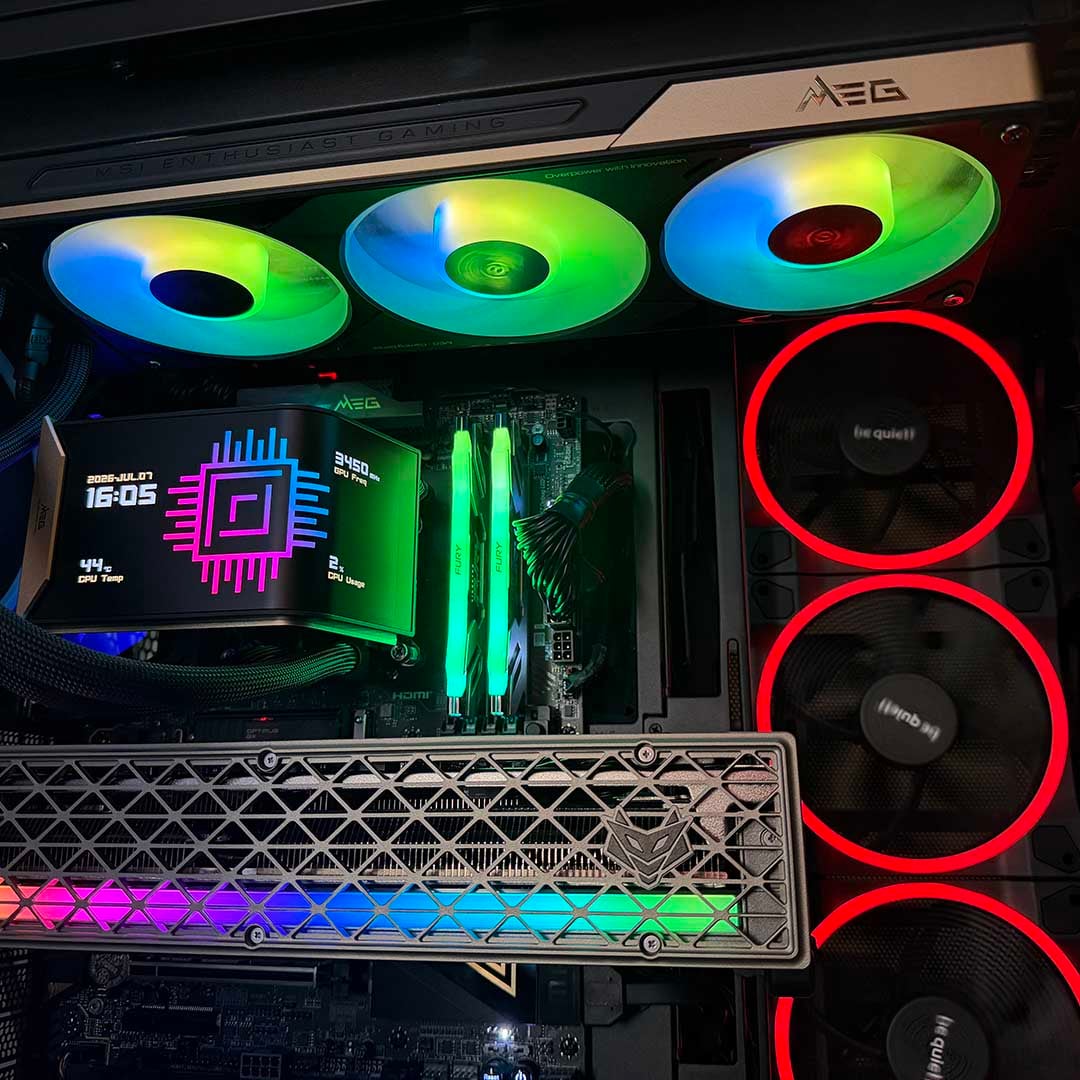
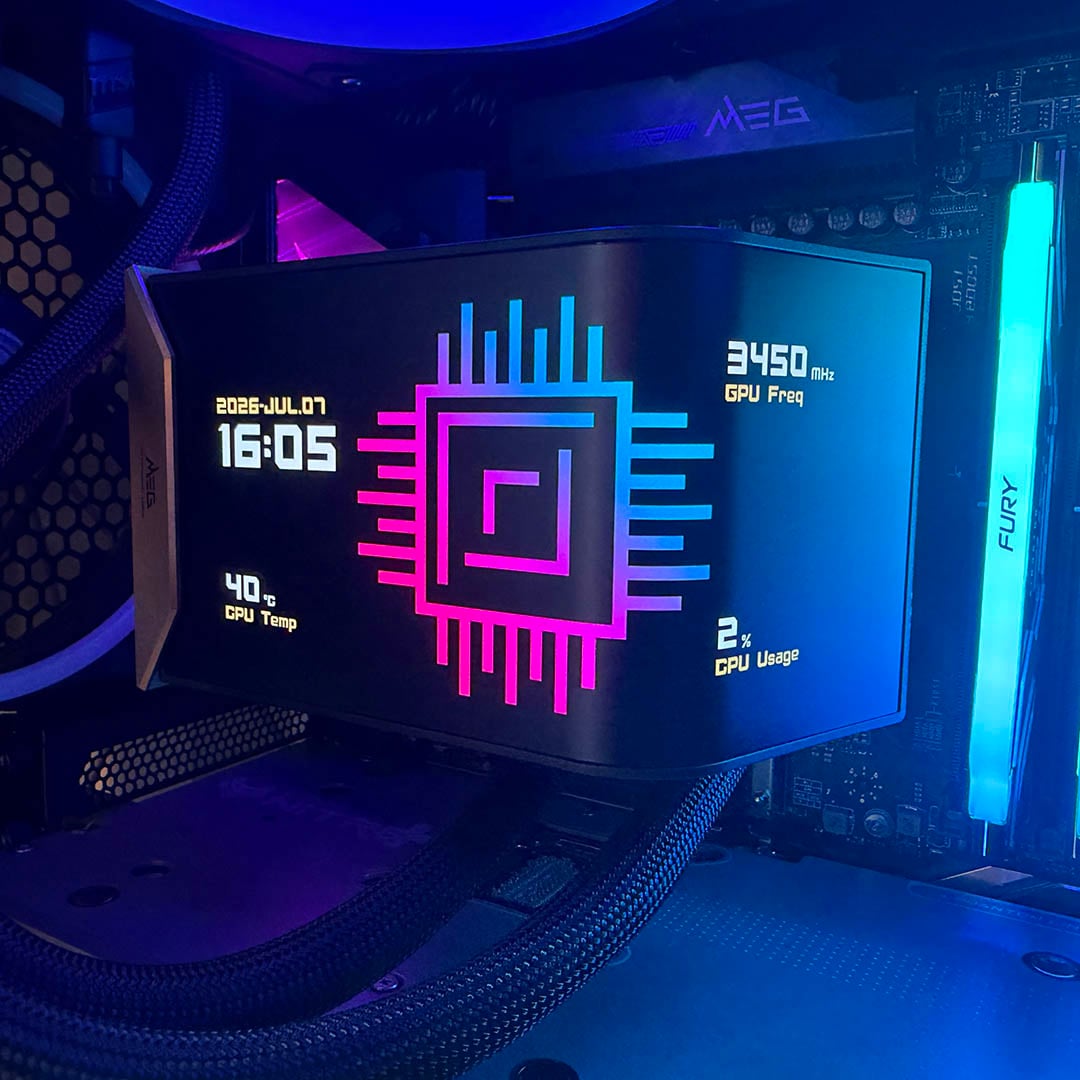
Anyway, let’s get back to that all-important screen. Much like the MPG CoreLiquid P22 360, the display is all set up with MSI’s new EZ Display software. This is a light, easy-to-use package that’s vastly preferable to navigating the bloated MSI Center software. You can select a number of stats to display, such as your CPU temperature and clock speed, with options to change the style of elements such as the system clock.
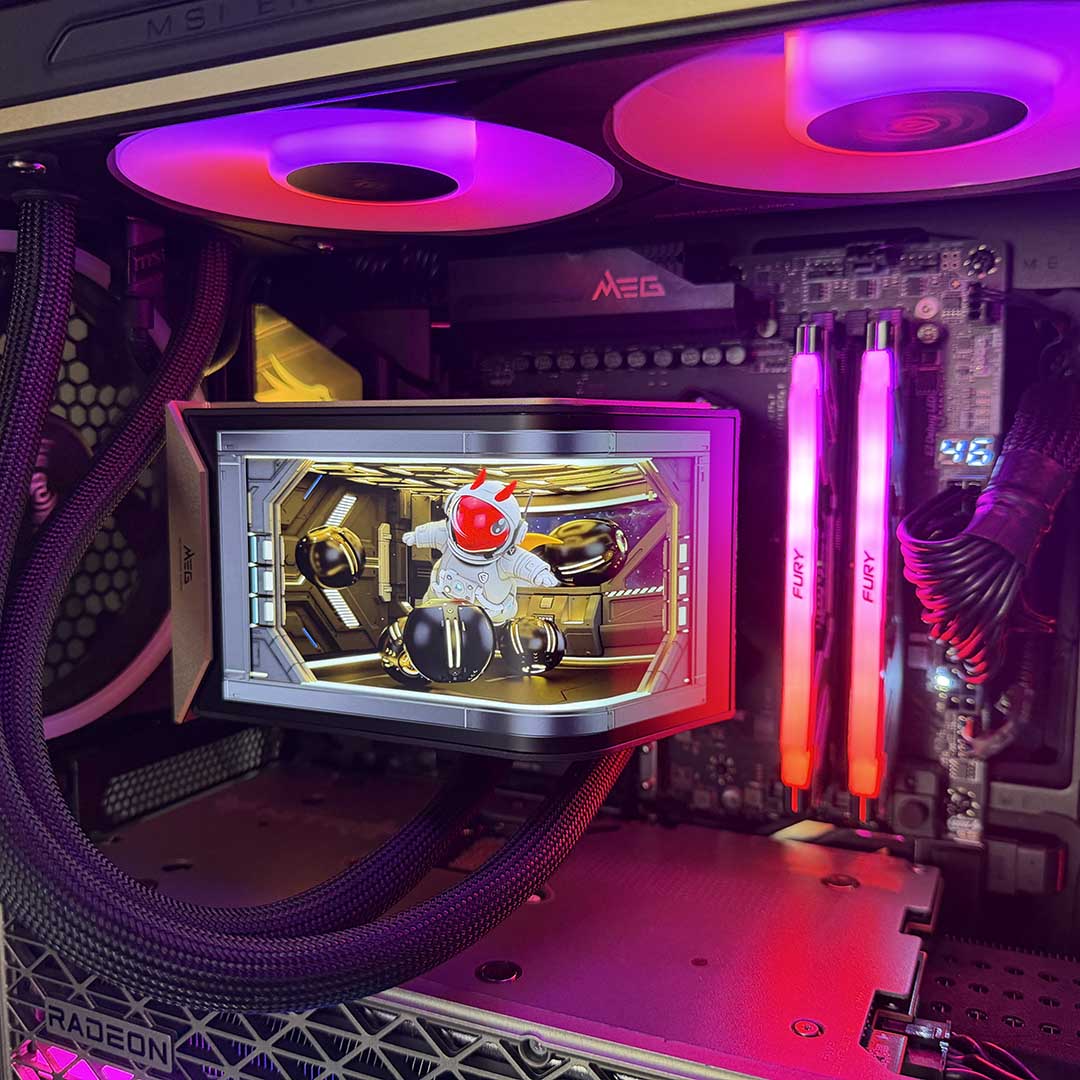
Most importantly, you can also customise the main background image or video. MSI provides several of the latter, and they all look good, with our favourite one being a spaceship routine featuring MSI’s Lucky dragon mascot. However, you can easily add your own images and video too.
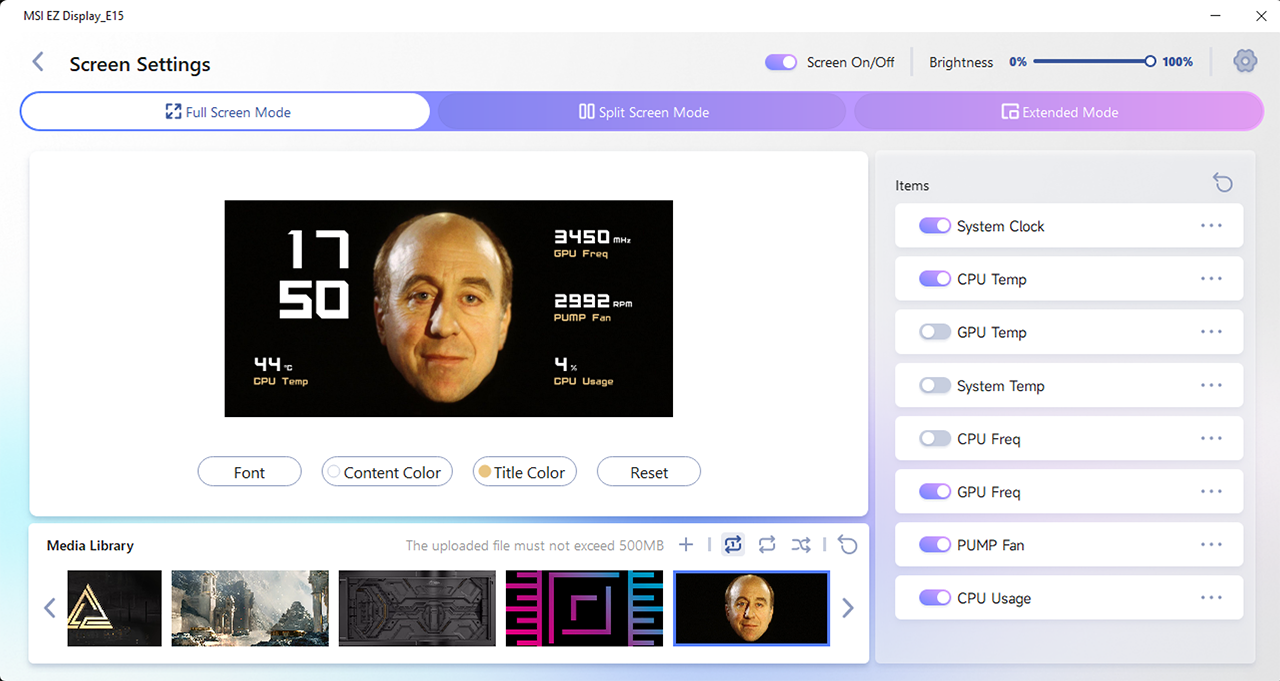
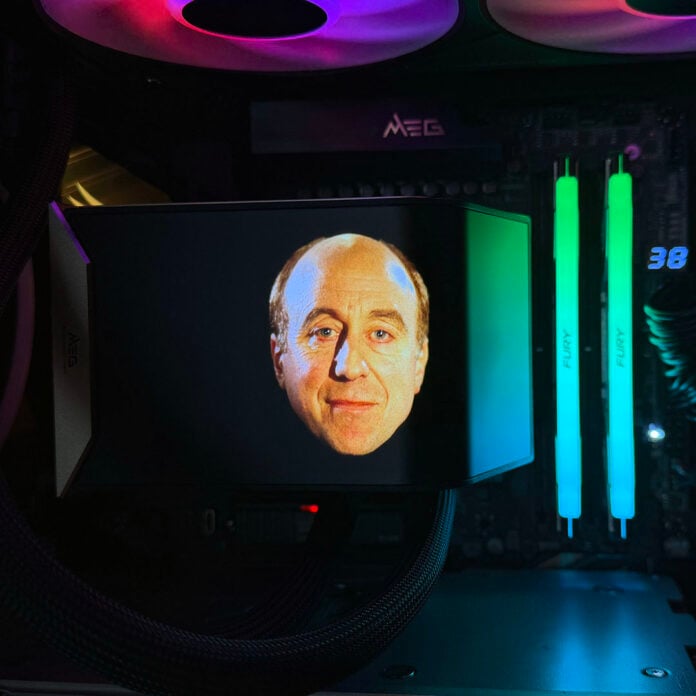
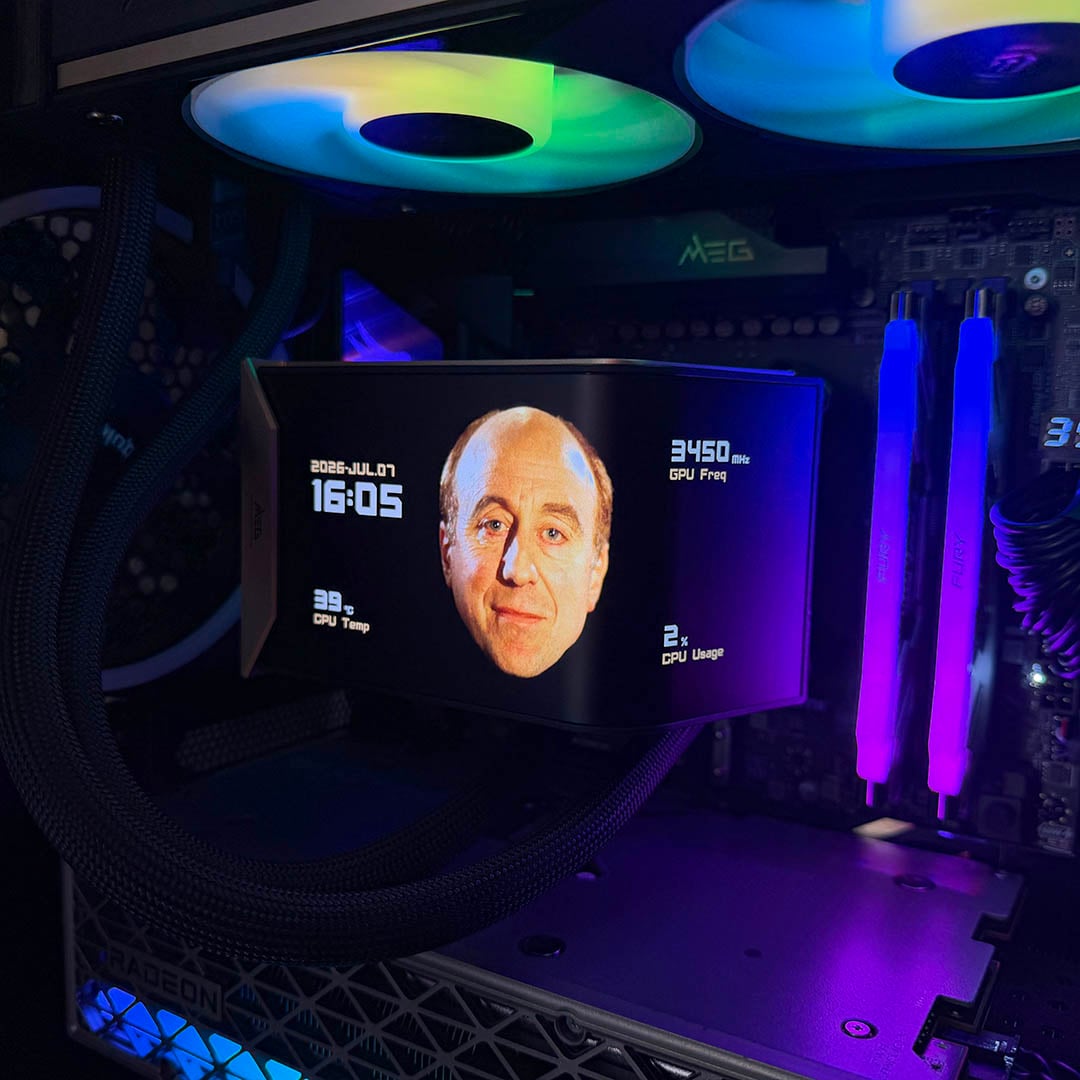
One option is to set your background image to span across the whole screen, around the curve. With the deep blacks of the AMOLED display, I thought this one would be good to try with an image of Norman Lovett as Holly from Red Dwarf (Holly also being the name of the test rig I was using). You can see the result below.
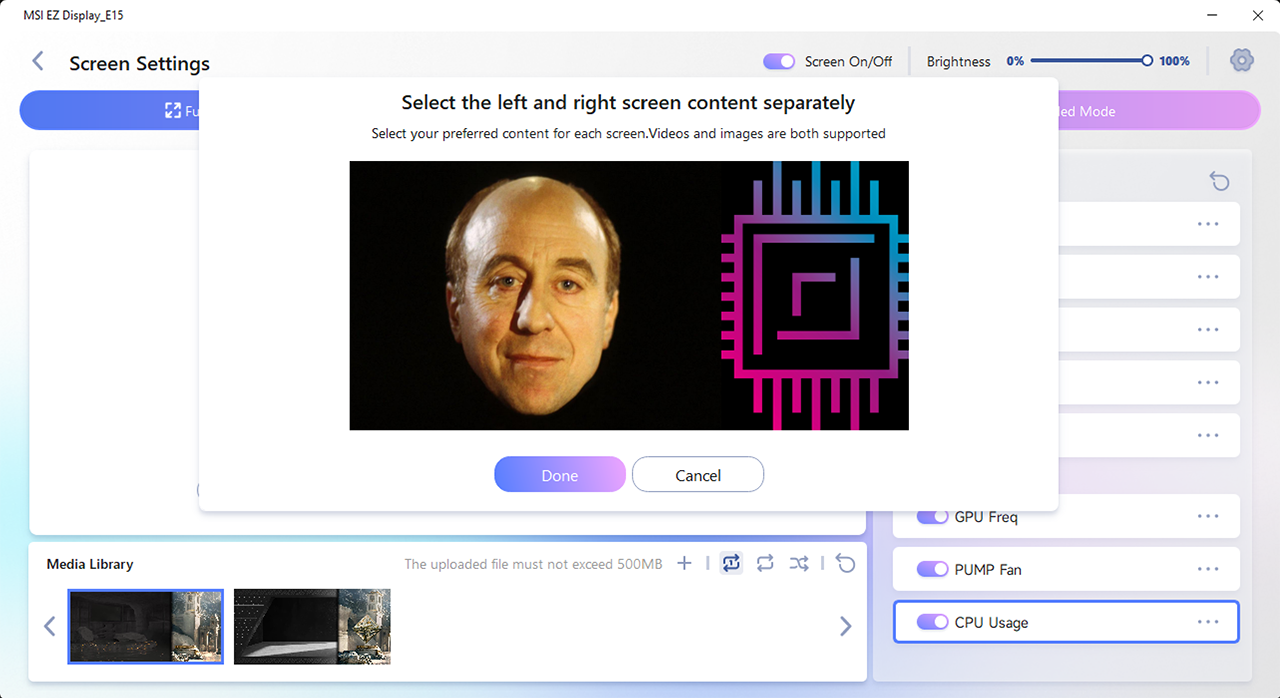
That’s not your only option here, though. EZ Display also lets you treat the side and front of the display as two individual screens, displaying a separate image (or indeed video) on both. The display wraps around a 110-degree bend, so you can easily see an image on it through a front or side glass panel.
There’s another nifty option here as well, which seems a bit bizarre at first, but actually makes this screen really versatile. You can set it to operate as an extended display in Windows, expanding your desktop onto it. With its 2240×1080 resolution, it’s more than up to the job, and while you wouldn’t want to use it for word processing, it means you can basically display anything on the screen.
If you have your PC mounted on your desk, this means you could easily see your music player at a glance, for example, showing album art and track details.
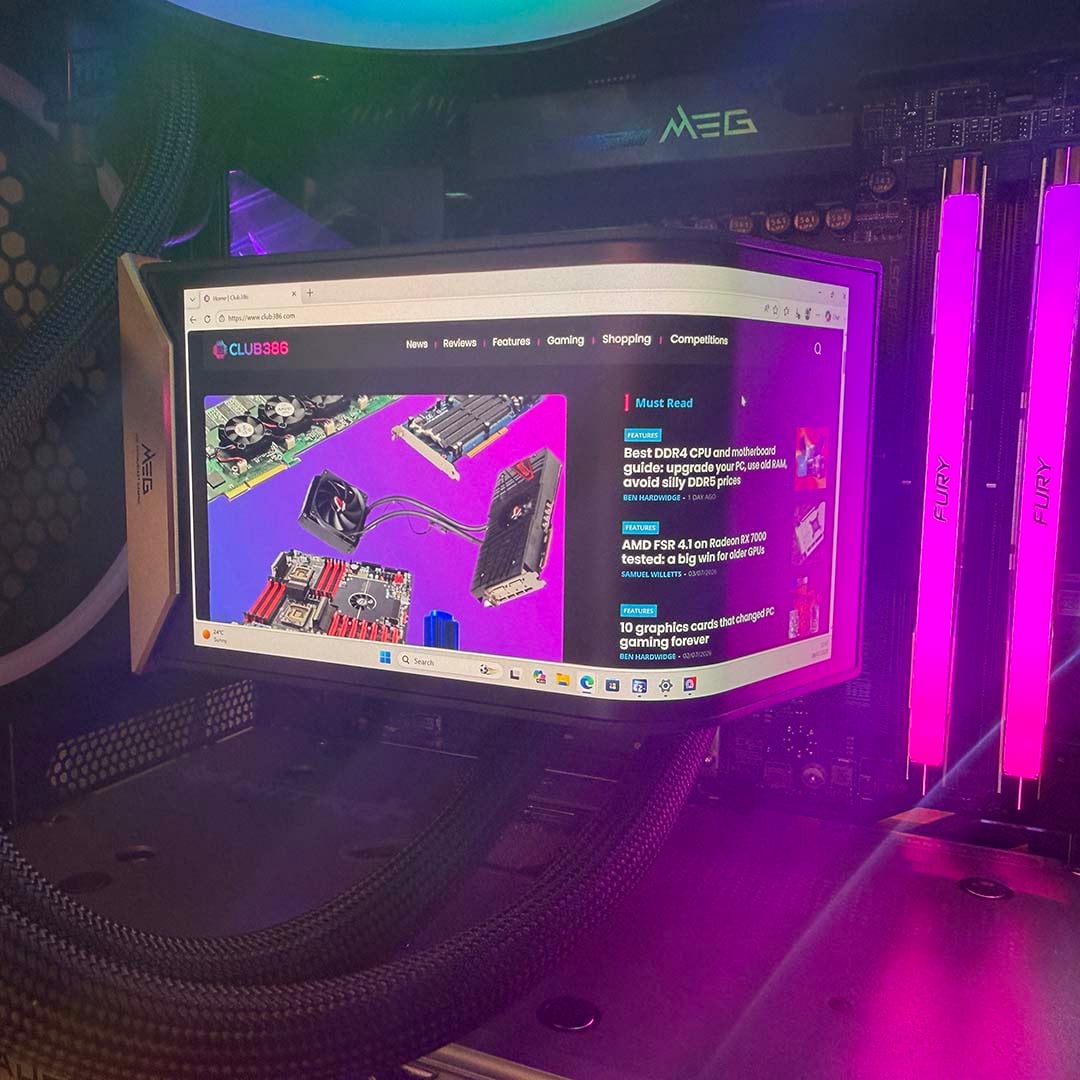
It has to be said that the quality of this screen is top-notch. It’s really bright, with deep blacks and punchy colours. Thanks to its AMOLED screen, it’s also really responsive. You wouldn’t want to play games on it, as it still has some latency from using a simple USB connection, but there’s no visible ghosting in videos. The matte finish on the panel really works here as well, with minimal reflections aside from RGB glow.
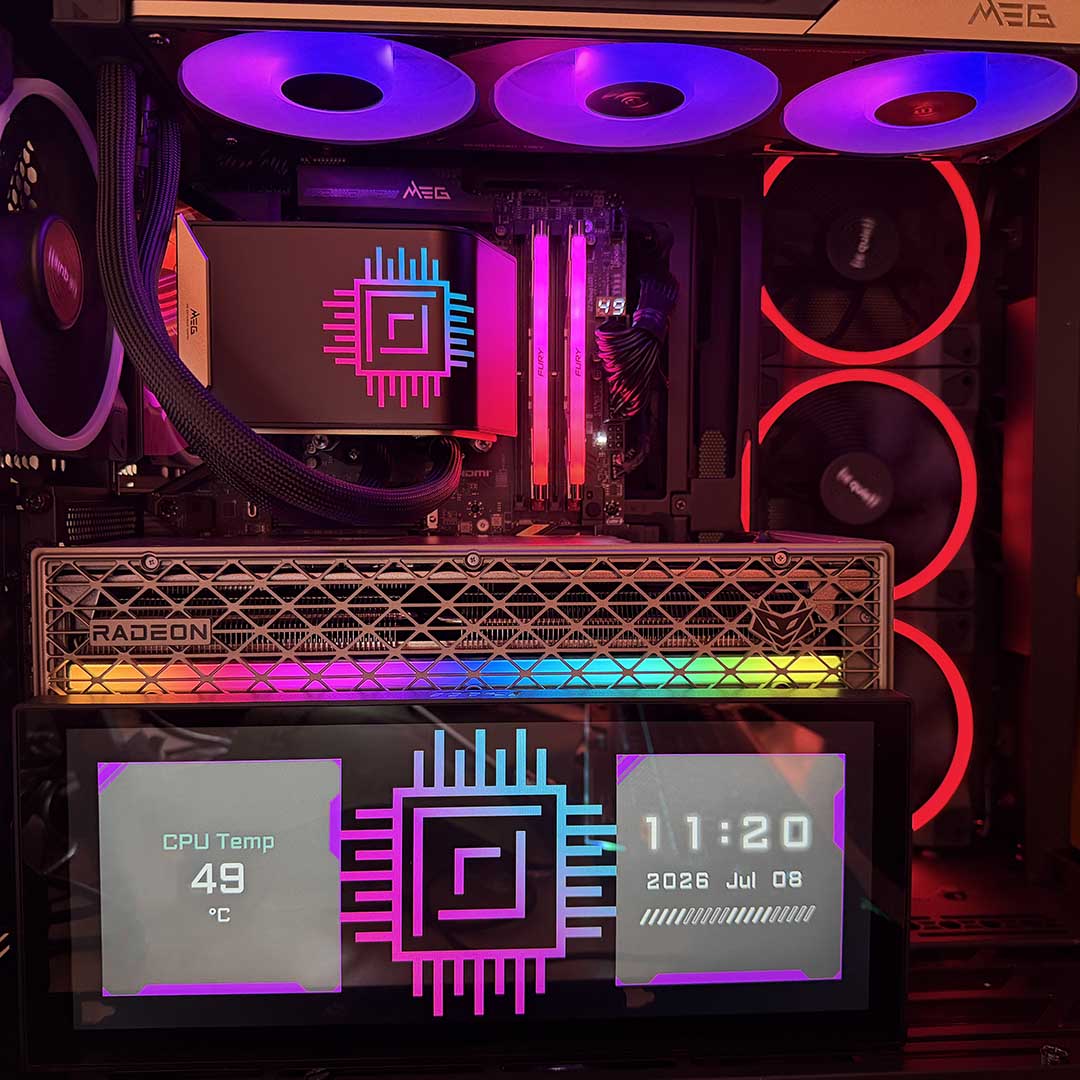
To give us an idea of what’s possible with more of MSI’s screen hardware, the company also sent in a sample of its MPG View Xpander 12 display. This large 12in screen has a 1920×720 resolution, and is designed specifically to go inside your case, and you can orientate it horizontally or vertically, with a selection of screws, sticky pads, and L-brackets supplied to fit it in your chassis.
It hooks up to a vacant USB header on your motherboard, and really brings your PC’s interior to life. Like the cooler’s screen, there’s the option to extend your desktop onto it for ultimate flexibility, or you can display your own choice of images, videos, and system stats.
On the downside, though, its glossy front is really reflective, and there’s obvious IPS glow as well, with blacks looking a bit washed out – it’s really shown up by the quality of the AMOLED screen on the cooler, with its deep blacks and matte finish. Irritatingly, you also can’t control it using the same independent version of EZ Display that accompanies the cooler, instead having to crawl through MSI Centre. It’s another option if you want to fill your machine with screens, but in all honesty, the high-quality screen on the cooler is enough for me.
Installation
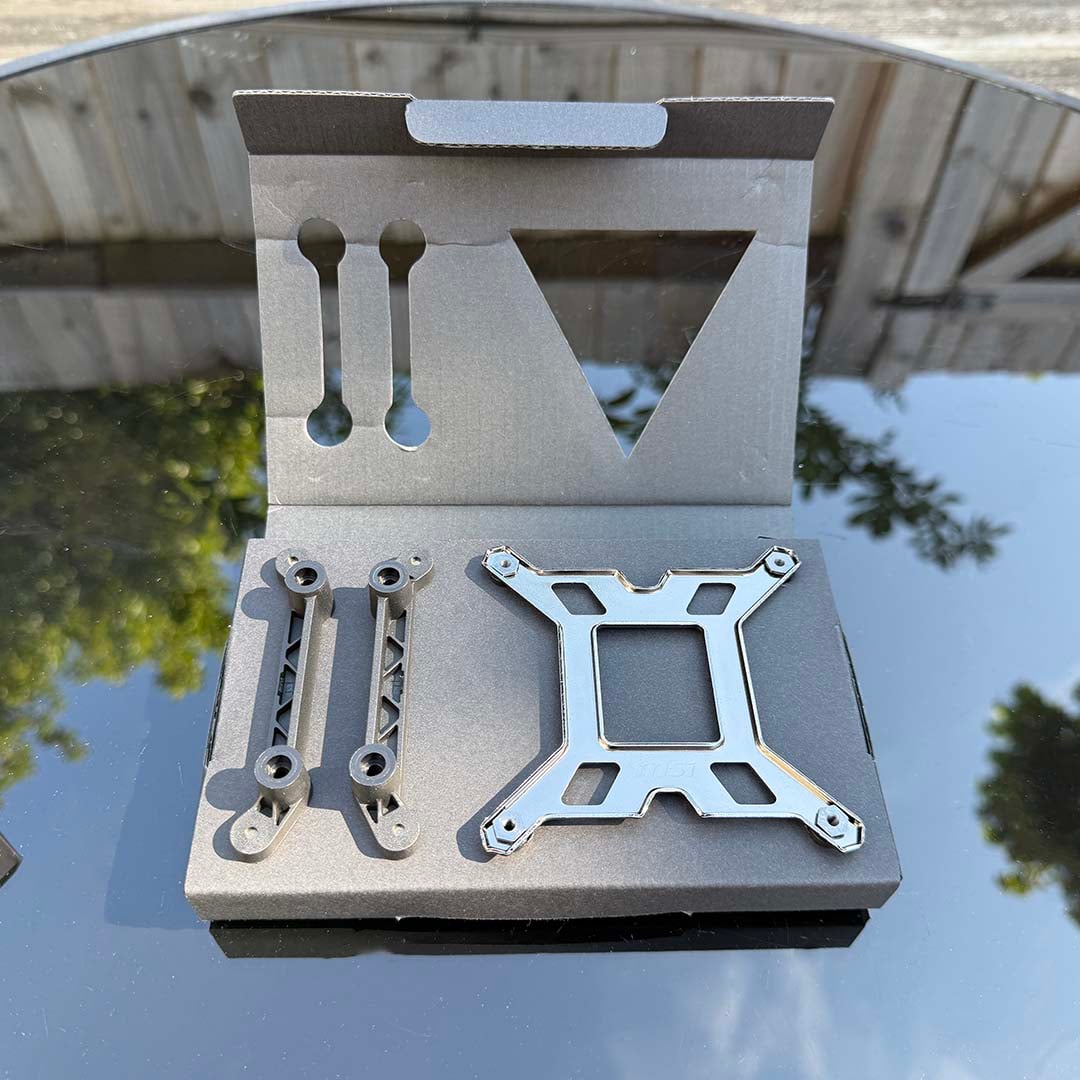
With most of the gear arriving in a single self-contained unit, installing this cooler is refreshingly simple. Amazingly, the only parts provided to mount it to an AMD motherboard are two plastic clips, which arrive in a cardboard folder with a metal backplate for Intel systems. You simply remove the default plastic clips around your AM4 or AM5 socket, replace them with the MSI clips, with the arrows pointing towards your CPU, then use the old clips’ screws to secure them in place.
You then just need to add a dash of thermal paste, and tighten the sprung screws on the pump unit into the threads on the clips. Fitting this cooler to an Intel motherboard is a little more involved, requiring you to fit a custom backplate, and also screw in four screws with threads on either side to attach the pump. Bizarrely, the latter are in the bag marked ‘radiator screws’ rather than the main mounting hardware package, but all the gear is there.
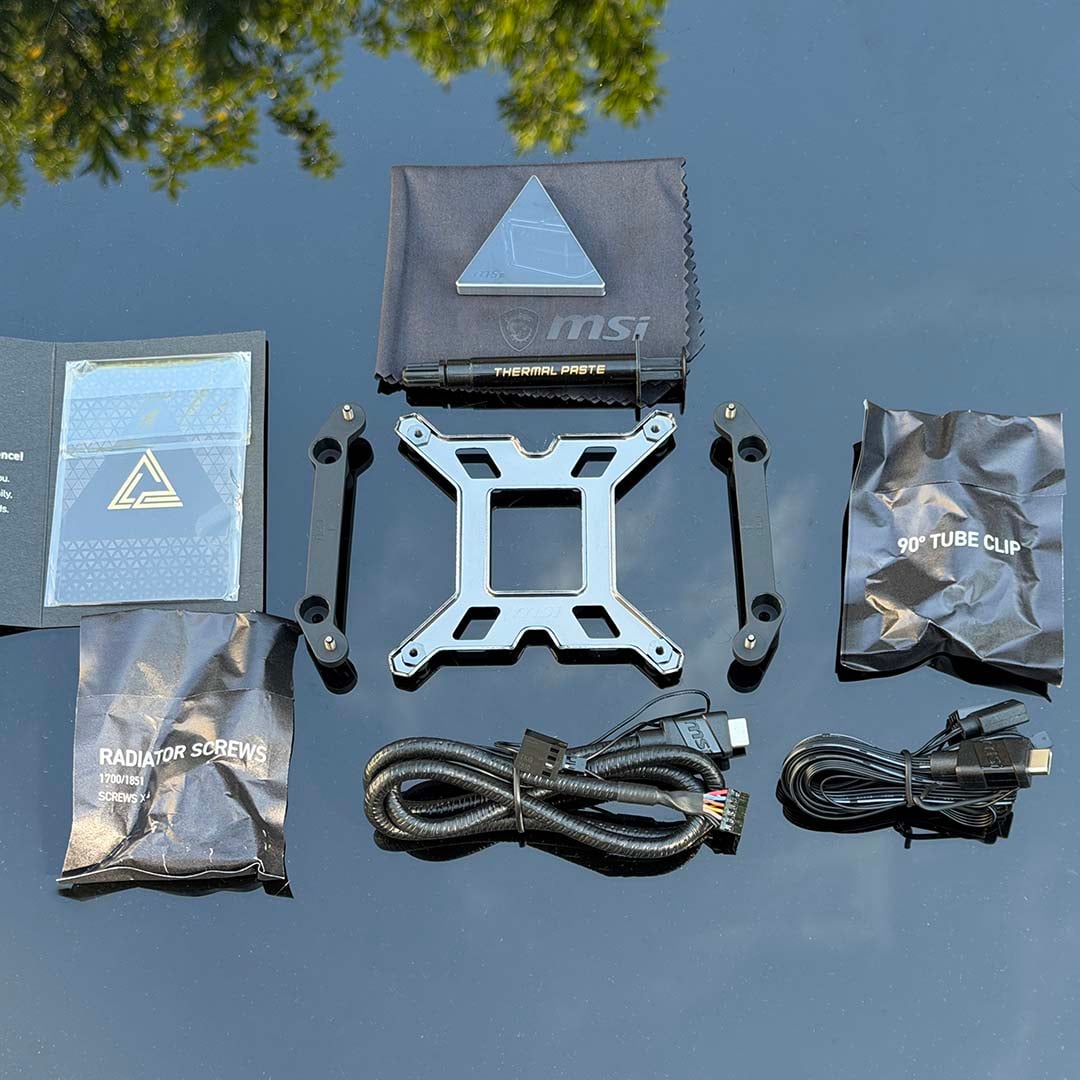
From then on, it’s just a case of hooking up the cables, which MSI has also made gloriously simple, thanks to that aforementioned USB-C port being the only connector on the cooler. Two sets of cables are provided. One hooks up to an MSI EZ Conn header, if your motherboard has one, which combines power and control for the fans, display, and RGB lighting in a single plug. You then just need to hook up the 4-pin power header for the pump to your motherboard.
We used this cable for our testing, and it works really well. The 4-pin power plug can be easily routed out of sight from the EZ Conn socket on the edge of our MSI MEG X870 Ace Max motherboard, while the rest of the cables are long enough to route round the back of your case, and out of a hole at the top to meet the USB-C port in the radiator.
Using the alternative cables involves a little more work, as you need to hook it up to your board’s USB, RGB, and 4-pin power headers. However, unlike the absurdly short wires that come with the Core Liquid P22 360, you get plenty of slack with these cables, and they all branch off into individual strands. That means you can easily route the USB-C plug through a cable-routing hole at the top of your case, and then thread the rest of the wires down the back, then out the front again to meet their appropriate headers.
Whichever method you use, that single USB-C port on the radiator makes for a really tidy cabling system. You don’t have to worry about hiding multiple cables around the pump unit, or hooking up multiple fans. MSI has already done most of this work for you.
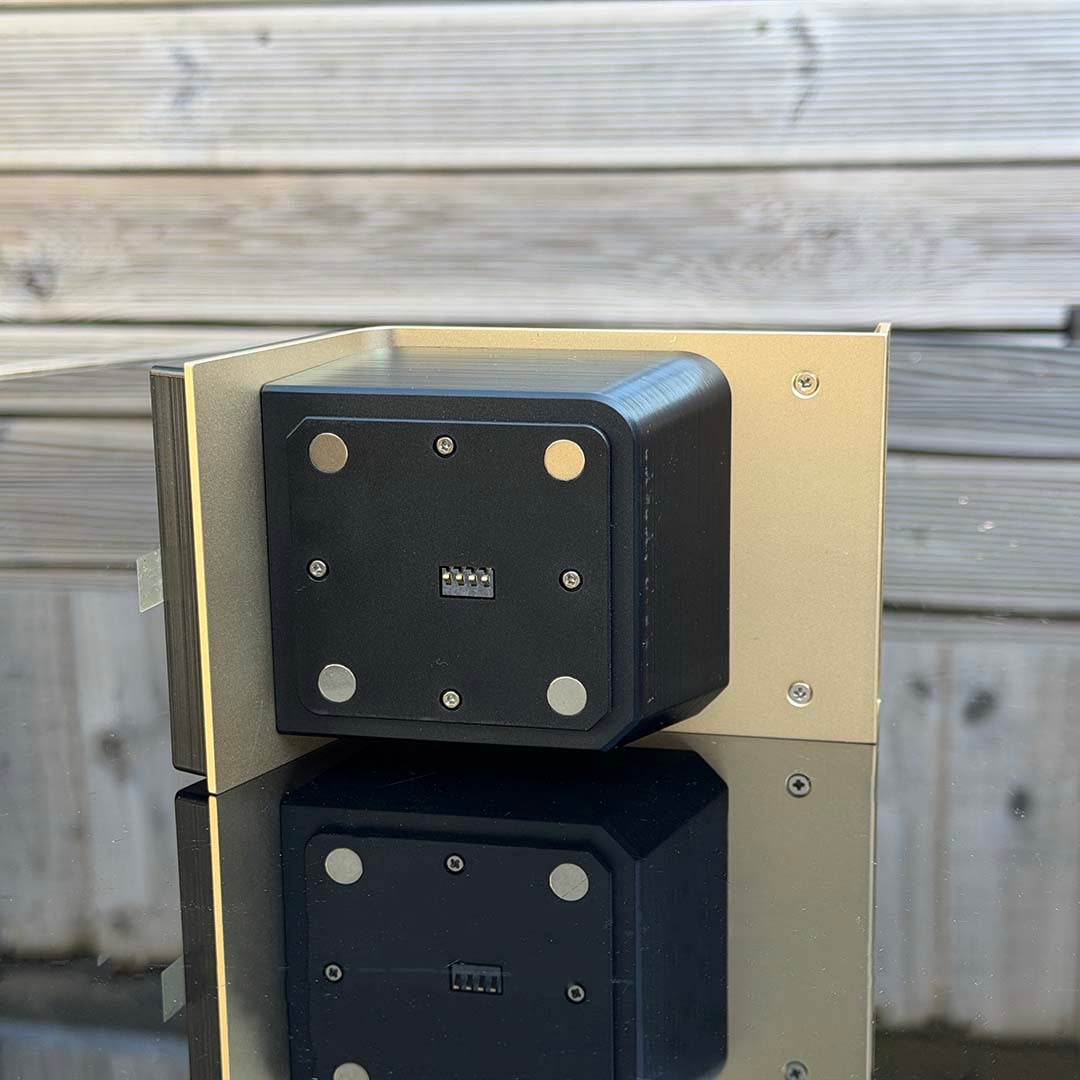
The last piece of the installation equation is attaching the screen, and again, MSI couldn’t have made this process simpler. You don’t have to contend with any wires or fiddly plugs. You simply pop off the cap on the pump unit, which reveals the socket for the display. The screen then magnetically attaches to the pump with pogo pins – you just fit the two together and they couple up to make a big block on top of your CPU.
Performance
How we test
I’m testing this fancy MSI AIO cooler in one of our new Club386 test PCs, which all have identical components. This setup includes a be quiet! Light Base 900 FX case, with all its fans fixed to 30% speed. The noise from the case at these settings is practically inaudible to our human ears and cannot be detected by our noise meter, enabling us to hear the difference made by a CPU cooler.
We use an AMD Ryzen 9 9950X3D as our test chip, which is the top choice on our guide to buying the best CPU. For each test, we run Cinebench 26’s multi-threaded benchmark, and record the average (mean) temperature of all this CPU’s cores over the benchmark run, as well as the absolute maximum core temperature, so you have an idea of the worst-case scenario. We run this CPU at its normal peak 170W TDP, but also at 105W and 65W TDP settings. This means you can see how well a cooler can keep a lower-spec CPU, such as a 65W Ryzen 5 9600, in check, as well as more powerful chips.
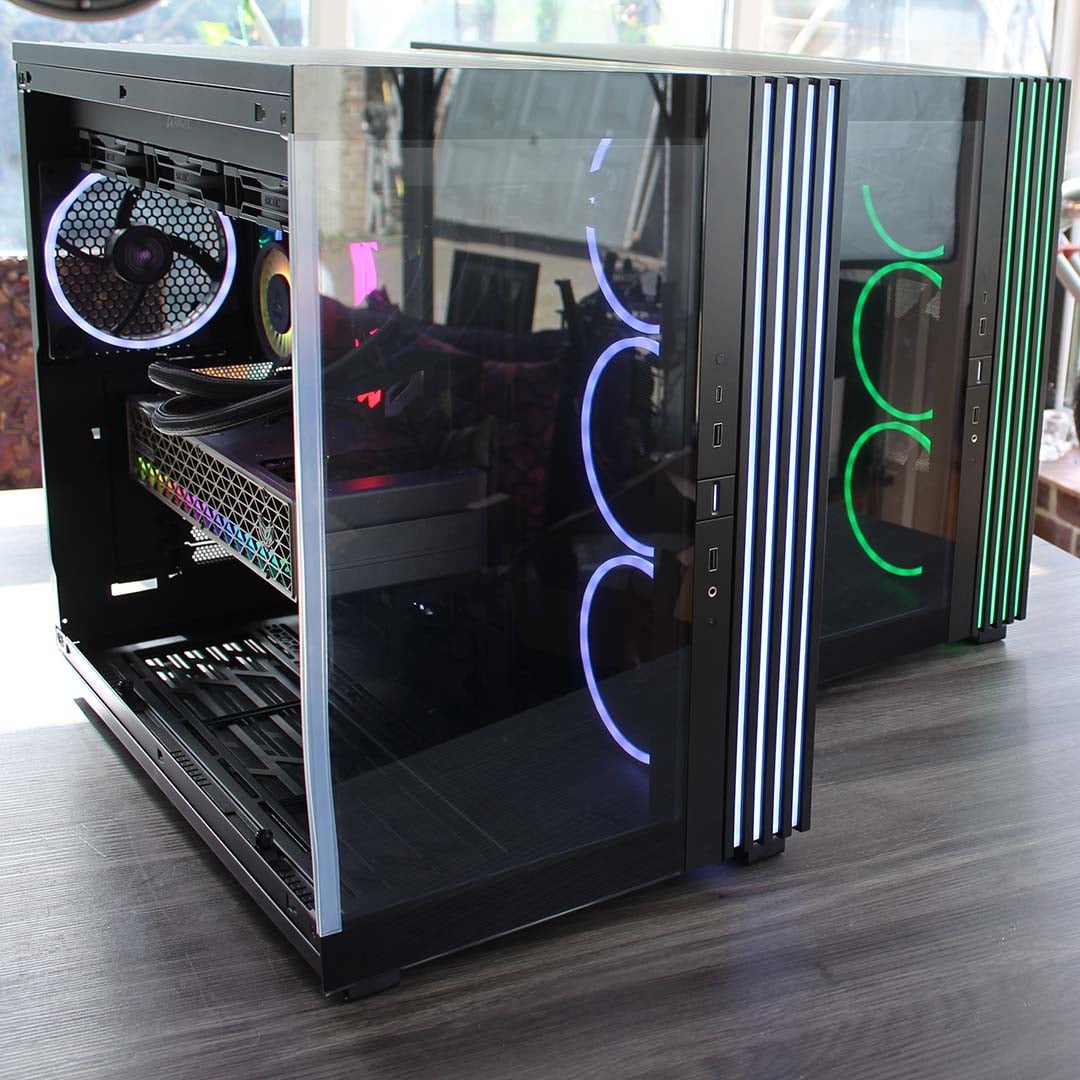
Our 9950X3D Test PCs
Club386 carefully chooses each component in a test bench to best suit the review at hand. When you view our benchmarks, you’re not just getting an opinion, but the results of rigorous testing carried out using hardware we trust.
Shop Club386 test platform components:
CPU: AMD Ryzen 9 9950X3D
Motherboard: MSI MEG X870E Ace Max
Cooler: Arctic Liquid Freezer III 420 Pro ARGB
GPU: Sapphire Nitro+ Radeon RX 9070 XT
Memory: 64GB Kingston Fury Renegade DDR5
Storage: 4TB Sandisk Optimus GX Pro 8100
PSU: be quiet! Dark Power 14 1,200W
Chassis: be quiet! Light Base 900 FX
Before we conduct each temperature test, we record the ambient room temperature. We then subtract this from the raw CPU temperature result to give us a delta T reading. This enables us to account for differences in test conditions without having a temperature-controlled lab, and compare results between other coolers tested on different days. Bear in mind that this means the results listed in the table below will be considerably lower than the actual CPU core temperatures.
All temperature and noise level tests are conducted with the cooler inside our case with all the side panels closed. We record temperatures using CoreTemp, and measure sound levels with a noise meter positioned 10in away from the front of the case. This means our results come from a real-world scenario, rather than an open-air test bench.
Temperatures
| 9950X3D TDP / fan speed | Avg temp (delta T) | Peak core temp (delta T) |
|---|---|---|
| 170W / 800rpm | 49.4°C | 56.0°C |
| 170W / 1,200rpm | 43.5°C | 50.1°C |
| 170W / 2,300rpm | 38.5°C | 46.7°C |
| 105W / 800rpm | 33.5°C | 42.6°C |
| 105W / 1,200rpm | 29.1°C | 37.9°C |
| 105W / 2,300rpm | 24.6°C | 33.4°C |
| 65W / 800rpm | 17.5°C | 34.3°C |
| 65W / 1,200rpm | 16.7°C | 33.6°C |
| 65W / 2,300rpm | 14.3°C | 31.4°C |
We usually test CPU coolers at three fan settings – 600rpm, 1,200rpm, and the maximum speed available. However, the E15 360’s fans won’t spin any slower than 800rpm, so that’s our starting point in this review. It’s also worth noting that the pump speed is fixed at 3,000rpm, and while it hooks up to a four-pin power plug, there’s only one wire attached to it so there’s no PWM control.
With its fans running at their slowest speed of 800rpm, the MSI MEG CoreLiquid E15 360 puts in a really good showing. Even at these speeds, it’s still capable of running our AMD Ryzen 9 9950X3D at full load, with an average delta T of 49.4°C, and a 56.0°C peak. To put that into perspective, I tested this cooler during a heat wave in the UK, and the actual core temperature was still averaging 75.4°C with a peak of 82°C.
As a point of comparison, the Arctic Liquid Freezer III Pro 420 A-RGB we usually have in our test rig peaks at a delta T of 54.5°C when cooling our 9950X3D with its fans running at 600rpm, while the Core Liquid P22 360 peaks at 62.9°C with an average of 56.1°C. Of course, these results aren’t directly comparable, as they both involve the fans running at 600rpm rather than 800rpm. However, you can see that the E15 360 at its slowest speed isn’t far off a 420mm AIO cooler at 600rpm, and it’s more capable than a cheaper 360mm cooler running at 600rpm too.
Upping the fan speed unsurprisingly nets you even better results, with an average delta T of 43.5°C at 1,200rpm, peaking at 50.1°C. We can directly compare these results to the P22, which manages an average and peak delta T of 44.3rpm and 52.2 respectively. The difference isn’t huge, but you can see that the E15 360 is a superior cooler, even if it’s not transformative.
If you’re cooling a less powerful chip than the 9950X3D, then you’re really in for a treat here, as our CPU only averaged a delta T of 33.5°C running with a 105W TDP and the E15 360’s fans set to run at 800rpm. You could easily strap this to a Ryzen 7 5800X3D in an AM4 rig, and not have to worry about hearing fan noise.
Noise
| Fan speed | Noise level |
|---|---|
| 800rpm (Min) | Undetected |
| 1,200rpm | 31.2dBA |
| 2,300rpm (max) | 48.4dBA |
As I mentioned earlier, the pump has a fixed speed of 3,000rpm, and you can hear it making a bit of a whine when the fans are running at their lowest speed. The sound isn’t loud enough to be detected by our decibel meter, and neither is the noise from the fans at 800rpm, but it is audible up close. It’s not massively annoying, but it is there.
Moving up to 1,200rpm makes the noise from the fans more noticeable, masking the sound from the pump. They’re still very quiet here, though, with our meter only reading 31.2dBA. If you’re running a high-end CPU, fixing the fan speed at 1,200rpm makes for a sensible compromise between noise and cooling performance.
If you really need it, you can whack up the fans to 100% load and listen to them make a nasty 48.4dBA racket. To put that figure into context, the CoreLiquid P22 360’s 2,000rpm fans top out at a much less noisy 43.1dBA, and they still sound horrible. Basically, this cooling power is there if you want it, perhaps for serious overclocking, but I wouldn’t recommend it for day-to-day use. Thankfully, performance is so good at lower fan speeds that most people will never need to hear this cacophony.
Conclusion
The MSI MEG CoreLiquid E15 360 might have a very silly price for a CPU cooler, costing substantially more than an AMD Ryzen 9 9900X in the current market, but it’s a truly lovely piece of kit. MSI has clearly put a great deal of thought into every aspect of the design, from cable routing to installation and software control. It’s supremely well built, and I love the attention to detail, particularly the single cable connector and magnetically-attached screen.
It’s a decent, quiet cooler as well, but that almost goes without saying at this price – that’s not why you buy a fancy cooler such as this one. If you want the best thermal power for your money, buy an Arctic Liquid Freezer III Pro 420 A-RGB for less than a quarter of the price. What you’re really buying here is a design statement about your PC. It does this really well too – the AMOLED screen is excellent, and really brings your PC’s interior to life.
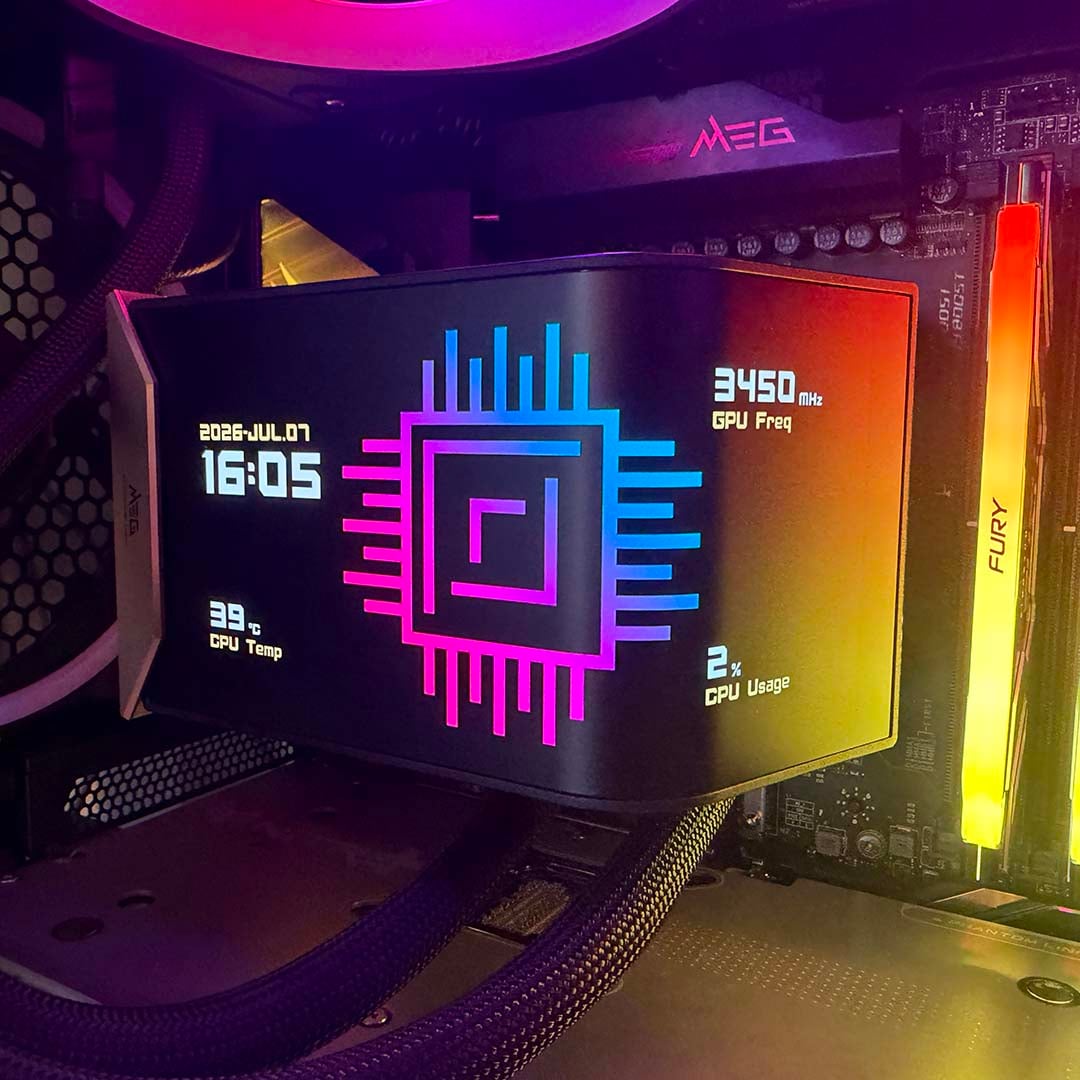
Yes, it’s completely superfluous to requirements, but it is also really cool, and that’s what MSI is going for here, and the company is confident you’ll pay for it. Comparatively, the similar Asus ROG Ryuo IV 360 goes for $420 on Amazon, for example, and the Tryx Panorama 360 ARGB costs $360. Look further, though, and you can pick up a Thermalright Levita Vision 360 UB ARGB for under $250 now, which gives you a similar 360mm cooler design with an angled AMOLED screen.
That’s undoubtedly better value than the MSI MEG CoreLiquid E15 360 if you want a fancy AMOLED display, and don’t have buckets of cash to spend. However, MSI has set out to make a truly premium product here. You’re not just paying for the AMOLED screen and cooler, you’re also buying the attention to detail in the cable system and installation process, as well as excellent looks, design, and build quality all round.
There are certainly diminishing returns from spending so much money on a cooler, and it should arguably cost at least $50 less, but it is a genuinely fantastic piece of design. No one needs the MSI MEG CoreLiquid E15 360, but after spending several days using it, I know I certainly want one. If you have a big budget to spend on PC gear, and you want a cool display you can show off to your friends, plus a really well-designed cooler with minimal cable clutter, this is about as good as it gets. Just don’t tell anyone how much you paid for it.