
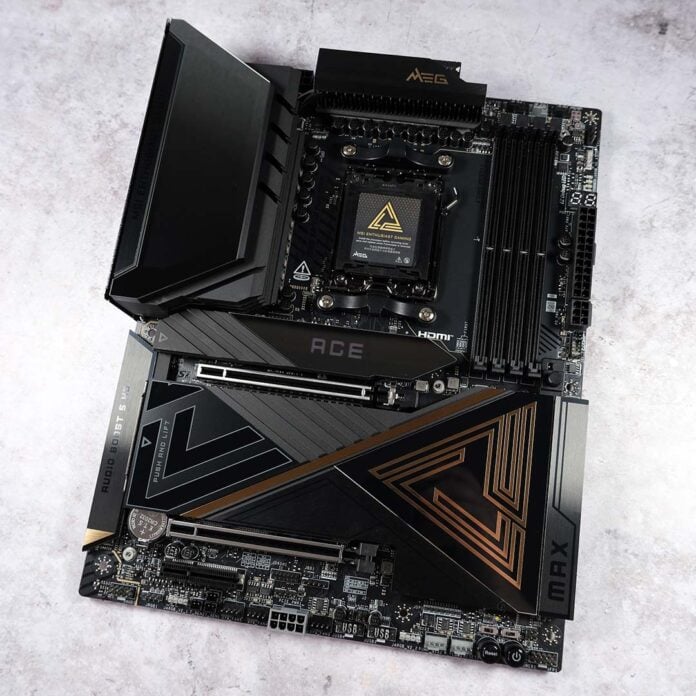
I’ve been waiting so long for the MEG X870E Ace Max, I was beginning to think this board would never see the light of day. Thankfully, my exercise in patience has proven worthwhile, as this marvellous motherboard shares much of its DNA with MSI’s flagship Godlike series, but at a substantially lower price.

MSI MEG X870E Ace Max
£650 / $700
Pros
- Excellent build quality
- Trio of PCIe Gen 5 slots
- Plentiful USB connections
- Top-tier built-in audio
- Smart and intuitive BIOS
Cons
- Fiddly PCIe bandwidth sharing
- Middling Game Boost gains
- High cost for a motherboard
Club386 may earn an affiliate commission when you purchase products through links on our site.
How we test and review products.
That said, the MEG X870E Ace Max is by no means cheap by any metric, retailing for £650 ($700). Relative to the MEG X870E Godlike, however, you’re staring down a £350 discount while retaining the lion’s share of features from the more-expensive motherboard.
That said, you could save a good ~£200 by stepping down to the MPG X870E Carbon WiFi without sacrificing too much in the way of features and specs. The question becomes whether you feel the additional niceties that come part and parcel with the MEG X870E Ace Max are worth the extra moolah.
Specs
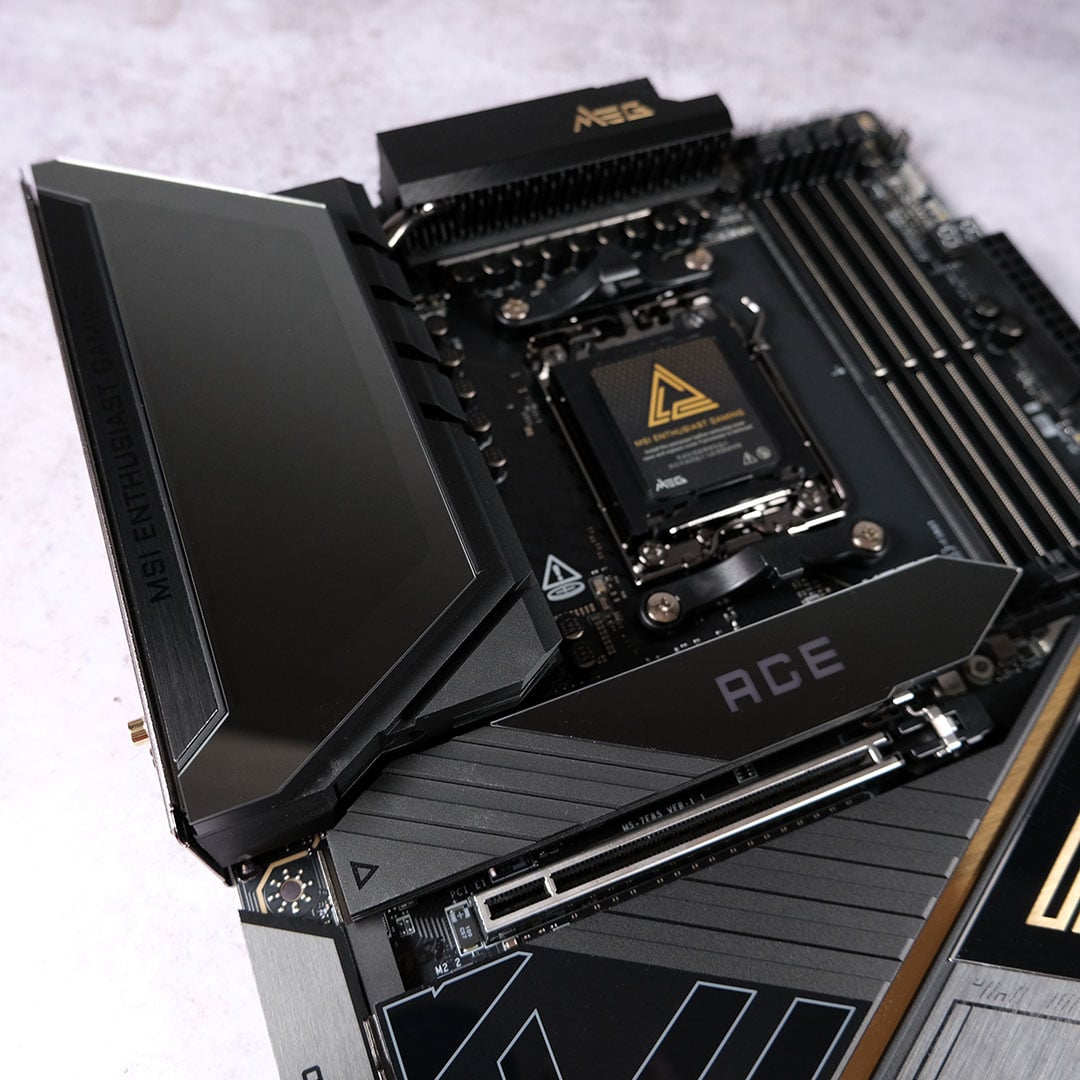
Sporting an 18+2+1 VRM design, with 110A phases, there’s no doubting the MEG X870E Ace Max’s ability to handle any AM5 CPU. You will find rival motherboards at similar prices providing an additional stage for miscellaneous power, such as the Gigabyte X870E Aorus Xtreme AI TOP, but that’s a practically inconsequential shortfall for this board.
Its slick black aluminium covers hide away stocky heatsinks, heatpipes, and thermal pads that keep VRM thermals well under control. In my testing, operating temperatures peaked at a welcome 41°C, a match for the flagship MEG X870E Godlike X.
Sitting on the top-left heatsink, you’ll also find a tasteful splash of RGB lighting. Turn on the system and MSI’s dragon tastefully lights up the board, with customisation available through its Mystic Light software. Alternatively, you can quickly toggle off the light show via an LED switch towards the bottom of the motherboard.
| MSI MEG X870E Ace Max | |
|---|---|
| VRM | 18+2+1, 110A |
| RAM support | Slots: 4 Max. capacity: 256GB Max. OC speed: 8,400+MT/s |
| Onboard graphics | HDMI (x1) USB-C (x2) |
| PCIe expansion slots | PCIe 5.0 x16 (x1) PCIe 4.0 x4 (x1) PCIe 3.0 x1 (x1) |
| Audio | Realtek ALC4082 ESS9219Q Combo DAC/HPA |
| Storage | PCIe 5.0 x16 (x1) PCIe 5.0 x8 (x1) PCIe 5.0 x4 (x1) |
| Rear USB | USB-C 4 (40Gb) (x2) USB-C 3.2 Gen 2 (10Gb) (x2) USB-A 3.2 Gen 2 (10Gb) (x9) USB-A 2.0 (480Mb) (x2) |
| Front USB | USB-C 3.2 Gen 2×2 (20Gb) (x1) USB-A 3.2 Gen 1 (5Gb) (x4) USB-A 2.0 (480Mb) (x4) |
| LAN | Marvell 10Gb (x1) Realtek 5Gb (x1) |
| Wireless | Bluetooth 5.4 Wi-Fi 7 |
| Price | £650 / $700 |
RAM support is suitably high-end with room for four 64GB DIMMs, providing you with up to 256GB of capacity if you’re flush enough to own so much memory in this economy. In terms of speed, MSI rates the board for 8,400+MT/s transfer speeds with a single stick, downscaling to 6,400+MT/s for two or four modules.
I was able to run the A-XMP profile on my dual-channel RAM without issue, unlocking all the performance benefits of 6,400MT/s speeds. I’d expect EXPO profiles to similarly run without issue, but don’t forget that memory overclocks are in part down to processor compatibility.
MSI also includes an ‘EZ Memory Detection LED’ next to the DIMM slots, which will light up if the board detects an issue with your RAM installation. It’s difficult to think of a scenario beyond careless inserting that would prompt its use, but any and all fail-safes are welcome.
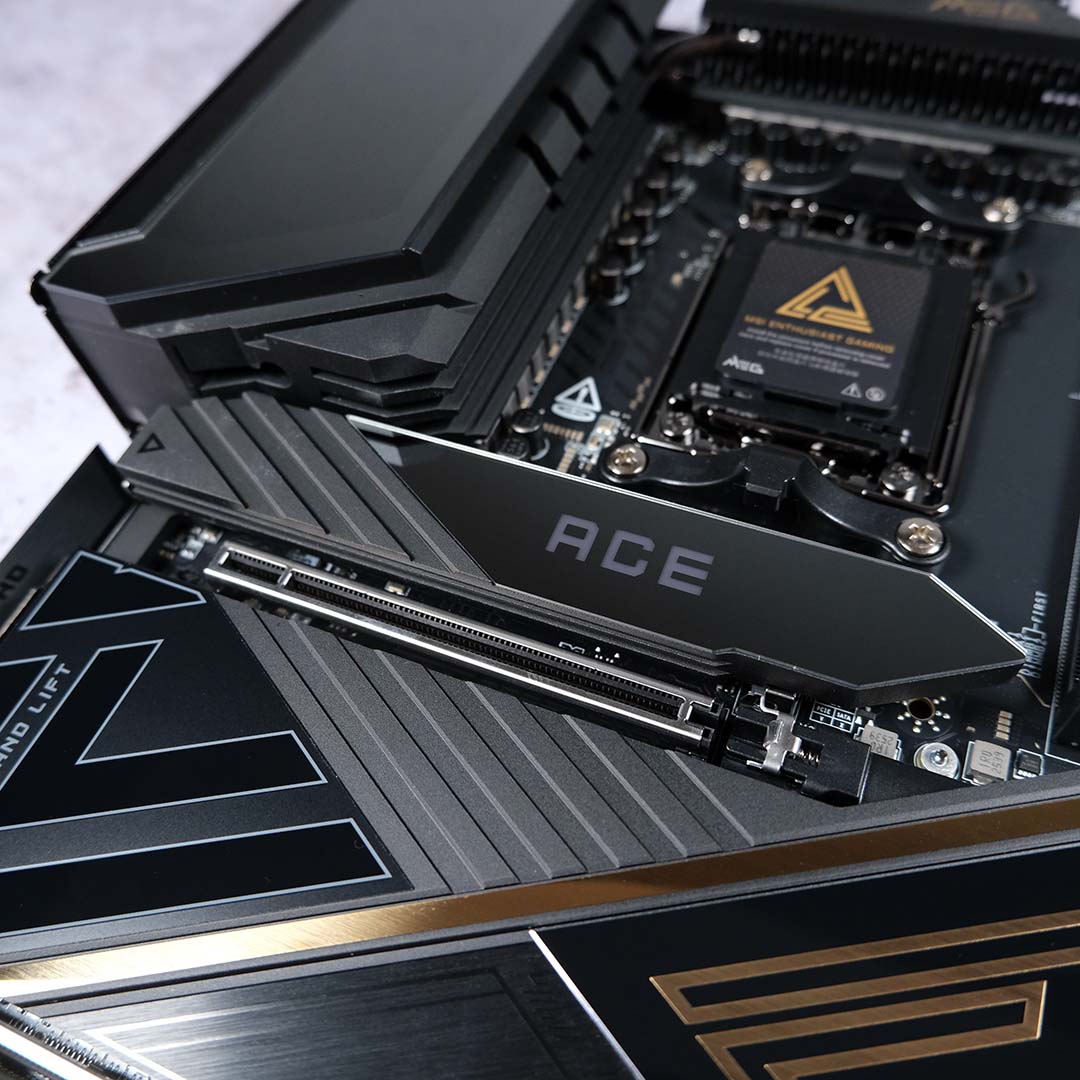
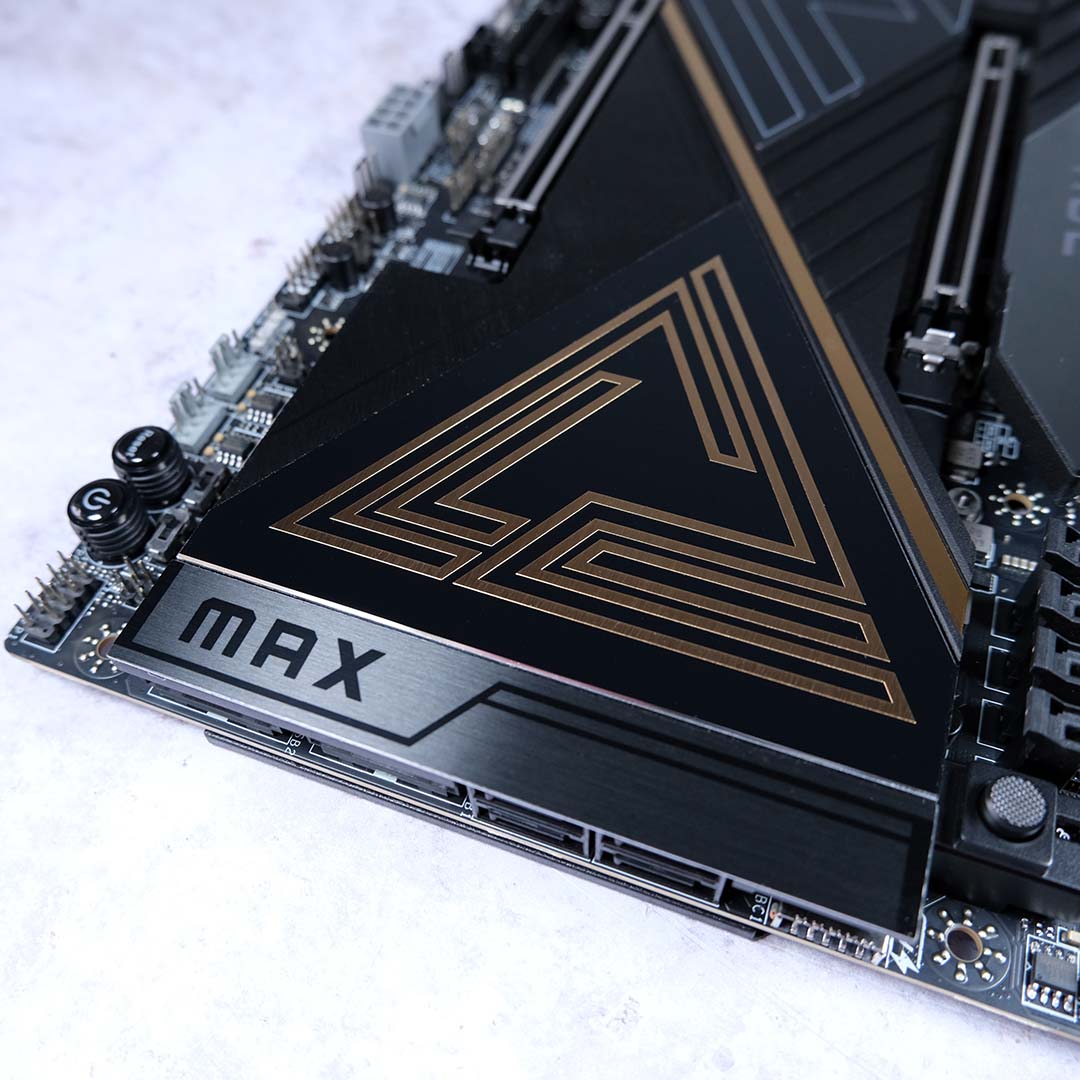
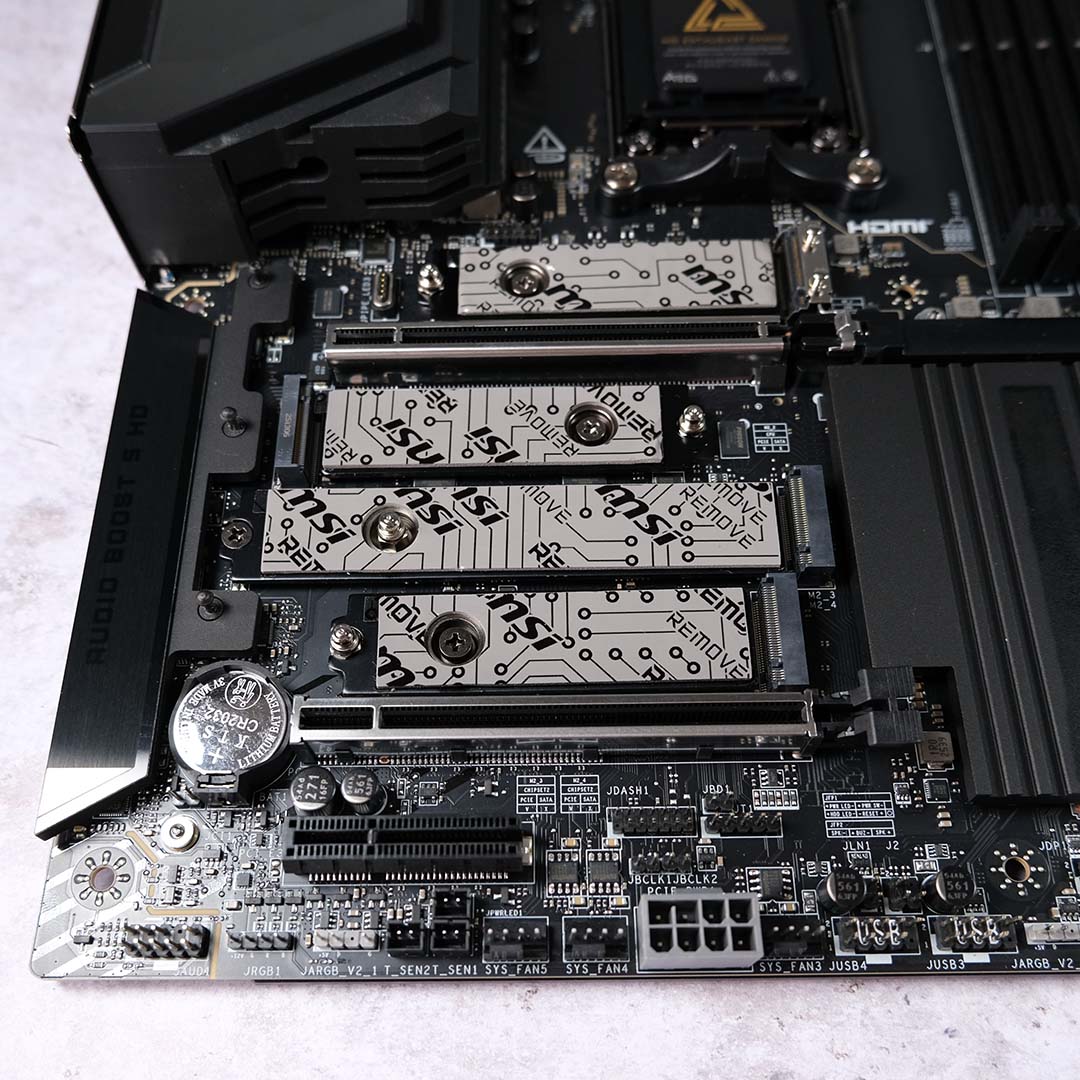
There’s a dizzying amount of expansion slots resting between and underneath the motherboard’s substantive and stylish heatsinks. You get two PCIe Gen 5 M.2 connectors at your disposal, alongside another three Gen 4 slots. Then there’s Gen 5 speeds across the trio of PCIe expansion slots. However, in pushing for so many connections, MSI has had to share some PCIe lanes between a few parts.
This bandwidth balancing act concerns the two PCIe Gen 5 M.2 slots. The top-most of the duo, underneath the RGB Ace heatsink, can only run at full pelt when there’s no expansion card installed into the bottom-most PCIe 5.0 x4 slot. Should you want to use all the slots, you’ll need to settle for PCIe 5.0 x2 speeds on the SSD and expansion card. Meanwhile, the second Gen 5 M.2 connector shares bandwidth with the USB 4 ports. Plug a Gen 5 SSD into that slot and those 40Gb inputs will downscale to 20Gb.
Getting the most out of the MEG X870E Ace Max’s connections then becomes annoyingly tricky. In my eyes, the most sensible route to take would be to forgo the PCIe Gen 5 x4 slot entirely, but there’s no easy answer for the USB 4 ports other than to ignore that M.2 slot or settle for 20Gb speeds.
Thankfully, installation of M.2 storage is fuss-free. Every SSD receives passive cooling from heatsinks and thermal pads, bar the one on the rear of the motherboard, and you won’t need a screwdriver to secure them in place.
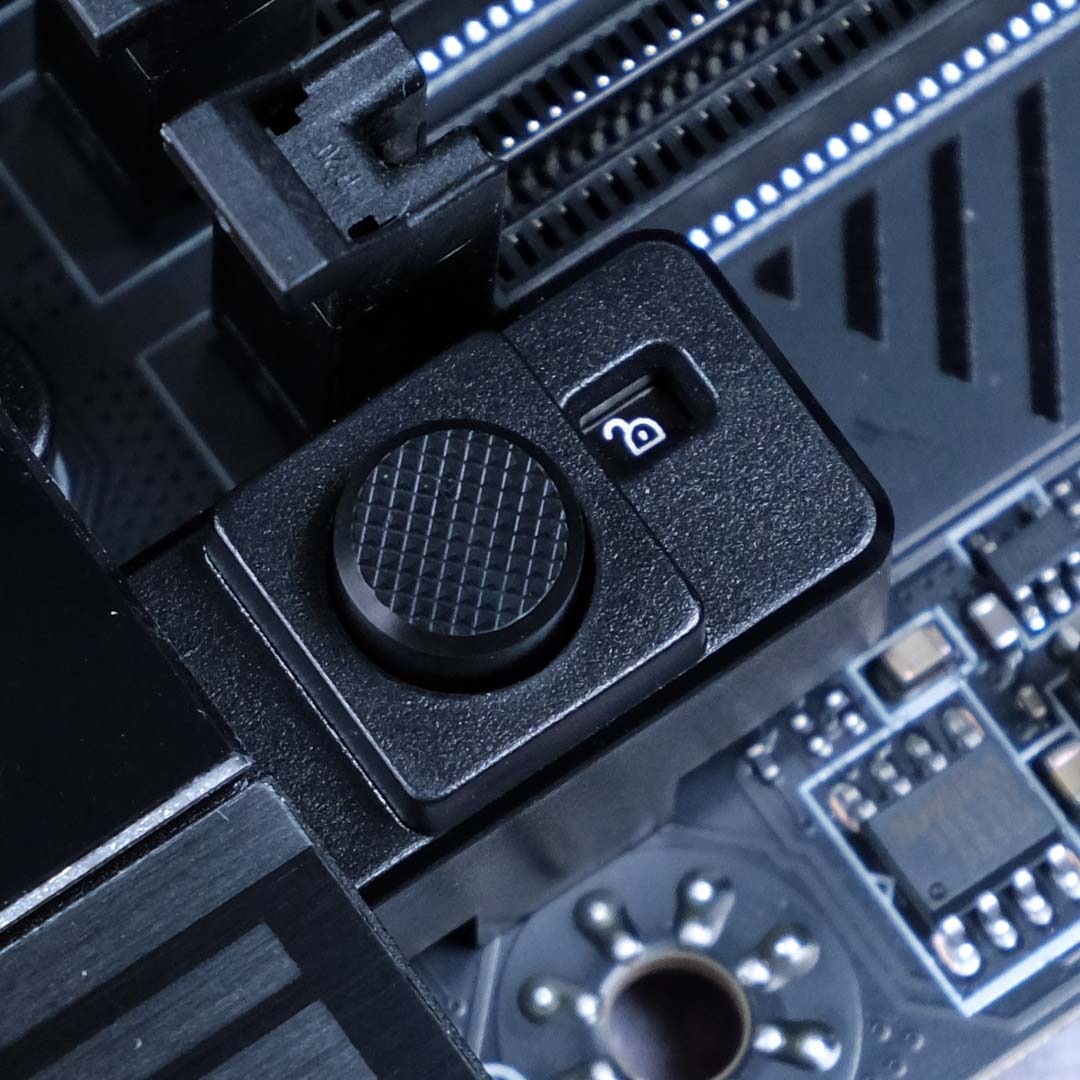
Such conveniences extend to the primary PCIe expansion slot too, with a separate release mechanism. Pressing the satisfyingly clicky button next to the DIMMs will toggle the lock state of the slot, making it easy to install and lift away large graphics cards without shredding your fingers.
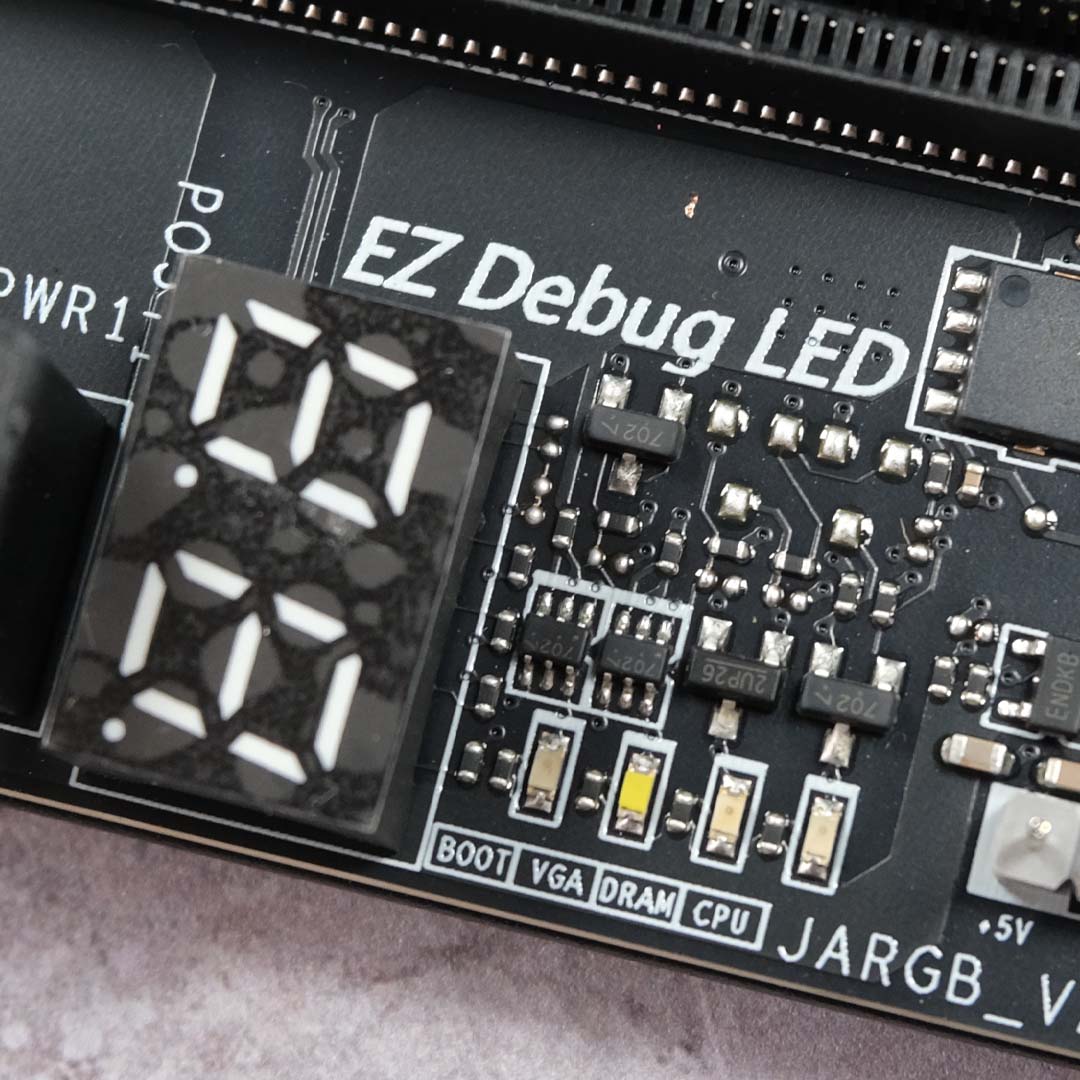
As one should expect from a premium motherboard like the MEG X870E Ace Max, EZ Debug LEDs and a POST code display are ready to help diagnose any issues that may occur during boot. There’s also a wealth of headers for fans, ARGB lighting, and bespoke customer water cooling gear spread across the board, making installation of blowers and more an absolute doddle.
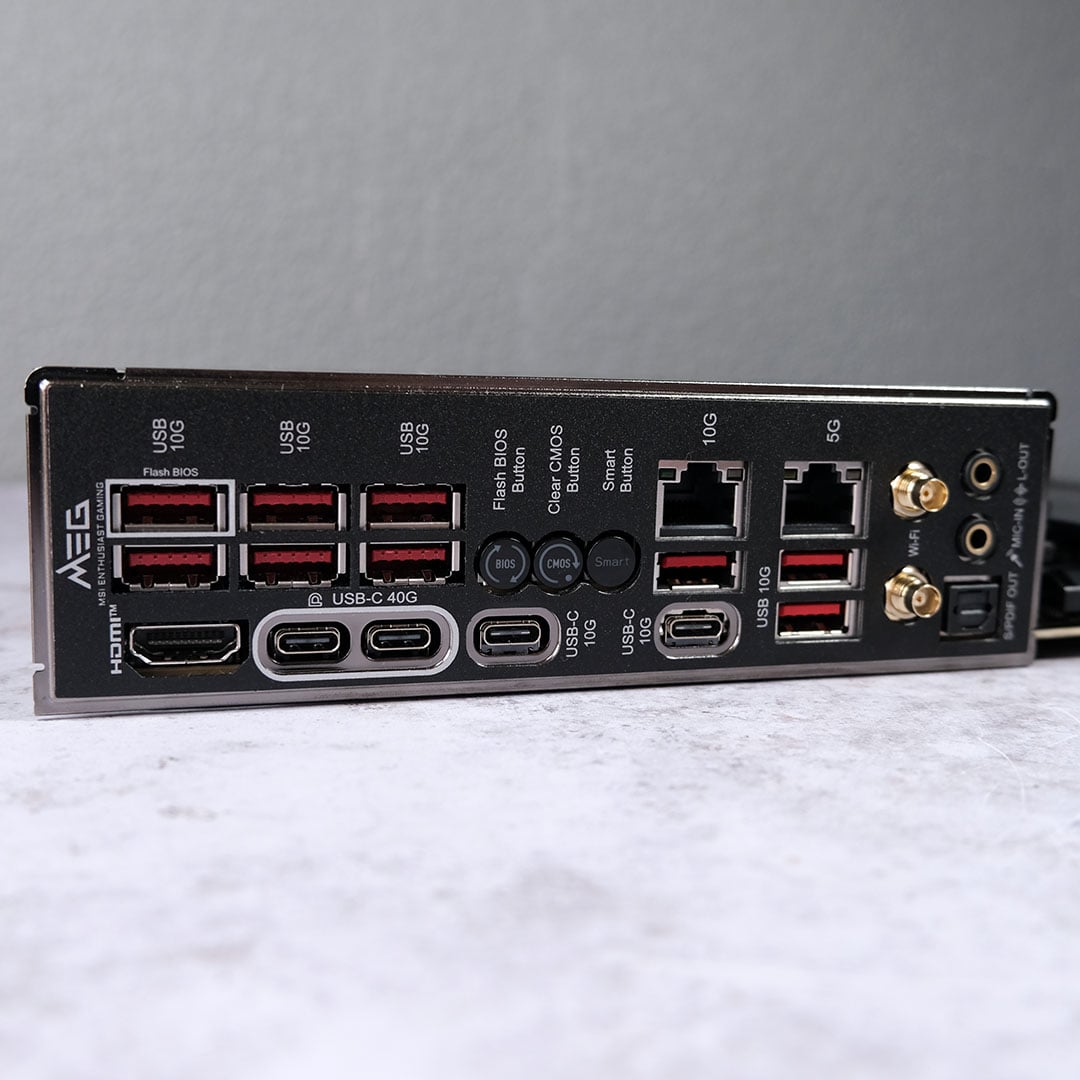
It’s difficult not to admire the number of ports on the back of the MEG X870E Ace Max, let alone their speed. MSI equips the motherboard with two 40Gb USB-C ports, which can also double as display outputs via DP Alt Mode. Complementing them are two 10Gb USB-C inputs and a whopping count of nine 10Gb USB-A sockets. Suffice to say, there’s room for loads of peripherals here, regardless of their speed requirements.
Anyone with a speedy home network won’t find themselves wanting with this motherboard either. In addition to the latest and greatest in wireless comms that is Wi-Fi 7, there’s also both 5Gb and super-speedy 10Gb Ethernet ports. While my 1Gb broadband and WiFi 6E LAN barely saturates the bandwidth on offer here, both connections downscaled to my needs without any issue.
I’m also glad to see Flash BIOS and Clear CMOS buttons make an appearance on the rear I/O panel, making troubleshooting and upgrading firmware much easier. A ‘Smart Button’ rounds out the trio, which serves as a reset by default, but you can switch this up to become a button to toggle RGB lighting, push fan speeds to their highest values, or enter Safe Boot.
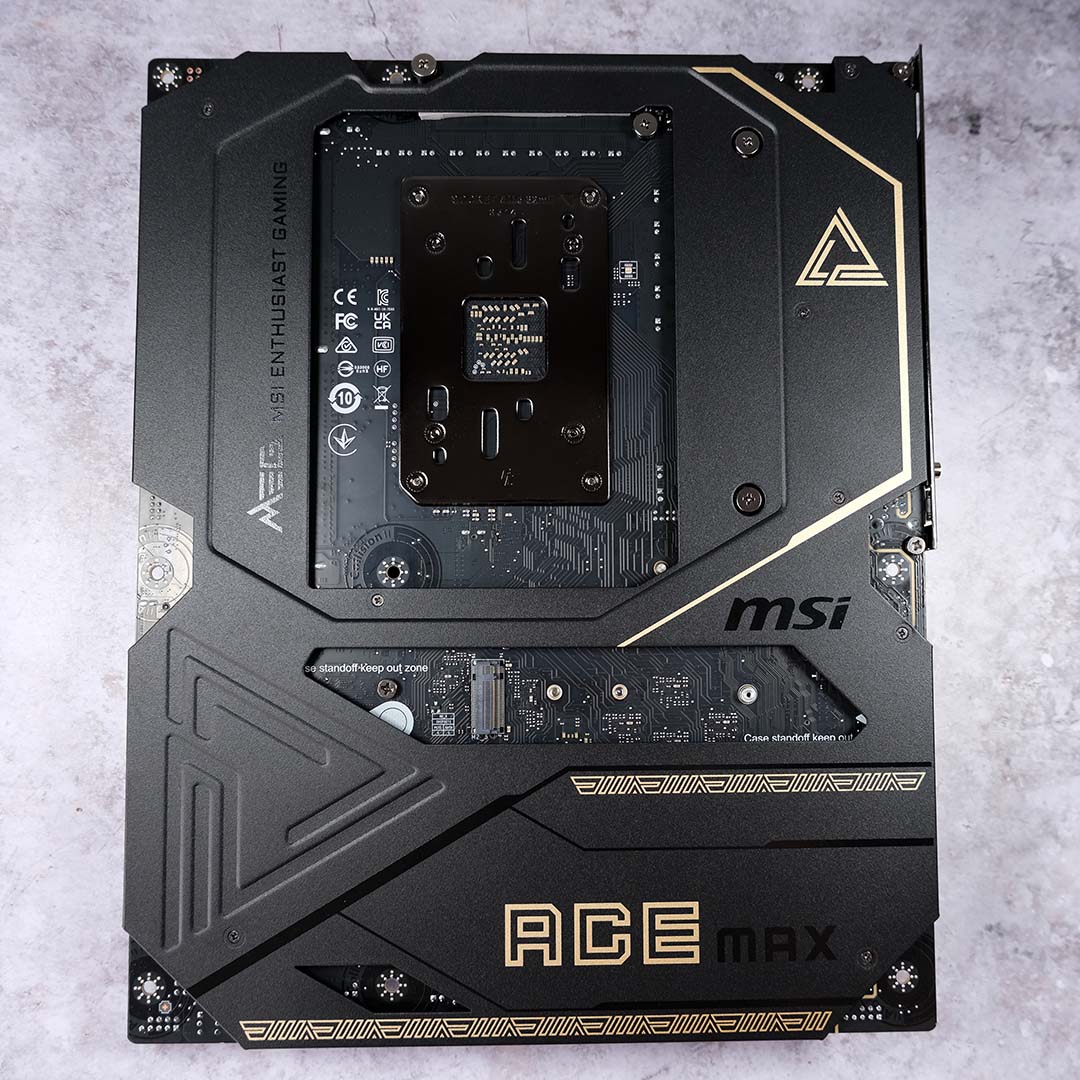
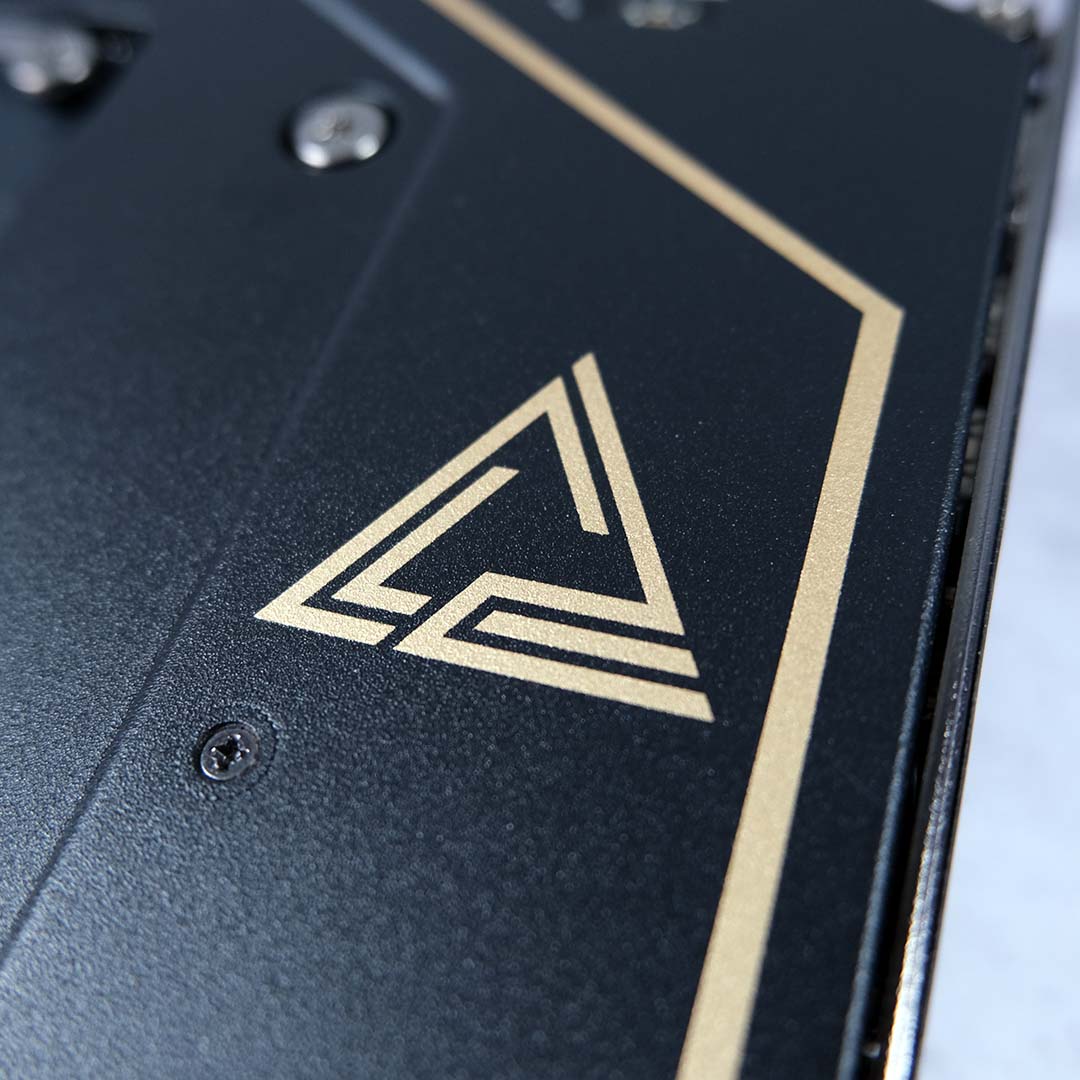
Finally, let’s get to the cherries on top of this already stacked feature set. The most obvious to the eye is the MEG X870E Ace Max’s backplate. It’s a shame that the artistic flourishes here will disappear once the motherboard’s in a case, but that won’t compromise its main purpose of protection and improved thermal dissipation.
Under the hood, the board rocks a high-end audio system befitting of its price. There’s a top-notch Realtek ALC4082 codec, which provides support for 7.1 surround sound via USB and 32-bit/384kHz playback via the front panel, while an ESS9219Q Combo DAC/HPA elevates the entire package. Built-in audio doesn’t get much better than this without the use of external kit.
Firmware
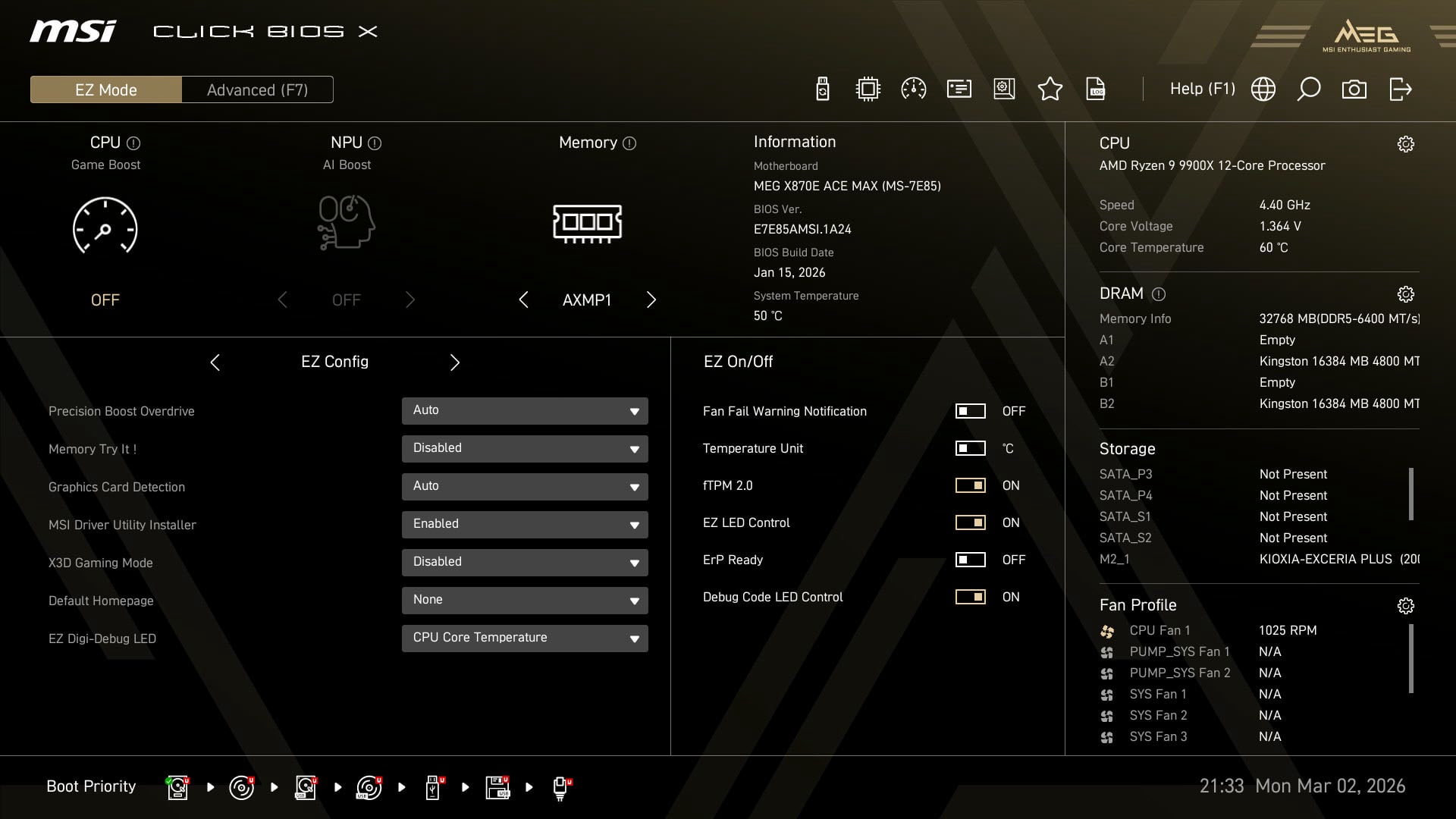
Click BIOS X has made appearances on various MSI motherboards since 2024, but the MEG X870E Ace Max’s launch marks its first appearance on an Ace board. It’s a change that’s all for the better, doing away with the old, albeit solid, Click BIOS 5 design.
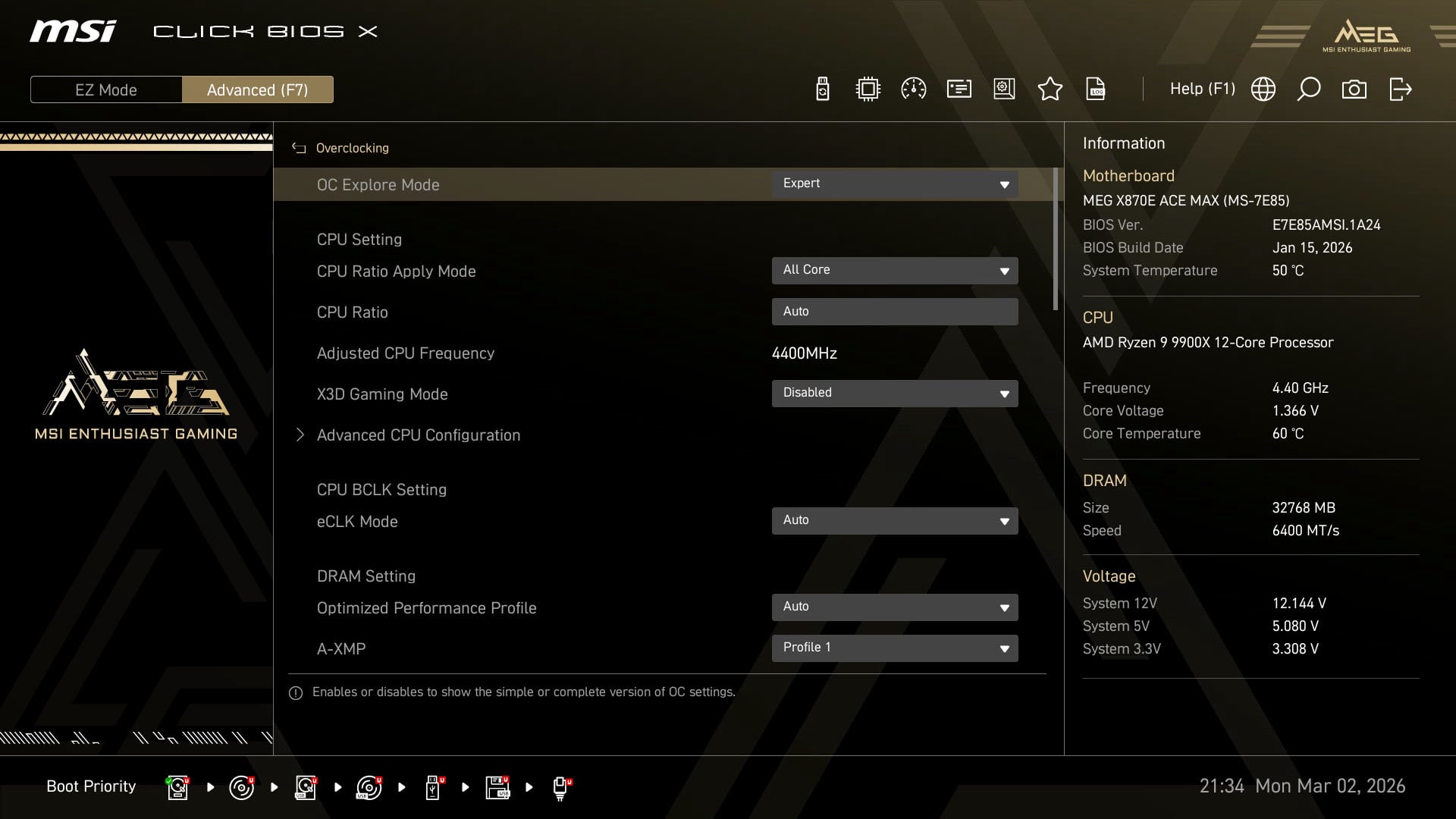
As with other Max motherboards, MSI equips the board with a 64MB BIOS capacity. MSI hasn’t put this extra space to use with built-in Wi-Fi drivers and the like, but it should improve compatibility with future Ryzen processors, providing room for loads of CPU info.
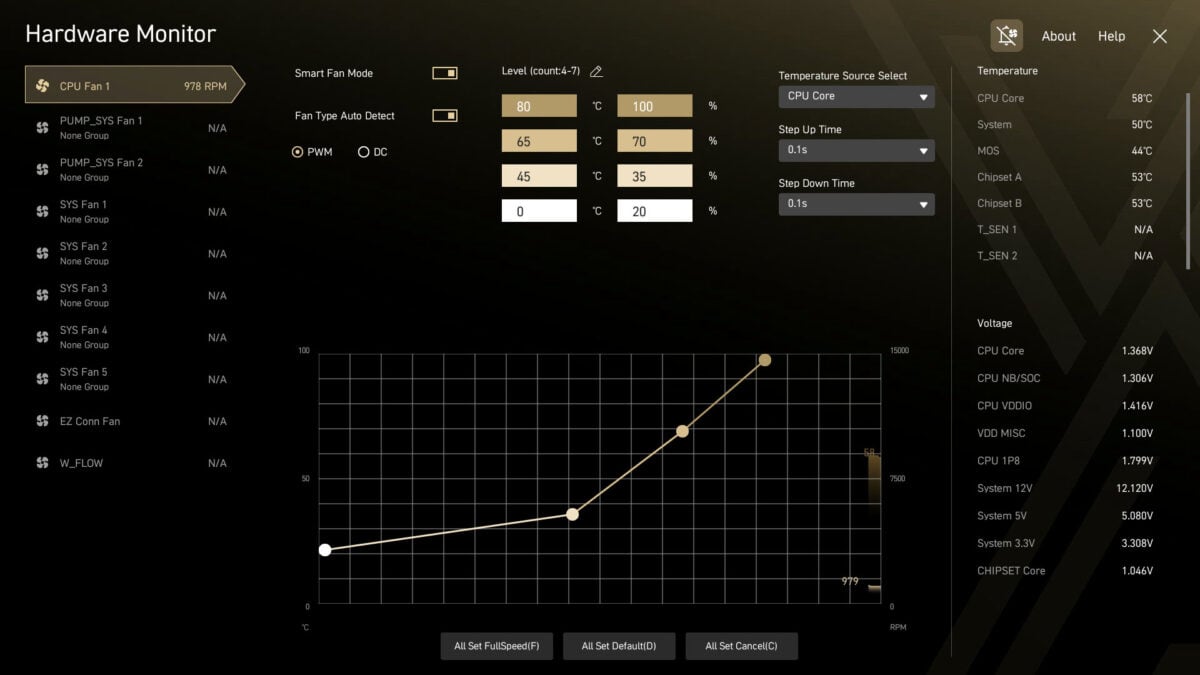
While Click BIOS X marks a first for Ace motherboards, there’s nothing new about this firmware that we’ve not already seen on other MSI models. We’re getting the same intuitive layout, albeit with a golden colour scheme, that you’ll also find on the MEG X870E Godlike.
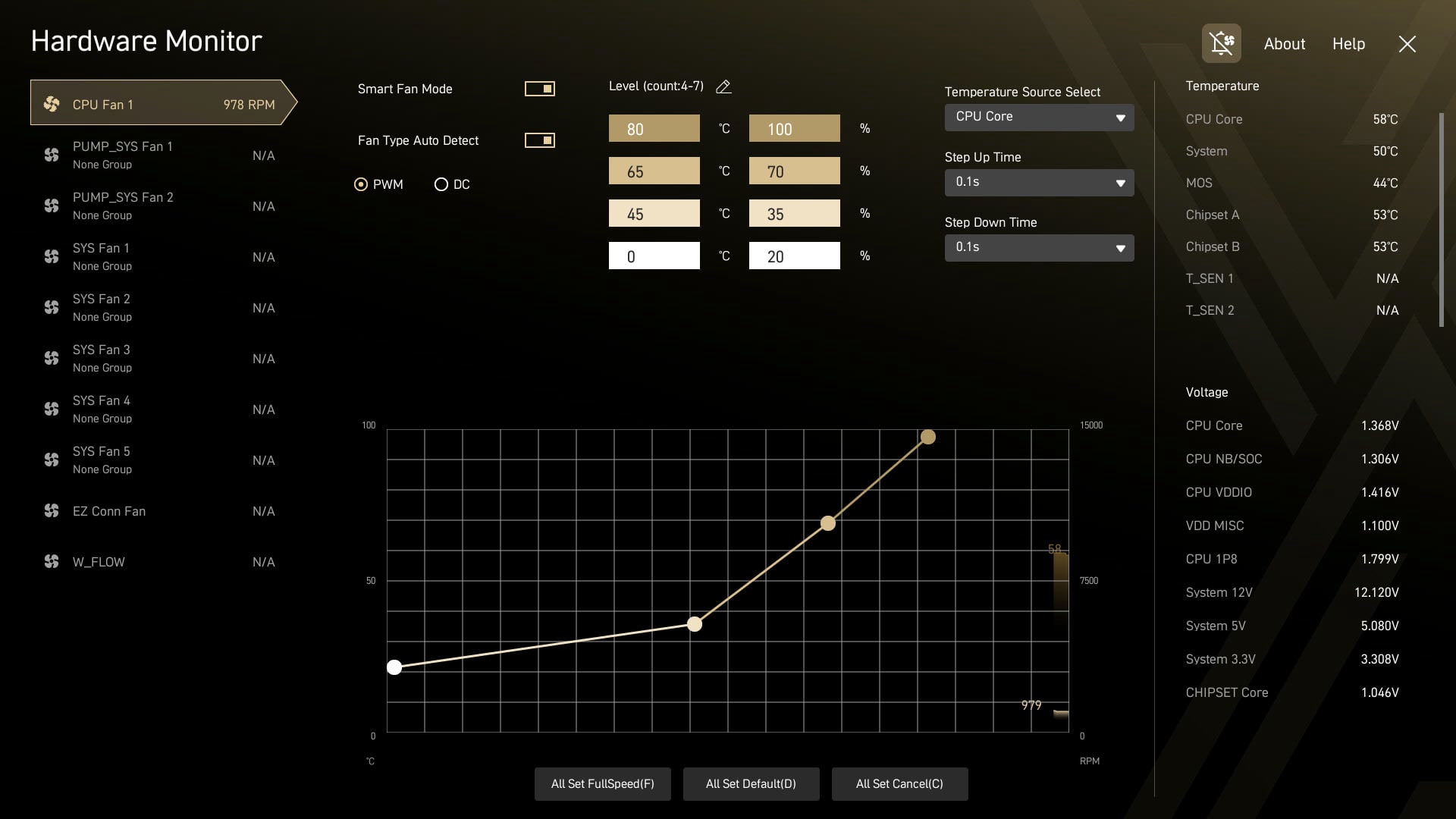
It’s easy to find common settings, such as A-XMP/EXPO profiles, as well as at-a-glance system information on the ‘EZ Mode’ tab. Meanwhile, advanced users will feel comfortable delving deeper into the firmware. Fan curve controls, which are configurable via numeric values, are also a welcome sight.
Performance
You can expect to throw just about any component at the MEG X870E Ace Max without issue, but for my testing purposes, I’m sticking with my usual collection of motherboard review hardware to provide comparative data. The only exception to this is my choice of SSD, as my Crucial T700 2TB has sadly departed for the solid state afterlife, so a WD_Black SN8100 2TB is standing in.
The remainder of my test setup includes a Ryzen 9 9900X, paired with 32GB (2x16GB) of Kingston Fury Renegade DDR5-6400 RAM, a Noctua NH-D16 chromax.black cooler, as well as a be quiet! Dark Power 13 1,000W PSU and Radeon RX 7800 XT graphics card.
| MEG X870E Ace Max | MEG X870E Godlike X | |
|---|---|---|
| AIDA Read | 76,792MB/s | 78,209MB/s |
| AID Write | 82,696MB/s | 83,464MB/s |
| AIDA Copy | 72,041MB/s | 71,864MB/s |
| AIDA Latency | 80.6ns | 79.9ns |
| Cinebench 2024 1T | 135pts | 138pts |
| Cinebench 2024 MT | 1,755pts | 1,805pts |
| 3DMark Time Spy | 18,841pts | 18,891pts |
| 3DMark Steel Nomad | 4,145pts | 4,089pts |
| CrystalDiskMark seq. read | 14,492MB/s | – |
| CrystalDiskMark seq. write | 13,391MB/s | – |
| Cyberpunk 2077 (Min / Avg) | 72 / 86fps | 66 / 79fps |
| FFXIV: Dawntrail (Min / Avg) | 83 / 185fps | 85 / 186fps |
| VRM temperature | 41°C | 41°C |
| Power consumption (Idle / Load) | 118 / 283W | 150 / 324W |
Despite the difference in price between the MEG X870E Ace Max and MEG X870E Godlike X, the former motherboard delivers near-identical performance to its more premium sibling. As ever, paying for a board will mainly unlock more features rather than increase base performance.
There are notable differences in CrystalDiskMark performance across the boards, on account of the differing SSDs, which is why I’ve omitted the results from the MEG X870E Godlike X in this case. The only other contrasting result of note comes down to power consumption, with the MEG X870E Ace Max sipping far fewer watts, likely on account of its lack of an EZ Bridge accessory.
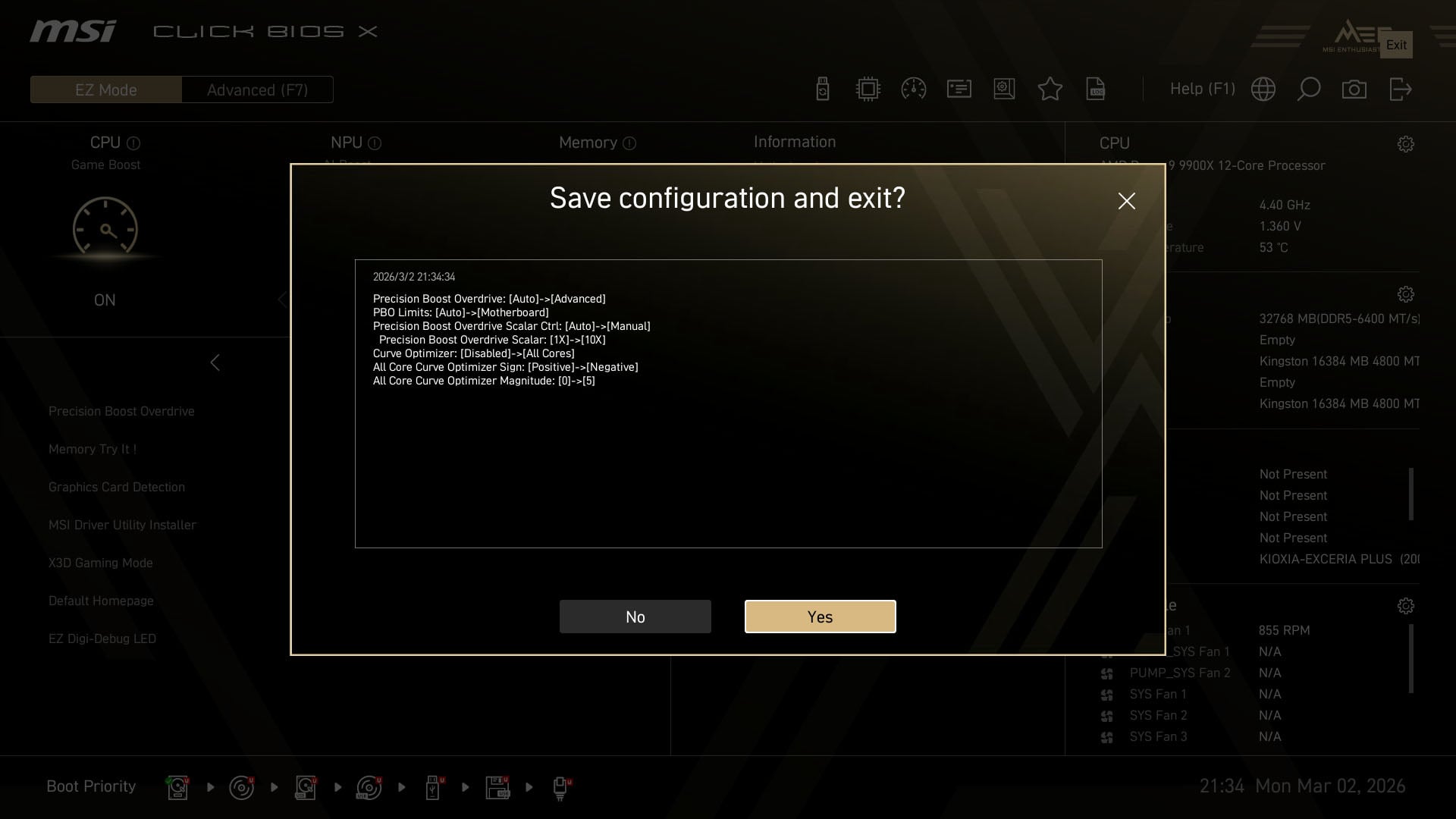
The closest we get to a one-click overclock is ‘Game Boost’ via enabling Precision Boost Overdrive. The toggle prioritises boosting all-core clocks, while also increasing power limits by 10x (which isn’t as reckless as it sounds in practice).
Despite MSI advertising this setting as Game Boost, neither Cyberpunk 2077 nor Final Fantasy XIV: Dawntrail see any change in performance. However, the board’s Cinebench 2024 multi-core result rises to 1,850 (+5%), with its single-core score also getting a small boost to 137 points (+1%).
To achieve these increases, the motherboard pulls substantially more power. Peaking at 355W makes for an increase of 72W (+25%) over stock, while CPU temperatures also climb from 70°C to 89°C. With this context in mind, I wouldn’t rush to use Game Boost.
Conclusion
Even taking the particulars of this motherboard’s PCIe lane allocation into account, it’s difficult to describe the MEG X870E Ace Max as anything but a stellar AM5 motherboard. While the board lacks some of the fanciful features of the MEG X870E Godlike, its specifications are near-identical, and it’s much cheaper too.
You could reasonably describe the MEG X870E Ace Max as the sensible enthusiast choice from MSI’s stack, a mini-Godlike of sorts. However, the more-affordable MPG X870E Carbon WiFi is worth considering if you’re keener to spend ~£450 on a motherboard than £650.
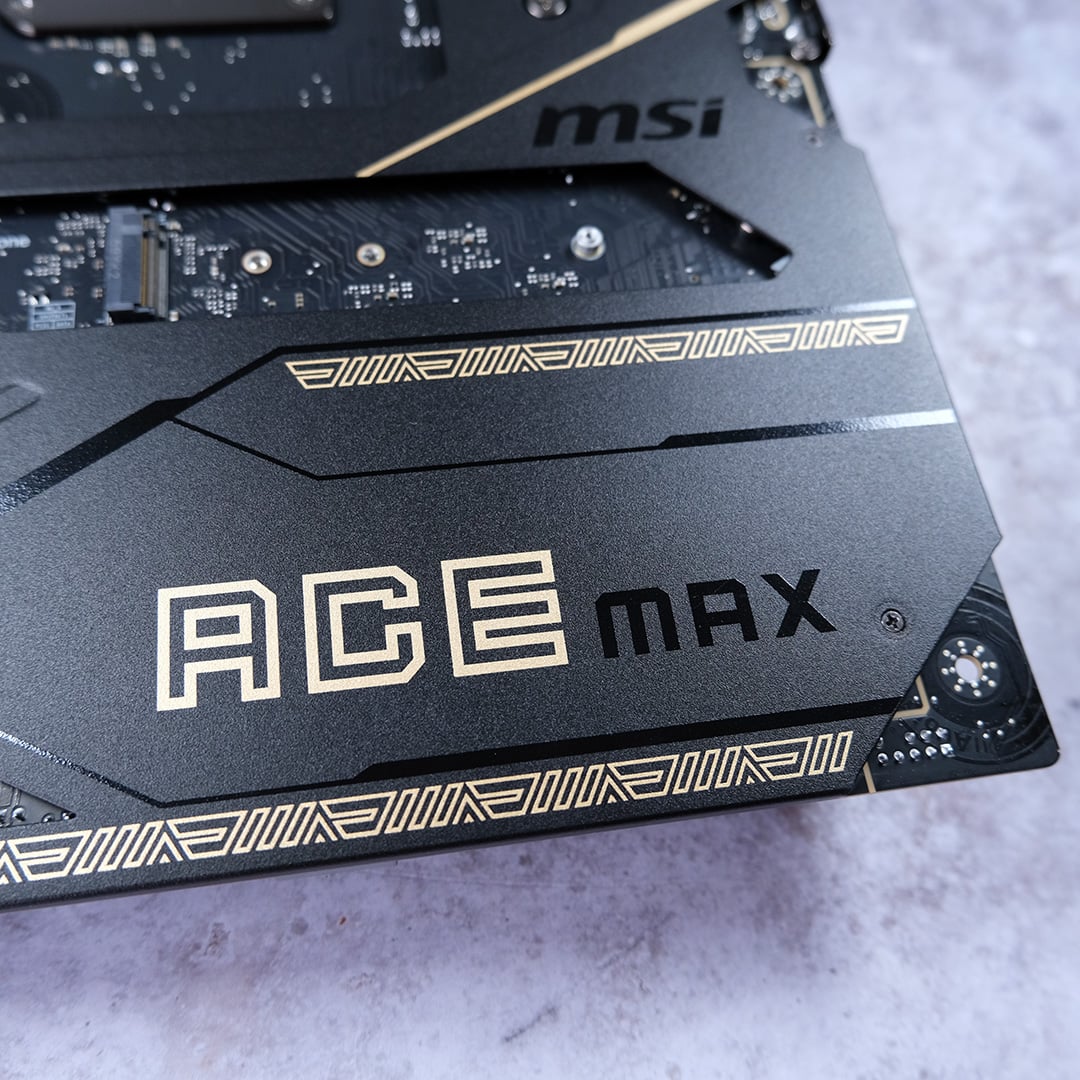
That extra £200 will net you an additional PCIe Gen 5 expansion slot, another Gen 4 M.2 slot, superior audio quality, a backplate, as well as faster wired networking and more headers. While I could personally live without these improvements, they remain advantages for the motherboard nonetheless.
If I had the cash to spend, I’d have zero reservations about picking up the MEG X870E Ace Max for my rig. This motherboard offers everything you could reasonably need or want from an AM5 system, combined with tasteful aesthetics and excellent build quality.
