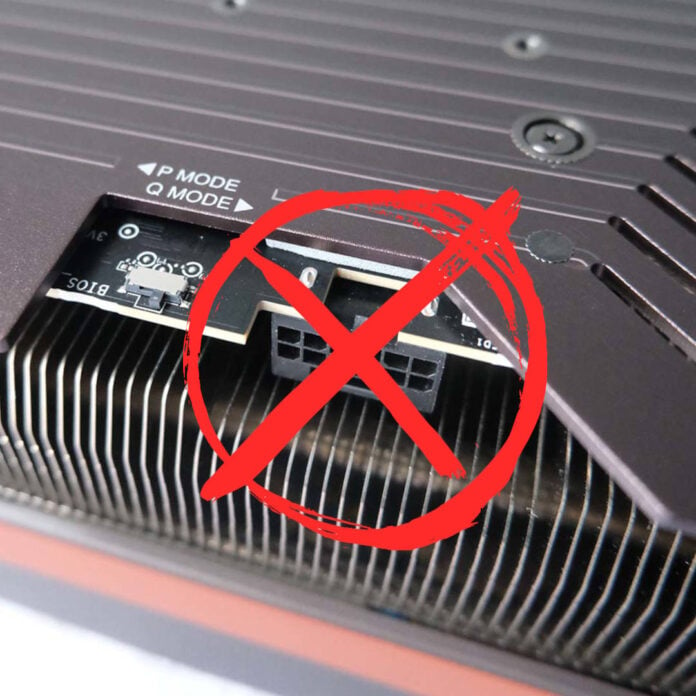
It all looks good on paper, doesn’t it? Rather than lining up a clunky row of 8-pin PCIe sockets on your graphics card, you instead pack it all into a tiny 16-pin socket. With the ability to carry up to 600W over a single cable, 12VHPWR looked like a neat and efficient way of powering future GPUs when it first debuted on the RTX 4090. That honeymoon period soon came to a fiery end, though.
Some unlucky users, including us, have discovered the dark side of sending so much power over this tight bundle of wires. Whether it’s down to an insecure connection, a dodgy cable, or a flawed standard, there are a disturbing number of stories concerning burned-out graphics cards and PSUs, with 16-pin plugs and sockets coming to a sticky, melted end. After experiencing our own melted cable, our editor Ben argues that this standard isn’t fit for purpose, and the move from 12VHPWR to the apparently more secure 12V-2×6 standard hasn’t helped.
The cable itself comprises six positive wires, six for ground, and four for monitoring/sensing, with each positive wire carrying about 100W, or 8.33A at 12V. While the cable and connector are designed to support this current capacity, if it gets slightly dislodged, the contact resistance can cause the load to shift towards another wire. In extreme situations, this causes overloaded wires to overheat, which in turn causes their protective plastic to melt, damaging your graphics card, cable, and potentially, the PSU too.
Despite its flaws, Nvidia remains adamant about using it, and even forcing it on its partners. As a result, every GeForce graphics card above the mid-range comes exclusively with a 12V-2×6 connector in some form. We’d completely understand if you’d rather avoid it altogether, though, which brings us to the main subject of this feature. Since many users prefer to play it safe, and avoid the 12V-2×6 by opting for tried-and-tested 8-pin cables, today we’ll take a tour of the best 12V-2×6-free GPUs you can find.
AMD Radeon RX 9070 XT
If you don’t want to deal with a 12V-2×6 cable, but you still want a decent amount of GPU power, AMD is your best bet. Right now, our top recommendation is AMD’s Radeon RX 9070 XT, which might not match Nvidia’s high-end GPUs, but still gives the more expensive RTX 5070 Ti a run for its money. If you want to stick with 8-pin connectors, this is your best option in terms of performance and features right now.

AMD Radeon RX 9070 XT
£619 / $689
Pros
- More VRAM than RTX 5070
- Fantastic rasterisation and ray tracing performance
- FSR 4 works great
Cons
- Struggles with path tracing
- Sometimes hard to find at MSRP
- FSR 4 game support is limited compared to DLSS
Club386 may earn an affiliate commission when you purchase products through links on our site.
How we test and review products.
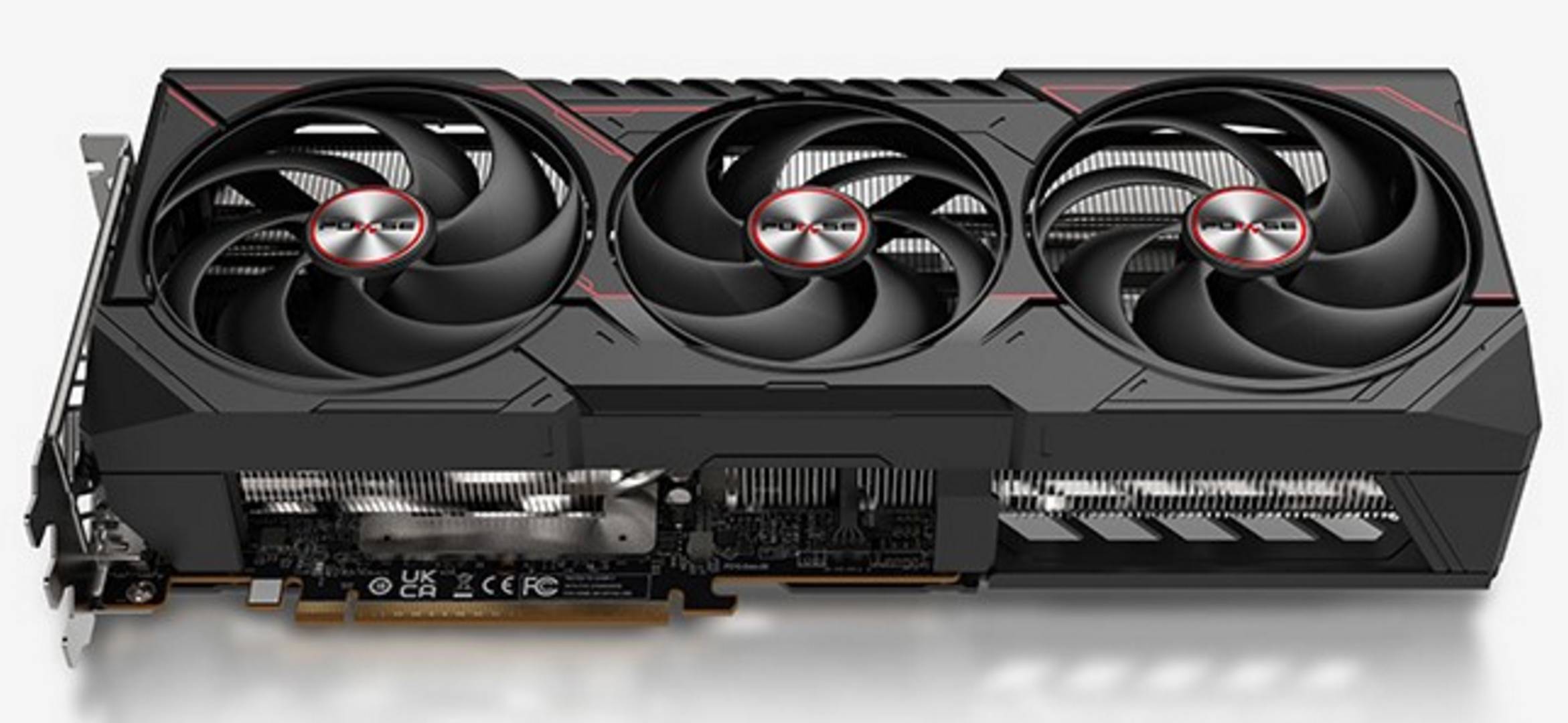
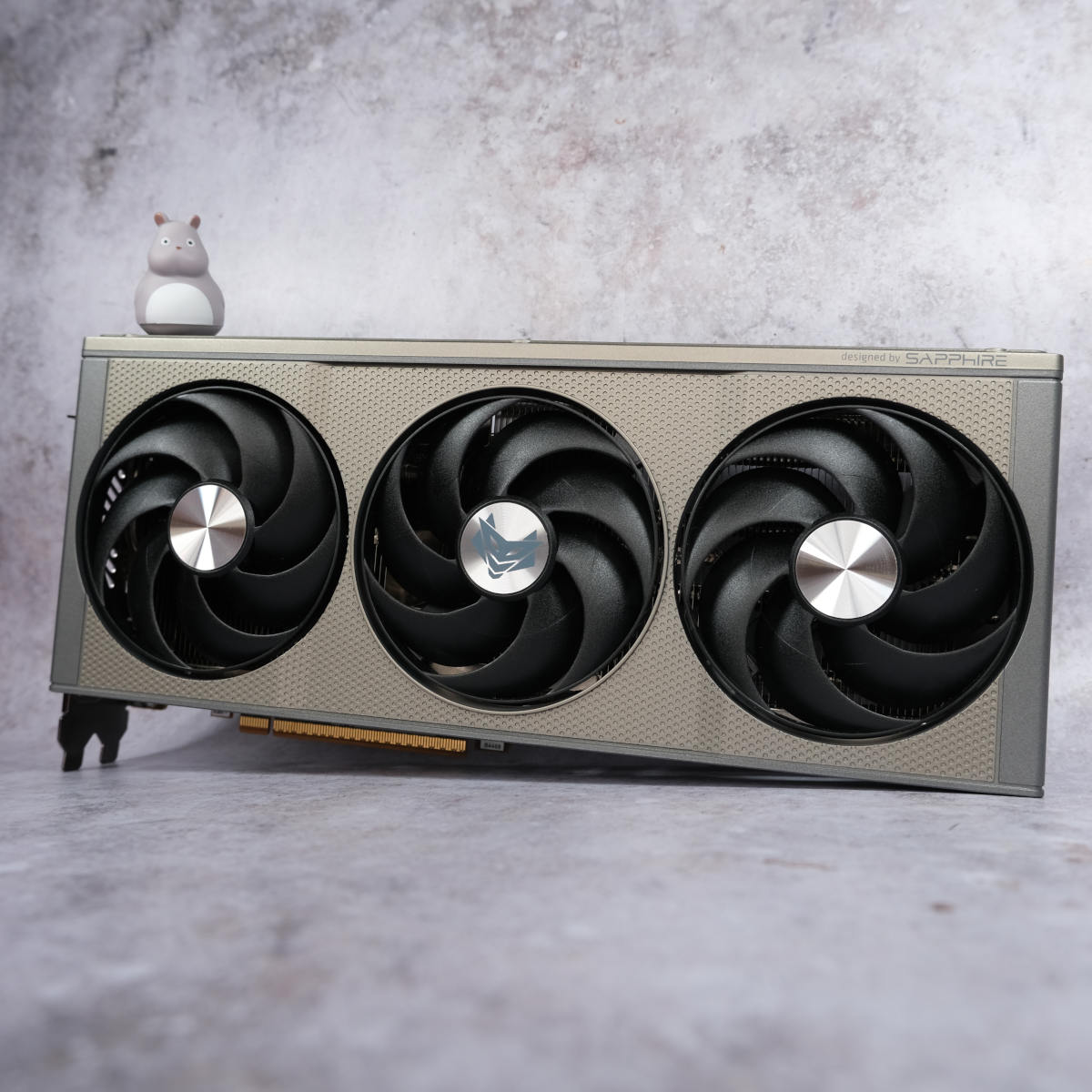
Specs-wise, the RX 9070 XT features AMD’s latest Navi 48 GPU, packing 64 RDNA 4 compute units, 64 3rd-gen RT accelerators, and 16GB of 20Gb/s GDDR6 memory on a 256-bit bus. The card is rated for 304W, fed via two or three 8-pin power connectors depending on the variant. That said, keep in mind that some models come equipped with the 12V-2×6 connector instead – make sure you check you’re buying a variant with 8-pin connectors, such as the pictured Sapphire Pulse model, before you buy.
When it comes to real-world performance, the RX 9070 XT trades blows with the GeForce RTX 4080 Super and Radeon RX 7900 XTX. For example, at 1440p, you can expect around 160fps in Assassin’s Creed Mirage, 166fps in Final Fantasy XIV: Dawntrail, and 80fps in Forza Motorsport. Even ray tracing is handled well by this GPU compared to AMD’s previous efforts, although it struggles with path tracing when compared to Nvidia’s latest GPUs.
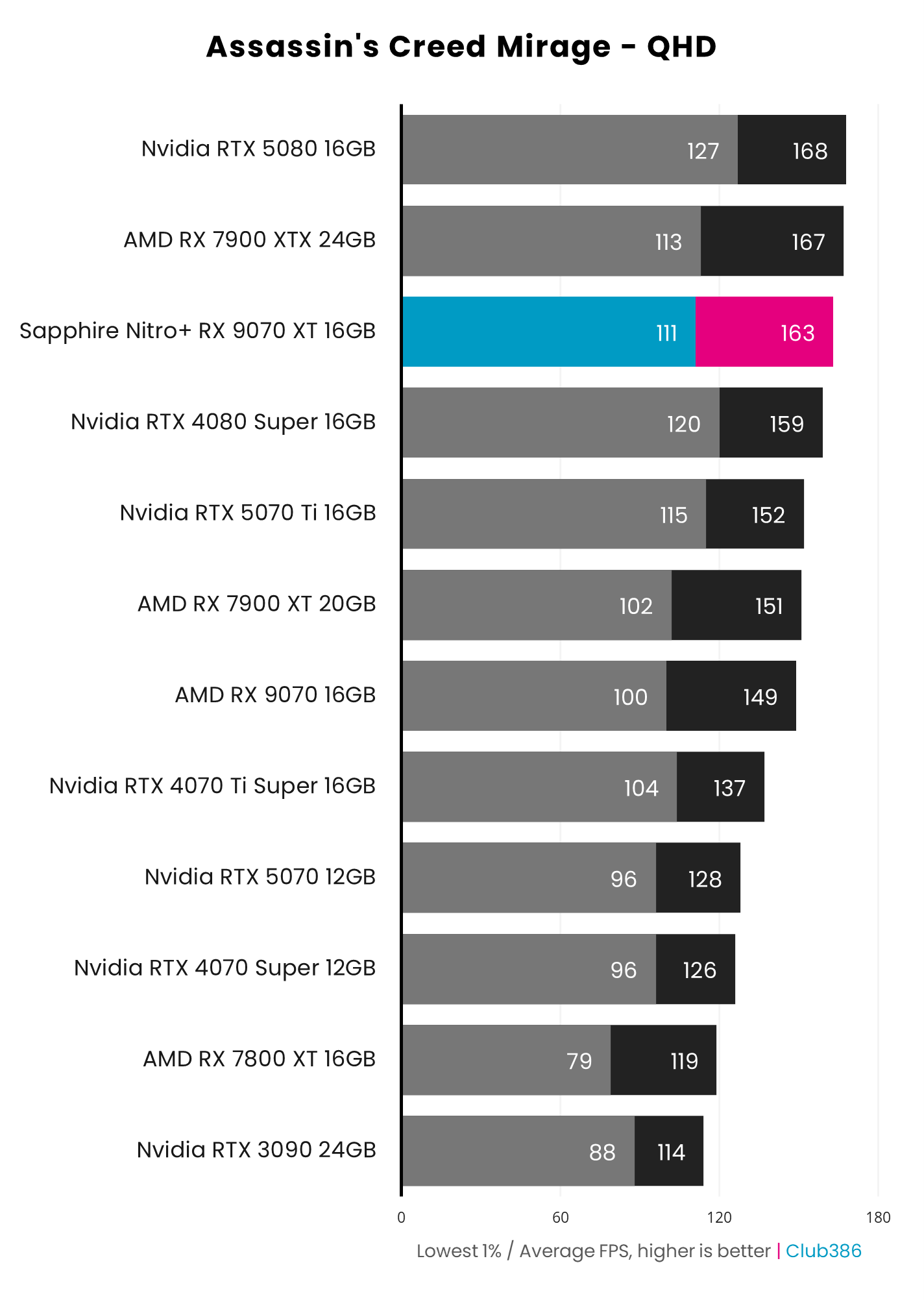
The RX 9070 XT is supposed to retail for £569 MSRP, but due to the current market conditions, you can expect a price somewhere around £630 / $689. However, if you can wait for discount periods, we’ve often spotted them going for £560 or lower. Some of the lower-priced models with 8-pin connectors include the Asus Prime OC, PowerColor Reaper, and Sapphire Pulse.
It might not have the 24GB of VRAM as the Radeon RX 7900 XTX, and it’s not as quick when it comes to raw rasterisation either, but in terms of balance, this GPU really hits the sweet spot. Its AI hardware also fully supports AMD’s FSR 4 upscaling tech at full speed.
AMD Radeon RX 7900 XTX
If you don’t care about ray tracing performance, or can’t get hold of the RX 9070 XT at a reasonable price, the next best thing is the Radeon RX 7900 XTX. With the recently added support for FSR 4.1, this last-gen GPU has nearly reached feature parity with the new RX 9000 series, giving it a new lease of life. It’s hard to find new stock now, but there are plenty of cards going for around on the secondhand market.
AMD Radeon RX 7900 XTX
£999 / $999
Pros
- 24GB of VRAM
- Solid 4K rasterisation performance
- Aggressive price for spec
- Now supports FSR 4
Cons
- Comparatively poor ray tracing performance
- Hard to find in stock now
Club386 may earn an affiliate commission when you purchase products through links on our site.
How we test and review products.
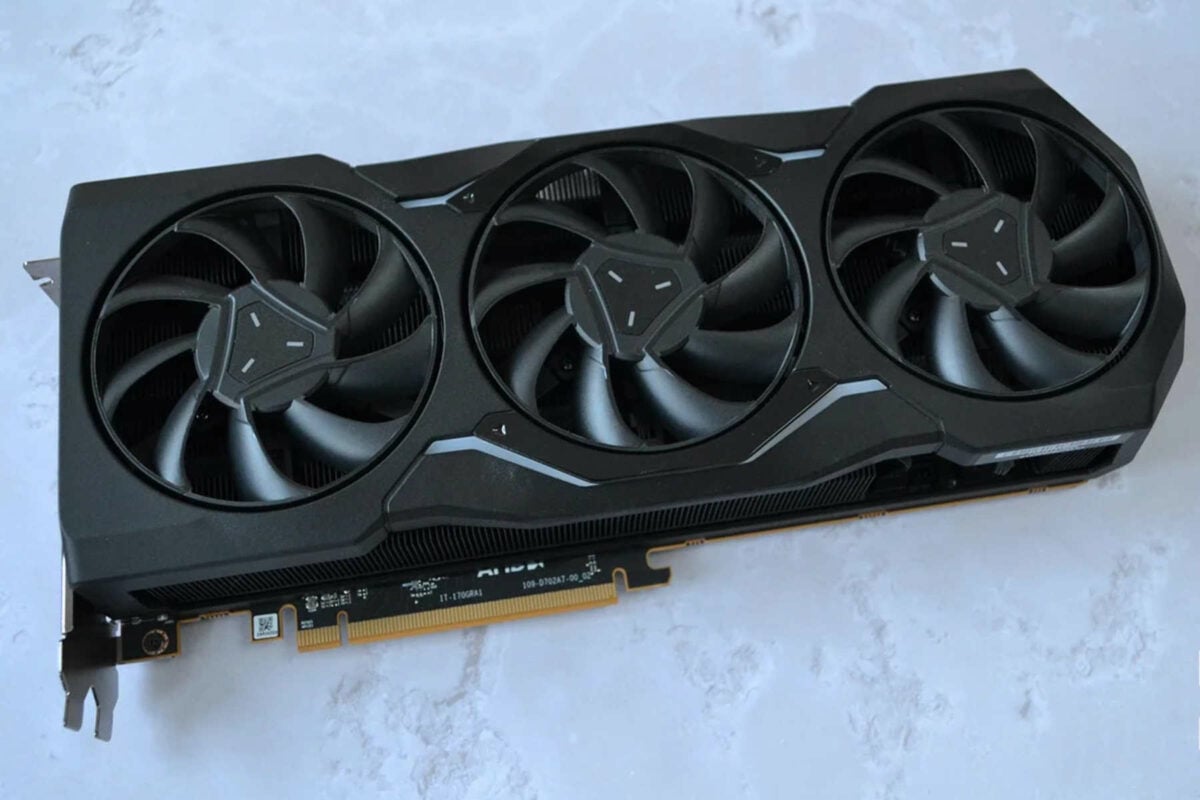
The card comes equipped with AMD’s Navi 31 GPU, packing 96 RDNA 3 compute units, 96 RT cores, and 24GB of 20Gb/s GDDR6 memory on a 384-bit bus. At stock, the card targets a 355W power draw, fed via three 8-pin power connectors. However, this time around, there are no sneaky 12V-2×6 variants – every 7900 XTX card only uses safe 8-pin power sockets.
If you’re not bothered about ray tracing, the RX 7900 XTX becomes an even greater choice, due to its larger memory pool and fast rasterisation performance. Generally, the RX 7900 XTX sits between the Radeon RX 9070 XT and the GeForce RTX 5080 here, but performance can vary a lot in some games, both in positive and negative ways.
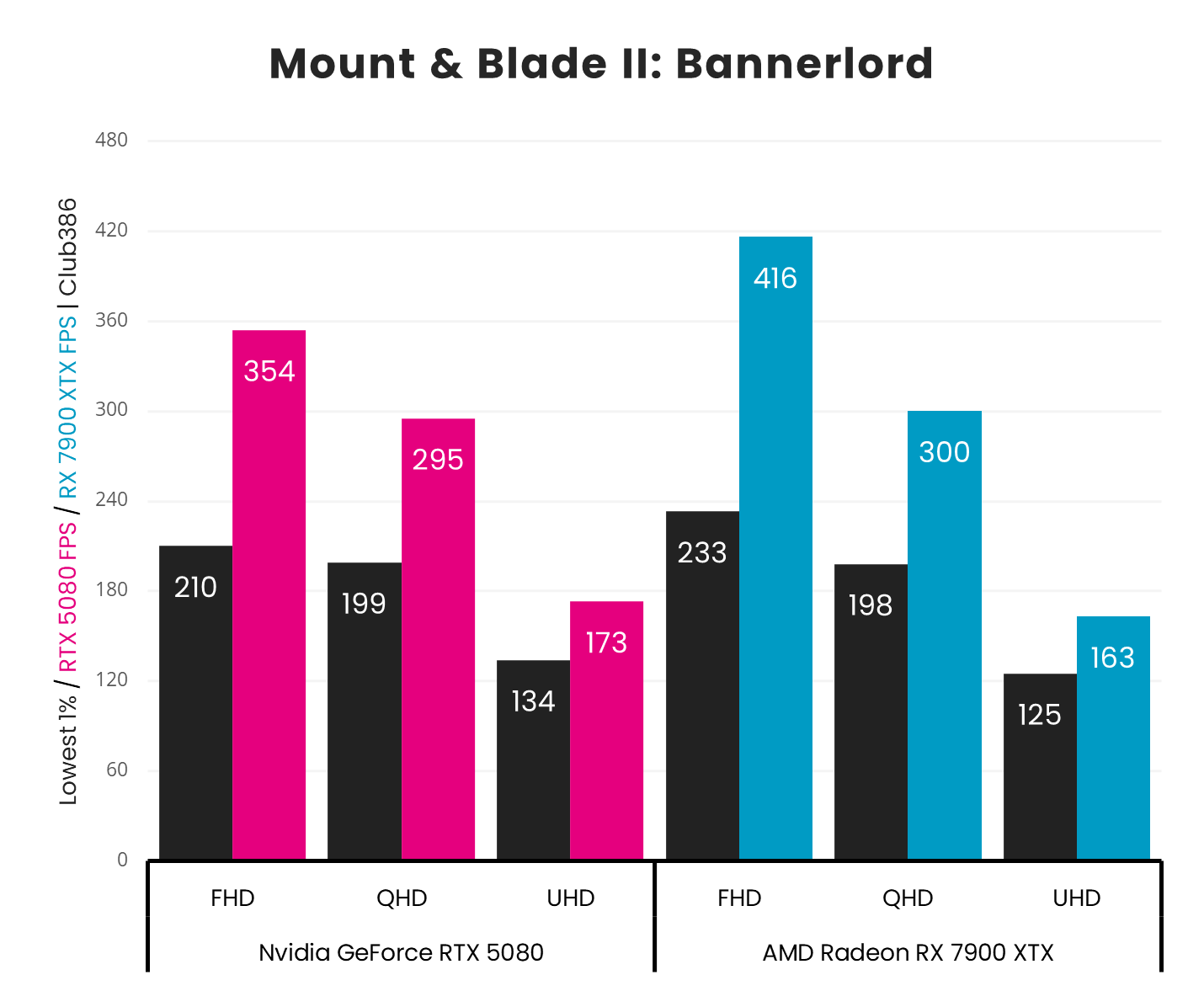
For instance, it can drop below the RTX 4070 Ti Super in Forza Motorsport with ray tracing enabled, or beat the RTX 5080 in Mount & Blade II: Bannerlord. At 1440p, you can expect around 167fps in Assassin’s Creed Mirage, 199fps in Final Fantasy XIV: Dawntrail, and 74fps in Forza Motorsport.
Officially, the card is supposed to retail for a £959 MSRP, at which it makes no sense – the RX 9070 XT is a far better choice. However, you can find the RX 7900 XTX for much cheaper in the secondhand market.
AMD Radeon RX 9060 XT 16GB
This next pick is for those who don’t have a massive amount of money to spend, but still want to buy a decent GPU. The Radeon RX 9060 XT 16GB offers the same modern feature set as the RX 9070 XT, including better FSR 4.1 and ray tracing performance than the Radeon RX 7000 series, as well as AMD’s Ray Regeneration tech, just at a lower performance tier.
AMD Radeon RX 9060 XT
£399 / $449
Pros
- Up to 16GB of VRAM
- Solid FHD and QHD gaming pace
- Full FSR 4 support
Cons
- 16GB cards are now very expensive
- Nvidia’s DLSS suite has much wider game support than FSR
Club386 may earn an affiliate commission when you purchase products through links on our site.
How we test and review products.
Specs-wise, we find AMD’s mid-range Navi 44 GPU, packing 32 RDNA 4 compute units and 32 3rd-gen RT accelerators, alongside 8GB or 16GB of 20Gb/s GDDR6 memory on a 128-bit bus. Basically, the RX 9060 XT’s GPU packs exactly half the specs of the flagship RX 9070 XT. This combination of specs is rated for 160W, which is also nearly half the power draw of the RX 9070 XT.
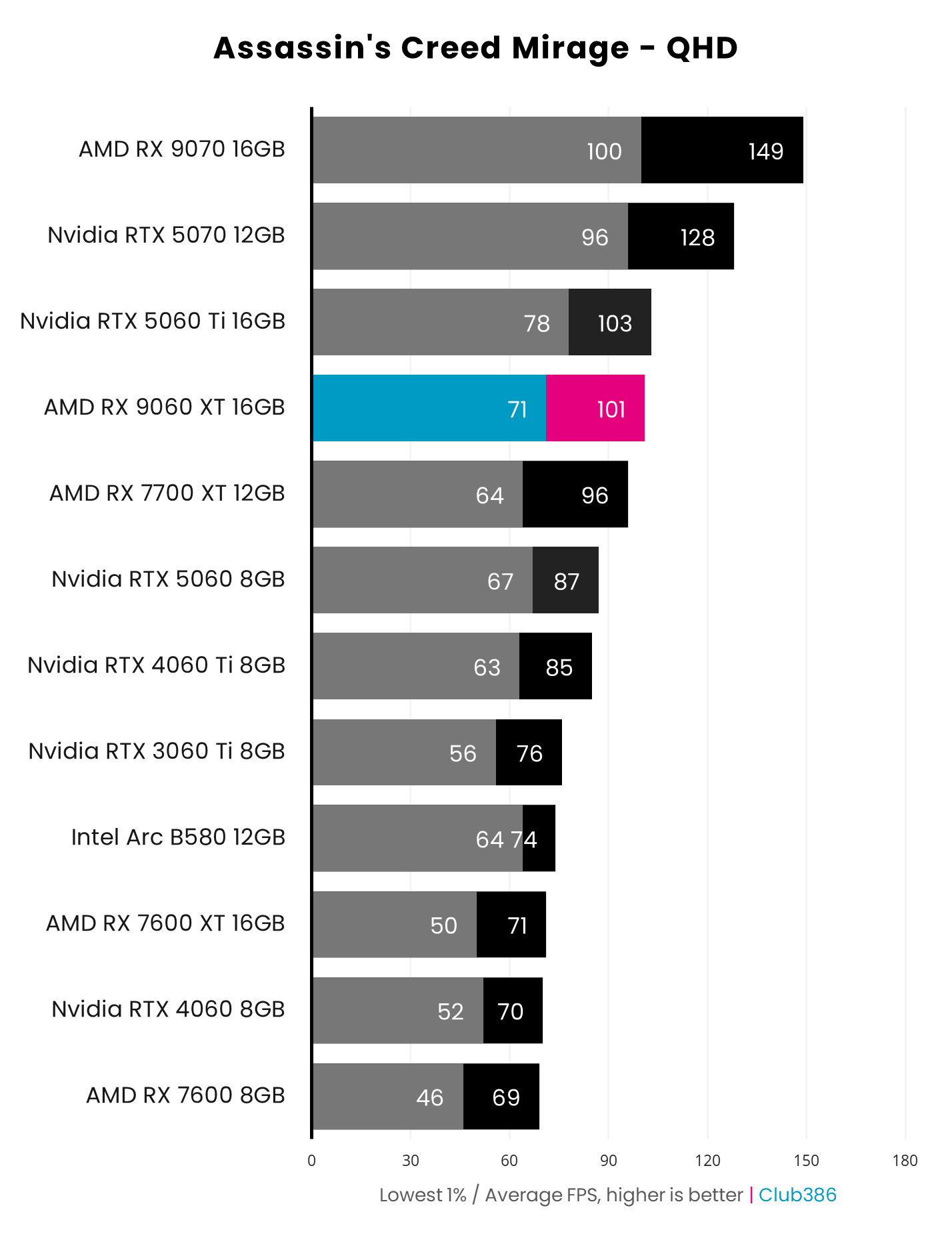
Interestingly enough, despite its lesser specs, the RX 9060 XT delivers about 60% the performance of the RX 9070 XT. In other words, at 1440p resolution, you can expect 101fps in Assassin’s Creed Mirage, 93fps in Final Fantasy XIV: Dawntrail, and 52fps in Forza Motorsport. If this level of performance suits you, the 16GB version can be yours for £399, which is unfortunately much higher than the official £314.99 MSRP.
Note, however, that there is also an 8GB variant of the RX 9060 XT if you want a much cheaper card, but keep in mind that exceeding its memory pool can substantially impact your frame rates. By how much, you may ask? Well, depending on how the game manages its VRAM needs, the impact is generally unplayable stutters or even crashes once your VRAM buffer is saturated. Thankfully, lowering some graphics settings allows you to avoid this limitation. So, if you don’t mind tweaking your settings a bit, you can save £79 and grab the 8GB version for £319.99.
Overall, in current market conditions, the RX 9070 XT offers greater bang per buck, despite its higher sale price. However, if you want respectable performance at a reasonable price, the RX 9060 XT 8GB is a good pick.
Nvidia GeForce RTX 5060 Ti 16GB
If you want to buy an Nvidia Blackwell GPU and reap all the benefits of the DLSS 4 tech suite, then, well, your best choice is the GeForce RTX 5060 Ti 16GB. This is sadly the most powerful new GPU Nvidia offers with old-school 8-pin power connectors. Despite its small GPU and low power budget, the RTX 5060 Ti 16GB packs quite a punch, slotting between the Radeon RX 9060 XT 16GB and GeForce RTX 4070.
Nvidia GeForce RTX 5060 Ti
£529 / $569 (16GB)
Pros
- Decent FHD and QHD performance
- Up to 16GB GDDR7 VRAM
- DLSS 4 support
Cons
- 16GB cards are ridiculously priced now
- Not much faster than 4060 Ti
Club386 may earn an affiliate commission when you purchase products through links on our site.
How we test and review products.
In other words, by choosing Nvidia at all costs, your best native 8-pin option is much slower than AMD’s RX 9070 XT. Frustratingly, as a result of the current memory shortage, 16GB versions of this card also now have extremely high prices – an extra £100 would buy you the much more powerful 9070 XT.
Thankfully, 8GB versions of this GPU are still reasonably priced, although you’ll need to be prepared to lower your graphics settings in demanding games, in order to avoid saturating your frame buffer and watching your frame rate fall off a cliff.
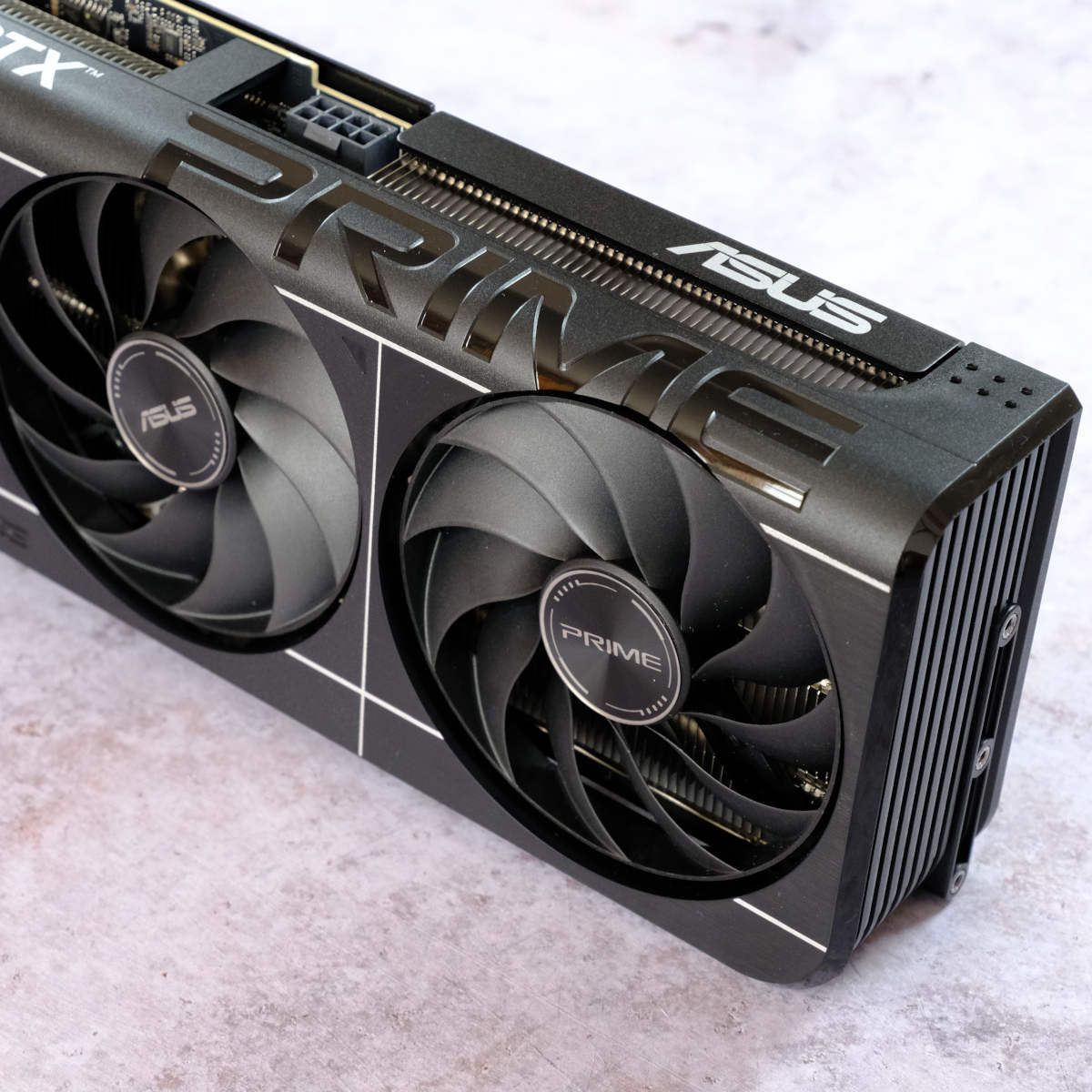
In terms of specs, you get Nvidia’s GB206 Blackwell GPU, packing 4,608 CUDA cores, 36 4th-gen RT cores, and either 8GB or 16GB of 28Gb/s GDDR7 memory on a 128-bit bus. Due to its lower 180W power target, this card is fed via a single 8-pin cable, which makes it a great option for upgrading oldish gaming machines. Not only do you avoid the risk of a 12V-2×6 cable, but you may well get away without needing a PSU upgrade too.
When it comes to gaming, the RTX 5060 Ti 16GB is capable of pushing about 103fps in Assassin’s Creed Mirage, 105fps in Final Fantasy XIV: Dawntrail, and 55fps in Forza Motorsport, all at a 1440p resolution. This is enough for an enjoyable gaming experience, more so if you enable DLSS upscaling, which has become hard to distinguish from native resolution with Nvidia’s new Transformer model.
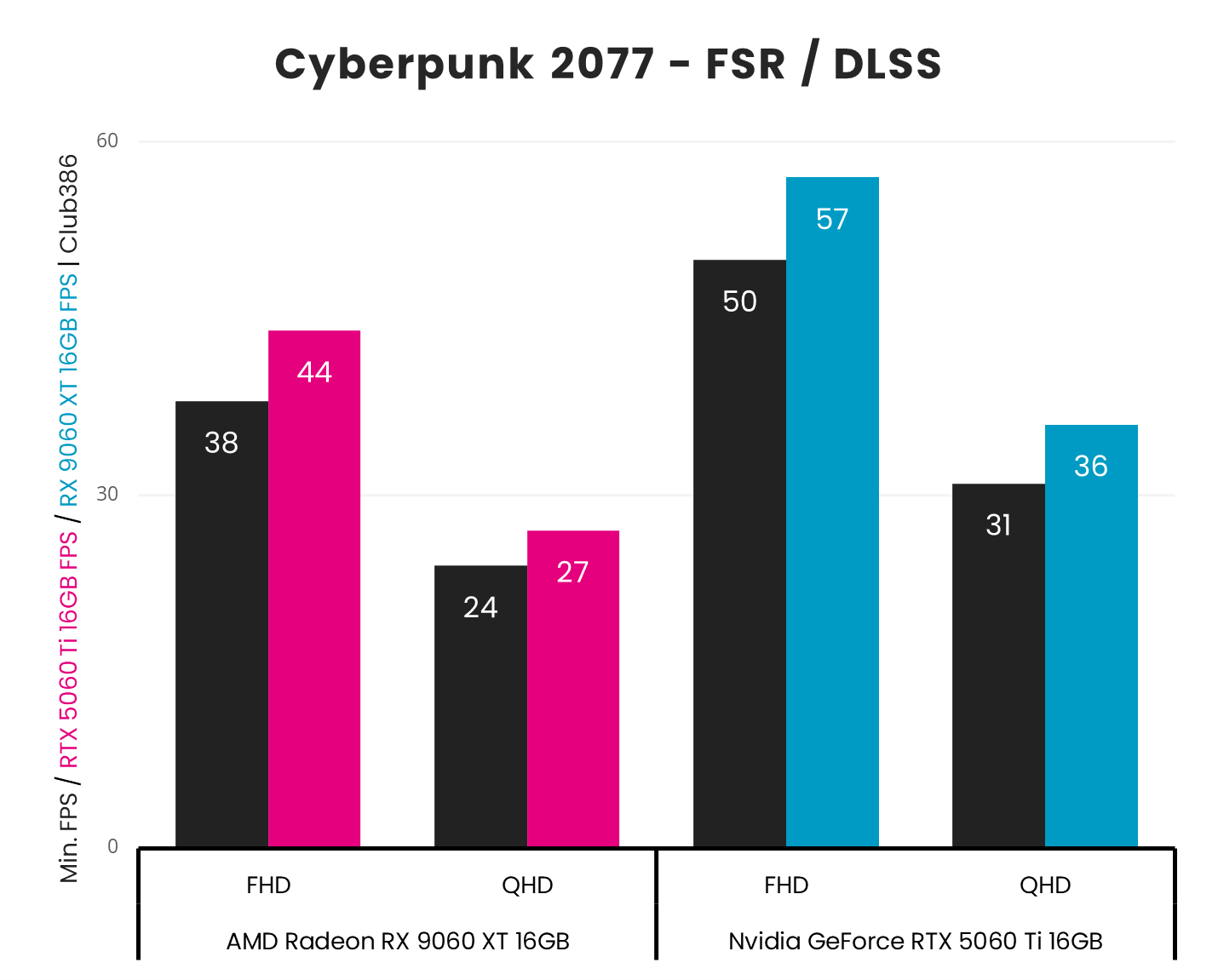
This GPU also has stronger ray tracing performance than the AMD Radeon RX 9060 XT. As you can see in the graph above, that means you can actually play Cyberpunk 2077 with the Ultra ray tracing preset enabled at 1080p, and still hit 57fps. That’s a strong enough starting point to enable multi frame gen, which you also don’t get on the AMD card.
Nvidia GeForce RTX 4070
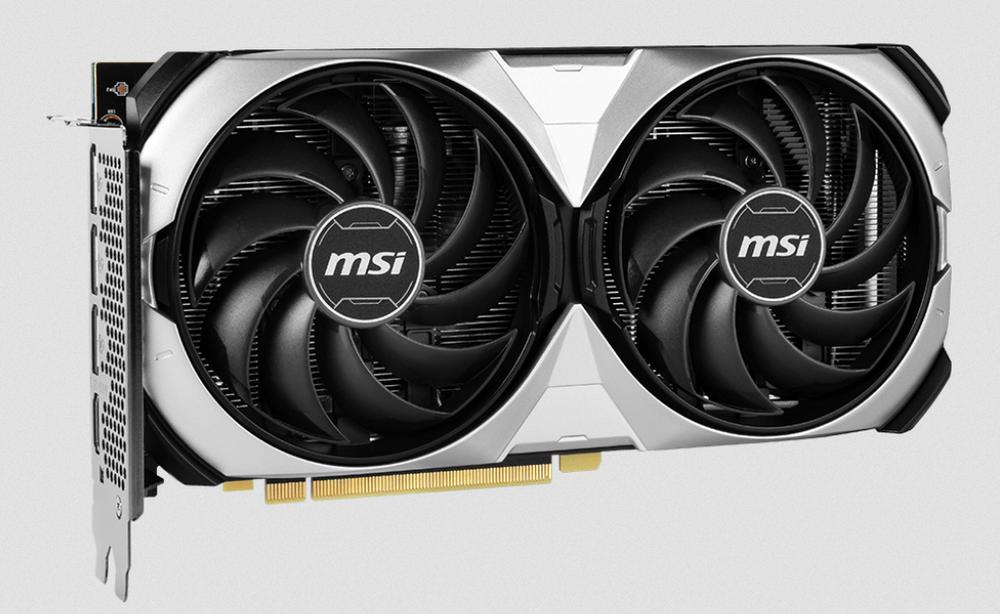
Unlike Nvidia’s Blackwell range of GPUs, its Ada lineup didn’t insist on a 16-pin connector on the 70-series card. The Founders Edition has a 12VHPWR socket, but there are some Nvidia GeForce RTX 4070 cards made by board partners with 8-pin connectors, such as the MSI Ventus 2X. You can’t buy them new any more, but they’re readily available secondhand for around £420.
Nvidia GeForce RTX 4070
~£420
Pros
- Fastest Nvidia GPU without 16-pin power connector
- Power efficient
- Decent FHD and QHD performance
Cons
- Only available secondhand
- Only 12GB of VRAM
- No multi frame gen support
Club386 may earn an affiliate commission when you purchase products through links on our site.
How we test and review products.
In terms of raw GPU performance, there isn’t a massive difference between the RTX 4070 and the current 5070. The former has 5,888 Ada CUDA cores, compared with 6,144 on the latter, making for only a tiny boost in shader power from the newer GPU. Like the 5070, you also get the same amount of VRAM on the 4070 at 12GB. That’s a decent step up from 8GB, and makes for a sensible compromise in these times when 16GB cards demand silly premiums.
What you don’t get with this older GPU is the full DLSS 4 tech suite, which includes multi frame gen (MFG). This feature enables Nvidia’s newer GPUs, such as the RTX 5070, to insert multiple extra frames between each pair rendered by your GPU (up to 6x), which does a remarkably good job of smoothing out motion if you have a monitor with a high refresh rate.
You do still need a solid starting point before you can enable MFG, though, and the RTX 4070 still supports basic 2x frame gen. Its Tensor cores are also perfectly capable of handling Nvidia’s latest DLSS Transformer upscaling tech without a big performance hit, unlike earlier Ampere and Turing GPUs.
If you don’t want to risk plugging a 12V-2×6 cable into your GPU, this as good as Nvidia GPUs get at the moment. You’ll need to pick one up secondhand, though, as there are none available for new at retail.
Wildcard – Asus ROG Astral GeForce RTX 5090 BTF
We know this one is a bit cheeky, but hear us out. If you’re interested in Nvidia’s feature set, and want to play the latest games in full, path-traced glory, you’re pretty much stuck with the GeForce series. Unfortunately, Nvidia is forcing the 12V-2×6 connector on all its high-end Blackwell models.
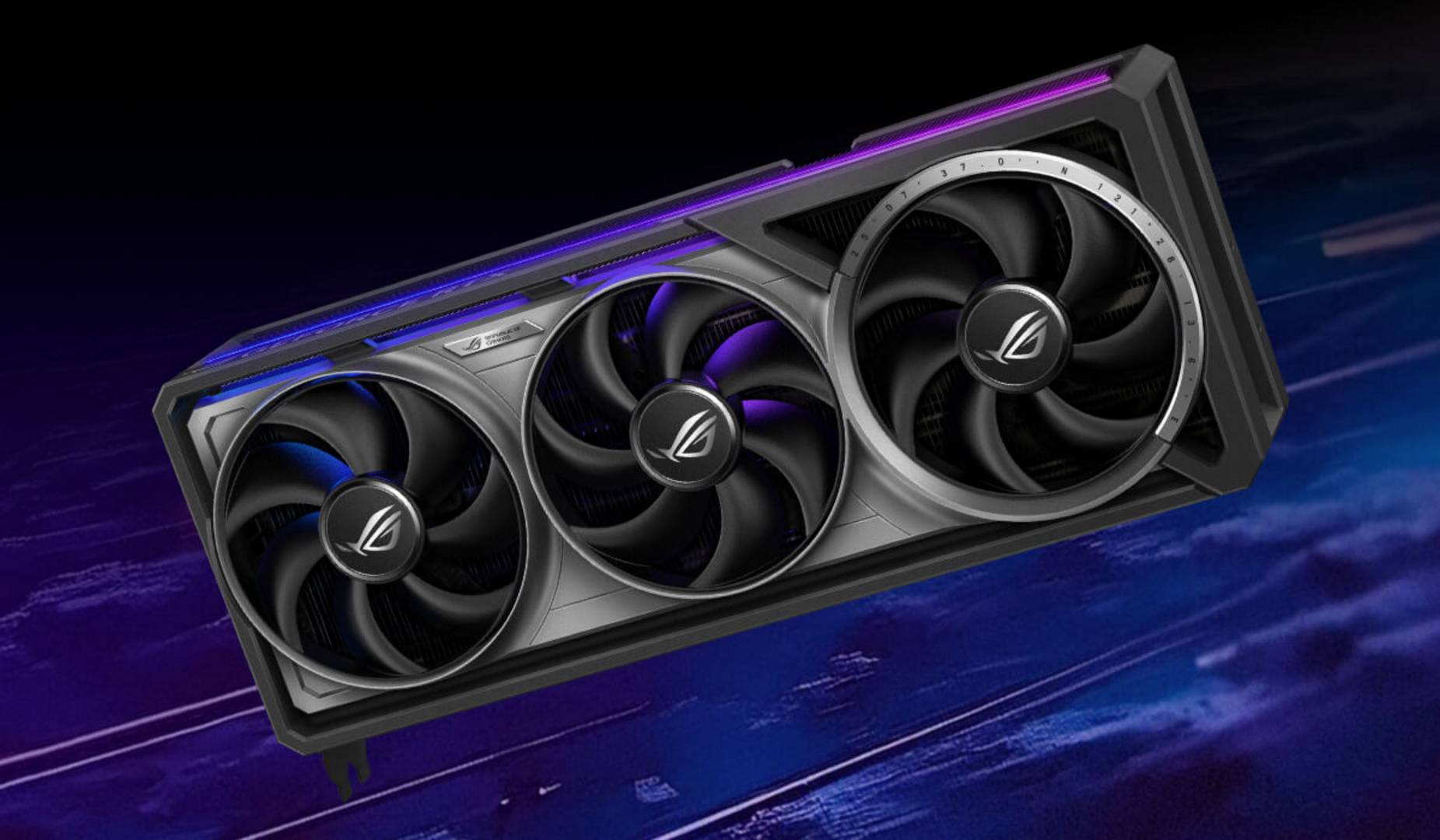
That said, there is an exception; some graphics cards feature back-connect wiring, so they get all their power from your motherboard, so you don’t need to plug a cable into them. MSI’s Project Zero RTX 5070 Ti is a fine example, while Asus’ range of ‘BTF’ cards goes all the way up to RTX 5090 models. These Asus graphics cards feature an alternative connector called GC-HPWR, which feeds the card directly from your motherboard, with a catch.
Asus ROG Astral GeForce RTX 5090 BTF
£3,560 / $4,429
Pros
- Minimises risk of graphics card damage
- Fastest GPU available
- No visible graphics cables
Cons
- Exorbitant price tag, especially now
- Still need to plug 16-pin power cable into your motherboard
Club386 may earn an affiliate commission when you purchase products through links on our site.
How we test and review products.
This proprietary connection requires both a compatible motherboard and graphics card, which limits your choice. On top of this, while the card can be entirely fed via the GC-HPWR slot, the motherboard still needs to be connected to your PSU with a 12V-2×6 cable. In other words, this mainly moves potential damage from the expensive GPU to the motherboard.
A better choice would have been to feed the GC-HPWR slot using four 8-pin cables, especially as compatible motherboards tend to be back-connect models, which relocate all the power connectors to the back side of the motherboard, meaning those 8-pin cables wouldn’t be visible anyway.
Regardless, if this counts for you as a 12V-2×6-free design, your performance range greatly improves, including up to the record-breaking ROG Matrix Platinum RTX 5090. Other options include the ROG Strix RTX 4090 BTF, TUF RTX 5070 Ti BTF White, or TUF RTX 4070 Ti Super BTF White. In regard to compatible motherboards, you have the choice between Asus’ ROG Crosshair X870E Hero BTF or TUF Gaming B850-BTF WiFi for AMD Ryzen CPUs. and the ROG Maximus Z890 Hero BTF or TUF Gaming Z790-BTF WiFi for Intel Core CPUs, just to name a few.
If you really want the best GPU you can buy, the GeForce RTX 5090 is the prime choice, offering the ultimate gaming experience to date. Inside this beast, you’ll find Nvidia’s latest GB202 GPU, packing 21,760 CUDA cores, 170 4th-gen RT cores, and 32GB of 28Gb/s GDDR7 memory on a 512-bit bus. To feed this beast, 575W is required.
Unsurprisingly, with such specs under the hood, no card comes close to the RTX 5090’s performance, as it sits about 25% ahead of even the mighty RTX 4090. Put into numbers, at 1440p resolution, the RTX 5090 is able to deliver 209fps in Assassin’s Creed Mirage, 263fps in Final Fantasy XIV: Dawntrail, and 142fps in Forza Motorsport, all at top settings.
Unfortunately, this is where the fun stops, as you will need to shell out an eye-watering £3,560 for the ROG Astral GeForce RTX 5090 OC Edition, plus at least £340 for a compatible motherboard. Even then, there’s still some risk from plugging a 12V-2×6 cable into your motherboard.